What Is a Progressive Web App? Beginner’s Guide

Introduction

The global progressive web app market was valued at USD 3.53 billion in 2024 and is projected to hit USD 21.44 billion by 2033, growing at a 18.98% CAGR. Straits Research Yet most businesses still split their budgets across separate iOS and Android builds two codebases, two maintenance cycles, two app store approval processes when a single progressive web app can serve both platforms from one deployment.

progressive web app

This guide covers what a progressive web app is, how it works, real cost and ROI data, a full comparison with native apps, known risks, and a vendor selection checklist for 2026.

What Is a Progressive Web App?

Core Definition

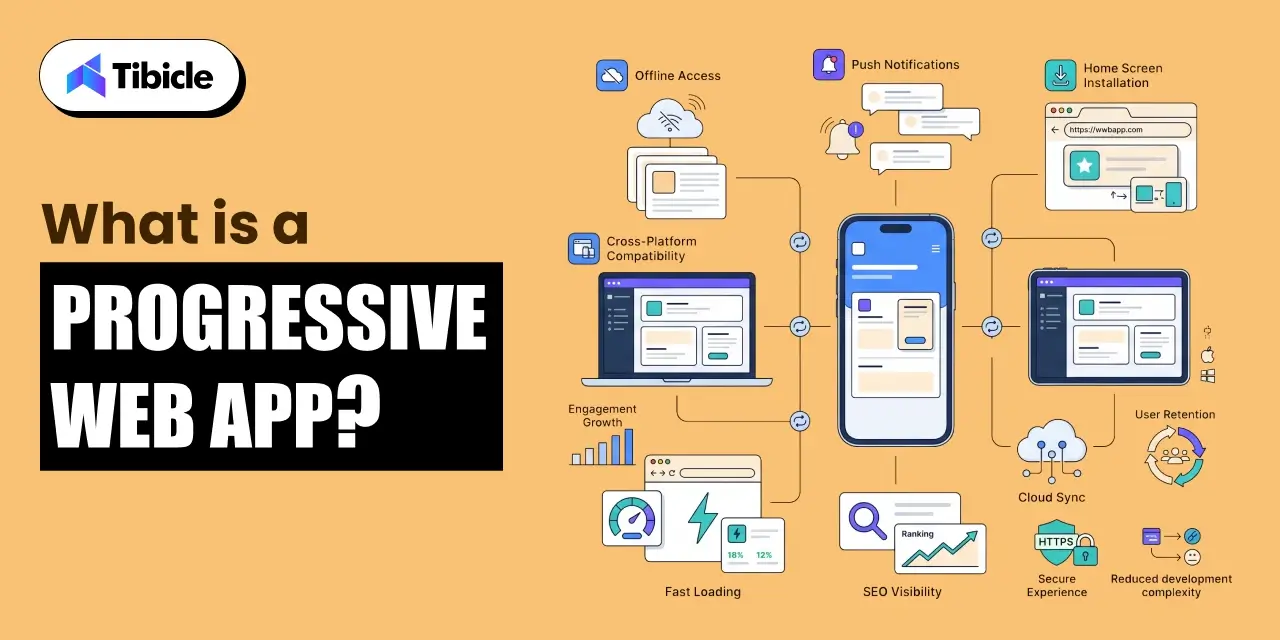
A progressive web app is a browser-based application built with HTML, CSS, and JavaScript that behaves like a native mobile app. It can be installed on a user’s home screen, works offline, and sends push notifications without requiring distribution through the Apple App Store or Google Play.

PWAs show a 70% increase in session length and a 20% increase in page views per session compared to traditional web apps. ResearchGate, cited by Straits Research The architecture behind this performance is what separates a progressive web app from a standard website.

How Does a Progressive Web App Work?

progressive web app

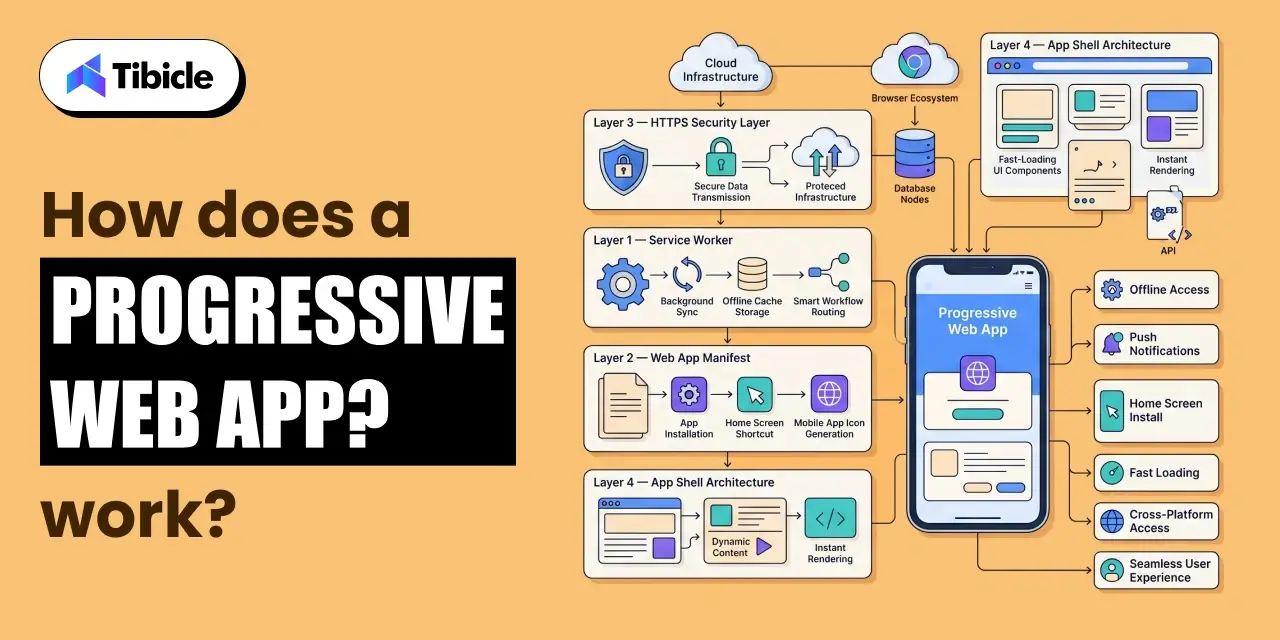
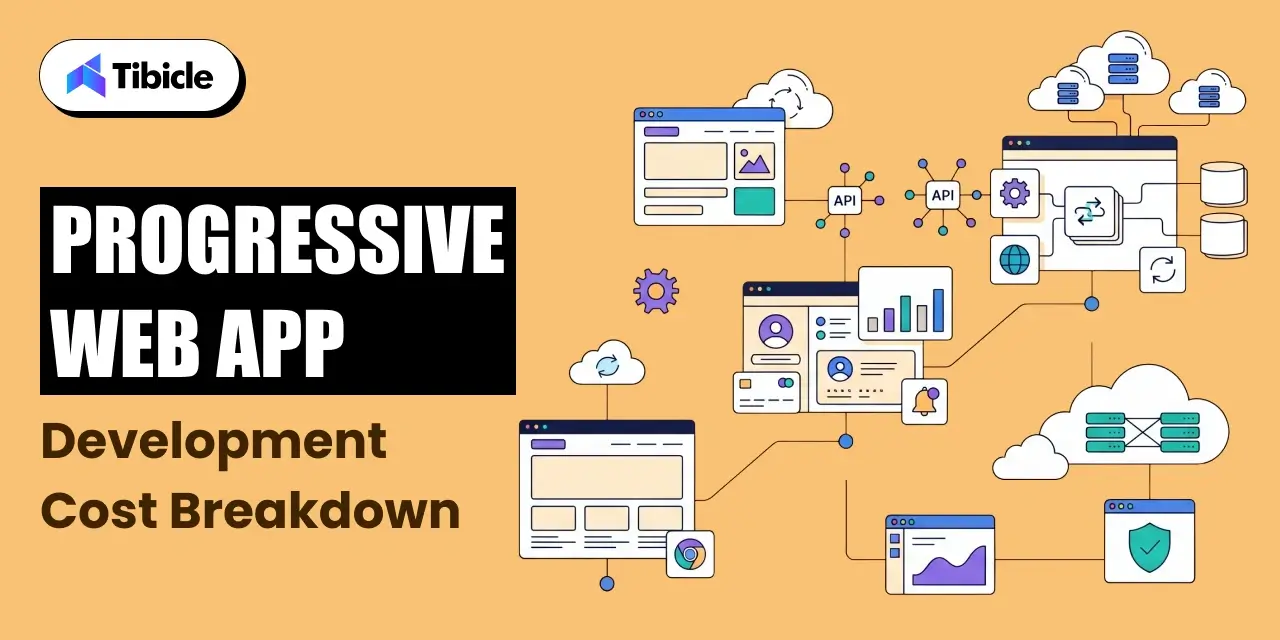
A progressive web app is built on four technical components working together. Each layer handles a specific function, and together they produce the app-like experience users expect on mobile.

What Are Service Workers?

Service workers are background scripts that run separately from the main browser thread. They manage PWA caching, handle offline access, and enable background sync. When a user opens a progressive web app without internet access, the service worker serves cached content instead of showing an error, this is what makes an offline web app possible.

What Is a Web App Manifest?

The web app manifest is a JSON configuration file that defines the app’s name, icon, theme color, and display behavior. It tells the browser how to present the installable web app, whether in full-screen, standalone, or browser mode. This file is what enables home screen installation without an app store.

Why Does HTTPS Matter for a PWA?

HTTPS is mandatory for a progressive web app. All data transmitted between the browser and server must be encrypted. This is not optional browsers block service worker registration on non-secure origins. It also establishes the trust baseline that search engines and users expect.

What Is App Shell Architecture?

App shell architecture loads a minimal set of HTML, CSS, and JavaScript on the first request, just enough to render the UI instantly. Content is then loaded dynamically as the user interacts. This approach cuts perceived load time and improves Core Web Vitals scores, both of which affect search rankings.

PWA Component Overview

PWA Component Function Business Impact
Service Worker Caching, offline access, background sync Keeps app functional without internet
Web App Manifest Defines name, icon, display mode Enables home screen installation
HTTPS Layer Encrypts all data in transit Security compliance, browser trust
App Shell Architecture Minimal UI load, dynamic content Faster perceived load, better Core Web Vitals

Why Businesses Are Adopting Progressive Web Apps in 2026

progressive web app

Cost Reduction with a Single Codebase

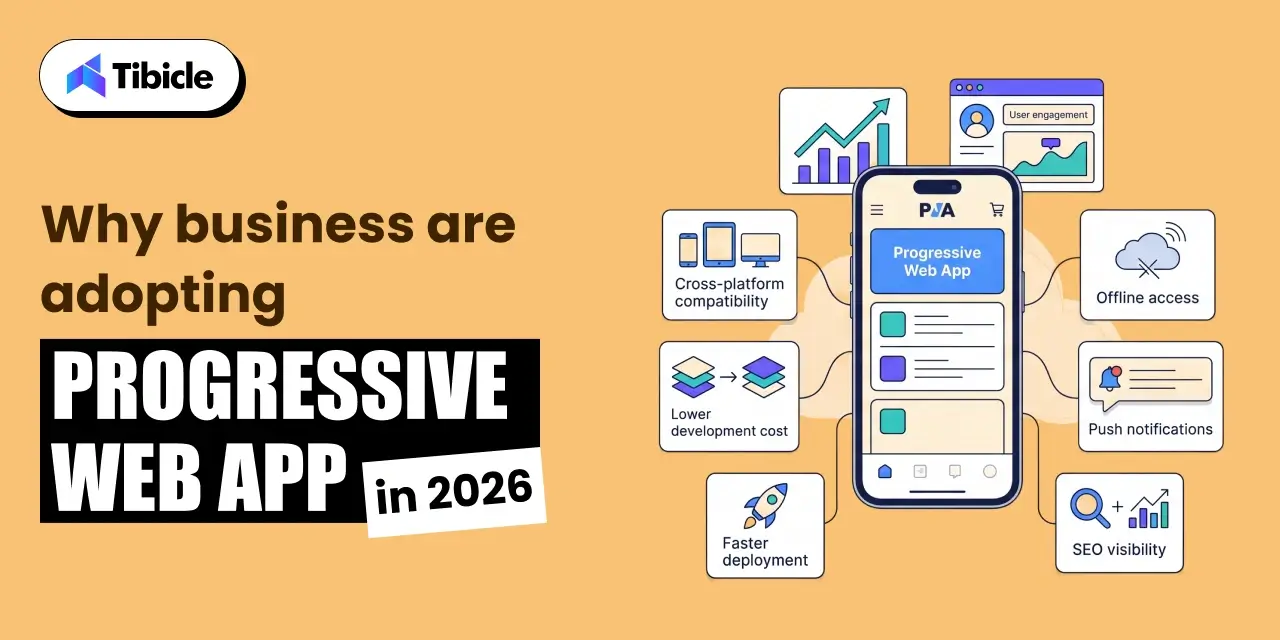
PWA development costs 30%-75% less than building separate native apps. Glance Research, cited by Newly The average PWA development project runs $8,000–$25,000, compared to $50,000–$150,000+ for dual native builds across iOS and Android. For early-stage businesses and mid-market companies, that gap often determines whether a product launches on schedule or gets delayed by 12 months.

A single codebase app also reduces ongoing maintenance overhead. One update deploys across all platforms simultaneously, no separate release cycles, no app store approval queues.

Higher User Engagement and Retention

The business case for progressive web app development is backed by documented results across industries:

  • Pinterest saw a 60% increase in engagement after launching its PWA.
  • Twitter Lite reported a 65% increase in pages per session and a 75% increase in tweets sent.
  • Starbucks doubled its daily active users after deploying a PWA that was 99.84% smaller than its iOS app.

These are not edge cases. They reflect what happens when load time drops, offline access is restored, and the friction of app store downloads is removed.

SEO and Discoverability Advantage

A progressive web app is fully indexable by search engines. Native apps are not as they sit behind app store walls that Google’s crawler cannot access. For businesses where organic search drives acquisition, this distinction matters. PWA development gives you a cross-platform app that also functions as a discoverable web property.

Progressive Web App Use Cases by Industry

E-commerce and Retail

E-commerce holds 31.4% of the PWA market share in 2025. Coherent Market Insights Faster load times, offline browsing, and push notifications for cart recovery make PWAs well-suited for retail. Reducing page load time by one second can lift conversions by up to 7%, a metric that compounds across high-traffic stores.

Media and Content Publishing

Forbes deployed a progressive web app and reported significant improvements in session depth and ad revenue per user. Media publishers benefit from offline reading mode and fast article load times, both of which reduce bounce rate and increase time-on-page, two signals that affect ranking.

Travel and Hospitality

Travel companies using PWAs have reported a 3x conversion rate increase and 180% retention improvement. Clutch.co Offline itinerary access and fast booking flows are the primary drivers. Users in airports or low-connectivity areas can complete bookings without the experience breaking.

B2B SaaS and Enterprise Tools

Enterprise teams use PWAs for offline dashboards, real-time sync across devices, and field sales tools that function without a stable internet connection. The cross-platform app model means a sales rep on Android and a manager on iOS both use the same product, updated at the same time.

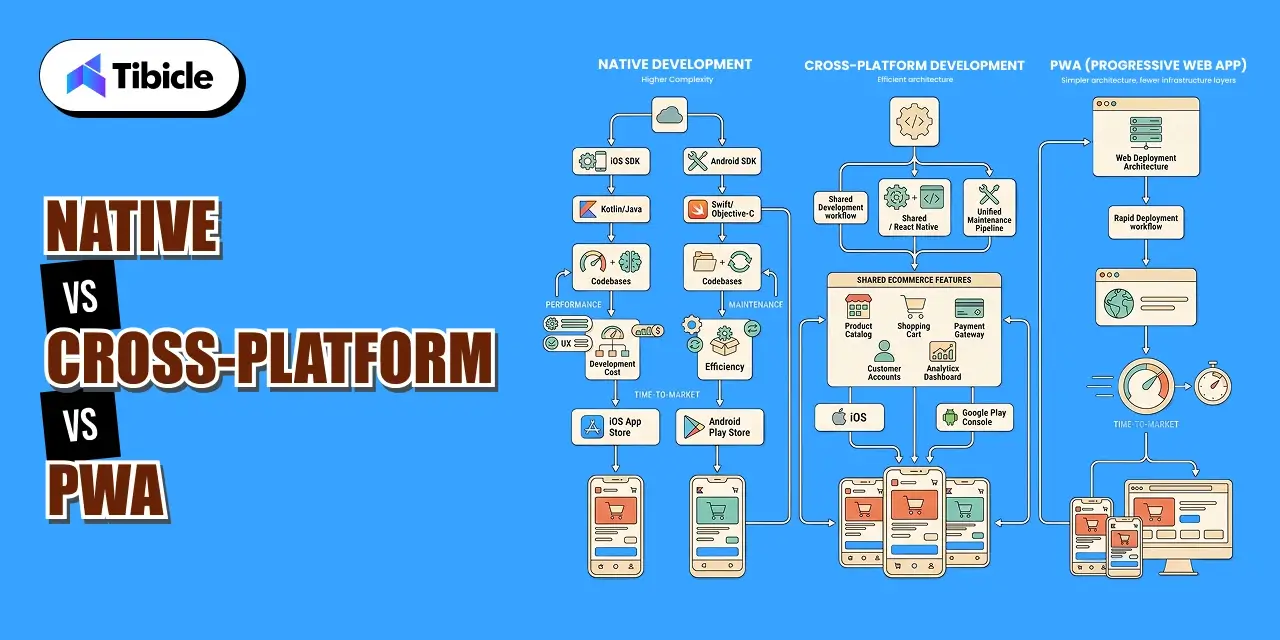
Progressive Web App vs Native App: Full Comparison

progressive web app

Feature and Cost Breakdown

Parameter Progressive Web App Native App
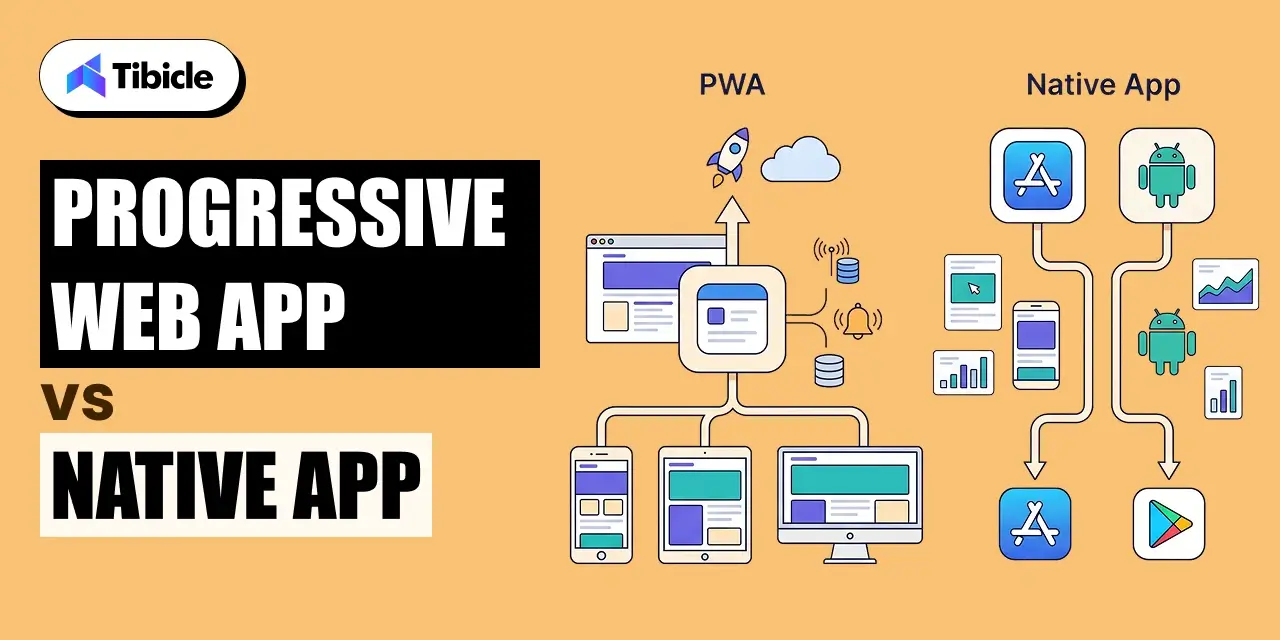
Development Cost $8K–$25K (single codebase) $50K–$150K+ (per platform)
Time to Market 4–8 weeks 12–24 weeks
Maintenance Single update, instant deploy Separate updates per OS, store approval
Offline Support Partial (service worker caching) Full
Device Access Limited (camera, GPS, push) Full hardware access
App Store Presence Optional Required
SEO Visibility Fully indexable Not indexable
Performance Gap Under 10% for standard business apps [Brainhub 2025] Superior for graphics-heavy apps

When to Choose a Progressive Web App

Choose a progressive web app when your product serves a broad cross-platform audience, organic search is part of your acquisition strategy, budget or timeline is a constraint, or your core features do not require deep hardware access. E-commerce, SaaS dashboards, content platforms, and service-based businesses typically fit this profile.

When Native Still Wins

Native development remains the right call for applications that require Bluetooth, NFC, AR, or advanced camera control. Gaming apps, financial apps with biometric authentication, and augmented reality tools hit the performance ceiling of what a browser-based app can currently deliver. For those use cases, a native build or React Native hybrid is the stronger choice.

Progressive Web App Development Cost Breakdown

Development

Cost by Complexity Tier

PWA development cost scales with scope. Three tiers cover most business use cases:

  • Basic PWA: $8,000–$12,000. Covers simple informational apps, content sites, or lead-gen tools with standard PWA features.
  • Mid-range PWA: $15,000–$25,000. Covers e-commerce stores, SaaS dashboards, and tools with third-party integrations.
  • Enterprise PWA: $30,000–$60,000. Covers complex API integrations, custom backend architecture, and high-traffic production environments.

Cost Variables

Four factors move the number up or down within each tier:

  • UI/UX design complexity: custom design systems cost more than component libraries.
  • Third-party integrations: payment gateways, CRMs, ERPs, and analytics tools add scope.
  • Backend complexity: real-time sync, custom APIs, and data processing add development hours.
  • Developer location: North America and Western Europe carry higher rates; Asia and Latin America typically run 40–60% lower for equivalent output.

Maintenance and Ongoing Costs

A progressive web app has no app store fees and no platform-specific approval delays. Updates deploy instantly to all users. Long-term, this lowers total cost of ownership compared to maintaining two native codebases with staggered release cycles.

ROI of a Progressive Web App: What the Data Shows

Revenue Impact Model

A straightforward ROI model: a business generating $100,000 in monthly mobile revenue at a 2% conversion rate sees a 40% improvement post-PWA launch. That produces $480,000 in additional annual revenue on a $50,000 build cost an 860% first-year ROI. Codebrand The model assumes no increase in traffic, only conversion rate improvement from faster load times and offline access.

Conversion and Engagement Metrics

  • Businesses switching to PWAs report a 36% increase in mobile conversions on average. AppVerticals
  • Starbucks’ PWA is 99.84% smaller than its iOS app and generated 2x daily active users post-launch.
  • Twitter Lite reduced data consumption by 70% while increasing engagement across all measured metrics.

Total Cost of Ownership vs Native

A single codebase app saves up to 60% on development budget over a three-year period. Webshark When you factor in app store fees, separate QA cycles, and platform-specific bug fixes, the savings compound annually.

Looking to build a progressive web app that drives measurable ROI? Tibicle helps businesses plan, develop, and scale PWAs with a conversion-first approach. Talk to our team today.

Risks and Challenges of Progressive Web Apps

iOS Limitations

Safari’s support for PWA features still lags behind Chrome and Edge. Push notification control on iOS is limited, Apple’s implementation of the Web Push standard remains inconsistent across versions. Businesses with a predominantly iPhone user base should test PWA behavior thoroughly on Safari before launch and factor potential workarounds into the development scope.

Limited Hardware Access

A progressive web app cannot access Bluetooth, NFC, or advanced AR capabilities through the browser. Camera and GPS work in most modern browsers, but the depth of hardware integration available to native apps is not currently replicable in a browser-based app. This is a fixed constraint, not a configuration issue.

App Store Discoverability Trade-off

Users conditioned to search the App Store or Google Play may not find your PWA through those channels. While Google Play now supports TWA (Trusted Web Activity) packaging for PWA submission, App Store distribution for PWAs remains limited. Businesses that depend on app store traffic as an acquisition channel should account for this gap.

Performance Ceiling for Complex Use Cases

AR/VR applications, AAA-grade mobile games, and financial apps with heavy cryptographic requirements still favor native architecture. A progressive web app performs within 10% of native for standard business applications, but that gap widens significantly for compute-intensive use cases.

Vendor Selection Checklist for Progressive Web App Development

Development

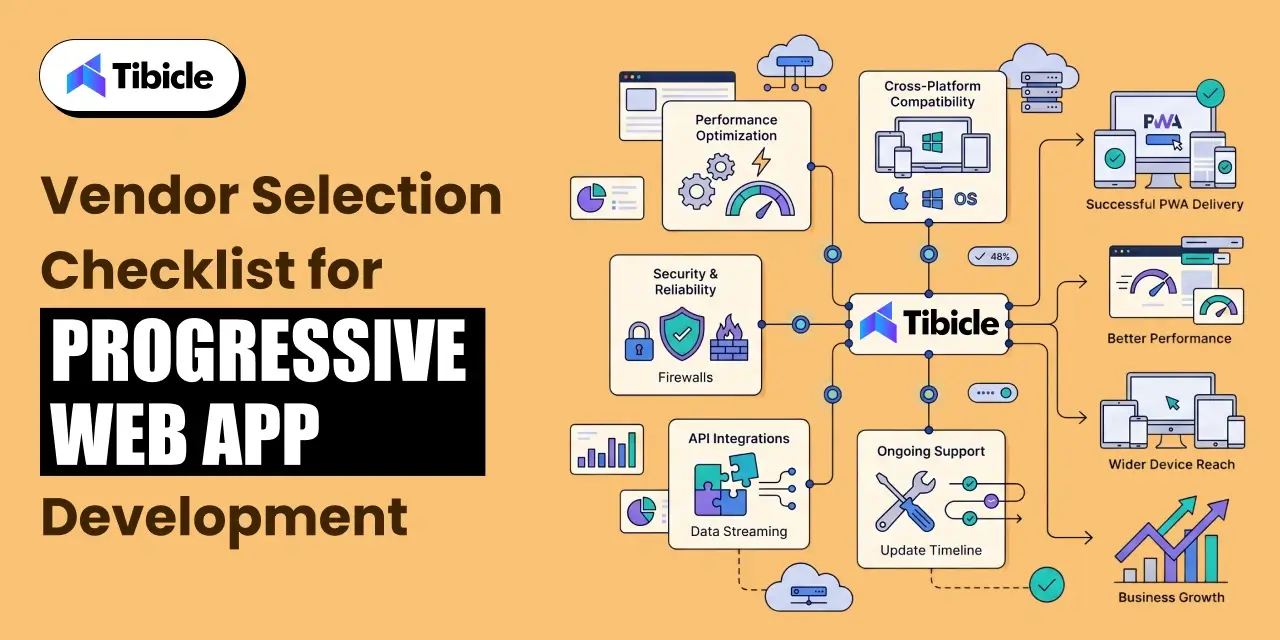
Use this checklist before signing a contract with any PWA development partner:

  • Does the vendor have documented PWA case studies with measurable outcomes?
  • Do they implement service workers and PWA caching strategies correctly not just add a manifest file?
  • Can they handle both frontend frameworks (React, Next.js, Vue) and backend integrations?
  • Do they offer post-launch performance optimization, including Core Web Vitals monitoring?
  • What is their approach to offline-first architecture and background sync?
  • Do they test across Chrome, Safari, Edge, and Firefox before delivery?
  • Can they integrate push notifications and background sync across Android and iOS?
  • Do they provide Lighthouse audit scores as part of the delivery package?
  • What is their maintenance and support model after go-live?
  • Do they offer PWA-to-app-store publishing via TWA for Google Play?

A vendor who cannot answer the service worker, Lighthouse, and cross-browser questions directly is likely treating PWA as a checkbox feature rather than an architecture decision.

Top Progressive Web App Development Companies in 2026

Major players in PWA development include Google, Microsoft, OutSystems, Alokai, IBM, GoodBarber, Cloud Four, and DockYard. When evaluating any vendor, the selection criteria that matter most are: cross-platform expertise across React and Vue ecosystems, Lighthouse performance scores on delivered projects, depth of client portfolio in your industry, and the clarity of their post-launch support model. Technical skill and communication structure both matter, delivery without documentation is a recurring problem in this space.

Why Tibicle Is a Strong Choice for Progressive Web App Development

Tibicle brings technical depth in React, Next.js, and Node.js to PWA projects, paired with an SEO-first development approach that aligns with how progressive web apps are discovered and ranked. The team focuses on performance optimization from the architecture stage not as a post-launch patch and follows a documented delivery process that includes Lighthouse audits, cross-browser testing, and structured handoffs. For businesses that need PWA development without the overhead of a large agency, Tibicle offers the same technical capability at a more accessible cost tier.

Want to explore how a progressive web app fits your business model? Reach out to Tibicle for a free consultation.

Conclusion

Progressive web apps reduce development cost by 30–75%, increase mobile conversions by up to 36%, and offer a viable alternative to dual native builds for most business applications. For companies that need cross-platform reach without the budget or timeline of separate iOS and Android projects, a PWA delivers on both counts. The risks are iOS limitations, hardware access gaps, app store discoverability are real but manageable with the right vendor and architecture decisions.

Schedule a free PWA assessment with Tibicle to evaluate your use case and projected ROI. Book here.

FAQs

What is a progressive web app and how is it different from a regular website?
A progressive web app is a browser-based application built with standard web technologies HTML, CSS, and JavaScript  that adds native app capabilities on top. A regular website loads fresh content on every page request and cannot function offline. A PWA uses service workers to cache content, allowing it to work without internet access. It can also be installed on a home screen, send push notifications, and load in under two seconds on repeat visits. The gap between a website and a progressive web app is not visual  it is architectural.

How much does it cost to build a progressive web app in 2026?
PWA development cost ranges from $8,000–$12,000 for basic builds, $15,000–$25,000 for mid-range projects like e-commerce or SaaS dashboards, and $30,000–$60,000 for enterprise-grade PWAs with complex integrations. Developer location, UI complexity, and backend requirements are the main cost variables. By comparison, a dual native app build (iOS + Android) typically costs $50,000–$150,000+, making PWA development 30–75% less expensive for most use cases.

Can a progressive web app work offline?
Yes. Offline functionality is one of the core features of a progressive web app. Service workers cache key assets and data on the first load. On subsequent visits without internet access, the app serves cached content instead of showing a connection error. The extent of offline functionality depends on the caching strategy implemented during PWA development  some apps cache full data sets, others cache only the shell and show a limited offline mode.

Is a progressive web app better than a native app for small businesses?
For most small businesses, yes. A progressive web app costs significantly less to build and maintain, launches faster, and reaches users across iOS and Android without separate codebases. It is fully indexable by search engines, which native apps are not. The trade-off is limited hardware access and some iOS feature gaps. If your product does not require Bluetooth, NFC, AR, or advanced camera control, a PWA delivers comparable user experience at a fraction of the cost.

Do progressive web apps work on iPhones and Safari?
Yes, with limitations. Safari supports core PWA features including home screen installation, service workers, and offline caching. Push notification support on iOS improved with iOS 16.4, but remains less consistent than Chrome or Edge on Android. Full-screen mode and some advanced PWA capabilities are still restricted on Safari. If your audience is predominantly iPhone users, test PWA behavior on Safari specifically and confirm your vendor accounts for iOS limitations in the development scope.

How long does it take to develop a progressive web app?
A basic progressive web app takes 4–6 weeks from scope sign-off to delivery. Mid-range PWAs with e-commerce functionality or dashboard integrations typically run 6–10 weeks. Enterprise PWAs with complex APIs and custom backend architecture can take 12–16 weeks. These timelines assume a defined scope, available design assets, and API documentation from third-party services. Delays in content, design feedback, or API access are the most common schedule risks.

What is mCommerce vs eCommerce

Introduction

eCommerce covers any commercial transaction online, across desktop and mobile alike. mCommerce is the subset specific to smartphones and tablets, via apps or mobile-optimized sites. Mobile commerce hit $2.51 trillion in 2025, or 60% of global e-commerce sales (Statista, 2025). Understanding mCommerce vs eCommerce this way makes clear why mobile readiness is now essential to any modern strategy. As the two increasingly overlap, the real question for businesses is no longer which one to choose, but how well they work together.

mcommerce vs ecommerce

Yet the question most C-suite leaders are still wrestling with is not whether mobile matters but what separates m-commerce vs. e-commerce at the operational and revenue level, and where exactly budget, development resources, and UX investment should be concentrated.

This is not a beginner’s guide to definitions. Companies investing in digital commerce must make high-stakes decisions about platform architecture, development spend, and customer experience design. Getting the m-commerce vs e-commerce distinction wrong at the strategic layer leads to misallocated budgets, underperforming conversion rates, and competitive disadvantage in a market where mobile-first has already become the default consumer expectation.

This guide will break down the structural, financial, and strategic differences between m-commerce and e-commerce, including ROI benchmarks, cost models, risk factors, and a vendor selection framework, everything a decision-maker needs to act, not just understand.

What Is eCommerce? A Quick Operational Overview

E-commerce, in a business context, refers to the buying and selling of goods and services through internet-connected devices, primarily desktops and laptops. It encompasses the full digital transaction infrastructure: product catalog management, payment processing, order fulfillment, and customer data management, typically delivered through a web-based storefront.

The global e-commerce market is projected to be $6.86 trillion in 2025 (eMarketer), spanning both B2B and B2C models. B2C e-commerce powers the consumer retail experiences most people interact with daily. B2B e-commerce, valued at $36 trillion and growing at 14.5% CAGR, drives procurement, wholesale, and supply chain transactions between businesses.

From a conversion standpoint, desktop conversion rates average 3%, outperforming mobile web at 2% (Dynamic Yield). Desktop users tend to be higher-intent buyers: they complete longer research cycles, handle more complex transactions, and show lower cart abandonment rates than their mobile counterparts.

Understanding e-commerce as the foundation is essential before evaluating the differences between e-commerce and m-commerce, because m-commerce does not replace the e-commerce infrastructure. It extends and complicates it.

What Is mCommerce? Why Mobile Is a Separate Strategic Channel

mCommerce (mobile commerce) refers to commercial transactions conducted via smartphones, tablets, and other handheld devices. It is technically a subset of eCommerce, but treating it as merely a responsive version of a desktop site is one of the most common and costly strategic mistakes in digital commerce.

The scale is not a forecast anymore. The US alone has 200+ million adults who have purchased via smartphone (Shopify). Globally, mobile commerce is the primary interface for most consumers, particularly in high-growth markets across Southeast Asia, India, and Latin America.

M-commerce operates across three primary business categories:

Mobile shopping: Purchasing via mobile browsers or dedicated shopping apps, including social commerce platform integrations on TikTok Shop, Instagram, and Pinterest.

Payments on mobile: Digital wallet adoption through Apple Pay, Google Pay, and PayPal, enabling one-tap or biometric-authenticated checkout flows.

Banking on mobile: In-app financial services, BNPL integrations, and account management that support the full commerce transaction lifecycle.

The strategic capabilities that define m-commerce are distinct: push notifications for cart recovery and offer delivery, geolocation targeting for proximity-based promotions, in-app purchasing with reduced checkout friction, and biometric authentication that improves both security and conversion.

Critically, shopping app users convert at 3.5% versus 2% on mobile web (BuildFire). The mobile shopping app development investment is not just a UX upgrade it is a measurable conversion rate improvement that compounds across customer lifetime value.

Understanding the difference between e-commerce and m-commerce at this level is what separates reactive platform decisions from strategic ones.

mCommerce vs eCommerce: Core Differences That Affect Business Decisions

mcommerce vs ecommerce

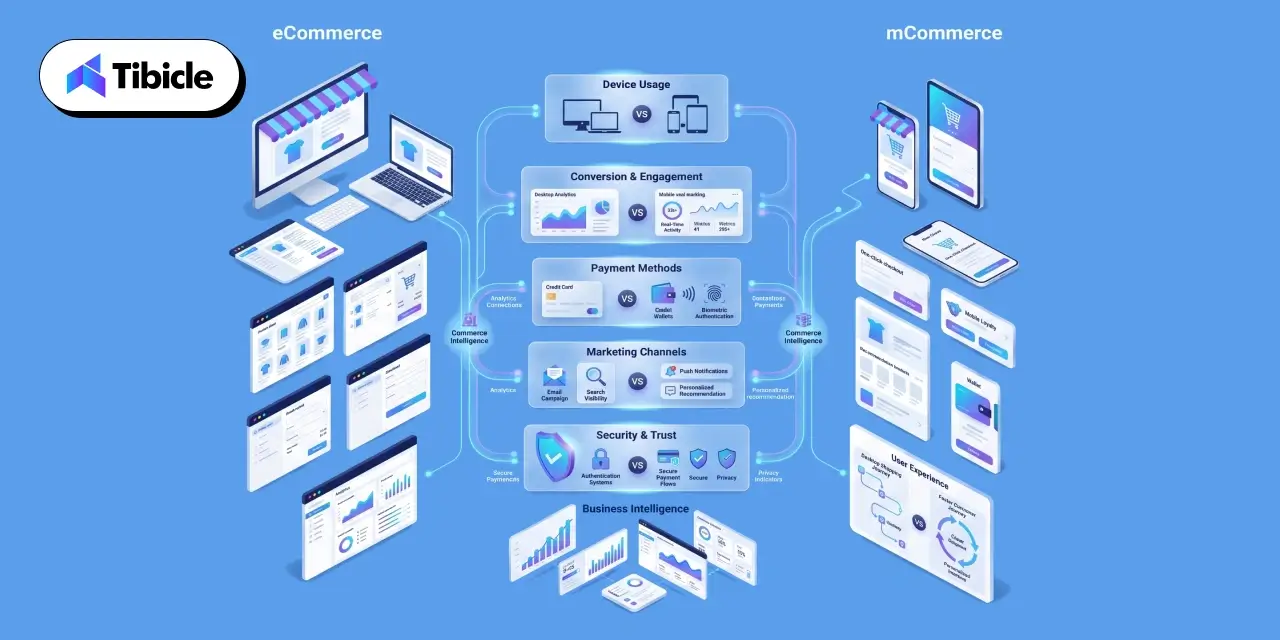
The e-commerce and m-commerce difference is not simply about screen size. At the operational level, the two channels diverge across device behavior, technology requirements, marketing infrastructure, and security posture. Each dimension carries direct business implications.

Device and User Behavior Split

Mobile drives 78% of global e-commerce traffic but only 66% of orders, a conversion gap that represents billions in underperforming revenue across the industry. Desktop users are high-intent buyers: they arrive further along in the purchase journey, complete longer research cycles, and transact with lower abandonment rates. Mobile users browse more, compare across sessions, and are more susceptible to checkout friction. The mobile commerce vs electronic commerce distinction in user behavior is not a preference difference it is a purchase psychology difference that must inform UX and funnel design.

Technology Stack and Development Requirements

E-commerce platforms are built around CMS and website infrastructure, such as Shopify, WooCommerce, Magento, and BigCommerce, with responsive design, payment gateway integration, and SEO-optimized architecture. The technology investment is primarily web-based.

M-commerce requires a fundamentally different technical layer: native app development or progressive web app e-commerce architecture, mobile payment integration with digital wallet providers, push notification infrastructure, biometric authentication, and app store compliance management. The mobile shopping app development requirement alone introduces an entirely new development discipline and cost structure that e-commerce websites do not encounter. This is a central dimension of the m-commerce vs e-commerce decision for any technology leader evaluating build-vs-buy options.

Marketing and Personalization Channels

E-commerce marketing is built around email, organic search, display advertising, and retargeting channels optimized for desktop sessions and longer consideration windows. M-commerce unlocks a distinct and often higher-engagement channel set: SMS marketing, in-app messaging, location-based offers, and social commerce platform integrations where discovery and purchase happen within a single session.

AI-powered recommendations drive up to 25% of mobile revenue (industry benchmarks), and mobile-first strategy increasingly depends on real-time behavioral personalization delivered at the session level, not the campaign level. Mobile conversion optimization through contextual, behavioral, and location-aware personalization is a genuine revenue lever, not a UX enhancement.

Security and Compliance Considerations

The difference between e-commerce and m-commerce extends into the security and compliance layer. Mobile introduces additional attack surfaces: app store compliance requirements, device-level data access permissions, biometric data regulations under GDPR and CCPA, and a fraud environment that is materially worse than desktop.

1 in 20 mobile verification attempts in 2024 were fraudulent. Any m-commerce investment must account for mobile-specific fraud prevention infrastructure, biometric authentication protocols, and ongoing compliance with regional data protection regulations costs and complexity that do not appear in a standard e-commerce platform evaluation.

mCommerce vs eCommerce Comparison Table

Parameter E-Commerce M-Commerce
Primary device Desktop/laptop Smartphone/tablet
Avg. conversion rate 3% 2% (web), 3.5% (app)
Traffic share 35% globally 62–64% globally
Revenue share (2025) 40% 60%
UX focus Full-page layouts, detailed specs Speed, thumb-friendly UI, one-tap checkout
Payment methods Cards, bank transfers, wallets Digital wallets, BNPL, biometric pay
Personalization Email, cookies, retargeting Push, geolocation, in-app behavior
Development cost Lower (website-only) Higher (app + mobile web + integrations)
Cart abandonment rate 66% 80%

Analysis: The data on m commerce vs e commerce conversion rates reveals something important. Mobile generates the majority of traffic but converts less on the mobile web. The gap is not a demand problem — it is a UX and checkout optimization problem. Businesses that close this gap through mobile shopping app development and streamlined checkout flows access a revenue pool that is already visiting their store.

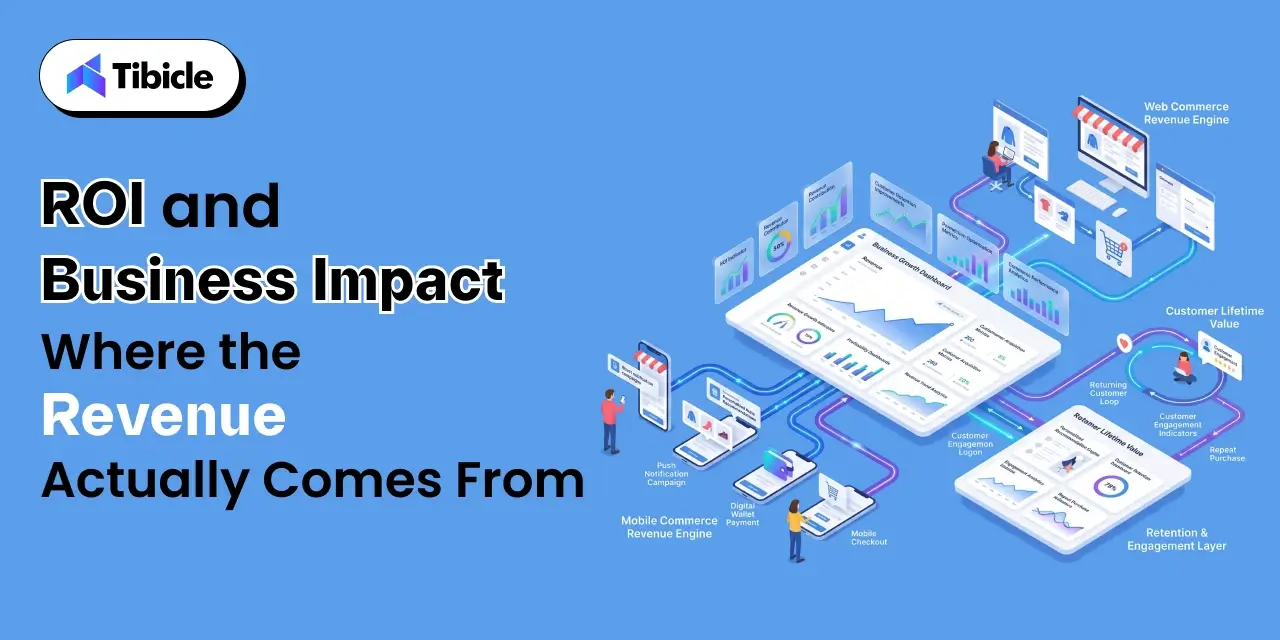
ROI and Business Impact Where the Revenue Actually Comes From

mcommerce vs ecommerce

The mobile commerce vs electronic commerce debate becomes less philosophical and more actionable when you look at where revenue is actually being generated.

Revenue Distribution by Channel

M-commerce drives 63% of global retail commerce revenue (Statista, 2025). On Black Friday 2025, 70% of all sales came from mobile devices, a figure that should recalibrate any strategic plan that treats desktop as the primary commerce channel. Mobile app users generate 2.8–5x higher customer lifetime value than web-only shoppers, making the mobile shopping app development investment one of the highest-return capital allocations available in digital commerce.

Cost of Inaction

Businesses without a mobile-optimized experience lose 78% of traffic that never converts. Customer acquisition cost (CAC) has risen 222% over the last decade, a trend that makes high-retention channels like native apps increasingly critical to unit economics. Mobile apps, through push notifications, loyalty mechanics, and personalized re-engagement, deliver higher retention and lower CAC over time than desktop-only or mobile web approaches.

App vs Mobile Web ROI

Abandoned cart push notifications alone can generate $10,000+ per month in recovered revenue for mid-market retailers. App users purchase 33% more often than non-app users. With full mobile payment integration, personalized in-app experiences, and push notification infrastructure in place, total app ROI can scale to 5–10x within the first year of deployment. For businesses evaluating the difference between e-commerce and m-commerce investment, this is the clearest financial argument for committing to native or PWA mobile development.

Cost and Pricing Factors for mCommerce vs eCommerce Implementation

Understanding the cost structure of each channel is essential for accurate ROI modeling and budget sequencing. The e-commerce and m-commerce difference in investment requirement is significant and varies considerably by business maturity.

eCommerce Platform Costs

Website development ranges from $5,000 to $50,000+, depending on platform choice (Shopify, WooCommerce, Magento, or custom builds) and feature complexity. Ongoing operational costs, such as hosting, security, maintenance, and platform licensing, typically run $500 to $5,000 per month. For most businesses, e-commerce web infrastructure is the lower-cost starting point.

mCommerce Development Costs

Native app development for iOS and Android combined typically costs $30,000 to $150,000+, depending on feature depth, integration complexity, and development partner location and seniority. A progressive web app ecommerce alternative ranges from $10,000 to $50,000, delivering app-like performance within a browser context at lower build cost, though with some capability limitations versus native. Ongoing m-commerce costs include app store fees, push notification services, mobile analytics platforms, mobile-specific QA cycles, and compliance monitoring.

Where to Prioritize the Budget

The right sequencing of m-commerce vs. e-commerce investment depends on the business stage:

  • Under $1M revenue: Mobile-responsive website first. Optimize for mobile web before investing in app development.
  • $1M–$10M revenue: Progressive web app or hybrid app investment. Capture mobile conversion improvements with lower capital outlay than a full native build.
  • Above $10M revenue: Dedicated native apps with full mobile payment integration, personalization stack, and push notification infrastructure. At this scale, the ROI math justifies the full investment.

Risks and Challenges of Each Model

No mCommerce vs eCommerce analysis is complete without an honest assessment of the risks on both sides.

eCommerce Risks

Desktop traffic share is declining globally as mobile-first behavior becomes the norm across demographics. E-commerce platforms built without a mobile-first strategy face increasing structural disadvantage. SEO volatility with algorithm updates creates revenue unpredictability for traffic-dependent businesses. And businesses that have not optimized mobile checkout on their desktop-first e-commerce sites are already losing the majority of their traffic to non-converting mobile sessions a compounding loss.

mCommerce Risks

Cart abandonment on mobile sits at 80%, the highest across all commerce channels, and a persistent challenge even for mature mobile experiences. App fatigue is a real risk: 30% of shoppers delete apps due to excessive push notifications, meaning mobile conversion optimization must be balanced against engagement frequency. Security exposure is higher: fraud rates on mobile are significant, and compliance with GDPR, CCPA, and evolving biometric data regulations adds ongoing operational cost. Perhaps most sobering: only 12% of consumers find mobile web shopping “convenient” (Dynamic Yield), a figure that underscores why mobile shopping app development, rather than mobile-responsive web, is the stronger long-term investment for businesses serious about the m-commerce channel.

Vendor Selection Checklist: What to Evaluate Before Building

Whether investing in e-commerce, m-commerce, or both, evaluate every technology partner against these criteria before committing budget:

  • Platform flexibility: Does the vendor support both e-commerce and m-commerce from a single codebase or unified backend?
  • Mobile-first architecture: Is the platform natively built for mobile-first UX, or is mobile a retrofit of a desktop-first design?
  • Payment integration: Does it support digital wallet adoption, BNPL, and biometric payment natively?
  • Scalability: Can it handle 2x–5x traffic surges during holiday peaks and flash sales without performance degradation?
  • Analytics and attribution: Does it track cross-device customer journeys and mobile-specific KPIs (push open rates, in-app conversion, session depth)?
  • Security compliance: PCI-DSS, GDPR, CCPA readiness  including mobile-specific data access and biometric regulations?
  • Post-launch support: Does the partner provide app store management, push notification strategy, and ongoing mobile QA?
  • Total cost of ownership (TCO): Upfront build cost plus 12-month operational cost  not just the development quote.

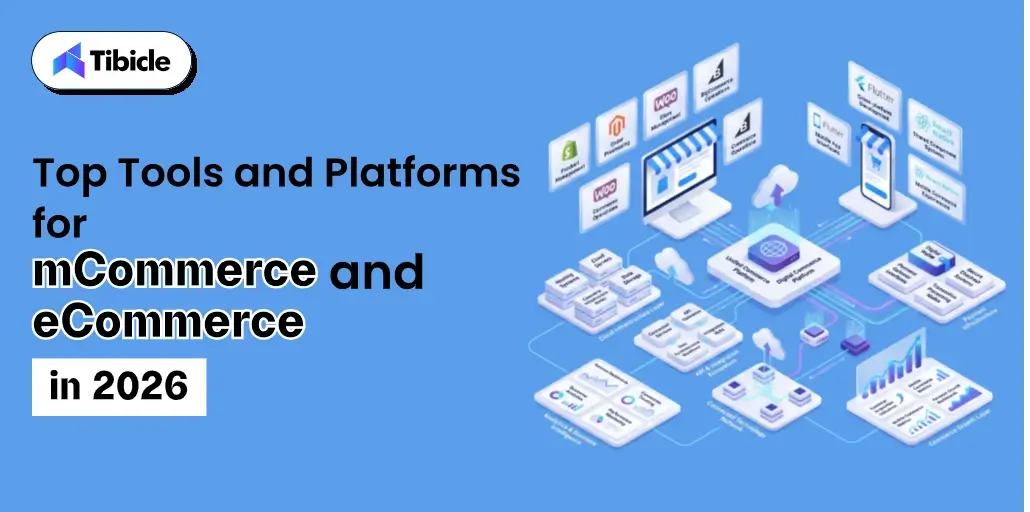
Top Tools and Platforms for mCommerce vs eCommerce in 2026

Tools and Platforms

The right platform for your m-commerce vs e-commerce architecture depends on business maturity, budget, and technical requirements. No single platform fits all.

Shopify remains the strongest mid-market option for businesses that need both e-commerce and m-commerce capability quickly. Its PWA support and native mobile payment integration make it a strong default for businesses under $10M revenue.

Magento delivers enterprise-grade flexibility for custom mobile experiences, with deep API-first architecture suited to complex B2B ecommerce and B2C at scale.

WooCommerce with mobile plugins serves budget-conscious SMBs that need mobile-responsive e-commerce without the overhead of a dedicated app investment.

BigCommerce offers native mobile optimization and strong out-of-the-box mobile conversion tools, particularly for mid-market retailers.

React Native and Flutter are the leading custom app development frameworks for businesses building dedicated native mobile apps, enabling shared codebases across iOS and Android, reducing mobile shopping app development cost by 30–40% versus fully separate native builds.

Match the tool to your business stage. Over-investing in enterprise infrastructure at an early stage, or under-investing in mobile at a growth stage, are equally costly mistakes in the m-commerce vs. e-commerce decision.

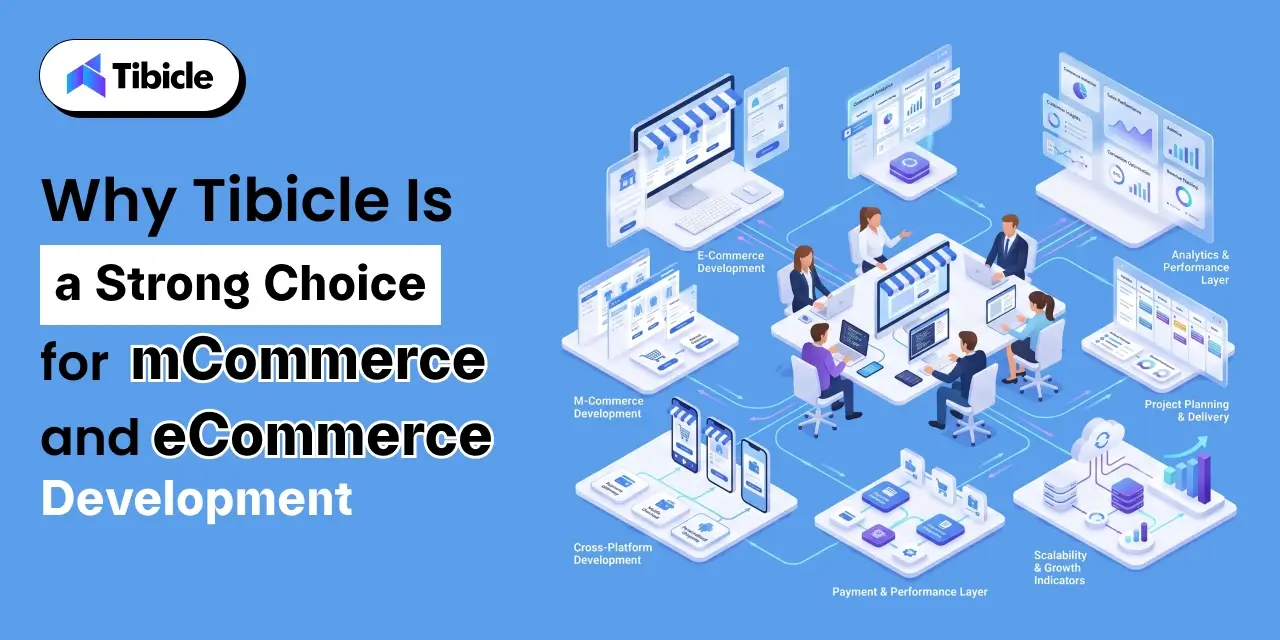
Why Tibicle Is a Strong Choice for mCommerce vs eCommerce Development

Development

Businesses that have worked through the vendor checklist above and concluded they need a custom build or a development partner capable of delivering both e-commerce and m-commerce infrastructure under a single technical relationship need more than a platform vendor. They need an engineering team.

Tibicle builds custom e-commerce and m-commerce solutions: native iOS and Android apps, progressive web app ecommerce builds, and responsive web platforms designed for a mobile-first strategy from the ground up. The team is based in Ahmedabad with senior development capability across the full stack design, build, QA, and launch, with a transparent pricing model that makes TCO forecasting straightforward.

The use case fit is specific: mid-market and enterprise B2B and B2C businesses that need both desktop and mobile commerce under one technical partner, without the coordination overhead of managing multiple vendors across the commerce stack. Tibicle’s mobile payment integration experience, cross-platform deployment capability, and mobile conversion optimization track record align directly with the criteria outlined in the vendor checklist above.

Talk to Tibicle’s commerce team to scope your mCommerce or eCommerce build and get a technical assessment of where your current architecture is leaving revenue on the table.

Conclusion

The mCommerce vs. eCommerce question is no longer an either/or decision for serious digital commerce businesses. It is a sequencing and budget allocation question one where the wrong answer at the platform architecture stage creates compounding conversion and retention problems that are expensive to unwind.

Mobile commerce is the majority revenue channel: 60% of global e-commerce revenue, 70% of Black Friday sales, and the primary commerce interface for the majority of consumers under 45. But e-commerce infrastructure, the web platform, the backend, the fulfillment and payment systems, remain the foundation on which mobile experiences are built.

For C-suite leaders, the decisions made now on vendor selection, platform architecture, and mobile investment level will directly affect conversion rates, customer lifetime value, and competitive positioning through 2026 and beyond. The businesses that treat mobile-first strategy as a core infrastructure decision, not a UX project, will be structurally better positioned to capture the commerce revenue that mobile is already generating.

Contact Tibicle to discuss your commerce platform strategy and get a custom development roadmap tailored to your current architecture, business model, and 2026 growth targets.

Frequently Asked Questions

What is the main difference between mCommerce vs eCommerce?
eCommerce covers all online buying and selling via the internet, typically through desktop or laptop browsers. mCommerce is a subset of e-commerce that involves transactions conducted specifically through mobile devices like smartphones and tablets. The core e-commerce and m-commerce difference at a strategic level lies in user behavior, technology stack, marketing channels, and conversion mechanics, not just the device used.

Is mCommerce more profitable than eCommerce?
mCommerce now drives 60% of global e-commerce revenue and mobile app users deliver 2.8–5x higher customer lifetime value than web-only shoppers. However, profitability in mobile commerce vs electronic commerce depends heavily on mobile UX quality, the level of app investment (native vs PWA), and how effectively cart abandonment, which runs at 80% on mobile, is addressed through checkout optimization and push notification recovery flows.

How much does it cost to build an mCommerce app?
A native m-commerce app for iOS and Android typically costs $30,000–$150,000+. Progressive web app ecommerce alternatives range from $10,000–$50,000 and deliver app-like performance at a lower build cost. Ongoing costs include app store fees, mobile analytics platforms, push notification services, and mobile-specific QA, typically adding $1,000–$5,000 per month in operational overhead.

Which is more profitable, mCommerce vs eCommerce?
Profitability depends on the business model, product type, and target audience rather than the platform alone. However, with mobile commerce accounting for 60% of global e-commerce sales in 2025, businesses that ignore mobile optimization risk losing a significant share of potential revenue.

Can a business run both eCommerce and mCommerce from the same platform?
Yes. Platforms like Shopify, BigCommerce, and Adobe Commerce support both e-commerce and m-commerce from unified backends. Custom builds using React Native or Flutter can share a single backend while delivering native mobile experiences on iOS and Android. For businesses evaluating mobile commerce vs electronic commerce infrastructure, a unified platform reduces development cost, simplifies analytics attribution, and eliminates backend duplication.

What conversion rate should I expect from mobile commerce?
Mobile web converts at roughly 2%, while mobile apps convert at 3.5%. Desktop e-commerce still leads at approximately 3%. The m-commerce vs e-commerce conversion gap on mobile web is primarily a UX and checkout optimization problem, not a demand problem. Businesses that invest in mobile shopping app development, one-tap checkout, and digital wallet adoption consistently see mobile conversion rates that meet or exceed desktop benchmarks.

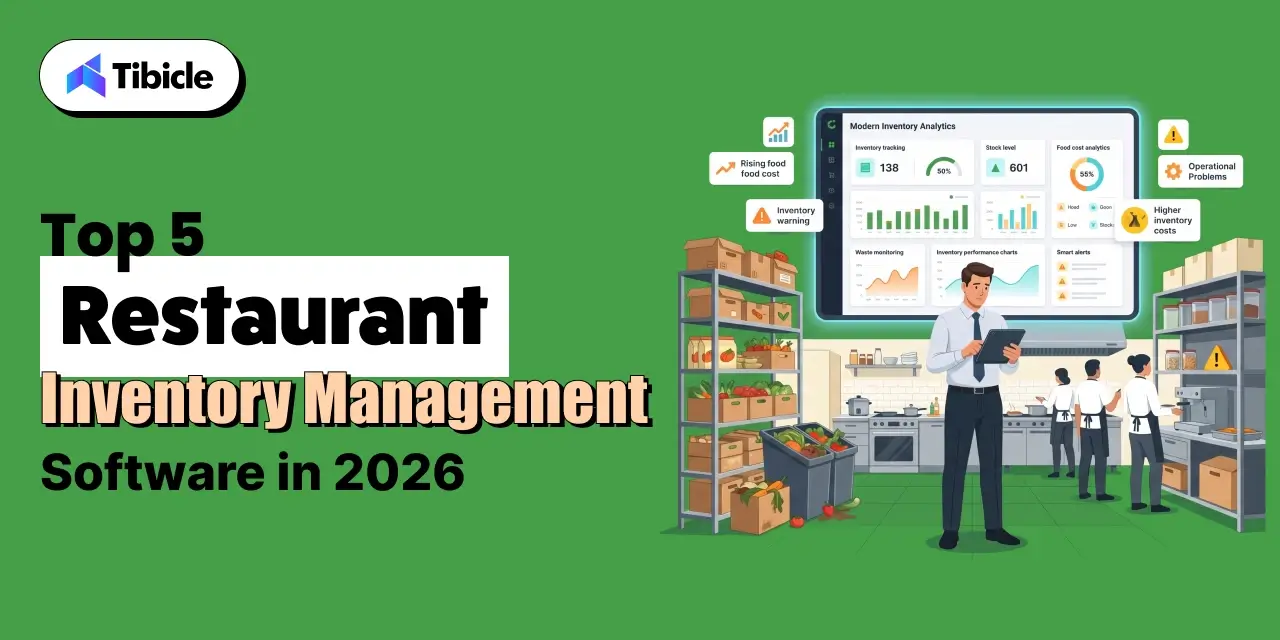
Top 5 Restaurant Inventory Management Software in 2026

Introduction

Restaurant inventory management software has become one of the most important investments for restaurants looking to control food costs, reduce waste, and improve operational efficiency. Food and beverage costs average 28 to 35% of revenue for full-service restaurants, yet many operators assume the problem lies in purchasing or portion control. More often than not, the real issue is visibility; restaurants don’t know what they’re losing until the month-end P&L arrives, when the financial impact has already occurred.

restaurant inventory management software

The wrong software decision compounds that problem. A platform that doesn’t integrate cleanly with your POS, can’t handle multi-location reporting, or gets abandoned by BOH staff after 60 days doesn’t save money; it adds cost to an already-tight margin structure. The restaurant inventory management software market is projected to grow from $4.55 billion in 2025 to $9.18 billion by 2030, and the number of platforms competing for that spend is growing with it.

That makes the evaluation harder, not easier. The five platforms covered here are assessed on what actually moves the needle for operators: food-cost impact, implementation risk, scalability, and total cost of ownership, not on feature checklists.

Why Restaurant Inventory Management Is a Financial Decision, Not a Tech Decision

Most operators frame the inventory software decision as an IT question: which platform has the best interface, which one integrates with our current stack, which one the team will complain about least. That framing is expensive. The right question is which platform removes the most dollars from your cost structure with the least implementation risk.

Inventory software doesn’t improve food costs by itself. It improves visibility, and visibility creates the conditions where problems get caught early enough to fix. That distinction matters when you’re evaluating platforms and trying to build a business case for the investment.

What the Numbers Say About Inventory Mismanagement in 2026

The operational and financial cost of manual inventory management is well-documented at this point. Food and beverage costs average 28 to 35% of revenue for full-service restaurants, with variance that compounds across locations. Manual inventory counting consumes 15 to 20 hours per week of management time, time that isn’t being spent on the floor, on scheduling, or on the supplier relationships that affect purchasing costs. Over 38% of fruits and vegetables are wasted in restaurant operations due to inaccurate demand planning. That’s not a storage problem. It’s a forecasting problem that software is built to solve.

What Modern Restaurant Inventory Management Software Actually Does

restaurant inventory management software

Modern restaurant inventory management software does far more than replace spreadsheets. The platforms in this guide provide real-time stock visibility, purchasing automation, recipe costing, and forecasting that directly improve restaurant profitability. 

It handles real-time stock depletion linked directly to POS sales data, purchase order automation and supplier management, recipe costing with theoretical versus actual usage variance, multi-location inventory tracking and transfer management, and AI-powered demand forecasting to reduce over-ordering. Each of those capabilities translates directly to a line item on the P&L. The question for operators is which combination of capabilities maps to their actual cost problem, and which platform delivers those capabilities without a 12-month implementation.

The 5 Features Every Restaurant Inventory Management Software Should Offer

Not all inventory platforms are solving the same problem. Before comparing vendors, operators need a clear evaluation framework, one built around financial outcomes, not feature counts.

restaurant inventory management software

POS Integration Depth

Real-time stock depletion tied to POS sales data is categorically different from end-of-day sync. When food cost runs hot mid-week, a platform that updates inventory once every 24 hours gives you yesterday’s problem, not today’s. The integration question isn’t whether a platform connects to your POS; it’s how often and how cleanly. Ask vendors specifically about sync frequency and what happens when the integration drops.

Recipe Costing Accuracy

Recipe costing is only as accurate as the invoice pricing feeding it. Platforms that pull live invoice pricing into recipe cost calculations, accounting for yield tracking and prep loss, give operators a real cost-per-plate number, not a theoretical one from three months ago. The gap between those two numbers is often where food cost variance hides.

Invoice Processing and AP Automation

Manual invoice entry is slow and error-prone. Automated invoice processing eliminates data entry lag and catches receiving discrepancies before they close into the books. For multi-location operators managing hundreds of invoices monthly, this capability alone can justify the platform cost through labor recovery and error reduction.

Waste Tracking and Reporting Granularity

A single waste total tells you nothing actionable. Waste logs broken down by reason code, spoilage, overproduction, prep error, and transfer tell you where to intervene. The difference between a platform that shows you a waste number and one that shows you why waste is happening is the difference between data and a decision.

Scalability Across Locations

A platform that works well at 3 locations doesn’t automatically scale to 30. Evaluate whether the pricing model compounds predictably as you add units, whether permissions and reporting hierarchies support regional or concept-level management, and whether the vendor has reference customers at the scale you’re planning, not just at your current size.

Top 5 Restaurant Inventory Management Software Platforms in 2026

Each platform below is evaluated on its strongest use case, its standout capability, and its most meaningful limitation. No platform is the right answer for every operation; the goal is to narrow the field to the one that fits your cost structure, team size, and growth plan.

1. Restaurant365: Best for Multi-Unit Operators Needing Consolidated Financials

What it is: Restaurant365 is a cloud-based platform that replaces standalone accounting and inventory systems with a single integrated environment. For operators who are running QuickBooks alongside a separate inventory tool and reconciling them manually, Restaurant365 eliminates that workflow.

Ideal for: Groups with five or more locations that need integrated payroll, general ledger, and inventory in one system. Operators who need daily P&L by location, not a consolidated report at month-end, will find this capability particularly valuable.

Standout capability: Consolidated reporting across all locations is the core differentiator. Finance teams can see daily food cost by unit without pulling reports from multiple systems or waiting for a close cycle. For CFOs and controllers managing complex P&L structures, that visibility changes how quickly problems get addressed.

Limitation: Setup complexity is real. Teams new to integrated accounting software face a steeper learning curve than platforms built for operations-only users. Implementation timelines are longer, and the investment in onboarding is higher. For single-location operators or groups under 5 units without an accounting integration problem, this is more platform than they need.

2. MarketMan: Best for Food Cost Control and Supplier Management

What it is: MarketMan is a dedicated inventory and procurement platform built specifically for food cost reduction. It doesn’t try to replace accounting software; it focuses on the back-of-house workflows that drive food cost variance: counting, ordering, invoicing, and recipe costing.

Ideal for: Independent restaurants and growing groups with complex menus and multiple vendor relationships. Operators who are losing money on food cost but can’t identify exactly where will find the most immediate ROI here.

Standout capability: Theoretical versus actual usage tracking is where MarketMan earns its positioning. When actual usage consistently runs above theoretical, the platform flags the variance by item, making it possible to identify whether the problem is portioning, theft, spoilage, or receiving discrepancies. Waste logging by reason code and recipe costing connected to live invoice pricing round out a genuinely strong food cost control feature set.

Limitation: MarketMan doesn’t include built-in accounting. Operators who need financial consolidation across locations will need a third-party integration, typically QuickBooks or Sage, which adds cost and a data sync dependency.

3. MarginEdge: Best for Fast Visibility Into Daily Food Costs

What it is: MarginEdge sits at the intersection of invoice processing and POS integration. It isn’t a full inventory platform; it’s built to give operators food cost data within the period, not at month-end close.

Ideal for: Operators who need to know their food cost number now, not when the accountant closes the books. If the current workflow involves waiting for a month-end report to find out whether food cost was in line, MarginEdge solves that specific problem faster than most alternatives.

Standout capability: The invoice coding team is a differentiator that often gets overlooked in feature comparisons. MarginEdge employs humans to manually code invoices, which means operators don’t need to map their own vendor catalogs or train staff on AP workflows. Daily food cost dashboards are often live within days of setup — a much faster time-to-value than platforms requiring weeks of configuration.

Limitation: MarginEdge isn’t a replacement for a full inventory platform. Recipe costing is less granular than MarketMan, and operators needing detailed yield tracking or waste logging by reason code will find gaps. It works best as a financial visibility layer alongside, not instead of, a dedicated inventory tool for operations with complex menus.

4. Toast Inventory: Best for Restaurants Already on Toast POS

What it is: Toast Inventory is the inventory layer built directly into the Toast POS ecosystem. For operators already running Toast, it’s the path of least resistance to inventory tracking: no separate vendor, no integration configuration, no additional login.

Ideal for: Independent restaurants and small chains already on Toast POS that need basic inventory visibility without the overhead of evaluating and implementing a standalone platform. The elimination of vendor management complexity is a genuine operational benefit.

Standout capability: Automatic stock depletion per sale is the core value here. Every item sold removes the corresponding ingredient quantities from inventory in real time. Built-in sales alerts and usage tracking give operators a clear picture of what’s moving and what’s sitting, without any manual data entry.

Limitation: Toast Inventory is functional for basic tracking and doesn’t go much further. Complex multi-supplier recipe costing, waste logging by reason code, or theoretical versus actual usage variance are outside its scope. Operators with sophisticated food cost control needs will outgrow this quickly.

5. Crunchtime: Best for Large Enterprise Restaurant Chains

What it is: Crunchtime is an enterprise operations platform with AI-powered forecasting and multi-unit audit capabilities. Its purpose is built for the complexity of large chain operations, centralized control, consistent standards enforcement, and chain-wide visibility into costs and compliance.

Ideal for: QSR chains and large casual dining groups with 50 or more locations that need centralized operational control. At this scale, the ROI calculation changes: the savings from AI-driven demand forecasting and suggested prep across hundreds of units can dwarf the platform cost.

Standout capability: AI-driven demand forecasting, suggested ordering, and suggested prep are the capabilities that separate Crunchtime from the platforms above it on this list. For enterprise chains, purchase order automation at scale, informed by historical sales patterns and current inventory levels, directly reduces over-ordering and the food waste that follows. Chain-wide waste tracking completes the visibility picture.

Limitation: Entry-level pricing starts above $5,000 per month, and enterprise contracts are custom. Crunchtime is not suited for operators below 20 to 25 units. For growing groups that haven’t reached that threshold, the cost structure and implementation complexity are mismatched to operational needs.

Restaurant Inventory Management Software Comparison (2026)

restaurant inventory management software

Use this table as a starting point for vendor conversations, not as a final decision framework. Pricing reflects publicly available 2026 data per location per month and will vary with setup fees, tier upgrades, and contract structure. Verify directly with each vendor before building a budget .

Platform Best For Starting Price POS Integration Recipe Costing Multi-Location Accounting Built-In
Restaurant365 Multi-unit chains ~$249/mo/location Yes Yes Yes Yes
MarketMan Food cost control ~$$1,500 /mo per location Yes Advanced Yes No
MarginEdge Daily P&L visibility ~$350/mo/location Yes Basic Yes No
Toast Inventory Toast POS users Bundled with Toast Native Basic Limited No
Crunchtime Enterprise chains $5,000+/mo Yes Advanced Yes No

Note: Pricing reflects publicly available 2026 data per location/month and may vary with setup fees and tier upgrades.

Running a multi-location operation and evaluating which platform fits your current cost structure? Talk to a specialist before committing to a contract.

What These Platforms Actually Cost: A Realistic Pricing Breakdown

Most vendors publish starting prices. What they don’t publish is what operators actually end up paying after setup fees, integration configuration, training, and the inevitable tier upgrade when entry-level features don’t cover operational needs. This section covers the realistic cost picture.

Per-Location vs. Enterprise Pricing: What to Budget

Pricing scales with locations and feature tiers in ways that aren’t always obvious from vendor websites. Here’s what operators should budget for:

  • MarketMan at 3 locations plus BlueCart for purchasing: $800 to $1,000 per month
  • MarketMan at 5 locations with full onboarding: $1,200 to $1,800 per month
  • Adding MarginEdge as a financial visibility layer at 5 locations: an additional $900 to $1,500 per month
  • Restaurant365 at 10 users: $999 to $1,999 per month depending on tier
  • Crunchtime: custom enterprise contracts starting above $5,000 per month

Hidden Costs Operators Frequently Underestimate

The monthly subscription is rarely the whole cost. Budget for:

  • Onboarding and setup fees: MarketMan charges approximately $500 per location
  • Invoice scan overages on entry-tier plans
  • POS integration configuration time and IT resource cost
  • Staff training hours, particularly for teams new to digital back-of-house systems

When to Stack Tools vs. Use One Platform

For operators with 1 to 5 locations, stacking a dedicated inventory platform with a separate accounting integration often costs less and deploys faster than an all-in-one system. Above 10 locations, particularly when multi-concept or multi-brand complexity enters the picture, the consolidation benefits of a platform like Restaurant365 start to outweigh the stacking cost savings. The right answer depends on where operational complexity sits today and where it’s headed in the next 24 to 36 months.

ROI and Business Impact: What the Data Shows for 2026

The ROI case for restaurant inventory software isn’t theoretical. It’s a math problem with well-established inputs, and for most operations, the payback period is shorter than most software investments.

Food Cost Reduction

Food Cost Reduction You Can Expect

Automated inventory systems reduce food waste by an average of 26% and over-ordering by 31%. Restaurants that implement the right platform and follow through on data hygiene can reduce food costs by up to 20%. For a restaurant spending $30,000 per month on food, that’s a potential savings of $6,000 per month, $72,000 per year. For a $1.5 million revenue restaurant, a 5% food cost reduction saves $24,750 annually. Most platform costs at that scale run $150 to $400 per month. The math isn’t complicated.

Labor Savings From Automation

Manual inventory counting consumes 15 to 20 hours per week of management time. At $18 to $25 per hour for management-level labor, that’s $280 to $500 per week in recovered cost, before accounting for the accuracy improvement that comes with digital counting versus clipboard estimates. Most restaurants see measurable food cost changes within 30 to 60 days of going live, which means the ROI case materializes quickly enough to validate the investment in the same quarter it’s made.

Payback Timeline by Operation Size

Payback timelines vary with operation complexity and how aggressively the platform is implemented:

  • Independent restaurants with 1 to 2 locations: 3 to 6 month payback is typical
  • Mid-market groups with 3 to 10 locations: often under 90 days when food cost variance is addressed directly
  • Enterprise chains: ROI is calculated across waste reduction, labor recovery, and purchasing efficiency at scale; individual unit metrics compound across the portfolio

Risks of Implementing Restaurant Inventory Management Software

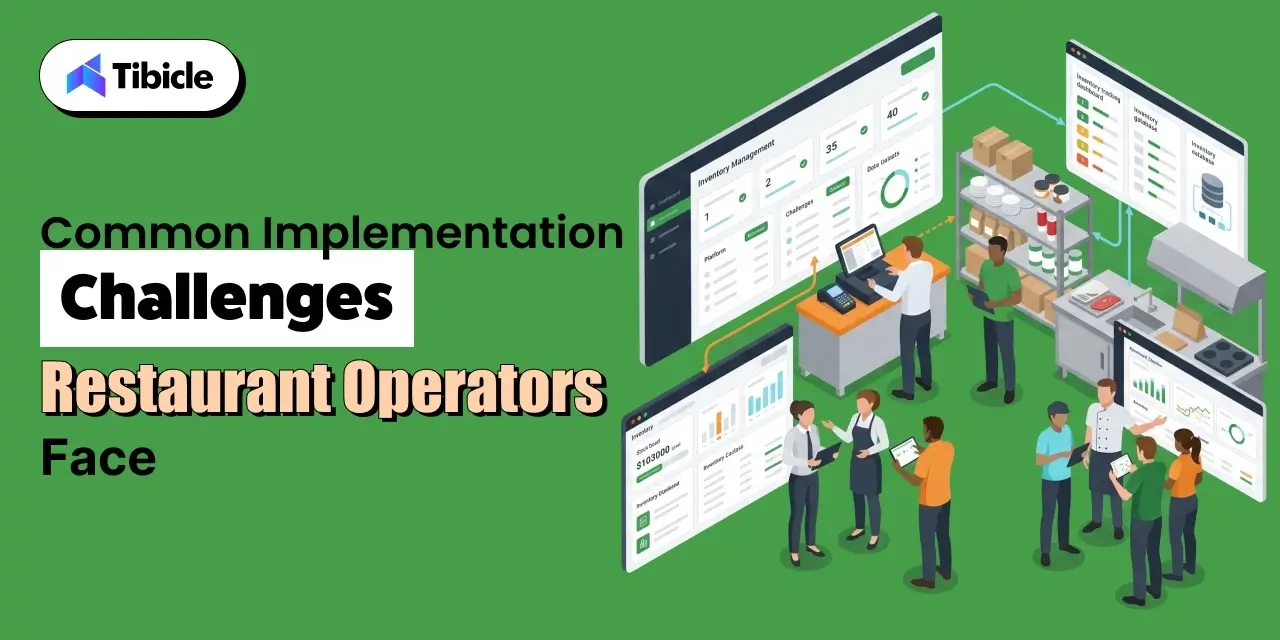
Risks and Challenges

Integration Failures With Existing POS Systems

Not every POS integrates cleanly with every inventory platform. Before signing a contract, verify API compatibility, data sync frequency, and whether your specific POS version is on the vendor’s supported integrations list. Ask for a reference from another operator running your POS on their platform. Integration issues are the most common cause of delayed go-lives and the most expensive to fix post-contract.

Data Accuracy Problems During the First 90 Days

Recipe libraries, unit-of-measure mismatches, and supplier catalog errors are the most common causes of inaccurate food cost data after implementation. A platform is only as accurate as the data entered into it. Who owns data hygiene internally matters as much as the platform itself; identify that person before go-live, not after the first count discrepancy.

Adoption Resistance From Kitchen and BOH Staff

The fastest-failing implementations share one trait: no change management plan. Restaurant back-of-house staff are busy, skeptical of new systems, and not always the intended audience for vendor onboarding materials. Mobile accessibility and structured training investment directly determine whether inventory counts happen accurately and consistently, or whether the system becomes a compliance checkbox that no one trusts.

Scaling Risk: When You Outgrow Your First Platform

Choosing a platform suited for 2 locations when you plan to operate 20 within 3 years creates a costly migration event. Platform migrations are expensive in time, data, and disruption. Build the growth plan into the vendor evaluation from the start; ask vendors explicitly about customers at your target scale, not just your current size.

Vendor Selection Checklist: What to Evaluate Before You Sign

Use this checklist when evaluating any restaurant inventory management software vendor. These are the questions that separate a good demo from a good fit.

Operational Fit

  • Does it integrate with your current POS system without custom development?
  • Does pricing scale predictably as you add locations?
  • Does it support your supplier network and automate purchase orders?

Financial Visibility

  • Can you access daily food cost data, not just month-end reports?
  • Does it track theoretical versus actual usage variance by item?
  • Does it flag receiving discrepancies before they close?

Implementation

  • What is the onboarding timeline and who owns setup?
  • Is there a dedicated implementation support contact?
  • What does the training program look like for BOH staff?

Scalability

  • Is the platform built for multi-location operations, or adapted to it?
  • Are enterprise pricing tiers clearly defined before contract?
  • What is the vendor’s uptime SLA and support response standard?

Why Tibicle LLP Is Worth Considering When Off-the-Shelf Doesn’t Fit

The five platforms above cover the majority of restaurant operations well. There’s a segment they don’t cover: operators with non-standard workflows that standard platforms can’t accommodate without expensive workarounds.

Dark kitchens running multiple brands from a single facility, cloud kitchen aggregators managing proprietary supplier contracts across concepts, and vertically integrated food and beverage chains with custom procurement logic are all examples of operations where off-the-shelf software requires enough customization that a purpose-built system becomes cost-competitive.

Tibicle LLP builds AI-powered web and mobile applications and custom backend systems for restaurant operators in that category. The engagement model is flexible, from scoped MVP builds to full ongoing development partnerships. There are no pricing promises here; the right starting point is a conversation about what your operation actually requires.

For restaurant operators who have outgrown standard platforms or need a purpose-built solution, explore what a custom build looks like for your operational model.

Conclusion

Choosing the right restaurant inventory management software isn’t about comparing feature lists. It’s about selecting a platform that removes costs, improves visibility, and supports long-term operational growth.  It’s about which platform removes the largest dollar figure from your cost structure with the least implementation risk.

Restaurant365 is the right call for multi-unit operators who need integrated accounting and consolidated financials. MarketMan is where independent restaurants and growing groups with food cost problems should start. MarginEdge solves the daily visibility problem faster than any other platform on this list. Toast Inventory serves Toast POS users who want basic tracking without a separate vendor relationship. Crunchtime is purpose-built for enterprise chains with the scale to absorb its cost and complexity.

Single-location operators have a different right answer than growing groups, and growing groups have a different right answer than enterprise chains. The decision logic is the same across all three: match the platform to the cost structure and the growth plan, not to the demo that looked best in a conference room.

Ready to match your operation size and cost structure to the right platform? Book a free inventory software consultation or contact Tibicle for a custom build assessment.

Frequently Asked Questions

What is restaurant inventory management software and how does it differ from a standard POS?
A POS records sales transactions. Restaurant inventory management software tracks what those sales consume, depleting stock, updating recipe costs, and flagging when actual usage diverges from theoretical. Most modern platforms integrate with POS systems rather than replacing them. The two systems serve different functions: one captures revenue, the other controls cost.

How much should be budgeted for Restaurant inventory management software in 2026?
Single-location restaurants typically spend $149 to $400 per month. Multi-unit groups of 3 to 10 locations should budget $800 to $2,500 per month depending on platform and feature tier. Enterprise chains on platforms like Crunchtime start above $5,000 per month. Add 15 to 20% for setup fees, onboarding, and integration configuration when building an initial budget.

How long does it take to see ROI after implementing inventory software?
Most operators see measurable food cost improvement within 30 to 60 days. Full payback on software cost typically occurs within 3 to 6 months for independent restaurants and faster for multi-unit groups where food cost variance is already high. The operators who see the slowest payback are typically the ones who underinvested in data setup and staff training during implementation.

What’s the biggest mistake made when choosing restaurant inventory management software?
Choosing a platform designed for their current size rather than the size they plan to be in 24 to 36 months. A platform migration mid-growth is expensive in time, money, and operational disruption. Evaluating vendors against a 3-year growth plan rather than today’s footprint is one of the highest-value decisions operators can make in this process.

Can restaurant inventory management software integrate with accounting tools like QuickBooks?
Yes. Most platforms, including MarketMan, MarginEdge, and Restaurant365, support integrations with QuickBooks, Sage, and other accounting software. Restaurant365 replaces accounting software entirely for operators who prefer a consolidated system. Verify integration compatibility and sync frequency directly with vendors before committing; not all integrations perform equally.

When does it make sense to build custom inventory software instead of buying off-the-shelf?
When your operation has non-standard workflows, multiple kitchen formats, proprietary supplier contracts, or multi-brand aggregation, that standard platforms can’t accommodate without expensive workarounds. Custom development becomes cost-competitive above a certain complexity threshold, typically when the cost of platform customization and ongoing workarounds approaches the cost of a purpose-built system.

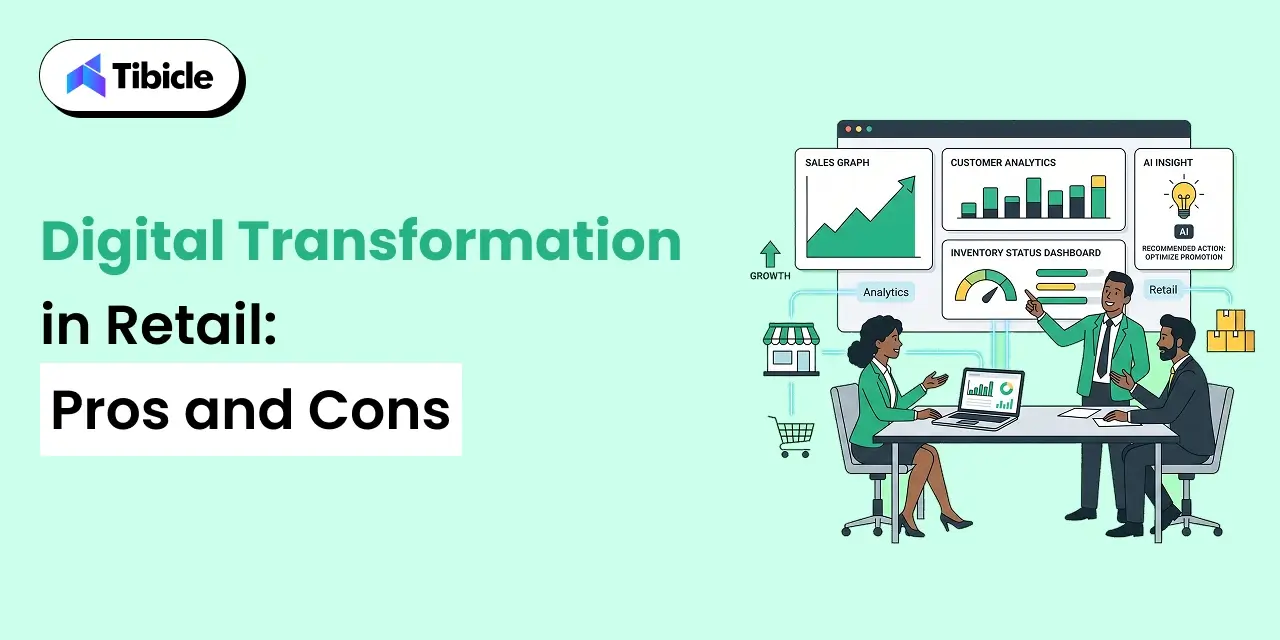
Digital Transformation in Retail: Pros and Cons

Introduction

The global retail digital transformation market reached approximately $285.76 billion in 2025 and is projected to grow to $487.12 billion by 2030, expanding at a CAGR of 11.26%. Retailers worldwide are investing heavily in cloud technologies, AI-powered automation, data analytics, and connected customer experiences to remain competitive in an increasingly digital marketplace.

digital transformation in retail

The financial impact is already becoming visible. According to PwC, 30% of global CEOs report revenue growth from digital technologies such as generative AI, while 45% expect additional profitability improvements over the next year. Despite these promising figures, many transformation initiatives fail to generate measurable business outcomes. Significant investments are often made without a clear understanding of implementation complexity, organizational readiness, or long-term return on investment.

For executives evaluating the future of their organizations, the challenge is not deciding whether digital transformation matters. The challenge is determining where the value exists, where risks concentrate, and how investments should be prioritized.

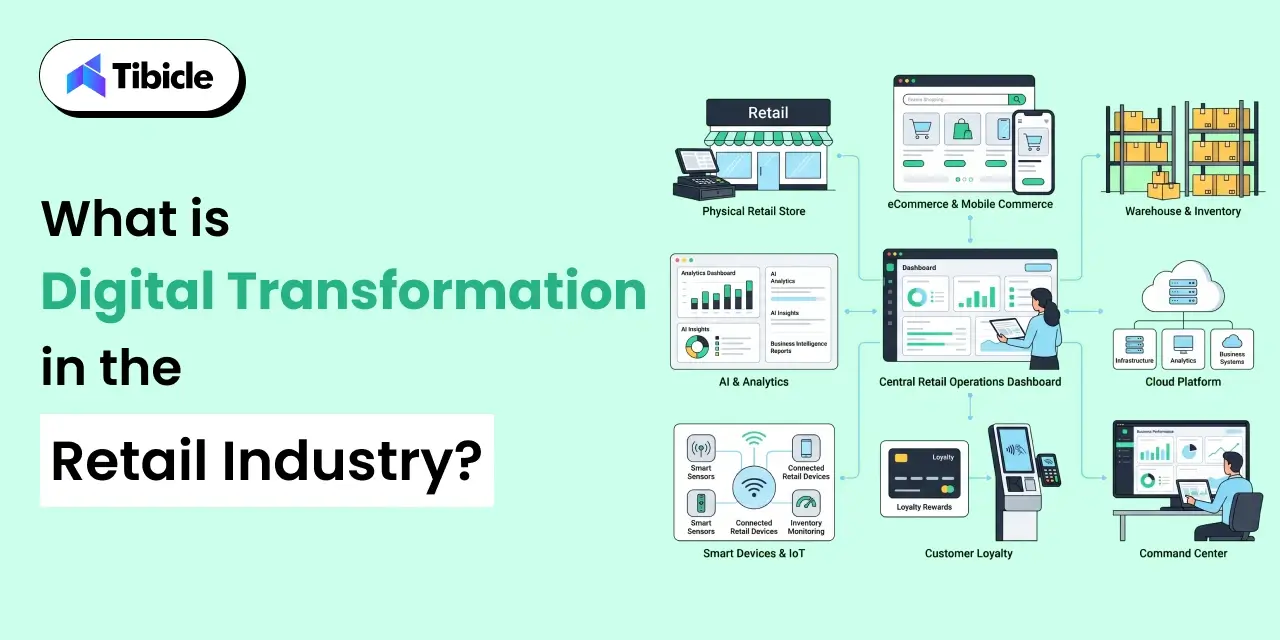
What Is Digital Transformation in the Retail Industry?

digital transformation in retail

Digital transformation in retail industry refers to the strategic integration of digital technologies across every aspect of retail operations. Rather than focusing on a single technology investment, it involves rethinking how businesses operate, engage customers, manage inventory, optimize supply chains, and make decisions through technology-driven processes.

Many organizations mistakenly assume digital transformation simply means launching an online store or adding mobile commerce capabilities. In reality, the scope is much broader. It includes POS modernization, inventory automation, predictive analytics, workforce enablement, personalized marketing systems, and intelligent fulfillment networks.

A modern retail digital transformation strategy often combines technologies such as artificial intelligence, cloud computing, IoT devices, advanced analytics, and automation platforms to create connected operational ecosystems.

Examples include:

  • AI-powered recommendation engines
  • Automated inventory forecasting
  • Smart warehouse management
  • Digital loyalty platforms
  • Self-service checkout systems
  • Connected customer engagement tools

Industry adoption continues to accelerate. Gartner reports that approximately 91% of retail IT leaders plan to deploy AI technologies by 2026 as part of broader transformation initiatives.

Transformation is no longer viewed as a competitive advantage. Increasingly, it is becoming a business necessity.

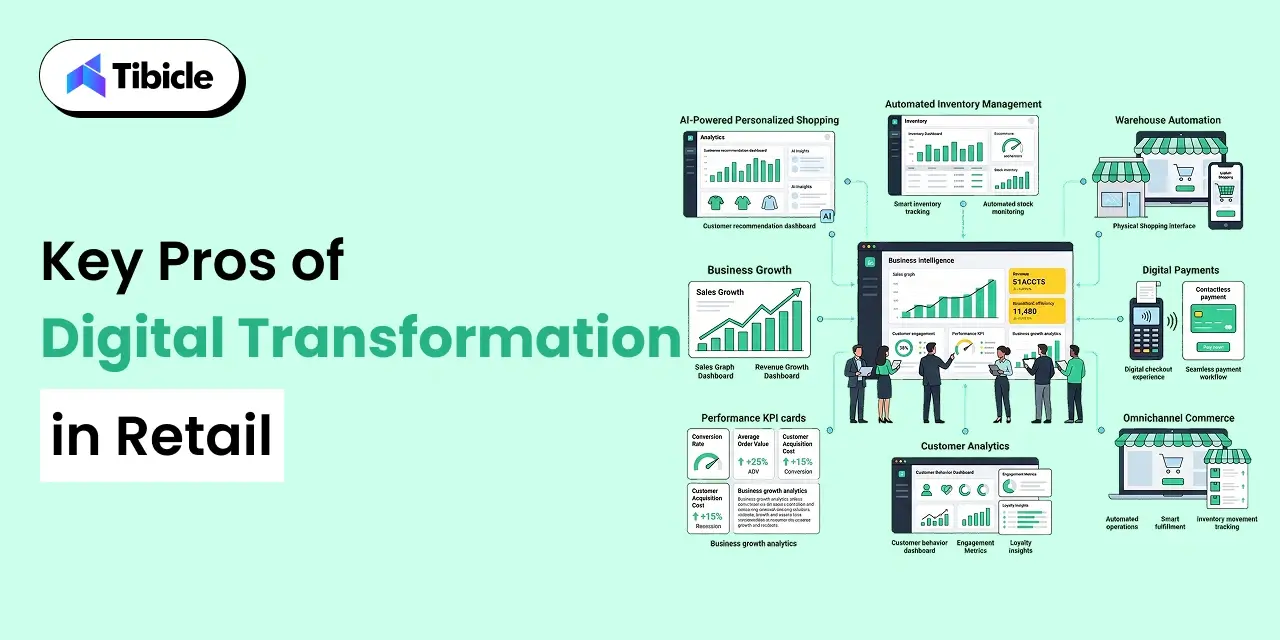
Key Pros of Digital Transformation in Retail

digital transformation in retail

Retail leaders often justify transformation initiatives based on revenue growth, operational efficiency, customer experience improvements, and scalability. While outcomes vary by implementation quality, several benefits consistently emerge across successful projects.

Revenue Growth Through Personalized Customer Experiences

One of the strongest advantages of digital transformation in retail industry is the ability to deliver highly personalized customer experiences.

Modern retailers collect and analyze large volumes of customer data to understand purchasing behavior, browsing patterns, preferences, and engagement history. This information allows organizations to provide tailored recommendations, targeted promotions, and individualized shopping journeys.

Research suggests personalized shopping experiences can increase basket size by up to 40%. Recommendation engines powered by AI and integrated CRM platforms help retailers present the right products to the right customers at the right time.

Today’s consumers increasingly expect these experiences. Whether shopping online, through mobile applications, or in physical stores, personalization has become a major driver of customer satisfaction and retention.

Organizations investing in AI in retail operations are also improving loyalty program performance by creating more relevant and timely engagement opportunities.

Additionally, approximately 65% of retail organizations now view generative AI as a critical component of future ecommerce growth strategies.

Operational Cost Reduction and Process Automation

Reducing operational expenses remains one of the most compelling reasons retailers pursue digital transformation.

Many retail processes still rely on manual workflows, disconnected systems, and repetitive administrative tasks. Automation helps eliminate inefficiencies while improving accuracy and consistency.

Examples include:

  • Automated inventory replenishment
  • Invoice processing automation
  • Workforce scheduling optimization
  • Marketing campaign automation
  • Demand forecasting systems

Studies show marketing automation alone can reduce marketing overhead by approximately 12.2%.

Meanwhile, RFID tracking and IoT-enabled inventory systems have demonstrated the ability to reduce inventory shrinkage by up to 45% while saving thousands of labor hours annually.

Retail automation not only lowers costs but also enables teams to focus on higher-value activities such as customer engagement, merchandising strategy, and business growth initiatives.

As a result, 56% of CEOs report profit increases directly linked to digital investments.

Scalable Omnichannel Infrastructure

Consumer shopping behavior has fundamentally changed.

Customers now move seamlessly between websites, mobile apps, social commerce channels, marketplaces, and physical stores before completing purchases.

This shift has made omnichannel retail capabilities essential for long-term growth.

Ecommerce currently represents approximately 23% of total U.S. retail sales and continues to grow significantly faster than traditional retail channels.

Modern transformation initiatives help retailers create unified commerce environments where:

  • Inventory remains synchronized
  • Pricing stays consistent
  • Promotions operate across channels
  • Customer data is centralized
  • Fulfillment options are flexible

A connected infrastructure enables organizations to scale more efficiently while delivering a consistent customer experience regardless of channel.

Faster, Data-Backed Decision-Making

Retail success increasingly depends on decision speed.

Traditional reporting processes often involve multiple systems, delayed updates, and fragmented data sources. This creates decision bottlenecks that slow response times and reduce operational agility.

Digital transformation introduces centralized analytics environments, real-time dashboards, and predictive intelligence tools that accelerate business decision-making.

Common applications include:

  • Demand forecasting
  • Dynamic pricing
  • Inventory optimization
  • Procurement planning
  • Promotion effectiveness analysis

A modern customer data platform can consolidate information from multiple touchpoints, creating a unified view of customer behavior across channels.

At the same time, supply chain digitization improves visibility into inventory movement, vendor performance, and fulfillment operations.

The result is faster decision-making, improved forecasting accuracy, and greater organizational responsiveness.

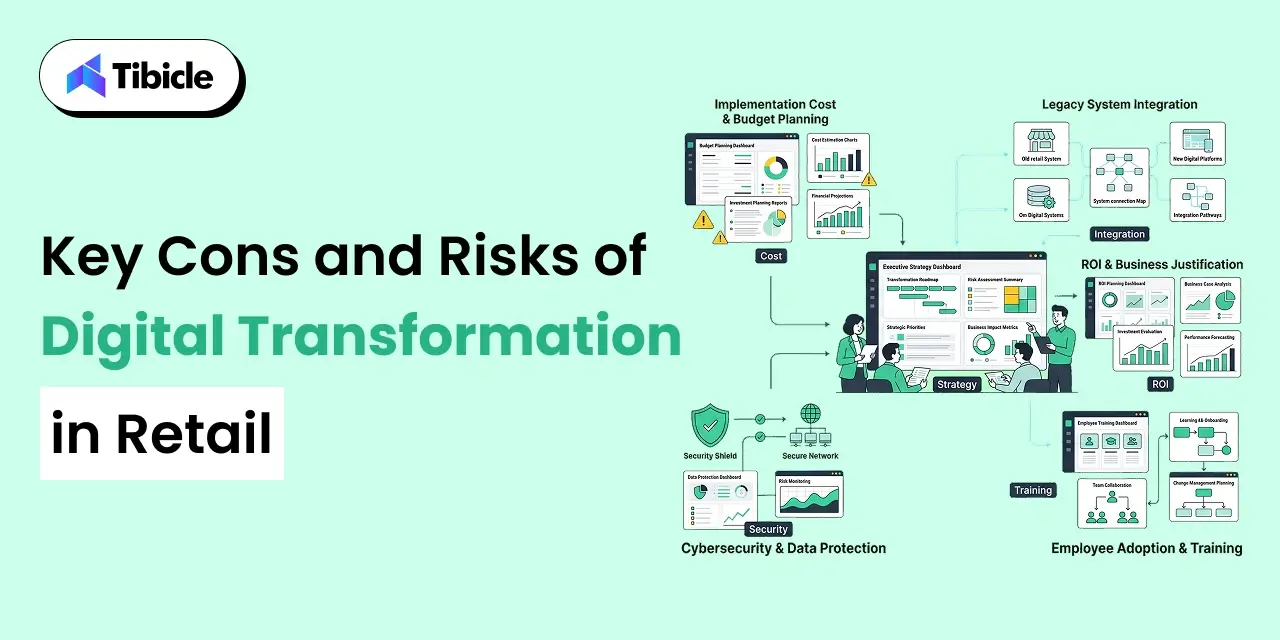
Key Cons and Risks of Digital Transformation in Retail

Key Cons and Risks

While the benefits of digital transformation in retail industry are substantial, successful implementation is rarely straightforward. Many projects struggle because organizations underestimate costs, integration complexity, organizational resistance, and long-term maintenance requirements.

Understanding these risks helps decision-makers build realistic transformation roadmaps and avoid costly mistakes.

High Upfront Implementation Costs

One of the biggest barriers to digital transformation is the initial investment required.

The digital transformation cost in retail varies significantly depending on project scope, existing infrastructure, and technology requirements. Small pilot initiatives may begin at $15,000–$50,000, while enterprise-wide transformation programs can exceed $500,000.

Costs typically include:

  • Software licensing
  • Cloud infrastructure
  • System integrations
  • Data migration
  • Consulting services
  • Security implementation
  • Employee training

Many retailers focus on software pricing while underestimating implementation and operational expenses. This often leads to budget overruns and delayed ROI realization.

The challenge becomes even greater when legacy systems require extensive customization before modernization efforts can begin.

Legacy System Integration Complexity

Many retailers operate technology environments built over decades.

These ecosystems often include:

  • Legacy ERP systems
  • Standalone CRM platforms
  • Aging POS infrastructure
  • Custom inventory tools
  • Disconnected reporting systems

Integrating modern solutions into these environments can be technically complex and time-consuming.

While cloud-based middleware and phased migration strategies help reduce risk, they also add implementation timelines and project costs.

Organizations frequently discover that integration challenges consume more resources than the new technology itself.

For this reason, system architecture assessments should be conducted before major investments are approved.

Organizational Resistance and Talent Gaps

Technology adoption depends as much on people as it does on software.

Employees often resist changes that alter workflows, introduce new systems, or require unfamiliar skills. Without proper change management, even technically successful projects can fail operationally.

Retailers that invest in employee enablement frequently achieve better outcomes. One major retailer reported a 50% reduction in employee turnover and a 60% decrease in hiring costs after modernizing workforce experiences and providing structured training programs.

However, many organizations lack internal expertise in:

  • Artificial intelligence
  • Data engineering
  • Cloud architecture
  • Automation technologies
  • Advanced analytics

This talent shortage often creates dependence on external partners and increases implementation costs.

Data Privacy and Cybersecurity Exposure

As digital capabilities expand, so does cybersecurity risk.

Transformation initiatives typically increase the amount of customer, transaction, and operational data collected across the organization.

While this data enables personalization and business intelligence, it also creates additional security responsibilities.

Retailers must address:

  • Customer privacy requirements
  • Payment security standards
  • Regulatory compliance
  • Access control policies
  • Threat monitoring

Compliance frameworks such as GDPR, PCI-DSS, and region-specific privacy regulations add complexity and cost to transformation programs.

A single security incident can undermine customer trust and significantly impact business performance.

Unclear ROI Timelines for New Retail Formats

Not every digital innovation delivers immediate business value.

Technologies such as:

  • AR-powered shopping experiences
  • Virtual stores
  • Frictionless checkout systems
  • Smart mirrors
  • Microstores

continue to generate interest, but long-term profitability remains uncertain in many use cases.

While flagship retailers often achieve strong marketing outcomes from these initiatives, widespread scalability has not been consistently demonstrated.

Decision-makers should separate proven technologies from experimental innovations and avoid assuming every emerging technology will generate measurable returns.

A disciplined retail digital transformation strategy prioritizes business outcomes rather than technology trends.

Digital Transformation in Retail: Pros vs. Cons Comparison Table

Factor Pros Cons
Cost 12–40% operational savings after deployment $15K–$500K+ upfront investment
Revenue Up to 40% increase in basket size through personalization ROI often requires 12–24 months
Scalability Unified omnichannel infrastructure Legacy integration bottlenecks
Customer Experience Personalized journeys, AI assistants, AR experiences Data privacy and security concerns
Workforce Reduced turnover and improved productivity Training and change management costs
Technology AI, automation, cloud-native flexibility Experimental technologies remain unproven

The comparison highlights a key reality: transformation creates significant value when executed properly, but organizations must account for implementation complexity before expecting measurable returns.

ROI Benchmarks for Retail Digital Transformation

For most executives, the success of a transformation initiative is ultimately measured through business outcomes.

Research indicates that approximately 41% of organizations achieve positive returns within two years of implementing digital transformation programs.

The strongest retail technology ROI typically comes from initiatives focused on operational efficiency, customer retention, and process automation rather than experimental innovation projects.

Retailers leveraging external expertise in analytics and AI implementation often achieve ROI approximately 40% faster than organizations relying exclusively on internal teams.

Automation projects have also demonstrated strong financial performance. Certain robotic process automation implementations report first-year returns approaching 200% when applied to repetitive operational tasks.

One of the most visible examples is Target’s digital transformation strategy. The company’s mobile application supports millions of daily active users, while digital fulfillment initiatives such as Drive Up have become major contributors to overall digital revenue.

To evaluate transformation performance effectively, retailers should monitor:

  • Customer retention rate
  • Revenue from digital channels
  • Net Promoter Score (NPS)
  • Customer Lifetime Value (CLV)
  • Average Order Value (AOV)
  • Operational cost savings
  • Inventory turnover improvements

Tracking these KPIs consistently provides a clearer picture of transformation impact than relying solely on revenue growth.

Cost and Pricing Insights for Retail Digital Transformation

The cost of transformation depends largely on business size, technology maturity, and implementation scope.

Cost Breakdown by Transformation Scale

Project Scope Estimated Investment
Small Pilot Projects $15,000–$50,000
Mid-Scale Transformation $75,000–$200,000
Enterprise Transformation $300,000–$500,000+

Rather than pursuing large-scale transformations immediately, many organizations benefit from phased implementation strategies.

A commonly recommended budgeting approach is the 70-20-10 rule:

  • 70% invested in proven technologies
  • 20% invested in emerging opportunities
  • 10% invested in experimental innovation

This model balances operational stability with innovation.

Hidden Costs Retailers Often Overlook

Beyond technology investments, retailers should budget for:

  • Data migration
  • Employee training
  • Security compliance
  • Infrastructure upgrades
  • Vendor onboarding
  • Integration services
  • Ongoing support contracts

These costs frequently exceed initial expectations.

One effective risk-reduction strategy involves launching smaller MVP-style pilots before scaling transformation initiatives across the organization.

This allows retailers to validate business outcomes before committing larger budgets.

Vendor Selection Checklist for Retail Digital Transformation

Selecting the right technology partner can determine whether a transformation initiative generates measurable business value or becomes an expensive operational challenge.

The most successful retail transformation programs prioritize scalability, integration readiness, and long-term business outcomes rather than focusing solely on software features.

Evaluation Criteria for Retail Technology Vendors

Before selecting a transformation partner, executives should evaluate the following:

  • Does the solution support modular, API-ready architecture?
  • Can it integrate with existing ERP, CRM, and POS platforms?
  • Does the vendor have proven retail implementation experience?
  • Is a phased rollout approach available?
  • Are MVP-first engagement models supported?
  • Is pricing subscription-based, project-based, or hybrid?
  • Are there vendor lock-in clauses?
  • What change management and employee training programs are included?
  • Does the vendor provide post-deployment analytics and ROI reporting?
  • What security certifications are maintained?
  • Does the platform support future scalability requirements?
  • How are ongoing support and maintenance handled?

Strong vendors focus on business outcomes, adoption rates, and measurable ROI rather than simply delivering software.

Questions Every Retail Executive Should Ask

Many transformation failures occur because organizations fail to ask critical questions before signing contracts.

Key questions include:

  • How long will implementation take?
  • What integrations require custom development?
  • What are the expected ROI milestones?
  • What hidden costs should be anticipated?
  • What internal resources are required?
  • What risks have been encountered in similar projects?

These discussions often reveal more about vendor suitability than product demonstrations.

Looking for an offshore technology partner to architect your retail digital transformation? Talk to Tibicle’s team for a free consultation and roadmap assessment.

Top Tools and Platforms Driving Retail Digital Transformation

digital transformation in retail

Modern retail transformation initiatives are often powered by specialized technology platforms designed to improve customer engagement, operational efficiency, and scalability.

Shopify

One of the most widely adopted e-commerce platforms, Shopify provides omnichannel commerce capabilities, integrated payments, analytics, and growing AR commerce functionality.

Salesforce Commerce Cloud

Salesforce combines CRM, customer engagement, loyalty management, and unified commerce tools within a single ecosystem.

SAP S/4HANA

SAP remains a leading solution for retailers requiring advanced ERP capabilities, supply chain visibility, procurement management, and enterprise reporting.

Google Cloud Vertex AI

Retailers use Vertex AI to deploy machine learning models for demand forecasting, personalization, inventory optimization, and customer analytics.

AWS for Retail

AWS provides cloud infrastructure, personalization services, data lakes, analytics environments, and scalable retail workloads.

Scandit

Scandit helps retailers improve inventory management and customer engagement through AR-powered barcode scanning and mobile commerce experiences.

Standard AI

Standard AI focuses on autonomous checkout, store intelligence, and computer vision technologies that reduce friction during the shopping experience.

Why Tibicle Is a Strong Choice for Retail Digital Transformation Projects

Many retailers face a common challenge: off-the-shelf software rarely aligns perfectly with operational requirements.

While SaaS platforms solve specific problems, organizations often require custom integrations, automation workflows, analytics systems, and customer experiences that extend beyond standard functionality.

Tibicle helps retailers bridge this gap by providing custom software development, cloud modernization, automation solutions, AI integrations, and managed technology services.

Key strengths include:

  • API-ready architecture design
  • Cloud migration expertise
  • AI and machine learning integration
  • Custom retail software development
  • DevOps and managed services
  • Automation workflow implementation
  • Data and analytics engineering

Unlike vendors focused on a single platform, Tibicle supports retailers needing flexible, scalable technology ecosystems built around their unique operational requirements.

With experience across SaaS architecture, cloud infrastructure, automation, and emerging technologies, Tibicle helps organizations implement transformation initiatives through phased, business-driven engagement models.

Explore how Tibicle can support your retail technology roadmap and future growth strategy.

Conclusion

The benefits of digital transformation in retail industry are clear. Organizations implementing the right technologies can improve customer experiences, increase operational efficiency, reduce costs, and create new revenue opportunities.

However, transformation success depends on more than technology selection. Implementation complexity, legacy systems, organizational readiness, and vendor expertise all influence outcomes.

Executives should evaluate opportunities using measurable business criteria rather than focusing solely on technology trends. The comparison framework, ROI benchmarks, cost considerations, and vendor checklist outlined in this guide provide a practical foundation for building a stronger business case.

When approached strategically, digital transformation becomes a growth accelerator rather than a technology expense.

Ready to start your retail digital transformation journey? Contact Tibicle for a free technology assessment and roadmap consultation.

FAQs

What is digital transformation in the retail industry?
Digital transformation in the retail industry involves integrating technologies such as AI, cloud computing, analytics, automation, and IoT across operations to improve customer experience, efficiency, and revenue growth.

How much does digital transformation cost for a retail business?
Costs typically range from $15,000 for focused pilot projects to more than $500,000 for enterprise-wide transformation initiatives, depending on complexity and scope.

What is the average ROI timeline for retail digital transformation?
Research indicates that approximately 41% of organizations achieve measurable ROI within two years of implementation, while targeted automation initiatives often deliver returns more quickly.

What are the biggest risks of digital transformation in retail?
The most common risks include high upfront costs, legacy system integration challenges, organizational resistance, cybersecurity concerns, and uncertain ROI from experimental technologies.

How do I choose the right digital transformation vendor?
Evaluate vendors based on retail experience, integration capabilities, architecture flexibility, security certifications, implementation methodology, pricing transparency, and post-launch support.

Can small and mid-sized retailers afford digital transformation?
Yes. Many retailers begin with focused pilot projects, automation initiatives, or low-code implementations that validate ROI before scaling investment across the business.

What is Retail Automation? ROI, Pricing, and Vendor Selection for 2026

Introduction

The global retail automation market hit $27.65 billion in 2025 and is projected to reach $77.36 billion by 2034, growing at a 12% CAGR (Fortune Business Insights). That growth rate is not a coincidence, it reflects a fundamental shift in how retail businesses manage costs, scale operations, and serve customers in an environment that no longer tolerates inefficiency.

retail automation

Retail leaders face several operational challenges today: rising labor costs, complex omnichannel fulfillment, shrinking margins, and unstable supply chains. Manual processes cannot handle these pressures efficiently.Businesses that continue managing these challenges manually are not holding stead, they are falling behind competitors who have already automated.

This guide is written specifically for executives and operations decision-makers who are evaluating retail automation as a strategic investment, not a technology experiment. It explains what retail automation is, breaks down its core types and real-world use cases, and provides the ROI benchmarks, pricing context, and vendor evaluation criteria you need to make a defensible, well-informed decision.

What is Retail Automation?

Retail automation is the use of software, artificial intelligence, robotics, IoT sensors, and integrated systems to replace or significantly reduce manual intervention in repetitive retail operations across in-store, warehouse, and digital channels.

The scope of retail automation is broader than most executives initially assume. It is not limited to self-checkout kiosks or customer-facing chatbots. Modern retail automation solutions encompass inventory management, dynamic pricing, supply chain coordination, marketing execution, order fulfillment, workforce scheduling, compliance reporting, and customer analytics. It covers the full operational stack, front-of-store, back-office, warehouse, and e-commerce simultaneously.

According to the World Economic Forum, AI services in the retail sector alone are expected to grow from $5 billion to $31 billion by 2028, underscoring how quickly intelligent automation is moving from pilot programs to core business infrastructure.

What retail automation is not: a single platform purchase, a one-time deployment, or a front-of-store novelty. The most impactful retail automation strategies address back-office efficiency, warehouse throughput, and supply chain visibility in parallel, not just the customer-facing touchpoints that tend to receive the most attention.

Core Technologies Behind Retail Automation

retail automation

Understanding the technologies behind retail automation helps decision-makers evaluate vendors. It also helps them choose solutions that match their operational needs.

AI and Machine Learning

Artificial intelligence is the analytical backbone of modern retail automation. Machine learning models drive demand forecasting, enabling retailers to predict stock requirements with significantly greater accuracy than rule-based or spreadsheet-driven approaches. AI also powers dynamic pricing, adjusting prices in real time based on demand signals, competitor data, and inventory position, and enables personalized marketing by identifying behavioral patterns across millions of customer interactions.

Data point: 84% of organizations that have invested in AI report positive ROI, according to Deloitte. In retail specifically, AI-driven retail automation has shifted from an experimental budget line to a core profitability lever for businesses operating at scale.

Robotic Process Automation (RPA)

RPA automates rule-based, high-volume tasks that previously required manual handling: data entry, invoice processing, inventory reconciliation, returns documentation, and compliance reporting. Unlike AI, RPA does not learn or adapt, it executes defined workflows reliably at scale, making it particularly valuable for back-office retail process automation where consistency and volume are the primary requirements.

The global RPA market is projected to reach $35.27 billion in 2026 (Grand View Research), driven significantly by retail and logistics adoption across both mid-market and enterprise segments.

IoT and Smart Sensors

IoT-enabled devices allow retailers to monitor inventory levels in real time, track shelf conditions, detect stockouts before they affect sales, and manage temperature-sensitive storage for perishable categories. These sensors feed live data into centralized dashboards, enabling faster and more accurate operational decisions without requiring manual floor checks or periodic audits.

Cloud Computing and Analytics

Cloud infrastructure provides the centralized data access and processing power required for cross-channel retail automation. Cloud-native platforms connect POS transactions, e-commerce activity, warehouse operations, and customer behavior into unified BI dashboards, eliminating the data silos that fragment decision-making in manually operated retail environments.

Types of Retail Automation by Function

Retail automation operates across five primary functional areas. The business case and ROI profile differ meaningfully across each, which is why implementation sequencing matters as much as platform selection.

Inventory and Warehouse Automation

Inventory automation encompasses RFID-based tracking, automated reorder triggers tied to real-time sales velocity and supplier lead time data, and goods-to-person fulfillment systems that move products through warehouses without manual picking. This area consistently delivers the fastest and most measurable ROI for mid-to-large retailers.

Stat: Over 4.6 million commercial warehouse robots will be installed worldwide by the end of 2026 (SellersCommerce), reflecting the scale at which retail warehouse automation is being deployed across the industry globally.

Checkout and Payment Automation

Self-checkout kiosks, cashierless store formats, and contactless payment systems reduce front-of-store labor dependency and decrease transaction times in ways that directly affect customer satisfaction scores. Automated retail systems in this category have moved well beyond novelty deployments.

A frequently cited real-world example: Decathlon’s RFID-based checkout system reduced average transaction time from 20 minutes to under 1 minute by allowing customers to check out an entire cart without scanning individual items, a direct result of integrated retail automation applied at the point of sale.

Marketing and Customer Engagement Automation

Automated retail systems can trigger personalized email campaigns, loyalty program notifications, and product recommendations based on real-time customer behavior, without manual campaign management for each segment. These systems connect CRM data, purchase history, and browsing behavior to deliver contextually relevant engagement at scale, turning customer data into revenue without proportional increases in marketing headcount.

Supply Chain and Order Fulfillment Automation

Retail supply chain automation extends across demand forecasting, dynamic carrier routing, and end-to-end delivery tracking. These systems reduce manual coordination between procurement, warehousing, and logistics teams, improving delivery speed and reducing the costly errors that propagate through manual handoffs across the supply chain.

Back-Office and HR Automation

Payroll processing, workforce scheduling, timekeeping, and compliance reporting are high-volume, error-prone functions that retail process automation handles efficiently. Automating these workflows reduces administrative overhead, decreases compliance exposure, and allows operations managers to focus on strategic decisions rather than routine administrative processing.

Retail Automation Use Cases by Industry Vertical

retail automation

Retail automation applies differently depending on the business model, supply chain structure, and customer base. These are the four most significant vertical applications currently in deployment.

Grocery and Supermarkets

Grocery retailers manage high SKU volumes, tight margins, and perishable inventory, a combination that makes retail automation particularly high-impact in this segment. Key use cases include automated replenishment driven by real-time POS sales data, smart shelf monitoring to detect stockouts and misplacements before they affect revenue, and perishable inventory optimization to reduce waste and markdown costs at scale.

Fashion and Apparel

Fashion retail faces extreme demand volatility at the SKU and regional level, a single color or size variant can swing from overstock to stockout within days of a trend shift. Automation in the retail industry addresses this through demand sensing models that adjust buying and allocation decisions dynamically. Returns automation and visual merchandising analytics also reduce operational complexity in a category defined by high SKU counts and short product life cycles.

E-Commerce and D2C

For e-commerce and direct-to-consumer brands, automated retail systems power the entire order-to-delivery workflow. AI-driven product recommendations increase average order value, warehouse robotics accelerate pick-and-pack throughput, and automated order routing optimizes carrier selection and delivery timelines simultaneously.

Data point: Global online retail sales are projected to reach $6.88 trillion in 2026 (SellersCommerce). At that scale, fulfillment speed and accuracy requirements can only be reliably met through retail automation.

Multi-Location and Franchise Retail

Retail automation is particularly valuable for operators managing dozens or hundreds of locations. Centralized inventory visibility eliminates stock imbalances between stores, standardized automated workflows ensure operational consistency across franchisees, and cross-store performance benchmarking enables management to identify underperforming locations and respond faster than manual reporting cycles allow.

Retail Automation Comparison: Manual vs. Partially Automated vs. Fully Automated

retail automation

The table below illustrates the operational difference between manual, partially automated, and fully automated retail operations across eight key performance parameters.

Parameter Manual Operations Partially Automated Fully Automated
Inventory Accuracy 60–70% 85–90% 95–99%
Order Processing Time Hours Minutes Seconds
Labor Dependency High Medium Low
Error Rate High Moderate Minimal
Scalability Limited Moderate High
Initial Investment Low Medium High
Long-Term Cost Efficiency Poor Good Optimal
Customer Experience Inconsistent Improved Seamless

When does partial automation make sense? For small-to-mid-size retailers with moderate SKU volumes and limited IT infrastructure, partial retail automation is often the right entry point. Automating high-impact areas, inventory management and POS, before committing to warehouse robotics or AI-driven marketing, allows businesses to build operational maturity and prove ROI without overextending capital.

When does full automation make sense? Enterprise retailers, large e-commerce operators, and multi-location chains managing high transaction volumes and complex supply chains derive the clearest ROI from full-stack retail automation. At this scale, labor cost reduction, throughput gains, and error elimination deliver measurable returns within 2–3 years of implementation, and partial automation creates coordination gaps that compound over time.

How Much Does Retail Automation Cost? Pricing Models and Budget Ranges

Automation Cost

Retail automation investment decisions require clarity on both pricing structure and total cost of ownership, not just the licensing fee presented in a vendor proposal.

Common Pricing Structures

SaaS subscription: Monthly or annual fees per store location, per user, or per transaction volume. This model suits retailers who need fast deployment with lower upfront capital requirements and prefer predictable recurring costs.

Custom development: A one-time build cost plus ongoing maintenance and support. This model fits retailers with unique workflows, legacy system constraints, or competitive differentiation requirements that off-the-shelf platforms cannot address.

Hybrid model: A platform license combined with implementation services and ongoing customization. Common for enterprise retail automation deployments requiring both a proven platform foundation and significant configuration work to match existing operational workflows.

Budget Ranges by Automation Type

  • POS and checkout automation: $5,000–$50,000 per store, depending on hardware requirements and software integrations
  • Inventory management platforms (SaaS): $500–$5,000 per month, based on location count and feature scope
  • Warehouse robotics: $100,000–$1M+ depending on facility size, throughput requirements, and system complexity
  • Full-stack retail automation suite (enterprise): $250,000–$2M+ for integrated implementations covering inventory, fulfillment, POS, and analytics

Hidden Costs to Account For

Decision-makers consistently underestimate three cost categories that rarely appear in vendor pricing sheets:

Legacy system integration: Connecting modern retail automation platforms to existing ERP, CRM, or WMS infrastructure often requires custom middleware, adding $20,000–$150,000+ to implementation costs depending on system age and compatibility.

Staff training and change management: Retraining employees and managing the organizational transition to automated workflows is a real cost in both time and productivity impact during the changeover period.

Ongoing maintenance and vendor lock-in risk: Proprietary retail automation platforms may impose annual fee increases, limit customization options, or create switching costs that restrict your flexibility as business requirements evolve. Total cost of ownership calculations must account for these from the start, not after contract signature.

ROI of Retail Automation: What the Data Shows

The business case for retail automation is not speculative. Consistent, cross-industry data from organizations that have implemented automation at scale provides a credible foundation for investment decisions.

Revenue and Efficiency Gains

  • Stores deploying automated technology report an 11% increase in customer visits (Research Nester industry survey)
  • Organizations that have implemented AI-driven retail automation report 5x–10x returns on investment across multi-year deployments (OneReach AI/Gartner).
  • Retailers across segments are actively planning to automate 70% of daily routine tasks by 2025–2026

Live deployments reflect these outcomes., not vendor projections or controlled lab environments.

Cost Reduction Benchmarks

  • Labor cost reduction: 20–30% reduction in labor costs for repetitive, rule-based tasks is consistently reported across retail automation implementations
  • Data accuracy: Automated data entry and report generation achieve up to 100% accuracy compared to manual processes, eliminating costly errors in inventory counts, order processing, and financial reporting
  • Warehouse automation ROI: Most warehouse retail automation investments reach positive ROI within 2–3 years, with ongoing returns increasing as throughput scales

Calculating ROI for Your Business

The standard ROI formula for retail automation investments:

ROI = (Annual savings + Revenue uplift from automation) / Total cost of ownership

The key input variables to quantify before committing to any vendor:

  • Labor cost offset: Current annual spend on tasks being automated vs. post-automation labor requirement
  • Error reduction savings: Cost of current errors, inventory shrinkage, order mistakes, compliance penalties vs. post-automation error rates
  • Throughput increase: Revenue impact of faster order processing and improved inventory availability
  • Customer retention lift: Long-term revenue impact of improved service consistency and personalized engagement at scale

Most retailers who complete a structured ROI analysis before implementation find that the business case is clearest in inventory management and warehouse operations, with payback periods in these areas typically ranging from 12–24 months for mid-size deployments.

Risks and Challenges of Implementing Retail Automation

Risks and Challenges

A balanced evaluation of retail automation requires honest assessment of the risks, not just the efficiency gains. These are the four most consistently reported implementation challenges.

High Upfront Investment and Unclear Payback

Retailers often cite budget pressure(41%) and ROI uncertainity(40%) as major barriers, according to the MHI 2025 Annual Industry Report. Without a structured business case and phased implementation plan, large upfront investments in automated retail systems can stall mid-project or fail to deliver expected returns against unclear baselines.

Integration with Legacy Systems

Most established retailers are operating POS, CRM, and inventory platforms that were not built with modern API integration in mind. Connecting new retail automation solutions to this infrastructure creates data silos, synchronization delays, and operational gaps that directly reduce realized ROI. Middleware solutions and phased migration strategies are the standard approach to managing this risk without requiring full infrastructure replacement.

Workforce Resistance and Change Management

Retail process automation displaces tasks before it displaces people, but employees whose roles change significantly are often the most effective friction point in new system adoption. Retailers who build career development pathways alongside automation deployment, provide hands-on training before go-live, and communicate the strategic rationale behind retail automation decisions consistently report faster adoption rates and fewer implementation setbacks.

Vendor Lock-In and Scalability Limitations

Many retail automation platforms are built on proprietary architectures that restrict future flexibility. Once workflows, data structures, and integrations are built around a single vendor’s system, switching costs become a significant operational barrier. Decision-makers should evaluate API-first, modular platforms that allow individual components to be replaced or upgraded independently, without requiring full system replacement when business requirements change.

Vendor Selection Checklist for Retail Automation

Use this checklist before committing to any retail automation solution or vendor contract:

  • API-first integration: Does the vendor support modular integration with your existing ERP, CRM, WMS, and POS systems without requiring full platform replacement?
  • Multi-channel scalability: Can the retail automation solution scale across multiple store locations, warehouse facilities, and digital sales channels without significant re-implementation?
  • Total cost of ownership: Has the vendor provided a complete TCO breakdown, including implementation, training, ongoing maintenance, and integration, not just licensing fees?
  • Industry-specific experience: Does the vendor offer documented case studies and use cases in your specific retail vertical (grocery, apparel, e-commerce, multi-location)?
  • Time-to-value: What is the reported average payback period from existing clients in comparable deployments?
  • Cloud-native architecture: Is the retail automation platform cloud-native with real-time data access and cross-channel visibility built in, not bolted on as an add-on?
  • Customization capability: Can the platform be configured to match your specific workflows without requiring heavy custom development from the vendor’s professional services team?
  • SLA-backed support: Does the vendor offer guaranteed response times, dedicated onboarding support, and clearly defined escalation paths?
  • Data security and compliance: How does the vendor handle data privacy, security certifications (SOC 2, ISO 27001), and regulatory compliance relevant to your markets?
  • Exit strategy: What does data portability look like if you need to migrate away from the platform? Is there a documented off-boarding process?

Top Retail Automation Tools and Platforms in 2026

Honeywell offers a broad portfolio of retail automation hardware and software, with particular strength in RFID-based inventory tracking, barcode scanning systems, and supply chain visibility solutions. Their platforms are widely deployed across large-scale warehouse and retail distribution environments globally.

NCR Voyix (formerly NCR Corporation) is one of the most established vendors in checkout automation, POS automation, self-checkout kiosk deployment, and workforce management for retail. Their solutions are commonly found across grocery, convenience, and hospitality retail environments.

Zebra Technologies specializes in mobile computing, RFID, and real-time supply chain visibility. Their devices and software are widely used for inventory management and workforce productivity across retail and logistics operations, with a strong installed base in large-format retail.

AutoStore is a leading provider of robotic micro-fulfillment systems, offering grid-based retail warehouse automation that significantly increases storage density and picking throughput. Their systems are used by retailers requiring high-volume, space-efficient order fulfillment in constrained warehouse footprints.

SAP, Oracle, and NetSuite provide enterprise ERP platforms with integrated retail automation modules covering inventory management, order management, financial reporting, and supply chain planning. These platforms typically serve as the integration backbone for full-stack automated retail systems at enterprise scale.

If you need a custom-built retail automation solution designed specifically around your workflows and existing tech stack, Tibicle’s development team can help. 

How Tibicle Supports Retail Automation Projects

Tibicle builds custom retail automation solutions based on each business’s operational needs. Instead of forcing businesses to adjust to fixed platforms, Tibicle creates solutions that fit existing workflows.

With experience across logistics, healthcare, HR, and manufacturing, Tibicle focuses on API-first architecture. This helps connect new automation systems with existing tools without replacing the entire infrastructure.

Tibicle supports mid-market and enterprise retailers that need custom integrations, scalable workflows, or solutions beyond standard platforms.

The key difference is flexibility. Tibicle designs retail automation systems around your processes, helping reduce integration risks, improve implementation speed, and avoid vendor lock-in.

Conclusion

Retail automation is no longer a competitive advantage reserved for the largest global retailers. Rising labor costs, omnichannel complexity, and growing customer expectations have moved automation in the retail industry from optional to operationally essential for any business managing meaningful transaction volume.

Most retail executives are no longer deciding whether to automate. They are deciding where to start, which vendor fits their needs, and how to measure returns before investing.

The decision facing most retail executives today is not whether to automate, but where to start, which vendor model fits their infrastructure and budget, and how to measure returns clearly before committing capital at scale.

The ROI data is consistent across industries and geographies: businesses that adopt retail automation systematically, with a clear business case, structured vendor evaluation, and a phased implementation plan, see measurable returns within 12–36 months. Those that delay continue to absorb the compounding costs of manual operations in an environment that has already moved on.

Ready to build a retail automation solution that fits your business? Contact Tibicle’s team for a free consultation.

Frequently Asked Questions

Q1: What is retail automation and how does it work?
Retail automation uses AI, robotics, IoT, and software to automate repetitive retail tasks like inventory tracking, checkout, fulfillment, and customer engagement. It connects with existing systems to improve speed, accuracy, and efficiency.

Q2: How much does retail automation cost for a mid-size retailer?
Retail automation costs vary based on the solution and business needs. SaaS tools may start around $500/month, while advanced warehouse automation can exceed $1M. Most mid-size retailers invest based on their operational goals and required features.

Q3: What is the average ROI of retail automation?
Retail automation can deliver strong ROI through lower costs, faster operations, and fewer errors. Many businesses achieve positive ROI within 12–24 months, depending on their automation scope and goals.

Q4: What are the biggest risks of implementing retail automation?
The main risks include high costs, integration challenges, employee resistance, and vendor lock-in. However, a phased rollout and proper vendor evaluation can reduce these risks.

Q5: Can retail automation work with existing POS and ERP systems?
Yes, retail automation works with existing POS, ERP, CRM, and WMS systems. Modern solutions use API integrations to connect with existing software and improve workflows.

Q6: How do I choose the right retail automation vendor?
Choose a vendor based on API compatibility, scalability, pricing, industry experience, security, and support. A reliable retail automation vendor should fit your existing systems and help you achieve measurable results.

What is eCommerce Automation? How It Works

Introduction

The pace of online retail has outgrown manual management, and the cracks are showing. Inventory counts fall out of sync across channels. Orders slip through fulfillment gaps. Customer emails go unanswered for hours. Support teams burn out chasing routine queries instead of solving real problems. Margin quietly erodes with every manual error, delay, and missed upsell opportunity. This is not a staffing problem. It is a scaling problem and without eCommerce automation, it compounds fast.

eCommerce automation

According to industry research, 80% of retail executives expect AI-powered automation adoption to be mainstream by the end of 2025. More striking still: businesses already deploying eCommerce automations report up to 30% reductions in operational costs and conversion rate lifts of up to 77%. The operations that are pulling ahead are not hiring faster, they are automating smarter.

The root problem is straightforward. Manual order processing, inventory tracking, and customer follow-ups work reasonably well at 50 orders per month. At 5,000 orders per month, the same manual processes become bottlenecks that cost revenue, damage customer experience, and burn out teams.

For decision-makers evaluating the automation layer, the question is no longer whether to automate, it is what to automate first, at what investment level, and with which tools.

This guide breaks down precisely how eCommerce automations work, what they cost, where ROI is concentrated, and how to select the right vendor for your specific operational complexity.

What Is eCommerce Automation?

eCommerce automation is the software-driven execution of repetitive business tasks in online retail without requiring manual input for each transaction or event. Rather than having a team member update stock levels, send confirmation emails, or flag a suspicious order, automated eCommerce processes handle these tasks the moment a defined condition is met.

The scope of eCommerce workflow automation is broad. It covers inventory updates, order processing, customer communications, eCommerce marketing automation, fraud alerts, and fulfillment routing, essentially any task that follows a predictable pattern.

As of 2024, 40% of businesses globally have integrated some form of eCommerce automation tools, and this number is accelerating sharply into 2026.

It is worth addressing the most persistent misconception directly: automation does not replace teams. What it does is eliminate low-value manual work so that staff can focus on strategy, customer relationships, and growth. Automation handles the repetitive; humans handle the complex.

How eCommerce Automation Works

At the technical level, virtually every eCommerce automation runs on a three-part framework: trigger, condition, and action. Understanding this framework makes it straightforward to evaluate any automation tool or workflow.

The Trigger-Condition-Action Framework

Trigger: What initiates the workflow. A customer places an order, stock drops below a threshold, a cart is abandoned for more than two hours, or a customer reaches a spending milestone. Triggers are the “if this happens” component of trigger-condition-action workflows.

Condition: The rule that determines whether the action should fire. For example, “if customer lifetime spend exceeds $3,000” or “if inventory falls below 10 units.” Conditions add precision and prevent irrelevant actions from executing.

Action: The automated output that executes when both trigger and condition are satisfied. Send a recovery email, generate a reorder purchase order, apply a discount code, tag a customer segment in the CRM, or push a fulfillment request to a warehouse.

A practical example: A shopper adds three items to their cart and leaves the site. After two hours, the system checks whether the cart value exceeds $75. If yes, it automatically sends a recovery email with a 10% discount code, a classic abandoned cart recovery workflow that requires zero manual intervention.

Where Automation Sits in the Tech Stack

eCommerce automation tools function as connective tissue across the technology stack. They sit between the eCommerce platform (Shopify, WooCommerce, Magento) and the surrounding ecosystem: CRM systems, ERPs, email and SMS platforms, shipping providers, payment gateways, and accounting software.

94% of employees still perform repetitive or mundane tasks as a core part of their daily workflows (Zapier research). eCommerce workflow automation intercepts these tasks at scale, removing the manual loops that slow operations.

This is where no-code automation platforms like Zapier and Make have found strong adoption. They allow non-technical operators to build multi-step workflows across 7,000+ applications without writing custom integration code. For more complex requirements, RPA in eCommerce (robotic process automation) handles structured data processing and legacy system integration that modern API-based tools cannot reach.

Key Areas Where eCommerce Automation Drives Results

eCommerce automation

eCommerce automations deliver measurable impact across five core operational areas. Each represents a category of automated eCommerce processes where the frequency of repetition makes manual handling unsustainable at scale.

Order and Fulfillment Automation

Order fulfillment automation covers the full cycle from payment verification through delivery confirmation. When an order is placed, the workflow automatically verifies payment, generates a shipping label with the appropriate carrier, sends tracking information to the customer, and triggers a delivery confirmation notification when the package is scanned as delivered.

The operational gains are material: fewer processing errors, faster cycle times, and a significant reduction in customer service inquiries about order status. Fulfillment teams shift from administrative processing to exception handling.

Inventory and Restocking Automation

Inventory sync across multiple sales channels, your own website, Amazon, and wholesale portals, requires real-time data coordination that manual processes cannot sustain accurately at scale.As a result, automated systems maintain accurate stock counts across all channels and trigger reorders when inventory reaches predefined thresholds. This helps prevent stockouts and overstock situations that reduce profit margins.

eCommerce Marketing Automation

eCommerce marketing automation is where most businesses see the fastest return on investment. Abandoned cart recovery sequences, post-purchase upsell flows, loyalty program triggers, and segmented email and SMS campaigns all operate through trigger-condition-action logic.

Automated abandoned cart recovery messages recover approximately 10.5% of lost sales on average, a direct revenue impact with minimal ongoing effort after initial setup.

Post-purchase sequences review requests, cross-sell recommendations, and replenishment reminders extend customer lifetime value without requiring manual outreach for each transaction.

Customer Support Automation

AI-powered eCommerce customer support now handles a significant and growing share of inbound queries. Chatbots manage order status checks, return initiation, and FAQ responses around the clock without staffing costs.

AI chatbots handled 30% of customer service queries in 2025. This figure is projected to reach 50% by 2027 as natural language processing capabilities improve and customer comfort with AI support grows.

Automation also handles ticket routing, directing complex issues to appropriate agents, flagging VIP customer contacts for priority handling, and populating support tickets with order history before an agent sees the case.

Pricing and Merchandising Automation

Rule-based pricing adjustments allow eCommerce operators to respond dynamically to competitor price movements, demand signals, and margin targets without daily manual monitoring. Pricing automation enforces floor and ceiling rules while executing adjustments within defined parameters, protecting margin while maintaining competitive positioning.

eCommerce Automation Use Cases by Business Size

The right automation strategy depends heavily on operational scale. Applying enterprise-grade orchestration to a business doing $200K in annual revenue creates unnecessary complexity and maintenance overhead. Conversely, relying on basic email flows when processing thousands of orders daily creates bottlenecks that compound over time.

SMBs (Under $1M Revenue): The highest-priority automated eCommerce processes are cart recovery, welcome email sequences, and basic low-stock alerts. Tools like Omnisend or Shopify Flow provide native eCommerce workflow automation at low cost and implementation complexity. ROI is typically visible within 30 to 60 days.

Mid-Market ($1M–$20M): Multi-channel inventory sync, segmented eCommerce marketing automation, fulfillment routing, and CRM integration become critical. The Klaviyo and Zapier combination handles most requirements at this scale, with optional ERP connections as complexity grows.

Enterprise ($20M+): Cross-platform orchestration, AI-driven demand forecasting, dynamic pricing engines, and warehouse automation require purpose-built solutions. Salesforce Marketing Cloud, UiPath (for RPA in eCommerce), and custom-built workflows are common at this scale. Custom API integrations replace generic connectors.

The guiding principle: automation strategy must match operational complexity. Over-automating early creates maintenance debt. Under-automating late creates revenue-limiting bottlenecks.

Best eCommerce Automation Tools in 2026

The eCommerce automation tools market spans from free native platform extensions to enterprise-grade orchestration platforms. The table below covers the primary options evaluated by mid-market and growing eCommerce operations.

Tool Best For Pricing (Starting) Key Strength Limitation
Shopify Flow Shopify-native workflows Free (with Shopify plan) Zero-cost entry, native triggers Limited to Shopify ecosystem
Klaviyo Email/SMS marketing automation Free up to 250 contacts; paid scales by list size Predictive CLV, churn scoring Expensive at scale
Zapier Cross-platform integrations $19.99/mo (Starter) 7,000+ app connections Usage-based pricing adds up fast
Make (Integromat) Cost-efficient multi-step workflows $9/mo for 10,000 operations Lower cost per operation vs Zapier Steeper learning curve
Gorgias Customer support automation $10/mo Built for eCommerce helpdesks Narrow scope (support only)
ActiveCampaign Full lifecycle email automation $29/mo Deep automation sequencing Complex setup for beginners

Important note: Subscription price is not total cost. Factor in middleware and integration expenses when platforms do not connect natively, learning curve and onboarding time, scaling fees as contact lists and order volumes grow, and ongoing maintenance. Total cost of ownership often runs 2–3x the subscription price, a figure that must be part of any accurate ROI calculation.

How Much Does eCommerce Automation Cost?

eCommerce automation

Pricing Tiers

Entry-level ($0–$50/month): Basic email flows, Shopify Flow for native Shopify triggers, and free-tier tools from platforms like Omnisend or Klaviyo. Appropriate for businesses processing under a few hundred orders per month.

Mid-range ($50–$500/month): Multi-channel eCommerce marketing automation, inventory sync, CRM integration, and cross-platform workflow tools. This tier covers most growing DTC and wholesale operations.

Enterprise ($500–$5,000+/month): AI-driven personalization, warehouse automation, custom eCommerce workflow automation, and RPA in eCommerce platforms. Custom builds are common at this level when off-the-shelf tools create limitations.

Hidden Cost Factors

  • Middleware and integration tools when platforms do not connect natively via API
  • Staff training and onboarding time, particularly for tools with steeper learning curves
  • Maintenance: automations break when third-party APIs update, platforms push version changes, or business logic evolves. Ongoing monitoring is not optional
  • Scaling fees: most usage-based eCommerce automation tools charge more as order volume and contact list size grow

Total cost of ownership typically runs 2–3x the subscription price when integration, training, and scaling costs are included in the calculation.

ROI and Business Impact of eCommerce Automations

ROI and Business

The financial case for eCommerce automations is well-documented across multiple independent research sources. The ROI concentrates in three primary areas: cart abandonment recovery, post-purchase upsell sequences, and inventory accuracy improvements.

Companies deploying marketing automation see $5.44 in revenue for every $1 invested  a 544% three-year ROI across the customer lifecycle.

69% of retailers report revenue increases directly traceable to AI-powered eCommerce automation investments. 72% report measurable cost reductions.

eCommerce stores using automation tools report 10–12% average revenue increases attributable to automated flows alone.

A practical ROI formula for evaluating any automation investment:

ROI = (Incremental Gross Profit + Cost Savings − Total Cost) / Total Cost

Typical payback periods: 3 to 6 months for eCommerce marketing automation; 6 to 12 months for full operational automation including fulfillment and inventory systems.

For businesses new to automation, the highest-ROI starting point is almost always the same: abandoned cart recovery sequences, post-purchase upsell flows, and inventory reorder alerts. These are high-frequency, high-impact, and low-complexity to implement.

Risks and Challenges of eCommerce Automation

eCommerce workflow automation delivers significant upside, but the risks are real and worth addressing before implementation, not after.

Over-automation: Not every business process should be automated. Complex returns involving multiple parties, VIP customer complaints, and sensitive dispute situations require human judgment. Automating these creates friction and damages customer relationships that have real revenue value.

Data security: eCommerce automation tools access sensitive customer data, payment records, and behavioral data. Each integration expands the attack surface. Vendor SOC 2 compliance and data processing agreements are not optional considerations.

Integration fragility: Automated eCommerce processes break when third-party APIs change, platforms push updates, or data schemas shift. Workflows built on brittle integrations require active maintenance, not periodic check-ins.

Vendor lock-in: Deep integrations with a single platform make future switching expensive. Data portability and export capabilities should be evaluated before commitment.

The set-and-forget trap: 71% of eCommerce stores have experimented with AI-powered automation, but only 33% achieve full implementation and sustained results. The gap is almost always due to insufficient ongoing optimization. Automations that worked well six months ago may underperform today due to changed business conditions.

Mitigation approach: Start with a focused 2 to 4 week pilot on a single high-frequency workflow. Assign clear internal ownership for monitoring. Schedule quarterly workflow reviews. Expand only after the initial automation is performing and monitored.

Vendor Selection Checklist for eCommerce Automation Tools

Use this checklist when evaluating any eCommerce automation platform or tool. Each question targets a failure point that causes automation projects to underperform.

  1. Does it integrate natively with your eCommerce platform (Shopify, WooCommerce, Magento)  or does it require a middleware layer?
  2. Does pricing scale predictably with order volume and contact list growth, or do costs spike non-linearly at key thresholds?
  3. Is there real-time data sync, or does the tool batch-process on a delay that could cause inventory discrepancies or missed triggers?
  4. What is the realistic onboarding timeline? Under 2 weeks is acceptable. Over 8 weeks should prompt a closer look at implementation complexity.
  5. Does it include eCommerce-specific automation templates, cart recovery, post-purchase sequences, restock alerts, or does everything need to be built from scratch?
  6. What does support look like? Live chat support is a meaningful advantage over email-only for time-sensitive operational issues.
  7. Can you export your data if you switch vendors? Data portability is a standard that every credible vendor should meet.
  8. Does the tool support multi-channel automation (email + SMS + push notifications) or single-channel only?
  9. Are there active community forums, eCommerce-specific documentation, and an accessible knowledge base?
  10. Is the vendor SOC 2 compliant or equivalent? Data security requirements are non-negotiable for any tool handling customer payment and behavioral data.

Need help identifying the right eCommerce automation stack for your business? Talk to Tibicle’s technical team for a workflow audit and vendor-neutral recommendation.

Why Tibicle Is a Strong Choice for eCommerce Automation Projects

eCommerce Automation

Most eCommerce automation tools handle the standard use cases well. Where they fall short is custom business logic, complex multi-platform integrations, and the architecture required when an operation outgrows off-the-shelf eCommerce workflow automation.

Tibicle builds custom eCommerce solutions, including automation workflow layers, API integrations, and platform migrations for mid-market and enterprise brands that need automation architectures beyond what Zapier, Shopify Flow, or similar tools can deliver.

The Tibicle technical approach connects eCommerce platforms with CRMs, ERPs, payment gateways, and fulfillment systems under a unified workflow architecture. Rather than stitching together incompatible tools, Tibicle builds the integration layer that makes the full stack operate as a single coordinated system.

Differentiators: Offshore development cost advantage, full-stack engineering capability, proven experience across Shopify, WooCommerce, and Magento ecosystems, and dedicated QA processes that prevent the integration fragility that breaks automated eCommerce processes in production.

Use-case fit: Mid-market and enterprise eCommerce brands that need custom automation beyond what generic no-code platforms can handle.

Explore how Tibicle’s development team can build automation workflows specific to your store operations.

Conclusion

eCommerce automations are no longer a competitive advantage,they are an operational requirement at scale. Businesses that automate order processing, eCommerce marketing automation workflows, and inventory management report measurable, sustained gains in revenue, accuracy, and team productivity.

The right approach is systematic rather than ambitious. Audit your current manual workflows. Identify the highest-frequency, lowest-complexity tasks abandoned cart recovery, order confirmations, and restock alerts. Choose vendors based on total cost of ownership, not subscription price alone. Assign internal ownership for ongoing monitoring and quarterly optimization.

Contact Tibicle to discuss a custom eCommerce automation strategy built for your business operations and growth targets.

Frequently Asked Questions

What is eCommerce automation, and how does it work?
eCommerce automation uses software to execute repetitive tasks, such as order processing, inventory updates, and eCommerce marketing automation emails through trigger-condition-action workflows, without manual input for each event. When a defined trigger fires and the associated condition is met, the system executes the action automatically.

How much does eCommerce automation cost for a small business?
Entry-level eCommerce automation tools start at $0 to $50 per month. Mid-range setups with multi-channel eCommerce workflow automation and CRM integration cost $50 to $500 per month. Total cost of ownership is typically 2 to 3 times the subscription price when integration middleware, training, and ongoing maintenance are included.

What is the ROI of eCommerce automation?
Marketing automation alone returns $5.44 per $1 invested. eCommerce stores using automation tools report 10 to 12% average revenue increases from automated flows, with payback periods of 3 to 6 months for marketing automation and 6 to 12 months for full operational automation.

What are the best eCommerce automation tools in 2026?
Top eCommerce automation tools for 2026 include Shopify Flow for free native Shopify workflows, Klaviyo for eCommerce marketing automation, Zapier for cross-platform integrations, Gorgias for support automation, and Make (Integromat) for cost-efficient multi-step eCommerce workflow automation.

What tasks should I automate first in my eCommerce store?
Start with abandoned cart recovery sequences, order confirmation and shipping notification emails, and low-stock reorder alerts. These are the highest-frequency, highest-ROI automated eCommerce processes with the lowest setup complexity and the fastest path to measurable return.

Can eCommerce automation replace my customer support team?
No. AI-powered eCommerce automation handles routine queries, order status checks, FAQ responses, and return initiation with AI chatbots currently managing around 30% of support queries. Complex issues, VIP customer escalations, and situations requiring human judgment still require skilled agents. Automation extends team capacity; it does not replace it.

Retail App Development Guide for SMBs in 2026

Introduction

Retail app development is becoming a strategic priority as mobile commerce is projected to account for nearly 60% of global ecommerce sales by 2026, generating more than $2.4 trillion in mobile transactions worldwide. For SMB retailers, this shift creates both opportunity and pressure. Customers increasingly expect seamless mobile shopping experiences, personalized engagement, and faster checkout flows directly from their smartphones.

retail app development

Unlike enterprise retailers, SMBs operate under tighter budgets, smaller operational teams, and stricter ROI expectations. Decisions around retail app development are no longer just about launching an app; they involve platform selection, feature prioritization, maintenance planning, and long-term scalability.

SMB retailers evaluating mobile growth strategies must balance development cost, feature priorities, scalability, vendor selection, and long-term ROI before investing in a retail application.

What Retail App Development Means for SMBs in 2026

How Retail Apps Differ from Mobile-Responsive Websites

Retail app development refers to the process of creating mobile applications for retail businesses that allow customers to browse products, place orders, track purchases, receive offers, and interact directly with brands through smartphones.

Retail app development gives SMBs direct access to customers through a dedicated mobile channel instead of relying entirely on browser traffic. Mobile apps consistently outperform responsive websites in engagement and conversion because they provide faster checkout experiences, personalized recommendations, and stronger retention systems.

Industry studies show mobile apps convert nearly 30% higher than mobile-responsive websites. Push notifications also significantly outperform email engagement rates, allowing retailers to communicate directly with customers without depending entirely on paid advertising algorithms or search traffic. A mobile app for retail business additionally creates an owned customer data channel, giving SMBs more control over customer behavior analytics, retention campaigns, and long-term monetization strategies.

Why 2026 Is a Tipping Point for SMB Retail Apps

Cross-platform frameworks like Flutter and React Native have reduced retail mobile app development costs by approximately 30–40% since 2023. SMBs can now launch iOS and Android apps using a shared codebase without maintaining separate engineering teams.

AI-powered features such as chatbots, recommendation systems, and predictive search are also increasingly available through affordable third-party APIs. Combined with shifting customer behavior, where nearly 70% of US mobile shoppers prefer apps over mobile websites, retail app adoption has become more commercially viable for SMBs than ever before.

Core Features SMBs Should Prioritize (and What to Skip)

retail app development

Must-Have Features for an SMB Retail App MVP

An effective retail app MVP should prioritize features directly tied to conversion, retention, and operational simplicity rather than attempting enterprise-level functionality immediately.

Core ecommerce app features should include:

These foundational capabilities support customer acquisition and transaction efficiency while keeping development complexity manageable.

High-Impact Add-Ons Worth the Extra Spend

After establishing a stable MVP, SMBs can improve customer retention and average order value through carefully selected enhancements.

High-value additions include:

  • AI-powered product recommendations
  • In-app loyalty program systems
  • AR product visualization for applicable retail sectors
  • POS integration, mobile app connectivity for omnichannel retail solution strategies

These additions typically improve repeat purchases and customer engagement without requiring a full platform rebuild.

Features to Defer Until Post-Launch

Many SMBs overspend by prioritizing advanced functionality too early. Features best delayed until later growth stages include:

  • Voice commerce
  • Social commerce integrations
  • Advanced CRM and ERP connections
  • Multi-language support

Deferring these features helps reduce launch complexity and shortens time-to-market.

Retail App Development Approaches: Build, Buy, or Convert

retail app development

Custom Native Development

Native retail app development offers maximum customization and performance but involves significantly higher costs and longer development timelines. This approach works best for retailers requiring highly customized workflows, advanced hardware integrations, or enterprise-level scalability.

  • Timeline: 4–9 months
  • Cost: $50K–$220K+
  • Risk: Higher upfront investment and slower launches

Cross-Platform Development (Flutter / React Native)

Cross-platform retail app development enables SMBs to launch on both iOS and Android using a single codebase. This model balances cost efficiency with scalability for most retail applications.

  • Timeline: 3–6 months
  • Cost: $35K–$120K
  • Risk: Minor performance trade-offs for hardware-intensive features

App Builders and Website-to-App Converters

App builders help retailers launch quickly using existing Shopify or WooCommerce stores. They are useful for mobile commerce for small business operations needing rapid deployment.

  • Timeline: 2–6 weeks
  • Cost: $5K–$25K
  • Risk: Limited customization and vendor lock-in
Approach Cost Timeline Scalability Best Fit
Native Development $50K–$220K+ 4–9 months Very High Enterprise retailers
Cross-Platform $35K–$120K 3–6 months High SMBs and scaling brands
App Builders $5K–$25K 2–6 weeks Moderate Small e-commerce stores

Retail App Development Cost Breakdown for SMBs

Cost Breakdown

Cost by App Complexity Tier

Retail app development cost varies based on integrations, backend infrastructure, UI complexity, and scalability requirements.

Complexity Estimated Cost
Basic MVP $25K–$55K
Mid-range Multi-Feature App $55K–$120K
Advanced AI / AR App $120K–$220K+

Industry benchmarks place the average custom app development investment around $171,450 across industries during 2025–2026.

Hidden Costs Most SMBs Miss

Many retailers underestimate operational expenses beyond engineering work. Common overlooked costs include:

  • Discovery and scoping phases ($2K–$10K)
  • Annual maintenance (15–20% of build cost)
  • App store optimization
  • Marketing campaigns
  • Third-party API subscriptions

Ignoring these costs often creates budget overruns after launch.

Budget Allocation Framework for a $50K–$80K Build

A typical SMB retail app budget allocation may look like:

  • Discovery and planning → 10%
  • UI/UX design → 15%
  • Development → 45%
  • QA and testing → 20%
  • Launch and optimization → 10%

This structure improves cost predictability while maintaining product quality.

ROI and Business Impact of a Retail App for SMBs

Revenue Metrics That Matter

Retail apps consistently outperform mobile web experiences in customer retention and monetization. Studies show app users spend nearly three times more and return twice as often as mobile website users.

Push notifications also generate conversion rates between 12–18%, substantially higher than traditional email campaigns. AI personalization features can further increase revenue by approximately 40% through improved product targeting and engagement.

Timeline to Positive ROI

Well-scoped retail apps commonly achieve breakeven within 8–16 months depending on adoption rate, retention, and customer acquisition efficiency.

Businesses generally require:

  • 18%+ first-year customer adoption
  • 45%+ monthly active user retention
  • Strong repeat purchase behavior

to sustain positive ROI growth.

How to Calculate ROI Before You Build

Retail app ROI can be estimated using:

(Projected Revenue + Operational Savings) – (Development + Maintenance + Marketing Cost) ÷ Total Investment

Key metrics to monitor include:

  • Retention rate
  • ARPU
  • Customer lifetime value
  • Cart abandonment reduction

Risks and Challenges in SMB Retail App Development

Scope Creep and Feature Overload

Poor scoping creates technical debt that often costs three to five times more to fix later. SMBs should prioritize lean launches over feature-heavy first versions.

Low Adoption After Launch

Performance optimization is critical because 53% of users abandon apps that take longer than three seconds to load.

Vendor Mismatch

Some agencies overengineer solutions designed for enterprise retainers rather than SMB budgets, increasing unnecessary development expense.

Security and Compliance Gaps

Retailers handling payments and customer data must evaluate PCI-DSS requirements, GDPR, and state-level privacy compliance obligations carefully.

Vendor Selection Checklist for SMB Retail App Development

Vendor Selection

10-Point Evaluation Framework

Businesses evaluating a retail app development company should review:

  • Retail-specific portfolio experience
  • Fixed-scope pricing options
  • Post-launch support agreements
  • API-first scalable architecture
  • Discovery phase clarity
  • Reference clients within a similar revenue size
  • Milestone-based project timelines
  • Internal QA process
  • Data ownership clauses
  • AI/ML integration readiness

Red Flags to Watch For

Warning signs include:

  • No discovery process before quoting
  • Monolithic, outdated tech stacks
  • No support for accountability after launch
  • Vague delivery timelines

Need help evaluating your retail app options? Talk to Tibicle’s team for a scoped assessment.

Why Tibicle Is a Strong Choice for Retail App Development

What Sets Tibicle Apart for SMB Retail Projects

Tibicle approaches custom retail app development with SMB-focused delivery models designed around predictable budgets and measurable ROI expectations. Their engagement structure prioritizes fixed-scope planning, scalable API-first architectures, and practical launch strategies instead of unnecessary enterprise complexity.

The company supports retail businesses through planning, UI/UX design, mobile engineering, integrations, testing, and post-launch optimization. Tibicle also builds AI-ready architectures so retailers can introduce automation, personalization, and analytics enhancements without rebuilding the platform later.

Post-launch support, operational transparency, and scalable technology planning remain central throughout the engagement lifecycle.

Explore how Tibicle approaches retail app builds. Request a free project scoping call.

Conclusion

SMBs do not need enterprise-scale retail applications to compete effectively in 2026. They need the right feature set, realistic budget planning, scalable architecture, and a vendor capable of aligning development decisions with measurable business outcomes.

For many retailers, a properly scoped $35K–$80K investment can reach breakeven within the first year while improving customer retention, conversion, and operational efficiency substantially.

Talk to Tibicle’s retail app team to scope your build and get a transparent cost estimate.

FAQs

How much does retail app development cost for a small business in 2026?
Retail app development costs generally range from $25K for basic MVPs to more than $220K for advanced platforms with AI, AR, and ERP integrations.

How long does it take to build a retail app MVP?
Most SMB retail app MVPs take between 2–6 months depending on platform strategy, integrations, and feature complexity.

Should SMBs choose native or cross-platform retail app development?
Most SMBs benefit more from cross-platform retail app development because it reduces engineering cost while supporting both iOS and Android through one shared codebase.

What is the average ROI timeline for a retail mobile app?
Well-executed retail apps commonly achieve breakeven within 8–16 months when retention and adoption targets are met.

What features should an SMB retail app include at launch?
Core launch features should include product catalogs, secure checkout, push notifications, order tracking, and analytics dashboards.

How do I evaluate a retail app development company before signing a contract?
Review retail-specific experience, pricing transparency, support terms, technical architecture, references, and milestone-based delivery processes carefully before signing.

Artificial Intelligence in Retail: Top 4 Use Cases and Examples

Introduction

The global Artificial Intelligence in retail market reached approximately $18.4 billion in 2026, with nearly 89% of retailers actively using or piloting AI technologies across operations. Despite this momentum, most retailers still struggle to move beyond experimentation. Industry studies show that only about one-third of retail organizations have successfully scaled AI deployments across multiple operational functions.

artificial intelligence in retail

Retail businesses are simultaneously facing growing margin pressure, labor shortages, inventory inefficiencies, compressed profitability, and increasing omnichannel complexity. These operational challenges are forcing leadership teams to evaluate AI investments not as experimental innovation projects, but as measurable business infrastructure decisions tied directly to revenue growth and operational efficiency.

For leadership teams, the challenge is no longer deciding whether artificial intelligence in retail matters; it is identifying which use cases generate measurable business outcomes, realistic implementation timelines, and sustainable ROI.

Businesses evaluating AI investments must balance operational readiness, data maturity, implementation cost, vendor capability, and long-term scalability before expanding deployments across retail systems.

This article explores four high-impact AI retail use cases supported by performance benchmarks, pricing context, ROI insights, and vendor evaluation criteria for retail decision-makers in 2026.

What Is Artificial Intelligence in Retail?

AI in retail refers to the integration of machine learning, natural language processing, computer vision, and predictive analytics into retail operations and customer experiences.

Retailers use AI-powered retail solutions to automate workflows, personalize shopping journeys, optimize inventory management, improve pricing decisions, and strengthen customer engagement across physical and digital channels.

Industry analysts describe 2025–2026 as the “AI pivot years,” where retail adoption shifts from isolated experiments into production-level operational infrastructure. NVIDIA reports that 69% of retailers implementing AI directly increased revenue, while 72% achieved operational cost reductions through automation and optimization initiatives.

Top 4 Artificial Intelligence Use Cases in Retail

artificial intelligence in retail

1. Personalized Product Recommendations

Personalization currently represents nearly one-third of total AI retail market revenue because of its direct impact on customer spending and retention.

Studies from McKinsey show AI-driven personalized recommendations increase revenue between 10–15% on average. Highly engaged customers exposed to intelligent recommendation engines can increase average order value by as much as 369%.

Retailers increasingly use AI for retail businesses to reduce cart abandonment, improve retention, and increase customer lifetime value through behavior-based targeting and contextual product discovery.

A well-known example is Macy’s “Ask Macy’s” shopping assistant, where users reportedly spent 400% more than non-users interacting with the platform. Recommendation systems also strengthen omnichannel engagement by synchronizing browsing history, loyalty data, and purchase patterns across devices.

For ecommerce and D2C brands, personalization often becomes the fastest path to measurable AI ROI because implementation complexity remains relatively manageable compared to supply chain or pricing systems.

2. Demand Forecasting and Inventory Optimization

Demand forecasting and inventory optimization account for one of the largest segments of retail AI investment spending globally.

Modern machine learning demand forecasting systems achieve approximately 82–88% SKU-level accuracy compared to traditional statistical forecasting models averaging around 65–75%. These improvements significantly reduce inventory waste and operational inefficiencies.

AI-driven inventory optimization systems also reduce stockouts by nearly 50% while lowering overstocks by approximately 25%. Retailers use these systems to balance procurement, warehouse allocation, and replenishment strategies in real time.

Doe Beauty reportedly saves nearly $30,000 weekly through AI-driven retail automation and inventory management workflows. Businesses implementing forecasting systems typically benefit from:

  • Lower carrying costs
  • Reduced markdown waste
  • Higher sell-through rates
  • Faster replenishment decisions

This category delivers particularly strong value for retailers operating across multiple locations or managing seasonal inventory complexity.

3. Dynamic Pricing and Markdown Optimization

Dynamic pricing systems use artificial intelligence in retail to automatically adjust pricing based on demand, competition, inventory levels, seasonality, and customer behavior.

By 2023, nearly 68% of European retailers had adopted AI-driven pricing optimization systems. Retailers implementing dynamic pricing report average margin improvements of approximately 5.1%.

AI pricing engines also improve markdown efficiency by increasing clearance revenue and recovering lost margin on seasonal inventory. Businesses frequently achieve:

  • 18% improvement in clearance revenue
  • 2–4 percentage point margin recovery
  • Faster inventory turnover

Retailers operating in fashion, electronics, and fast-moving seasonal categories benefit especially from real-time pricing optimization because margins shift rapidly during promotional cycles.

4. Artificial Intelligence Powered Customer Service and Conversational Commerce

Conversational AI remains one of the fastest-growing AI retail use cases because of its rapid payback period and operational scalability.

Retail chatbots increase sales by approximately 67%, while companies deploying AI customer service systems generate roughly $3.50 in return for every $1 invested. AI agents can autonomously handle more than 74% of support requests without human intervention.

Retail businesses also dramatically reduce support costs because AI interactions often cost under $1 compared to $6–$14 for traditional human-assisted service interactions.

DRUID’s conversational AI platform reportedly handled more than 110,000 customer conversations and 85,000 users within three months for a retail deployment.

AI customer service systems improve:

  • 24/7 support availability
  • Order tracking automation
  • Customer response speed
  • Lead qualification workflows
  • Conversational commerce experiences

For many retailers, chatbot deployments become the first production-level AI implementation because they require lower operational complexity than enterprise-wide AI infrastructure.

Artificial Intelligence in Retail Use Case Comparison

Parameter Personalization Demand Forecasting Dynamic Pricing AI Customer Service
Avg. Implementation Time 12–18 weeks 14–22 weeks 10–16 weeks 8–14 weeks
Complexity Medium High Medium Medium
Avg. ROI Timeline 3–6 months 6–12 months 3–6 months 1–3 months
Revenue Impact 10–15% lift 20% sales increase 5.1% margin gain 67% sales boost
Best For D2C, ecommerce Multi-location retail Seasonal inventory High-volume support

Retailers should prioritize AI implementation based on operational maturity, data readiness, and the use case most directly tied to measurable business outcomes. Customer service AI often produces the fastest ROI, while forecasting and personalization deliver stronger long-term operational value.

How Much Does Artificial Intelligence in Retail Cost?

artificial intelligence in retail

AI implementation cost varies significantly depending on deployment scale, infrastructure complexity, and vendor model.

Large enterprise retailers spend an average of approximately $5.2 million on full-scale AI deployment programs. SMB and mid-market businesses typically rely on SaaS-based AI-powered retail solutions ranging from around $349 monthly for entry-level support systems to more than $10,000 monthly for advanced personalization platforms.

Median payback periods have improved substantially. In 2025, average AI investment payback dropped to approximately 4.2 months compared to 7.8 months in 2024.

Industry analysts increasingly recommend allocating:

  • 20–25% of technology budgets toward AI initiatives in 2025
  • 30%+ by 2027

Retailers also reduce implementation risk through phased rollouts, funding each expansion stage only after measurable ROI validation.

ROI and Business Impact of Artificial Intelligence in Retail

ROI and Business

AI in retail now produces measurable operational and financial outcomes rather than experimental benefits.

Research shows:

  • 87% of retailers report direct revenue increases from AI
  • 94% achieved operational cost reductions
  • AI leaders generated 1.7x higher revenue growth
  • Top-performing AI organizations delivered 3.6x stronger shareholder returns over three years

Retailers implementing AI across supply chains, finance systems, and customer operations report cost savings between 26–31%.

One of the strongest indicators of success is use case prioritization. High-performing retailers focus on outcome-driven deployments rather than scattered experimentation. Organizations with strong AI ROI typically select projects based on measurable commercial impact instead of trend adoption.

This matters because nearly 46% of AI proof-of-concept projects never reach production environments due to weak ROI planning and unclear implementation priorities.

Key Challenges and Risks of AI in Retail

Data Quality and Integration Gaps

Approximately 67% of AI deployments face challenges integrating with legacy POS, ERP, and e-commerce systems.

Talent Shortage

Around 58% of retailers report AI skill shortages that delay projects by six to twelve months.

Data Privacy and Compliance

Regulatory concerns remain significant, especially across Europe where 72% of retailers cite compliance uncertainty surrounding AI deployment and evolving EU AI Act enforcement.

Bias in Artificial Intelligence Recommendations

Poorly trained recommendation systems affected nearly 30% of personalization initiatives, negatively impacting customer trust and recommendation accuracy.

Businesses must also address ROI measurement carefully because approximately 42% of companies abandoned most AI initiatives in 2025 after failing to establish measurable commercial outcomes.

AI Vendor Selection Checklist for Retail

AI Vendor

Retailers evaluating AI vendors should assess:

  • Retail-specific AI models vs generic tooling
  • Integration capabilities across POS, CRM, ERP, and e-commerce systems
  • Documented implementation timelines and ROI benchmarks
  • Scalability across channels and locations
  • Compliance certifications, including GDPR and SOC 2
  • Total cost of ownership, including support and retraining
  • Pilot-first deployment flexibility
  • Ongoing model monitoring and optimization support

Vendor selection should focus on operational fit and measurable outcomes rather than feature volume alone.

Top AI Solutions and Platforms for Retail

Several platforms dominate specific AI retail categories:

The right platform depends on the retailer’s operational priorities, data maturity, implementation budget, and scalability requirements identified earlier in the evaluation process.

Looking to implement AI in your retail operations? Connect with an experienced development partner to scope your first pilot.

Why Tibicle Is a Strong Choice for AI in Retail Implementation

Tibicle operates as an AI consulting and development partner, helping businesses implement practical AI-powered retail solutions rather than selling prepackaged software products.

The company supports organizations through AI consulting, custom AI development, automation systems, semantic search implementation, recommendation engines, and conversational AI deployment strategies.

Tibicle has experience delivering AI systems across retail, healthcare, logistics, and edtech sectors using phased sprint-based implementation models that align with the pilot-first deployment strategy recommended throughout this article.

Their dedicated developer engagement structure also allows businesses to scale AI initiatives cost-effectively while maintaining operational flexibility during rollout phases.

Speak with Tibicle’s AI team to evaluate which retail AI use case fits your business first.

Conclusion

AI in retail has moved beyond experimentation. With nearly 89% retailer adoption and measurable ROI across personalization, forecasting, pricing, and customer service, AI now represents an operational investment rather than an emerging trend.

Retailers should prioritize AI use cases based on data readiness, operational bottlenecks, and projected ROI rather than attempting broad deployments immediately. Phased pilots, measurable KPIs, and strong vendor selection processes remain critical for long-term success.

Get in touch with Tibicle to scope an AI pilot for your retail operations today.

FAQs

What are the most common AI use cases in retail?
Personalized recommendations, demand forecasting, dynamic pricing, and AI-powered customer service remain the highest-impact retail AI use cases based on current adoption and ROI benchmarks.

How much does it cost to implement AI in retail?
Costs range from approximately $349 monthly for SaaS-based AI tools to several million dollars for enterprise-scale AI infrastructure deployments.

What ROI can retailers expect from AI?
Most retailers report measurable revenue growth and operational cost reductions. AI customer service systems alone return approximately $3.50 for every $1 invested.

What are the biggest challenges of AI adoption in retail?
Legacy integration complexity, AI talent shortages, compliance concerns, and poor ROI measurement remain the largest implementation barriers.

How long does it take to see results from AI in retail?
Customer service AI often shows results within 1–3 months, while forecasting and personalization systems typically require 6–12 months for full operational impact.

How do I choose the right AI vendor for retail?
Retailers should evaluate vendors based on retail-specific expertise, integration capabilities, compliance readiness, documented ROI timelines, scalability, and long-term support structure.

eCommerce App Development Cost in 2026: Full Guide

Introduction

eCommerce app development cost is one of the most important considerations for brands planning a mobile commerce strategy in 2026. Global mobile commerce is projected to account for 59–62% of all eCommerce sales by 2027, making mobile apps a revenue-critical investment for online retailers.

ecommerce app development cost

Yet most decision-makers approach it without a clear financial framework. eCommerce app development cost ranges from $25,000 to $250,000 or more, depending on scope, and the gap between those numbers is not arbitrary. It reflects choices around features, platform, team model, and business model that directly determine ROI.

The problem with most cost guides is that they publish a price range without connecting it to business outcomes. The document takes a different approach, breaking down the costs of developing eCommerce apps by app type, complexity, features, platform, and team location. It then correlates each cost variable with measurable returns. Whether you are a founder evaluating your first mobile commerce investment or a CTO benchmarking vendor quotes, this guide gives you the data to make a budget-backed decision.

It will cover actual pricing tiers, feature-level cost drivers, platform trade-offs, ROI benchmarks, and a vendor evaluation checklist to help you move from budget confusion to building confidence.

What is eCommerce App Development?

eCommerce app development is the process of designing, building, and deploying a mobile or web application that enables businesses to sell products or services digitally. Unlike a standard website, a dedicated app offers persistent sessions, push notifications, biometric checkout, and native device integrations that consistently outperform mobile web on conversion and retention metrics.

Understanding what you will pay begins with understanding which type of app you are building, because each model carries a different scope and budget profile.

Types of eCommerce Apps and Their Business Models

ecommerce app development cost

B2C (Business-to-Consumer): Brands sell directly to individual shoppers. Cost is driven by UI depth, personalisation engines, and third-party payment integrations.

B2B (Business to Business): Companies sell to other businesses at scale. Higher complexity due to bulk ordering logic, tiered pricing, and account management workflows.

C2C (Consumer to Consumer): Peer-to-peer marketplaces where users buy and sell. Requires seller onboarding, escrow logic, and dispute resolution systems.

D2C (Direct to Consumer): Brands bypass retailers and sell directly. Subscription billing, loyalty programs, and retention flows are the primary cost drivers.

Marketplace: Multi-vendor platforms where multiple sellers list products. The most complex model requires split payments, seller dashboards, and commission tracking.

Subscription: Recurring billing apps with membership gating and dunning flows add 20 to 30 % to the base build cost.

How Much Does eCommerce App Development Cost in 2026?

The cost to build an eCommerce app in 2026 varies significantly based on complexity, team location, and platform choice. There is no universal number, but there are reliable tiers that correlate with feature scope and business stage.

Businesses recoup eCommerce app development cost within 6 to 18 months on average, with an ROI of up to 10x compared to mobile web. That return profile makes the investment defensible even at the higher end of the pricing spectrum, provided the build is scoped correctly.

Cost by App Complexity Tier

Tier Features Included Estimated Cost Timeline
Basic / MVP Catalog, cart, payments, user accounts $25,000–$60,000 2–4 months
Mid-Tier AI recommendations, loyalty, analytics, multi-payment $60,000–$150,000 4–6 months
Enterprise / Advanced Custom ERP, multi-currency, AR, marketplace logic $150,000–$300,000+ 6–10 months

Key Factors That Influence eCommerce App Development Cost

Understanding what drives the overall cost is more useful than any single number. The following variables account for the majority of budget variance across projects.

Feature Complexity and Scope

Feature selection is the single largest cost driver in your overall mobile commerce budget. Below is a feature-wise cost breakdown based on current market rates:

Feature Estimated Cost Range
Payment Gateway Integration $3,000–$15,000
AI Personalisation Engine $10,000–$30,000
AR Try-On / Visualisation $15,000–$40,000
Admin Dashboard $5,000–$20,000
Push Notification System $2,000–$8,000

AR visualisation is the fastest-rising cost driver in 2026. Brands in fashion and furniture are investing in it because it measurably reduces return rates and lifts average order value. Despite its premium price tag, the ROI case is well-documented.

Platform Choice: Native vs. Cross-Platform

Platform decision is the second major lever on the eCommerce mobile app development cost. Building separate native apps for iOS and Android adds 40 to 60 % to the total cost. Cross-platform frameworks such as Flutter and React Native enable a single codebase to power both platforms, reducing build time and maintenance overhead without a significant performance trade-off in most retail use cases.

For most B2C and D2C brands, cross-platform ecommerce app development is the financially rational choice.

Development Team Location and Model

Region Hourly Rate
US / Canada $100–$200/hr
Western Europe $80–$150/hr
Eastern Europe $40–$80/hr
South Asia $20–$50/hr

The team model also shapes total cost. In-house teams offer control but require full employment overhead. Agencies deliver structured delivery with higher rates. Freelancers reduce cost but introduce coordination and accountability risk. For mid-tier builds, a specialist ecommerce agency with a nearshore or South Asian delivery model offers the best balance of cost and quality.

Backend Infrastructure and Third-Party Integrations

Enterprise ecommerce apps require integrations across ERP systems, CRM platforms, payment gateways, and cloud hosting environments. Each integration adds scoping and development hours. App store fees take 30% of in-app revenue; cloud hosting and scaling add $1,000 or more per month, depending on traffic; and annual maintenance costs 15 to 20% of the original build cost. In aggregate, these post-launch costs inflate the total investment by approximately 25% over the first year.

eCommerce App Development Cost by Business Model

Online store app pricing differs significantly by business model. Each model introduces distinct technical requirements that shift the cost envelope.

B2C App Pricing

B2C eCommerce apps typically cost between $30,000 and $120,000. Cost is primarily driven by UI depth, personalisation layers, and third-party integrations such as loyalty platforms, review systems, and dynamic pricing engines. High-volume B2C apps with complex catalogue management and recommendation logic trend toward the upper end of this range.

B2B and Marketplace App Pricing

B2B and marketplace apps carry a higher eCommerce app development cost, ranging from $80,000 to $250,000 or more. Multi-vendor dashboards, split payment logic, seller onboarding workflows, and tiered access controls each add significant scope. Marketplace logic alone can add $40,000 to $80,000 to a mid-tier build.

Subscription and D2C App Pricing

Recurring billing logic, dunning automation, membership gating, and cohort-based analytics add 20 to 30 % to the development budget for subscription and D2C models. These apps also tend to require deeper CRM integrations to support lifecycle marketing workflows.

Native vs. Cross-Platform vs. PWA: Cost and Performance Compared

ecommerce app development cost

Technology architecture is one of the highest-leverage decisions in managing your total development investment. The following comparison covers the three primary build approaches:

Parameter Native (iOS + Android) Cross-Platform (Flutter/React Native) PWA
Build Cost $80K–$250K+ $40K–$150K $15K–$50K
Time to Market 6–10 months 3–6 months 2–4 months
Performance Highest Near-native Limited
Maintenance Cost High (two codebases) Moderate (single codebase) Low
Best For Enterprise, high-volume retail Most B2C/D2C brands Early validation

Cross-platform frameworks now cover more than 90% of standard eCommerce use cases without a meaningful performance gap for most retail applications. Flutter and React Native ecommerce builds have become the default recommendation for brands that want near-native performance at a 40 to 60 % lower cost than separate native builds.

The decision framework for senior leadership is straightforward: match platform choice to revenue stage. PWA for early validation, cross-platform for growth-stage B2C and D2C, native only when scale and performance demands justify the premium.

How to Reduce eCommerce App Development Cost Without Compromising Quality

Reduce eCommerce

Reducing eCommerce app development cost is not about cutting corners. It is about sequencing investment to match validated demand. The following strategies consistently deliver better outcomes at lower upfront spend.

Start With an MVP

Validate five core user flows before building thirty features. Those five flows are: search, product detail, cart, checkout, and account management. An MVP ecommerce app in the $18,000 to $30,000 range that drives real conversions is more strategically valuable than a $90,000 feature-complete build that has not been tested against actual user behaviour. This approach reduces upfront ecommerce app development cost by 40 to 60%.

Prioritise Features by Revenue Impact

Payments and cart functionality drive approximately 80 % of direct revenue from an eCommerce app. Add AI personalisation, AR features, and loyalty programs only after you have validated demand and have the user volume to measure their impact. Premature feature investment is one of the most common causes of cost overrun.

Use Pre-Built SDKs and APIs

Payment integrations via Stripe, Braintree, or PayPal eliminate the cost of building a custom payment engine. Similarly, pre-built SDKs for push notifications, analytics, and review systems reduce development time significantly. This approach can cut feature development cost by 20 to 35% across a mid-tier build.

Offshore Strategically

India-based development teams deliver savings of up to 60 % compared to US and Canada rates. For mid-tier eCommerce app development scope, quality trade-offs are minimal when working with an established agency. Notably, hourly developer rates dropped 9 to 16% globally in 2025 to 2026 as AI-assisted development tools compressed delivery timelines, improving the cost per deliverable across all regions

ROI of Investing in an eCommerce App: What the Data Shows

ROI of Investing

eCommerce app development cost is only half the equation. The other half is quantified return. The data consistently shows that branded mobile apps outperform mobile web on every revenue metric that matters.

Revenue Uplift and Conversion Gains

App conversion rates average 4.5 % compared to 1.5 % on mobile web, a 3x advantage that compounds with scale. App users spend three times more per session and return to the store twice as often. AI-powered ecommerce apps generate 20 to 30 % more revenue than mobile websites. These are not marginal differences. They fundamentally change the return profile of the investment.

Measuring ROI Across Three Horizons

“The central question for leadership teams is whether these investments produce measurable commercial returns.” 

Short-term (0 to 90 days): Track install rate, activation rate, and checkout conversion rate versus mobile web. These metrics establish the baseline.

Mid-term (90 days to 12 months): Monitor monthly active users, average order value (app users have 140% higher AOV than mobile web), and push-notification recovery rate for abandoned carts.

Long-term (12 months and beyond): Measure customer lifetime value per app user, repeat purchase frequency, and net promoter score. App users consistently show higher LTV than any other acquisition channel.

Case-Level Proof Points

Starbucks reported a 30 % increase in customer retention and a 22% lift in mobile orders following its app investment. Sephora saw a 25 % increase in in-app purchases after deploying AI-powered recommendations. These benchmarks are instructive: the ROI from this investment scales with retention-first feature design, not with feature volume.

Mini Case Study: How a Mid-Market Fashion Retailer Recovered Its Build Cost in 8 Months

The Retailer: A mid-market fashion brand generating $6 million in annual ecommerce revenue. Mobile traffic accounted for 68 % of total sessions, but the mobile conversion rate sat at just 1.4 % – against a desktop conversion rate of 3.8 %.

The Problem: The brand was haemorrhaging revenue at two points. First, mobile checkout abandonment was costing an estimated $180,000 annually; customers were browsing on mobile and switching to desktop to buy. Second, a 34 % product return rate driven by sizing uncertainty was compressing margins faster than new customer acquisition could compensate.

The Implementation: The brand invested $72,000 in a cross-platform Flutter app scoped around four features directly tied to the two problems above: one-tap checkout with Apple Pay and Google Pay, an AI personalisation engine serving dynamic product feeds, AR-based virtual try-on for their top 200 SKUs, and behaviour-triggered push notifications for cart abandonment recovery. The build ran from discovery to launch in 14 weeks.

The Results: 12 Months Post-Launch

  • Mobile conversion rate lifted from 1.4 % to 3.6 %-  a 157 %improvement
  • Return rate on AR-enabled products fell from 34 % to 19 %
  • Average order value increased by 28 % through AI-powered cross-sell recommendations
  • Abandoned cart push notifications recovered $94,000 in attributed revenue in year one
  • Full development cost recovered within 8 months of launch

The Lesson: The investment paid back not because of how many features were built, but because each feature was matched to a specific, measurable revenue problem. That alignment came from a structured discovery phase before a single line of code was written, which is the variable that separates ecommerce app investments that pay back from those that do not.

Common Risks and Challenges in eCommerce App Development

Understanding the risks is as important as understanding what you will pay to build. The following categories account for the majority of project failures and cost overruns.

Scope Creep and Budget Overruns

Scope creep is the most common cause of 25 % or greater cost inflation in eCommerce app projects. Every unplanned feature added mid-build extends timelines and disrupts delivery rhythm. Mitigation requires milestone-based contracts with defined deliverables and a change-impact review process for any scope addition. Agile delivery with fixed sprint scope is more reliable than open-ended time-and-materials arrangements.

Post-Launch Hidden Costs

Most project estimates do not account for what happens after launch. Annual maintenance averages 15 to 20 % of the original build cost. Apple and Google app store fees take 30% of in-app revenue. Cloud infrastructure scales with traffic, adding $1,000 or more per month at meaningful volume. Budget planning should account for the year-two total cost of ownership, not just the build cost.

Poor Vendor Selection

Quotes below $5,000 to $10,000 for custom eCommerce app development almost always mean template-heavy builds with limited scalability, no discovery phase, and minimal post-launch support. The cost of rebuilding a poorly scoped app typically exceeds the cost of building it correctly the first time.

Security and Compliance Gaps

PCI DSS compliance is required for any app processing card payments. GDPR applies to any app serving EU users. Building compliance into the architecture from the start adds cost but protects against regulatory penalties and reputational risk that would far exceed the investment. Do not treat compliance as an optional scope.

Vendor Selection Checklist: How to Choose the Right eCommerce App Development Partner

Selecting the right development partner is as consequential as any feature or platform decision. The following framework directly affects the quality and value you will receive from your investment.

10-Point Evaluation Framework

  1. Proven eCommerce portfolio, not just generic mobile app development experience.
  2. The discovery and product strategy phase is included in the engagement, not treated as optional.
  3. Transparent cost breakdown by project phase, not a single undifferentiated lump sum.
  4. Cross-platform expertise in Flutter or React Native eCommerce development.
  5. Post-launch maintenance and support with a defined SLA.
  6. Scalability architecture that anticipates growth beyond MVP scope.
  7. Integration capability across ERP, CRM, and payment gateway systems.
  8. Clear communication cadence and structured project management tooling.
  9. Client references with documented ROI data from comparable eCommerce builds.
  10. IP ownership and contract terms that clearly assign code ownership to the client.

Need a partner who meets every criterion on this list? Tibicle’s eCommerce development team can scope your project with a transparent phase-wise cost breakdown.

Why Tibicle Is a Strong Choice for eCommerce App Development

Tibicle’s approach to eCommerce app development is built around the same evaluation framework described above. The team specialises in Flutter and React Native ecommerce builds for mid-market B2C and D2C brands that need scalable mobile commerce apps without enterprise-level budgets and timelines.

The engagement model starts with a structured discovery phase before any code is written. That product strategy step aligns build scope to revenue goals, which is the primary mechanism for controlling budget and reducing scope creep before it starts.

Pricing is delivered in transparent phase-wise breakdowns. Clients see exactly what each phase costs, what it delivers, and how it connects to the next. Post-launch support is provided under a defined SLA, not treated as a bonus service.

For brands evaluating mobile commerce investment with a team that can demonstrate measurable ROI from previous builds, Tibicle offers a practical and commercially transparent option within the vendor landscape.

Talk to Tibicle’s ecommerce team to get a detailed cost estimate and project roadmap for your app.

Conclusion

eCommerce app development cost in 2026 is shaped by four variables: complexity tier, platform choice, feature scope, and development team model. A basic MVP eCommerce app starts at $25,000. An enterprise-grade platform can exceed $300,000. The right investment decision is not about picking a number from a range. It is about matching scope to your current revenue stage and measuring return across short, mid, and long-term horizons.

Apps outperform mobile web on every measurable commerce metric. The ROI case is well-established. The remaining question is not whether to invest, but how to scope the investment correctly.

Frequently Asked Questions

How much does it cost to build a basic eCommerce app in 2026?
A basic eCommerce app with catalogue, cart, payments, and user accounts costs between $25,000 and $60,000. The timeline is typically 2 to 4 months with a cross-platform framework like Flutter or React Native. This is the recommended starting point for most first-time mobile commerce investments.

What is the difference in cost between native and cross-platform ecommerce apps?
Native apps built separately for iOS and Android cost 40 to 60 % more than cross-platform builds. For most B2C and D2C brands, cross-platform development covers more than 90 % of the required functionality at a significantly lower total investment.

What hidden costs should I plan for after launching an eCommerce app?
Annual maintenance runs 15 to 20% of the initial build cost. App store fees take 30% of in-app revenue. Cloud hosting and scaling add $1,000 or more per month, depending on traffic volume. Build these figures into your year-two total cost of ownership calculation.

How long does it take to see ROI from an eCommerce app?
Most businesses recoup their eCommerce app development cost within 6 to 18 months. Apps with strong retention features, such as push notifications and loyalty programs, deliver ROI up to 10x higher than mobile web over a 24-month window.

Should I build an MVP first or a full-featured eCommerce app?
Start with an MVP eCommerce app. Validate five core user flows: search, product detail, cart, checkout, and account management. Build advanced features like AI recommendations or AR visualisation only after you have real conversion data. This approach reduces upfront ecommerce app development cost by 40 to 60%.

How do I choose the right eCommerce app development company?
Evaluate vendors based on eCommerce-specific portfolio work, transparent phase-wise pricing, post-launch support SLA, cross-platform expertise, and client references that include measurable ROI data. Avoid any vendor quoting under $10,000 for a custom eCommerce build. That price point cannot accommodate proper discovery, architecture, testing, or support.

eCommerce App Features That Increase Sales in 2026

Introduction

eCommerce app features are becoming the biggest factor behind mobile commerce growth in 2026, where mobile eCommerce is projected to account for approximately 73% of all global eCommerce sales. Despite this significant traffic dominance, the average mobile app currently converts at under 2%, while desktop conversion rates are closer to 3.9%. This disparity indicates that the issue is not with traffic volume but with the features of mobile apps.
eCommerce app features

The businesses closing that gap are the ones building smarter eCommerce app features instead of relying only on ads or influencer campaigns. They are the ones that have built their ecommerce apps around the right features, features engineered to remove friction, increase confidence, and drive repeat purchases at every stage of the buying journey.

The evidence is compelling: shopping apps convert at nearly 3x the rate of mobile websites. The difference lies not in the platform itself but in what it is built to do. One-tap checkout removes the checkout barrier. AI-powered personalization surfaces the right product at the right moment. Buy Now, Pay Later integration unlocks larger basket sizes. These are not UX niceties. They are revenue levers.

This guide breaks down the best eCommerce app features that directly increase sales, improve retention, and boost conversions in 2026, backed by conversion data, ROI benchmarks, and practical vendor selection criteria so your next build delivers measurable business results.

Key eCommerce App Features That Increase Sales

  • AI-Powered Search and Product Discovery
  • Dynamic Personalization Engine
  • One-Tap Checkout and Mobile Wallets
  • Buy Now, Pay Later (BNPL) Integration
  • AR-Based Product Visualization
  • Behavior-Triggered Push Notifications
  • In-App Loyalty and Rewards Program
  • Social Commerce and Shoppable Video Integration
  • Real-Time Order Tracking with Automated Updates
  • Performance Optimization and Sub-3-Second Load Times

What Makes eCommerce App Features Increase Sales?

Revenue Impact vs. Engagement Impact

Not all app features are created equal, and the distinction matters more than most development briefs acknowledge. There are two categories of features: those that improve engagement (time on app, session depth, browse volume) and those that improve revenue (conversion rate, average order value, cart recovery, and repeat purchase rate). The two overlap, but they are not the same.

What Is eCommerce?

eCommerce, short for electronic commerce, is the buying and selling of goods and services over the internet. It covers everything from a single-brand D2C store selling directly to consumers, to large multi-vendor marketplaces, to B2B platforms managing bulk orders between businesses.

What began as basic online storefronts has evolved into a sophisticated, mobile-first ecosystem. In 2026, eCommerce is not just a sales channel, it is the primary commerce channel for a majority of global consumers, with mobile devices driving approximately 73% of all online transactions.

For businesses, eCommerce removes geographical barriers, reduces overhead compared to physical retail, and enables 24/7 selling at scale. For consumers, it offers convenience, price transparency, and an increasingly personalized shopping experience.

Engagement metrics are vanity metrics unless they can be traced back to revenue. A feature that keeps users browsing for longer but does not improve checkout completion is a cost center, not a growth driver. A high-sales feature must directly improve at least one of the following:

  • Conversion rate – the percentage of sessions that result in a completed purchase
  • Average order value (AOV) – how much each buyer spends per transaction
  • Repeat purchase rate – how often buyers return to buy again
  • Cart recovery rate – how effectively abandoned sessions are converted to sales

Every feature is evaluated against that framework. If it cannot move one of these four dials, it does not belong on your priority roadmap.

Must-Have eCommerce Mobile App Features for Startups
eCommerce app features

For startups entering the eCommerce space, the priority is not building everything; it is building the right things first. These five features deliver the highest impact at the earliest stage, helping new apps acquire users, reduce friction, and drive repeat purchases without overcomplicating the initial build. 

Push Notifications: 

For startups with limited marketing budgets, push notifications are the most cost-effective retention tool available. A well-timed, behavior-triggered message, a cart reminder, a back-in-stock alert, or a personalised offer, brings users back to the app without any paid media spend, delivering direct revenue attribution at near-zero cost per conversion.

Mobile Wallets: 

Checkout friction is where startups lose the most revenue, and mobile wallet integration is the most direct fix. Supporting Apple Pay, Google Pay, and similar options removes the biggest barrier at the point of purchase, manual card entry. For a new app that has not yet built brand trust, one-tap checkout signals credibility and significantly reduces abandonment at the final step.

Product Reviews:

Trust is a startup’s most significant competitive disadvantage against established brands, and product reviews are the most practical way to close that gap. Displaying genuine buyer ratings and written feedback directly on product pages reduces purchase hesitation and provides the social proof that a new brand cannot yet generate through reputation alone. Reviews also produce fresh, keyword-rich content that supports organic search visibility over time.

Wishlist: 

A wishlist captures purchase intent from users who are interested but not yet ready to buy. Users who save products are warm leads; they have expressed clear interest and are substantially more likely to return and complete a purchase than a passive browser. For startups, wishlist data also reveals which products generate the strongest demand, informing inventory planning and promotional strategy before significant budget is committed.

Personalization:

Even at an early stage, basic personalization, recently viewed products, browse-based recommendations, and individually targeted push messages make the app feel relevant to each user rather than generic. Relevance reduces bounce rate, increases session depth, and builds the habit loop that converts first-time buyers into repeat customers. A sophisticated AI engine is not required on day one; meaningful personalization begins with smart application of the behavioral data the app is already collecting.

10 eCommerce App Features That Drive the Highest Sales in 2026
eCommerce app features

1. AI-Powered Search for eCommerce Apps 

Users who actively search for products convert at rates 2 to 3 times higher than those who simply browse. This single data point highlights that AI-powered search is one of the most valuable features in eCommerce app development today. The difference between a user who knows exactly what they want and can find it instantly, and one who leaves because the search yields zero results or irrelevant products, is crucial; it’s the difference between generating revenue and losing potential customers.

Modern AI-powered search goes well beyond keyword matching. It encompasses natural language search (allowing users to type queries like “floral summer dress under 2000”), visual search (enabling product discovery by uploading a photo), typo tolerance that ensures a misspelled query still returns the right result, and behavioral ranking that learns from individual and aggregate purchase patterns to surface the most relevant products first.

For e-commerce apps with large catalogs, this feature is not optional. Findability is the first conversion lever, and every failure at the search layer is a lost sale.

2. Personalization Features in eCommerce Apps 

Personalization is the feature category with the most consistently documented revenue impact. On average, personalization lifts revenue by 10 to 15%. Among top performers, the impact is significantly higher; some brands report 40% more revenue from personalized experiences compared to generic ones. Amazon attributes more than 35% of its total revenue to its recommendation engine alone.

In an eCommerce app, a dynamic personalization engine means more than a “you might also like” row at the bottom of a product page. A strong personalization engine dynamically rearranges the homepage based on browsing and purchase history. It also updates product feeds in real time as users engage with products. Personalized push notifications, banners, and promotional offers then help surface products users are genuinely interested in, not what is easiest to promote.

The data is clear: users who see relevant content buy more, buy more often, and churn less. A personalization engine is not a nice-to-have feature for 2026; it is the competitive baseline in high-performing ecommerce apps.

3. One-Tap Checkout for eCommerce Apps 

Checkout abandonment is where eCommerce revenue dies. Every additional second of load time at the checkout stage costs approximately 7% in conversions. Every additional form field that a user must fill out manually increases the probability of drop-off. One-tap checkout and mobile wallet integrations are the most direct solution to this problem.

Apple Pay, Google Pay, and Shop Pay have redefined what checkout should feel like on mobile. Shop Pay, in particular, has been documented to deliver up to a 50% conversion lift compared to guest checkout flows. The mechanism is simple: stored payment credentials, pre-filled shipping information, and biometric authentication eliminate the manual data entry that kills mobile conversions.

For any eCommerce app targeting a mobile-first audience in 2026, one-tap checkout is not an advanced feature. It is the minimum standard. The cost of not having it is measurable in lost revenue per session.

4. Buy Now, Pay Later (BNPL) Integration

Buy Now, Pay Later is no longer a payment trend. It is a mainstream consumer expectation that directly influences purchase decisions and basket size. BNPL raises the average basket value by 20 to 50% per transaction. Consumers who use BNPL spend 72% more per transaction than those paying in full upfront. Stripe’s test data across more than 150,000 sessions shows a 14% revenue lift per checkout session when BNPL is offered.

The mechanism is straightforward: BNPL removes the price objection at the point of conversion. A customer who would have abandoned a $8,000 sofa purchase instead spreads the cost into manageable installments and checks out. For fashion, electronics, furniture, and any category with higher average price points, BNPL is a direct conversion lever.

The major BNPL providers – Klarna, Afterpay, Affirm, and regional equivalents- offer well-documented SDK integrations for both iOS and Android. The build cost is relatively low, and the revenue impact is among the most immediately measurable of any feature in this guide.

5. AR-Based Product Visualization

Augmented reality product visualization addresses one of the most fundamental barriers to e-commerce conversion: the inability to see how a product looks in context. According to Shopify’s published data, merchants using AR features see a 94% higher conversion rate and a 40% reduction in return rates compared to those using standard product images alone.

The use cases are strongest in fashion (see how a jacket fits), furniture and home decor (place a sofa in your living room using your phone camera), beauty (try on a lipstick shade), and accessories. These are the categories where “I am not sure how it will look” drives the most abandonment.

AR is no longer prohibitively expensive or technically exotic. WebAR and native ARKit/ARCore implementations have matured significantly. The build cost has come down, and for the right product categories, the ROI case is exceptionally strong: higher conversion, fewer returns, and a differentiated experience that generic competitors cannot easily replicate.

6. Behavior-Triggered Push Notifications

Push notifications remain one of the highest-ROI channels in eCommerce when executed correctly. Well-designed, behavior-triggered push campaigns achieve open rates of 20 to 30% with direct, measurable revenue attribution. Among all push notification types, abandoned cart recovery delivers the highest return on investment, converting a session that was already lost into a completed sale.

The keyword is “behavior-triggered.” Generic broadcast blasts, discount alerts sent to your entire user base simultaneously, are the single fastest way to drive uninstalls. Users who receive irrelevant notifications at inconvenient times delete the app within a week. Behavior-triggered push, by contrast, responds to what individual users have actually done: viewed a product multiple times, added to cart and not checked out, or not opened the app in 14 days.

The right push notification strategy requires a segmentation engine that connects behavioral data to message timing and content. Done correctly, push notifications rival email in direct revenue attribution while operating at a fraction of the cost per conversion.

7. In-App Loyalty and Rewards Program

The economics of eCommerce favor retention over acquisition, and loyalty programs are the most effective structural mechanism for increasing repeat purchase rate. Among top Shopify merchants, a well-implemented loyalty program correlates with a 44% repeat purchase rate, compared to industry averages closer to 25 to 30% for apps without a structured retention mechanism.

In-app loyalty programs do not need to be complex to be effective. Points for purchases, cashback on specific categories, tier-based rewards that create aspiration, and app-exclusive perks that make the app itself worth keeping installed are all proven formats. The highest-performing programs connect loyalty data to the personalization engine  so a returning user’s homepage reflects their status, their rewards balance, and products aligned to their history.

Loyalty programs also generate first-party data. Every interaction within the program creates behavioral signals that feed product recommendations, personalized promotions, and push notification targeting, creating a compounding flywheel that improves performance across the entire app over time.

8. Social Commerce and Shoppable Video Integration

Consumer discovery behavior has fundamentally shifted. 43% of Gen Z now start their product searches on TikTok, not Google. Instagram and YouTube have built native shopping layers into their platforms. Livestream shopping, a format that has driven billions in revenue across Asian markets, is rapidly maturing in Western ecommerce contexts. Livestream commerce converts at 5 to 10 times the rate of standard product pages.

For e-commerce apps, social commerce integration means enabling native checkout from social platforms through deep links, integrating user-generated content (UGC) directly into product pages, supporting shoppable video formats within the app, and ensuring that the journey from a social ad to a completed in-app purchase is seamless and uninterrupted.

Brands that close the loop between social discovery and in-app conversion will capture the purchasing behavior of the dominant consumer demographic of 2026. Those who leave the journey fragmented will lose sales at the handoff.

9. Real-Time Order Tracking with Automated Updates

Post-purchase anxiety is a documented phenomenon: customers who cannot see where their order is generate disproportionate support ticket volume, are less likely to reorder, and are more likely to leave negative reviews. Real-time order tracking with automated status updates directly addresses all three outcomes.

A well-implemented tracking feature includes map-based live tracking for last-mile delivery, stage-wise push notifications at each fulfillment milestone, accurate delivery ETAs, and proactive communication in the event of delays. 

The result: reduced inbound support load, improved trust scores, and meaningfully higher repeat purchase rates from customers who had a transparent and confidence-building post-purchase experience.

10. Performance Optimization and Sub-3-Second Load Times

Every 1-second delay in mobile load time reduces conversions by approximately 7%. For an e-commerce business generating $10 million annually, a single-second load delay costs roughly $400,000 per year in lost conversions. Performance is not an engineering concern; it is a revenue concern.

Sub-3-second load time targets require a deliberate technical architecture: Content Delivery Networks (CDNs) for asset delivery, aggressive image compression without quality degradation, lazy loading for below-the-fold content, and in many cases a Progressive Web App (PWA) architecture that reduces the performance gap between web and native app experiences.

Performance optimization should be treated as an ongoing discipline, not a one-time build decision. Regular auditing, real-user monitoring, and performance budgets baked into the development process are what separate high-converting apps from average ones.

How These Features Perform Across Business Models
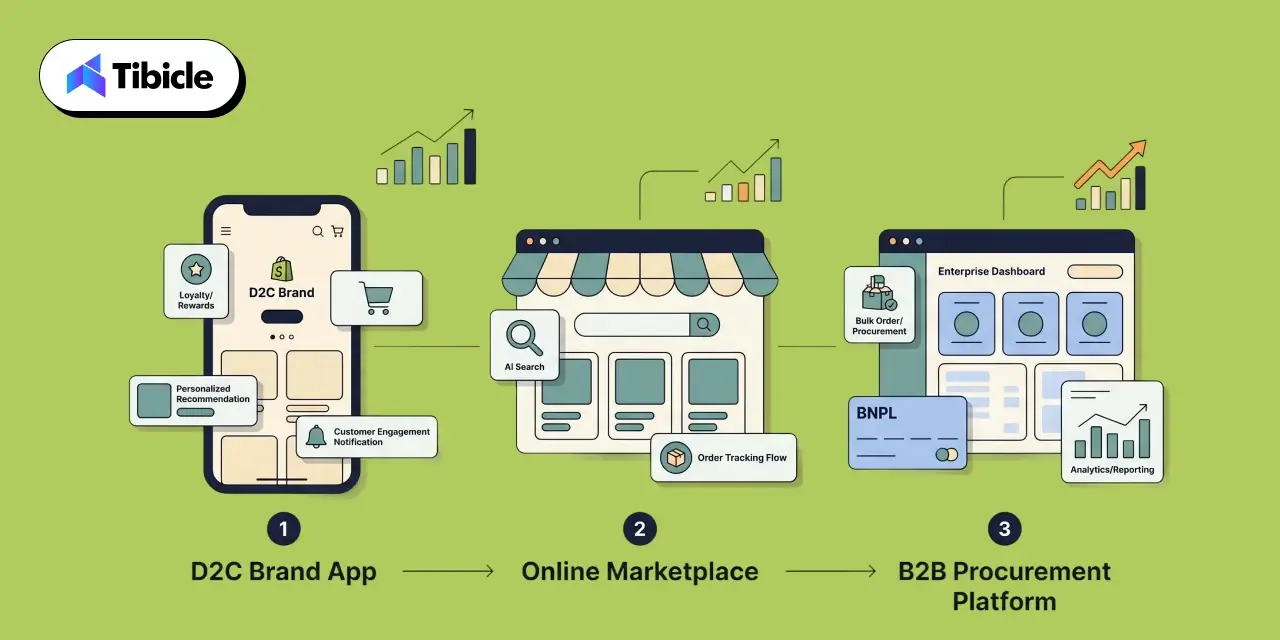
Business Models

D2C vs. Marketplace vs. B2B eCommerce

Feature priorities shift significantly depending on your business model. The table below maps the highest-impact features to each model and explains why.

Model Top Features Why It Matters
D2C Loyalty, Personalization, AR Visualization D2C growth is driven by lifetime customer value. Personalization increases AOV, loyalty drives repeat purchases, and AR cuts the return rates that erode retention margins.
Marketplace AI Search, Social Commerce Conversion lives or dies by product findability across a large catalog. AI search captures intent-driven buyers; social commerce captures discovery-driven ones, the two modes that dominate marketplace commerce.
B2B BNPL, Real-Time Order Tracking Large B2B orders require payment flexibility to protect working capital. Procurement teams expect consumer-grade logistics visibility, and real-time tracking reduces the friction that delays repeat orders.

Feature Comparison Table: Impact, Cost, and Implementation Complexity

The table below summarizes all 10 features across sales impact, estimated development cost, implementation timeline, and the business model they serve best. Note that cost ranges reflect both custom development and SaaS plugin approaches. Custom builds offer deeper integration and differentiation, while plugins deliver faster time-to-market at lower upfront cost but with a limited customization ceiling.

Feature Sales Impact Est. Dev Cost Timeline Best For
AI-Powered Search High $15K–$60K 4–8 weeks All
Dynamic Personalization High $20K–$80K 6–10 weeks D2C, Marketplace
One-Tap Checkout / Wallets High $10K–$40K 2–4 weeks All
BNPL Integration High $8K–$30K 2–3 weeks D2C, B2B
AR Product Visualization Medium–High $30K–$120K 8–14 weeks D2C, Fashion, Home
Push Notifications High $5K–$25K 2–4 weeks All
In-App Loyalty & Rewards High $15K–$50K 4–8 weeks D2C, Marketplace
Social Commerce / Shoppable Video Medium–High $20K–$70K 6–10 weeks D2C, Marketplace
Real-Time Order Tracking Medium $10K–$35K 3–6 weeks All
Performance Optimization High $10K–$40K 3–6 weeks All

Note: Cost ranges are indicative for 2026 market rates. Custom builds sit at the upper range and include full integration with existing ERP/CRM stacks. SaaS plugin approaches (Shopify, WooCommerce) sit at the lower range but carry ongoing monthly fees and integration limitations.

Cost of Building eCommerce App Features in 2026
Cost of Building

Custom Development vs. Platform Plugins vs. Hybrid Approach

Your build approach determines upfront cost, time-to-market, and long-term scalability. The three primary models are compared below.

Approach Cost Range Timeline Best For Key Limitation
Custom Development $50,000 – $300,000+ 4 – 9 months High-volume, compliance-heavy, or unique workflow businesses needing full-stack ownership Higher upfront cost and longer time-to-market
Platform Plugins (Shopify / WooCommerce) $0 – $500 / month Days – weeks Businesses on established platforms wanting fast feature rollout with minimal dev overhead Constrained by the platform data model, limited customization, and integration depth
Hybrid $20,000 – $80,000 6 – 14 weeks Mid-market businesses that need more than plugins offer but aren’t ready for a full custom build Requires careful scoping to avoid integration gaps between custom and plugin layers

Hidden Costs Most Businesses Miss

The feature build cost is never the total cost. Budget planning that fails to account for the following categories consistently leads to overruns:
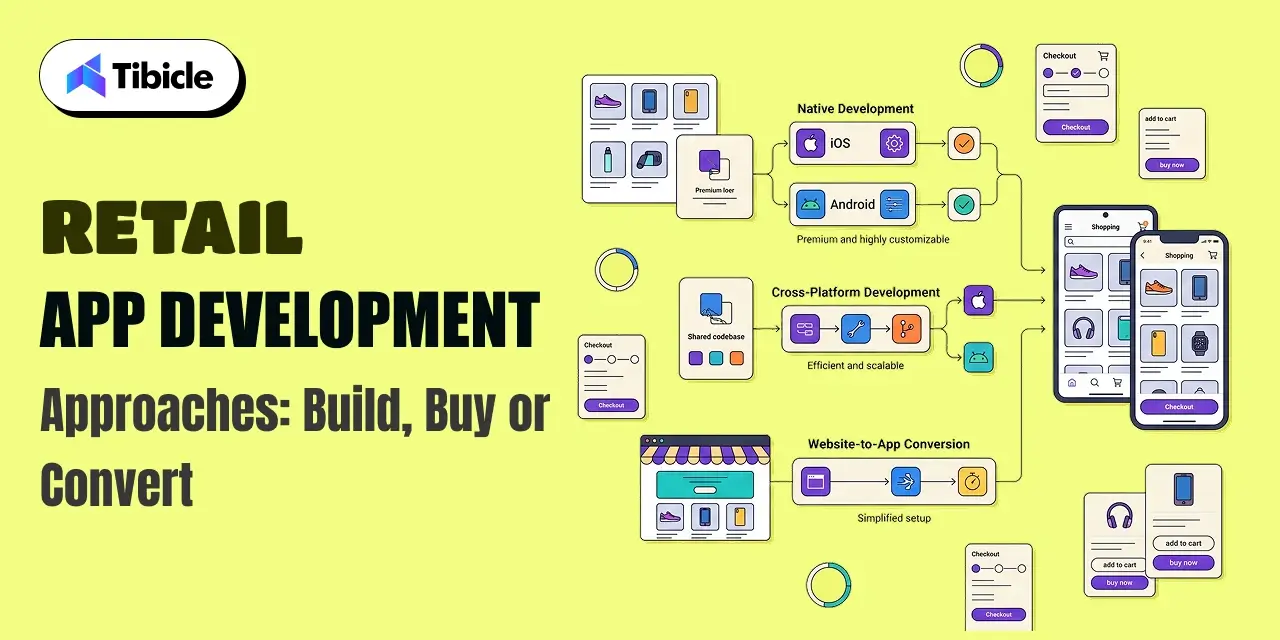
  • Third-party API fees: BNPL providers, AR platforms, and AI search engines all carry transaction-based or subscription-based fees that scale with usage volume.
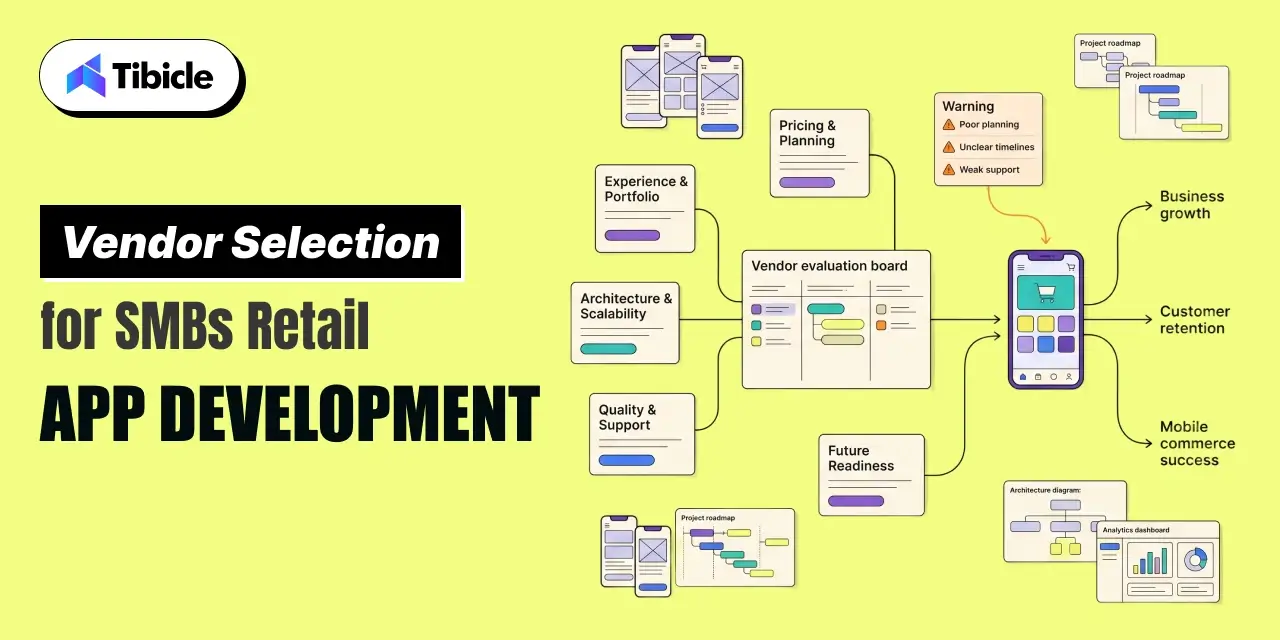
  • Data storage and processing: Personalization engines, behavioral analytics, and real-time tracking generate significant data volumes. Infrastructure costs scale accordingly.
  • Ongoing QA and regression testing: Every app update risks breaking existing features. A structured QA process is a recurring cost, not a one-time line item.
  • Compliance: PCI-DSS certification for payment processing, GDPR compliance for user data, and App Store / Play Store policy requirements all carry implementation and ongoing audit costs that should be factored into the total cost of ownership.

ROI of eCommerce App Features: What the Data Shows

Revenue Lift Benchmarks by Feature Category

The ROI case for eCommerce app features is supported by a robust body of published data. The benchmarks below represent documented performance across real-world implementations:

  • Personalization: 10 to 15% average revenue increase; top performers report up to 40% uplift from fully integrated personalization engines.
  • BNPL Integration: 14% revenue lift per checkout session (Stripe, 150,000+ sessions); 20 to 50% increase in average basket value; BNPL users spend 72% more per transaction.
  • AR Visualization: 94% higher conversion rate and 40% reduction in return rates (Shopify merchant data).
  • One-Tap Checkout: Up to 50% conversion lift via Shop Pay compared to standard guest checkout.
  • Push Notifications (behavior-triggered): 20 to 30% open rates with direct revenue attribution on par with email marketing at a lower cost per conversion.
  • Social Commerce: Livestream shopping converts at 5 to 10x the rate of standard product pages.

Payback Period and Break-Even Analysis

For a mid-size ecommerce business generating $5 to $10 million annually, the payback math on strategic feature investment is compelling. A 10% conversion rate improvement achievable through the combination of AI-powered search, one-tap checkout, and a personalization engine translates directly to $500,000 to $1,000,000 in incremental annual revenue.

At a hybrid development cost of $40,000 to $80,000 for those three features, the break-even point falls within 6 to 9 months of launch. For businesses investing in a broader feature set, the payback window extends to 12 to 18 months, still well within a standard investment horizon for technology infrastructure.

The key variable is implementation quality. Features that are poorly integrated, slow to load, or disconnected from the core data layer will not deliver benchmark returns. The ROI figures above assume production-quality implementation with post-launch optimization.

Risks and Challenges of Implementing eCommerce App Features

Over-Engineering vs. Under-Building

One of the most common mistakes in eCommerce app development is feature bloat, building everything on the initial roadmap without validating demand for each feature against your specific user base and business model. An AR visualization feature built for a low-AOV commodity product catalog will not return the same results as the Shopify benchmark data, because the use case does not align. Every feature on this list should be validated against your actual conversion data, customer research, and business model before it enters the development queue.

Conversely, under-building shipping an MVP so stripped down that it fails to meet user expectations creates its own set of problems. An app that launches without one-tap checkout or basic personalization in 2026 is launching into a market where those features are expected, not impressive. The goal is a disciplined roadmap that prioritizes high-impact features first and adds complexity iteratively based on performance data.

Integration Failures and Data Silos

The most common technical failure in eCommerce app development is not a build failure; it is an integration failure. Features that do not communicate with each other cannot deliver their full potential. A loyalty program whose points data is siloed from the personalization engine cannot surface tier-appropriate recommendations. A push notification system that is not connected to real-time inventory cannot send accurate back-in-stock alerts. An order tracking feature that pulls from a different data source than the ERP creates conflicting status messages.

Before a single line of feature code is written, the data architecture must be defined. Every feature in this guide depends on shared data infrastructure: user identity, behavioral signals, transaction history, and inventory state. A vendor who builds features in isolation without addressing data integration is building expensive technical debt.

Security and Compliance Gaps

Payment processing features require PCI-DSS compliance. User data collection and personalization require GDPR compliance (and region-specific equivalents like CCPA for US markets, PDPB for India). App store distribution requires ongoing adherence to Apple App Store and Google Play Store policy requirements, which update regularly. Biometric authentication, one-tap checkout, and BNPL integrations all introduce specific security surface areas that require dedicated QA.

These are not optional considerations to address post-launch. Security and compliance gaps discovered after launch result in app store removal, payment processing suspension, and regulatory penalties, all of which cost significantly more than the preventive compliance work done upfront.

Vendor Selection Checklist for eCommerce App Development

Choosing the right development partner is as important as choosing the right features. Use this checklist when evaluating any eCommerce app development vendor for a 2026 project:

  • Does the vendor have verified eCommerce app case studies with documented conversion outcomes, not just design portfolios?
  • Can they build for both iOS and Android using a shared codebase (Flutter or React Native) to reduce cost and ensure feature parity across platforms?
  • Do they offer post-launch support and iterative optimization, or do they deliver a build and disengage?
  • Can they demonstrate integration experience with your existing ERP, CRM, and payment stack or the specific stack you plan to use?
  • What is their QA and testing process? Do they conduct device-specific performance testing, regression testing after updates, and security audits?
  • Do they provide transparent pricing with milestone-based billing that aligns payment to delivery?
  • Can they demonstrate measurable conversion improvements from past e-commerce projects with the data to back the claim?
  • Is UI/UX design handled in-house by their team, or is it outsourced to a third party with no accountability to the development process?
  • Do they have experience building AI-powered features (search, personalization) or are they relying entirely on third-party plugins for these capabilities?
  • Do they have a documented approach to data architecture and cross-feature integration, or do they treat each feature as an independent build?

Why Tibicle Is a Strong Choice for eCommerce App Development

Building a high-converting eCommerce app in 2026 requires more than a team that can write code. It requires a partner who understands the commercial outcomes the features are designed to deliver, has the technical depth to build them at production quality, and has a track record of doing exactly that for clients across industries.

Tibicle operates as a full-stack eCommerce development partner, not a development shop that hands off a build. From UI/UX design through mobile app development (Flutter, React Native, and native iOS/Android) to AI integration and ongoing optimization, Tibicle brings the complete capability set in-house. That means the personalization engine talks to the loyalty program. The push notification system connects to real behavioral data. The checkout flow is tested across devices before it ships.

On Clutch, Tibicle holds 22 verified client reviews with consistent recognition for on-time delivery, transparent communication, and an agile development process that adapts as business requirements evolve. Cross-industry experience spanning edtech, healthcare, logistics, HR technology, and retail means the team brings perspective on what works and what fails across diverse ecommerce contexts.

If you are building or rebuilding an eCommerce app and want to ensure the features you invest in deliver measurable revenue results, the conversation starts with scoping. Talk to Tibicle’s ecommerce team to scope your app features and get a transparent, milestone-based proposal.

Conclusion

The eCommerce app features in this guide are not trend-based picks or feature wish lists assembled from competitor research: documented conversion data, measurable revenue benchmarks, and real-world implementation outcomes back each one. AI-powered search, dynamic personalization, one-tap checkout, BNPL integration, AR visualization, behavior-triggered push, in-app loyalty, social commerce, real-time tracking, and performance optimization are the levers that move the metrics that matter.

The difference between a 2% mobile conversion rate and a 4% mobile conversion rate is not a marketing problem. At $5 million in annual ecommerce revenue, that gap is $2.5 million. At $10 million, it is $5 million. The features in this guide are what close that gap.

Talk to Tibicle’s eCommerce development team to design an app that converts traffic into measurable revenue.

Frequently Asked Questions

What are the most important eCommerce app features for increasing sales?
The highest-impact features for direct sales improvement are AI-powered search, one-tap checkout with mobile wallet integration, dynamic personalization, and BNPL payment options. These four features address the four most common conversion barriers: poor product discovery, checkout friction, irrelevant product presentation, and price objection. For businesses focused on retention alongside acquisition, in-app loyalty programs and behavior-triggered push notifications add a compounding revenue layer.

How much does it cost to develop a custom eCommerce mobile app in 2026?
A comprehensive eCommerce app with the full feature set described in this guide ranges from $50,000 to $300,000 for a custom build, depending on feature scope, tech stack, integration depth, and development location. A hybrid approach combining platform plugins for standard functions with custom development for differentiated features typically ranges from $20,000 to $80,000. Shopify and WooCommerce plugin approaches for individual features range from free to $500 per month in subscription fees, with lower upfront costs but a limited customization ceiling.

Which eCommerce app features give the highest ROI?
Based on published benchmark data, BNPL integration, one-tap checkout, and AI-powered personalization consistently deliver the fastest payback periods and highest revenue lift relative to development cost. BNPL shows a documented 14% revenue lift per checkout session. One-tap checkout via Shop Pay delivers up to 50% conversion improvement. Personalization averages a 10 to 15% revenue increase, with top performers reporting up to 40%. AR visualization delivers the highest conversion lift (94%) but at a higher implementation cost and with category-specific applicability.

Is AR product visualization worth the investment for eCommerce apps?
For the right product categories, yes, the ROI case is strong. Shopify data documents a 94% higher conversion rate and 40% reduction in returns for merchants using AR features. The strongest use cases are fashion, furniture, home decor, beauty, and accessories categories, where visual context significantly reduces purchase hesitation. For commodity products, undifferentiated categories, or low-AOV items, the development cost is harder to justify. The decision should be anchored to your category, your average order value, and your current return rate.

How do push notifications impact eCommerce app revenue?
Behavior-triggered push notifications, particularly abandoned cart recovery and personalized back-in-stock or price drop alerts, achieve open rates of 20 to 30% and generate revenue attribution on par with email marketing at a lower cost per conversion. The critical qualifier is “behavior-triggered”: generic broadcast notifications consistently drive uninstalls and reduce app engagement. A push notification strategy requires a segmentation engine connected to real user behavioral data, combined with careful attention to timing, frequency, and message relevance.

What should I look for when selecting an eCommerce app development vendor?
The most important criteria are verified eCommerce-specific case studies with documented conversion outcomes, in-house UI/UX design capability, experience building for both iOS and Android on a shared codebase, demonstrated integration competency with your existing tech stack, and a transparent milestone-based pricing model. Avoid vendors who treat features as isolated builds without a defined approach to data architecture and cross-feature integration. Post-launch support and optimization capability, not just a build-and-handoff model, is the difference between a launch and a revenue result.