0%

What is the role of ai in saas and is it worth the cost?

Introduction

Buying software without built-in intelligence is a legacy decision that compounds in cost every quarter. The global AI-Created SaaS market is on track to reach $1,051.11 billion by 2033, growing at a 39.6% CAGR. Meanwhile, end-user spending on public cloud services hit $723.4 billion in 2025, and 2026 projections push that figure higher as companies double down on intelligent automation.

ai in saas

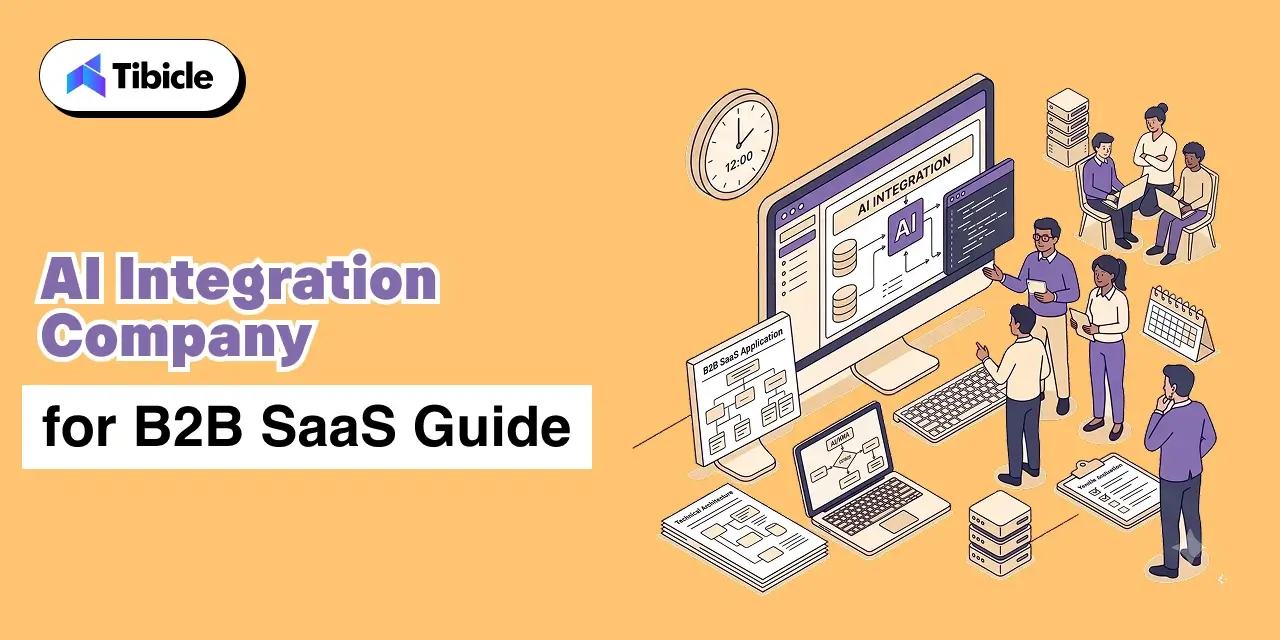
Most companies fail at integration because they treat AI in SaaS as an add-on feature rather than a core infrastructure layer. Currently, 60% of businesses are increasing their software budgets to include platforms with built-in generative AI SaaS features (Vena Solutions). This guide will break down how artificial intelligence is reshaping software delivery and the specific integration hurdles teams face in 2026.

What Is the Role of AI in SaaS?

ai in saas

AI in SaaS functions as an intelligent layer that automates decision-making and personalizes user experiences at scale. Unlike traditional software that follows fixed logic, AI in SaaS uses machine learning models to adapt to data patterns and execute actions without manual input.

Software is no longer a passive container for data. The dashboard era, where humans manually explored reports to find anomalies, is ending. When a platform still requires a user to spend hours looking for patterns, it has already failed its primary purpose. The real value of AI in SaaS lies in zero-click workflows where the system surfaces decisions rather than raw data. This is the fundamental shift: software that acts instead of software that waits.

1. Transition from Static Tools to Proactive Agents

Traditional software architecture forces users to interact with menus, buttons, and dashboards to extract value. Modern AI in SaaS flips this model. The software understands context, user behavior, and business outcomes, then acts on them before the user asks.

By the end of 2026, 40% of enterprise applications will include task-specific AI agents (Gartner). This agentic AI shift means software now performs work instead of hosting it. The difference between a tool and an agent is the difference between a calculator and a financial analyst. One requires instructions for every step. The other interprets objectives and delivers results.

2. Enhancing Vertical Market Growth

Specialized AI in SaaS solutions is outperforming broad tools by solving industry-specific problems through intelligence. Vertical SaaS companies reported a median growth rate of 31%, compared to 28% for horizontal peers (KeyBanc/Vena Solutions). Platforms in healthtech and fintech grow faster because they integrate directly into complex regulatory workflows and understand the unique data constraints of their niche. A generic CRM cannot compete with a purpose-built compliance tool that already speaks the language of the sector it serves.

This proactive intelligence directly feeds into the specific tools teams use to accelerate output, and the productivity gains are measurable.

How Do Generative AI SaaS Features Drive Productivity?

Generative AI SaaS features drive productivity by automating content creation, code generation, and complex data extraction. These tools allow teams to focus on strategy instead of repetitive tasks that consume 40-60% of a knowledge worker’s day.

Productivity gains from generative AI SaaS features are about the total elimination of manual data entry in favor of software automation. High-performing teams that treat AI as a foundational infrastructure layer rather than a plugin are already seeing measurable returns. The shift from ‘AI helps you type faster’ to ‘AI completes the entire task’ is the defining change in 2026 enterprise software.

1. Automated Software Engineering and Coding

The development lifecycle is changing at a structural level. GitHub reports that 46% of all code committed on its platform in early 2026 is AI-assisted. Engineers using tools like GitHub Copilot complete routine tasks up to 55% faster, which frees capacity for architecture, security review, and product design.

This allows AI in SaaS platforms to ship critical updates weekly rather than quarterly. The standard is moving from simple autocomplete to agentic AI systems that write, test, and debug entire modules. The engineering team that refuses to adopt these tools today is competing against teams with twice the output capacity.

2. Hyper Personalization at the Process Level

True hyper-personalization means moving beyond static text replacement to dynamic, outcome-based journeys for every individual user. In fintech, AI assistants now manage budgets, provide real-time financial advice, and flag spending anomalies before users notice them.

These systems use predictive analytics to anticipate loan needs or churn risk weeks before a user acts. This level of personalization turns software into a proactive partner that anticipates friction and solves problems before they occur. The platforms that get this right see measurably higher retention and engagement, while those that rely on static segmentation fall behind.

These productivity gains are significant, but they bring technical and regulatory hurdles that deserve equal attention.

What Are the Main Challenges of AI in SaaS Today?

ai in saas

The main challenges of AI in SaaS include high financial investment, data privacy compliance gaps, and security risks from embedded AI features. SaaS breaches surged 300% between 2023 and 2024, often exploiting identity-based vulnerabilities and AI governance gaps rather than the models themselves.

Deploying AI without a strict governance framework exposes platforms to prompt injection, data leakage, and compliance failures that traditional firewalls cannot catch. The rush to market has left many organizations vulnerable because AI features are shipped enabled by default, often without formal security reviews.

Table: AI in SaaS Strategic Challenges and Insights Matrix

Challenge Category Key Market Impact Critical Strategic Insight
Security Governance SaaS breaches surged 300% from 2023 to 2024 (Obsidian Security) Most breaches exploit identity and governance gaps, not AI model weaknesses
Data Privacy Reliance on vast user data raises GDPR and cross-border compliance risk Generative AI SaaS features are expected to reduce noncompliance risks by 30% by 2028 (Gartner)
Financial Burden Skilled personnel and compute power create high AI integration costs Forecasting costs for dynamic AI usage remains a primary hurdle for cloud leaders
Operational Scaling Small companies struggle with the resource intensity of advanced models Outcome-based pricing is emerging to lower entry barriers for MVPs
Integration Logic Adaptive machine learning models are replacing fixed logic Vendors moving toward consumption and outcome-based pricing for AI workloads

The greatest challenges of AI in SaaS are not the technical limitations of models. They are the lack of transparency in how data is processed and the absence of enforceable governance standards. Without verifiable data privacy compliance, the efficiency gains from AI can be wiped out by a single regulatory fine or a high-profile data breach.

1. Data Privacy and Regulatory Compliance

Reliance on vast user data raises critical issues with GDPR and other strict global regulations. Among the most pressing challenges of AI in SaaS, companies must ensure that their AI in SaaS implementation does not leak sensitive information into public training sets where competitors or bad actors can access it.

By 2028, generative AI is expected to reduce noncompliance risks in cloud contracts by 30%. The immediate burden of auditing these systems remains a significant operational hurdle for most startups and mid-market companies that lack dedicated compliance teams.

2. The High Cost of AI Integration

The financial burden of skilled personnel and the technology required for AI systems remains a top barrier for market entry. This ranks among the most persistent challenges of AI in SaaS for growing companies. Forecasting costs for dynamic AI usage is a primary challenge for cloud leaders because compute power is expensive and unpredictable. AI integration costs for smaller organizations make it difficult to compete with enterprise giants that have unlimited R&D budgets. This creates a performance gap where only well-funded companies can afford to scale advanced intelligence.

Overcoming these hurdles is necessary to reach the next evolution of software, where agents act with near-total autonomy.

Why Is Agentic AI in SaaS the Next Big Trend?

ai in saas

Agentic AI in SaaS shifts software from a passive tool to an autonomous worker that executes multi-step workflows, manages systems, and drives outcomes without constant human oversight.

Static software has reached its peak utility. Organizations in 2026 are transitioning from simple prompts to autonomous software workers that handle routine support, report compilation, and cross-system data management independently. 

1. Multi-Agent Solutions and Cross-System Orchestration

Employees will soon command groups of agents that work across different databases to solve layered problems. One agent might pull sales figures while another updates the CRM, orchestrated by a central controller.

By 2027, Gartner predicts one-third of agentic AI implementations will combine agents with different skills to manage complex tasks within application and data environments. This orchestration removes the friction that has limited productivity for a decade, where humans served as the middleware between disconnected systems.

2. Shift to Outcome-Based Pricing Models

The market is moving toward pricing models that bill based on task success rather than user seats. This b2b software trends shift ensures faster development for minimum viable products because businesses only pay for successful task completion. Zendesk, for example, charges $1.50 per AI-resolved ticket. HubSpot ties pricing to metric-linked tiers. 

Gartner forecasts 40% of enterprise SaaS will include outcome-based pricing elements by 2026. Users no longer want to pay for a license. They want to pay for a closed support ticket or a qualified lead. This evolution from tools to workers requires a specialized engineering approach to ensure reliability and performance at scale.

How Tibicle Helps You Scale AI in SaaS

Pricing Models

Tibicle bridges the gap between design and architecture for AI in SaaS platforms. With 62+ projects delivered and a 90% customer retention rate, we accelerate time to market by removing technical roadblocks and building products that drive engagement and ROI.

  • Custom AI and Automation: We embed LLMs and intelligent agents directly into your platforms, automating workflows and decreasing manual operations by up to 60%.
  • Direct Senior Engineer Collaboration: Work directly with senior technical experts in an accountable agile environment. No proxy account managers, no junior developer delays.
  • Cross-Platform Engineering: We use React Native, Flutter, and Node.js to architect high-performance applications across mobile and web ecosystems.

Ready to build a resilient AI foundation? Book a quick demo to see how Tibicle simplifies your AI in SaaS implementation.

Conclusion

The role of AI in SaaS has moved from an optional enhancement to a core infrastructure for the 2026 software market. Leaders must prioritize governance to manage escalating security risks while scaling autonomous workflows. Success depends on balancing rapid automation with strict data compliance to maintain long-term trust.

Let’s sit down and explore how to build your AI-powered software architecture. Talk to Tibicle

FAQs

1. How does AI in SaaS improve customer retention?
AI in SaaS improves retention by using predictive analytics to identify users at risk of leaving and triggering personalized interventions. Nearly 90% of IT professionals confirm that automation is key to managing SaaS operations, leading to better user experiences and more accurate customer churn prediction (Vena Solutions).

2. What are the primary security risks of AI in SaaS?
Primary risks include unauthorized data access and embedded AI features sharing sensitive data with third parties without explicit consent. These challenges of AI in SaaS became more visible after SaaS breaches surged 300% in 2024 (Obsidian Security), largely because AI features were enabled by default without formal security reviews or governance protocols.

3. Are generative AI SaaS features worth the investment for small businesses?
While initial AI integration costs are high, the long-term value comes from increased efficiency, faster release cycles, and lower manual workload. 60% of businesses are already increasing software budgets to include generative AI SaaS features, signaling that smaller companies find them necessary to stay competitive (Vena Solutions).

4. How will agentic AI change software workflows in 2026?
Agentic AI will shift workflows from human-led to AI-powered with human approval. These agents execute multi-step tasks like demand forecasting and commercial planning independently. This allows employees to focus on creative strategy rather than toggling between multiple platforms.

5. What is the growth forecast for AI in the SaaS market?
The global market for AI in SaaS is expected to grow at a 40.2% CAGR through 2031, reaching over $770 billion (Coherent Market Insights). By 2026, the majority of enterprises will have deployed AI-enabled applications to gain adaptive workflows and automated insights (Gartner).

What Is a CI/CD Pipeline? Guide for Tech Leaders

Introduction

The global CI/CD tools market reached $1.73 billion in 2026 and is projected to climb to $4.53 billion by 2030, growing at a CAGR of 21.18% (Mordor Intelligence). That figure alone signals something important: a CI/CD pipeline is no longer a back-end engineering preference. It is a delivery infrastructure decision with direct and measurable consequences for release velocity, risk exposure, and engineering spend. At its core, it unifies continuous integration and continuous deployment practices into a single automated workflow.

ci/cd pipeline

For C-level leaders and engineering directors, understanding the mechanics and economics of a CI/CD pipeline is not optional. When pipeline architecture is misaligned with business requirements, the resulting slowdowns, failures, and security gaps show up in downtime costs, delayed product launches, and spiraling rework budgets. 

This guide covers how a CI/CD pipeline works, what it costs, what it returns, and how to choose the right platform for your engineering organisation with the depth and specificity needed to make confident, informed decisions.

What Is a CI/CD Pipeline?

This pipeline is an automated sequence that moves code from a developer’s commit through building, testing, and deployment without manual handoffs at each stage. Indeed, it is the operational backbone of modern software delivery, eliminating the bottlenecks that accumulate when teams rely on manual processes between writing code and releasing it to users. 

The term covers two distinct but interconnected practices: Continuous Integration (CI) and Continuous Delivery or Deployment (CD). Together, they form a pipeline that shortens the feedback loop between development and production, reducing both the cost and the risk of each release. 

CI vs. CD in a CI/CD Pipeline:The Distinction That Affects Your Risk Model 

The difference between CI and CD is not just technical it determines how much control your team retains at each release stage: 

  • Continuous Integration (CI): Every developer commit triggers an automated build and test sequence. Essentially, the goal is to detect integration errors immediately, before they compound. Failures are returned to the developer within minutes, not days.
  • Continuous Delivery (CD): Code is always maintained in a deployable state. Builds that pass automated testing are queued for production release, but a human approval step remains at the gate. The team decides when to release the pipeline and handles everything up to that point. 
  • Continuous Deployment: The pipeline runs end-to-end without human intervention, including the final production push. As a result, every commit that passes all automated checks is deployed automatically. Naturally, this model requires high test coverage and mature monitoring. 

ci/cd pipeline

Ultimately, the choice between Continuous Delivery and Continuous Deployment is a governance question as much as an engineering one. Regulated industries, organisations with strict audit requirements, or teams launching high-stakes changes typically prefer the manual gate of Continuous Delivery. Continuous Deployment suits teams with high deployment frequency, strong observability infrastructure, and established rollback procedures.

How the Pipeline Works Stage by Stage

A CI/CD pipeline moves through five core stages. Each stage gates the next: a failure at any point halts the pipeline and returns feedback to the team, preventing defective code from advancing toward production. 

ci/cd pipeline

Stage 1: Source Control Trigger

Every commit or pull request fires the pipeline. Git serves as the entry point when a developer pushes code, the version control system notifies the CI/CD platform and the automated sequence begins. Additionally, branch protection rules and merge policies define which events trigger full pipeline runs versus lighter checks. 

Stage 2: Build Layer 

The build stage the foundation of build automation compiles source code, resolves dependencies, and packages deployable artefacts. This is where slow builds inflict real cost: a build layer that takes 20 minutes instead of 5 costs each developer 15 minutes of idle time per commit cycle. At scale, across a team running multiple daily commits, that idle time compounds into significant wasted engineering budget. Consequently, build caching, dependency pre-fetching, and parallelisation directly reduce this cost. 

Stage 3: Automated Testing

Automated testing is the primary risk control mechanism in any CI/CD pipeline. Three levels operate in sequence: 

  • Unit tests: Fast, isolated tests validating individual functions or components. These run first because they provide the highest signal at the lowest execution cost. 
  • Integration tests: Validate that components interact correctly database connections, API calls, service-to-service communication. 
  • End-to-end (E2E) tests: Simulate real user flows through the full application stack. These run last because they are the slowest and most resource-intensive. 

Pipeline failures at the test stage halt all downstream stages and immediately return feedback to the developer. Catching bugs here costs a fraction of what the same defect costs in production research consistently places production bug fix costs at 6 to 10 times higher than early-stage detection. 

Stage 4: Deployment Stage 

Once testing is complete, passing code moves to staging environments before production. Deployment strategies in a mature CI/CD pipeline include: 

  • Blue-green deployment: Two identical production environments run simultaneously. Traffic shifts from the old (blue) to the new (green) version, with instant rollback capability if issues arise. 
  • Canary deployment: New code rolls out to a small percentage of users first. Subsequently, traffic expands progressively as the system validates stability. Therefore, risk is contained to a subset of users during the validation window. 
  • Rolling deployment: Instances are updated incrementally, replacing old versions one at a time. No downtime, but rollback is slower than blue-green. 

Stage 5: Monitoring and Feedback Loop 

In addition, the pipeline integrates post-deployment with observability tools Prometheus, Datadog, or Grafana to monitor application health in real time. Moreover, anomalies, error rate spikes, and performance degradation can trigger automated rollbacks or alert on-call teams before users report issues. This closed feedback loop is what separates a mature CI/CD pipeline from a basic automation script.

Where a CI/CD Pipeline Delivers Real Business Value

ci/cd pipeline

The business case for a CI/CD pipeline is grounded in measurable operational and financial outcomes. Three specific data points frame the return: 

Organisations with mature Continuous Delivery platforms deploy 208 times more frequently than low performers, according to the Puppet State of DevOps Report. Notably, deployment frequency is a proxy for competitive responsiveness; the ability to ship features, fixes, and experiments faster than rivals is a structural advantage. 

Fixing bugs in production costs 6 times more than catching them within a CI/CD pipeline. Simply put, the earlier in the delivery cycle a defect is detected, the lower the cost of resolution. This is not a marginal efficiency, it is a material reduction in engineering rework cost. 

Developer idle time from slow or broken builds is a hidden cost that most engineering budgets do not surface. When a developer waits 30 minutes for a build or spends three hours debugging a pipeline failure caused by configuration drift, that time appears as engineering headcount cost with zero productive output. 

Industry-Specific Use Cases for CI/CD Pipeline Automation 

For instance, different sectors prioritise different pipeline capabilities based on their regulatory environment and delivery requirements: 

Sector Primary CI/CD Driver Key CI/CD Pipeline Requirement
Fintech Compliance + speed Audit trails, policy gates
SaaS Multi-environment deployments Parallel pipelines, rollback
Enterprise Governance Self-hosted, access controls
Healthcare  Regulatory adherence Approval workflows, SAST

Fintech organisations face dual pressure: regulators require audit trails and policy-gated releases, while competitive dynamics demand release velocity. A CI/CD pipeline with built-in compliance gates resolves this tension without manual overhead. 

Healthcare pipelines prioritise approval workflows and static application security testing (SAST) to meet HIPAA and similar regulatory requirements. SaaS organisations running multi-tenant infrastructure need parallel pipelines and reliable rollback to maintain availability while deploying frequently across multiple environments.

CI/CD Pipeline Architecture Patterns 

Pipeline architecture decisions made early are difficult and expensive to reverse. The pattern you choose must align with your current codebase structure and the scale you expect to reach. 

Monolithic vs. Microservices-Native CI/CD Pipeline Architecture 

Monolithic pipelines run a single, sequential flow for the entire codebase. Although they are simple to configure and maintain at small scale, but they break under growth: one failing service blocks the pipeline for every other service. A change to a low-risk utility component triggers the same full test suite as a change to a core payment service, wasting execution time and slowing feedback. 

Parallel and modular pipelines isolate changes per service or component. In practice, each microservice has its own pipeline definition changes that trigger only the relevant pipeline, reducing total execution time and limiting blast radius when failures occur. This pattern is essential for organisations running more than 10 independent services. 

GitOps extends CI/CD pipeline automation to infrastructure through infrastructure as code practices. Configuration is declared in Git repositories, and deployments are triggered by commits to those repositories. The result is an auditable, reversible infrastructure delivery process every change has a git commit, every deployment has an approval record, and rollback is a git revert. 

ci/cd pipeline

AI-Assisted CI/CD Pipeline Automation in 2026

AI integration in CI/CD pipeline tooling has moved from experimental to production-ready. AI agents now diagnose flaky tests, identify the root cause of build failures, predict which tests are most likely to catch regressions for a given code change, and recommend remediation before developers manually investigate. Harness uses machine learning models to verify deployments and detect post-release anomalies flagging issues before they escalate into incidents. This capability reduces mean time to recovery (MTTR) and limits the engineering time spent on reactive investigation.

Tool Comparison Pricing and Use-Case Fit

Selecting the right CI/CD pipeline platform requires evaluating more than the headline feature list. In particular, pricing models, hosting requirements, ecosystem fit, and total cost of ownership all vary significantly across vendors. The table below provides a baseline comparison across the leading platforms. 

Quick Tool Summary
GitHub Actions: A CI/CD automation tool built natively into GitHub that triggers workflows on every commit or pull request.
GitLab CI/CD:  An integrated pipeline automation layer within the GitLab DevOps platform covering source control, testing, and deployment. 
Jenkins: An open-source automation server for building custom, self-hosted CI/CD pipelines with full configuration control.
CircleCI: A cloud-based pipeline automation platform optimised for build speed, parallelisation, and Docker-native workflows. 
Azure DevOps: Microsoft’s end-to-end DevOps pipeline suite tightly integrated with Azure cloud infrastructure and the Microsoft toolchain.
Harness: An AI-assisted software delivery platform that uses machine learning to verify deployments and automate rollback decisions.
Tool  Pricing (Approx.) Best For Hosting Model Maintenance Burden
GitHub Actions Free tier; $0.008 $0.16/min (runners) GitHub-native teams Cloud Low
GitLab CI/CD  $29 $99/user/month All-in-one DevOps Cloud / Self-hosted Low-Medium 
Jenkins  $0 license + infra  Custom enterprise needs  Self-hosted  High
CircleCI  $15/month + credits Build speed priority Cloud / Self-hosted Low 
Azure DevOps  $6/user/month Microsoft-stack teams Cloud Low
Harness  Custom enterprise pricing  AI-verified deployments  Cloud Low-Medium

Total Cost of Ownership What the CI/CD Pipeline Sticker Price Does Not Show 

However, licence cost is the least reliable metric for comparing CI/CD pipeline platforms. The real cost calculation must account for infrastructure, maintenance engineering time, migration effort, and the opportunity cost of pipeline downtime: 

  • Jenkins is open-source, but teams running Jenkins pipelines spend 5 to 10 hours per week on maintenance configuration management, plugin updates, security patching, and infrastructure upkeep. DORA research estimates this at $15,000 to $30,000 annually in engineering time for a mid-size team, making Jenkins one of the more expensive platforms despite its zero-license cost. 
  • GitHub Actions pipeline pricing scales with usage. However, the per-minute runner cost is modest for small teams but compounds quickly for larger organisations running frequent builds across many repositories. A team of 50 engineers running 200 pipeline executions per day can generate substantial monthly spend before factoring in storage costs. 
  • For a 10-developer team as a benchmark: GitLab Premium runs approximately $290 per month. CircleCI Performance starts at $15 per month plus usage credits, which scales with build volume. Jenkins, factoring in infrastructure and maintenance overhead, typically costs $400 to $800 per month in total, significantly more than its zero-license price suggests. 

Running a CI/CD audit for your team? Tibicle’s engineers can benchmark your current pipeline against DORA metrics and identify where you’re losing speed or taking on unnecessary risk. Book a free consultation.

ROI of a Well-Built Pipeline

Consequently, the return on a properly implemented CI/CD pipeline shows up across multiple business metrics simultaneously, not just engineering throughput. Organisations implementing CI/CD practices report a 50% increase in the ability to experiment and innovate, according to CA Technologies and Broadcom research. That capacity for controlled experimentation has direct product and revenue implications: teams that can safely test and ship features faster than competitors respond to market signals with greater agility. 

Higher deployment frequency and lower mean time to recovery (MTTR) reduce downtime costs and compress the cycle between identifying a production issue and resolving it. After all, every hour of downtime carries financial cost lost revenue, support overhead, reputational impact. A CI/CD pipeline with automated rollback and real-time monitoring shrinks that window. 

How to Measure CI/CD Pipeline ROI Using DORA Metrics 

DORA metrics, developed through the DevOps Research and Assessment programme, provide the most widely accepted measurement framework for CI/CD pipeline performance. The four key metrics are: 

  • Deployment frequency: How often your organisation successfully releases to production. Elite performers deploy on-demand, multiple times per day. Low performers deploy monthly or less. 
  • Lead time for changes: The time from code commit to code running in production. Shorter lead times indicate a more efficient CI/CD pipeline
  • Change failure rate: The percentage of deployments that cause a production incident. A mature CI/CD pipeline with strong automated testing keeps this below 15%. 
  • Mean time to recovery (MTTR): How long it takes to restore service after a production failure. MTTR below one hour is an indicator of a high-performing delivery organisation. 

ROI calculation framework: (Cost of failed deliveries + Productivity gain) minus (Solution cost + Overhead + Training cost), divided by total investment. Applying this formula using your actual deployment failure rate, average incident cost, and current engineering utilisation yields a specific, defensible ROI figure for stakeholder presentations. 

ci/cd pipeline

What Poor CI/CD Pipeline Performance Actually Costs 

The cost of an underperforming CI/CD pipeline is distributed across the organisation in ways that are easy to miss in budget reviews: 

  • 63% of CI/CD pipeline failures stem from resource exhaustion, according to the Datadog 2024 DevOps Report. Pipelines failing due to infrastructure limits generate both direct costs (re-runs, delayed releases) and indirect costs (developer context-switching, investigation time). 
  • Similarly, slow builds create compound developer friction. A developer waiting 30 minutes for a pipeline run instead of 5 minutes loses 25 minutes of productive capacity per cycle. Multiplied across daily commits and team size, this idle time represents significant engineering budget spent on non-output. 
  • Production bug fix costs run 6 to 10 times higher than catching the same defect in automated testing within the CI/CD pipeline. The financial argument for investing in test coverage and pipeline robustness is straightforward: prevention is materially cheaper than remediation.

Risks and Implementation Challenges

A CI/CD pipeline that moves fast without adequate security controls, scalability planning, or organisational alignment introduces risks that can outweigh the velocity benefits. Therefore, engineering leaders need to plan for four categories of failure. 

Security Gaps at CI/CD Pipeline Speed 

Furthermore, speed without security controls creates an attack surface that compounds with every release cycle: 

  • Open-source dependencies introduce supply chain vulnerabilities at the point of integration. Software Composition Analysis (SCA) scanning within the CI/CD pipeline identifies vulnerable dependencies before they reach staging environments. 
  • Furthermore, hardcoded secrets in configuration files, environment variable definitions, and pipeline scripts remain a leading attack vector. Secrets management tools HashiCorp Vault, AWS Secrets Manager provide centralised, auditable credential storage that eliminates hardcoded credentials from pipeline definitions.
  • DevSecOps integration shifts security testing left SAST, DAST, and dependency scanning run inside the CI/CD pipeline, not after it. This approach catches vulnerabilities when remediation cost is lowest and prevents security review from becoming a deployment bottleneck. 

ci/cd pipeline

Scalability Bottlenecks in CI/CD Pipeline Architecture 

As a result, monolithic pipeline architectures degrade predictably as microservices proliferate. A single service change triggering a full pipeline run for a 30-service application is both slow and wasteful. Pipeline architecture should be designed for the scale you expect to reach, not just the scale you operate at today. 

SaaS platforms scaling across users, data volume, and third-party integrations require CI/CD pipelines built for horizontal growth parallelisation, modular pipeline definitions, and infrastructure that scales compute on demand. 

Compliance and Audit Failures in CI/CD Pipeline Governance 

Removing manual approval gates in the pursuit of speed creates accountability gaps in regulated industries. When a pipeline deploys directly to production without a human review record, audit requirements become difficult to satisfy particularly in financial services and healthcare. 

GitOps and policy-as-code frameworks enforce compliance automatically through the CI/CD pipeline without slowing release velocity. Policy definitions codified in Git provide auditable change records. Deployment gates enforced by code rather than by individual approvers scale consistently across services and environments. 

Cultural and Organisational Readiness for CI/CD Pipeline Adoption 

The most underestimated CI/CD pipeline implementation risk is organisational. In practice, a well-configured pipeline installed into a team without developer buy-in, documented runbooks, or leadership visibility into pipeline health defaults back to manual workarounds within 60 to 90 days. Engineers route around automation they do not trust or understand. 

Successful CI/CD pipeline adoption requires: clear ownership of pipeline configuration and maintenance, visible pipeline metrics accessible to engineering leadership, documented incident response procedures for pipeline failures, and onboarding processes that build developer confidence in the automated system before eliminating manual safety nets.

Vendor Selection Checklist

Use this checklist before shortlisting any CI/CD pipeline platform. Each question surfaces a requirement category that commonly drives platform regret when ignored during evaluation: 

  • Does it integrate natively with your current version control system GitHub, GitLab, or Bitbucket? 
  • What are your data residency requirements? Does a cloud-hosted CI/CD pipeline comply, or do regulations require a self-hosted deployment? 
  • Does it support your deployment targets Kubernetes clusters, serverless functions, multi-cloud environments, or hybrid on-premise and cloud infrastructure? 
  • What is the realistic total cost of ownership, including infrastructure, maintenance engineering time, and training not just the licence fee? 
  • Does it support parallel builds and intelligent test splitting at the scale your team operates today and expects to reach within 24 months? 
  • Are SAST, DAST, and SCA scanning capabilities built into the platform or bolted on as third-party integrations requiring separate licensing and configuration? 
  • What observability integrations are available Prometheus, Grafana, Datadog and how deeply do they integrate with the pipeline rather than just consuming its output? 
  • Does it support advanced CI/CD pipeline deployment strategies: blue-green, canary, and rolling deployments with automated rollback? 
  • How complex and costly is migration if you outgrow the platform? What does the data portability story look like? 
  • What SLA does the vendor offer for CI/CD pipeline uptime, and what is the documented support response time for critical failures?

Top CI/CD Tools in 2026 Quick Reference

For organisations finalising a CI/CD pipeline platform shortlist, the following profiles provide a rapid comparison based on primary use-case fit: 

  • GitHub Actions: Best CI/CD pipeline choice for teams already on GitHub. Lowest setup friction, native integration with the most widely used version control platform, and a large library of community-maintained actions. 
  • GitLab CI/CD: Best all-in-one CI/CD pipeline option. Covers source control, CI/CD automation, and security scanning in a single platform eliminating the integration overhead of assembling separate tools. 
  • Jenkins: Best CI/CD pipeline solution for custom, self-hosted enterprise environments requiring full configuration control. Carries the highest maintenance burden but offers maximum extensibility. 
  • CircleCI: Best raw build speed among cloud-hosted CI/CD pipeline platforms. Strong Docker support and parallelisation capabilities make it a strong choice for teams where build duration is the primary constraint. 
  • Azure DevOps: Best CI/CD pipeline platform for Microsoft-aligned organisations. Integrates tightly with Azure infrastructure, Active Directory, and the Microsoft development toolchain. 
  • Harness: Best CI/CD pipeline option for teams requiring AI-assisted deployment verification and automated rollback. The ML-based deployment verification layer reduces the manual investigation load after each production release.

Why Tibicle LLP Is Worth Considering for CI/CD Pipeline Implementation

Most CI/CD pipeline failures are not tool failures. They are architecture failures, configuration failures, or adoption failures. The platform chosen rarely causes the problem of how it is designed, integrated, and embedded into team workflows determines whether a CI/CD pipeline delivers compounding value or recurring operational friction. 

Tibicle focuses on designing CI/CD pipelines that align with your existing technology stack rather than requiring a wholesale replacement. This approach reduces implementation risk, shortens time to value, and avoids the disruption of migrating live systems during a transformation initiative. 

Where Tibicle Fits in Your CI/CD Pipeline Decision 

  • Custom CI/CD pipeline architecture for complex or legacy technology stacks where standard platform documentation does not address your specific deployment constraints. 
  • DevSecOps integration security built into the CI/CD pipeline from day one, not retrofitted after an incident. 
  • Support for multi-cloud, hybrid, and microservices-native delivery environments requiring pipeline architectures that span infrastructure boundaries. 
  • Ongoing CI/CD pipeline performance audits using DORA metrics as the baseline identifying where deployment frequency, lead time, change failure rate, or MTTR are underperforming relative to industry benchmarks. 

See how Tibicle’s CI/CD pipeline implementation approach compares to your current setup. Book a Call to discuss your architecture, stack, and delivery objectives.

Conclusion

A CI/CD pipeline is a software delivery pipeline with measurable financial and operational implications not a technical configuration to delegate entirely to an engineering team. The platform you select, the architecture you build, and the metrics you track determine whether a CI/CD pipeline becomes a genuine competitive advantage or a recurring source of downtime, security exposure, and wasted engineering hours. 

The decision deserves the same rigour applied to any significant infrastructure investment: clear requirements, honest total cost analysis, and an honest assessment of organisational readiness not just technical readiness for the change. 

Talk to Tibicle LLP’s engineering team to audit your current CI/CD pipeline, benchmark it against DORA standards, and identify where you are leaving speed and reliability on the table. Schedule Your Pipeline Review. 

Frequently Asked Questions About CI/CD Pipelines

What is the difference between CI and CD in a CI/CD pipeline?
CI handles automatic code integration and testing on each commit. CD manages releases to staging (Continuous Delivery) or production (Continuous Deployment). The main difference is whether a production release needs manual approval or runs automatically. 

How long does it take to set up a CI/CD pipeline?
Cloud tools like GitHub Actions or CircleCI can be set up in a few days. Jenkins usually takes 2-4 weeks. Enterprise setups with compliance and multiple environments can take 1 3 months. 

What is the average cost of a CI/CD pipeline for a mid-size team?
For 10 developers: GitLab Premium is about $290/month. CircleCI starts at $15/month plus usage. Jenkins is free but typically costs $400 $800/month with infrastructure and maintenance.

How do you measure the ROI of a CI/CD pipeline?
Use DORA metrics: deployment frequency, lead time, failure rate, and MTTR. ROI = (failure cost + productivity gain − total costs) ÷ total investment. 

What are the biggest security risks in a CI/CD pipeline?
Key risks include hardcoded secrets, vulnerable dependencies, and weak access control. Reduce risk with SAST, DAST, SCA, and proper secrets management tools.

Best SaaS Development agency to Hire in 2026

Introduction

The global SaaS market is valued at USD 435.41 billion in 2026 and is projected to cross USD 976 billion by 2031 at a CAGR of 17.55%. With 27,526 SaaS companies operating in the US alone generating over $509 billion in revenue, choosing the right saas development agency has become one of the most consequential early decisions a product team can make.

SaaS Development Agencies

Pick the wrong partner, and you’re looking at $50,000 to $180,000 in rework costs and a 6 to 12 month setback to your go-to-market timeline. That’s not a recoverable mistake for most startups.

This guide ranks the top 5 saas development companies in 2026 across technical depth, AI workflow adoption, pricing transparency, and verified client outcomes so you can make a decision grounded in evidence, not marketing copy.

This guide will help you compare each saas software development company on criteria that directly impact your product’s speed, cost, and scalability.

What Makes a SaaS Development Agency Worth Hiring in 2026

Not every software agency understands what SaaS architecture actually demands at scale. Building a SaaS product isn’t just writing code, it’s making early decisions that determine whether your product can handle 10,000 users as comfortably as it handles 100.

The best saas development agency in 2026 must be equipped to handle:

  • Multi-tenant architecture designed from day one, not retrofitted later
  • Security compliance across GDPR, SOC 2, HIPAA, and ISO 27001
  • AI-assisted development workflows that cut build timelines by 20 to 30%
  • Cloud-native infrastructure on AWS, GCP, or Azure
  • Post-launch maintenance with sprint-based, milestone-driven delivery

Agencies that treat SaaS like a standard web project will create technical debt before you’ve closed your first paying customer.

Key Evaluation Criteria Used in This Ranking

Each saas development company in this list was evaluated across five core dimensions:

  • Tech stack flexibility and native AI integration capability
  • Proven portfolio with live, revenue-generating SaaS products
  • Hourly rate vs. total cost of ownership not just the upfront number
  • Client reviews verified on Clutch, G2, and DesignRush
  • End-to-end delivery spanning discovery, development, QA, and post-launch support

These aren’t vanity metrics. They’re the factors that separate agencies that ship great products from those that ship software that looks good in a demo.

Top 5 SaaS Development Agencies in India

SaaS Development Agencies

Here are the top five saas application development companies ranked for 2026 based on verified client outcomes, technical depth, and delivery track record.

1. Tibicle

Best For: Startups, SMBs, and enterprises needing full-cycle SaaS product engineering with AI integration

Tibicle is an India-based saas development agency delivering end-to-end technology solutions from SaaS product engineering and AI/ML integration to cloud infrastructure, DevOps, and dedicated developer hiring models. The agency’s portfolio includes an AI-powered recruitment platform with video interview sentiment analysis, a SaaS-based video editing solution, and an AI-powered learning management system.

Tibicle’s CEO brings 12+ years of hands-on experience in saas platform development and product architecture. That depth shows in the way the agency handles discovery, technical decisions are made with scale in mind, not convenience.

Industries served include edtech, healthcare, logistics, real estate, e-commerce, and enterprise SaaS.

Detail Info
Pricing Flexible hourly, monthly, or project-based
Clutch Rating 4.8/5
Notable Strength AI-driven saas product development services with agile sprint delivery and milestone-based transparency

2. RaftLabs

Best For: Startups needing fast MVP delivery with full code ownership

RaftLabs is a well-established saas development company with 9+ years of experience building web, mobile, and AI-powered SaaS platforms. Their tech stack React, Next.js, Node.js, AWS, and Flutter is well-suited for shipping production-ready MVPs in weeks without cutting corners on architecture.

The agency integrates AI tools like Claude and Hasura into their development workflow, enabling accelerated custom saas development across healthcare, marketing tech, and streaming media. Founders looking for speed without sacrificing code ownership will find RaftLabs a strong fit.

Detail Info
Pricing Available on request
Clutch Rating 4.9/5
Notable Strength Speed to market with scalable cloud saas development architecture

3. Simform

Best For: MVP validation under $50,000

Simform has built a strong reputation among early-stage founders who need enterprise-level architecture without the enterprise price tag. The agency ranks among the top saas software development companies for cost-efficient builds and has a consistent track record in cloud saas development across fintech, logistics, and edtech verticals.

Their AI-assisted workflows help compress timelines meaningfully, and their documentation standards make it easier for internal teams to take over post-launch. If budget discipline is a constraint, Simform deserves a spot in your evaluation.
Detail Info
Pricing $25–$49/hr
Clutch Rating 4.8/5
Notable Strength Budget-friendly with documented scalability from the MVP stage

4. Yalantis

Best For: AI, IoT, and Big Data SaaS products

With 15+ years in custom saas development, Yalantis handles the kind of complex, data-heavy platforms that most agencies won’t touch. Clients like Google X and Toyota Tsusho have trusted the agency to deliver secure and scalable solutions built on AngularJS, Node.js, AWS, and Azure.

Their compliance framework covering GDPR, HIPAA, and ISO 27001 makes them a natural fit for regulated industry saas platform development. If your product sits in healthcare, finance, or industrial tech, Yalantis understands what it takes to ship in those environments.

Detail Info
Pricing $50–$99/hr
Clutch Rating 4.8/5
Notable Strength AI and IoT-integrated SaaS builds for regulated verticals

5. DICEUS

Best For: Fully outsourced, certification-backed SaaS delivery

DICEUS is a certified saas application development company with 15+ years of experience and a team of 250+ full-time professionals. Their certifications, including Google Cloud, ISO 9001:2015, IBM Enterprise Design Thinking, and CBAP IIBA, signal a delivery structure built around process discipline, not ad hoc execution.

Their saas development services cover the full SDLC from discovery through QA, and their SaaS security posture management system actively screens for cloud vulnerabilities throughout the build cycle. For founders who want a structured, documentation-heavy outsourced partner, DICEUS delivers.

Detail Info
Pricing $25–$49/hr
Clutch Rating 4.7/5
Notable Strength Certified team with structured delivery and compliance governance

SaaS Development Agency Pricing: What to Expect in 2026

SaaS Development Agency

Cost ranges vary significantly based on geography, product complexity, and the tier of agency you engage. Based on 2026 market data:

  • Basic SaaS MVP: $35,000 to $75,000
  • Mid-level product: $75,000 to $180,000
  • Advanced platform: $180,000 to $450,000
  • Enterprise-grade solution: $300,000 and above

Agencies like Tibicle and Simform that have integrated AI-assisted workflows into their development process are consistently reducing MVP timelines and costs by 20 to 30% compared to traditional build approaches, a meaningful difference when the runway is finite.

Hidden Costs Most Founders Miss

The hourly rate is rarely the full picture. When budgeting your SaaS build, account for:

  • Re-architecture costs if scalability is deprioritized during early sprints
  • Third-party API and integration licensing fees that compound over time
  • Post-launch security audit cycles required for compliance certifications
  • CI/CD pipeline setup and cloud infrastructure overhead not always included in project quotes

A $40/hr agency that skips proper multi-tenant design can end up costing more than a $90/hr agency that gets the architecture right the first time.

How to Choose the Right SaaS Development Company for Your Product

Choosing the right saas development company ultimately comes down to three factors: your product stage, your budget ceiling, and your compliance obligations.

Pre-revenue startups should target agencies with MVPs under $50,000 that offer AI-assisted workflows and milestone-based billing. Paying for waterfall delivery before you’ve validated the market is a serious risk.

Growth-stage companies should verify their experience with multi-tenant architecture before signing anything. Ask for code samples, or request a technical discovery call to discuss architecture decisions explicitly.

Enterprise products requiring SOC 2 or HIPAA compliance need documented certification and an active security posture management process from day one, not patched in at the end of the build.

Match the agency to your stage, not to the most impressive logo on their homepage.

Why Tibicle Is a Strong SaaS Development Agency Choice for Lean and Growing Product Teams

SaaS Development Agency

For teams that need AI-integrated SaaS engineering without the overhead of a large agency, Tibicle covers the full stack from a single engagement:

  • Builds end-to-end SaaS products, including a video editing SaaS, an AI-powered LMS, and enterprise web platforms
  • 100% job success rate across 60+ projects with consistent on-time delivery flagged across Clutch reviews
  • SaaS product engineering, cloud and DevOps, and dedicated developer models available from a single India-based team at $25–$49/hr

For product teams that want a single partner who can own the full delivery cycle from product discovery through post-launch maintenance, Tibicle’s model is worth a serious look.

Conclusion

The right saas development agency in 2026 doesn’t just write code, it makes early architecture decisions that determine whether your product scales or stalls at 500 users.

Tibicle, RaftLabs, Simform, Yalantis, and DICEUS each offer proven saas development services suited to different stages, budgets, and compliance requirements. Tibicle stands out specifically for teams needing AI-integrated SaaS builds with flexible engagement and full-cycle ownership from discovery through post-launch.
Match your selection to your product stage and your required timeline before committing to any vendor. The agencies that ask the right technical questions before starting are usually the ones that ship the right product.

Ready to build your SaaS product? Connect with Tibicle today and get a scoped proposal within 48 hours.

Frequently Asked Questions

What does a SaaS development agency do?
A saas development agency builds subscription-based, cloud-hosted software. Services cover product discovery, UI/UX design, backend and frontend development, QA, cloud deployment, and post-launch maintenance.

How much does it cost to hire a SaaS development company?
Costs range from $35,000 for a basic MVP to over $300,000 for enterprise platforms depending on feature scope, compliance requirements, and agency location.

Why should startups consider Tibicle for SaaS development?
Tibicle offers flexible engagement models, AI-integrated builds, and milestone-based delivery, making it a strong fit for startups and SMBs that need both speed and technical depth.
How long does SaaS platform development take?
Most production-ready SaaS MVPs take 3 to 6 months. Timeline depends on security architecture, third-party integrations, and scalability decisions made during the discovery phase.
What tech stack do top SaaS development companies use in 2026?
The most common stack includes React or Next.js for frontend, Node.js or Python for backend, PostgreSQL for database, and AWS or Google Cloud for infrastructure.

How do I verify a SaaS development agency before hiring?
Check for live SaaS products in their portfolio, verified Clutch reviews, security certifications, AI workflow integration in their process, and a milestone-based contract structure before committing.

From Idea to Reality: A Step-by-Step Guide to Building Your MVP

Introduction

Every successful product you see today, like Airbnb, Dropbox, or Instagram, started with a simple idea. However, an idea alone isn’t enough. Many promising concepts never make it to market because their execution is unclear, rushed, or doesn’t meet real user needs. 

mvp

This is where a Minimum Viable Product (MVP) comes in. An MVP is the simplest, functional version of your idea that addresses a real problem for your audience. It’s not about creating a perfect product or adding every feature at once. Instead, it’s about testing, learning, and confirming your concept before putting in significant time and resources.

Starting with an MVP allows you to:

  • Test if your idea resonates with real users.
  • Save time and money by building only what’s essential.
  • Gather feedback early to improve your product iteratively.

In this guide, we will walk you through the steps to turn your idea into reality. You will learn what to do and what to avoid, along with real-life examples of successful MVPs that started small but grew significantly. Whether you are an entrepreneur, a small business owner, or someone with an idea ready to take off, this guide will help you move from concept to execution with confidence.

What is an MVP?

A Minimum Viable Product (MVP) is the first working version of your idea. It includes just enough features to solve the main problem for your audience. Think of it as a test version; it demonstrates your concept in action without all the extra details.

It’s important to understand the difference between a prototype, an MVP, and a final product:

  • Prototype: A rough draft or model of your idea. Often just a sketch or clickable mockup to show how it might work. It’s mostly for planning and testing ideas internally.
  • MVP: A usable product that real people can try. It has the minimum features needed to address a real problem and gather feedback.
  • Final Product: The polished, full-featured version of your idea, built after testing and learning from the MVP.

Example:

  • Dropbox: Before building the full file-syncing software, Dropbox created a simple demo video showing how it would work. That MVP helped them test the idea and gather real interest before investing in development.
  • Airbnb: Started by renting out a single apartment to see if people would pay to stay in someone else’s home. That small MVP validated the concept before scaling globally.

In short, an MVP is your safest first step. It helps you test if your idea addresses a real problem and if people are willing to use it. Plus, it allows you to do this without spending too much time or money at the start.

Why Start with an MVP?

mvp

Jumping right into creating a full product can be tempting, especially when your idea feels exciting. However, the truth is that many ideas fail not because they are bad but because they are not tested or are built too extensively.

Starting with an MVP offers you several benefits:

  1. Validate Your Idea Early

    Instead of assuming people will love your idea, an MVP lets you test it with real users. You get to see if it solves a real problem and whether people are willing to use it.

  2. Save Time and Money

    Building a full-fledged product requires significant resources. An MVP allows you to focus only on the core features that matter, reducing wasted effort on things people may not want.

  3. Learn from Real Feedback

    Early users provide invaluable insights. Their feedback helps you improve, refine, and prioritize features for the final product.

  4. Reduce Risks

    By testing your concept early, you avoid investing heavily in an idea that might not work. It’s a way to fail fast, learn fast, and adjust your plan.

Real-Life Example:

  • Instagram: When Instagram started, it wasn’t the full-featured app we know today. Its MVP simply allowed users to take a photo, apply a filter, and share it. By focusing on this single feature, the founders validated user interest, collected feedback, and gradually added more features like stories and direct messages.

Step-by-Step Process: From Idea to MVP

mvp

Step 1: Validate the Idea

Every idea seems exciting in your head. The real test is whether it solves a real problem for real people. Start by understanding your potential audience. What challenges do they face? How are they currently dealing with these challenges? Validation can be as simple as talking to potential users, observing existing solutions, or running small surveys. 

The goal is to confirm demand before building anything. A validated idea gives you confidence that the problem is worth solving. This reduces the risk of wasted effort later.

Tip: Ask questions like:

  • “Would you use or pay for this solution?”
  • “What alternatives are you currently using, and why do they fall short?”

Step 2: Define the Core Features

Once your idea is validated, focus on the essential features that solve the main problem. It’s easy to get carried away and add every feature you think of, but that complicates the MVP and slows down learning. 

Make a list of must-have features that provide value right away. Everything else, like extra options or nice-to-haves, can wait until later. By keeping the MVP lean, you can launch quickly, test, and gather meaningful feedback.

Tip: Prioritize features based on impact on the core problem. If a feature doesn’t directly solve it, leave it out for now.

Step 3: Design the User Experience

With the main features defined, picture how users will engage with your product. Create wireframes, mockups, or simple sketches to plan the layout and flow. This helps you spot potential usability problems and makes sure everyone on your team understands how the MVP should function. 

Even a basic, clickable prototype can be effective. It’s not about creating something flawless; it’s about turning your idea into something real, testable, and easy to grasp.

Tip: Focus on clarity of navigation and user flow rather than polished visuals. Early feedback is more valuable than perfect design.

Step 4: Choose the Right Approach & Tools

Decide how to build your MVP based on your skills and resources. Non-technical founders can use no-code or low-code platforms to launch quickly. More complex ideas may need you to work with developers or IT service providers. 

Focus on speed, flexibility, and ease of iteration. Avoid complicating things with advanced tools or features that aren’t necessary for testing your concept.

Tip: Pick tools that allow fast changes based on user feedback. The MVP should be easy to adapt.

Step 5: Build, Launch, and Test

Now it’s time to launch your MVP. Concentrate on the main features and release it to a small, specific audience. Early testing allows you to see how users engage, what they enjoy, and what leads to difficulties.

This stage focuses on learning, not perfection. The information you collect is crucial for improving your product, addressing usability problems, and figuring out which features are genuinely valuable.

Tip: Treat this as an experiment, collect user feedback, track behavior, and make improvements step by step.

Step 6: Collect Feedback and Iterate

Launching the MVP is just the beginning. Engage with early users to understand their experiences and improve based on their insights. Add features gradually, but only when they address real, verified problems. 

Iteration helps your product develop based on actual user needs instead of guesses. A product built this way has a much better chance of success when you scale.

Tip: Keep a feedback log and prioritize improvements based on impact versus effort. Consistent small updates often lead to the most meaningful results.

What NOT to Do When Building an MVP

mvp

Even the most promising ideas can fail if the MVP is executed poorly. It’s not just about building quickly; it’s about creating the right product and avoiding common mistakes that waste time, resources, and user trust. Here are the three biggest pitfalls to watch out for when developing your MVP:

  • Overloading with Features: Adding too many features to your MVP can overwhelm users and distract from the main problem. The purpose of an MVP is to test the essential functions, not to show every idea at once. Too many features can slow down development and make it difficult to gather clear feedback on what matters to users.
  • Chasing Perfection: Delaying the launch to make the product flawless can stop you from testing your idea in the real world. An MVP should be functional and usable, not perfect. Waiting too long can waste time, miss market opportunities, and limit your learning from real user behavior.
  • Premature Scaling: Expanding too quickly, whether by launching to a large audience or adding complex features before validating the MVP, can backfire. Premature scaling often wastes resources and creates unnecessary complications at this early stage. It’s important to validate, iterate, and refine before growing.

Execution Examples: Real-Life Stories

Ideas alone don’t guarantee success. Execution is what turns a concept into a thriving product.

Facebook is a prime example. It wasn’t the first social network. Friendster and MySpace came before it. What made Facebook successful was its focused execution. Mark Zuckerberg started small, targeting Harvard students, and gradually expanded to other universities. This careful step-by-step growth, combined with steady improvements and a clean product, allowed Facebook to thrive while others disappeared.

McDonald’s shows the power of execution. The McDonald brothers ran a small but innovative restaurant. Ray Kroc saw its potential. By systemizing processes, standardizing recipes, and franchising the model, he turned a small eatery into the world’s largest fast-food chain. While selling burgers wasn’t unique, executing a scalable and consistent model made all the difference.

These examples highlight a key lesson: ideas are just seeds. Execution, building, testing, iterating, and scaling thoughtfully is what helps them grow into successful ventures.

Key Takeaways

  • Focus on solving the core problem with essential features.
  • Launch early to gather insights from real users.
  • Iterate based on actual feedback and learning.
  • Avoid overcomplicating, overbuilding, or scaling prematurely.

Conclusion

Building an MVP is not just about making a bare-bones version of your ideal product; it’s about creating the right version at the right time. An MVP helps you test your assumptions, validate your idea, and learn from real users without spending too much time or money. By starting small, focusing on key features, and improving based on feedback, you position yourself for long-term success.

Whether you’re an entrepreneur, a small business owner, or someone with a concept ready to develop, the MVP approach makes sure that every decision you make is informed and strategic. It focuses on what your audience truly needs. Execution, careful planning, and ongoing learning are what turn ideas into reality.

At Tibicle, we help businesses transform ideas into scalable MVPs, whether it’s a Web App, Mobile App, SaaS platform, or AI-powered solutions. If you have an idea and want to see it come to life efficiently and effectively, we’d love to partner with you and guide you from concept to execution.

You can schedule a call from here or share your requirement from here, and our team will get back to you promptly to discuss the best approach for turning your idea into reality.

Angular 20 : New key features and updates

Introduction

The Angular team consistently focuses on improving performance and enhancing key features with each new release. It’s always exciting to see how these updates aim to make the framework more powerful and robust. The same happened in version 20, which is designed to provide faster rendering, enhance developer productivity, and offer advanced reactivity, while also simplifying legacy patterns to embrace the future of modern web development. These improvements position Angular as a leading contender for the best web development framework in 2025.

Angular-blog

🔥 What’s New in Angular 20?

1. Signals: Now Fully Stable and Ready for Production

The Angular team consistently focuses on improving performance and enhancing key features with each new release. It’s always exciting to see how these updates aim to make the framework more powerful and robust. The same happened in version 20, which is designed to provide faster rendering, enhance developer productivity, and offer advanced reactivity, while also simplifying legacy patterns to embrace the future of modern web development. These improvements position Angular as a leading contender for the best web development framework in 2025.

Here is the list of Signal APIs that are fully stable.

  • signal()Create a writable signal which is a reactive value container. You can update its state by calling .set() and .update() methods.

  • computed()Create a derived signal whose value automatically gets recalculated when its dependencies change.

  • effect()Register a side effect that triggers when the value of the signal changes.

  • toSignal()Converts Rxjs observable to signal.

  • model()Signal based two-way binding to simplify communication between two components.

  • viewChild() / contentChild() – Signal based template queries

  • toObservable()Convert angular signal to Rxjs observable

  • afterRenderEffect()Registers an effect that executes only after Angular has finished rendering the DOM.

  • linkedSignal()Create a signal whose value is both derived from one or more source signals and directly upgradable.

  • afterNextSignal()Register a callback that runs after every next render cycle, but only one time.

🧪 Experimental Signal APIs:
      There are some experimental APIs too, which might get fully stable in upcoming versions.

  • resource()This API is to manage async operations.

  • rxResource()treaming versions of resource API, supporting real-time update via Rxjs-like pattern

  • httpResource()Signal-powered HTTP request, built on HttpClient

  • Signal-based Forms – This is available for preview in this version.

2. Zoneless Change Detection

In version 20 of Angular introduced the Zoneless feature. This is something very powerful change that no one is talking about. Till now, Angular relied on Zone.js to track changes, which sometimes bottlenecks the app’s performance because the change detection keeps triggering for every small change. Zoneless change detection is now in developer preview, offering leaner and faster execution. Now the developer can decide when the zone should trigger. This may seem similar to the OnPush strategy but it’s totally different than OnPush.

How to use zoneless mode:

  • Remove zone.js from angular.json polyfills.

  • Add provideZonelessChangeDetection() to app.config.ts.

  • For new projects, use the –zoneless flag during setup.

Zoneless is a developer preview but offers great potential for performance-critical applications.

3. Modernized control flow syntax: @if, @for and @switch

The modern template syntax introduced in Angular 17 is now the preferred and more stable approach in v20. The classic structural directives (*ngIf, *ngFor, *ngSwitch) are now deprecated.

Code Example:

@if (items().length > 0) {
  <ul>
    @for (item of items(); track item.id; let idx = $index) {
      <li>Item {{ idx + 1 }}: {{ item.name }}</li>
    }
  </ul>
} @else {
  <p>No items</p>
}

4. Dynamic Component Creation

The dynamic component creation is now improved and gives support for two-way binding, directive, input and output bindings. This makes dynamic component creation easier and faster. Using the createComponent method, you can create a dynamic component.

Here is a simple example,

import { createComponent, inputBinding, outputBinding, twoWayBinding } from ‘@angular/core’;

containerRef.createComponent(ChatComponent, {
  bindings: [
    inputBinding(‘name’, this.name),
    outputBinding(‘refreshName’, this.onRefresh),
    twoWayBinding(‘status’, this.statusSignal)
  ]
});

5. Improved Template Expressions

In Angular 20, the team significantly tried to close the gap between Angular’s template syntax and standard JavaScript/TypeScript, making the template more expressive and powerful. Below are the key improvements.

  • Exponentiation Operator (**)  – You can now use the ** operator for power calculation.
    Example,

    <input type=“number” [(ngModel)]=“base” placeholder=“Base” />
    <input type=“number” [(ngModel)]=“exponent” placeholder=“Exponent” />
    <p>Result: {{ base() ** exponent() }}</p>
  • “in” Operator – The angular now supports JavaScript in operator to check if a key exists in the object.
    Example,

    <input [(ngModel)]=“propertyName” placeholder=“Property name” />
    <p>
      “{{ propertyName() }}” exists in circle object: {{ propertyName() in circle }}
    </p>
  • (Un)tagged Template literals – Its now possible to write backticks in HTML and even create a custom function.Example,
    <p>{{ `Hello, ${userName}!` }}</p>
  • Void Operator – The void operator ensures that the function always returns undefined. This is particularly useful in event binding.Example,
    <button (click)=“void saveData()”>Save</button>
  • Operator Precedence Diagnostics – Angular 20 introduces diagnostics for unparenthesized nullish coalescing (??) mixed with logical AND (&&) or OR (||) to prevent ambiguous expressions.
    Example,

    <!– Previously ambiguous –>
    {{ name || user?.name ?? ‘Anonymous’ }}
    <!– Diagnostic now recommends: –>
    {{ name || (user?.name ?? ‘Anonymous’) }}

6. Incremental Hydration for Server-Side Rendering (SSR)

Server-side rendering just got smarter with Incremental Hydration. Instead of hydrating the full DOM serially, Angular 20 enables granular hydration: only the necessary components are hydrated based on user interaction or visibility. This dramatically improves Time to Interactive and overall page speed, vital for SEO and user engagement. This helps to improve the page speed of an Angular app.

7. Router Enhancements

In Angular 20, the team has introduced several router enhancements focusing more on flexibility and security.

Below are the key updates: 

  • Standalone Routing API via provideRouter()

    You can now configure the routing in standalone component without the need for RouterModule. Use the provideRouter function in app’s boostrapApplication.

  • Async Redirects support

    The redirectTo property now allows async observables and promises. This helps router to make async decisions such as checking permission or checking the token.
  • Smarter Route Guard and Resolving

    Gaurds can now be composed with
    runSerially(..) – letting you run multiple guards in order for given routes

  • Improved Tree Shaking and Optional Features

    With
    provideRouter, only the router features you actually use are included in your build. Previously with RouterModule, features like HashLocationStrategy, preloading and Scroll management were always bundled – even if its unused.
    Example,

    import { provideRouter, withPreloading, PreloadAllModules } from ‘@angular/router’;

    bootstrapApplication(AppComponent, {
      providers: [
        provideRouter(routes, withPreloading(PreloadAllModules))
      ]
    })

8. Native Scroll Improvements

Native scroll behaviors are now supported better and configure directly through router. 

Example: 

Programmatically control scroll with options:

this.scroller.scrollToPosition([0, 10], { behavior: ‘smooth’ });

Deprecations in Angular 20

There are some deprecations done in new version. Below are the major deprecations which you need to know.

1) Structural Directive: *ngIf, *ngFor and *ngSwitch

The classic Angular directives ngIf, ngFor and ngSwitch are now deprecated. Developer need to use the template syntax from now onwards

2) Zone.jsrelated APIs

APIs and Flags related to zone.js and experimental change detection are either renamed or not in use anymore

3) Testing Utilities:

  • TestBed.get() → Removed (deprecated since v9). Use TestBed.inject().

  • InjectFlags enumRemoved.

  • fixture.autoDetectChanges(true/false)/code>The boolean parameter is deprecated/removed. Use without argument for auto detection.

  • ng-reflect-* → attributes — Not generated by default in dev mode. Can be re-enabled with provideNgReflectAttributes() for debugging.

  • The DOCUMENT token → Moved from @angular/common to @angular/core imports auto-migrated.

  • HammerJS → Legacy support is deprecated due to lack of maintenance.

Conclusion

From the Angular team, you can always expect improvements and a better development experience in their updates. This time also, the team has proved it why Angular is still the first choice for enterprise solutions. The major update in my opinion, is the Signal enhancements. You can check the Angular official documents for more information related to the updates and improvements in the new version. 

Whether you’re keeping your codebase modern, seeking better performance, or adopting new Angular paradigms, now is the perfect time to upgrade and leverage all that Angular 20 offers.

If you’re planning to build an enterprise-level application, our expert team is here to help. We specialize in architecting, designing, and deploying large-scale web solutions using the latest technologies. Get in touch with us today to discuss your project and see how we can accelerate your success!

Feel free to schedule a call from here to meet with our experts and discuss your ideas in detail. You can also share your requirements here, and our team will get back to you.

The MVP Mindset: Stand Out or Innovate?

mvp-img

🌟 What is an MVP and Why Do You Need One?

An MVP (Minimum Viable Product) is the simplest version of your product that delivers core value to early adopters. It’s not about launching a half-baked product — it’s about validating your idea quickly, gathering real user feedback, and iterating fast. The goal? Minimize risk, save time, and ensure you’re building something people truly want.

Without a strong MVP strategy, you risk building features no one needs or over-engineering a product before finding product-market fit. That’s why it’s crucial to define your approach early on.

mvp image

🛠️ Choosing the Right Team for Your MVP

The success of your MVP doesn’t rely on the idea alone — it’s about execution. And for that, you need the right team. Here’s what to prioritize:

  • Visionaries: You need people who understand the market and the problem you’re solving.
  • Product Managers: To keep the team aligned and prioritize features.
  • Developers: Lean, multi-skilled developers who can build fast without sacrificing quality.
  • UI/UX Designers: A clean, intuitive experience is a must — even for the first version.
  • Marketers: Someone to build early buzz and attract first users.

 Pro Tip: A small, agile, cross-functional team often works better than a large one in MVP stages.

mvp image

🚀 If You’re Building Something Brand New

When creating a brand-new MVP for startups, your focus should revolve around these four pillars:

  1. Features: Start by identifying the core problem you’re solving. Focus only on essential, high-impact features. Every feature should directly address a pain point or create undeniable value.
  2. Ease of Use: No one wants to struggle with a new product. Keep it intuitive. The fewer the clicks, the better.
  3. Ease of Understanding: The faster users “get it,” the quicker they’ll adopt it. Your messaging and functionality must be crystal clear.
  4. UI/UX: Even early adopters appreciate a clean, modern look. A polished UI enhances credibility, while a smooth UX keeps them engaged.

💡 Pro Tip: Test small. Validate the core concept before you expand.

mvp image

🔥 If You’re Competing in an Existing Market

For MVPs in spaces like dating apps or fitness trackers — where giants already rule — you need an edge. Focus on these essentials:

  1. Unique Selling Proposition (USP): What’s the one thing that makes your product stand out? Whether it’s an AI-driven matchmaker, voice-first dating, or a niche community, define your USP early and make it unmissable.
  2. Superior UI/UX: Users compare. If your product looks outdated or feels clunky, they won’t stick around. Beat competitors with a cleaner, faster, and more delightful experience.

💡 Pro Tip: Study user complaints on existing apps. Solve those pains.

🔧 Bonus Tips (For Any MVP!)

  • Scalability: Build with future growth in mind — but don’t over-engineer.
  • Feedback Loop: Build, measure, learn. Quickly.
  • Monetization: Plan early. Will it be freemium? Subscription? Ads?

🎯 Final Thoughts

Whether you’re blazing a new trail or taking on a crowded market, the MVP’s goal is the same: get to market fast, learn fast, and adapt fast.

Custom Software Development to Scale Your Business in 2026

img

🚀 The Need for Custom Software in a Fast-Paced World

In today’s digital landscape, custom software development in 2026 is crucial for businesses scaling faster than ever. However, generic, off-the-shelf software simply isn’t cutting it anymore. From clunky workflows to unnecessary features, pre-built solutions often create more bottlenecks than breakthroughs.

That’s where custom software development comes in. It’s not just about having a product tailored to your needs — it’s about building a scalable foundation that grows with you, adapts to market shifts, and keeps you ahead of the competition.

img

💡 What is Custom Software?

Custom software is specifically designed and developed to meet the unique needs of a business, unlike generic software that offers the same features to all users. It’s built from the ground up to address your exact requirements, streamline processes, and integrate seamlessly with your existing systems.

🔍 Custom Software vs. Tailored Software — What’s the Difference?

While these terms are often used interchangeably, they have distinct differences:

  • Custom Software: Built entirely from scratch to fit your business like a glove. It’s fully unique, offering a competitive edge and designed to evolve with your growth.
  • Tailored Software: Starts from an existing platform or software and is modified to suit your business needs better. It’s faster to develop but may have limitations compared to fully custom solutions.

In short, if you’re scaling rapidly and need a strategic edge, custom software is the smarter, long-term investment.

💡 Why Custom Software Beats Off-the-Shelf Solutions

  1. Tailored to Your Business Needs: You no longer need to compromise. Instead of adjusting your processes to fit a tool, the tool adapts to fit you.
  2. Scalability Built-In: As your business grows, your software should grow with you — without the need for expensive upgrades or risking performance drops.
  3. Competitive Edge: Custom solutions offer unique features that competitors simply don’t have. For instance, whether it’s a personalized customer experience or an innovative backend process, you control what makes you stand out.

  4. Seamless Integration: Off-the-shelf solutions often struggle to integrate with existing systems. In contrast, custom software connects effortlessly, eliminating data silos and boosting efficiency.

  5. Cost Efficiency in the Long Run: Although custom development requires a higher upfront investment, it reduces long-term costs. There are no recurring license fees, fewer productivity losses, and no need for platform changes every few years.

img

🛠️ The Process: From Concept to Scalable Product

At Tibicle,, we follow a proven, end-to-end development process to ensure your custom software isn’t just functional — it’s a launchpad for growth.

  1. Discovery & Strategy: We dive into your business goals, challenges, and processes to define what success looks like.
  2. UI/UX Design: User experience isn’t an afterthought — it’s a driving force. We design clean, intuitive interfaces to ensure users engage and convert.
  3. Development: Our full-stack development team builds robust backends and sleek frontends, ensuring your software is fast, secure, and scalable.
  4. Testing & Optimization: Rigorous testing ensures everything works flawlessly. We refine performance, squash bugs, and optimize for maximum efficiency.
  5. Launch & Scale: We don’t just hand you the keys and walk away — we support your launch, monitor performance, and adapt as your business evolves.

img

🔥 Choosing the Right Development Partner

Custom software is only as good as the team behind it. When selecting a development partner, look for:

  • Proven Experience: A track record of delivering scalable, user-friendly solutions.
  • Full Product Lifecycle Expertise: From UI/UX to backend infrastructure.
  • Agile Approach: Rapid iterations, continuous feedback, and adaptability.
  • Commitment to Your Vision: A team that collaborates closely with you, not just builds what you say.

Tibicle brings all this — and more — to the table.

🎯 Conclusion: Scale Smarter, Not Harder

Scaling your business in 2026 isn’t about working harder — it’s about working smarter. Custom software development gives you the flexibility, performance, and innovation edge you need to grow on your terms.

Ready to ditch generic solutions and scale with confidence? Let’s build something powerful — together.