0%

Digital Transformation in Retail: Pros and Cons

Introduction

The global retail digital transformation market reached approximately $285.76 billion in 2025 and is projected to grow to $487.12 billion by 2030, expanding at a CAGR of 11.26%. Retailers worldwide are investing heavily in cloud technologies, AI-powered automation, data analytics, and connected customer experiences to remain competitive in an increasingly digital marketplace.

digital transformation in retail

The financial impact is already becoming visible. According to PwC, 30% of global CEOs report revenue growth from digital technologies such as generative AI, while 45% expect additional profitability improvements over the next year. Despite these promising figures, many transformation initiatives fail to generate measurable business outcomes. Significant investments are often made without a clear understanding of implementation complexity, organizational readiness, or long-term return on investment.

For executives evaluating the future of their organizations, the challenge is not deciding whether digital transformation matters. The challenge is determining where the value exists, where risks concentrate, and how investments should be prioritized.

What Is Digital Transformation in the Retail Industry?

digital transformation in retail

Digital transformation in retail industry refers to the strategic integration of digital technologies across every aspect of retail operations. Rather than focusing on a single technology investment, it involves rethinking how businesses operate, engage customers, manage inventory, optimize supply chains, and make decisions through technology-driven processes.

Many organizations mistakenly assume digital transformation simply means launching an online store or adding mobile commerce capabilities. In reality, the scope is much broader. It includes POS modernization, inventory automation, predictive analytics, workforce enablement, personalized marketing systems, and intelligent fulfillment networks.

A modern retail digital transformation strategy often combines technologies such as artificial intelligence, cloud computing, IoT devices, advanced analytics, and automation platforms to create connected operational ecosystems.

Examples include:

  • AI-powered recommendation engines
  • Automated inventory forecasting
  • Smart warehouse management
  • Digital loyalty platforms
  • Self-service checkout systems
  • Connected customer engagement tools

Industry adoption continues to accelerate. Gartner reports that approximately 91% of retail IT leaders plan to deploy AI technologies by 2026 as part of broader transformation initiatives.

Transformation is no longer viewed as a competitive advantage. Increasingly, it is becoming a business necessity.

Key Pros of Digital Transformation in Retail

digital transformation in retail

Retail leaders often justify transformation initiatives based on revenue growth, operational efficiency, customer experience improvements, and scalability. While outcomes vary by implementation quality, several benefits consistently emerge across successful projects.

Revenue Growth Through Personalized Customer Experiences

One of the strongest advantages of digital transformation in retail industry is the ability to deliver highly personalized customer experiences.

Modern retailers collect and analyze large volumes of customer data to understand purchasing behavior, browsing patterns, preferences, and engagement history. This information allows organizations to provide tailored recommendations, targeted promotions, and individualized shopping journeys.

Research suggests personalized shopping experiences can increase basket size by up to 40%. Recommendation engines powered by AI and integrated CRM platforms help retailers present the right products to the right customers at the right time.

Today’s consumers increasingly expect these experiences. Whether shopping online, through mobile applications, or in physical stores, personalization has become a major driver of customer satisfaction and retention.

Organizations investing in AI in retail operations are also improving loyalty program performance by creating more relevant and timely engagement opportunities.

Additionally, approximately 65% of retail organizations now view generative AI as a critical component of future ecommerce growth strategies.

Operational Cost Reduction and Process Automation

Reducing operational expenses remains one of the most compelling reasons retailers pursue digital transformation.

Many retail processes still rely on manual workflows, disconnected systems, and repetitive administrative tasks. Automation helps eliminate inefficiencies while improving accuracy and consistency.

Examples include:

  • Automated inventory replenishment
  • Invoice processing automation
  • Workforce scheduling optimization
  • Marketing campaign automation
  • Demand forecasting systems

Studies show marketing automation alone can reduce marketing overhead by approximately 12.2%.

Meanwhile, RFID tracking and IoT-enabled inventory systems have demonstrated the ability to reduce inventory shrinkage by up to 45% while saving thousands of labor hours annually.

Retail automation not only lowers costs but also enables teams to focus on higher-value activities such as customer engagement, merchandising strategy, and business growth initiatives.

As a result, 56% of CEOs report profit increases directly linked to digital investments.

Scalable Omnichannel Infrastructure

Consumer shopping behavior has fundamentally changed.

Customers now move seamlessly between websites, mobile apps, social commerce channels, marketplaces, and physical stores before completing purchases.

This shift has made omnichannel retail capabilities essential for long-term growth.

Ecommerce currently represents approximately 23% of total U.S. retail sales and continues to grow significantly faster than traditional retail channels.

Modern transformation initiatives help retailers create unified commerce environments where:

  • Inventory remains synchronized
  • Pricing stays consistent
  • Promotions operate across channels
  • Customer data is centralized
  • Fulfillment options are flexible

A connected infrastructure enables organizations to scale more efficiently while delivering a consistent customer experience regardless of channel.

Faster, Data-Backed Decision-Making

Retail success increasingly depends on decision speed.

Traditional reporting processes often involve multiple systems, delayed updates, and fragmented data sources. This creates decision bottlenecks that slow response times and reduce operational agility.

Digital transformation introduces centralized analytics environments, real-time dashboards, and predictive intelligence tools that accelerate business decision-making.

Common applications include:

  • Demand forecasting
  • Dynamic pricing
  • Inventory optimization
  • Procurement planning
  • Promotion effectiveness analysis

A modern customer data platform can consolidate information from multiple touchpoints, creating a unified view of customer behavior across channels.

At the same time, supply chain digitization improves visibility into inventory movement, vendor performance, and fulfillment operations.

The result is faster decision-making, improved forecasting accuracy, and greater organizational responsiveness.

Key Cons and Risks of Digital Transformation in Retail

Key Cons and Risks

While the benefits of digital transformation in retail industry are substantial, successful implementation is rarely straightforward. Many projects struggle because organizations underestimate costs, integration complexity, organizational resistance, and long-term maintenance requirements.

Understanding these risks helps decision-makers build realistic transformation roadmaps and avoid costly mistakes.

High Upfront Implementation Costs

One of the biggest barriers to digital transformation is the initial investment required.

The digital transformation cost in retail varies significantly depending on project scope, existing infrastructure, and technology requirements. Small pilot initiatives may begin at $15,000–$50,000, while enterprise-wide transformation programs can exceed $500,000.

Costs typically include:

  • Software licensing
  • Cloud infrastructure
  • System integrations
  • Data migration
  • Consulting services
  • Security implementation
  • Employee training

Many retailers focus on software pricing while underestimating implementation and operational expenses. This often leads to budget overruns and delayed ROI realization.

The challenge becomes even greater when legacy systems require extensive customization before modernization efforts can begin.

Legacy System Integration Complexity

Many retailers operate technology environments built over decades.

These ecosystems often include:

  • Legacy ERP systems
  • Standalone CRM platforms
  • Aging POS infrastructure
  • Custom inventory tools
  • Disconnected reporting systems

Integrating modern solutions into these environments can be technically complex and time-consuming.

While cloud-based middleware and phased migration strategies help reduce risk, they also add implementation timelines and project costs.

Organizations frequently discover that integration challenges consume more resources than the new technology itself.

For this reason, system architecture assessments should be conducted before major investments are approved.

Organizational Resistance and Talent Gaps

Technology adoption depends as much on people as it does on software.

Employees often resist changes that alter workflows, introduce new systems, or require unfamiliar skills. Without proper change management, even technically successful projects can fail operationally.

Retailers that invest in employee enablement frequently achieve better outcomes. One major retailer reported a 50% reduction in employee turnover and a 60% decrease in hiring costs after modernizing workforce experiences and providing structured training programs.

However, many organizations lack internal expertise in:

  • Artificial intelligence
  • Data engineering
  • Cloud architecture
  • Automation technologies
  • Advanced analytics

This talent shortage often creates dependence on external partners and increases implementation costs.

Data Privacy and Cybersecurity Exposure

As digital capabilities expand, so does cybersecurity risk.

Transformation initiatives typically increase the amount of customer, transaction, and operational data collected across the organization.

While this data enables personalization and business intelligence, it also creates additional security responsibilities.

Retailers must address:

  • Customer privacy requirements
  • Payment security standards
  • Regulatory compliance
  • Access control policies
  • Threat monitoring

Compliance frameworks such as GDPR, PCI-DSS, and region-specific privacy regulations add complexity and cost to transformation programs.

A single security incident can undermine customer trust and significantly impact business performance.

Unclear ROI Timelines for New Retail Formats

Not every digital innovation delivers immediate business value.

Technologies such as:

  • AR-powered shopping experiences
  • Virtual stores
  • Frictionless checkout systems
  • Smart mirrors
  • Microstores

continue to generate interest, but long-term profitability remains uncertain in many use cases.

While flagship retailers often achieve strong marketing outcomes from these initiatives, widespread scalability has not been consistently demonstrated.

Decision-makers should separate proven technologies from experimental innovations and avoid assuming every emerging technology will generate measurable returns.

A disciplined retail digital transformation strategy prioritizes business outcomes rather than technology trends.

Digital Transformation in Retail: Pros vs. Cons Comparison Table

FactorProsCons
Cost12–40% operational savings after deployment$15K–$500K+ upfront investment
RevenueUp to 40% increase in basket size through personalizationROI often requires 12–24 months
ScalabilityUnified omnichannel infrastructureLegacy integration bottlenecks
Customer ExperiencePersonalized journeys, AI assistants, AR experiencesData privacy and security concerns
WorkforceReduced turnover and improved productivityTraining and change management costs
TechnologyAI, automation, cloud-native flexibilityExperimental technologies remain unproven

The comparison highlights a key reality: transformation creates significant value when executed properly, but organizations must account for implementation complexity before expecting measurable returns.

ROI Benchmarks for Retail Digital Transformation

For most executives, the success of a transformation initiative is ultimately measured through business outcomes.

Research indicates that approximately 41% of organizations achieve positive returns within two years of implementing digital transformation programs.

The strongest retail technology ROI typically comes from initiatives focused on operational efficiency, customer retention, and process automation rather than experimental innovation projects.

Retailers leveraging external expertise in analytics and AI implementation often achieve ROI approximately 40% faster than organizations relying exclusively on internal teams.

Automation projects have also demonstrated strong financial performance. Certain robotic process automation implementations report first-year returns approaching 200% when applied to repetitive operational tasks.

One of the most visible examples is Target’s digital transformation strategy. The company’s mobile application supports millions of daily active users, while digital fulfillment initiatives such as Drive Up have become major contributors to overall digital revenue.

To evaluate transformation performance effectively, retailers should monitor:

  • Customer retention rate
  • Revenue from digital channels
  • Net Promoter Score (NPS)
  • Customer Lifetime Value (CLV)
  • Average Order Value (AOV)
  • Operational cost savings
  • Inventory turnover improvements

Tracking these KPIs consistently provides a clearer picture of transformation impact than relying solely on revenue growth.

Cost and Pricing Insights for Retail Digital Transformation

The cost of transformation depends largely on business size, technology maturity, and implementation scope.

Cost Breakdown by Transformation Scale

Project ScopeEstimated Investment
Small Pilot Projects$15,000–$50,000
Mid-Scale Transformation$75,000–$200,000
Enterprise Transformation$300,000–$500,000+

Rather than pursuing large-scale transformations immediately, many organizations benefit from phased implementation strategies.

A commonly recommended budgeting approach is the 70-20-10 rule:

  • 70% invested in proven technologies
  • 20% invested in emerging opportunities
  • 10% invested in experimental innovation

This model balances operational stability with innovation.

Hidden Costs Retailers Often Overlook

Beyond technology investments, retailers should budget for:

  • Data migration
  • Employee training
  • Security compliance
  • Infrastructure upgrades
  • Vendor onboarding
  • Integration services
  • Ongoing support contracts

These costs frequently exceed initial expectations.

One effective risk-reduction strategy involves launching smaller MVP-style pilots before scaling transformation initiatives across the organization.

This allows retailers to validate business outcomes before committing larger budgets.

Vendor Selection Checklist for Retail Digital Transformation

Selecting the right technology partner can determine whether a transformation initiative generates measurable business value or becomes an expensive operational challenge.

The most successful retail transformation programs prioritize scalability, integration readiness, and long-term business outcomes rather than focusing solely on software features.

Evaluation Criteria for Retail Technology Vendors

Before selecting a transformation partner, executives should evaluate the following:

  • Does the solution support modular, API-ready architecture?
  • Can it integrate with existing ERP, CRM, and POS platforms?
  • Does the vendor have proven retail implementation experience?
  • Is a phased rollout approach available?
  • Are MVP-first engagement models supported?
  • Is pricing subscription-based, project-based, or hybrid?
  • Are there vendor lock-in clauses?
  • What change management and employee training programs are included?
  • Does the vendor provide post-deployment analytics and ROI reporting?
  • What security certifications are maintained?
  • Does the platform support future scalability requirements?
  • How are ongoing support and maintenance handled?

Strong vendors focus on business outcomes, adoption rates, and measurable ROI rather than simply delivering software.

Questions Every Retail Executive Should Ask

Many transformation failures occur because organizations fail to ask critical questions before signing contracts.

Key questions include:

  • How long will implementation take?
  • What integrations require custom development?
  • What are the expected ROI milestones?
  • What hidden costs should be anticipated?
  • What internal resources are required?
  • What risks have been encountered in similar projects?

These discussions often reveal more about vendor suitability than product demonstrations.

Looking for an offshore technology partner to architect your retail digital transformation? Talk to Tibicle’s team for a free consultation and roadmap assessment.

Top Tools and Platforms Driving Retail Digital Transformation

digital transformation in retail

Modern retail transformation initiatives are often powered by specialized technology platforms designed to improve customer engagement, operational efficiency, and scalability.

Shopify

One of the most widely adopted e-commerce platforms, Shopify provides omnichannel commerce capabilities, integrated payments, analytics, and growing AR commerce functionality.

Salesforce Commerce Cloud

Salesforce combines CRM, customer engagement, loyalty management, and unified commerce tools within a single ecosystem.

SAP S/4HANA

SAP remains a leading solution for retailers requiring advanced ERP capabilities, supply chain visibility, procurement management, and enterprise reporting.

Google Cloud Vertex AI

Retailers use Vertex AI to deploy machine learning models for demand forecasting, personalization, inventory optimization, and customer analytics.

AWS for Retail

AWS provides cloud infrastructure, personalization services, data lakes, analytics environments, and scalable retail workloads.

Scandit

Scandit helps retailers improve inventory management and customer engagement through AR-powered barcode scanning and mobile commerce experiences.

Standard AI

Standard AI focuses on autonomous checkout, store intelligence, and computer vision technologies that reduce friction during the shopping experience.

Why Tibicle Is a Strong Choice for Retail Digital Transformation Projects

Many retailers face a common challenge: off-the-shelf software rarely aligns perfectly with operational requirements.

While SaaS platforms solve specific problems, organizations often require custom integrations, automation workflows, analytics systems, and customer experiences that extend beyond standard functionality.

Tibicle helps retailers bridge this gap by providing custom software development, cloud modernization, automation solutions, AI integrations, and managed technology services.

Key strengths include:

  • API-ready architecture design
  • Cloud migration expertise
  • AI and machine learning integration
  • Custom retail software development
  • DevOps and managed services
  • Automation workflow implementation
  • Data and analytics engineering

Unlike vendors focused on a single platform, Tibicle supports retailers needing flexible, scalable technology ecosystems built around their unique operational requirements.

With experience across SaaS architecture, cloud infrastructure, automation, and emerging technologies, Tibicle helps organizations implement transformation initiatives through phased, business-driven engagement models.

Explore how Tibicle can support your retail technology roadmap and future growth strategy.

Conclusion

The benefits of digital transformation in retail industry are clear. Organizations implementing the right technologies can improve customer experiences, increase operational efficiency, reduce costs, and create new revenue opportunities.

However, transformation success depends on more than technology selection. Implementation complexity, legacy systems, organizational readiness, and vendor expertise all influence outcomes.

Executives should evaluate opportunities using measurable business criteria rather than focusing solely on technology trends. The comparison framework, ROI benchmarks, cost considerations, and vendor checklist outlined in this guide provide a practical foundation for building a stronger business case.

When approached strategically, digital transformation becomes a growth accelerator rather than a technology expense.

Ready to start your retail digital transformation journey? Contact Tibicle for a free technology assessment and roadmap consultation.

FAQs

What is digital transformation in the retail industry?
Digital transformation in the retail industry involves integrating technologies such as AI, cloud computing, analytics, automation, and IoT across operations to improve customer experience, efficiency, and revenue growth.

How much does digital transformation cost for a retail business?
Costs typically range from $15,000 for focused pilot projects to more than $500,000 for enterprise-wide transformation initiatives, depending on complexity and scope.

What is the average ROI timeline for retail digital transformation?
Research indicates that approximately 41% of organizations achieve measurable ROI within two years of implementation, while targeted automation initiatives often deliver returns more quickly.

What are the biggest risks of digital transformation in retail?
The most common risks include high upfront costs, legacy system integration challenges, organizational resistance, cybersecurity concerns, and uncertain ROI from experimental technologies.

How do I choose the right digital transformation vendor?
Evaluate vendors based on retail experience, integration capabilities, architecture flexibility, security certifications, implementation methodology, pricing transparency, and post-launch support.

Can small and mid-sized retailers afford digital transformation?
Yes. Many retailers begin with focused pilot projects, automation initiatives, or low-code implementations that validate ROI before scaling investment across the business.

Minimum Viable Product (MVP) App Development: A Full Guide

Introduction

According to CB Insights, approximately 42% of startups fail because they build products that nobody wants. MVP app development helps founders spend months developing features, hiring teams, and investing heavily in marketing before validating whether a real market exists for their solution.

mvp app development

At the same time, the global MVP development market is projected to reach between $541 million and $569 million by 2031, growing at an estimated CAGR of 8.7–9.5%. This growth reflects a significant shift in how businesses approach software development. Instead of committing hundreds of thousands of dollars to full-scale products, organizations increasingly rely on MVP app development to validate demand before making major investments.

Building a complete software platform without validation can easily consume $250,000–$500,000 in development costs. For founders, product leaders, and innovation teams, this creates unnecessary financial risk and delays critical market feedback.

What Is MVP App Development (And What It Is Not)

It is the process of building a functional product with only the essential features required to solve a specific customer problem and validate market demand.

The objective is not to launch an incomplete product. The objective is to collect real-world feedback, test assumptions, and measure customer behavior before committing substantial resources to a full-scale build.

A successful minimum viable product for startups focuses on learning rather than feature completeness. Instead of building everything at once, teams launch a smaller version that delivers the core value proposition while generating measurable business insights.

This approach follows the principles of the lean startup methodology, where learning speed is often more valuable than feature volume.

MVP vs. Prototype vs. Beta: A Functional Distinction

Many teams mistakenly use MVP, prototype, and beta interchangeably. In practice, these represent different stages of product development and serve completely different business objectives.

StagePurposeUser AccessFunctionality
PrototypeValidate concepts and designInternal stakeholdersLimited or non-functional
MVPValidate market demandReal usersFunctional core product
BetaTest before full launchSelected external usersBroad feature set

A prototype helps teams evaluate user flows and design assumptions. An MVP helps validate whether users actually want the product. A beta release focuses on refinement before a wider launch.

Understanding this distinction prevents companies from allocating budgets incorrectly and building products that solve the wrong problem.

Why the Definition Matters for Budget Allocation

One of the most common reasons MVP initiatives fail is that stakeholders treat them as smaller versions of a final product rather than validation tools.

Once additional features start entering the roadmap, development timelines expand, budgets increase, and learning cycles slow down. Industry research suggests that approximately 60–70% of MVP projects exceed their original schedules due to uncontrolled feature expansion.

This is why every successful MVP relies on a disciplined feature prioritization framework. The goal is to identify the smallest set of features required to test business assumptions and gather meaningful user data.

Organizations that maintain strict scope control generally reach validation milestones faster and at significantly lower cost.

Why MVP App Development Is a Business Strategy, Not a Technical Shortcut

Many founders assume MVP app development exists primarily to reduce engineering expenses. While lower development costs are certainly a benefit, the true value of an MVP is strategic rather than technical.

An MVP is fundamentally a business validation framework. It allows organizations to test demand, evaluate user behavior, and measure market interest before investing heavily in product expansion, infrastructure, and operational growth.

The companies that succeed are not always the ones that build the fastest. They are often the ones who learn the fastest.

Market Validation Before Capital Commitment

Launching a full-scale product without validation remains one of the biggest financial risks in software development.

Startups using MVP strategies report significantly higher success rates because they test assumptions before making long-term commitments. Investors have also shifted expectations. Nearly 70% of seed-stage investors now prefer companies that can demonstrate market traction rather than relying solely on product concepts.

A properly executed MVP generates measurable signals such as:

  • Customer acquisition data
  • User engagement metrics
  • Retention performance
  • Revenue validation
  • Product-market fit indicators

These metrics provide evidence that demand exists before significant capital is deployed.

Speed-to-Market as a Competitive Lever

Traditional software products often require 12–18 months of development before reaching users. By contrast, most MVP initiatives launch within 8–16 weeks, depending on complexity and scope.

This shorter timeline allows organizations to:

  • Validate ideas faster
  • Reach customers sooner
  • Gather competitive intelligence
  • Reduce opportunity costs
  • Improve decision-making speed

Research shows that companies performing product-market fit validation within the first month of launch are significantly more likely to identify sustainable growth opportunities than organizations that spend a year building before collecting user feedback.

An MVP is not designed to be the final product. It is designed to create a rapid learning cycle that informs future development decisions and reduces business risk.

Step-by-Step MVP App Development Process

mvp app development

A successful MVP is not created by simply removing features from a larger product vision. Effective MVP follows a structured process designed to validate assumptions, reduce risk, and maximize learning.

Organizations that skip discovery, prioritization, or validation stages often end up rebuilding products after launch, significantly increasing costs and delaying growth.

Problem Definition and Audience Analysis

Every successful MVP starts with a clearly defined problem.

Before writing code, teams should identify:

  • The specific customer pain point
  • The target audience
  • Existing alternatives in the market
  • The core value proposition

The goal is not to build features. The goal is to understand what problem users are willing to pay to solve.

This stage often includes market research, competitor analysis, customer interviews, and validation workshops. Organizations that invest time here generally avoid building features that customers never use.

Feature Prioritization Using MoSCoW and RICE Frameworks

One of the biggest challenges in MVP is deciding what not to build.

Two widely adopted prioritization frameworks include:

MoSCoW Method

  • Must Have
  • Should Have
  • Could Have
  • Won’t Have

The MoSCoW method helps teams focus on features that directly support validation goals while postponing lower-priority functionality.

RICE Framework

  • Reach
  • Impact
  • Confidence
  • Effort

The RICE framework helps product teams quantify feature value and prioritize development efforts based on measurable business outcomes.

Most successful MVPs launch with only 20–30% of the functionality originally proposed during planning.

Tech Stack Selection for Scalability

Technology decisions made during MVP development often influence long-term product scalability.

While the goal is rapid validation, teams should avoid selecting technologies that create expensive migration challenges later.

Common considerations include:

  • Frontend framework selection
  • Backend architecture
  • Database scalability
  • Cloud infrastructure
  • Security requirements
  • Third-party integrations

Many modern products adopt an API-first architecture, allowing future mobile apps, web applications, and integrations to share the same backend infrastructure.

This approach improves flexibility and reduces redevelopment costs as products evolve.

Agile MVP App Development Sprint Execution and QA

Once requirements are finalized, development typically moves into sprint-based execution.

An agile MVP sprint model enables teams to deliver features incrementally while maintaining stakeholder visibility throughout development.

Most MVP projects use:

  • 1–2 week sprint cycles
  • Continuous stakeholder reviews
  • Incremental testing
  • Ongoing backlog refinement

Quality assurance should occur throughout development rather than after development ends.

A common misconception is that MVPs can sacrifice quality because they are “minimum” products. In reality, poor user experiences generate misleading feedback and reduce the value of validation efforts.

Launch, Measure, and Iterate

Launching the MVP is not the end of the process.

It is the beginning.

The most valuable insights often emerge after users start interacting with the product.

Teams should establish metrics for:

  • User acquisition
  • Feature engagement
  • Retention
  • Conversion
  • Customer satisfaction

This creates a continuous user feedback loop that guides future product decisions.

The most successful MVP initiatives rely on post-launch iteration rather than attempting to predict every requirement before launch

MVP App Development Cost Breakdown (2026 Benchmarks)

mvp app development

One of the most common questions founders ask is:

“How much does MVP cost?”

The answer depends on product complexity, industry requirements, technical architecture, and development approach.

Understanding realistic cost benchmarks helps organizations avoid underbudgeting and vendor misalignment.

Cost by Complexity Tier

MVP TypeCost RangeTimeline
Simple (Landing Page + CRUD)$10,000–$30,0005–8 Weeks
Standard SaaS Product$55,000–$140,0008–14 Weeks
AI-Powered MVP$140,000–$300,000+3–6 Months
Enterprise / Compliance Heavy$200,000–$500,000+4–6 Months

Simple MVPs focus on validation and user acquisition.

Standard SaaS MVPs include user authentication, subscription workflows, dashboards, and reporting.

AI-powered products require model integration, training infrastructure, and additional testing.

Enterprise MVPs often include security, compliance, and integration requirements that increase both cost and complexity.

Hidden Costs Most Vendors Don’t Mention

The quoted development cost is rarely the complete investment.

Many organizations overlook expenses such as:

  • Discovery workshops
  • Product strategy sessions
  • Third-party APIs
  • Cloud infrastructure
  • Security testing
  • Compliance requirements
  • Analytics tools
  • Ongoing support

Discovery phases alone frequently cost between $2,000 and $10,000 depending on project scope.

Compliance requirements such as GDPR, HIPAA, or industry-specific regulations can add $25,000–$75,000 to overall project budgets.

Organizations should also allocate resources for post-launch iteration, as user feedback often drives significant product adjustments after launch.

Cost by Development Approach (Custom vs. No-Code vs. Hybrid)

The chosen development methodology has a significant impact on overall cost.

Custom Development

  • Highest flexibility
  • Best scalability
  • Highest upfront investment

No-Code MVP

A no-code mvp can reduce development expenses by up to five times compared to custom development.

Benefits include:

  • Rapid deployment
  • Lower validation costs
  • Reduced engineering effort

However, scalability and customization options are often limited.

Hybrid Development

Hybrid approaches combine low-code platforms with custom development components.

This strategy balances speed, flexibility, and long-term scalability while reducing initial investment requirements.

Industry analysts predict that nearly 70% of new applications will involve low-code or no-code technologies by 2026, making hybrid development increasingly attractive for validation-focused products.

ROI of MVP App Development: Where Returns Actually Show Up

ROI of MVP

The value of an MVP is not measured solely by development cost savings.

The primary return comes from reducing uncertainty before committing substantial resources.

Avoided Sunk Cost on Unvalidated Products

Many failed software products consume hundreds of thousands of dollars before teams realize there is insufficient market demand.

The average failed SaaS initiative can burn between $250,000 and $500,000 before meaningful customer validation occurs.

An MVP provides an early go/no-go signal, helping organizations identify whether additional investment is justified.

Even a failed MVP can create value by preventing significantly larger financial losses.

Investor Conversion and Valuation Engineering

Investors increasingly favor products with measurable traction rather than purely conceptual business plans.

Companies that bootstrap to $50,000–$100,000 in annual recurring revenue before fundraising often achieve significantly stronger valuations than businesses raising capital with only prototypes or pitch decks.

An MVP demonstrates:

  • Market demand
  • Customer interest
  • Revenue potential
  • Product viability

This makes fundraising conversations more data-driven and significantly less speculative.

Lower Post-Launch Churn

Products built around assumptions frequently struggle with adoption and retention.

MVP-driven development uses real customer behavior to guide product evolution.

As a result, teams make decisions based on evidence rather than internal opinions.

Continuous customer validation and structured feedback collection often reduce churn while improving retention, engagement, and overall customer satisfaction.

Organizations that actively iterate based on customer behavior typically build stronger products than teams that attempt to perfect every feature before launch.

MVP App Development Approaches Compared

There is no single development approach that works for every business. The ideal strategy depends on budget, validation goals, scalability requirements, and time-to-market expectations.

Custom Build vs. No-Code vs. Hybrid vs. Pre-Built

FactorCustom BuildNo-CodeHybridPre-Built
Cost$50K–$150K$5K–$15K$25K–$50K$10K–$40K
Timeline4–6 Months2–4 Weeks8–12 Weeks2–4 Weeks
ScalabilityHighLimitedModerateModerate
CustomizationHighLimitedStrongLimited
MaintenanceFlexiblePlatform DependentModerateVendor Dependent
Best ForNovel InnovationQuick ValidationModerate CustomizationProven Business Models

Custom development provides maximum flexibility but requires larger upfront investments.

No-code platforms enable rapid validation at significantly lower costs, making them attractive for early-stage founders testing demand.

Hybrid development combines custom engineering with low-code acceleration tools, often providing the best balance between speed and scalability.

Pre-built solutions work well when businesses are entering proven markets and can adapt existing frameworks rather than creating entirely new products.

Industries Where MVP App Development Delivers the Highest ROI

Certain industries benefit more from MVP strategies because market validation significantly reduces risk before major investments are made.

Fintech and Digital Lending

Fintech products often involve regulatory requirements, customer trust concerns, and complex financial workflows.

Launching an MVP enables organizations to validate:

  • Lending demand
  • User acquisition costs
  • Transaction behavior
  • Retention patterns

before investing heavily in compliance infrastructure and enterprise-grade systems.

Healthtech and Remote Patient Monitoring

Healthcare solutions require extensive validation due to strict compliance requirements and high development costs.

MVPs help healthcare innovators test:

  • Patient adoption
  • Provider engagement
  • Monitoring workflows
  • Operational feasibility

before expanding into broader healthcare ecosystems.

EdTech and Competency Platforms

Education technology products often depend on user engagement and learning outcomes.

MVP development helps teams validate:

  • Course completion rates
  • Student engagement
  • Subscription willingness
  • Content effectiveness

before scaling content production and platform capabilities.

PropTech

Among startup sectors, PropTech consistently demonstrates strong MVP performance.

Industry research suggests PropTech startups achieve some of the highest MVP-to-Series A conversion rates because property marketplaces, tenant services, and real estate automation platforms can be validated efficiently before large-scale investment.

Risks and Challenges in MVP App Development

While MVP strategies reduce risk, poor execution can create misleading results and expensive technical debt.

Treating “Minimum” as a Quality Excuse

One of the most common mistakes is assuming an MVP can be low quality because it contains fewer features.

This assumption is dangerous.

Users judge products based on functionality, performance, and usability—not development philosophy.

A buggy MVP often produces false-negative validation signals because customers abandon the product due to poor experiences rather than lack of demand.

Minimum should define scope boundaries, not quality standards.

Scope Creep After Scope Lock

Feature expansion remains one of the largest causes of budget overruns.

Once development begins, stakeholders frequently request:

  • Additional dashboards
  • Reporting systems
  • Notifications
  • Integrations
  • Advanced permissions

These additions create delays, increase costs, and reduce learning speed.

Poorly controlled scope creep can increase overall development costs by three to five times the original estimate.

Vendor Lock-In With No-Code Platforms

While no-code platforms accelerate validation, they may create long-term dependency on proprietary ecosystems.

Common challenges include:

  • Limited customization
  • Export restrictions
  • Platform pricing increases
  • Migration complexity

Organizations should understand migration pathways before committing to a no-code strategy.

Compliance Gaps Discovered Post-Launch

Many startups postpone compliance discussions until after launch.

This creates significant risks for industries such as:

  • Healthcare
  • Finance
  • Insurance
  • Education

Retrofitting security and compliance controls later often costs substantially more than incorporating them during planning.

MVP App Development Vendor Selection Checklist

Vendor Selection

Selecting the right partner often has a greater impact on outcomes than selecting the right technology stack.

10-Point Evaluation Criteria

Before selecting an MVP software development company, evaluate:

  1. AI-first architecture readiness
  2. Fixed scope commitment before Sprint 1
  3. Post-launch accountability is included in contracts
  4. Verified client reviews and references
  5. Compliance planning during discovery
  6. Hybrid low-code capability
  7. Transparent pricing structure
  8. Dedicated post-launch iteration support
  9. Cross-platform development expertise
  10. Measurable client success stories

Strong vendors focus on validation outcomes rather than feature volume.

Red Flags That Disqualify a Vendor

Warning signs include:

  • No paid discovery phase
  • Unrealistically low pricing
  • Lack of post-launch support
  • Monolithic architecture recommendations
  • No product strategy involvement
  • Absence of client references
  • Fixed timelines without discovery

The best vendors challenge assumptions and help refine product strategy rather than simply accepting feature lists.

Why Tibicle Is a Strong Choice for MVP App Development

Many organizations fail not because their idea lacks potential, but because they overspend before validating market demand.

Tibicle approaches MVP app development with a validation-first mindset focused on reducing risk, accelerating learning, and maximizing ROI.

The team combines:

  • Offshore development efficiency
  • Agile delivery methodologies
  • Cross-industry product experience
  • Scalable architecture planning
  • Post-launch support structures

Rather than building oversized products, Tibicle helps founders and enterprises launch focused MVPs that generate actionable market feedback while maintaining long-term scalability.

Whether you’re building a SaaS platform, marketplace, fintech product, healthcare application, or enterprise tool, Tibicle helps align product development with business validation goals.

Talk to Tibicle’s team about scoping your MVP before committing to a full-scale build.

Conclusion

MVP app development is not simply a way to reduce engineering costs. It is a strategic approach to allocating capital more effectively while minimizing market risk.

With 42% of startups failing because they build products without sufficient demand, validation has become one of the most important stages of modern product development.

Organizations that adopt MVP strategies often achieve higher success rates, faster market feedback, stronger investor confidence, and significantly lower development waste.

The potential savings are substantial. Avoiding a failed full-scale build can preserve $250,000–$500,000 in capital while creating valuable market insights.

Ready to validate your product idea? Get a free MVP scoping session with Tibicle’s development team and identify the fastest path to market validation.

FAQs

How much does MVP app development cost in 2026?
MVP app development costs typically range from $10,000 for simple products to $300,000+ for AI-powered platforms. Standard SaaS MVPs generally fall between $55,000 and $140,000.

How long does it take to build an MVP App?
Most MVPs launch within 8–16 weeks. No-code solutions may launch within 2–4 weeks, while enterprise MVPs often require 4–6 months.

What is the difference between an MVP and a prototype?
A prototype validates concepts and design flows. An MVP is a functional product used by real customers to validate demand and collect behavioral data.

Should I use no-code tools to build my MVP App development ?
No-code platforms work well for rapid validation and cost-efficient testing. However, businesses expecting significant growth should evaluate long-term scalability requirements before committing fully.

What features should an MVP App development include?
An MVP should contain only the features necessary to deliver the core value proposition. Most successful MVPs launch with 5–7 essential screens and a limited feature set.

How do I choose the right MVP App development company?
Evaluate discovery processes, post-launch support, technical architecture, compliance planning, pricing transparency, client references, and measurable success outcomes before selecting a vendor.

What is Retail Automation? ROI, Pricing, and Vendor Selection for 2026

Introduction

The global retail automation market hit $27.65 billion in 2025 and is projected to reach $77.36 billion by 2034, growing at a 12% CAGR (Fortune Business Insights). That growth rate is not a coincidence, it reflects a fundamental shift in how retail businesses manage costs, scale operations, and serve customers in an environment that no longer tolerates inefficiency.

retail automation

Retail leaders face several operational challenges today: rising labor costs, complex omnichannel fulfillment, shrinking margins, and unstable supply chains. Manual processes cannot handle these pressures efficiently.Businesses that continue managing these challenges manually are not holding stead, they are falling behind competitors who have already automated.

This guide is written specifically for executives and operations decision-makers who are evaluating retail automation as a strategic investment, not a technology experiment. It explains what retail automation is, breaks down its core types and real-world use cases, and provides the ROI benchmarks, pricing context, and vendor evaluation criteria you need to make a defensible, well-informed decision.

What is Retail Automation?

Retail automation is the use of software, artificial intelligence, robotics, IoT sensors, and integrated systems to replace or significantly reduce manual intervention in repetitive retail operations across in-store, warehouse, and digital channels.

The scope of retail automation is broader than most executives initially assume. It is not limited to self-checkout kiosks or customer-facing chatbots. Modern retail automation solutions encompass inventory management, dynamic pricing, supply chain coordination, marketing execution, order fulfillment, workforce scheduling, compliance reporting, and customer analytics. It covers the full operational stack, front-of-store, back-office, warehouse, and e-commerce simultaneously.

According to the World Economic Forum, AI services in the retail sector alone are expected to grow from $5 billion to $31 billion by 2028, underscoring how quickly intelligent automation is moving from pilot programs to core business infrastructure.

What retail automation is not: a single platform purchase, a one-time deployment, or a front-of-store novelty. The most impactful retail automation strategies address back-office efficiency, warehouse throughput, and supply chain visibility in parallel, not just the customer-facing touchpoints that tend to receive the most attention.

Core Technologies Behind Retail Automation

retail automation

Understanding the technologies behind retail automation helps decision-makers evaluate vendors. It also helps them choose solutions that match their operational needs.

AI and Machine Learning

Artificial intelligence is the analytical backbone of modern retail automation. Machine learning models drive demand forecasting, enabling retailers to predict stock requirements with significantly greater accuracy than rule-based or spreadsheet-driven approaches. AI also powers dynamic pricing, adjusting prices in real time based on demand signals, competitor data, and inventory position, and enables personalized marketing by identifying behavioral patterns across millions of customer interactions.

Data point: 84% of organizations that have invested in AI report positive ROI, according to Deloitte. In retail specifically, AI-driven retail automation has shifted from an experimental budget line to a core profitability lever for businesses operating at scale.

Robotic Process Automation (RPA)

RPA automates rule-based, high-volume tasks that previously required manual handling: data entry, invoice processing, inventory reconciliation, returns documentation, and compliance reporting. Unlike AI, RPA does not learn or adapt, it executes defined workflows reliably at scale, making it particularly valuable for back-office retail process automation where consistency and volume are the primary requirements.

The global RPA market is projected to reach $35.27 billion in 2026 (Grand View Research), driven significantly by retail and logistics adoption across both mid-market and enterprise segments.

IoT and Smart Sensors

IoT-enabled devices allow retailers to monitor inventory levels in real time, track shelf conditions, detect stockouts before they affect sales, and manage temperature-sensitive storage for perishable categories. These sensors feed live data into centralized dashboards, enabling faster and more accurate operational decisions without requiring manual floor checks or periodic audits.

Cloud Computing and Analytics

Cloud infrastructure provides the centralized data access and processing power required for cross-channel retail automation. Cloud-native platforms connect POS transactions, e-commerce activity, warehouse operations, and customer behavior into unified BI dashboards, eliminating the data silos that fragment decision-making in manually operated retail environments.

Types of Retail Automation by Function

Retail automation operates across five primary functional areas. The business case and ROI profile differ meaningfully across each, which is why implementation sequencing matters as much as platform selection.

Inventory and Warehouse Automation

Inventory automation encompasses RFID-based tracking, automated reorder triggers tied to real-time sales velocity and supplier lead time data, and goods-to-person fulfillment systems that move products through warehouses without manual picking. This area consistently delivers the fastest and most measurable ROI for mid-to-large retailers.

Stat: Over 4.6 million commercial warehouse robots will be installed worldwide by the end of 2026 (SellersCommerce), reflecting the scale at which retail warehouse automation is being deployed across the industry globally.

Checkout and Payment Automation

Self-checkout kiosks, cashierless store formats, and contactless payment systems reduce front-of-store labor dependency and decrease transaction times in ways that directly affect customer satisfaction scores. Automated retail systems in this category have moved well beyond novelty deployments.

A frequently cited real-world example: Decathlon’s RFID-based checkout system reduced average transaction time from 20 minutes to under 1 minute by allowing customers to check out an entire cart without scanning individual items, a direct result of integrated retail automation applied at the point of sale.

Marketing and Customer Engagement Automation

Automated retail systems can trigger personalized email campaigns, loyalty program notifications, and product recommendations based on real-time customer behavior, without manual campaign management for each segment. These systems connect CRM data, purchase history, and browsing behavior to deliver contextually relevant engagement at scale, turning customer data into revenue without proportional increases in marketing headcount.

Supply Chain and Order Fulfillment Automation

Retail supply chain automation extends across demand forecasting, dynamic carrier routing, and end-to-end delivery tracking. These systems reduce manual coordination between procurement, warehousing, and logistics teams, improving delivery speed and reducing the costly errors that propagate through manual handoffs across the supply chain.

Back-Office and HR Automation

Payroll processing, workforce scheduling, timekeeping, and compliance reporting are high-volume, error-prone functions that retail process automation handles efficiently. Automating these workflows reduces administrative overhead, decreases compliance exposure, and allows operations managers to focus on strategic decisions rather than routine administrative processing.

Retail Automation Use Cases by Industry Vertical

retail automation

Retail automation applies differently depending on the business model, supply chain structure, and customer base. These are the four most significant vertical applications currently in deployment.

Grocery and Supermarkets

Grocery retailers manage high SKU volumes, tight margins, and perishable inventory, a combination that makes retail automation particularly high-impact in this segment. Key use cases include automated replenishment driven by real-time POS sales data, smart shelf monitoring to detect stockouts and misplacements before they affect revenue, and perishable inventory optimization to reduce waste and markdown costs at scale.

Fashion and Apparel

Fashion retail faces extreme demand volatility at the SKU and regional level, a single color or size variant can swing from overstock to stockout within days of a trend shift. Automation in the retail industry addresses this through demand sensing models that adjust buying and allocation decisions dynamically. Returns automation and visual merchandising analytics also reduce operational complexity in a category defined by high SKU counts and short product life cycles.

E-Commerce and D2C

For e-commerce and direct-to-consumer brands, automated retail systems power the entire order-to-delivery workflow. AI-driven product recommendations increase average order value, warehouse robotics accelerate pick-and-pack throughput, and automated order routing optimizes carrier selection and delivery timelines simultaneously.

Data point: Global online retail sales are projected to reach $6.88 trillion in 2026 (SellersCommerce). At that scale, fulfillment speed and accuracy requirements can only be reliably met through retail automation.

Multi-Location and Franchise Retail

Retail automation is particularly valuable for operators managing dozens or hundreds of locations. Centralized inventory visibility eliminates stock imbalances between stores, standardized automated workflows ensure operational consistency across franchisees, and cross-store performance benchmarking enables management to identify underperforming locations and respond faster than manual reporting cycles allow.

Retail Automation Comparison: Manual vs. Partially Automated vs. Fully Automated

retail automation

The table below illustrates the operational difference between manual, partially automated, and fully automated retail operations across eight key performance parameters.

ParameterManual OperationsPartially AutomatedFully Automated
Inventory Accuracy60–70%85–90%95–99%
Order Processing TimeHoursMinutesSeconds
Labor DependencyHighMediumLow
Error RateHighModerateMinimal
ScalabilityLimitedModerateHigh
Initial InvestmentLowMediumHigh
Long-Term Cost EfficiencyPoorGoodOptimal
Customer ExperienceInconsistentImprovedSeamless

When does partial automation make sense? For small-to-mid-size retailers with moderate SKU volumes and limited IT infrastructure, partial retail automation is often the right entry point. Automating high-impact areas, inventory management and POS, before committing to warehouse robotics or AI-driven marketing, allows businesses to build operational maturity and prove ROI without overextending capital.

When does full automation make sense? Enterprise retailers, large e-commerce operators, and multi-location chains managing high transaction volumes and complex supply chains derive the clearest ROI from full-stack retail automation. At this scale, labor cost reduction, throughput gains, and error elimination deliver measurable returns within 2–3 years of implementation, and partial automation creates coordination gaps that compound over time.

How Much Does Retail Automation Cost? Pricing Models and Budget Ranges

Automation Cost

Retail automation investment decisions require clarity on both pricing structure and total cost of ownership, not just the licensing fee presented in a vendor proposal.

Common Pricing Structures

SaaS subscription: Monthly or annual fees per store location, per user, or per transaction volume. This model suits retailers who need fast deployment with lower upfront capital requirements and prefer predictable recurring costs.

Custom development: A one-time build cost plus ongoing maintenance and support. This model fits retailers with unique workflows, legacy system constraints, or competitive differentiation requirements that off-the-shelf platforms cannot address.

Hybrid model: A platform license combined with implementation services and ongoing customization. Common for enterprise retail automation deployments requiring both a proven platform foundation and significant configuration work to match existing operational workflows.

Budget Ranges by Automation Type

  • POS and checkout automation: $5,000–$50,000 per store, depending on hardware requirements and software integrations
  • Inventory management platforms (SaaS): $500–$5,000 per month, based on location count and feature scope
  • Warehouse robotics: $100,000–$1M+ depending on facility size, throughput requirements, and system complexity
  • Full-stack retail automation suite (enterprise): $250,000–$2M+ for integrated implementations covering inventory, fulfillment, POS, and analytics

Hidden Costs to Account For

Decision-makers consistently underestimate three cost categories that rarely appear in vendor pricing sheets:

Legacy system integration: Connecting modern retail automation platforms to existing ERP, CRM, or WMS infrastructure often requires custom middleware, adding $20,000–$150,000+ to implementation costs depending on system age and compatibility.

Staff training and change management: Retraining employees and managing the organizational transition to automated workflows is a real cost in both time and productivity impact during the changeover period.

Ongoing maintenance and vendor lock-in risk: Proprietary retail automation platforms may impose annual fee increases, limit customization options, or create switching costs that restrict your flexibility as business requirements evolve. Total cost of ownership calculations must account for these from the start, not after contract signature.

ROI of Retail Automation: What the Data Shows

The business case for retail automation is not speculative. Consistent, cross-industry data from organizations that have implemented automation at scale provides a credible foundation for investment decisions.

Revenue and Efficiency Gains

  • Stores deploying automated technology report an 11% increase in customer visits (Research Nester industry survey)
  • Organizations that have implemented AI-driven retail automation report 5x–10x returns on investment across multi-year deployments (OneReach AI/Gartner).
  • Retailers across segments are actively planning to automate 70% of daily routine tasks by 2025–2026

Live deployments reflect these outcomes., not vendor projections or controlled lab environments.

Cost Reduction Benchmarks

  • Labor cost reduction: 20–30% reduction in labor costs for repetitive, rule-based tasks is consistently reported across retail automation implementations
  • Data accuracy: Automated data entry and report generation achieve up to 100% accuracy compared to manual processes, eliminating costly errors in inventory counts, order processing, and financial reporting
  • Warehouse automation ROI: Most warehouse retail automation investments reach positive ROI within 2–3 years, with ongoing returns increasing as throughput scales

Calculating ROI for Your Business

The standard ROI formula for retail automation investments:

ROI = (Annual savings + Revenue uplift from automation) / Total cost of ownership

The key input variables to quantify before committing to any vendor:

  • Labor cost offset: Current annual spend on tasks being automated vs. post-automation labor requirement
  • Error reduction savings: Cost of current errors, inventory shrinkage, order mistakes, compliance penalties vs. post-automation error rates
  • Throughput increase: Revenue impact of faster order processing and improved inventory availability
  • Customer retention lift: Long-term revenue impact of improved service consistency and personalized engagement at scale

Most retailers who complete a structured ROI analysis before implementation find that the business case is clearest in inventory management and warehouse operations, with payback periods in these areas typically ranging from 12–24 months for mid-size deployments.

Risks and Challenges of Implementing Retail Automation

Risks and Challenges

A balanced evaluation of retail automation requires honest assessment of the risks, not just the efficiency gains. These are the four most consistently reported implementation challenges.

High Upfront Investment and Unclear Payback

Retailers often cite budget pressure(41%) and ROI uncertainity(40%) as major barriers, according to the MHI 2025 Annual Industry Report. Without a structured business case and phased implementation plan, large upfront investments in automated retail systems can stall mid-project or fail to deliver expected returns against unclear baselines.

Integration with Legacy Systems

Most established retailers are operating POS, CRM, and inventory platforms that were not built with modern API integration in mind. Connecting new retail automation solutions to this infrastructure creates data silos, synchronization delays, and operational gaps that directly reduce realized ROI. Middleware solutions and phased migration strategies are the standard approach to managing this risk without requiring full infrastructure replacement.

Workforce Resistance and Change Management

Retail process automation displaces tasks before it displaces people, but employees whose roles change significantly are often the most effective friction point in new system adoption. Retailers who build career development pathways alongside automation deployment, provide hands-on training before go-live, and communicate the strategic rationale behind retail automation decisions consistently report faster adoption rates and fewer implementation setbacks.

Vendor Lock-In and Scalability Limitations

Many retail automation platforms are built on proprietary architectures that restrict future flexibility. Once workflows, data structures, and integrations are built around a single vendor’s system, switching costs become a significant operational barrier. Decision-makers should evaluate API-first, modular platforms that allow individual components to be replaced or upgraded independently, without requiring full system replacement when business requirements change.

Vendor Selection Checklist for Retail Automation

Use this checklist before committing to any retail automation solution or vendor contract:

  • API-first integration: Does the vendor support modular integration with your existing ERP, CRM, WMS, and POS systems without requiring full platform replacement?
  • Multi-channel scalability: Can the retail automation solution scale across multiple store locations, warehouse facilities, and digital sales channels without significant re-implementation?
  • Total cost of ownership: Has the vendor provided a complete TCO breakdown, including implementation, training, ongoing maintenance, and integration, not just licensing fees?
  • Industry-specific experience: Does the vendor offer documented case studies and use cases in your specific retail vertical (grocery, apparel, e-commerce, multi-location)?
  • Time-to-value: What is the reported average payback period from existing clients in comparable deployments?
  • Cloud-native architecture: Is the retail automation platform cloud-native with real-time data access and cross-channel visibility built in, not bolted on as an add-on?
  • Customization capability: Can the platform be configured to match your specific workflows without requiring heavy custom development from the vendor’s professional services team?
  • SLA-backed support: Does the vendor offer guaranteed response times, dedicated onboarding support, and clearly defined escalation paths?
  • Data security and compliance: How does the vendor handle data privacy, security certifications (SOC 2, ISO 27001), and regulatory compliance relevant to your markets?
  • Exit strategy: What does data portability look like if you need to migrate away from the platform? Is there a documented off-boarding process?

Top Retail Automation Tools and Platforms in 2026

Honeywell offers a broad portfolio of retail automation hardware and software, with particular strength in RFID-based inventory tracking, barcode scanning systems, and supply chain visibility solutions. Their platforms are widely deployed across large-scale warehouse and retail distribution environments globally.

NCR Voyix (formerly NCR Corporation) is one of the most established vendors in checkout automation, POS automation, self-checkout kiosk deployment, and workforce management for retail. Their solutions are commonly found across grocery, convenience, and hospitality retail environments.

Zebra Technologies specializes in mobile computing, RFID, and real-time supply chain visibility. Their devices and software are widely used for inventory management and workforce productivity across retail and logistics operations, with a strong installed base in large-format retail.

AutoStore is a leading provider of robotic micro-fulfillment systems, offering grid-based retail warehouse automation that significantly increases storage density and picking throughput. Their systems are used by retailers requiring high-volume, space-efficient order fulfillment in constrained warehouse footprints.

SAP, Oracle, and NetSuite provide enterprise ERP platforms with integrated retail automation modules covering inventory management, order management, financial reporting, and supply chain planning. These platforms typically serve as the integration backbone for full-stack automated retail systems at enterprise scale.

If you need a custom-built retail automation solution designed specifically around your workflows and existing tech stack, Tibicle’s development team can help. 

How Tibicle Supports Retail Automation Projects

Tibicle builds custom retail automation solutions based on each business’s operational needs. Instead of forcing businesses to adjust to fixed platforms, Tibicle creates solutions that fit existing workflows.

With experience across logistics, healthcare, HR, and manufacturing, Tibicle focuses on API-first architecture. This helps connect new automation systems with existing tools without replacing the entire infrastructure.

Tibicle supports mid-market and enterprise retailers that need custom integrations, scalable workflows, or solutions beyond standard platforms.

The key difference is flexibility. Tibicle designs retail automation systems around your processes, helping reduce integration risks, improve implementation speed, and avoid vendor lock-in.

Conclusion

Retail automation is no longer a competitive advantage reserved for the largest global retailers. Rising labor costs, omnichannel complexity, and growing customer expectations have moved automation in the retail industry from optional to operationally essential for any business managing meaningful transaction volume.

Most retail executives are no longer deciding whether to automate. They are deciding where to start, which vendor fits their needs, and how to measure returns before investing.

The decision facing most retail executives today is not whether to automate, but where to start, which vendor model fits their infrastructure and budget, and how to measure returns clearly before committing capital at scale.

The ROI data is consistent across industries and geographies: businesses that adopt retail automation systematically, with a clear business case, structured vendor evaluation, and a phased implementation plan, see measurable returns within 12–36 months. Those that delay continue to absorb the compounding costs of manual operations in an environment that has already moved on.

Ready to build a retail automation solution that fits your business? Contact Tibicle’s team for a free consultation.

Frequently Asked Questions

Q1: What is retail automation and how does it work?
Retail automation uses AI, robotics, IoT, and software to automate repetitive retail tasks like inventory tracking, checkout, fulfillment, and customer engagement. It connects with existing systems to improve speed, accuracy, and efficiency.

Q2: How much does retail automation cost for a mid-size retailer?
Retail automation costs vary based on the solution and business needs. SaaS tools may start around $500/month, while advanced warehouse automation can exceed $1M. Most mid-size retailers invest based on their operational goals and required features.

Q3: What is the average ROI of retail automation?
Retail automation can deliver strong ROI through lower costs, faster operations, and fewer errors. Many businesses achieve positive ROI within 12–24 months, depending on their automation scope and goals.

Q4: What are the biggest risks of implementing retail automation?
The main risks include high costs, integration challenges, employee resistance, and vendor lock-in. However, a phased rollout and proper vendor evaluation can reduce these risks.

Q5: Can retail automation work with existing POS and ERP systems?
Yes, retail automation works with existing POS, ERP, CRM, and WMS systems. Modern solutions use API integrations to connect with existing software and improve workflows.

Q6: How do I choose the right retail automation vendor?
Choose a vendor based on API compatibility, scalability, pricing, industry experience, security, and support. A reliable retail automation vendor should fit your existing systems and help you achieve measurable results.

Top 5 Postman Alternatives in 2026

Introduction

If you’ve been using Postman for API testing, you’re not alone. For years, it has been the go-to choice for developers building, testing, and documenting APIs. It helped define what a modern API client should look like a clean interface, collection management, environment variables, and team collaboration all in one place. For a long time, there was no real reason to look elsewhere. But in 2026, that’s changing. This guide covers the top 5 Postman alternatives, tools that have matured enough to make switching a serious conversation.

postman alternatives

As teams scale, projects get more complex, and the broader API tooling ecosystem has matured significantly. Developers are no longer choosing between Postman and nothing they’re choosing between genuinely strong alternatives, each built with a specific workflow philosophy in mind. Certain tools are built around Git-native collaboration, while others offer fully open-source, self-hostable architectures. There are also lightweight options designed specifically for fast-moving QA and development teams that can’t justify enterprise-level costs. And some combine API testing with capabilities that Postman simply doesn’t offer.

At the same time, Postman’s own trajectory has raised eyebrows. In March 2026, the platform restructured its free plan to single-user only, meaning any team collaboration now requires a paid subscription starting at $19 per user per month. For teams that had been using the free tier to collaborate, this was a significant shift. It accelerated a conversation that was already happening: is Postman still the right tool, or has the ecosystem caught up enough to make a switch worth it?

Why Developers Are Looking Beyond Postman Alternatives in 2026

postman alternatives

Postman remains a capable tool with a large community and a mature feature set. But in 2026, the frustrations that were once minor inconveniences have become genuine blockers for many teams, and the alternatives have matured enough to make switching a realistic conversation.

1. Rising costs at scale

 Postman’s free plan was restructured in March 2026 to support only a single user. Any team collaboration now requires a paid subscription starting at $19 per user per month. For a 10-person team, that’s nearly $2,300 per year just for API testing, a hard number to justify for startups and agencies already watching their tooling budgets carefully.

2. Feature bloat 

What started as a clean, focused request builder has grown into a sprawling platform with AI features, API hubs, monitors, mock servers, and a full governance layer. For teams that just need to build, test, and share API collections, navigating all of that adds friction rather than removing it. New team members routinely take longer to get productive in Postman than they should.

3. Collaboration friction

Sharing collections, managing environment variables across teams, and maintaining access controls at scale involve more manual overhead than many teams expect. Workspace governance in particular becomes a pain point as teams grow beyond a handful of developers.

4. Cloud dependency 

Postman discontinued its offline Scratch Pad mode in 2023, making cloud sync effectively mandatory for most workflows. For teams in regulated industries, healthcare, finance, government or those operating in air-gapped environments, this is a non-starter. The lack of a viable local-first option has pushed many of these teams toward Git-native alternatives.

None of these are dealbreakers for every team. Large engineering organizations with complex API governance needs may still find Postman’s feature depth worth the cost. But if any of these pain points sound familiar, the alternatives covered in this guide are worth a serious look, several of them have caught up significantly in the last 12 months.

What to Look for in a Postman Alternatives

postman alternatives

Switching API tools isn’t a decision you want to make twice. The wrong choice means re-migrating collections, re-training your team, and rebuilding workflows all over again. Before jumping into the comparison, it helps to have a clear framework for what actually matters because the best tool isn’t the one with the most features, it’s the one that fits how your team already works.

1. API testing capabilities

The basics matter, but so does depth. Does the tool support automated test scripts, pre-request hooks, and assertion libraries? Can you organize collections at scale without things getting messy? Environment variables and configuration management are table stakes what separates tools is how well they handle complexity as your API surface grows.

2. Collaboration features: 

A tool that works brilliantly for one developer but creates friction for a team of ten isn’t the right fit for most organizations. Look at how easy it is to share collections, manage team workspaces, set access controls, and onboard new members without a long setup process. The best tools make collaboration feel natural rather than like an afterthought bolted onto a solo workflow.

3. Version control support

APIs change constantly, endpoints get added, payloads shift, and authentication methods evolve. A tool that integrates with Git or offers built-in change tracking means your team can review API changes the same way they review code changes. For engineering teams already living in Git, this isn’t a nice-to-have; it’s a requirement.

4.Documentation

 API documentation is often treated as a separate problem, but the best tools solve it in-line. Can you generate and publish docs directly from your collections? Can you share them with external stakeholders or clients without exporting to a separate platform? Good documentation support saves hours of duplicated work across every sprint.

5. Pricing and scalability

 A tool that’s affordable for three people but becomes unmanageable at fifteen isn’t a long-term solution. Evaluate not just the current cost, but what the pricing looks like as your team grows. Free tiers that are genuinely functional, not crippled demos, matter especially for teams that want to evaluate thoroughly before committing budget.

6. Ease of use 

Developer tooling that requires a week of onboarding creates a real productivity drag. How long does it take a new team member to go from zero to their first successful API test? Is the interface intuitive enough that a QA engineer without deep API experience can work in it independently? Onboarding speed is often underweighted in tool evaluations and overweighted in regret after the fact.

With that framework in place, here are the five tools worth evaluating in 2026.

Evaluation of Postman Alternatives

Evaluation

1. Insomnia

Insomnia has built a strong following among API developers who prioritize a clean interface and API-design-first workflows. Originally a lightweight Postman alternative, it has matured into a full-featured platform.

Key Features:

  • API design and testing in a unified interface
  • Git synchronization for version-controlled workflows
  • Environment and variable management
  • Plugin ecosystem for extensibility

Pros:

  • Cleaner, less cluttered interface compared to Postman
  • Git sync allows collections to be version-controlled alongside the codebase
  • The plugin system lets teams extend functionality without vendor dependency
  • Strong API design workflow for teams that design before they build

Cons:

  • Advanced collaboration features are locked behind paid plans
  • Cost scales up quickly for larger teams
  • A desktop app can feel sluggish on resource-constrained machines

Pricing:

  • Hobby Plan — Free. Includes all core API design, debugging, and collaboration features, unlimited collaborators for one project, and 1,000 free mock requests per month.
  • Pro Plan — $12 per user/month. Unlocks unlimited collaborators across unlimited organizations, native Git support, role-based access control, and 10,000 free mock requests monthly.
  • Enterprise Plan — $45 per user/month (billed annually). Everything in Pro Plus Enterprise SSO (SAML, OIDC) and SCIM for user management.

Best Suited For: Individual API developers and engineering teams that prioritize clean UX and a strong API design workflow.

2. Hoppscotch

Hoppscotch (formerly Postwoman) is an open-source API development platform that runs in the browser. It’s built for speed and simplicity, and for many developers, it’s the fastest way to fire off a request without spinning up a desktop app.

Key Features:

  • Browser-based access, no installation required
  • Cloud sync for saving and sharing collections
  • Open-source codebase, self-hostable
  • Real-time collaboration on the paid tier

Pros:

  • Zero setup works entirely in the browser
  • Open-source with a self-hosted option for privacy-conscious teams
  • The free tier is genuinely usable for individuals and small teams
  • Low barrier to entry for developers new to API testing

Cons:

  • The enterprise feature set is limited compared to more established platforms
  • Test scripting and automation capabilities are less mature
  • Smaller community and plugin ecosystem

Pricing:

  • Free Plan: $0 forever. Includes unlimited workspaces, collections, requests, and runners, with community support through Discord and GitHub 
  • Organization Plan: $6 per user/month (billed annually). Includes everything from the free version plus an admin dashboard for managing team members, dedicated support, and custom payment options for enterprise needs.
  • Self-hosted option available for teams that need full data control

Best Suited For: Individual developers, open-source enthusiasts, and small teams that value simplicity and low setup overhead.

3. Bruno

Bruno takes a fundamentally different approach from most API clients: it stores collections directly on the filesystem as plain text files rather than in the cloud. If you want your API collections version-controlled in Git alongside your codebase, Bruno is designed exactly for that.

Key Features:

  • Local-first architecture  collections stored as files on disk
  • Native Git integration
  • Offline usage with no cloud dependency
  • Collection versioning through standard Git workflows

Pros:

  • Collections live in your repo, changes tracked through standard PRs
  • No cloud vendor dependency or data leaving your machine
  • Lightweight and fast compared to heavier desktop tools
  • Natural fit for teams already disciplined about Git workflows

Cons:

  • Real-time collaboration and shared workspaces are limited
  • Smaller ecosystem with fewer integrations
  • Steeper learning curve for developers not comfortable with Git-based workflows

Pricing:

  • Open Source — Free. Full core API testing functionality with unlimited collections, requests, and environments, offline access, Git integration, JavaScript testing, and CLI support at no cost.
  • Pro Plan — $6 per user/month. Adds advanced Git client integration, OpenAPI design tools, and priority support. 
  • Ultimate Plan — $11 per user/month. Everything from Pro plus additional enterprise features, advanced automation tools, and expanded OpenAPI capabilities.

Best Suited For: Developers and engineering teams that prefer local-first workflows and want API collections treated like code.

4. Roley

Roley is a newer entrant in the API testing space, built with a focus on team collaboration and streamlined workflows. It positions itself as an alternative for teams that find Postman’s collaboration experience cumbersome or its pricing hard to justify at scale.

Key Features:

  • API testing and automation
  • Shared team workspaces and collection management
  • Environment variables and configuration management
  • Postman collection import for easy migration
  • Centralized workspace for API documentation and sharing

Pros:

  • Smooth onboarding for teams migrating from Postman via collection import
  • The collaboration model is straightforward to set up for QA and dev teams
  • Pricing is significantly more accessible than Postman for growing teams
  • Workspace designed for parallel workflows between developers and QA engineers

Cons:

  • Newer platform with a smaller community and ecosystem
  • Advanced automation scripting and plugin support are still maturing
  • Teams with complex requirements should verify feature parity before committing

Pricing:

  • Free Plan — $0, up to 3 users. Includes access to the API client, ability to publish API documentation, and web and desktop app access with basic support.
  • Professional Plan — $4 per user/year (most popular tier, designed for growing teams).
  • Higher tiers are available for larger teams and organizations

Best Suited For: Startups, agencies, QA teams, and growing development teams that need solid collaboration features without the overhead of larger platforms.

5. Requestly

Requestly occupies a distinct niche in this list: it combines API testing with HTTP request interception and traffic modification. If your workflow involves debugging API requests in the browser, mocking responses, or modifying headers without touching the backend, Requestly offers capabilities that most pure API clients don’t.

Key Features:

  • API testing and collection management
  • HTTP request and response interception
  • API mocking and response simulation
  • Request modification rules for debugging
  • Browser extension and desktop application
  • Team collaboration and rule sharing

Pros:

  • Combines API testing and traffic interception in a single tool
  • Intercept and modify live requests without touching the backend
  • A browser extension makes it immediately accessible for frontend and QA workflows
  • Useful for mocking responses when backend services aren’t ready

Cons:

  • API testing capabilities are not as deep as dedicated platforms like Insomnia
  • Less suited for teams with heavy automation and scripting requirements
  • Advanced team features require paid plans

Pricing:

  • Free –  $0. Lite — $8/month. 
  • Basic – $15 per member/month. 
  • Professional –  $23 per member/month 
  • Custom pricing available for teams of 50 or more licenses 

Best Suited For: Frontend developers, QA engineers, and teams that need API testing combined with traffic interception and request mocking in a single workflow.

Side-by-Side Comparison of Postman Alternatives

CategoryInsomniaHoppscotchBrunoRoleyRequestly
API Testing DepthComprehensive testing workflowsStrong for standard use casesStrong for standard use casesComprehensive testing workflowsGood, with focus on debugging and request modification
CollaborationStrong team collaborationReal-time collaboration (paid plans)Git-centric collaborationStrong team collaborationRule sharing and collaboration features
Git & Version ControlGit Sync availableCloud-based collection managementGit-native by designCloud-based collection managementCloud-based collection management
Open SourceNoYes, self-hostableYesNoNo
Best for BeginnersModerate learning curveEasy onboardingRequires developer familiarityEasy onboardingModerate learning curve
Pricing AccessibilityStandard per-seat SaaS pricingLow entry costLow entry costCompetitive team pricingStandard per-seat SaaS pricing

Which Postman Alternatives Should You Choose?

Postman

ToolBest For
InsomniaTeams that value a polished UI, API-design-first workflows, and Git-synced collections
HoppscotchDevelopers looking for an open-source API platform with browser-based access and self-hosting capabilities
BrunoTeams that manage API collections as code, work heavily with Git, and prefer a local-first approach without cloud dependency.
RoleyTeams focused on collaboration, seeking an easy migration from Postman, and wanting a cost-effective solution for growing teams
RequestlyTeams that need API testing alongside request interception and debugging, especially frontend developers working extensively in the browser.

Conclusion

The API tooling market in 2026 has matured to the point where Postman is no longer the only serious option. Bruno, Hoppscotch, Insomnia, Requestly, and Roley each solve a distinct problem, whether that’s Git-native workflows, open-source flexibility, design-first testing, request interception, or straightforward team collaboration. The right choice comes down to how your team works, what your Git workflow looks like, and what you’re willing to spend. Take advantage of the free tiers, test against your actual requirements, and let your workflow make the decision, not the longest feature list.

Curious what Tibicle is using for API testing? Connect with us and we’ll walk you through our setup.

Frequently Asked Questions

What is the best API testing tool in 2026?
The best postman alternatives in 2026 depend entirely on your team’s workflow. Bruno stands out for Git-native teams, Roley for straightforward collaboration, Insomnia for a polished API-design experience, Hoppscotch for open-source flexibility, and Requestly for teams that need request interception alongside testing. There’s no universal winner, the right tool is the one your team will actually use consistently.

Why are developers moving away from Postman?
The most common reasons are pricing at scale, feature complexity in simple use cases, and a preference for postman alternatives that integrate more seamlessly with Git-based workflows. Some teams also prefer open-source or self-hosted options for data control.

Are these tools suitable for enterprise use?
Insomnia has the most mature enterprise feature set among the postman alternatives listed. Roley and Requestly are growing in this direction. Bruno and Hoppscotch (self-hosted) are viable for enterprises with engineering-heavy cultures but may require more custom workflow setup.

Can I migrate from Postman without losing my collections?
Most of these tools support Postman collection import. Roley, Insomnia, and Hoppscotch all offer migration paths. Bruno requires converting collections to its file format, but community tooling exists to help with this.

Is there a free option that’s actually usable?
Yes. If you’re exploring postman alternatives on a budget, Hoppscotch’s free tier is genuinely usable for individuals and small teams. Bruno’s core is free and fully functional. Roley also offers a free plan that supports up to 3 users, making it a practical starting point for small teams before committing to a paid plan.

Retail App Development Guide for SMBs in 2026

Introduction

Retail app development is becoming a strategic priority as mobile commerce is projected to account for nearly 60% of global ecommerce sales by 2026, generating more than $2.4 trillion in mobile transactions worldwide. For SMB retailers, this shift creates both opportunity and pressure. Customers increasingly expect seamless mobile shopping experiences, personalized engagement, and faster checkout flows directly from their smartphones.

retail app development

Unlike enterprise retailers, SMBs operate under tighter budgets, smaller operational teams, and stricter ROI expectations. Decisions around retail app development are no longer just about launching an app; they involve platform selection, feature prioritization, maintenance planning, and long-term scalability.

SMB retailers evaluating mobile growth strategies must balance development cost, feature priorities, scalability, vendor selection, and long-term ROI before investing in a retail application.

What Retail App Development Means for SMBs in 2026

How Retail Apps Differ from Mobile-Responsive Websites

Retail app development refers to the process of creating mobile applications for retail businesses that allow customers to browse products, place orders, track purchases, receive offers, and interact directly with brands through smartphones.

Retail app development gives SMBs direct access to customers through a dedicated mobile channel instead of relying entirely on browser traffic. Mobile apps consistently outperform responsive websites in engagement and conversion because they provide faster checkout experiences, personalized recommendations, and stronger retention systems.

Industry studies show mobile apps convert nearly 30% higher than mobile-responsive websites. Push notifications also significantly outperform email engagement rates, allowing retailers to communicate directly with customers without depending entirely on paid advertising algorithms or search traffic. A mobile app for retail business additionally creates an owned customer data channel, giving SMBs more control over customer behavior analytics, retention campaigns, and long-term monetization strategies.

Why 2026 Is a Tipping Point for SMB Retail Apps

Cross-platform frameworks like Flutter and React Native have reduced retail mobile app development costs by approximately 30–40% since 2023. SMBs can now launch iOS and Android apps using a shared codebase without maintaining separate engineering teams.

AI-powered features such as chatbots, recommendation systems, and predictive search are also increasingly available through affordable third-party APIs. Combined with shifting customer behavior, where nearly 70% of US mobile shoppers prefer apps over mobile websites, retail app adoption has become more commercially viable for SMBs than ever before.

Core Features SMBs Should Prioritize (and What to Skip)

retail app development

Must-Have Features for an SMB Retail App MVP

An effective retail app MVP should prioritize features directly tied to conversion, retention, and operational simplicity rather than attempting enterprise-level functionality immediately.

Core ecommerce app features should include:

These foundational capabilities support customer acquisition and transaction efficiency while keeping development complexity manageable.

High-Impact Add-Ons Worth the Extra Spend

After establishing a stable MVP, SMBs can improve customer retention and average order value through carefully selected enhancements.

High-value additions include:

  • AI-powered product recommendations
  • In-app loyalty program systems
  • AR product visualization for applicable retail sectors
  • POS integration, mobile app connectivity for omnichannel retail solution strategies

These additions typically improve repeat purchases and customer engagement without requiring a full platform rebuild.

Features to Defer Until Post-Launch

Many SMBs overspend by prioritizing advanced functionality too early. Features best delayed until later growth stages include:

  • Voice commerce
  • Social commerce integrations
  • Advanced CRM and ERP connections
  • Multi-language support

Deferring these features helps reduce launch complexity and shortens time-to-market.

Retail App Development Approaches: Build, Buy, or Convert

retail app development

Custom Native Development

Native retail app development offers maximum customization and performance but involves significantly higher costs and longer development timelines. This approach works best for retailers requiring highly customized workflows, advanced hardware integrations, or enterprise-level scalability.

  • Timeline: 4–9 months
  • Cost: $50K–$220K+
  • Risk: Higher upfront investment and slower launches

Cross-Platform Development (Flutter / React Native)

Cross-platform retail app development enables SMBs to launch on both iOS and Android using a single codebase. This model balances cost efficiency with scalability for most retail applications.

  • Timeline: 3–6 months
  • Cost: $35K–$120K
  • Risk: Minor performance trade-offs for hardware-intensive features

App Builders and Website-to-App Converters

App builders help retailers launch quickly using existing Shopify or WooCommerce stores. They are useful for mobile commerce for small business operations needing rapid deployment.

  • Timeline: 2–6 weeks
  • Cost: $5K–$25K
  • Risk: Limited customization and vendor lock-in
ApproachCostTimelineScalabilityBest Fit
Native Development$50K–$220K+4–9 monthsVery HighEnterprise retailers
Cross-Platform$35K–$120K3–6 monthsHighSMBs and scaling brands
App Builders$5K–$25K2–6 weeksModerateSmall e-commerce stores

Retail App Development Cost Breakdown for SMBs

Cost Breakdown

Cost by App Complexity Tier

Retail app development cost varies based on integrations, backend infrastructure, UI complexity, and scalability requirements.

ComplexityEstimated Cost
Basic MVP$25K–$55K
Mid-range Multi-Feature App$55K–$120K
Advanced AI / AR App$120K–$220K+

Industry benchmarks place the average custom app development investment around $171,450 across industries during 2025–2026.

Hidden Costs Most SMBs Miss

Many retailers underestimate operational expenses beyond engineering work. Common overlooked costs include:

  • Discovery and scoping phases ($2K–$10K)
  • Annual maintenance (15–20% of build cost)
  • App store optimization
  • Marketing campaigns
  • Third-party API subscriptions

Ignoring these costs often creates budget overruns after launch.

Budget Allocation Framework for a $50K–$80K Build

A typical SMB retail app budget allocation may look like:

  • Discovery and planning → 10%
  • UI/UX design → 15%
  • Development → 45%
  • QA and testing → 20%
  • Launch and optimization → 10%

This structure improves cost predictability while maintaining product quality.

ROI and Business Impact of a Retail App for SMBs

Revenue Metrics That Matter

Retail apps consistently outperform mobile web experiences in customer retention and monetization. Studies show app users spend nearly three times more and return twice as often as mobile website users.

Push notifications also generate conversion rates between 12–18%, substantially higher than traditional email campaigns. AI personalization features can further increase revenue by approximately 40% through improved product targeting and engagement.

Timeline to Positive ROI

Well-scoped retail apps commonly achieve breakeven within 8–16 months depending on adoption rate, retention, and customer acquisition efficiency.

Businesses generally require:

  • 18%+ first-year customer adoption
  • 45%+ monthly active user retention
  • Strong repeat purchase behavior

to sustain positive ROI growth.

How to Calculate ROI Before You Build

Retail app ROI can be estimated using:

(Projected Revenue + Operational Savings) – (Development + Maintenance + Marketing Cost) ÷ Total Investment

Key metrics to monitor include:

  • Retention rate
  • ARPU
  • Customer lifetime value
  • Cart abandonment reduction

Risks and Challenges in SMB Retail App Development

Scope Creep and Feature Overload

Poor scoping creates technical debt that often costs three to five times more to fix later. SMBs should prioritize lean launches over feature-heavy first versions.

Low Adoption After Launch

Performance optimization is critical because 53% of users abandon apps that take longer than three seconds to load.

Vendor Mismatch

Some agencies overengineer solutions designed for enterprise retainers rather than SMB budgets, increasing unnecessary development expense.

Security and Compliance Gaps

Retailers handling payments and customer data must evaluate PCI-DSS requirements, GDPR, and state-level privacy compliance obligations carefully.

Vendor Selection Checklist for SMB Retail App Development

Vendor Selection

10-Point Evaluation Framework

Businesses evaluating a retail app development company should review:

  • Retail-specific portfolio experience
  • Fixed-scope pricing options
  • Post-launch support agreements
  • API-first scalable architecture
  • Discovery phase clarity
  • Reference clients within a similar revenue size
  • Milestone-based project timelines
  • Internal QA process
  • Data ownership clauses
  • AI/ML integration readiness

Red Flags to Watch For

Warning signs include:

  • No discovery process before quoting
  • Monolithic, outdated tech stacks
  • No support for accountability after launch
  • Vague delivery timelines

Need help evaluating your retail app options? Talk to Tibicle’s team for a scoped assessment.

Why Tibicle Is a Strong Choice for Retail App Development

What Sets Tibicle Apart for SMB Retail Projects

Tibicle approaches custom retail app development with SMB-focused delivery models designed around predictable budgets and measurable ROI expectations. Their engagement structure prioritizes fixed-scope planning, scalable API-first architectures, and practical launch strategies instead of unnecessary enterprise complexity.

The company supports retail businesses through planning, UI/UX design, mobile engineering, integrations, testing, and post-launch optimization. Tibicle also builds AI-ready architectures so retailers can introduce automation, personalization, and analytics enhancements without rebuilding the platform later.

Post-launch support, operational transparency, and scalable technology planning remain central throughout the engagement lifecycle.

Explore how Tibicle approaches retail app builds. Request a free project scoping call.

Conclusion

SMBs do not need enterprise-scale retail applications to compete effectively in 2026. They need the right feature set, realistic budget planning, scalable architecture, and a vendor capable of aligning development decisions with measurable business outcomes.

For many retailers, a properly scoped $35K–$80K investment can reach breakeven within the first year while improving customer retention, conversion, and operational efficiency substantially.

Talk to Tibicle’s retail app team to scope your build and get a transparent cost estimate.

FAQs

How much does retail app development cost for a small business in 2026?
Retail app development costs generally range from $25K for basic MVPs to more than $220K for advanced platforms with AI, AR, and ERP integrations.

How long does it take to build a retail app MVP?
Most SMB retail app MVPs take between 2–6 months depending on platform strategy, integrations, and feature complexity.

Should SMBs choose native or cross-platform retail app development?
Most SMBs benefit more from cross-platform retail app development because it reduces engineering cost while supporting both iOS and Android through one shared codebase.

What is the average ROI timeline for a retail mobile app?
Well-executed retail apps commonly achieve breakeven within 8–16 months when retention and adoption targets are met.

What features should an SMB retail app include at launch?
Core launch features should include product catalogs, secure checkout, push notifications, order tracking, and analytics dashboards.

How do I evaluate a retail app development company before signing a contract?
Review retail-specific experience, pricing transparency, support terms, technical architecture, references, and milestone-based delivery processes carefully before signing.

Artificial Intelligence in Retail: Top 4 Use Cases and Examples

Introduction

The global Artificial Intelligence in retail market reached approximately $18.4 billion in 2026, with nearly 89% of retailers actively using or piloting AI technologies across operations. Despite this momentum, most retailers still struggle to move beyond experimentation. Industry studies show that only about one-third of retail organizations have successfully scaled AI deployments across multiple operational functions.

artificial intelligence in retail

Retail businesses are simultaneously facing growing margin pressure, labor shortages, inventory inefficiencies, compressed profitability, and increasing omnichannel complexity. These operational challenges are forcing leadership teams to evaluate AI investments not as experimental innovation projects, but as measurable business infrastructure decisions tied directly to revenue growth and operational efficiency.

For leadership teams, the challenge is no longer deciding whether artificial intelligence in retail matters; it is identifying which use cases generate measurable business outcomes, realistic implementation timelines, and sustainable ROI.

Businesses evaluating AI investments must balance operational readiness, data maturity, implementation cost, vendor capability, and long-term scalability before expanding deployments across retail systems.

This article explores four high-impact AI retail use cases supported by performance benchmarks, pricing context, ROI insights, and vendor evaluation criteria for retail decision-makers in 2026.

What Is Artificial Intelligence in Retail?

AI in retail refers to the integration of machine learning, natural language processing, computer vision, and predictive analytics into retail operations and customer experiences.

Retailers use AI-powered retail solutions to automate workflows, personalize shopping journeys, optimize inventory management, improve pricing decisions, and strengthen customer engagement across physical and digital channels.

Industry analysts describe 2025–2026 as the “AI pivot years,” where retail adoption shifts from isolated experiments into production-level operational infrastructure. NVIDIA reports that 69% of retailers implementing AI directly increased revenue, while 72% achieved operational cost reductions through automation and optimization initiatives.

Top 4 Artificial Intelligence Use Cases in Retail

artificial intelligence in retail

1. Personalized Product Recommendations

Personalization currently represents nearly one-third of total AI retail market revenue because of its direct impact on customer spending and retention.

Studies from McKinsey show AI-driven personalized recommendations increase revenue between 10–15% on average. Highly engaged customers exposed to intelligent recommendation engines can increase average order value by as much as 369%.

Retailers increasingly use AI for retail businesses to reduce cart abandonment, improve retention, and increase customer lifetime value through behavior-based targeting and contextual product discovery.

A well-known example is Macy’s “Ask Macy’s” shopping assistant, where users reportedly spent 400% more than non-users interacting with the platform. Recommendation systems also strengthen omnichannel engagement by synchronizing browsing history, loyalty data, and purchase patterns across devices.

For ecommerce and D2C brands, personalization often becomes the fastest path to measurable AI ROI because implementation complexity remains relatively manageable compared to supply chain or pricing systems.

2. Demand Forecasting and Inventory Optimization

Demand forecasting and inventory optimization account for one of the largest segments of retail AI investment spending globally.

Modern machine learning demand forecasting systems achieve approximately 82–88% SKU-level accuracy compared to traditional statistical forecasting models averaging around 65–75%. These improvements significantly reduce inventory waste and operational inefficiencies.

AI-driven inventory optimization systems also reduce stockouts by nearly 50% while lowering overstocks by approximately 25%. Retailers use these systems to balance procurement, warehouse allocation, and replenishment strategies in real time.

Doe Beauty reportedly saves nearly $30,000 weekly through AI-driven retail automation and inventory management workflows. Businesses implementing forecasting systems typically benefit from:

  • Lower carrying costs
  • Reduced markdown waste
  • Higher sell-through rates
  • Faster replenishment decisions

This category delivers particularly strong value for retailers operating across multiple locations or managing seasonal inventory complexity.

3. Dynamic Pricing and Markdown Optimization

Dynamic pricing systems use artificial intelligence in retail to automatically adjust pricing based on demand, competition, inventory levels, seasonality, and customer behavior.

By 2023, nearly 68% of European retailers had adopted AI-driven pricing optimization systems. Retailers implementing dynamic pricing report average margin improvements of approximately 5.1%.

AI pricing engines also improve markdown efficiency by increasing clearance revenue and recovering lost margin on seasonal inventory. Businesses frequently achieve:

  • 18% improvement in clearance revenue
  • 2–4 percentage point margin recovery
  • Faster inventory turnover

Retailers operating in fashion, electronics, and fast-moving seasonal categories benefit especially from real-time pricing optimization because margins shift rapidly during promotional cycles.

4. Artificial Intelligence Powered Customer Service and Conversational Commerce

Conversational AI remains one of the fastest-growing AI retail use cases because of its rapid payback period and operational scalability.

Retail chatbots increase sales by approximately 67%, while companies deploying AI customer service systems generate roughly $3.50 in return for every $1 invested. AI agents can autonomously handle more than 74% of support requests without human intervention.

Retail businesses also dramatically reduce support costs because AI interactions often cost under $1 compared to $6–$14 for traditional human-assisted service interactions.

DRUID’s conversational AI platform reportedly handled more than 110,000 customer conversations and 85,000 users within three months for a retail deployment.

AI customer service systems improve:

  • 24/7 support availability
  • Order tracking automation
  • Customer response speed
  • Lead qualification workflows
  • Conversational commerce experiences

For many retailers, chatbot deployments become the first production-level AI implementation because they require lower operational complexity than enterprise-wide AI infrastructure.

Artificial Intelligence in Retail Use Case Comparison

ParameterPersonalizationDemand ForecastingDynamic PricingAI Customer Service
Avg. Implementation Time12–18 weeks14–22 weeks10–16 weeks8–14 weeks
ComplexityMediumHighMediumMedium
Avg. ROI Timeline3–6 months6–12 months3–6 months1–3 months
Revenue Impact10–15% lift20% sales increase5.1% margin gain67% sales boost
Best ForD2C, ecommerceMulti-location retailSeasonal inventoryHigh-volume support

Retailers should prioritize AI implementation based on operational maturity, data readiness, and the use case most directly tied to measurable business outcomes. Customer service AI often produces the fastest ROI, while forecasting and personalization deliver stronger long-term operational value.

How Much Does Artificial Intelligence in Retail Cost?

artificial intelligence in retail

AI implementation cost varies significantly depending on deployment scale, infrastructure complexity, and vendor model.

Large enterprise retailers spend an average of approximately $5.2 million on full-scale AI deployment programs. SMB and mid-market businesses typically rely on SaaS-based AI-powered retail solutions ranging from around $349 monthly for entry-level support systems to more than $10,000 monthly for advanced personalization platforms.

Median payback periods have improved substantially. In 2025, average AI investment payback dropped to approximately 4.2 months compared to 7.8 months in 2024.

Industry analysts increasingly recommend allocating:

  • 20–25% of technology budgets toward AI initiatives in 2025
  • 30%+ by 2027

Retailers also reduce implementation risk through phased rollouts, funding each expansion stage only after measurable ROI validation.

ROI and Business Impact of Artificial Intelligence in Retail

ROI and Business

AI in retail now produces measurable operational and financial outcomes rather than experimental benefits.

Research shows:

  • 87% of retailers report direct revenue increases from AI
  • 94% achieved operational cost reductions
  • AI leaders generated 1.7x higher revenue growth
  • Top-performing AI organizations delivered 3.6x stronger shareholder returns over three years

Retailers implementing AI across supply chains, finance systems, and customer operations report cost savings between 26–31%.

One of the strongest indicators of success is use case prioritization. High-performing retailers focus on outcome-driven deployments rather than scattered experimentation. Organizations with strong AI ROI typically select projects based on measurable commercial impact instead of trend adoption.

This matters because nearly 46% of AI proof-of-concept projects never reach production environments due to weak ROI planning and unclear implementation priorities.

Key Challenges and Risks of AI in Retail

Data Quality and Integration Gaps

Approximately 67% of AI deployments face challenges integrating with legacy POS, ERP, and e-commerce systems.

Talent Shortage

Around 58% of retailers report AI skill shortages that delay projects by six to twelve months.

Data Privacy and Compliance

Regulatory concerns remain significant, especially across Europe where 72% of retailers cite compliance uncertainty surrounding AI deployment and evolving EU AI Act enforcement.

Bias in Artificial Intelligence Recommendations

Poorly trained recommendation systems affected nearly 30% of personalization initiatives, negatively impacting customer trust and recommendation accuracy.

Businesses must also address ROI measurement carefully because approximately 42% of companies abandoned most AI initiatives in 2025 after failing to establish measurable commercial outcomes.

AI Vendor Selection Checklist for Retail

AI Vendor

Retailers evaluating AI vendors should assess:

  • Retail-specific AI models vs generic tooling
  • Integration capabilities across POS, CRM, ERP, and e-commerce systems
  • Documented implementation timelines and ROI benchmarks
  • Scalability across channels and locations
  • Compliance certifications, including GDPR and SOC 2
  • Total cost of ownership, including support and retraining
  • Pilot-first deployment flexibility
  • Ongoing model monitoring and optimization support

Vendor selection should focus on operational fit and measurable outcomes rather than feature volume alone.

Top AI Solutions and Platforms for Retail

Several platforms dominate specific AI retail categories:

The right platform depends on the retailer’s operational priorities, data maturity, implementation budget, and scalability requirements identified earlier in the evaluation process.

Looking to implement AI in your retail operations? Connect with an experienced development partner to scope your first pilot.

Why Tibicle Is a Strong Choice for AI in Retail Implementation

Tibicle operates as an AI consulting and development partner, helping businesses implement practical AI-powered retail solutions rather than selling prepackaged software products.

The company supports organizations through AI consulting, custom AI development, automation systems, semantic search implementation, recommendation engines, and conversational AI deployment strategies.

Tibicle has experience delivering AI systems across retail, healthcare, logistics, and edtech sectors using phased sprint-based implementation models that align with the pilot-first deployment strategy recommended throughout this article.

Their dedicated developer engagement structure also allows businesses to scale AI initiatives cost-effectively while maintaining operational flexibility during rollout phases.

Speak with Tibicle’s AI team to evaluate which retail AI use case fits your business first.

Conclusion

AI in retail has moved beyond experimentation. With nearly 89% retailer adoption and measurable ROI across personalization, forecasting, pricing, and customer service, AI now represents an operational investment rather than an emerging trend.

Retailers should prioritize AI use cases based on data readiness, operational bottlenecks, and projected ROI rather than attempting broad deployments immediately. Phased pilots, measurable KPIs, and strong vendor selection processes remain critical for long-term success.

Get in touch with Tibicle to scope an AI pilot for your retail operations today.

FAQs

What are the most common AI use cases in retail?
Personalized recommendations, demand forecasting, dynamic pricing, and AI-powered customer service remain the highest-impact retail AI use cases based on current adoption and ROI benchmarks.

How much does it cost to implement AI in retail?
Costs range from approximately $349 monthly for SaaS-based AI tools to several million dollars for enterprise-scale AI infrastructure deployments.

What ROI can retailers expect from AI?
Most retailers report measurable revenue growth and operational cost reductions. AI customer service systems alone return approximately $3.50 for every $1 invested.

What are the biggest challenges of AI adoption in retail?
Legacy integration complexity, AI talent shortages, compliance concerns, and poor ROI measurement remain the largest implementation barriers.

How long does it take to see results from AI in retail?
Customer service AI often shows results within 1–3 months, while forecasting and personalization systems typically require 6–12 months for full operational impact.

How do I choose the right AI vendor for retail?
Retailers should evaluate vendors based on retail-specific expertise, integration capabilities, compliance readiness, documented ROI timelines, scalability, and long-term support structure.

12 AI Marketing Tools That Actually Move Metrics in 2026

Introduction

The share of marketers using generative AI in at least one recurring workflow reached 87% in Q1 2026, according to Salesforce’s State of Marketing 2026 report. That is up from 51% in Q1 2024 and 76% in Q1 2025. Two years ago, AI in marketing was an experiment. In 2026, it is the operational baseline.

ai marketing tools

The challenge is no longer access. Every major marketing platform now ships with AI features. Every software vendor added ‘AI-powered‘ to their homepage in 2024. The problem is selection. The gap between AI marketing tools that move metrics and tools that look impressive in a demo is wider than it has ever been.

According to McKinsey’s Global AI Survey, AI content drafting delivers 3.2x ROI, personalization engines 2.7x, and audience research 2.4x. But only 19% of organizations track KPIs specific to generative AI, per McKinsey. Most teams are adopting AI marketing tools faster than they are measuring whether they work.

This guide covers 12 AI marketing tools across six categories: content, social, email, advertising, analytics, and workflow. Each tool is reviewed by what it actually does, who it is built for, and what problem it solves.

How to Evaluate AI Marketing Tools Before You Buy

ai marketing tools

Before adding any AI marketing tools to your stack, answer these seven questions:

  1. What specific bottleneck am I solving? Content production, ad optimization, email performance, or analytics?
  2. Does this tool integrate with my existing CRM and data sources?
  3. What does my current stack already do? Adding a tool that duplicates a capability you pay for elsewhere adds cost without adding value.
  4. How will I measure success? Define the KPI before onboarding, not after.
  5. What is the total cost of ownership? Include integration, training, and data migration.
  6. Does it support brand voice controls? AI tools that cannot be constrained to brand guidelines create as many quality problems as they solve.
  7. What is the vendor’s data use policy? AI marketing tools trained on customer data have significant privacy implications.

The median payback on AI marketing tool investments is now 4.2 months, down from 7.8 months in 2024, per HubSpot AI Trends 2026. For content-heavy teams, payback arrives in under three months. Start with the highest-leverage bottleneck and prove ROI before expanding.

AI Content Marketing Tools

1. Jasper: Brand-Consistent Content at Scale

Jasper is the leading AI marketing tool for enterprise content production. Its core value is brand voice: you configure tone, style, and vocabulary guidelines that persist across every output. For marketing teams producing high volumes of content across multiple formats, blog posts, ad copy, landing pages, email sequences, brand consistency at scale is the operational problem Jasper solves.
Jasper’s 2026 data shows 91% of marketers actively using AI marketing tools in their workflow. The teams getting the most from Jasper are those that invest in setting up brand voice documentation before generating content, not after. Without that configuration, Jasper’s output is generic.

Best for: enterprise marketing teams producing 50 or more pieces of content per month across multiple channels and formats.

2. Surfer SEO: Real-Time Content Scoring and Keyword Optimization

Surfer SEO integrates AI SEO tools with content production. As you write, Surfer scores your content against the top-ranking pages for your target keyword, surfacing gaps in topic coverage, keyword usage, and structural completeness. The real-time feedback loop reduces the editing cycle between writer and SEO reviewer from hours to minutes.
For teams targeting AI Overviews and GEO (Generative Engine Optimization), Surfer’s content scoring increasingly incorporates the passage-level quality signals that AI search systems extract. A well-structured, Surfer-optimized piece is more likely to be cited in an AI Overview than a piece that only optimized for traditional keyword density.

Best for: content and SEO teams writing blog content where organic ranking and AI citation visibility are both business objectives.

3. ChatGPT: Fast Drafting, Repurposing, and Brainstorming

ChatGPT is the most widely adopted AI marketing tool for general-purpose content tasks. 88% of marketers use AI marketing tools in their daily workflow per HubSpot, and ChatGPT accounts for a significant portion of that adoption. Its strength is breadth: it drafts, repurposes, brainstorms angles, rewrites for different audiences, and synthesizes research.

Its weakness is consistency. ChatGPT has no persistent memory of your brand, your audience, or your previous outputs unless you configure a custom GPT with those constraints. Teams that use it without a prompt engineering framework produce inconsistent output quality that requires heavy editing.

Best for: individual marketers and small teams who need a fast first draft or quick repurposing across formats, with human editing as a given.

AI Social Media and Visual Tools

4. Canva AI: On-Brand Visuals Without a Designer

Canva AI has become the default visual production tool for marketing teams without dedicated design resources. Its AI features include text-to-image generation, background removal, Magic Resize for adapting a design across formats, and an AI writing assistant integrated into the design canvas.

For social media specifically, Canva AI solves the production bottleneck: creating a single design and generating platform-specific variants for Instagram, LinkedIn, Facebook, and Twitter in minutes rather than hours. Brand Kit enforcement ensures colors, fonts, and logos stay consistent across AI-generated designs.

Best for: marketing teams producing social media content at volume without in-house designers.

5. Sprout Social: Sentiment Analysis and Crisis Prediction

Sprout Social’s AI layer focuses on listening and intelligence rather than content generation. Its sentiment analysis tracks brand mentions across social platforms in real time, flagging shifts in tone that may signal an emerging issue before it becomes a crisis. Its publishing AI suggests optimal posting times based on historical engagement data.

The AI marketing tools use case here is risk reduction and efficiency, not content production. For brands with significant social media presence, the cost of a missed crisis signal typically dwarfs the cost of the tool.
Best for: brands with significant social media followings where audience sentiment monitoring and crisis prevention are operational requirements.

6. Predis.ai: Product Catalog to Social Posts Automatically

Predis.ai generates social media posts directly from product catalogs and URLs. Feed it a product URL and it produces captions, hashtags, and visual assets sized for each platform. For e-commerce and retail marketing teams managing hundreds of SKUs, manual social content creation is an impossible volume. Predis.ai makes it tractable.

Best for: e-commerce and retail marketing teams needing to promote product inventory at scale across social channels.

AI Email Marketing and Automation Tools

7. HubSpot AI (Breeze): CRM-Powered Campaign Automation

HubSpot’s Breeze AI is the most integrated AI marketing tool for teams already living in the HubSpot ecosystem. Breeze generates email sequences, scores leads, suggests segmentation, and drafts content using the CRM data your team has already collected. Because it draws on behavioral history and contact attributes, its personalization is more contextually accurate than standalone AI marketing tools working from a blank slate.

Per HubSpot AI Trends 2026, marketers recover an average of 6.1 hours per week using AI marketing tools for email and campaign management. Senior practitioners save 8-10 hours weekly. The compounding ROI of that time across a team of five makes email automation one of the fastest payback categories in the AI marketing tools stack.

Best for: marketing teams already using HubSpot CRM who want native AI capabilities across their entire campaign lifecycle without additional integration.

8. Seventh Sense: AI Send-Time Optimization for Email

Seventh Sense does one thing: it determines the optimal time to send each email to each individual contact based on their historical engagement patterns. Most email platforms offer send-time optimization at the segment level. Seventh Sense operates at the individual level, analyzing each contact’s past open behavior and delivering email at the moment that contact is most likely to engage.

Companies using AI for email marketing see 28% higher open rates, per McKinsey Digital. Seventh Sense integrates with HubSpot and Marketo, adding individual-level timing intelligence without replacing the sending platform.

Best for: B2B marketing teams running large email lists where improving open rates by 20-30% would materially affect pipeline generation.

AI Advertising and Analytics Tools

9. Madgicx: Autonomous Facebook and Instagram Ad Management

Madgicx applies AI to Meta advertising performance, analyzing campaign data to identify which audiences, creatives, and placements are underperforming and autonomously shifting budget toward what is working. For teams running significant Facebook and Instagram ad spend, manual optimization cannot keep pace with Meta’s algorithm changes. Madgicx operates continuously rather than during weekly check-ins.

Best for: DTC and e-commerce brands spending $10,000 or more monthly on Meta ads where the optimization frequency of manual management is a documented bottleneck.

10. Google Performance Max: AI Asset Creation Across Channels

Google Performance Max is the channel-agnostic campaign type that uses Google’s AI marketing tools to allocate budget and serve ads across Search, Display, YouTube, Gmail, and Maps simultaneously. You provide assets, audience signals, and conversion goals. The AI determines where and when to show ads.

For advertisers comfortable surrendering granular placement control in exchange for AI-driven optimization across Google’s full inventory, Performance Max typically delivers lower cost-per-conversion than channel-specific campaigns at equivalent spend levels.

Best for: advertisers with conversion tracking in place who want Google’s AI marketing tools to handle cross-channel budget allocation.

11. Improvado AI Agent: Unified Marketing Analytics in Plain English

Improvado aggregates marketing performance data from across the stack, paid media, organic, email, social, CRM, and makes it queryable in plain English. Marketing leaders can ask ‘which campaigns drove the most pipeline this quarter’ and receive an answer drawn from unified data rather than manually cross-referencing five dashboards.

Only 19% of organizations track KPIs specific to their AI marketing tools investments, per McKinsey. Improvado addresses the measurement gap that prevents teams from proving ROI on their broader AI marketing tools stack.

Best for: marketing operations teams managing fragmented data sources who need a unified analytics layer without a dedicated data engineering team.

AI Workflow and GEO Tools

12. Zapier AI: Cross-Platform Workflow Automation

Zapier AI connects AI marketing tools to each other and to the broader software stack without requiring developer resources. A workflow might automatically send a Slack notification when a new high-intent lead comes in from Surfer-optimized content, route the contact to HubSpot Breeze for an automated email sequence, and log the attribution data in Improvado. Each of those handoffs is a Zap.

For AI marketing tools specifically, Zapier’s AI can interpret incoming data and make routing decisions based on natural language conditions, reducing the rule complexity that makes traditional Zaps brittle.

Best for: marketing teams using 4 or more disconnected tools who are losing time to manual data entry and tool switching.

Building Your AI Marketing Stack for 2026

ai marketing tools

Companies consolidating their martech stacks around AI-capable platforms report 50-77% cost reductions compared to maintaining a sprawling collection of specialized tools, per research cited in Gartner’s CMO surveys. Fewer, more capable platforms outperform many point solutions.

The practical approach: identify your single largest operational bottleneck, content production, ad performance, email engagement, or analytics fragmentation, and solve that first with the highest-ROI tool in the relevant category. Measure for 90 days. Then add the next tool.

AI marketing tools are not a stack to build all at once. They are a capability to develop systematically, starting where the leverage is highest and measuring every addition against a predefined KPI.

Why Tibicle Is the Right Development Partner for AI Marketing Infrastructure

Right Development Partner

The 12 tools reviewed in this guide cover the marketing workflow layer. The infrastructure layer the custom AI integrations, CRM connections, data pipelines, and automation logic that make those tools work together is where most marketing teams need a development partner.

Tibicle builds the backend that AI marketing stacks run on. Their AI/ML integration practice covers custom workflow automation, multilingual AI chatbots, CRM integrations, and predictive analytics  the exact capabilities that tools like HubSpot Breeze, Improvado, and Zapier AI are built to surface but often cannot fully deliver without custom engineering connecting them to a company’s specific data architecture.

One documented client outcome: a Tibicle-built AI chatbot handled over 75% of customer queries within one month of launch and cut manual ticket creation by 60%. That is the kind of metric movement that the McKinsey data attributes to well-implemented AI but it requires custom integration work, not just a SaaS subscription. Tibicle’s sprint-based model with weekly reviews and scope flexibility means marketing teams get a development partner who moves at marketing speed, not enterprise-IT speed.

For marketing teams evaluating whether to buy an AI marketing tool or build a custom workflow, Tibicle’s $25–$49/hour rate makes the build-versus-buy analysis more favorable than most marketing leaders expect.

Conclusion

The 12 AI marketing tools in this guide each solve a specific problem in a specific category. The teams getting the best ROI from these tools the ones inside that 19% who actually track AI-specific KPIs  are the ones who built the integration layer that connects tools to data and data to decisions.

If your marketing stack needs custom AI integration, workflow automation, or a development team to build what no off-the-shelf tool provides, Tibicle’s AI development team is the partner to talk to. Book a consultation to discuss your current stack, your highest-leverage bottleneck, and what a custom AI solution would cost to build.

Frequently Asked Questions

What are AI marketing tools?
AI marketing tools are software platforms that use machine learning, natural language processing, or generative AI to automate, optimize, or enhance marketing tasks. They cover content creation, social media management, email personalization, advertising optimization, analytics, and workflow automation.

Which AI tool is best for content marketing in 2026?
Jasper is the strongest option for enterprise teams that need brand-consistent content at volume. Surfer SEO is the strongest option for teams where organic ranking and AI citation visibility are the primary goals. ChatGPT works well for individual marketers and small teams who need a fast first draft with human editing as a given.

Can AI marketing tools replace human marketers?
No. McKinsey’s data shows AI marketing tools improve productivity and ROI, not headcount elimination. What changes is the work: junior copywriting roles are contracting, per Gartner’s CMO Spend Survey (23% of agencies reduced junior copywriting headcount in 2025), while demand for senior strategists, data analysts, and AI marketing tools operators is growing. The marketers who thrive are those who direct AI output rather than compete with it.

How do I choose the right AI marketing tool for my team?
Start by identifying your highest-leverage bottleneck: content production speed, ad performance, email open rates, or analytics visibility. Choose the tool with the strongest fit for that specific problem. Define a success KPI before onboarding. Measure for 90 days. Only add a second AI marketing tool after the first one has demonstrated ROI against its defined metric.

What is Generative Engine Optimization (GEO) and why does it matter?
GEO is the practice of optimizing content to be cited and extracted by AI search systems, including Google AI Overviews, ChatGPT Search, and Perplexity, rather than only ranking in traditional SERP positions. Gartner predicts traditional search volume will drop 25% as users shift to AI-powered search. GEO is how content remains visible in that shift. The core practices: write extractable, passage-independent sections, cite primary sources, use direct answer formats, and build topical authority through comprehensive coverage rather than isolated posts.

5 Biggest Challenges of Cloud Computing in 2026 (And How to Fix Each One)

Introduction

Cloud adoption is essentially universal. The Flexera 2026 State of the Cloud Report, based on a survey of 753 global cloud decision-makers, found that 94% of organizations are using public cloud in some capacity. The question that actually matters in 2026 is not whether to use the cloud. It is whether your organization can govern it.

challenges of cloud computing

Cloud governance data tells a clearer story. 85% of respondents say managing cloud spend is their biggest challenge. 29% of estimated cloud spend is wasted, marking the first increase in five years. 73% of organizations are running hybrid environments, often by accident rather than by design. And GenAI workloads, now used by 58% of organizations through public cloud services, are introducing cost unpredictability that existing FinOps practices were not built to handle.

Today, We’ll talk about the five most significant challenges of cloud computing in 2026, what is driving each one, and the specific practices that are helping organizations fix them.

Challenge 1: Cloud Cost Management

challenges of cloud computing

The challenges of cloud computing have been topped by cost management for three consecutive years in Flexera’s report. In 2026, 68% of organizations rank optimizing cloud costs as their top priority. More striking: 76% of large enterprises now spend more than $5 million per month on cloud services, and 17% exceeded their cloud budget in the past year.

The core problem is complexity compounding faster than governance practices can keep up. Cloud providers continuously add services. GenAI services cost more than traditional cloud options. Their usage patterns are also harder to predict. A team spinning up an AI workload for a prototype can generate unexpected charges that blow a quarterly budget in days.

Why Cloud Bills Keep Growing

Three patterns drive most cloud cost overruns in 2026. First, resource sprawl: teams provision infrastructure for peak loads and leave it running at baseline consumption. Cloud resources idle at full cost. Second, GenAI unpredictability: AI workloads do not consume compute linearly. A model inference call can cost 10x more than a standard API call, and usage spikes are difficult to anticipate. Third, fragmented ownership: in 73% of hybrid organizations, cost data sits across multiple clouds and on-premises systems with no unified view.

How to Fix It: FinOps Framework and Rightsizing

Organizations that have successfully reduced cloud cost challenges implement FinOps as an operational discipline, not a quarterly reporting exercise. The Flexera 2026 data shows 63% of organizations now have dedicated FinOps teams of various companies, up four points year over year. CCOE (Cloud Center of Excellence) adoption reached 71%.

The specific practices that move the needle: establish unit economics before scaling (cost per transaction, cost per user, cost per deployment), implement tagging governance so every resource has an owner, right-size instances quarterly using utilization data rather than original provisioning assumptions, and set automated anomaly detection on AI workload spend so unusual patterns trigger alerts within hours rather than at month-end billing review.

Challenge 2: Cloud Security and Misconfiguration Risks

challenges of cloud computing

Security has historically been the top challenges of cloud computing, and in 2026 it remains the second-ranked challenge overall. For cloud-based AI initiatives specifically, security and compliance are the top concern for 53% of organizations, per Flexera 2026.

The dominant security challenge of cloud computing is not external attack. It is misconfiguration: resources accidentally exposed to the internet, over-permissive identity and access management policies, and data stored without encryption because the default configuration did not enforce it. Most cloud breaches in recent years trace to configuration errors, not zero-day exploits.

Why Misconfigurations Lead to Breaches

Cloud infrastructure moves fast. Developer teams provision resources to meet delivery timelines, and security review happens after the fact, if at all. A single misconfigured S3 bucket or an IAM role with wildcard permissions can expose sensitive data. The shared responsibility model means cloud providers secure the infrastructure; the organization is responsible for how it configures and uses it.

How to Fix It: Zero Trust Architecture and Policy as Code

Zero Trust architecture eliminates the assumption that anything inside the network perimeter is trustworthy. Every access request, regardless of source, is authenticated, authorized, and encrypted. NIST’s Zero Trust Architecture framework (SP 800-207) provides the foundational model.

Policy as Code takes security rules out of documentation and into automated enforcement. Tools like Open Policy Agent and HashiCorp Sentinel evaluate every infrastructure change against security policy before it deploys. A misconfiguration that would have passed manual review gets caught in the pipeline.

For AI-specific security challenges of cloud computing, 47% of large enterprises are establishing dedicated AI governance teams or leaders, per Flexera 2026. Treating AI workloads with distinct security profiles, including data lineage tracking and access controls on model inputs and outputs, is becoming standard practice.

Challenge 3: Cloud Compliance and Data Sovereignty

challenges of cloud computing

Compliance has become a more complex challenges of cloud computing as data sovereignty regulations have proliferated. GDPR in Europe, state-level privacy laws in the US, and sector-specific regulations like HIPAA and PCI DSS all impose requirements on where data can be stored, how it must be protected, and who can access it.

For multi-cloud environments, where 73% of organizations now operate, compliance verification is a manual, expensive, and error-prone process. Data that starts in a compliant region can drift to a non-compliant one through replication policies that nobody audited.

How to Fix It: Compliance as Code and Region-Aware Deployments

Compliance as Code applies the same policy-as-code approach to regulatory requirements. Data classification policies, retention requirements, and access restrictions are encoded as infrastructure constraints that run automatically against every deployment. Organizations that have implemented this report significant reduction in compliance audit preparation time because evidence is generated automatically rather than collected manually.

Region-aware deployment architecture ensures that data subject to specific sovereignty requirements never leaves its designated geography. This requires deliberate infrastructure design: separate data planes for different regulatory jurisdictions, and automated controls that prevent data movement across compliance boundaries. European organizations in the Flexera 2026 sample led globally in cloud sustainability initiative adoption (47% with defined programs), signaling that governance maturity is broadly stronger in regulated markets.

Challenge 4: Cloud Skills Gap and Talent Shortage

challenges of cloud computing

The challenges of cloud computing include a skills gap that has not closed despite years of attention. Cloud environments have grown more complex faster than the workforce has developed expertise to manage them.

In 2026, GenAI services, Kubernetes orchestration, FinOps practices, and multi-cloud governance are all skills that organizations need but cannot easily hire. The gap is most acute in security: 53% of organizations cite security and compliance as the top challenge for cloud AI initiatives, and the talent shortage in cloud security is a significant contributor.

How to Fix It: Upskilling Programs and Managed Cloud Services

Organizations addressing the cloud skills gap in 2026 are taking two parallel approaches. Internally, they are investing in structured upskilling through certifications (AWS Certified Solutions Architect, Google Cloud Professional, Microsoft Azure Fundamentals are the most widely pursued), paired with internal working groups that translate certification knowledge into applied practice on real workloads.

Externally, 62% of enterprise organizations now rely on managed service providers (MSPs) for at least some public cloud management, up from 56% in 2024, per Flexera 2026. MSPs handle operational complexity while internal teams develop expertise. The organizations that struggle are those that offshore all cloud management to MSPs without building internal capability, creating a permanent dependency rather than a bridge to self-sufficiency.

Challenge 5: Vendor Lock-In and Multi-Cloud Complexity

challenges

The challenges of cloud computing include a strategic risk that most organizations only recognize after the fact: vendor lock-in. When applications are built using proprietary services from a single cloud provider, moving them becomes prohibitively expensive. The lock-in is not contractual; it is architectural.

Multi-cloud adoption has grown as organizations try to avoid lock-in, but 73% of hybrid environments in 2026 exist by accident rather than deliberate strategy, per Flexera. Mergers, acquisitions, and siloed developer decisions have spread workloads across AWS, Azure, and Google Cloud without a unified management model. The result is compounding operational complexity rather than genuine cloud provider optionality.

How to Fix It: Portability Strategy and Open Standards

Cloud portability requires investment in abstraction layers: containerization with Docker and orchestration with Kubernetes makes applications less dependent on cloud-provider-specific infrastructure. Infrastructure as Code tools like Terraform work across cloud providers and reduce the replatforming cost of switching or distributing workloads.

The more practical fix for most organizations is deliberate multi-cloud governance rather than full portability. Define which workloads belong on which cloud based on performance, cost, and compliance requirements. Centralize cost and usage visibility across all clouds using a platform that normalizes data from multiple providers. Most importantly, make multi-cloud decisions intentionally rather than inheriting them from individual team choices.

Why Tibicle Is the Right Partner for Cloud Challenges in 2026

Cloud Challenges

The five challenges covered in this guide cost sprawl, misconfiguration risk, compliance complexity, skills gaps, and vendor lock-in each require hands-on engineering to fix. Tibicle’s cloud and DevOps practice addresses all five through a combination of dedicated engineering resources, AI/ML integration, and security-first architecture.

Tibicle has delivered cloud-hosted systems for clients across healthcare, logistics, edtech, and enterprise SaaS industries where compliance and security are not optional. Their development practice includes automated testing, agile delivery, and milestone-based accountability, which maps directly to the FinOps and governance discipline that Flexera’s 2026 data identifies as the main separator between organizations controlling their cloud spend and those watching 29% of it disappear.

On the skills gap specifically: 62% of enterprises now rely on managed service providers for at least some cloud operations because the internal talent market cannot keep pace with multi-cloud complexity. Tibicle’s dedicated DevOps and cloud engineers work as an extension of your internal team, handling operational complexity while your team builds capability over time. Their hourly rates ($25–$49/hour) make this model financially accessible for organizations that cannot justify a full-time cloud architect hire.

Tibicle’s AI integration capabilities also cover the GenAI workload governance problem that most FinOps practices are not yet equipped to handle: anomaly detection, cost attribution for AI services, and architecture patterns that prevent AI prototype spend from becoming production budget surprises.

Conclusion

The five challenges of cloud computing in 2026  cost management, misconfiguration, compliance, skills gaps, and vendor lock-in  each have specific fixes. None of them are solved by the cloud provider. They require engineering decisions, governance practices, and consistent operational discipline applied to your specific environment.

If your organization is hitting any of these challenges and needs a technical partner to address them, Tibicle’s cloud and DevOps team is available for dedicated engagements, team augmentation, and fixed-scope implementations. Start with a technical assessment and a clear picture of where your cloud operations stand today.

Frequently Asked Questions

What is the biggest challenge in cloud computing today?
Cloud cost management is the top challenges of cloud computing in 2026, cited by 85% of organizations in Flexera’s annual State of the Cloud Report. 29% of estimated cloud spend is wasted, and the adoption of GenAI services has introduced new cost unpredictability that existing FinOps practices are still adapting to handle.

How can businesses reduce cloud computing costs?
The most effective approaches: establish FinOps as an ongoing practice rather than a quarterly review, implement resource tagging so every cost has a clear owner, right-size instances based on actual utilization data rather than peak provisioning, set automated anomaly detection on AI workloads, and consolidate discount instruments like reserved instances through automated commitment management tools.

What is vendor lock-in in cloud computing and how do you avoid it?
Vendor lock-in occurs when an application’s architecture depends on proprietary services from a single cloud provider, making migration prohibitively expensive. Avoiding it requires using open standards and containerized architectures, deploying with Terraform or similar cross-cloud IaC tools, and making deliberate decisions about which services create dependency versus which create value.

Why is cloud security still a problem even after migration?
Migration moves workloads to the cloud, but it does not automatically apply security best practices. The shared responsibility model means the cloud provider secures the infrastructure; the organization is responsible for configuration, access management, and data protection. Misconfiguration, not exploitation, is the primary cause of most cloud security incidents.

What is cloud sprawl and why does it matter?
Cloud sprawl is the uncontrolled proliferation of cloud resources, services, and accounts across an organization. It occurs when teams provision infrastructure independently without central visibility or governance. Sprawl drives cost waste, creates security blind spots, and makes compliance verification manually intensive.

What certifications help close the cloud skills gap?
The most widely pursued certifications for closing the cloud skills gap in 2026: AWS Certified Solutions Architect (Associate and Professional), Google Cloud Professional Cloud Architect, Microsoft Azure Administrator, and the FinOps Certified Practitioner from the FinOps Foundation. Security-focused roles benefit from the AWS Certified Security Specialty and the CCSP (Certified Cloud Security Professional).

Frontend Development for Beginners: The 2026 Learning Roadmap That Actually Works

Introduction

JavaScript is used by 66% of professional developers, React holds 44.7% adoption, and TypeScript has reached 44%, according to the Stack Overflow Developer Survey 2025. Frontend development is, by usage data, the most common entry point into a software career.

frontend development

The problem is not a shortage of learning resources. The problem is tutorial hell: the experience of completing 40 hours of video content and still not being able to build a working app without the instructor’s code in front of you. Most beginners burn three to six months learning the wrong things in the wrong order.

This frontend development guide is built around one principle: the order you learn things matters more than the resources you use. It lays out the exact sequence for 2026, phase by phase, with data on timelines and the specific mistakes that derail beginners at each stage.

What Is Frontend Development in 2026?

Frontend development is the practice of building the interfaces that users see and interact with on websites and web applications. It covers everything between the data your backend produces and the experience your user has: layout, interactivity, performance, and accessibility.

In 2026, frontend development has expanded well beyond static HTML pages. The U.S. Bureau of Labor Statistics projects 7% job growth for web developers through 2034, with roughly 14,500 annual job openings. Employers now expect responsive design, component-based architecture, Core Web Vitals optimization, and TypeScript proficiency alongside traditional HTML, CSS, and JavaScript fluency.

The React Compiler, which shipped as stable in late 2024, automates performance optimizations like memoization that once required manual effort, changing how beginners learn React patterns. AI coding assistants are reshaping how juniors learn: 84% of developers say they use or plan to use AI tools in their workflow, per the 2025 Stack Overflow Survey. Learning frontend development today means learning alongside AI tooling, not instead of it.

The Frontend Development Learning Roadmap: Phase by Phase

frontend development

Most beginners who fail do so between Phase 1 and Phase 3. They rush toward React before their CSS and JavaScript fundamentals are solid enough to understand what React is doing. The timeline below assumes 2-3 hours of practice daily. At that pace, most learners reach job-readiness in 8-10 months.

Phase 1: HTML and Semantic Structure (Weeks 1-3)

HTML is the skeleton of every web page. Learning it is faster than most beginners expect, but most beginners learn it wrong: they memorize tags without understanding semantic structure.

Semantic HTML uses elements that communicate meaning to browsers and assistive technologies. A screen reader navigating a page built with proper header, nav, main, article, and footer elements can provide a usable experience. The same page built entirely with div elements cannot. Employers in 2026 evaluate semantic HTML during frontend development interviews because it signals an understanding of accessibility and how browsers parse documents.

By the end of Phase 1, you should be able to build a multi-section HTML page using appropriate semantic elements, link between pages, and embed images and forms without referencing documentation for every tag.

Phase 2: CSS, Flexbox, Grid, and Responsive Design (Weeks 4-7)

CSS is where most frontend development beginners slow down or quit. The reason is not complexity. It is that CSS taught in isolation from real layouts produces skills that do not transfer to real projects.

The learning sequence that works: start with the box model, then CSS selectors, then Flexbox, then CSS Grid. Add responsive design with media queries after you are comfortable with Flexbox layouts. Do not add Tailwind CSS until you can build a layout from scratch without it. Tailwind is a utility library that accelerates work you already know how to do. Beginners who reach for Tailwind before understanding the box model write styles they cannot debug.

Core Web Vitals, specifically Cumulative Layout Shift (CLS), are directly affected by how well you understand CSS layout. Pages with CLS above 0.1 are penalized in Google rankings. Learning CSS well is not just a user experience investment; it is an SEO investment.

Phase 3: JavaScript Fundamentals and DOM Manipulation (Weeks 8-14)

JavaScript is where frontend development becomes interactive. This phase is the longest because JavaScript has the steepest conceptual curve of the three foundational technologies.

The concepts that matter most for a working frontend developer: variables and data types, functions and scope, arrays and objects, DOM manipulation and event listeners, asynchronous JavaScript with promises and async/await, and the fetch API for making HTTP requests. That is the complete list. Everything else is either framework-specific or an advanced pattern that emerges from these fundamentals.

Common mistake: skipping DOM manipulation to jump straight to React. React is a JavaScript library that abstracts the DOM. Developers who skip direct DOM work do not understand why React exists or what problem it solves. That gap surfaces in every technical interview.

By the end of Phase 3, you should be able to build a working to-do application, a weather app using a public API, and a form with client-side validation, all in vanilla JavaScript without a framework.

Phase 4: React and TypeScript (Weeks 15-24)

React is the first frontend framework worth learning in 2026 for four reasons: 44.7% adoption among professional developers, the largest ecosystem of component libraries and tooling, the most job postings, and the most learning resources with the highest average quality.

Start with functional components and hooks: useState, useEffect, useContext. Add React Router for client-side navigation. Add a state management solution (Zustand is simpler than Redux for most use cases in 2026). Then add TypeScript. TypeScript has reached 44% developer adoption not because it is required but because it catches an entire class of errors before they reach production.
Vite has replaced Create React App as the standard development tooling for new React projects in 2026. If a tutorial still uses Create React App, it is out of date. Next.js is the production-grade framework layered on top of React for server-side rendering and static generation. Learn React before Next.js. Knowing the tool that Next.js builds on top of makes Next.js significantly easier to learn.

Common Mistakes Beginners Make in Frontend Development

Common Mistakes

These four mistakes account for the majority of stalled frontend development learners in 2026:

  1. Reaching for Tailwind CSS before understanding Flexbox. Tailwind accelerates what you already know. Applied before CSS fundamentals are solid, it produces styles you cannot debug because you do not understand what they are doing.
  2. Copying Vite or Webpack configurations without reading them. Build tool configuration contains decisions about how your frontend development project compiles, optimizes, and deploys. Developers who do not understand their config cannot diagnose build failures.
  3. Not using Git from day one. Version control is not a tool you add later. Every project you build during the learning phase should be committed to GitHub. Employers look at GitHub profiles during frontend development hiring. A profile with 40 weeks of consistent commits tells a story no resume can.
  4. Building without measuring. Chrome DevTools, Lighthouse, and Core Web Vitals are part of the frontend development toolkit. Every project you ship should be audited for performance before you add it to a portfolio.

Essential Frontend Development Tools in 2026

Essential Frontend

The tool stack for a working frontend developer in 2026 is shorter than most tutorials suggest. Master these five before adding anything else:

  • VS Code: The dominant code editor for frontend development. Install the Prettier, ESLint, and GitLens extensions as your first three additions.
  • Chrome DevTools: Your debugging environment. Learn the Elements panel for HTML and CSS inspection, the Console for JavaScript debugging, the Network tab for API calls, and Lighthouse for performance audits.
  • Git and GitHub: Version control and portfolio hosting. If you do not have a GitHub account, create one today.
  • Figma: Frontend developers who can read and extract values from Figma design files are significantly easier to hire. Most companies design in Figma. You do not need to be a designer. You need to understand how to translate a design file into CSS.
  • Storybook: Component documentation and isolated development. Used by professional frontend teams to develop and test UI components independently from the application.

How AI Is Changing Frontend Development for Beginners

Changing Frontend

GitHub Copilot, Cursor, and Claude are now part of how many junior frontend developers write code. The 2025 Stack Overflow Survey found 84% of developers use or plan to use AI tools in their workflow.

For beginners, the risk is using AI to bypass the understanding phase. A beginner who uses Copilot to complete their Phase 3 projects without reading and understanding the generated code will arrive at Phase 4 with a gap in JavaScript fundamentals that slows every subsequent step. Use AI tools to check your work and understand alternatives, not to write the code for you during the learning phase.

The frontend development skill that AI has not replaced, and will not replace in the near term, is debugging. Debugging requires understanding what the code is supposed to do, reading error messages fluently, and forming a mental model of program state. Those skills only develop through practice. Write your own code during the learning phase. Use AI to learn from your mistakes after you have written them.

Why Tibicle Is the Right Partner for Frontend Development Projects

Learning frontend development is one path. Hiring a team that already has the stack mastered is another. For businesses that need production-grade frontend work delivered now, Tibicle’s frontend engineering capability covers React, Angular, Next.js, and Vite  the exact tooling this roadmap identifies as the 2026 standard.

Their senior Angular and React developers have shipped web applications across edtech, healthcare, e-commerce, and enterprise SaaS. Tibicle’s UI/UX team works directly with frontend engineers, which means the gap between Figma design file and production component  the gap that trips up most mid-level frontend developers — is handled inside a single team rather than across two separate vendors.

Clients working with Tibicle on frontend projects report consistent outcomes: high-quality designs delivered ahead of schedule, clear communication, and fast adaptation to feedback. One client noted that Tibicle’s delivered designs enabled a seamless transition directly into development without rework. That handoff quality reflects a team that understands both the design system and the component architecture it needs to produce.

Conclusion

Frontend development in 2026 has a clear learning path: HTML to CSS to JavaScript to React. The order matters, the timeline is predictable, and the tools are well-established. Beginners who follow this sequence and build real projects at each phase reach job-readiness in under a year.

For businesses that need frontend development expertise now rather than 8-10 months from now, Tibicle’s frontend engineering team delivers React, Angular, and Next.js applications across the full project lifecycle. Get in touch to discuss your project requirements and engagement options.

Frequently Asked Questions

What should a complete beginner learn first in frontend development?
Start with HTML, specifically semantic HTML. It takes two to three weeks to reach working proficiency. It is the fastest of the three foundational technologies to learn, and it makes the subsequent CSS and JavaScript phases significantly easier because you already understand how browsers structure documents.

Is React still worth learning in 2026?
Yes. React holds 44.7% adoption among professional developers per the Stack Overflow Developer Survey 2025, has the most job postings of any frontend framework, and the most mature ecosystem. Vue and Svelte are worth exploring after React proficiency, but React is the correct first framework for a frontend development beginner optimizing for employability.

How long does it take to learn frontend development?
At 2-3 hours of daily practice, most learners reach job-readiness in 8-10 months following the four-phase roadmap above. This assumes building real projects at each phase rather than only watching tutorials. The learners who take 18-24 months are almost always spending more time consuming content than building things.

Do I need to learn TypeScript as a frontend developer?
TypeScript is not required to get a frontend development job, but it significantly improves your candidacy. TypeScript has reached 44% developer adoption and is standard at most companies building production React applications. Learn it in Phase 4 after you are comfortable with JavaScript and React. Adding TypeScript before those fundamentals are solid adds friction without payoff.

What is the difference between frontend and full stack development?
Frontend development focuses on what users see and interact with: HTML, CSS, JavaScript, and frameworks like React. Full stack development adds backend skills: server-side languages, databases, APIs, and deployment infrastructure. Most frontend developer roles in 2026 expect some familiarity with APIs and version control, but dedicated full stack skills are a separate learning track that typically requires another 6-12 months of study after frontend proficiency is established.

Top 10 AI Tools for DevOps in 2026 (Ranked by Real Impact)

Introduction

90% of software professionals now use AI tools at work. That is the headline from Google’s 2025 DORA State of AI-Assisted Software Development report, which surveyed nearly 5,000 IT professionals. The harder truth sits in the same data: most teams using AI tools for DevOps are not seeing system-level improvement yet.

ai tools for devops

Here is what the DORA report found: a 25% increase in AI adoption correlated with a 1.5% decrease in throughput and a 7.2% decrease in stability for teams that lacked mature delivery foundations. AI tools for DevOps amplify what is already working. They do not fix broken pipelines.

This guide is not a vendor catalog. It ranks the top 10 AI tools for DevOps in 2026 by the specific pipeline problem they solve, the DORA metrics they move, and what you need in place before they will work.

Why AI Tools for DevOps Matter in 2026

ai tools for devops

The cost of inaction is now measurable at the board level. Teams with mature pipelines and AI tools in place report 62% improvement in deployment frequency and 48% reduction in change failure rates, per Global Growth Insights 2026 research.

The reason most organizations are investing in AI tools for DevOps is not innovation. It is operational survival. Alert fatigue is burning out senior engineers. Manual code review bottlenecks are throttling deployment frequency. Security scanning is lagging behind deployment velocity. AI tools for DevOps address each of these pressure points when applied to the right layer.

The Productivity Gap Between Teams Using and Not Using AI DevOps Tools

Developers using AI coding assistance complete tasks 55% faster, per GitHub Copilot research. But individual task speed is only one metric. Faros AI’s 2026 telemetry across 22,000 developers found that epics completed per developer were up 66.2%, meaning AI is now moving roadmaps, not just individual ticket counts.

The risk: the same data shows median time in PR review is up 441% and 31% more PRs are merging with no review at all. Faster code generation without equivalent investment in review automation creates a quality trap. The top AI tools for DevOps solve for both sides of this equation.

Top 10 AI Tools for DevOps in 2026

1. GitHub Copilot: AI Code Generation and Security Autofix

GitHub Copilot is the most widely deployed AI tool in the DevOps stack in 2026. It operates inside the IDE, suggesting code based on the context already open. Beyond code generation, Copilot’s security autofix feature identifies vulnerabilities at the point of code creation and proposes fixes inline before the code ever reaches a pipeline.

Best for: teams where the primary bottleneck is code generation speed and where developers are spending significant time on repetitive scaffolding. The 55% task completion improvement applies most consistently to mid-level engineers on familiar codebases.

2. Harness: AI-Powered Deployment Automation

Harness applies machine learning across the CI/CD pipeline to identify failure patterns, predict rollback risks, and automate deployment verification. Its AI engine correlates deployment events with monitoring signals in real time, which is why teams using Harness report 30 to 50% faster deployment frequency after adoption.

Best for: engineering organizations running multiple microservices across cloud environments where manual deployment verification is a consistent bottleneck.

3. Dynatrace: Davis AI for Full-Stack Observability

Dynatrace’s Davis AI engine automates root cause analysis across the full stack. When an incident fires, Davis identifies the causal chain within seconds rather than requiring an SRE to manually correlate logs, traces, and metrics. This is the core value proposition for teams where MTTR (now called Failed Deployment Recovery Time in DORA’s updated framework) is the primary metric they need to move.

Best for: organizations running complex distributed systems where alert correlation is manual today and incident bridge calls routinely run 90 minutes or more before root cause is identified.

4. Datadog: Watchdog AI for Anomaly Detection

Datadog Watchdog continuously scans infrastructure and application metrics for anomalies without requiring manual threshold configuration. It surfaces unusual patterns before they become user-facing incidents, reducing alert fatigue by eliminating the noise of static threshold alerts.

Best for: teams that have instrumented their stack but are drowning in alerts. Watchdog’s value is proportional to the quality and coverage of your existing instrumentation.

5. Snyk: DevSecOps AI for Vulnerability Scanning

Snyk integrates security scanning directly into the developer workflow, catching vulnerabilities in code, open-source dependencies, containers, and infrastructure-as-code before they reach production. Its AI prioritizes findings by exploitability, which reduces the security backlog that blocks deployment pipelines in regulated environments.

Best for: organizations where security review is a deployment bottleneck or where the change failure rate is elevated by security issues discovered late in the cycle.

6. Amazon Q Developer: AI Assistant for AWS Workflows

Amazon Q Developer provides AI assistance across the AWS development lifecycle, from code generation in the IDE to infrastructure recommendations in the AWS console. For teams heavily invested in AWS, it reduces the context-switching cost of navigating between development tools and cloud management.

Best for: AWS-native teams whose developers spend significant time context-switching between the IDE and cloud configuration.
7. Spacelift: AI-Driven Infrastructure as Code Pipeline Management

Spacelift adds intelligence to IaC workflows across Terraform, Pulumi, and CloudFormation. Its AI engine detects drift, recommends policy enforcement, and automates approval workflows for infrastructure changes. In 2026, 60% of organizations using AI in development deliver projects faster and with fewer defects, per Spacelift’s own DevOps statistics research.
Best for: platform engineering teams managing multi-cloud infrastructure where IaC pipeline governance is manual and inconsistent.

8. KaneAI (TestMu): GenAI-Native Testing Agent

KaneAI is a generative AI-native testing agent that writes, maintains, and executes tests from natural language descriptions. It reduces the manual test authoring bottleneck that slows deployment frequency in teams with large regression suites.

Best for: engineering teams where test maintenance is consuming more than 20% of developer time and where the regression suite has become a deployment gate rather than a quality signal.

9. Metoro: AI SRE for Kubernetes Incident Response

Metoro acts as an AI-powered site reliability engineer for Kubernetes environments. It monitors cluster health, auto-diagnoses degradations, and walks engineers through remediation steps in plain language. For teams without dedicated SREs, Metoro provides incident response capability that would otherwise require senior talent.

Best for: teams running production workloads on Kubernetes without a full SRE function or where on-call rotation is causing burnout due to the complexity of manual incident triage.

10. LinearB: AI DORA Metrics and Delivery Intelligence

LinearB connects engineering activity data to business outcomes through DORA metrics, cycle time analysis, and delivery intelligence. Its AI layer surfaces where work stalls, which teams are at capacity, and where process changes would have the highest impact on deployment frequency and lead time.

Best for: engineering leaders who need data to justify investment in DevOps improvements and who want to close the gap between individual productivity and system-level delivery performance.

AI DevOps Tools Compared by Use Case

ai tools for devops

ToolPrimary CategoryKey DORA MetricBest For
GitHub CopilotCode GenerationLead Time for ChangesFaster coding, security autofix
HarnessCI/CD AutomationDeployment FrequencyPipeline ML, rollback prediction
Dynatrace Davis AIObservabilityFailed Deployment RecoveryRoot cause analysis automation
Datadog WatchdogMonitoringChange Failure RateAnomaly detection, alert reduction
SnykDevSecOpsChange Failure RateShift-left security scanning
Amazon Q DeveloperCloud DevLead Time for ChangesAWS-native workflow assistance
SpaceliftIaC ManagementDeployment FrequencyInfrastructure pipeline governance
KaneAITestingChange Failure RateAI-native test generation
MetoroIncident ResponseFailed Deployment RecoveryKubernetes SRE automation
LinearBDelivery IntelligenceAll 4 DORA MetricsMetrics, bottleneck analysis

What to Do Before Buying Any AI DevOps Tool

ai tools for devops

DORA’s 2024 research is unambiguous: only 16.2% of teams deploy on demand, and 9.4% achieve sub-one-hour lead time. AI tools for DevOps will not move those numbers without foundational practices already in place.

Before adding AI tooling to your stack, confirm three things are working: your team tracks DORA metrics today and knows your baseline, your continuous integration pipeline catches failures before they reach production, and your on-call process has clear escalation paths that engineers actually follow.

Without those three foundations, AI tools for DevOps accelerate dysfunction as reliably as they accelerate high performance.

Why Tibicle Is the Right Engineering Partner for AI DevOps Implementation

Knowing which AI tools for DevOps to buy is the easier problem. Integrating them into a pipeline that actually improves DORA metrics is where most teams stall. Tibicle’s DevOps and AI/ML integration practice is built specifically for this gap.

Their team has hands-on experience with CI/CD pipeline design, cloud infrastructure, and AI integration across AWS, Azure, and Google Cloud. They work with startups scaling their first production systems and enterprises dealing with the multi-cloud complexity that kills deployment frequency. The sprint-based delivery model Tibicle runs weekly reviews, clear escalation paths, documented handoffs is the same operational discipline that DORA research identifies as a prerequisite for AI tooling to work.

One client on Clutch reported a 60% reduction in manual ticket creation within one month of Tibicle delivering an AI-powered application. That outcome AI tooling driving measurable operational improvement inside a defined timeline is what the DORA data says most teams are not getting. Tibicle’s background in building custom AI workflows, combined with their DevOps implementation experience, positions them to help teams clear the foundational work that makes AI tools for DevOps worth adopting.
Tibicle’s rates start at $25–$49/hour, which matters for organizations evaluating whether to build internal DevOps AI capability or bring in an external team to implement and configure the tooling before handing it off.

Conclusion

AI tools for DevOps amplify what is already working. The 10 tools ranked in this guide each address a specific pipeline problem  and each requires the right foundational practices to deliver on its metrics. Getting from the current state to a pipeline where AI tooling is generating real DORA improvement takes engineering investment, not just a software subscription.
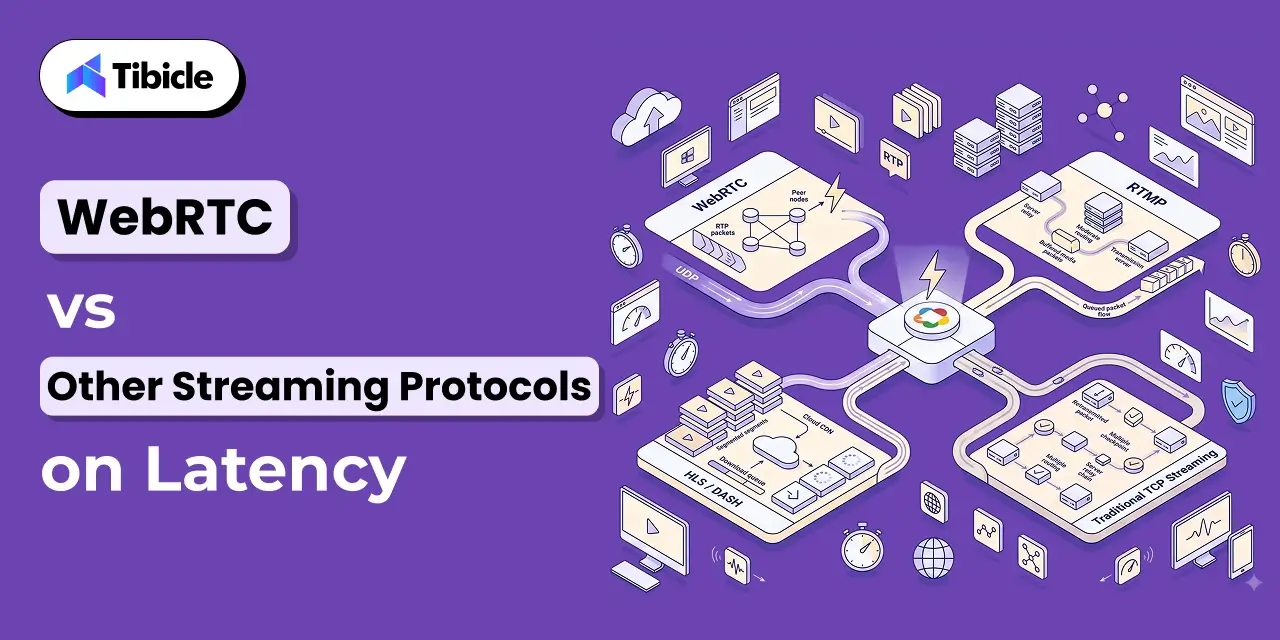
If your team needs help implementing AI DevOps tools or building the CI/CD and cloud infrastructure foundation they require, Tibicle’s engineering team is available for dedicated engagements and team augmentation. Reach out to get a technical assessment of where your pipeline is today and what it needs to get to the next level.
Frequently Asked Questions

What are AI tools for DevOps?
AI tools for DevOps are systems that apply machine learning and generative AI at specific points in the software delivery lifecycle to reduce manual effort, catch failure patterns earlier, and surface actionable insights from delivery data. They cover code generation, CI/CD pipeline optimization, observability, security scanning, and incident response automation.

Does AI replace DevOps engineers?
No. DORA’s data is clear: AI tools for DevOps improve individual productivity but do not eliminate the need for human judgment, especially in incident response and architecture decisions. What AI does replace is repetitive manual work like threshold-based alerting, standard code scaffolding, and routine test maintenance.

Which AI tool is best for CI/CD pipeline optimization?
Harness is the strongest option for teams whose primary bottleneck is deployment frequency and rollback risk. For teams where code review speed is the constraint, GitHub Copilot paired with LinearB’s delivery intelligence provides the most complete picture of where the pipeline is actually stalling.

How does Dynatrace Davis AI work?
Davis AI continuously models normal behavior across an organization’s full stack using a topological dependency map. When a degradation occurs, it traverses the dependency graph to identify the root cause rather than presenting raw alerts for an engineer to correlate manually. It produces a ranked list of probable root causes with supporting evidence.

What is AIOps and how does it differ from traditional monitoring?
AIOps is the application of AI to IT operations, specifically observability, event correlation, and incident response. Traditional monitoring requires engineers to configure static thresholds and manually correlate alerts across tools when something breaks. AIOps platforms like Dynatrace and Datadog automate that correlation, learn what normal looks like without manual configuration, and surface the probable root cause before the on-call engineer joins the incident bridge.