0%

What Is a Progressive Web App? Beginner’s Guide

Introduction

The global progressive web app market was valued at USD 3.53 billion in 2024 and is projected to hit USD 21.44 billion by 2033, growing at a 18.98% CAGR. Straits Research Yet most businesses still split their budgets across separate iOS and Android builds two codebases, two maintenance cycles, two app store approval processes when a single progressive web app can serve both platforms from one deployment.

progressive web app

This guide covers what a progressive web app is, how it works, real cost and ROI data, a full comparison with native apps, known risks, and a vendor selection checklist for 2026.

What Is a Progressive Web App?

Core Definition

A progressive web app is a browser-based application built with HTML, CSS, and JavaScript that behaves like a native mobile app. It can be installed on a user’s home screen, works offline, and sends push notifications without requiring distribution through the Apple App Store or Google Play.

PWAs show a 70% increase in session length and a 20% increase in page views per session compared to traditional web apps. ResearchGate, cited by Straits Research The architecture behind this performance is what separates a progressive web app from a standard website.

How Does a Progressive Web App Work?

progressive web app

A progressive web app is built on four technical components working together. Each layer handles a specific function, and together they produce the app-like experience users expect on mobile.

What Are Service Workers?

Service workers are background scripts that run separately from the main browser thread. They manage PWA caching, handle offline access, and enable background sync. When a user opens a progressive web app without internet access, the service worker serves cached content instead of showing an error, this is what makes an offline web app possible.

What Is a Web App Manifest?

The web app manifest is a JSON configuration file that defines the app’s name, icon, theme color, and display behavior. It tells the browser how to present the installable web app, whether in full-screen, standalone, or browser mode. This file is what enables home screen installation without an app store.

Why Does HTTPS Matter for a PWA?

HTTPS is mandatory for a progressive web app. All data transmitted between the browser and server must be encrypted. This is not optional browsers block service worker registration on non-secure origins. It also establishes the trust baseline that search engines and users expect.

What Is App Shell Architecture?

App shell architecture loads a minimal set of HTML, CSS, and JavaScript on the first request, just enough to render the UI instantly. Content is then loaded dynamically as the user interacts. This approach cuts perceived load time and improves Core Web Vitals scores, both of which affect search rankings.

PWA Component Overview

PWA ComponentFunctionBusiness Impact
Service WorkerCaching, offline access, background syncKeeps app functional without internet
Web App ManifestDefines name, icon, display modeEnables home screen installation
HTTPS LayerEncrypts all data in transitSecurity compliance, browser trust
App Shell ArchitectureMinimal UI load, dynamic contentFaster perceived load, better Core Web Vitals

Why Businesses Are Adopting Progressive Web Apps in 2026

progressive web app

Cost Reduction with a Single Codebase

PWA development costs 30%-75% less than building separate native apps. Glance Research, cited by Newly The average PWA development project runs $8,000–$25,000, compared to $50,000–$150,000+ for dual native builds across iOS and Android. For early-stage businesses and mid-market companies, that gap often determines whether a product launches on schedule or gets delayed by 12 months.

A single codebase app also reduces ongoing maintenance overhead. One update deploys across all platforms simultaneously, no separate release cycles, no app store approval queues.

Higher User Engagement and Retention

The business case for progressive web app development is backed by documented results across industries:

  • Pinterest saw a 60% increase in engagement after launching its PWA.
  • Twitter Lite reported a 65% increase in pages per session and a 75% increase in tweets sent.
  • Starbucks doubled its daily active users after deploying a PWA that was 99.84% smaller than its iOS app.

These are not edge cases. They reflect what happens when load time drops, offline access is restored, and the friction of app store downloads is removed.

SEO and Discoverability Advantage

A progressive web app is fully indexable by search engines. Native apps are not as they sit behind app store walls that Google’s crawler cannot access. For businesses where organic search drives acquisition, this distinction matters. PWA development gives you a cross-platform app that also functions as a discoverable web property.

Progressive Web App Use Cases by Industry

E-commerce and Retail

E-commerce holds 31.4% of the PWA market share in 2025. Coherent Market Insights Faster load times, offline browsing, and push notifications for cart recovery make PWAs well-suited for retail. Reducing page load time by one second can lift conversions by up to 7%, a metric that compounds across high-traffic stores.

Media and Content Publishing

Forbes deployed a progressive web app and reported significant improvements in session depth and ad revenue per user. Media publishers benefit from offline reading mode and fast article load times, both of which reduce bounce rate and increase time-on-page, two signals that affect ranking.

Travel and Hospitality

Travel companies using PWAs have reported a 3x conversion rate increase and 180% retention improvement. Clutch.co Offline itinerary access and fast booking flows are the primary drivers. Users in airports or low-connectivity areas can complete bookings without the experience breaking.

B2B SaaS and Enterprise Tools

Enterprise teams use PWAs for offline dashboards, real-time sync across devices, and field sales tools that function without a stable internet connection. The cross-platform app model means a sales rep on Android and a manager on iOS both use the same product, updated at the same time.

Progressive Web App vs Native App: Full Comparison

progressive web app

Feature and Cost Breakdown

ParameterProgressive Web AppNative App
Development Cost$8K–$25K (single codebase)$50K–$150K+ (per platform)
Time to Market4–8 weeks12–24 weeks
MaintenanceSingle update, instant deploySeparate updates per OS, store approval
Offline SupportPartial (service worker caching)Full
Device AccessLimited (camera, GPS, push)Full hardware access
App Store PresenceOptionalRequired
SEO VisibilityFully indexableNot indexable
Performance GapUnder 10% for standard business apps [Brainhub 2025]Superior for graphics-heavy apps

When to Choose a Progressive Web App

Choose a progressive web app when your product serves a broad cross-platform audience, organic search is part of your acquisition strategy, budget or timeline is a constraint, or your core features do not require deep hardware access. E-commerce, SaaS dashboards, content platforms, and service-based businesses typically fit this profile.

When Native Still Wins

Native development remains the right call for applications that require Bluetooth, NFC, AR, or advanced camera control. Gaming apps, financial apps with biometric authentication, and augmented reality tools hit the performance ceiling of what a browser-based app can currently deliver. For those use cases, a native build or React Native hybrid is the stronger choice.

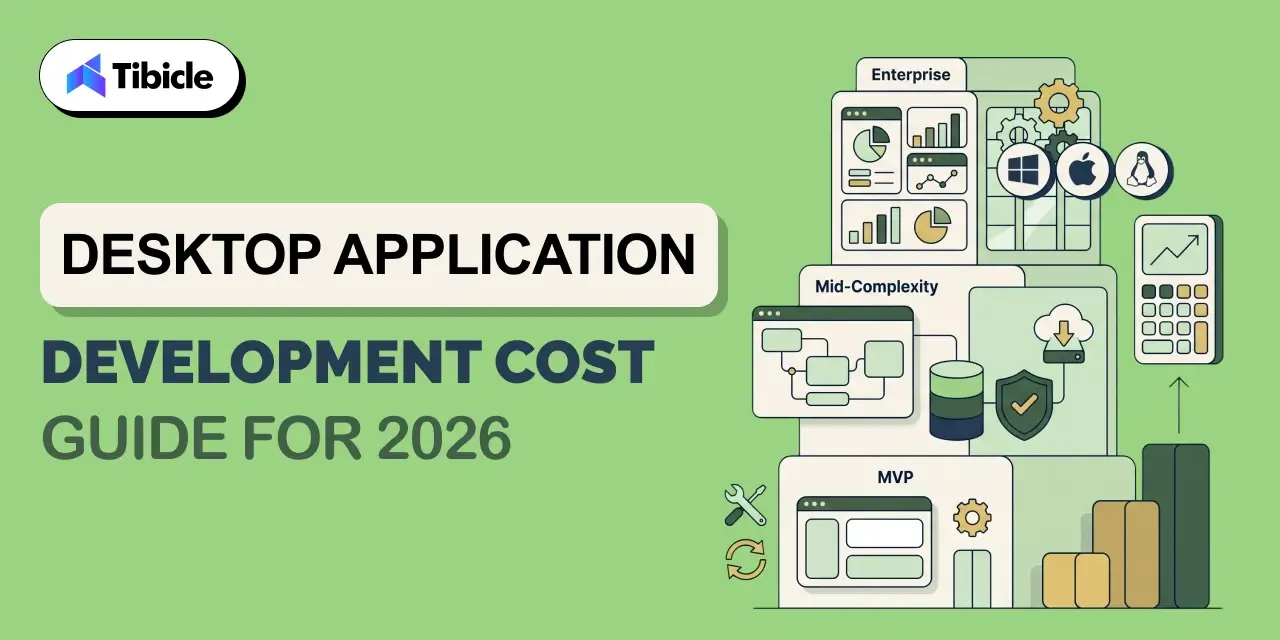
Progressive Web App Development Cost Breakdown

Development

Cost by Complexity Tier

PWA development cost scales with scope. Three tiers cover most business use cases:

  • Basic PWA: $8,000–$12,000. Covers simple informational apps, content sites, or lead-gen tools with standard PWA features.
  • Mid-range PWA: $15,000–$25,000. Covers e-commerce stores, SaaS dashboards, and tools with third-party integrations.
  • Enterprise PWA: $30,000–$60,000. Covers complex API integrations, custom backend architecture, and high-traffic production environments.

Cost Variables

Four factors move the number up or down within each tier:

  • UI/UX design complexity: custom design systems cost more than component libraries.
  • Third-party integrations: payment gateways, CRMs, ERPs, and analytics tools add scope.
  • Backend complexity: real-time sync, custom APIs, and data processing add development hours.
  • Developer location: North America and Western Europe carry higher rates; Asia and Latin America typically run 40–60% lower for equivalent output.

Maintenance and Ongoing Costs

A progressive web app has no app store fees and no platform-specific approval delays. Updates deploy instantly to all users. Long-term, this lowers total cost of ownership compared to maintaining two native codebases with staggered release cycles.

ROI of a Progressive Web App: What the Data Shows

Revenue Impact Model

A straightforward ROI model: a business generating $100,000 in monthly mobile revenue at a 2% conversion rate sees a 40% improvement post-PWA launch. That produces $480,000 in additional annual revenue on a $50,000 build cost an 860% first-year ROI. Codebrand The model assumes no increase in traffic, only conversion rate improvement from faster load times and offline access.
Conversion and Engagement Metrics

  • Businesses switching to PWAs report a 36% increase in mobile conversions on average. AppVerticals
  • Starbucks’ PWA is 99.84% smaller than its iOS app and generated 2x daily active users post-launch.
  • Twitter Lite reduced data consumption by 70% while increasing engagement across all measured metrics.

Total Cost of Ownership vs Native

A single codebase app saves up to 60% on development budget over a three-year period. Webshark When you factor in app store fees, separate QA cycles, and platform-specific bug fixes, the savings compound annually.

Looking to build a progressive web app that drives measurable ROI? Tibicle helps businesses plan, develop, and scale PWAs with a conversion-first approach. Talk to our team today.
Risks and Challenges of Progressive Web Apps

iOS Limitations

Safari’s support for PWA features still lags behind Chrome and Edge. Push notification control on iOS is limited, Apple’s implementation of the Web Push standard remains inconsistent across versions. Businesses with a predominantly iPhone user base should test PWA behavior thoroughly on Safari before launch and factor potential workarounds into the development scope.

Limited Hardware Access

A progressive web app cannot access Bluetooth, NFC, or advanced AR capabilities through the browser. Camera and GPS work in most modern browsers, but the depth of hardware integration available to native apps is not currently replicable in a browser-based app. This is a fixed constraint, not a configuration issue.

App Store Discoverability Trade-off

Users conditioned to search the App Store or Google Play may not find your PWA through those channels. While Google Play now supports TWA (Trusted Web Activity) packaging for PWA submission, App Store distribution for PWAs remains limited. Businesses that depend on app store traffic as an acquisition channel should account for this gap.

Performance Ceiling for Complex Use Cases

AR/VR applications, AAA-grade mobile games, and financial apps with heavy cryptographic requirements still favor native architecture. A progressive web app performs within 10% of native for standard business applications, but that gap widens significantly for compute-intensive use cases.

Vendor Selection Checklist for Progressive Web App Development

Development

Use this checklist before signing a contract with any PWA development partner:

  • Does the vendor have documented PWA case studies with measurable outcomes?
  • Do they implement service workers and PWA caching strategies correctly not just add a manifest file?
  • Can they handle both frontend frameworks (React, Next.js, Vue) and backend integrations?
  • Do they offer post-launch performance optimization, including Core Web Vitals monitoring?
  • What is their approach to offline-first architecture and background sync?
  • Do they test across Chrome, Safari, Edge, and Firefox before delivery?
  • Can they integrate push notifications and background sync across Android and iOS?
  • Do they provide Lighthouse audit scores as part of the delivery package?
  • What is their maintenance and support model after go-live?
  • Do they offer PWA-to-app-store publishing via TWA for Google Play?

A vendor who cannot answer the service worker, Lighthouse, and cross-browser questions directly is likely treating PWA as a checkbox feature rather than an architecture decision.

Top Progressive Web App Development Companies in 2026

Major players in PWA development include Google, Microsoft, OutSystems, Alokai, IBM, GoodBarber, Cloud Four, and DockYard. When evaluating any vendor, the selection criteria that matter most are: cross-platform expertise across React and Vue ecosystems, Lighthouse performance scores on delivered projects, depth of client portfolio in your industry, and the clarity of their post-launch support model. Technical skill and communication structure both matter, delivery without documentation is a recurring problem in this space.

Why Tibicle Is a Strong Choice for Progressive Web App Development

Tibicle brings technical depth in React, Next.js, and Node.js to PWA projects, paired with an SEO-first development approach that aligns with how progressive web apps are discovered and ranked. The team focuses on performance optimization from the architecture stage not as a post-launch patch and follows a documented delivery process that includes Lighthouse audits, cross-browser testing, and structured handoffs. For businesses that need PWA development without the overhead of a large agency, Tibicle offers the same technical capability at a more accessible cost tier.

Want to explore how a progressive web app fits your business model? Reach out to Tibicle for a free consultation.

Conclusion

Progressive web apps reduce development cost by 30–75%, increase mobile conversions by up to 36%, and offer a viable alternative to dual native builds for most business applications. For companies that need cross-platform reach without the budget or timeline of separate iOS and Android projects, a PWA delivers on both counts. The risks are iOS limitations, hardware access gaps, app store discoverability are real but manageable with the right vendor and architecture decisions.

Schedule a free PWA assessment with Tibicle to evaluate your use case and projected ROI. Book here.

FAQs

What is a progressive web app and how is it different from a regular website?
A progressive web app is a browser-based application built with standard web technologies HTML, CSS, and JavaScript  that adds native app capabilities on top. A regular website loads fresh content on every page request and cannot function offline. A PWA uses service workers to cache content, allowing it to work without internet access. It can also be installed on a home screen, send push notifications, and load in under two seconds on repeat visits. The gap between a website and a progressive web app is not visual  it is architectural.

How much does it cost to build a progressive web app in 2026?
PWA development cost ranges from $8,000–$12,000 for basic builds, $15,000–$25,000 for mid-range projects like e-commerce or SaaS dashboards, and $30,000–$60,000 for enterprise-grade PWAs with complex integrations. Developer location, UI complexity, and backend requirements are the main cost variables. By comparison, a dual native app build (iOS + Android) typically costs $50,000–$150,000+, making PWA development 30–75% less expensive for most use cases.

Can a progressive web app work offline?
Yes. Offline functionality is one of the core features of a progressive web app. Service workers cache key assets and data on the first load. On subsequent visits without internet access, the app serves cached content instead of showing a connection error. The extent of offline functionality depends on the caching strategy implemented during PWA development  some apps cache full data sets, others cache only the shell and show a limited offline mode.

Is a progressive web app better than a native app for small businesses?
For most small businesses, yes. A progressive web app costs significantly less to build and maintain, launches faster, and reaches users across iOS and Android without separate codebases. It is fully indexable by search engines, which native apps are not. The trade-off is limited hardware access and some iOS feature gaps. If your product does not require Bluetooth, NFC, AR, or advanced camera control, a PWA delivers comparable user experience at a fraction of the cost.

Do progressive web apps work on iPhones and Safari?
Yes, with limitations. Safari supports core PWA features including home screen installation, service workers, and offline caching. Push notification support on iOS improved with iOS 16.4, but remains less consistent than Chrome or Edge on Android. Full-screen mode and some advanced PWA capabilities are still restricted on Safari. If your audience is predominantly iPhone users, test PWA behavior on Safari specifically and confirm your vendor accounts for iOS limitations in the development scope.

How long does it take to develop a progressive web app?
A basic progressive web app takes 4–6 weeks from scope sign-off to delivery. Mid-range PWAs with e-commerce functionality or dashboard integrations typically run 6–10 weeks. Enterprise PWAs with complex APIs and custom backend architecture can take 12–16 weeks. These timelines assume a defined scope, available design assets, and API documentation from third-party services. Delays in content, design feedback, or API access are the most common schedule risks.

Electron Application: Best Framework for Desktop Apps?

Introduction

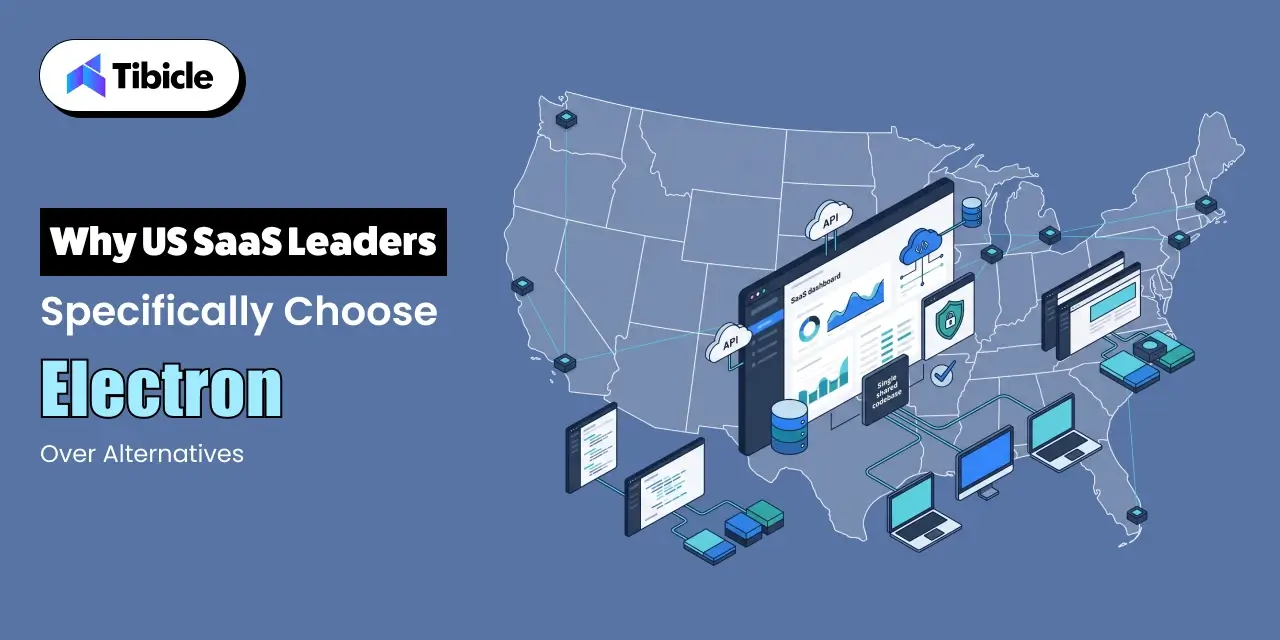
According to Statista and Pangea.ai, 9.57% of developers actively use the electron application framework, making it one of the most widely adopted desktop frameworks in production today. As of 2024, Discord built on the electron application framework has reached approximately 196.2 million monthly active users, with revenue hitting $561 million in 2025, representing a 29.2% year-on-year increase. The United States leads global Electron adoption at 59.18%, followed by the UK at 7.40% and Germany at 6.38%. Major tools like VS Code, Slack, Postman, Figma, and Discord all run on this same framework.

Electron Application

This guide breaks down exactly how the electron application framework works, where it wins, where it struggles, and how it compares to Tauri and Flutter in 2025.

What is the Electron Application Framework and How Does It Actually Work?

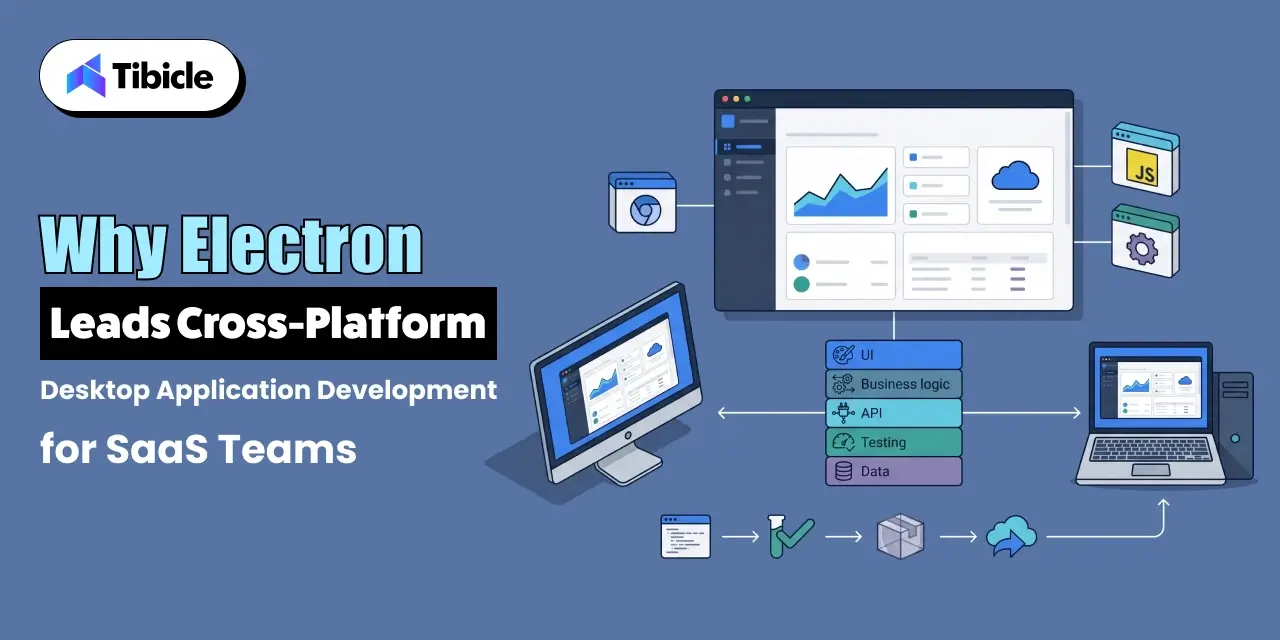
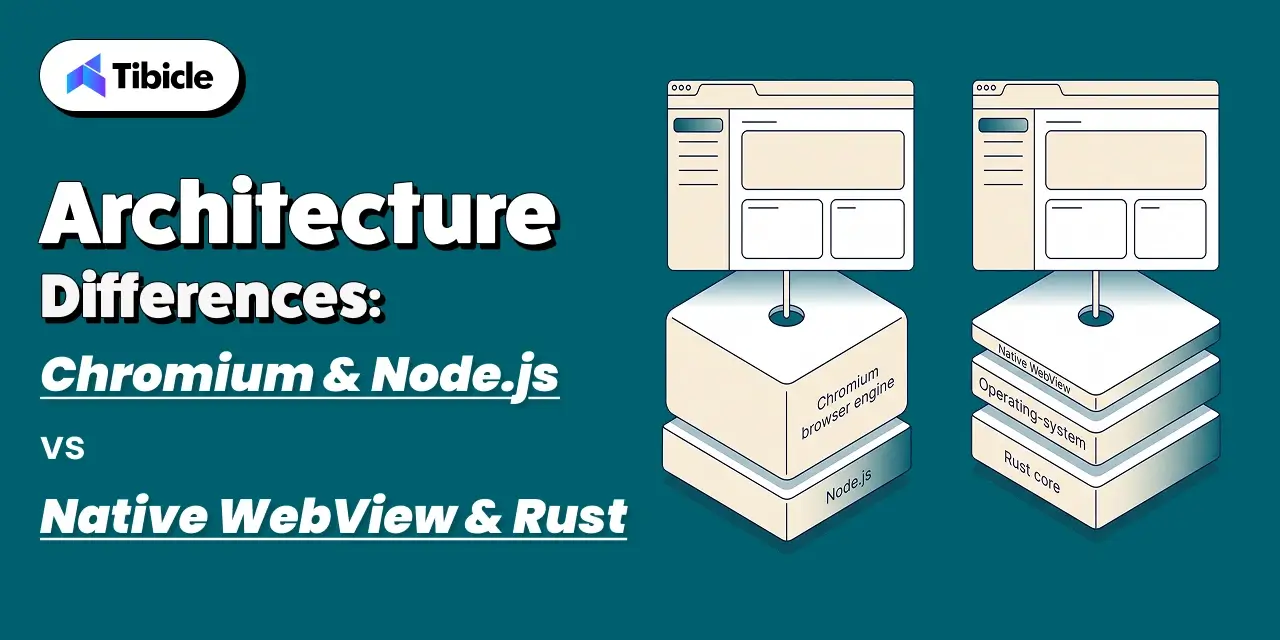
Electron is a free, open-source software framework developed and maintained by the OpenJS Foundation, designed to create desktop applications using web technologies rendered through a version of a Chromium browser engine and a backend using the Node.js runtime environment . The electron application framework fundamentally relies on a strict two-process model.

Main Process vs Renderer Process

Electron Application

The main process manages native system interactions such as creating windows. Handling menus, and communicating with the file system via a Node.js environment. Renderer processes are Chromium browser windows that display your UI, each running in isolation so that if one crashes, the rest of the app survives.

  • IPC Module: Facilitates secure communication between the main and renderer processes.
  • Preload Scripts: Securely expose specific Node.js APIs to the renderer.
  • Context Isolation: Ensures renderer scripts cannot alter the global system environment.

Why Businesses Choose Electron APP Development Over Native Frameworks

Electron Application

Businesses choose electron app development because it utilizes a single JavaScript, HTML, and CSS codebase for Windows, macOS and Linux. This completely removes the need to hire platform- specific teams.

Faster time to  Market With a Shared Codebase

By using a single shared codebase, software teams write an application once and seamlessly deploy it across all platforms directly cutting development costs and aggressively shrinking time to market. This foundation guarantees incredible developer efficiency from day one. These specific core elements heavily streamline the entire build process:

  • Extensive code reuse from pre-existing web applications.
  • Instant access to the massive global npm ecosystem.
  • Built-in Chrome DevTools debugging for real-time code inspection and rapid troubleshooting.

Access to the Entire npm Ecosystem

Thousands of npm packages are completely compatible right out of the box, and Electron’s bundled Chromium build ensures that apps have a highly stable rendering target. This integration keeps the newest web platform features and vital security fixes synced seamlessly with each major Chromium release for every developer using the framework.

Real World Electron Applications That Prove the Framework Works

Electron Application

The most recognized electron applications highlight the true scale of this powerful tool:

  • VS Code: Microsoft’s top choice for a professional-grade code editor.
  • Slack: Used securely by massive enterprise teams globally.
  • Discord: Reached a staggering 196.2M MAUs.
  • Postman: Migrated from a simple Chrome extension to a full desktop app for better file system and offline support.
  • Figma Desktop, WordPress Desktop, and Github Desktop also rely heavily on it.

Postman successfully reused their existing code, added significantly more capability under the hood, and made everything work flawlessly across all platforms without ever rebuilding from scratch. This strategy saved thousands of development hours and proved that scaling an application on this technology stack is highly efficient.
The Performance Problem With Electron App Development (And What Teams Actually Do About It)

The most common critique of electron app development is that Electron-based apps commonly show hundreds of megabytes of RAM usage while sitting entirely idle in the background, and relatively simple applications are now shipped spanning hundreds of megabytes built purely on web frameworks.

Memory, Startup, and Bloat in Plain Numbers

  • Bundled Chromium and Node.js significantly inflates overall app size.
  • Multiple simultaneous JavaScript instances rapidly drain CPU performance.

How Slack Reduced Memory Usage by 50%

Slack’s engineers reported an impressive 50% in memory usage and 33% faster startup times after a major refactor, showing that performance depends entirely on engineering choices, not just the framework itself. Expert optimization best practices include: 

  • Implementing intelligent lazy loading.
  • Using advanced bundlers efficiently.
  • Strictly limiting running renderer processes.
  • Avoiding synchronous require() calls at startup

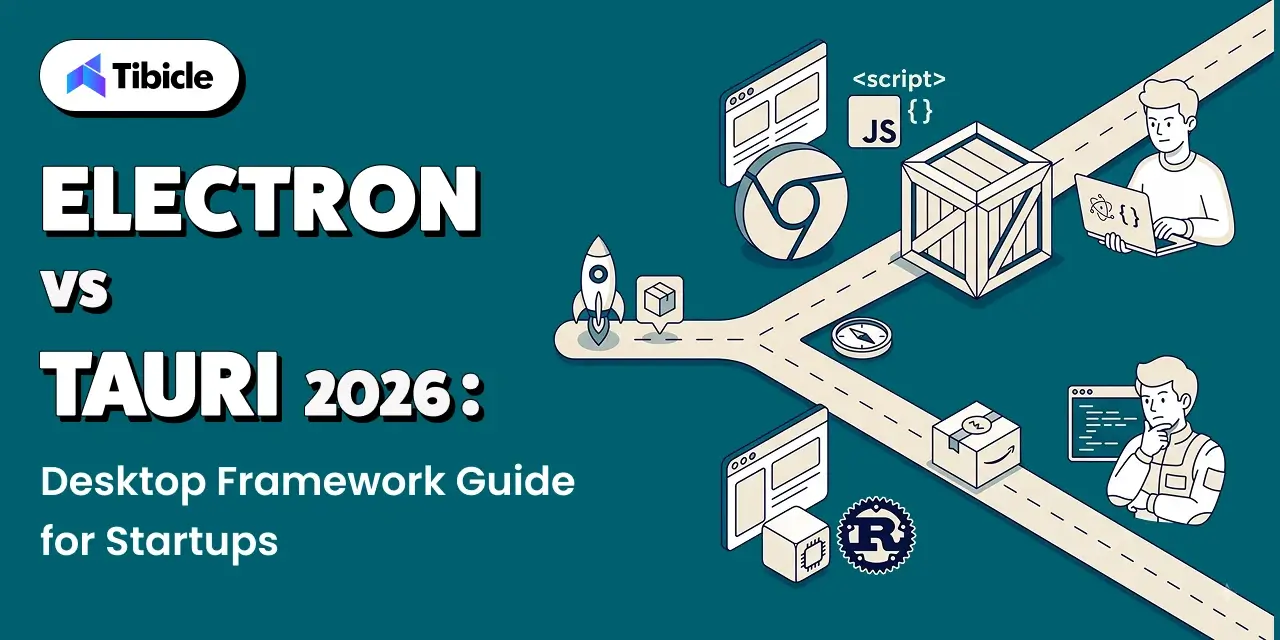
Electron vs Tauri vs Flutter for Desktop App Development in 2025

Electron Application

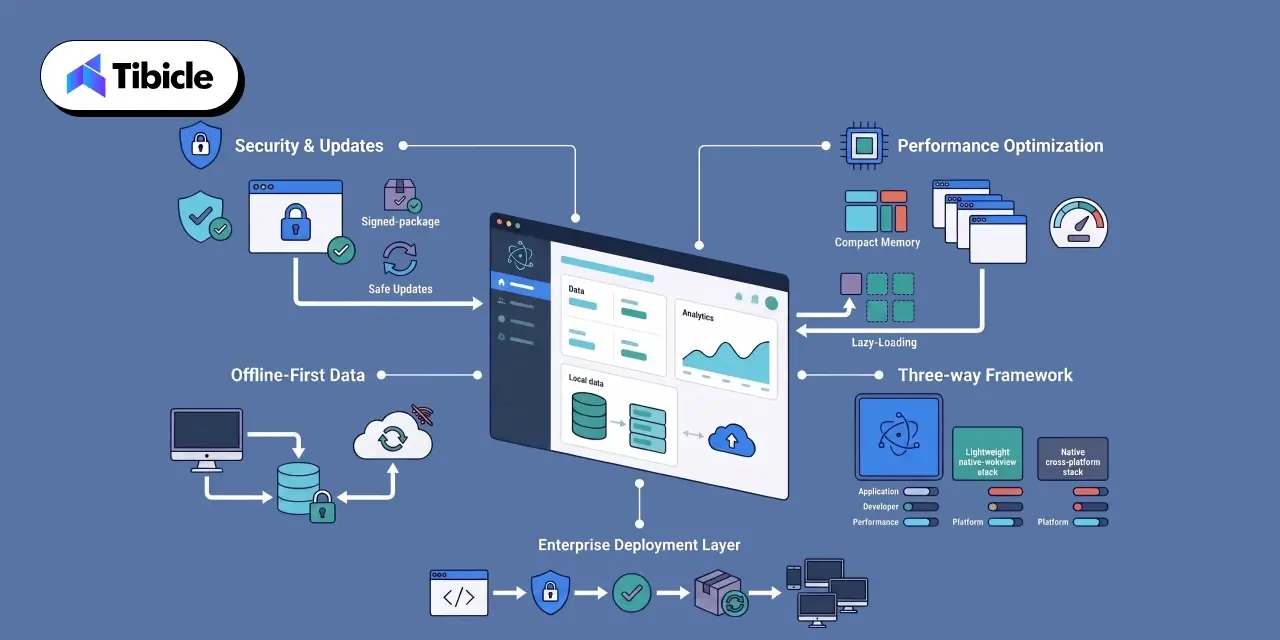
  • Electron: mature, large ecosystem, high memory footprint, best for complex enterprise apps.
  • Tauri: Rust-based, lightweight, better performance, smaller binaries, less ecosystem maturity.
  • Flutter: strong custom UI, mobile-first roots, growing desktop support.

For enterprise-grade, complex applications, Electron leads with its maturity, reliability, and ecosystem, while tauri is excellent for small fast apps and Flutter shines for custom UI-heavy projects.

Conclusion

The electron application framework offers unmatched speed of delivery and ecosystem depth at the cost of memory and bundle size. The right answer depends entirely on your app’s complexity, your team’s skill set, and your performance targets.

If you are looking for expert electron app development support, connect with a desktop application development company that can help you build, optimize, and ship faster.

FAQs

What is the electron application framework used for?
It is used to build desktop apps for Windows, macOS, and Linux using JavaScript, HTML, and CSS through a combined Chromium and Node.js runtime.

Is electron app development good for enterprise software?
Yes, Apps like VS code, Slack, and Postman are all enterprise-grade electron applications, proving the framework handles scale and complexity without issue when optimized properly by developers.

What are the main disadvantages of building a desktop app with electron?
High memory usage, large installation size, and the absence of native mobile support are the most common drawbacks continuously flagged by developers choosing between electron and native application frameworks.

How does electron compared to Tauri for desktop app development?
Tauri uses Rust for a smaller, faster binary. Electron wins on ecosystem size and developer familiarity. For complex applications, Electron still remains the more reliable production choice.

Can electron app developers reuse existing web code?
Yes. Electron is built entirely on web technologies, so teams can port existing HTML, CSS, and JavaScript code directly into a desktop application with minimal rework.

Electron vs Native: Which Is Better for Your Next Desktop App?

Introduction: The Desktop App Dilemma

Desktop applications are experiencing a major resurgence. As cloud software matures and AI-driven workflows become the norm, businesses are increasingly turning to desktop apps for speed, reliability, offline access, deeper system control, and better user experience

Electron vs Native

But with this shift comes a critical decision that every founder, CTO, or product owner eventually faces:

Should you build your app using Electron or go fully Native?

This choice may seem technical on the surface, but it directly impacts your development cost, product performance, hiring requirements, release timeline, scalability, and long-term maintenance. In other words, your tech stack decision today can determine whether your product moves fast… or becomes expensive to maintain.

Electron promises fast development, cross-platform delivery, and a single codebase powered by modern web technologies. Native development, on the other hand, offers unmatched performance, tighter OS integration, and highly optimized system-level control.

So which approach is right for your next desktop app?

The answer isn’t the same for everyone. Startups, SaaS founders, enterprise teams, and internal tool builders all have different priorities. Some need performance and memory efficiency above everything else. Others need to ship quickly, stay lean, and reach Windows, macOS, and Linux users without hiring three separate teams.

This guide breaks down Electron vs Native in simple, practical terms, helping you understand what truly matters in 2026, and which approach will give your product the best competitive edge.

Let’s dive in.

What Is Electron

Electron vs Native

Electron is a popular open-source framework that allows you to build desktop applications using the same technologies behind modern websites: HTML, CSS, and JavaScript. Instead of writing separate codebases for Windows, macOS, and Linux, Electron gives you one unified codebase that works everywhere.

At its core, Electron combines two powerful components:

  • Chromium (for rendering the UI, just like a browser)
  • Node.js (for accessing system-level features like file handling, networking, and OS APIs)

This fusion lets developers build desktop software with the ease of web development while still tapping into desktop-level capabilities. The result? Apps that look modern, work consistently across platforms, and can be shipped much faster compared to native development.

Electron’s popularity has exploded over the past decade and for good reason. Some of the world’s most widely used apps are built on Electron, including:

When billion-dollar SaaS companies rely on Electron, it’s not an accident; it’s a strategic choice.

Startups especially prefer Electron because it:

  • Reduces development cost (one dev team instead of three)
  • Speeds up time-to-market
  • Simplifies updates with automatic deploys
  • Enables rapid iteration, A/B testing, and feature releases
  • Integrates beautifully with modern web-based workflows

With Electron, founders can go from idea → prototype → cross-platform desktop app in record time. That’s why it has become the default choice for most modern SaaS companies building desktop experiences.

What Is Native Development

Electron vs Native

Native development refers to building desktop applications using platform-specific programming languages and frameworks, the same tools used by the operating system itself. Instead of one shared codebase, developers create separate versions tailored for each OS, such as:

  • Swift or Objective-C for macOS
  • C# and .NET (WPF, WinUI) for Windows
  • C++ or Qt for cross-platform native-level performance
  • GTK for Linux desktop environments

Examples of well-known native desktop applications include:

Because native apps are built with the operating system’s own language and UI components, they offer deeper system-level control and highly optimized performance. This is why traditional engineering teams, especially in enterprise environments, have relied on native development for years.

Enterprises typically choose native when they require:

  • Maximum performance (e.g., video tools, rendering engines)
  • Low memory usage
  • Advanced hardware integration
  • OS-level utilities or system monitoring
  • Apps requiring strict security compliance
  • Pixel-perfect platform-specific UI

The biggest advantage of native development is its ability to fully utilize CPU, GPU, file systems, background processes, and hardware components. For specialized applications, this level of precision can be essential.

However, the tradeoff is higher cost and slower development because each platform needs its own codebase, specialists, and maintenance cycle. This is the reason many modern SaaS and product teams now lean toward Electron unless native performance is absolutely mandatory.

Electron vs Native

Electron vs Native

Choosing between Electron and native development ultimately comes down to understanding the practical trade-offs and how each option impacts cost, performance, hiring, and long-term scalability. Below is a clear comparison to help you evaluate both paths.

Electron vs Native: Side-by-Side Comparison

CriteriaElectronNative (Swift, .NET, C++, etc.)
PerformanceGood for most apps; may use more RAM due to ChromiumSuperior performance, optimized for each OS
Speed of DevelopmentFast – single codebase for all platformsSlower – separate apps for macOS, Windows, Linux
Development CostLower; one team builds everythingHigher; requires multiple specialists/platform teams
UI ConsistencySame UI across all OSMatches OS-specific UI conventions perfectly
System IntegrationModerate – possible but sometimes requires native modulesDeep integration with OS features, hardware, and system APIs
App SizeLarger installers (because Chromium ships with the app)Smaller binaries, optimized natively
Maintenance EffortEasier – update once for every OSHigher – separate updates for each OS
Hiring DifficultyEasy; web developers can build Electron appsHarder; requires OS-specific skill sets
Cross-Platform ReleaseNative advantage – one release for all platformsMultiple builds and testing cycles
Update & DeploymentAuto-updates built in; simple dev workflowsRequires platform-specific release management

Insights: What This Means for Your Product in 2026

Electron vs Native

For 80% of modern desktop apps, especially SaaS tools, dashboards, productivity platforms, internal systems, and AI utilities, Electron delivers faster shipping, lower cost, and easier scaling. Most founders value speed and iteration over microscopic performance gains, making Electron the smarter business decision.

Native development shines only when you need absolute performance, deep hardware control, extremely low memory usage, or system-level functionality. These cases are real but limited to specialized industries.

In most scenarios, the question isn’t “Is Electron technically better?” but rather,
“Does Electron get me to market faster without compromising user experience?”

For most teams, the answer is a clear yes.

When Electron Is the Better Choice

Electron vs Native

Electron shines in the scenarios where speed, flexibility, and cross-platform reach matter more than low-level system performance. For most modern apps, especially SaaS and productivity platforms, Electron is not just “good enough,” it’s the best business decision.

Ideal Use Cases for Electron:

  1. SaaS Desktop Versions
    If your SaaS product already has a web app, Electron lets you convert it into a desktop app with minimal extra effort. This is how Slack, Notion, and Figma ship desktop clients so quickly.
  2. Internal Tools & Admin Dashboards
    Companies prefer Electron for internal tools because it supports rapid development, easy iteration, and auto-updates without IT headaches.
  3. Productivity & Collaboration Apps
    Anything involving communication, task management, notes, or workflow automation fits perfectly. Electron provides a smooth UI and consistent experience across devices.
  4. Fast MVPs & Startup Launches
    Electron reduces development time drastically. With one codebase and a web-tech workflow, founders can go from idea to prototype in weeks, not months.
  5. Cross-Platform Releases
    Electron makes it simple to release simultaneously on Windows, macOS, and Linux critical for SaaS companies with diverse user bases.
  6. Apps That Need Auto-Updating
    Electron’s built-in update pipeline allows seamless version upgrades without manual downloads, improving user retention and reducing support load.
  7. Teams Already Using Web Technologies
    If your developers already know JavaScript/React/Node.js, Electron is the most natural and cost-efficient choice.

For the vast majority of business applications, Electron offers faster delivery, lower cost, and easier long-term maintenance, making it the practical default in 2026.

When Native Still Makes Sense

Electron vs Native

While Electron is the best fit for most modern desktop applications, there are still specific scenarios where native development becomes essential. These are typically high-performance or system-critical applications where every millisecond, every megabyte of RAM, and every hardware call matters.

Ideal Use Cases for Native:

  1. High-Performance Video, Audio, or 3D Applications
    Apps like Final Cut Pro, DaVinci Resolve, and AutoCAD require GPU-optimized pipelines and extremely low latency, something Electron can’t match.
  2. Hardware Control & Device-Level Software
    If your application needs to interface deeply with custom hardware, sensors, cameras, industrial machines, or USB drivers, native frameworks provide tighter system access.
  3. OS-Level Utilities
    Tools like antivirus programs, backup utilities, system monitors, and kernel-level integrations require low-level APIs available only in native environments.
  4. Extremely Low-Memory Footprint Applications
    Apps designed to run on minimal resources (like lightweight Linux utilities or embedded systems) are best built with C++, GTK, or other native toolkits.

Hybrid Models Are Common

Many modern companies use a hybrid approach, building the main interface in Electron while offloading performance-heavy tasks to native modules written in C++ or Rust. This provides the best of both worlds: speed + rapid development.

Native development still matters, but only in cases where precision and performance outweigh development speed and cost.

Final Verdict: Choosing the Right Approach for Your App

Choosing between Electron and native development ultimately comes down to defining what matters most for your product: speed, cost, performance, or system-level precision. After evaluating both approaches, one point becomes clear: Electron is the smarter choice for nearly 80% of modern desktop applications.

For SaaS founders, productivity tools, internal dashboards, AI utilities, and cross-platform software, Electron delivers everything you need:

  • Faster development
  • Lower engineering cost
  • One codebase across all OS
  • Seamless auto-updates
  • Modern, web-driven UI
  • Rapid iteration and feature rollout

Most businesses value the ability to ship quickly and adjust based on real user feedback. Electron gives you exactly that advantage.

Native development still plays a critical role, but only in niche scenarios where performance is absolutely mission-critical: video rendering engines, advanced graphics tools, hardware-dependent applications, or OS utilities. These cases are the exception, not the norm.

For most modern desktop products in 2026, Electron stands out as the technology that delivers speed, flexibility, cost efficiency, and cross-platform reach all without compromising on user experience. It empowers teams to ship faster, iterate continuously, and maintain a single codebase across Windows, macOS, and Linux.

This is exactly where Tibicle excels.

With 10+ large-scale Electron applications successfully delivered, our team has deep, hands-on expertise in building fast, reliable, and scalable desktop solutions. From high-performance SaaS platforms to complex enterprise tools, we understand what it takes to architect a production-ready Electron app that feels native, loads fast, and scales confidently.

Whether you’re validating an MVP, modernizing an internal tool, or building a full-featured cross-platform product, we help you move quickly without ever compromising on quality.

If you’re planning to build your next desktop app with Electron or want expert guidance on choosing the right approach, our team is here to support you end-to-end.

👉 Book your free quotation call from here and let’s build a powerful, cross-platform desktop experience together.

FAQ Section

FAQ 1: Is Electron a good choice for large-scale desktop applications?

Yes. Electron is already powering globally recognized applications like Slack, VS Code, Figma, and Discord, which is clear proof that it can handle high-traffic, large-scale use cases. With the right architecture and performance optimization, Electron apps run reliably across all platforms. Tibicle has delivered 10+ enterprise-level Electron applications, enabling us to design scalable and highly performant solutions for complex desktop requirements.

FAQ 2: Can Electron apps run smoothly on Windows, macOS, and Linux?

Absolutely. One of Electron’s biggest strengths is true cross-platform support from a single codebase, ensuring your application looks, feels, and performs consistently across Windows, macOS, and Linux. With deep experience in cross-platform Electron development, Tibicle ensures smooth performance, OS-specific optimization, and a unified user experience across all environments.

FAQ 3: Is Electron suitable for SaaS products or productivity apps?

Yes. Electron is an excellent choice for SaaS desktop clients, productivity tools, dashboards, admin panels, and internal platforms. It enables fast iteration, seamless auto-updates, and integration with modern web frameworks. Tibicle has extensive experience delivering complete SaaS desktop applications using Electron from UI/UX to final deployment, making it ideal for fast-moving product teams.

FAQ 4: Can Electron integrate with APIs, databases, or native modules?

Yes. Electron supports integrations with REST APIs, GraphQL, WebSockets, local databases like SQLite, and even native modules written in C++ or Rust for performance-critical operations. Tibicle has successfully implemented complex API structures and hybrid native-Electron workflows, enabling powerful functionality while maintaining fast development cycles.

FAQ 5: Can Tibicle build a complete Electron app from MVP to enterprise scale?

Yes, this is one of our core strengths. Tibicle has built more than 10 production-ready Electron applications ranging from rapid MVPs to full enterprise-grade platforms. We handle everything end-to-end, including UI/UX design, architecture, development, backend integration, packaging, deployment, and long-term maintenance, ensuring your app is stable, secure, and built to scale.

Best framework for desktop application in 2026

Introduction

The desktop application landscape in 2026 is more dynamic than ever. What once required platform-specific coding and months of development can now be achieved faster, smarter, and more efficiently thanks to modern frameworks that bridge performance, portability, and design.

Desktop App Frameworks

From AI-driven desktop tools to cross-platform productivity suites, businesses are investing in desktop apps that deliver native-like speed, offline capability, and deep system integration features that web apps alone can’t fully match.

With a wide array of options available, including Electron, Tauri, .NET MAUI, Qt, and Flutter, a critical question arises: 

👉 Which framework should you choose for your next desktop project in 2026? 

In this blog, we will explore the top frameworks shaping desktop app development this year. We’ll compare their capabilities, use cases, and performance benchmarks, allowing you to make informed decisions and create applications that excel in both usability and innovation.

The right framework doesn’t just help you build faster, it helps you build better, future-ready desktop experiences that scale seamlessly across devices.

Why Choosing the Right Framework Matters

Desktop App Frameworks

Choosing the right framework is one of the most important decisions in desktop application development. It affects not only the current performance of your app but also how easily it can scale, evolve, and remain relevant in the rapidly changing tech landscape of 2026.

  1. Performance and efficiency

    Your framework has a direct impact on your app’s speed, responsiveness, and resource consumption.

    • A lightweight framework, such as Tauri or Qt, ensures fast load times and lower memory usage.
    • On the other hand, frameworks such as Electron may consume more resources but offer greater flexibility and community support.
  2. Cross-Platform Compatibility

    Different frameworks handle multi-OS support differently.

    • .NET MAUI, Flutter, and Electron allow developers to create apps for Windows, macOS, and Linux from a single codebase.
    • Native frameworks like Qt provide deeper integration and performance but may require more configuration.
  3. Development Speed and Productivity

    In today’s fast-moving tech world, speed matters as much as quality. The framework you choose can dramatically impact how quickly your team can design, test, and deliver your desktop app.

    • Frameworks with ready-made UI components, hot reload, and strong community support, like Flutter or Electron, help teams move faster from idea to execution.
    • Platforms such as .NET MAUI, paired with tools like Visual Studio, make it easy to build, debug, and deploy with minimal friction.
  4. Security and Scalability

    In 2026, security isn’t just a feature; it’s a necessity. As desktop applications handle more sensitive data and integrate with cloud systems, choosing a framework that prioritizes safety and future growth has become more important.

    • Rust frameworks, such as Tauri, make apps safer by enhancing memory management and protecting data. They eliminate common security issues from the outset.
    • Look for frameworks that make it simple to add secure APIs, encrypted local storage, and user authentication systems such as role-based access control.
  5. Community Support and Growth

    A strong ecosystem means access to plugins, documentation, tutorials, and community discussions.

    • Electron and Flutter lead in community size and third-party integrations.
    • Frameworks like Tauri and .NET MAUI are growing rapidly with modern tooling and active contributor bases.

Top 5 Desktop Application Frameworks in 2026

1. Electron:

Desktop App Frameworks

Why It’s Leading:

In 2026, Electron remains one of the leading desktop development frameworks, particularly for developers who are already familiar with web technologies. 

Built by GitHub and powered by Chromium and Node.js, Electron makes it incredibly easy to convert a web app into a fully functional desktop experience. You don’t need to learn a new language or complex architecture; if you know how to build for the web, you can build for the desktop.

Its real strength lies in accessibility and flexibility. Electron allows teams to create apps that run smoothly on Windows, macOS, and Linux using one familiar tech stack: HTML, CSS, and JavaScript.

What It’s Best For:

  • Works with Modern Frameworks such as Angular, React, and Vue.js
  • Cross-platform SaaS tools
  • Internal productivity software
  • Startups looking for a quick development turnaround

Why Developers Choose It:

  • Universal Compatibility: Works seamlessly across Windows, macOS, and Linux.
  • Familiar Tech Stack: Uses standard web technologies (HTML, CSS, JavaScript).
  • Massive Ecosystem: Thousands of open-source plugins and libraries available.
  • Strong Community: Backed by large developer groups and major companies.

Example Apps:

2. Flutter:

Desktop App Frameworks

Why It’s Leading:

Flutter has become a major leader in 2026 because it offers something rare: one codebase for desktop, mobile, and web. Backed by Google, Flutter gives developers a fast way to build apps with beautiful, consistent UIs across Windows, macOS, Linux, iOS, Android, and browsers.

Its biggest strengths are its rich widget library, smooth performance, and hot reload, which make development faster and more enjoyable. Although desktop support is still evolving, Flutter stands out for teams that want design flexibility, multi-platform reach, and a modern development experience, all without managing separate codebases.

What It’s Best For:

  • Consumer-facing apps need a consistent UI across devices
  • Modern SaaS products are expanding to multiple platforms.
  • Teams prioritizing speed, design, and shared code logic.

Why Developers Choose It:

  • One Codebase for All: Build once for desktop, mobile, and web.
  • Pixel-Perfect UI: Beautiful widgets and customizable layouts.
  • Hot Reload: Real-time testing and instant UI feedback.
  • Strong Community: Backed by Google and a massive global developer base.

Example Apps:

3. .NET MAUI:

Desktop App Frameworks

Why It’s Leading:

.NET MAUI stands out in 2026 because it gives developers a unified way to build apps for Windows, macOS, Android, and iOS using familiar C# and XAML. With strong support from Microsoft and seamless integration with Visual Studio, it’s a natural fit for teams working within the .NET environment.

Its capability to deliver native performance across various platforms makes it a reliable choice for enterprise-grade applications. For businesses seeking a stable, scalable, and future-ready framework, .NET MAUI remains one of the most trustworthy options available today.

What It’s Best For:

  • Business and enterprise-grade applications
  • Internal dashboards, CRMs, and tools
  • Apps that demand native Windows integration
  • Teams already skilled in .NET and C#

Why Developers Choose It:

  • Unified Codebase: Write once, run across Windows, macOS, Android, and iOS.
  • Strong IDE Support: Deep Visual Studio integration simplifies deployment.
  • Native Performance: Uses native controls for a true OS experience.
  • Enterprise-Ready: Perfect fit for corporate environments with existing Microsoft infrastructure.

Example Apps:

4. Tauri:

Desktop App Frameworks

Why It’s Leading:

Tauri has quickly become one of the strongest modern alternatives to Electron because it focuses on speed, security, and efficiency. By using a Rust-powered backend and relying on the system’s native WebView instead of bundling Chromium, Tauri keeps apps incredibly lightweight while still delivering a smooth, native-like experience.

Its combination of small build sizes, low memory usage, and strong security makes it a top choice for developers who want fast, modern desktop apps without the heavy footprint.

What It’s Best For:

  • High-performance web-based desktop apps
  • Privacy-focused and secure software
  • Lightweight utilities or note-taking tools
  • Developers targeting all OS platforms efficiently.

Why Developers Choose It:

  • Tiny Build Sizes: Apps as small as 5–10 MB compared to Electron’s 100+MB.
  • Secure by Design: Rust ensures memory safety and prevents runtime crashes.
  • Performance Optimized: Minimal background processes and low CPU use.
  • Web-Developer Friendly: Works with React, Vue, Svelte, or any modern JS frontend.

Example Apps:

5. Qt:

Desktop App Frameworks

Why It’s Leading:

Qt remains one of the most trusted frameworks due to its capability to provide genuine native performance across all major desktop platforms. Built in C++, Qt is engineered for applications that demand speed, precision, and reliability, which is why it remains a favorite in industries like engineering, automotive, medical devices, and advanced creative tools.

Its powerful UI system, support for complex interfaces, and capabilities in graphics, animation, and hardware acceleration make it ideal for software that needs more than just simple layouts. Whether it’s 2D dashboards or full 3D rendering, Qt handles heavy workloads with ease.

What It’s Best For:

  • Engineering and design tools
  • Simulation and visualization software
  • Graphics-intensive or real-time systems
  • Enterprise-level native desktop apps

Why Developers Choose It:

  • Blazing-Fast Performance: Runs close to the hardware with native compilation.
  • Rich Feature Set: Offers advanced libraries for UI, networking, and data visualization.
  • Cross-Platform Flexibility: Seamlessly supports Windows, macOS, Linux, and even embedded systems.
  • Professional Tooling: Includes Qt Creator IDE and Qt Design Studio for rapid prototyping.

Example Apps:

Framework Comparison Table

FrameworkLanguagePlatforms Supported
ElectronJavaScript, HTML, CSSWindows, macOS, Linux
FlutterDartWindows, macOS, Linux, Web, Mobile
.NET MAUIC#, XAMLWindows, macOS, Android, IOS
TauriRust + JavaScriptWindows, macOS, Linux
QtC++Windows, macOS, Linux

Conclusion

Desktop App Frameworks

The desktop app ecosystem is evolving rapidly, and selecting the right framework can significantly impact your product’s performance, scalability, user experience, and long-term success. Whether you’re looking for the lightweight efficiency of Tauri, the design flexibility of Flutter, the enterprise reliability of .NET MAUI, or the native strength of Qt, the best choice is the one that aligns with your goals and meets your users’ needs.

At Tibicle, we help organizations turn their decisions into high-performing applications. Our developers possess extensive expertise across modern frameworks, enabling businesses to create desktop software that is fast, intuitive, and future-ready.

If you’re planning your next project and want the right technical direction, we’d love to talk.

👉 Book your free consultation call from here, and let’s build your next big product together.

FAQ Section

Q1. Which desktop framework is best for beginners in 2026?

Tauri and Electron are excellent starting points for web developers transitioning to desktop development.

Q2. Which framework gives the best performance?

Performance mostly depends on use case, and all of these frameworks work best, but since Qt is built with C++, it’s safe to say it helps provide the most performance.

Q3. Is Flutter production-ready for desktop apps?

Yes, Flutter’s desktop support became significantly more stable for production use in 2026, but since Flutter Desktop was introduced recently, it’s too early to tell anything.

Q4. What framework should enterprises choose?

In my opinion, the best choice is Electron for enterprise applications because it supports Angular, Vue, React, and React Frameworks.

From Idea to Reality: A Step-by-Step Guide to Building Your MVP

Introduction

Every successful product you see today, like Airbnb, Dropbox, or Instagram, started with a simple idea. However, an idea alone isn’t enough. Many promising concepts never make it to market because their execution is unclear, rushed, or doesn’t meet real user needs. 

mvp

This is where a Minimum Viable Product (MVP) comes in. An MVP is the simplest, functional version of your idea that addresses a real problem for your audience. It’s not about creating a perfect product or adding every feature at once. Instead, it’s about testing, learning, and confirming your concept before putting in significant time and resources.

Starting with an MVP allows you to:

  • Test if your idea resonates with real users.
  • Save time and money by building only what’s essential.
  • Gather feedback early to improve your product iteratively.

In this guide, we will walk you through the steps to turn your idea into reality. You will learn what to do and what to avoid, along with real-life examples of successful MVPs that started small but grew significantly. Whether you are an entrepreneur, a small business owner, or someone with an idea ready to take off, this guide will help you move from concept to execution with confidence.

What is an MVP?

A Minimum Viable Product (MVP) is the first working version of your idea. It includes just enough features to solve the main problem for your audience. Think of it as a test version; it demonstrates your concept in action without all the extra details.

It’s important to understand the difference between a prototype, an MVP, and a final product:

  • Prototype: A rough draft or model of your idea. Often just a sketch or clickable mockup to show how it might work. It’s mostly for planning and testing ideas internally.
  • MVP: A usable product that real people can try. It has the minimum features needed to address a real problem and gather feedback.
  • Final Product: The polished, full-featured version of your idea, built after testing and learning from the MVP.

Example:

  • Dropbox: Before building the full file-syncing software, Dropbox created a simple demo video showing how it would work. That MVP helped them test the idea and gather real interest before investing in development.
  • Airbnb: Started by renting out a single apartment to see if people would pay to stay in someone else’s home. That small MVP validated the concept before scaling globally.

In short, an MVP is your safest first step. It helps you test if your idea addresses a real problem and if people are willing to use it. Plus, it allows you to do this without spending too much time or money at the start.

Why Start with an MVP?

mvp

Jumping right into creating a full product can be tempting, especially when your idea feels exciting. However, the truth is that many ideas fail not because they are bad but because they are not tested or are built too extensively.

Starting with an MVP offers you several benefits:

  1. Validate Your Idea Early

    Instead of assuming people will love your idea, an MVP lets you test it with real users. You get to see if it solves a real problem and whether people are willing to use it.

  2. Save Time and Money

    Building a full-fledged product requires significant resources. An MVP allows you to focus only on the core features that matter, reducing wasted effort on things people may not want.

  3. Learn from Real Feedback

    Early users provide invaluable insights. Their feedback helps you improve, refine, and prioritize features for the final product.

  4. Reduce Risks

    By testing your concept early, you avoid investing heavily in an idea that might not work. It’s a way to fail fast, learn fast, and adjust your plan.

Real-Life Example:

  • Instagram: When Instagram started, it wasn’t the full-featured app we know today. Its MVP simply allowed users to take a photo, apply a filter, and share it. By focusing on this single feature, the founders validated user interest, collected feedback, and gradually added more features like stories and direct messages.

Step-by-Step Process: From Idea to MVP

mvp

Step 1: Validate the Idea

Every idea seems exciting in your head. The real test is whether it solves a real problem for real people. Start by understanding your potential audience. What challenges do they face? How are they currently dealing with these challenges? Validation can be as simple as talking to potential users, observing existing solutions, or running small surveys. 

The goal is to confirm demand before building anything. A validated idea gives you confidence that the problem is worth solving. This reduces the risk of wasted effort later.

Tip: Ask questions like:

  • “Would you use or pay for this solution?”
  • “What alternatives are you currently using, and why do they fall short?”

Step 2: Define the Core Features

Once your idea is validated, focus on the essential features that solve the main problem. It’s easy to get carried away and add every feature you think of, but that complicates the MVP and slows down learning. 

Make a list of must-have features that provide value right away. Everything else, like extra options or nice-to-haves, can wait until later. By keeping the MVP lean, you can launch quickly, test, and gather meaningful feedback.

Tip: Prioritize features based on impact on the core problem. If a feature doesn’t directly solve it, leave it out for now.

Step 3: Design the User Experience

With the main features defined, picture how users will engage with your product. Create wireframes, mockups, or simple sketches to plan the layout and flow. This helps you spot potential usability problems and makes sure everyone on your team understands how the MVP should function. 

Even a basic, clickable prototype can be effective. It’s not about creating something flawless; it’s about turning your idea into something real, testable, and easy to grasp.

Tip: Focus on clarity of navigation and user flow rather than polished visuals. Early feedback is more valuable than perfect design.

Step 4: Choose the Right Approach & Tools

Decide how to build your MVP based on your skills and resources. Non-technical founders can use no-code or low-code platforms to launch quickly. More complex ideas may need you to work with developers or IT service providers. 

Focus on speed, flexibility, and ease of iteration. Avoid complicating things with advanced tools or features that aren’t necessary for testing your concept.

Tip: Pick tools that allow fast changes based on user feedback. The MVP should be easy to adapt.

Step 5: Build, Launch, and Test

Now it’s time to launch your MVP. Concentrate on the main features and release it to a small, specific audience. Early testing allows you to see how users engage, what they enjoy, and what leads to difficulties.

This stage focuses on learning, not perfection. The information you collect is crucial for improving your product, addressing usability problems, and figuring out which features are genuinely valuable.

Tip: Treat this as an experiment, collect user feedback, track behavior, and make improvements step by step.

Step 6: Collect Feedback and Iterate

Launching the MVP is just the beginning. Engage with early users to understand their experiences and improve based on their insights. Add features gradually, but only when they address real, verified problems. 

Iteration helps your product develop based on actual user needs instead of guesses. A product built this way has a much better chance of success when you scale.

Tip: Keep a feedback log and prioritize improvements based on impact versus effort. Consistent small updates often lead to the most meaningful results.

What NOT to Do When Building an MVP

mvp

Even the most promising ideas can fail if the MVP is executed poorly. It’s not just about building quickly; it’s about creating the right product and avoiding common mistakes that waste time, resources, and user trust. Here are the three biggest pitfalls to watch out for when developing your MVP:

  • Overloading with Features: Adding too many features to your MVP can overwhelm users and distract from the main problem. The purpose of an MVP is to test the essential functions, not to show every idea at once. Too many features can slow down development and make it difficult to gather clear feedback on what matters to users.
  • Chasing Perfection: Delaying the launch to make the product flawless can stop you from testing your idea in the real world. An MVP should be functional and usable, not perfect. Waiting too long can waste time, miss market opportunities, and limit your learning from real user behavior.
  • Premature Scaling: Expanding too quickly, whether by launching to a large audience or adding complex features before validating the MVP, can backfire. Premature scaling often wastes resources and creates unnecessary complications at this early stage. It’s important to validate, iterate, and refine before growing.

Execution Examples: Real-Life Stories

Ideas alone don’t guarantee success. Execution is what turns a concept into a thriving product.

Facebook is a prime example. It wasn’t the first social network. Friendster and MySpace came before it. What made Facebook successful was its focused execution. Mark Zuckerberg started small, targeting Harvard students, and gradually expanded to other universities. This careful step-by-step growth, combined with steady improvements and a clean product, allowed Facebook to thrive while others disappeared.

McDonald’s shows the power of execution. The McDonald brothers ran a small but innovative restaurant. Ray Kroc saw its potential. By systemizing processes, standardizing recipes, and franchising the model, he turned a small eatery into the world’s largest fast-food chain. While selling burgers wasn’t unique, executing a scalable and consistent model made all the difference.

These examples highlight a key lesson: ideas are just seeds. Execution, building, testing, iterating, and scaling thoughtfully is what helps them grow into successful ventures.

Key Takeaways

  • Focus on solving the core problem with essential features.
  • Launch early to gather insights from real users.
  • Iterate based on actual feedback and learning.
  • Avoid overcomplicating, overbuilding, or scaling prematurely.

Conclusion

Building an MVP is not just about making a bare-bones version of your ideal product; it’s about creating the right version at the right time. An MVP helps you test your assumptions, validate your idea, and learn from real users without spending too much time or money. By starting small, focusing on key features, and improving based on feedback, you position yourself for long-term success.

Whether you’re an entrepreneur, a small business owner, or someone with a concept ready to develop, the MVP approach makes sure that every decision you make is informed and strategic. It focuses on what your audience truly needs. Execution, careful planning, and ongoing learning are what turn ideas into reality.

At Tibicle, we help businesses transform ideas into scalable MVPs, whether it’s a Web App, Mobile App, SaaS platform, or AI-powered solutions. If you have an idea and want to see it come to life efficiently and effectively, we’d love to partner with you and guide you from concept to execution.

You can schedule a call from here or share your requirement from here, and our team will get back to you promptly to discuss the best approach for turning your idea into reality.

Custom Software Development to Scale Your Business in 2026

img

🚀 The Need for Custom Software in a Fast-Paced World

In today’s digital landscape, custom software development in 2026 is crucial for businesses scaling faster than ever. However, generic, off-the-shelf software simply isn’t cutting it anymore. From clunky workflows to unnecessary features, pre-built solutions often create more bottlenecks than breakthroughs.

That’s where custom software development comes in. It’s not just about having a product tailored to your needs — it’s about building a scalable foundation that grows with you, adapts to market shifts, and keeps you ahead of the competition.

img

💡 What is Custom Software?

Custom software is specifically designed and developed to meet the unique needs of a business, unlike generic software that offers the same features to all users. It’s built from the ground up to address your exact requirements, streamline processes, and integrate seamlessly with your existing systems.

🔍 Custom Software vs. Tailored Software — What’s the Difference?

While these terms are often used interchangeably, they have distinct differences:

  • Custom Software: Built entirely from scratch to fit your business like a glove. It’s fully unique, offering a competitive edge and designed to evolve with your growth.
  • Tailored Software: Starts from an existing platform or software and is modified to suit your business needs better. It’s faster to develop but may have limitations compared to fully custom solutions.

In short, if you’re scaling rapidly and need a strategic edge, custom software is the smarter, long-term investment.

💡 Why Custom Software Beats Off-the-Shelf Solutions

  1. Tailored to Your Business Needs: You no longer need to compromise. Instead of adjusting your processes to fit a tool, the tool adapts to fit you.
  2. Scalability Built-In: As your business grows, your software should grow with you — without the need for expensive upgrades or risking performance drops.
  3. Competitive Edge: Custom solutions offer unique features that competitors simply don’t have. For instance, whether it’s a personalized customer experience or an innovative backend process, you control what makes you stand out.

  4. Seamless Integration: Off-the-shelf solutions often struggle to integrate with existing systems. In contrast, custom software connects effortlessly, eliminating data silos and boosting efficiency.

  5. Cost Efficiency in the Long Run: Although custom development requires a higher upfront investment, it reduces long-term costs. There are no recurring license fees, fewer productivity losses, and no need for platform changes every few years.

img

🛠️ The Process: From Concept to Scalable Product

At Tibicle,, we follow a proven, end-to-end development process to ensure your custom software isn’t just functional — it’s a launchpad for growth.

  1. Discovery & Strategy: We dive into your business goals, challenges, and processes to define what success looks like.
  2. UI/UX Design: User experience isn’t an afterthought — it’s a driving force. We design clean, intuitive interfaces to ensure users engage and convert.
  3. Development: Our full-stack development team builds robust backends and sleek frontends, ensuring your software is fast, secure, and scalable.
  4. Testing & Optimization: Rigorous testing ensures everything works flawlessly. We refine performance, squash bugs, and optimize for maximum efficiency.
  5. Launch & Scale: We don’t just hand you the keys and walk away — we support your launch, monitor performance, and adapt as your business evolves.

img

🔥 Choosing the Right Development Partner

Custom software is only as good as the team behind it. When selecting a development partner, look for:

  • Proven Experience: A track record of delivering scalable, user-friendly solutions.
  • Full Product Lifecycle Expertise: From UI/UX to backend infrastructure.
  • Agile Approach: Rapid iterations, continuous feedback, and adaptability.
  • Commitment to Your Vision: A team that collaborates closely with you, not just builds what you say.

Tibicle brings all this — and more — to the table.

🎯 Conclusion: Scale Smarter, Not Harder

Scaling your business in 2026 isn’t about working harder — it’s about working smarter. Custom software development gives you the flexibility, performance, and innovation edge you need to grow on your terms.

Ready to ditch generic solutions and scale with confidence? Let’s build something powerful — together.