What This Guide Covers
Who this is for: SaaS companies, enterprise product teams, CTOs, engineering leaders, and product managers evaluating cross platform desktop application development for Windows, macOS, and Linux.
Search intent: Implementation and decision. This guide explains why Electron remains a practical cross-platform desktop Application Development for enterprise SaaS, where it fits against native development, Tauri, and .NET MAUI, and which architecture decisions matter before deployment.
What you will walk away with: A practical view of Electron’s business and technical advantages, including one-codebase development, talent availability, release speed, enterprise integrations, security, offline workflows, and long-term application management.
Introduction
The global cross-platform software market is projected to grow from $104.6 billion in 2025 to $121.04 billion in 2026, representing a 15.7% CAGR, according to The Business Research Company. The report also identifies unified codebase development and enterprise cross-platform solutions among the trends shaping the market.
For SaaS companies, the approach is straightforward: why maintain three separate desktop codebases when one can serve Windows, macOS, and Linux?
Native development still has situations where it makes sense, particularly for deeply platform-specific software. But for enterprise SaaS products, the ability to reuse application logic, frontend skills, testing workflows, and release processes can change the economics considerably.
Electron packages Chromium and Node.js into a desktop application, allowing teams to use JavaScript, HTML, and CSS while targeting Windows, macOS, and Linux from one codebase.
The Enterprise Case for Cross-Platform Desktop Application Development in 2026
Desktop software is returning to SaaS roadmaps because browser applications do not always provide the operating-system integration or offline reliability that enterprise users need.
The broader application development software market is also expanding rapidly. Fortune Business Insights projects the market to grow from $172.94 billion in 2026 to $826.48 billion by 2034, with North America holding a 33.60% share in 2025.
Why SaaS Companies Are Adding Desktop Clients Again
A desktop client can provide capabilities that are harder to reproduce consistently inside a browser tab.
Common reasons include:
- Offline access for field or remote teams with unreliable internet
- Deeper operating system integration through system trays, notifications, and keyboard shortcuts
- Higher engagement than a browser tab competing with dozens of others
- Lower support load through automatic updates instead of manual refreshes
For productivity software, developer tools, communication platforms, and internal enterprise systems, these capabilities can make a dedicated desktop experience worth maintaining alongside the web application.
What “Enterprise-Grade” Actually Requires From a Desktop App
Enterprise software needs more than a packaged application that launches successfully.
A production desktop client should support:
- Security review covering code signing, sandboxing, and a documented update process
- Uptime and support commitments aligned with the SaaS contract
- Compatibility across company-managed Windows, macOS, and Linux devices
- Centralized deployment through IT rather than individual downloads
Electron provides the foundation, but these operational requirements need to be designed around the product before deployment.
Why Electron Leads Cross-Platform Desktop Application Development for SaaS Teams
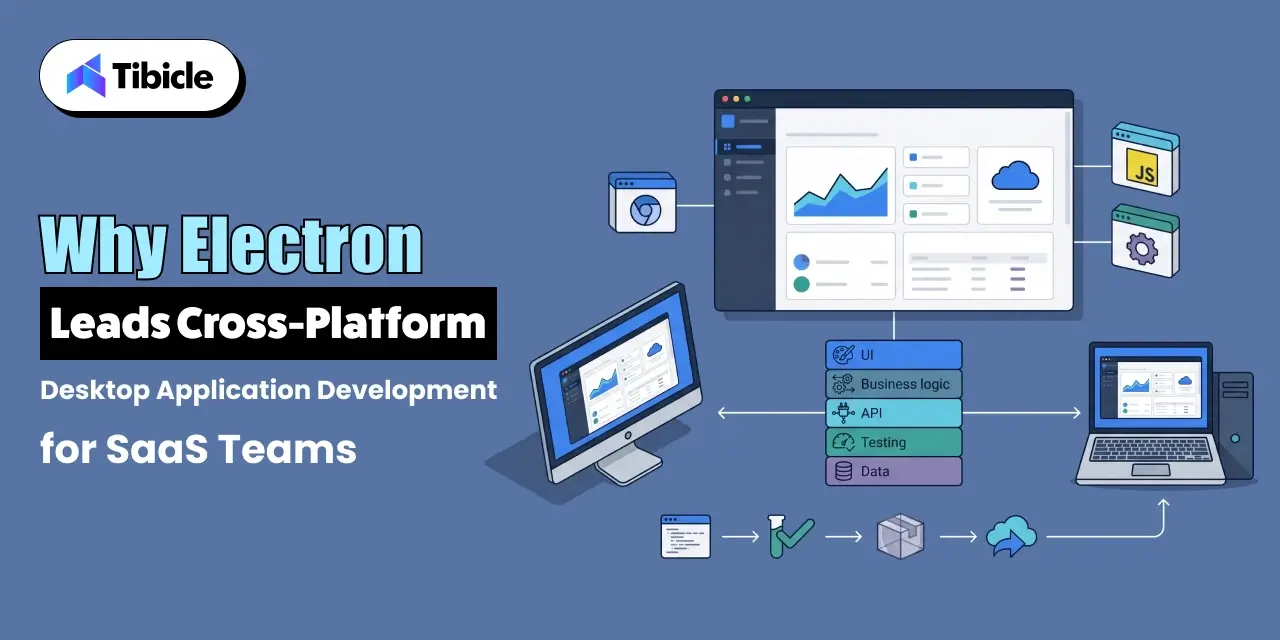
Electron’s main advantage is not simply that it uses JavaScript. It combines a familiar web development environment with a desktop runtime built around Chromium and Node.js.
That gives SaaS teams a way to reuse frontend skills and application logic while adding desktop-specific capabilities.
Cross-Platform Desktop Application Development With One Codebase
Electron allows developers to maintain one JavaScript codebase while creating applications for Windows, macOS, and Linux. This is one of its strongest advantages for SaaS companies supporting multiple enterprise environments.
Instead of maintaining separate application architectures for each operating system, teams can share much of the interface, business logic, testing, and release process.
Platform-specific code is still sometimes required, but the overall development model remains unified.
The Chromium and Node.js Architecture Enterprise Teams Already Trust
Electron embeds Chromium and Node.js into its application runtime. Chromium provides the rendering environment, while Node.js gives applications access to the broader JavaScript ecosystem and desktop capabilities.
This matters for enterprise teams because developers can use familiar web technologies, npm packages, TypeScript, React, testing tools, and established CI/CD workflows.
The result is a desktop architecture that feels closer to the SaaS stack teams already know.
Cross-Platform Desktop Application Development and Faster Release Cycles
A shared codebase can simplify the release process when the same feature needs to reach every supported platform.
The practical benefits include:
- One QA cycle instead of three
- One changelog and version number across platforms
- Faster patch turnaround when a security fix needs to reach every user
Cross-platform desktop application development research cited by Research2Guidance indicates that cross-platform tools can save more than 30% of development time compared with native development.
The exact saving varies by application, but reducing duplicated platform work remains one of Electron’s strongest business arguments.
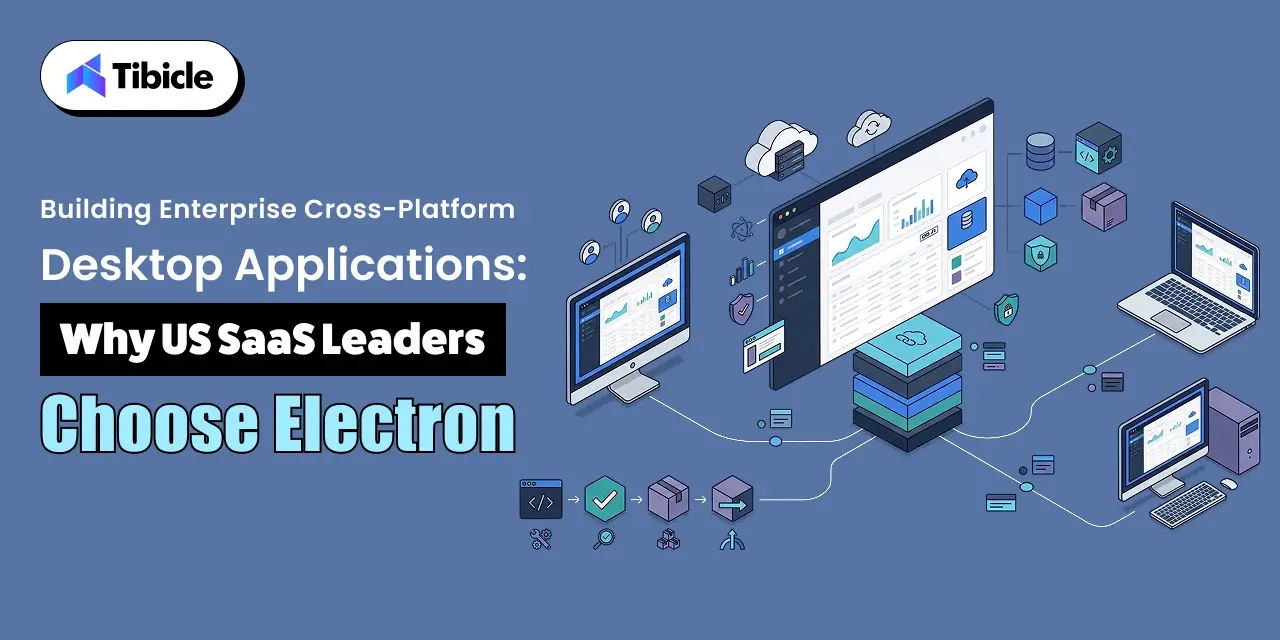
Why US SaaS Leaders Choose Electron for Cross-Platform Desktop Application Development

Technology decisions at enterprise scale are influenced by more than framework capabilities.
Hiring availability, development costs, existing engineering skills, and the availability of proven production applications all affect whether a framework is practical for a growing SaaS company.
Talent Availability: JavaScript Teams vs OS-Specific Specialists
JavaScript remains one of the most widely used technologies among professional developers. The 2025 Stack Overflow Developer Survey reports JavaScript usage at 68.8% among professional developers.
That matters when SaaS companies need to build or expand a desktop engineering team.
An organization can often reuse developers familiar with React, Node.js, TypeScript, and web tooling rather than building separate teams around Swift, Objective-C, C++, and Windows-specific technologies.
The larger talent pool can reduce hiring friction and simplify long-term maintenance.
Cross-Platform Desktop Application Development Cost Per Platform
The biggest cost advantage of Electron comes from reducing duplicated engineering work.
A native strategy may require separate implementation, testing, release, and maintenance work across multiple operating systems. Cross-platform development can centralize much of that effort.
Research2Guidance data cited by industry analysis indicates that cross-platform tools can save more than 30% of development time compared with native approaches.
For a small application, that difference may be modest. Across a multi-year SaaS roadmap with frequent releases, the savings can become significant.
Enterprise Products Already Running on Electron
Electron’s production ecosystem is one reason enterprise teams are comfortable evaluating it.
| Product |
Company |
Primary Use Case |
| Microsoft Teams |
Microsoft |
Enterprise communication and collaboration |
| Postman |
Postman Inc. |
API development and testing |
| GitHub Desktop |
GitHub |
Source control client for engineering teams |
Electron’s official showcase lists Microsoft Teams, Postman, and GitHub Desktop among applications built with Electron.
The broader application development software market also has a strong North American presence. Fortune Business Insights reports that North America accounted for 33.60% of the application development software market in 2025.
Core Architecture Decisions for Cross-Platform Desktop Application Development
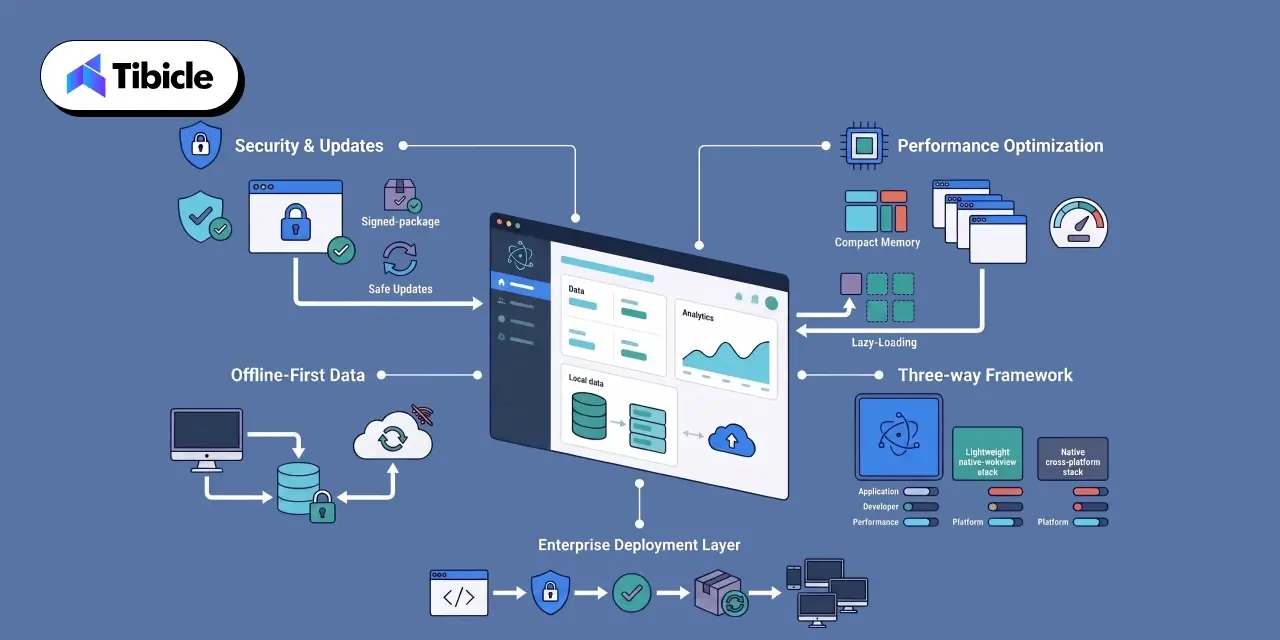
Choosing Electron is only the starting point.
Enterprise applications need an architecture that addresses security, performance, offline workflows, packaging, updates, and long-term maintenance before the application reaches thousands of managed devices.
Security, Code Signing, and Auto-Update Pipelines
A desktop application can execute code directly on a user’s machine, so its distribution pipeline needs strong controls.
Enterprise teams should consider code signing certificates, sandboxed renderer processes, restricted privileges, secure IPC, and a documented update process.
Electron’s security guidance recommends practices such as context isolation, sandboxing, secure content, and keeping Electron current. Packaging and publishing can also be managed through tools such as Electron Forge.
Performance Optimization for Chromium-Based Apps at Scale
Chromium provides a consistent rendering environment, but enterprise applications still need careful performance engineering.
Common practices include:
- Lazy-loading views instead of rendering the full interface at launch
- Limiting the number of active renderer processes per window
- Offloading heavy computation to native modules written in C++ or Rust where needed
The goal is not to avoid Chromium. It is to ensure that the application uses its resources deliberately as the feature set grows.
Cross-Platform Desktop Application Development for Offline-First Data Sync
Enterprise teams working in remote offices, field locations, or unreliable networks may need applications that continue operating without constant connectivity.
An offline-first architecture should define what data is cached, how changes are synchronized, how conflicts are handled, and when local information expires.
The design should also consider encryption and authentication so offline functionality does not become an uncontrolled local data store.
Electron vs Tauri vs .NET MAUI
| Framework |
Typical Install Size |
Talent Pool |
Best Enterprise Fit |
| Electron |
Larger, since Chromium ships with every app |
Largest, JavaScript and React developers |
SaaS dashboards, productivity tools, internal platforms |
| Tauri |
Smaller, uses the operating system’s native WebView |
Smaller, requires Rust for native modules |
Lightweight utilities, security-conscious teams |
| .NET MAUI |
Smaller on Windows, native UI per platform |
Moderate, C# and .NET developers |
Windows-first enterprise tools with cross-platform needs |
The right choice depends on the application’s performance requirements, existing engineering team, operating-system targets, and product roadmap. Electron is strongest when web technologies and a broad talent pool are priorities.
Connecting Enterprise Systems to Cross-Platform Desktop Application Development
Enterprise desktop applications rarely operate as isolated products.
They often need to connect with identity platforms, internal APIs, legacy systems, cloud services, and other business infrastructure.
SSO and Identity Management
Enterprise users expect desktop applications to work with the same identity systems used elsewhere in the organization.
SSO can connect the application to providers such as Microsoft Entra ID, Okta, or other enterprise identity platforms. The architecture should handle authentication securely while allowing organizations to apply centralized access policies.
Connecting to Internal APIs and Legacy Systems
A desktop application may need to communicate with internal REST APIs, GraphQL services, databases, or older enterprise systems.
The desktop client should not become a replacement for the organization’s security layer. Sensitive operations should remain protected by backend authorization, while the client uses secure authentication and controlled API communication.
Data Compliance Considerations for US and EU Teams
Enterprise SaaS products operating across regions may need to consider different requirements for data handling, retention, access, and residency.
US and EU deployments can therefore require different policies even when the desktop application is largely identical.
The architecture should identify where data is processed, where local information is stored, which services receive it, and what controls apply to each deployment environment.
Addressing the Common Enterprise Objections to Electron
Electron is not the right choice for every desktop application.
Enterprise reviewers commonly question resource usage, security, and long-term version management. These concerns are valid, but they can be addressed through architecture and operational discipline.
Memory and Resource Usage at Scale
Chromium adds runtime overhead compared with a lightweight native application.
For enterprise applications, the answer is usually optimization rather than abandoning Electron. Teams can reduce unnecessary renderer work, lazy-load large views, manage background processes carefully, and avoid loading the entire product at startup.
Electron’s architecture also provides access to performance tooling that can help identify memory leaks and expensive operations before they become production problems.
Reducing the Security Surface Area
Electron applications need active security maintenance because they combine a browser engine with desktop capabilities.
Teams should focus on:
- Staying current on Electron version updates
- Disabling Node.js integration in renderers that do not need it
- Maintaining a documented patch process tied to CVE monitoring
Electron’s security guidance specifically recommends context isolation, sandboxing, secure content, current versions, and careful control of IPC and navigation.
Long-Term Version Management Across Windows, macOS, and Linux
Supporting three operating systems does not mean ignoring their differences.
Teams still need to manage OS-specific packaging, signing certificates, permissions, installers, update channels, and testing.
The advantage is that the core application can remain shared while platform-specific requirements are isolated where necessary.
That makes long-term maintenance more manageable than maintaining three completely separate product architectures.
How Tibicle Plans and Delivers Cross-Platform Desktop Application Development Projects
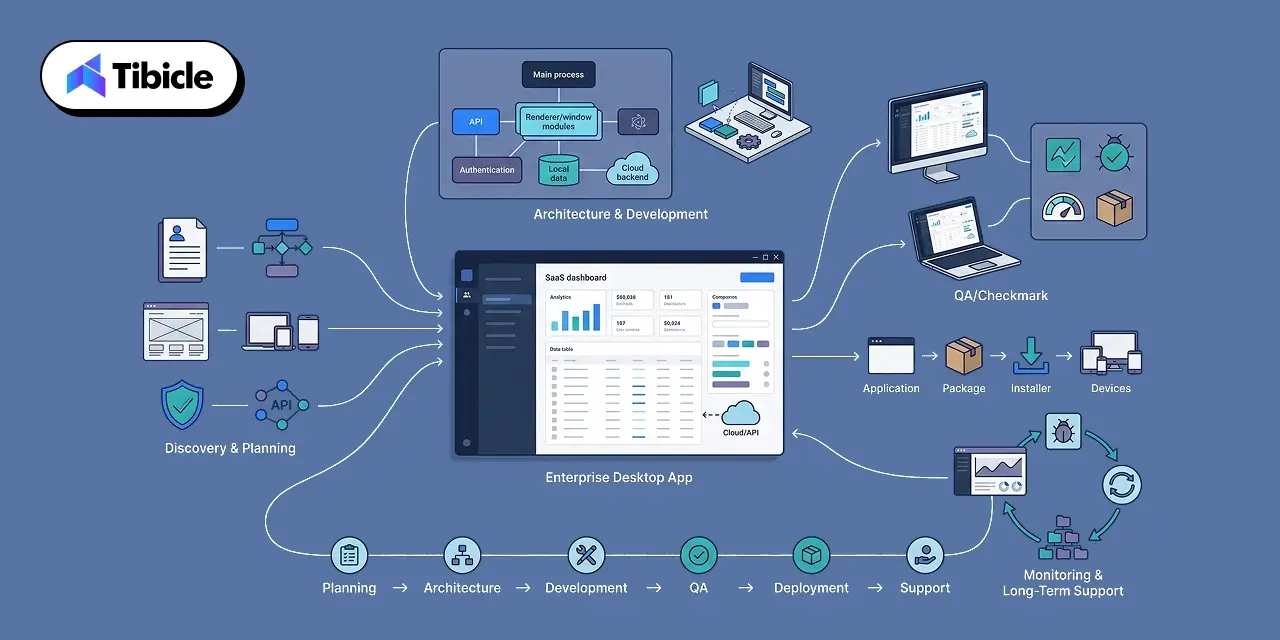
Enterprise desktop development requires more than converting an existing web application into a desktop package.
Tibicle approaches Electron projects around the product requirements, architecture, user workflows, and deployment environment.
Discovery, Architecture, and UI/UX Planning
We begin by understanding the existing SaaS product, target operating systems, user workflows, integrations, offline requirements, and enterprise security expectations.
The architecture is then planned around Electron’s process model, APIs, authentication, data handling, packaging, and update requirements.
Development, QA, and Packaging Across Operating Systems
Development focuses on reusable application components while isolating platform-specific behavior where necessary.
QA covers Windows, macOS, and Linux builds, including application functionality, integrations, packaging, permissions, performance, and update behavior.
Electron’s tooling supports packaging applications and generating platform-specific installers for distribution.
Deployment, Monitoring, and Long-Term Support
Launching the application is only one part of the project.
Tibicle can support deployment workflows, application updates, monitoring, bug fixes, performance improvements, dependency upgrades, and ongoing feature development as the desktop product evolves.
The goal is to create a maintainable desktop application that continues to fit the SaaS product as its user base grows.
Key Takeaways for SaaS and Enterprise Teams
- One codebase: Electron supports Windows, macOS, and Linux with shared development.
- Broader talent pool: JavaScript skills make hiring and maintenance easier.
- Faster releases: Cross-platform development reduces duplicated engineering work.
- Native has its place: Platform-specific needs may still justify native development.
- Enterprise-ready: Security, signing, updates, deployment, and maintenance should be planned from the start.
Ready to build your enterprise cross-platform desktop application? Book a call with Tibicle.
FAQs
What does cross platform desktop application development mean for enterprise SaaS products?
It means building one desktop application architecture that can run across operating systems such as Windows, macOS, and Linux. For SaaS companies, this can reduce duplicated development work while providing users with a dedicated desktop experience and operating-system integration.
Is Electron secure enough for enterprise cross platform desktop application development?
Electron can be used for enterprise applications when security is designed into the architecture. Teams should follow Electron’s security practices, including context isolation, sandboxing, secure content loading, controlled IPC, current Electron versions, code signing, and a documented update process.
How much does Electron app development cost compared to native apps?
There is no fixed percentage because cost depends on application complexity, integrations, operating systems, security requirements, and team structure. Cross-platform research cited by Research2Guidance indicates that cross-platform tools can save more than 30% of development time compared with native development, mainly by reducing duplicated platform work.
Can an Electron desktop app connect to enterprise systems like SSO and internal APIs?
Yes. Electron applications can integrate with enterprise identity providers, SSO systems, REST APIs, GraphQL services, internal platforms, and legacy systems. The important consideration is keeping authentication, authorization, and sensitive business logic protected rather than relying solely on the desktop client.
How long does it take to build an enterprise-grade Electron desktop application?
The timeline depends on the product scope. A lightweight internal desktop utility can take significantly less time than a multi-platform SaaS client with SSO, offline synchronization, enterprise integrations, automated updates, and security requirements. Discovery and architecture planning are important for producing a realistic estimate.
Does Tibicle handle Electron desktop application projects end to end?
Yes. Tibicle can support Electron projects from discovery and architecture through UI/UX, development, cross-platform QA, packaging, deployment, updates, monitoring, and ongoing maintenance. The exact delivery model depends on the application’s requirements, existing SaaS infrastructure, and target operating systems.