
Hire Category: Firebase Developer
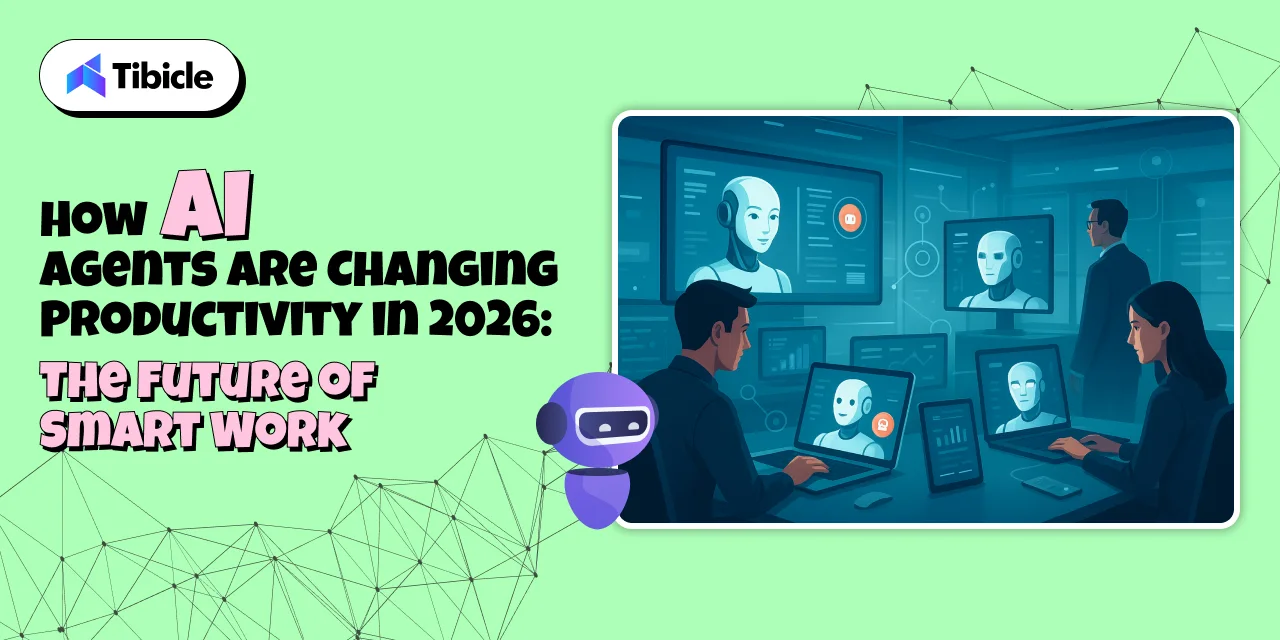
AI Agents Boosting Productivity in 2026: The Future of Smart Work
Introduction: The Shift from Hard Work to Smart Work
In 2026, the future of productivity is not just about doing more; it’s about working smarter.
Thanks to AI agents, individuals and organizations can now delegate repetitive, time-consuming tasks to intelligent digital assistants that can plan, execute, and learn autonomously.
These AI-powered agents act as co-workers, not just tools, managing projects, scheduling meetings, analyzing data, and even making smart recommendations. The result?
A world where humans focus on creativity, innovation, and strategic thinking while AI handles the rest.
The Traditional Productivity Struggle
Before the era of AI agents, boosting productivity meant more manual work, more apps, and more hours.
People spent countless hours managing emails, meetings, and data entry, leaving little time for creativity or innovation.
Traditional productivity challenges included:
- Repetitive administrative tasks
- Poor visibility into project progress
- Constant context switching between tools
- Employee burnout from workload overload
Even with tools like Trello, Asana, or Slack, the process still required human direction.
The dream of “autonomous productivity” was missing until AI agents arrived.
What Exactly Are AI Agents?
An AI agent is more than just a chatbot or assistant. It’s an autonomous system that can perceive information, make decisions, and take action, all while learning and improving over time.
These agents use a combination of:
- Natural Language Understanding (NLU): To interpret human instructions.
- Machine Learning (ML): To learn from behavior and adapt.
- Reasoning & Planning: To decide the best course of action.
- APIs & Integrations: To connect with tools like Google Workspace, Slack, Notion, or CRMs.
They are like digital team members capable of doing everything from managing projects to writing reports.
How AI Agents Are Transforming Productivity in 2026
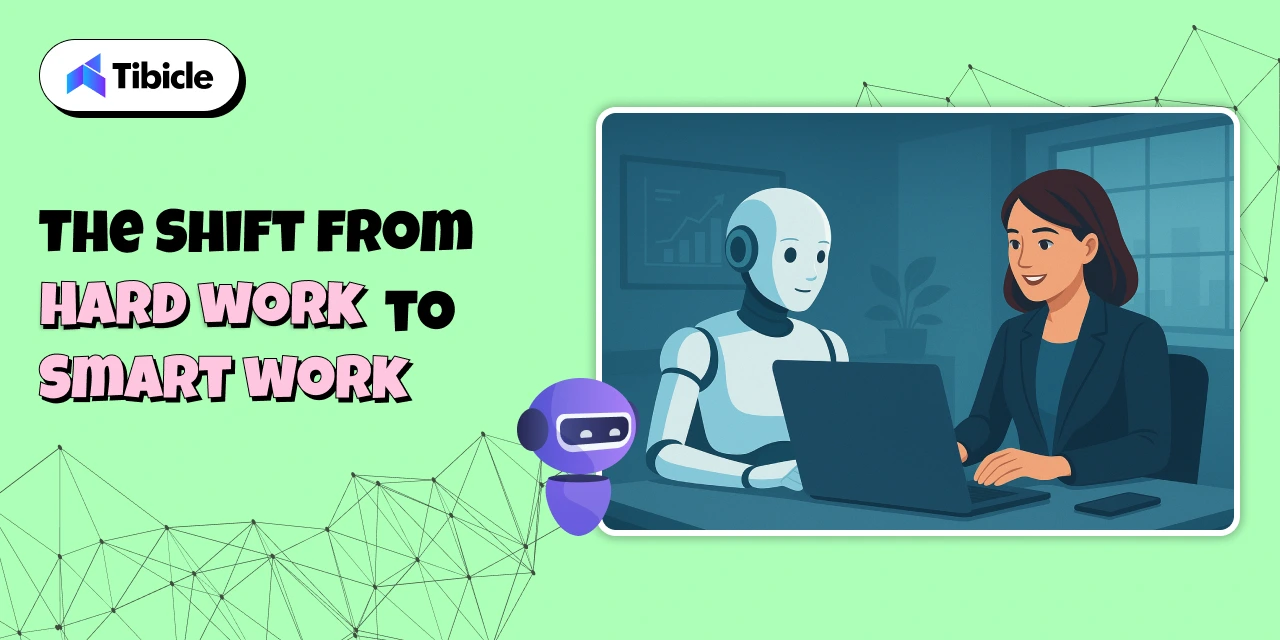
AI agents have redefined what productivity means. They’ve moved beyond reminders and automation; they’re now thinking partners that help teams achieve more in less time.
Here’s how:
1. Automated Task Execution
AI agents take over repetitive, low-value tasks so humans can focus on strategic work.
They can:
- Schedule and reschedule meetings automatically
- Draft and send professional emails
- Generate reports or presentations
- Update tasks in project management tools
- Manage data entry or documentation
💡 Example:
A marketing AI agent can write blog outlines, plan social media campaigns, generate captions, and analyze engagement metrics, freeing marketers to focus on creativity and strategy.
2. Intelligent Decision Support
AI agents don’t just automate, they analyze and advise.
Using advanced data processing, they can:
- Interpret real-time data
- Detect performance trends
- Provide actionable recommendations
💡 Example:
A sales AI agent can forecast revenue, identify high-potential leads, and suggest which deals to prioritize — enabling faster and smarter decision-making.
This is where data-driven productivity replaces guesswork with precision.
3. Seamless Cross-App Collaboration
Modern professionals juggle multiple tools, email, Slack, Notion, Google Docs, CRMs, and constantly switch between them.
AI agents integrate these apps into a single connected workflow, ensuring smooth data sharing and communication.
They can:
- Sync files automatically
- Update multiple systems simultaneously
- Create unified dashboards across tools
💡 Example:
When you upload a client proposal to Google Drive, your AI agent can automatically notify your team on Slack and log the update in your CRM.
4. Personalized Productivity
AI agents don’t follow a one-size-fits-all approach.
They learn your work style, habits, and goals to create a personalized productivity ecosystem.
They can:
- Prioritize tasks based on your focus hours
- Suggest optimal meeting times
- Remind you to take breaks when fatigue is detected
- Summarize your workday insights
💡 Example:
Your AI agent notices you’re most productive in the morning and automatically schedules deep-focus tasks before noon while postponing meetings to the afternoon.
5. Human–AI Collaboration
In 2026, AI agents aren’t replacing people, they’re collaborating with them.
Imagine a team where each member is supported by a dedicated AI partner that:
- Manages their routine
- Tracks performance
- Suggests workflow improvements
Together, these human-AI partnerships create hyper-productive environments where decisions are faster, errors are fewer, and outcomes are better.
Why AI Agents Are Changing the Game
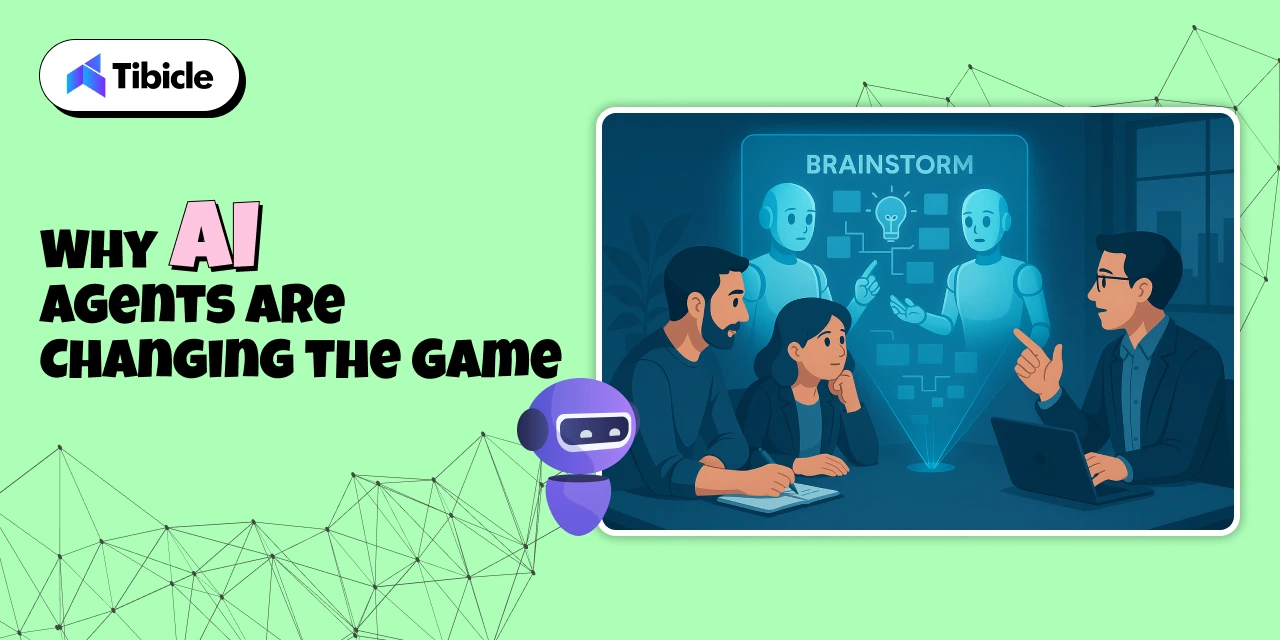
The impact of AI agents goes beyond automation; they represent a new mindset around efficiency and collaboration.
Here’s why businesses and individuals are adopting them rapidly:
1. Time Savings
What used to take hours now takes minutes. AI agents handle the grunt work, leaving humans to focus on strategy.
2. Reduced Costs
Automation cuts the need for extra hires, project delays, and repetitive human work, saving both time and money.
3. Better Data Insights
AI agents continuously analyze work patterns and results, providing real-time insights to improve performance.
4. 24/7 Availability
They never sleep. Whether it’s scheduling meetings or analyzing data, AI agents keep operations running smoothly around the clock.
5. Easy Scalability
From solo professionals to large enterprises, AI agents can scale across teams and departments effortlessly.
Who Can Benefit from AI Agents
AI agents are built for everyone, not just tech companies.
1. Startups and Entrepreneurs
Startups thrive on speed and flexibility, and AI agents deliver both.
They help founders:
- Manage customer onboarding
- Track investor communications
- Automate marketing campaigns
- Collect and analyze user feedback
💡 Example:
A founder uses an AI agent to manage leads, track sales progress, and auto-generate reports for investors.
2. Remote Teams
AI agents make remote collaboration seamless.
They can coordinate across time zones, send daily updates, and keep projects aligned.
They handle:
- Automated check-ins
- Task tracking
- Meeting scheduling
- Progress reporting
This ensures everyone stays on the same page without endless video calls or manual updates.
3. Enterprises
Enterprises use AI agents to streamline processes across HR, marketing, finance, and operations.
- HR agents can screen resumes and schedule interviews.
- Finance agents can track budgets and send payment alerts.
- Marketing agents can monitor campaign KPIs and generate weekly reports.
The result: faster decisions, leaner teams, and measurable ROI.
4. Freelancers and Solopreneurs
Freelancers often juggle multiple projects and clients.
AI agents help them:
- Manage invoices
- Send proposals
- Automate client updates
- Track deadlines
They free up creative professionals to focus on what they do best, creating, not administrating.
How to Get Started with AI Agents
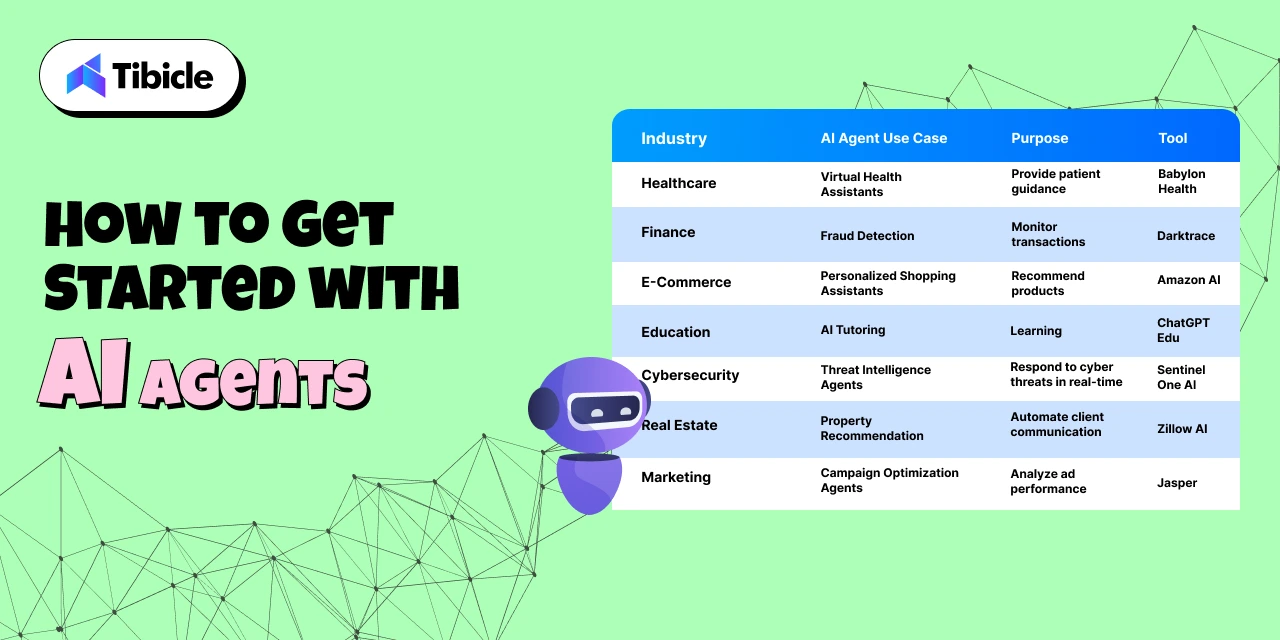
Adopting AI agents doesn’t have to be complicated. Here’s a simple roadmap:
1. Identify Repetitive Tasks
List the top 5 repetitive tasks that consume your team’s time. These are perfect for automation.
2. Choose the Right Platform
Popular AI agent platforms in 2026 include:
- OpenAI GPTs (customized for teams)
- Microsoft Copilot
- Adept ACT-1
- Anthropic Claude Agents
Choose one that integrates easily with your existing tech stack.
3. Start Small, Scale Fast
Automate one process first, like scheduling or reporting, and expand gradually.
4. Train Your AI Agent
Feed it your communication tone, preferred workflows, and business goals. The more it learns, the smarter it gets.
5. Measure and Optimize
Track how much time or cost you save monthly. Use insights to refine your AI workflows further.
Challenges and Considerations
While AI agents offer massive advantages, thoughtful adoption is key.
Potential challenges include:
- Data Privacy: Ensure your AI tools comply with data protection regulations.
- Accuracy: Always verify AI-generated results before acting on them.
- Human Oversight: AI should assist, not replace, human decision-making.
- Training Time: AI agents improve with consistent feedback and usage.
Balanced integration is crucial; combining human intuition with AI efficiency leads to the best outcomes.
The Future: Human + AI Collaboration
By 2026, we’re seeing the rise of a symbiotic workspace where humans bring creativity, and AI brings precision and speed.
AI agents will continue to evolve, learning faster, integrating deeper, and collaborating more naturally.
Organizations that embrace this shift early will experience:
- Rapid innovation cycles
- Smarter, data-driven decision-making
- Leaner, more efficient operations
Partner With Tibicle to Automate Your Workflow
At Tibicle, we help startups, enterprises, and entrepreneurs harness the power of AI automation.
Our team specializes in building and integrating custom AI agents that boost productivity and streamline daily operations.
Here’s how we can help:
- Understand your business challenges
- Design custom AI agent workflows
- Integrate with your existing tools (e.g., CRM, Notion, Slack)
- Optimize and scale as your needs evolve
Let’s turn your business into an AI-powered productivity engine.
You can schedule a free consultation or share your project goals, and our experts will guide you step-by-step.
Key Takeaways
- AI agents automate repetitive tasks, saving time and cost
- They enable smarter, data-driven decision-making
- Perfect for startups, enterprises, and freelancers
- The future of productivity is human + AI collaboration
- Tibicle helps businesses integrate AI agents for real, measurable results
Frequently Asked Questions (FAQs)
- What exactly are AI agents?
AI agents are intelligent software systems that can understand, plan, and execute tasks autonomously, improving efficiency and reducing manual work. - How are AI agents different from chatbots?
Chatbots follow fixed rules and respond to queries, while AI agents can reason, make decisions, and perform multi-step actions across various platforms. - Can small businesses afford AI agents?
Yes! Many cloud-based AI solutions are affordable and scalable, making automation accessible even to startups and freelancers. - Do AI agents replace human jobs?
Not exactly. AI agents handle repetitive work so humans can focus on creativity, problem-solving, and innovation, leading to smarter job roles. - Which AI agent platforms are popular in 2026?
Top platforms include OpenAI GPTs, ChatGPT Teams, Microsoft Copilot, and Adept ACT-1, each offering unique automation capabilities.
From Idea to Reality: A Step-by-Step Guide to Building Your MVP
Introduction
Every successful product you see today, like Airbnb, Dropbox, or Instagram, started with a simple idea. However, an idea alone isn’t enough. Many promising concepts never make it to market because their execution is unclear, rushed, or doesn’t meet real user needs.

This is where a Minimum Viable Product (MVP) comes in. An MVP is the simplest, functional version of your idea that addresses a real problem for your audience. It’s not about creating a perfect product or adding every feature at once. Instead, it’s about testing, learning, and confirming your concept before putting in significant time and resources.
Starting with an MVP allows you to:
- Test if your idea resonates with real users.
- Save time and money by building only what’s essential.
- Gather feedback early to improve your product iteratively.
In this guide, we will walk you through the steps to turn your idea into reality. You will learn what to do and what to avoid, along with real-life examples of successful MVPs that started small but grew significantly. Whether you are an entrepreneur, a small business owner, or someone with an idea ready to take off, this guide will help you move from concept to execution with confidence.
What is an MVP?
A Minimum Viable Product (MVP) is the first working version of your idea. It includes just enough features to solve the main problem for your audience. Think of it as a test version; it demonstrates your concept in action without all the extra details.
It’s important to understand the difference between a prototype, an MVP, and a final product:
- Prototype: A rough draft or model of your idea. Often just a sketch or clickable mockup to show how it might work. It’s mostly for planning and testing ideas internally.
- MVP: A usable product that real people can try. It has the minimum features needed to address a real problem and gather feedback.
- Final Product: The polished, full-featured version of your idea, built after testing and learning from the MVP.
Example:
- Dropbox: Before building the full file-syncing software, Dropbox created a simple demo video showing how it would work. That MVP helped them test the idea and gather real interest before investing in development.
- Airbnb: Started by renting out a single apartment to see if people would pay to stay in someone else’s home. That small MVP validated the concept before scaling globally.
In short, an MVP is your safest first step. It helps you test if your idea addresses a real problem and if people are willing to use it. Plus, it allows you to do this without spending too much time or money at the start.
Why Start with an MVP?
Jumping right into creating a full product can be tempting, especially when your idea feels exciting. However, the truth is that many ideas fail not because they are bad but because they are not tested or are built too extensively.
Starting with an MVP offers you several benefits:
- Validate Your Idea Early
Instead of assuming people will love your idea, an MVP lets you test it with real users. You get to see if it solves a real problem and whether people are willing to use it.
- Save Time and Money
Building a full-fledged product requires significant resources. An MVP allows you to focus only on the core features that matter, reducing wasted effort on things people may not want.
- Learn from Real Feedback
Early users provide invaluable insights. Their feedback helps you improve, refine, and prioritize features for the final product.
- Reduce Risks
By testing your concept early, you avoid investing heavily in an idea that might not work. It’s a way to fail fast, learn fast, and adjust your plan.
Real-Life Example:
- Instagram: When Instagram started, it wasn’t the full-featured app we know today. Its MVP simply allowed users to take a photo, apply a filter, and share it. By focusing on this single feature, the founders validated user interest, collected feedback, and gradually added more features like stories and direct messages.
Step-by-Step Process: From Idea to MVP
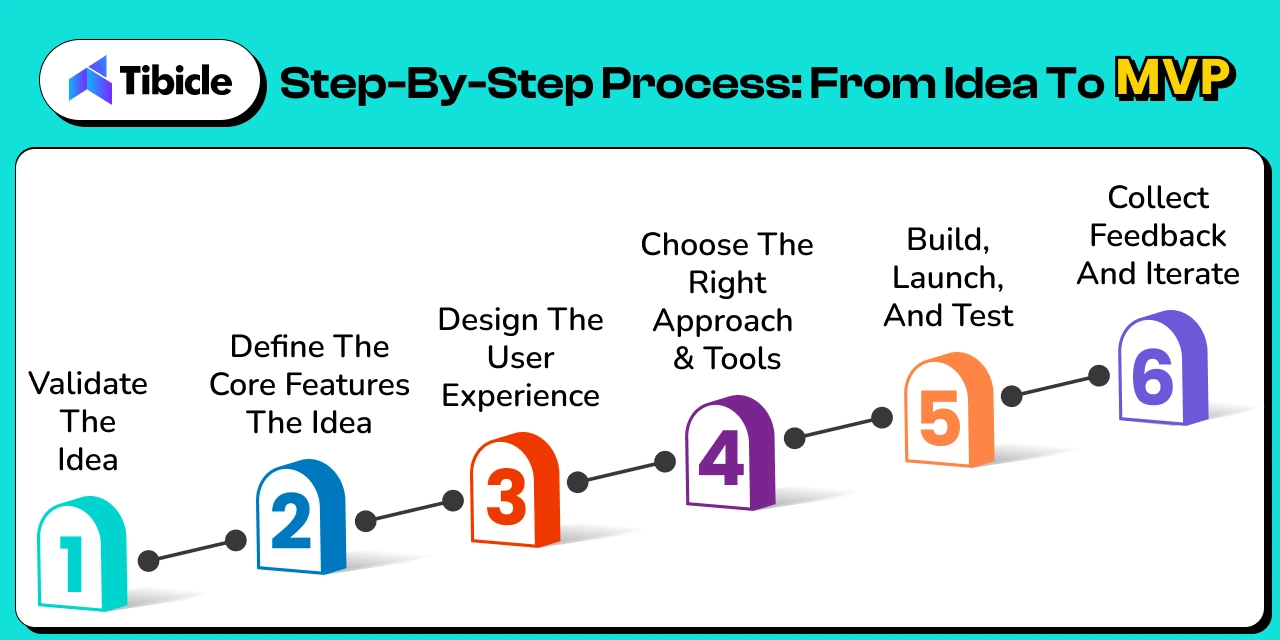
Step 1: Validate the Idea
Every idea seems exciting in your head. The real test is whether it solves a real problem for real people. Start by understanding your potential audience. What challenges do they face? How are they currently dealing with these challenges? Validation can be as simple as talking to potential users, observing existing solutions, or running small surveys.
The goal is to confirm demand before building anything. A validated idea gives you confidence that the problem is worth solving. This reduces the risk of wasted effort later.
Tip: Ask questions like:
|
Step 2: Define the Core Features
Once your idea is validated, focus on the essential features that solve the main problem. It’s easy to get carried away and add every feature you think of, but that complicates the MVP and slows down learning.
Make a list of must-have features that provide value right away. Everything else, like extra options or nice-to-haves, can wait until later. By keeping the MVP lean, you can launch quickly, test, and gather meaningful feedback.
| Tip: Prioritize features based on impact on the core problem. If a feature doesn’t directly solve it, leave it out for now. |
Step 3: Design the User Experience
With the main features defined, picture how users will engage with your product. Create wireframes, mockups, or simple sketches to plan the layout and flow. This helps you spot potential usability problems and makes sure everyone on your team understands how the MVP should function.
Even a basic, clickable prototype can be effective. It’s not about creating something flawless; it’s about turning your idea into something real, testable, and easy to grasp.
| Tip: Focus on clarity of navigation and user flow rather than polished visuals. Early feedback is more valuable than perfect design. |
Step 4: Choose the Right Approach & Tools
Decide how to build your MVP based on your skills and resources. Non-technical founders can use no-code or low-code platforms to launch quickly. More complex ideas may need you to work with developers or IT service providers.
Focus on speed, flexibility, and ease of iteration. Avoid complicating things with advanced tools or features that aren’t necessary for testing your concept.
| Tip: Pick tools that allow fast changes based on user feedback. The MVP should be easy to adapt. |
Step 5: Build, Launch, and Test
Now it’s time to launch your MVP. Concentrate on the main features and release it to a small, specific audience. Early testing allows you to see how users engage, what they enjoy, and what leads to difficulties.
This stage focuses on learning, not perfection. The information you collect is crucial for improving your product, addressing usability problems, and figuring out which features are genuinely valuable.
| Tip: Treat this as an experiment, collect user feedback, track behavior, and make improvements step by step. |
Step 6: Collect Feedback and Iterate
Launching the MVP is just the beginning. Engage with early users to understand their experiences and improve based on their insights. Add features gradually, but only when they address real, verified problems.
Iteration helps your product develop based on actual user needs instead of guesses. A product built this way has a much better chance of success when you scale.
| Tip: Keep a feedback log and prioritize improvements based on impact versus effort. Consistent small updates often lead to the most meaningful results. |
What NOT to Do When Building an MVP
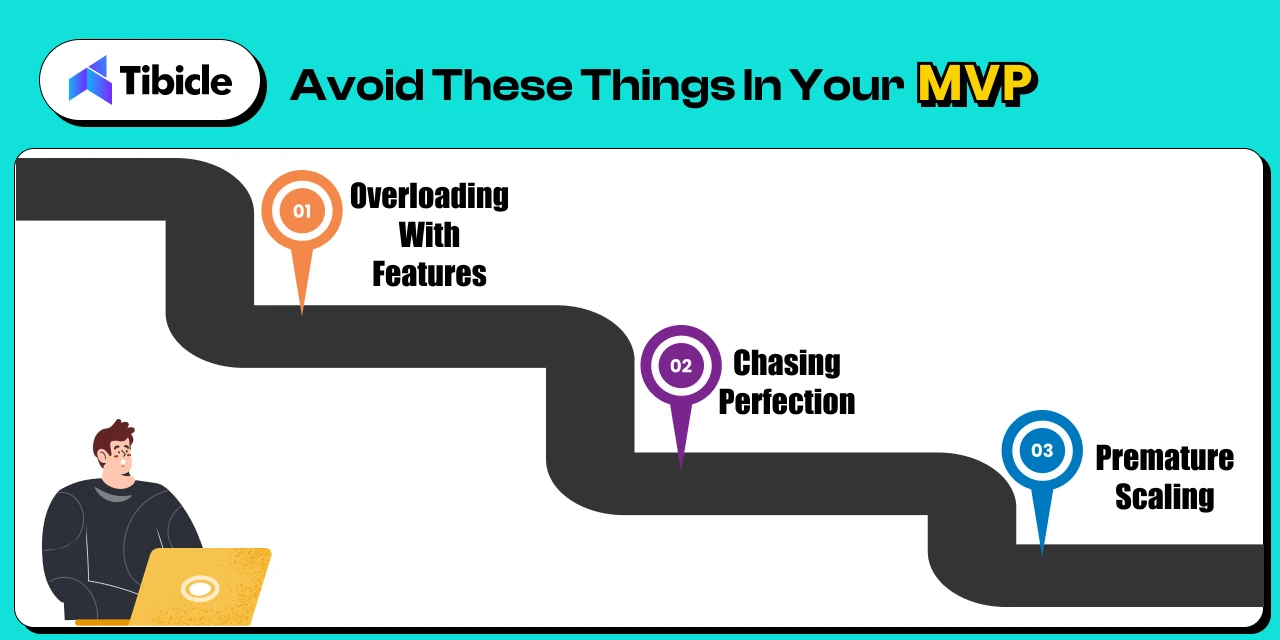
Even the most promising ideas can fail if the MVP is executed poorly. It’s not just about building quickly; it’s about creating the right product and avoiding common mistakes that waste time, resources, and user trust. Here are the three biggest pitfalls to watch out for when developing your MVP:
- Overloading with Features: Adding too many features to your MVP can overwhelm users and distract from the main problem. The purpose of an MVP is to test the essential functions, not to show every idea at once. Too many features can slow down development and make it difficult to gather clear feedback on what matters to users.
- Chasing Perfection: Delaying the launch to make the product flawless can stop you from testing your idea in the real world. An MVP should be functional and usable, not perfect. Waiting too long can waste time, miss market opportunities, and limit your learning from real user behavior.
- Premature Scaling: Expanding too quickly, whether by launching to a large audience or adding complex features before validating the MVP, can backfire. Premature scaling often wastes resources and creates unnecessary complications at this early stage. It’s important to validate, iterate, and refine before growing.
Execution Examples: Real-Life Stories
Ideas alone don’t guarantee success. Execution is what turns a concept into a thriving product.
Facebook is a prime example. It wasn’t the first social network. Friendster and MySpace came before it. What made Facebook successful was its focused execution. Mark Zuckerberg started small, targeting Harvard students, and gradually expanded to other universities. This careful step-by-step growth, combined with steady improvements and a clean product, allowed Facebook to thrive while others disappeared.
McDonald’s shows the power of execution. The McDonald brothers ran a small but innovative restaurant. Ray Kroc saw its potential. By systemizing processes, standardizing recipes, and franchising the model, he turned a small eatery into the world’s largest fast-food chain. While selling burgers wasn’t unique, executing a scalable and consistent model made all the difference.
These examples highlight a key lesson: ideas are just seeds. Execution, building, testing, iterating, and scaling thoughtfully is what helps them grow into successful ventures.
Key Takeaways
- Focus on solving the core problem with essential features.
- Launch early to gather insights from real users.
- Iterate based on actual feedback and learning.
- Avoid overcomplicating, overbuilding, or scaling prematurely.
Conclusion
Building an MVP is not just about making a bare-bones version of your ideal product; it’s about creating the right version at the right time. An MVP helps you test your assumptions, validate your idea, and learn from real users without spending too much time or money. By starting small, focusing on key features, and improving based on feedback, you position yourself for long-term success.
Whether you’re an entrepreneur, a small business owner, or someone with a concept ready to develop, the MVP approach makes sure that every decision you make is informed and strategic. It focuses on what your audience truly needs. Execution, careful planning, and ongoing learning are what turn ideas into reality.
At Tibicle, we help businesses transform ideas into scalable MVPs, whether it’s a Web App, Mobile App, SaaS platform, or AI-powered solutions. If you have an idea and want to see it come to life efficiently and effectively, we’d love to partner with you and guide you from concept to execution.
You can schedule a call from here or share your requirement from here, and our team will get back to you promptly to discuss the best approach for turning your idea into reality.
Top 25 AI Tools Revolutionizing Digital Workflows in 2026
Introduction
Artificial Intelligence is no longer futuristic—it’s the engine powering digital innovation in 2026. From full-stack web apps and SEO content to UI design and code automation, AI is reshaping how we build and scale digital experiences. Today’s creators, startups, and enterprise teams all demand faster execution, smarter workflows, and higher creativity and AI delivers exactly that. The challenge? With hundreds of new platforms launching every month, finding the right tools can feel overwhelming.
That’s why we’ve curated this guide to the 25 most powerful AI tools worth your time. Each is chosen for its real-world impact, ease of adoption, and ability to supercharge workflows across five key categories.
- Content Creation – Platforms that produce videos, voiceovers, graphics, and articles, often from just a few lines of text.
- Web & App Creation – Tools that help create websites, apps, and UI components using natural language or visual inputs.
- SEO & Digital Marketing – Assistants that improve keyword use, automate outreach, and boost content visibility.
- Design Tools – AI platforms that turn sketches or prompts into brand assets, wireframes, and design systems.
- Developer Assistance – Tools focused on smart code suggestions, debugging, and real-time software development support.
Whether you’re prototyping an idea, launching a product, or scaling creative output, these tools will help you work faster, think bigger, and get more done with less manual effort.
Overview of Top 25 AI Tools by Category
Before diving into individual features and use cases, here’s a snapshot of the 25 tools categorized by their core functionality.
I. AI Tools for Content Creation
(Generate videos, visuals, voiceovers, and media content with ease)
- Imagine Art: Real-time image/video generation
- Google Veo3: Cinematic AI video generator
- Sora: Text-to-video storytelling tool
- OpusClip: AI-powered short video creator
- Hey Gen: AI avatar-based video production
II. AI Tools for Web & App Creation
(Generate website and app wireframes, design structures, and deploy full-stack applications)
- Relume: Website wireframes from prompts
- Lovable: Prompt-based web & app builder
- Bolt: Instant AI web app generator
- Firebase Studio: Firebase-integrated app builder
- Replit: Collaborative, AI-powered coding platform
III. AI Tools for SEO & Digital Marketing
(Automate keyword planning, content optimization, and outreach)
- Writesonic: AI content & ad generation
- SE Ranking: Keyword research and tracking tool
- Clearscope: Content scoring and SEO assistant
- Airops: SEO automation and workflow integration
- Pitchbox: Outreach and link-building automation
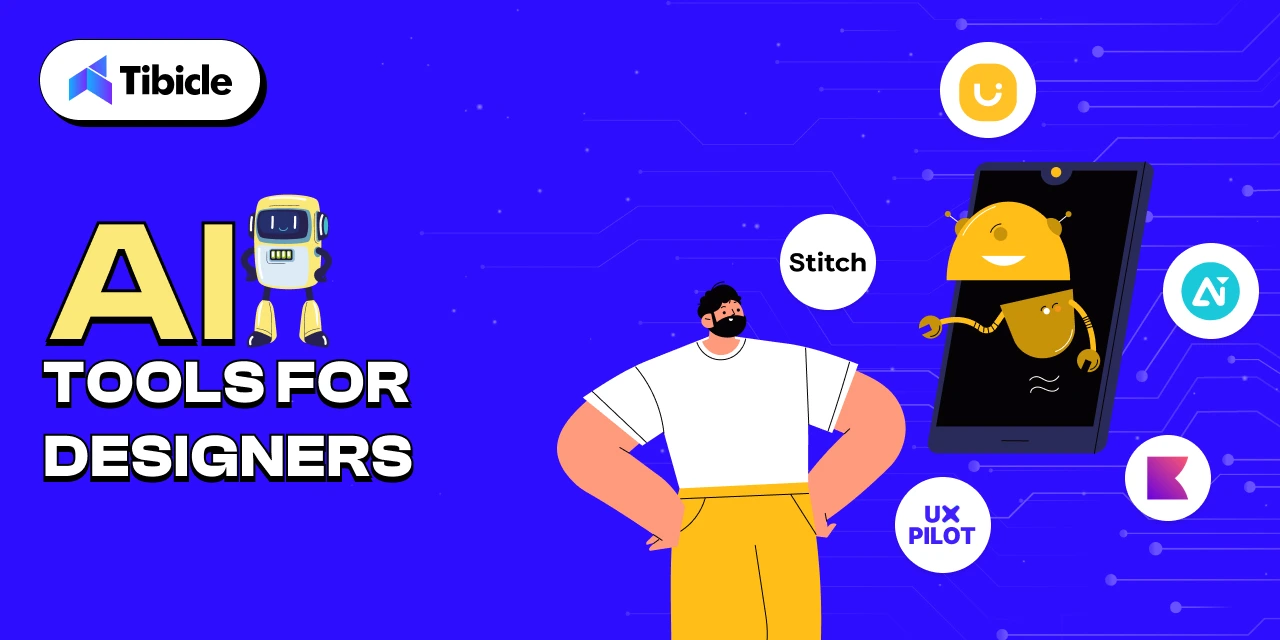
IV. AI Tools for Designers
(Convert sketches, prompts, or screenshots into complete UI/UX elements and branding assets)
- Uizard: Sketch-to-UI prototyping tool
- Stitch (formerly Galileo AI): Prompt-based UI designer
- UX Pilot: AI-based UX suggestions from screens
- Designs.ai: Branding suite logo, video, social media assets
- Khroma: AI-generated color palettes
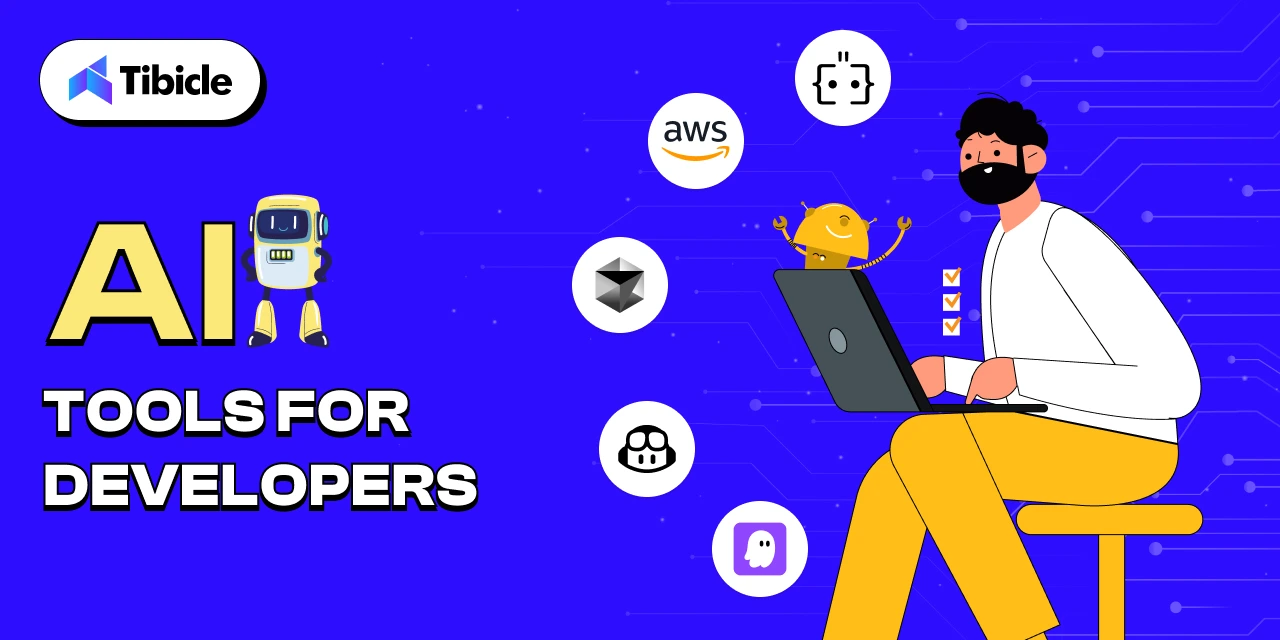
V. AI Tools for Developers
(Speed up coding, debugging, and software creation with AI assistance)
- Kiro: AI pair programming assistant
- GitHub Copilot: Context-aware code suggestions
- Cursor: AI-first code editor
- Amazon CodeWhisperer: AI coding for cloud development
- Augment Code: Intelligent code generator and explainer
Let’s explore each tool in more detail, category-wise.
I. AI Tools for Content Creation
From videos to voiceovers and graphics, content generation is now mostly automated. These tools turn simple prompts into production-ready media assets ideal for creators, marketers, educators, and businesses looking to scale content output while saving time and effort. Visual storytelling has never been more accessible.
-
Imagine Art: https://imagine.art
This powerful tool turns text prompts into visuals or animated videos instantly. It’s excellent for marketing, social media, and brand storytelling when you need eye-catching visuals quickly.
-
Google Veo3: https://ai.google
Developed by Google, Veo3 adds a cinematic touch to AI-generated video. It’s perfect for creating engaging ad campaigns, intros, or explainer videos.
I gave Veo3 a detailed prompt, uploaded a photo of our actual office, and the result? Monkey Bhai, a trending-style AI vlogger, casually films his “Day in our office.”
It’s surreal, hilarious, and a perfect example of how personalized and imaginative these tools can be.
| Want to create your version? Upload any space photo, describe your scene, and let Veo generate something incredible. The possibilities are endless. |
-
Sora: https://openai.com/sora
From the creators of ChatGPT, Sora lets you input a story or script and returns a visually rich video output. It’s ideal for educators, marketers, and creators alike.
-
OpusClip: https://www.opus.pro
OpusClip breaks down long videos into short, viral clips optimized for platforms like TikTok and YouTube Shorts. It’s essential for repurposing content.
-
Hey Gen: https://www.heygen.com
Create videos with virtual avatars that look professional and realistic. It’s great for tutorials, onboarding, or corporate messaging without any filming.
II. AI Tools for Web & App Creation
Creating websites and apps is faster than ever, with AI handling everything from wireframes to full-stack deployment. Whether you’re a developer, product manager, or startup founder, these tools help convert ideas into working digital products using just a few prompts or sketches. No need to start from scratch, these tools dramatically speed up prototyping and launch.
-
Relume: https://www.relume.io
Relume allows users to create complete website wireframes using natural language prompts. This speeds up the early design process and helps product teams iterate faster on layout and structure. It’s perfect for coming up with ideas, client presentations, or planning minimum viable products.
-
Lovable: https://www.lovable.so
Lovable enables users to create entire websites or mobile app layouts by simply describing what they want in plain English. It’s ideal for quick prototyping and connecting ideas with execution.
-
Bolt: https://bolt.new/
Bolt turns prompts into full-stack, working web apps within minutes. It supports many use cases from dashboards to form-based apps and allows for easy customization.
-
Firebase Studio: https://firebasestudio.dev
This tool lets you build apps that are closely integrated with Firebase services. It’s great for developers and startups looking for scalable, secure backends with real-time data, authentication, and more.
-
Replit: https://replit.com
Replit lets individuals and teams code in the browser with real-time collaboration and AI suggestions. It’s a great choice for pair programming, hackathons, and teaching code.
III. AI Tools for SEO & Digital Marketing
Smart marketing isn’t just about content; it’s about visibility, targeting, and automation. These AI tools optimize everything from keyword research and content scoring to outreach and link building. If you’re aiming to boost traffic or conversion rates, this section has the right digital assistants for you.
-
Writesonic: https://writesonic.com
Writesonic helps you write blogs, landing pages, ad copy, and more, all optimized for conversions and SEO. It’s a go-to for marketers and founders scaling content output.
-
SE Ranking: https://seranking.com
This tool makes competitive analysis, keyword tracking, and SEO audits easier. Its user-friendly dashboard makes it accessible even for those not experienced in SEO.
-
Clearscope: https://www.clearscope.io
Clearscope provides real-time recommendations to boost your content’s SEO score. It’s perfect for editors, content strategists, and freelance writers.
-
Airops: https://airops.com
Airops simplifies complex SEO tasks like updating sitemaps, fixing broken links, and managing internal linking through automated workflows.
-
Pitchbox: https://pitchbox.com
Pitchbox manages influencer outreach, backlink acquisition, and follow-ups, making manual cold emailing unnecessary.
IV. AI Tools for Designers
Designing UI, branding assets, or visual systems can now begin with just a rough idea or sketch. These tools empower designers to move from concept to polished output with incredible speed. Whether you’re a solo designer or working with a product team, this section shows how AI can amplify your creative workflow.
-
Uizard: https://uizard.io
Uizard allows you to upload hand-drawn sketches or screenshots and turns them into interactive UI designs. It’s an excellent tool for early-stage product brainstorming.
-
Stitch (formerly Galileo AI): https://www.stitch.design
Stitch creates responsive UI layouts from simple prompts, helping designers and developers speed up wireframing and prototyping.
-
UX Pilot: https://uxpilot.ai
UX Pilot reviews screens and offers practical UX improvements based on usability principles. It’s a great companion for boosting conversion rates.
-
Designs.ai: https://designs.ai
This all-in-one tool generates brand kits, videos, and social media creatives from just a few prompts. It’s perfect for startups launching their first brand identity.
-
Khroma: https://www.khroma.co
Khroma uses machine learning to create color palettes tailored to your taste and brand identity. It’s great for designers seeking inspiration or clients who can’t decide on colors.
V. AI Tools for Developers
AI is changing how developers write, debug, and understand code. From real-time code suggestions to full explanations and even entire functions generated from natural language, these tools are invaluable for teams of all sizes. Whether you’re building complex systems or onboarding new engineers, this lineup will boost productivity.
-
Kiro: https://kiro.dev/
Kiro provides real-time programming help, context-aware suggestions, and debugging support. Consider it your always-available coding partner.
-
GitHub Copilot: https://github.com/features/copilot
Trained on millions of public codebases, GitHub Copilot writes and fills in code in real-time, making it perfect for faster development.
-
Cursor: https://www.cursor.sh
Cursor is a developer-centric editor with integrated AI support, code explanations, and test suggestions, built for speed and clarity.
-
Amazon CodeWhisperer: https://aws.amazon.com/codewhisperer
Made for AWS development, CodeWhisperer helps with writing and understanding code for cloud-based applications.
-
Augment Code: https://augmentcode.com
Augment Code writes and explains complex snippets, making it easier to debug and collaborate within teams. It’s great for onboarding junior developers.
Final Thoughts
As artificial intelligence continues to evolve at a rapid pace, it’s no longer just a helpful add-on to digital workflows; it’s fundamentally transforming how work gets done across industries. These AI tools are not only enhancing productivity but also expanding the boundaries of what’s possible in software development, digital marketing, UI/UX design, and content creation. They empower individuals and teams to work smarter, automate repetitive processes, and focus on strategic, high-impact tasks.
From writing production-ready code and generating on-brand designs to creating search-optimized content and launching entire digital experiences, AI is now at the center of digital innovation. This shift is particularly powerful for solo creators, fast-growing startups, and enterprise teams alike, enabling them to scale faster, reduce time-to-market, and explore new creative directions with fewer resources.
But it’s not just about working faster, it’s about unlocking new possibilities. The right AI tools allow people to push past limitations that once required large teams or specialized expertise. With the right setup, even small teams can operate at enterprise scale.
In today’s competitive digital landscape, integrating AI where it matters isn’t just a productivity boost; it’s a strategic advantage.
At Tibicle, we specialize in building AI-driven products that are not only functional but future-ready. From custom SaaS platforms and intelligent automation to next-gen web apps with LLM and voice tech, our team delivers end-to-end solutions tailored to your needs.
If you’re looking to build a custom Web, App, or SaaS product with AI capabilities, our expert team is here to help.
You can schedule a call from here or share your requirement from here, and our team will get back to you.