0%
Aegis Time Tracker
Aegis Time Tracker

Case Study

Aegis Time Tracker

A custom-built desktop time tracking application that gives teams accurate, screenshot-verified visibility into work hours and breaks installed natively across Windows, macOS, and Linux, no browser tab required.

Industry
Workforce Management
Solution Type
Employee Time Tracking System
Duration
2 Months
Services
Desktop App (Electron, Windows, macOS & Linux)

Project Summary

The client approached Tibicle to replace manual, honor-system time logging with a dependable way to track employee work hours across a mixed device fleet. Tibicle designed and developed Aegis Time Tracker, a native desktop application built with Electron so it installs directly on any employee's machine Windows, macOS, or Linux and runs in the background to log work hours, breaks, and screenshots automatically, giving managers a clear, synced view of daily and weekly performance.
Project Summary

The Challenges

Replacing Manual Time Logs with Automated, Cross-Platform Tracking

As the team grew and work moved across different devices and locations, tracking hours by hand couldn't keep up. Self-reported timesheets left no way to verify real work, and browser-based tools broke down the moment someone went offline or switched machines, making it harder to trust the numbers as the team scaled.

No Reliable Time Logs

Teams relied on manual entries or self-reported hours, making work time easy to misreport and hard to verify.

No Visibility into Breaks

Without a structured way to log breaks, managers had no clarity on why logged hours ran short or long.

Browser-Bound Tracking

Existing tools lived inside a browser tab, so tracking stopped the moment a tab closed or a laptop went idle.

No Cross-Platform Support

The team worked across Windows, macOS, and Linux machines, and most tracking tools only supported one or two reliably.

No Real-Time Sync or Offline Handling

When the internet dropped, hours went untracked or unsynced, leaving gaps in the data.

No Activity Proof

Managers had no way to confirm logged hours reflected actual work, beyond taking timesheets at face value.
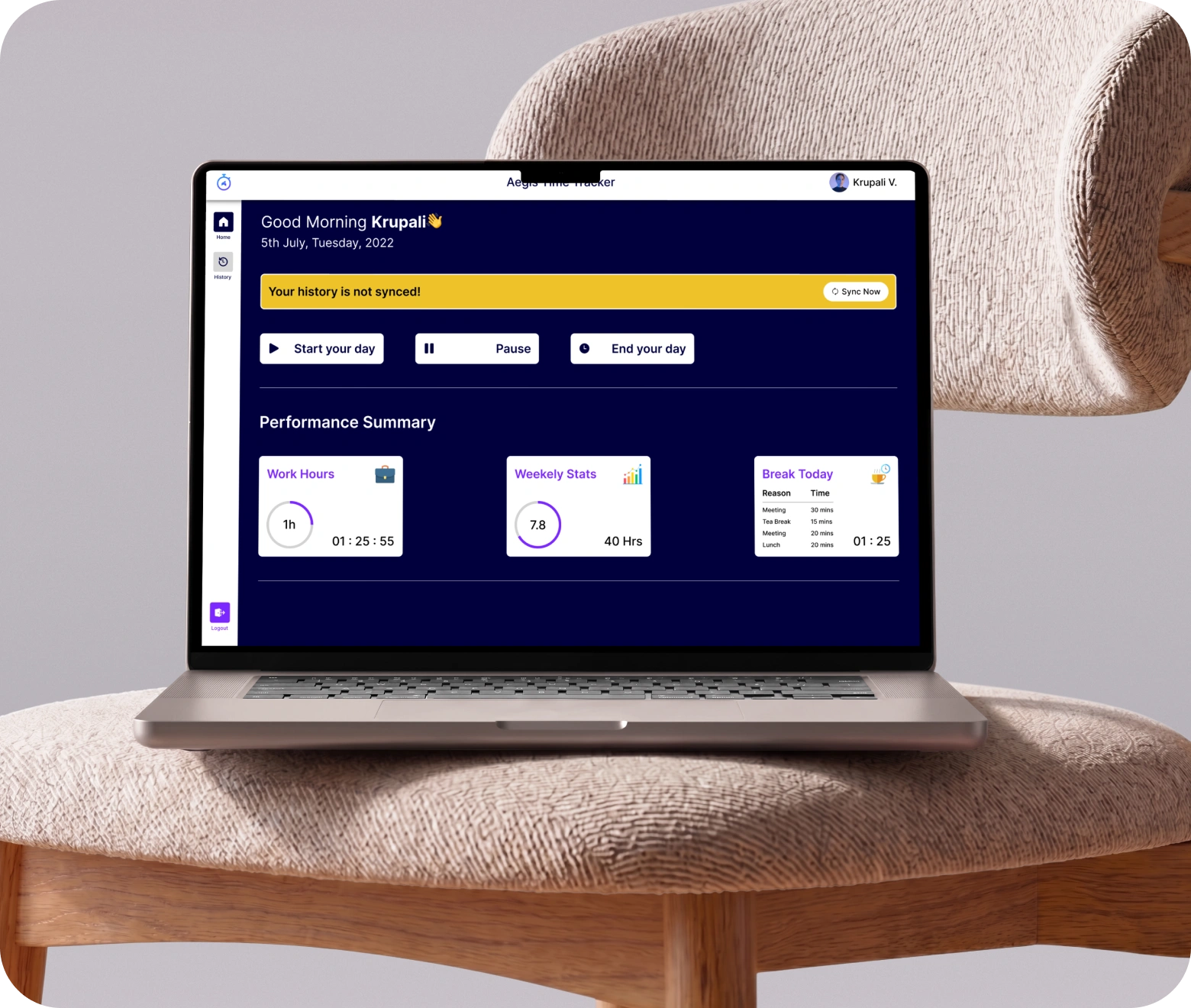
Our Solution

Tibicle built Aegis Time Tracker as a native, cross-platform desktop application, giving the client accurate, verifiable tracking without asking employees to leave their normal workflow.
Native Cross-Platform Desktop App

Native Cross-Platform Desktop App

Built with Electron, Aegis runs the same tracking experience natively on Windows, macOS, and Linux, installing directly on each device instead of living inside a browser tab. This keeps tracking accurate even offline or across machines.
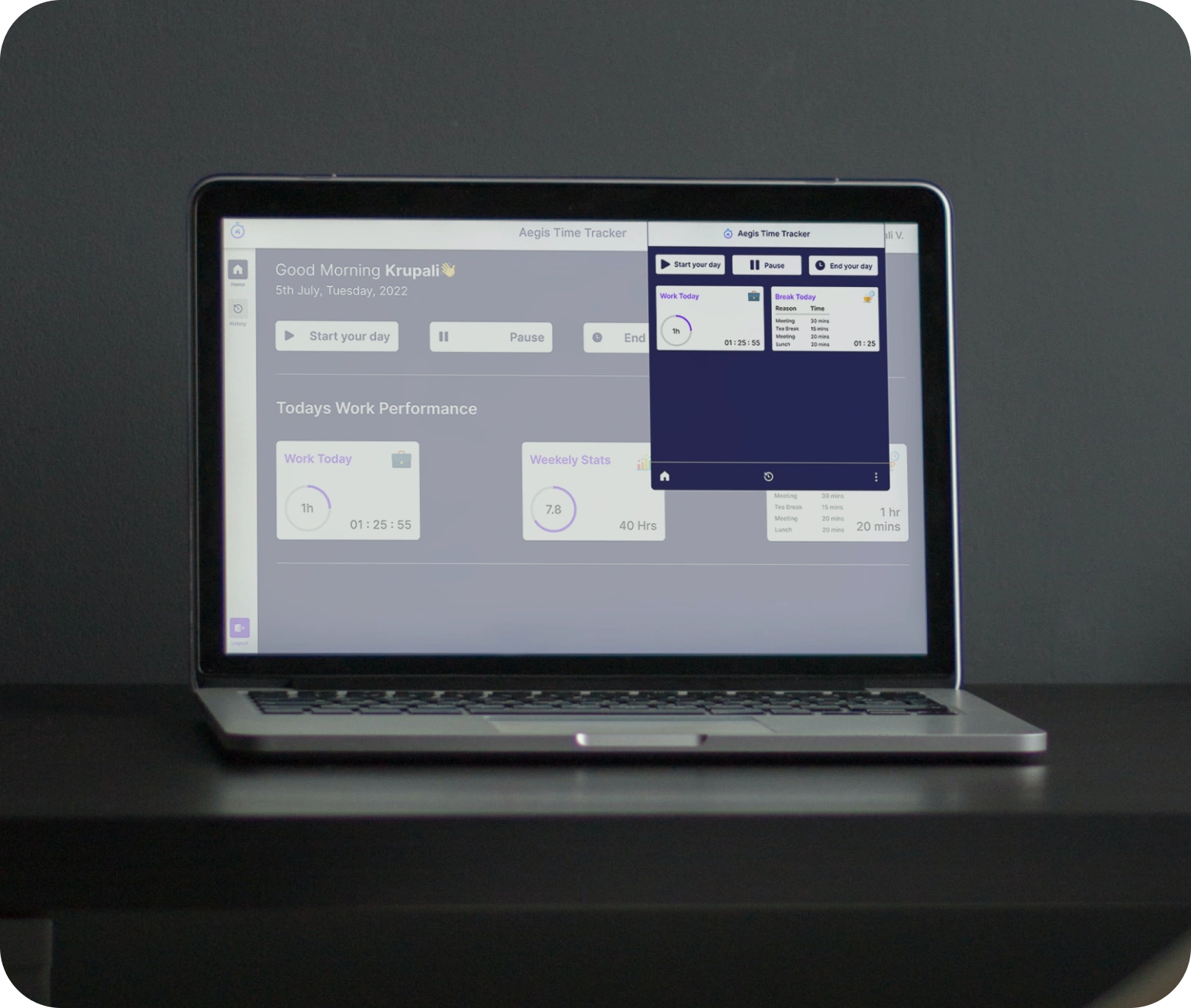
  • One codebase powering Windows, macOS, and Linux installers
  • Runs in the background without disrupting daily workflow
  • Consistent UI and tracking logic across every OS
  • Lightweight footprint that doesn’t slow down the host machine
 One-Tap Day & Break Tracking

One-Tap Day & Break Tracking

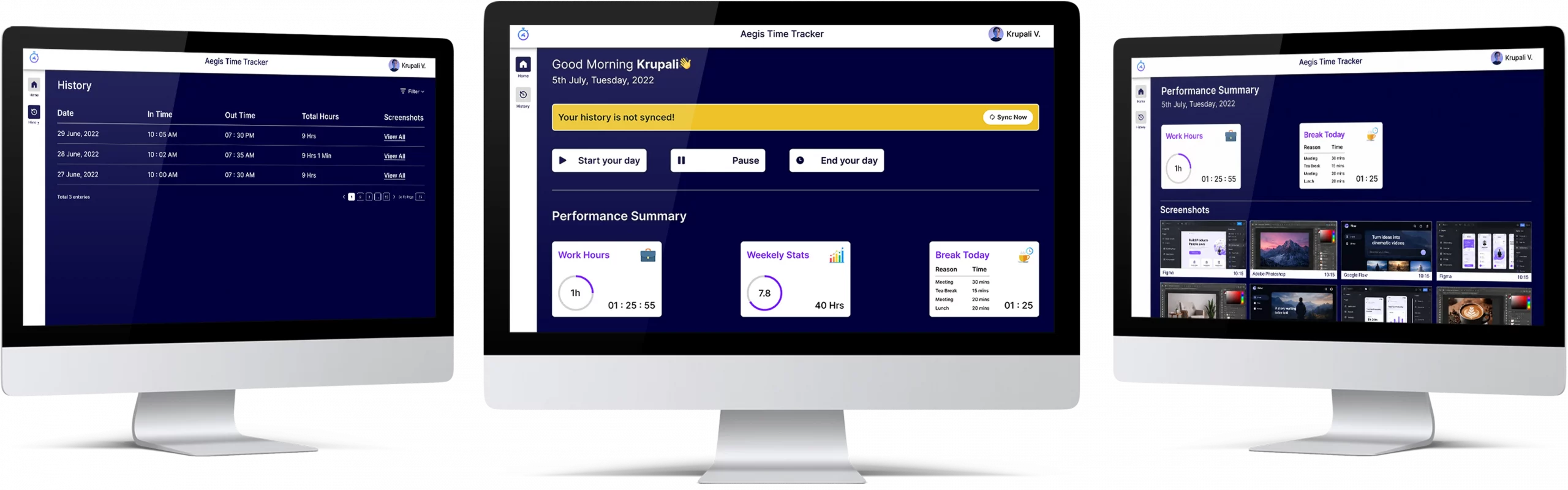
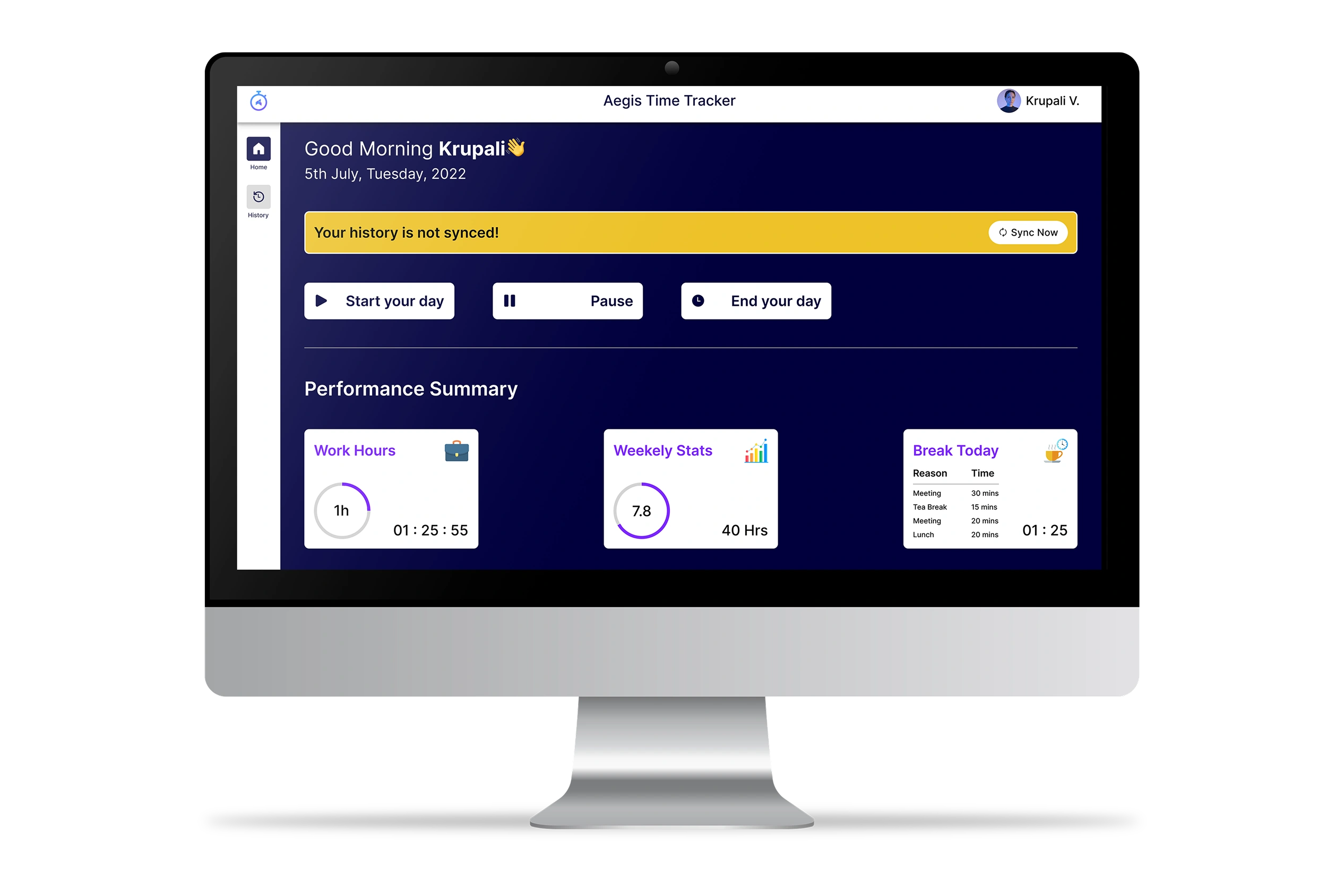
Starting, pausing, and ending a workday takes a single click. Every pause prompts a reason, so managers get context, not just numbers.
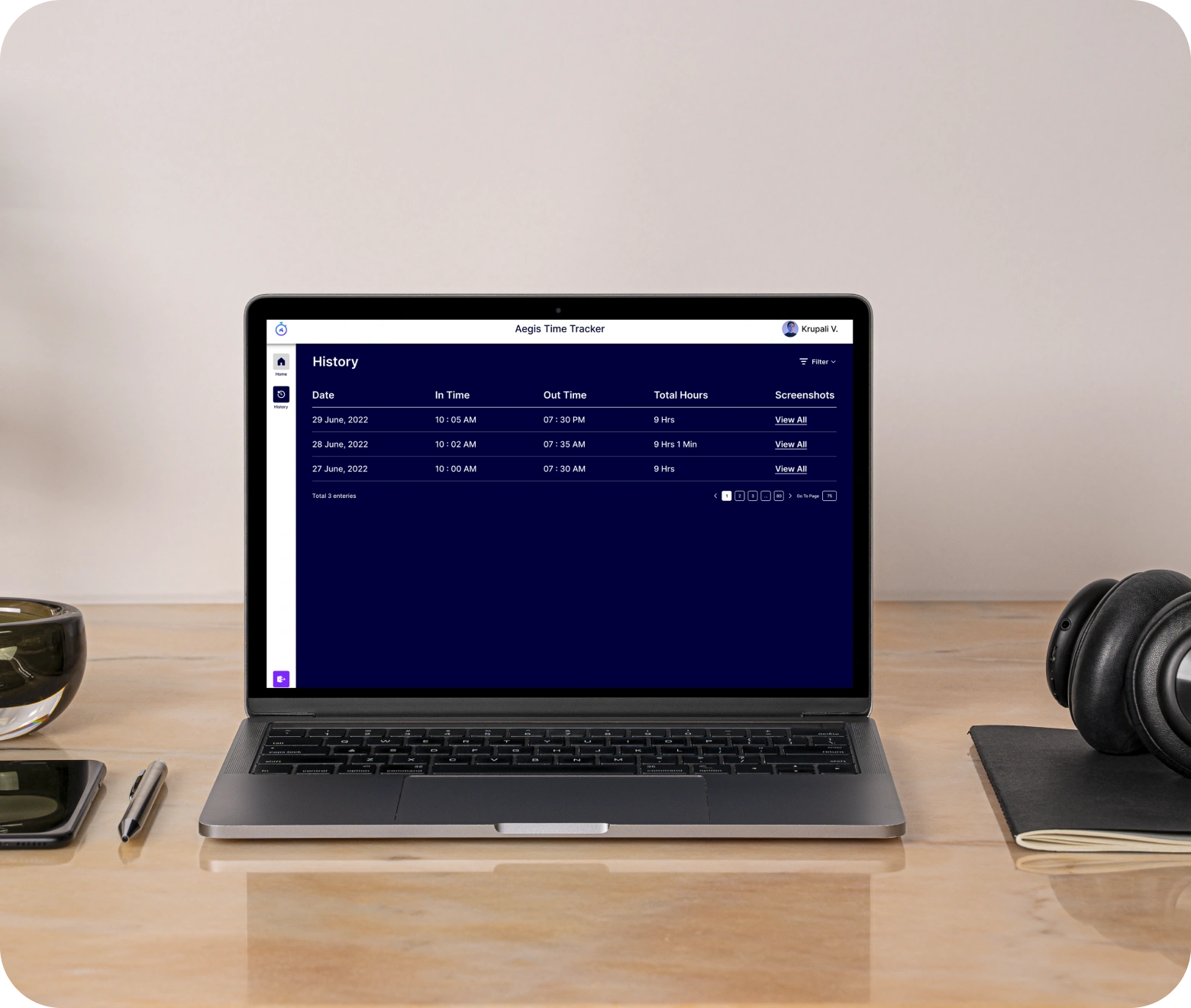
  • Start Your Day / Pause / End Your Day actions from the home screen
  • Reason-tagged breaks (Tea Break, Lunch, Meeting, Other) captured automatically
  • Confirmation prompt before ending the day to avoid accidental clock-outs
  • Live work-hour and break timers visible at a glance
Performance Dashboard & History

Performance Dashboard & History

Every login opens to a snapshot of the day work hours, weekly stats, and today's break total while a dedicated history screen keeps a full, filterable log of past sessions.
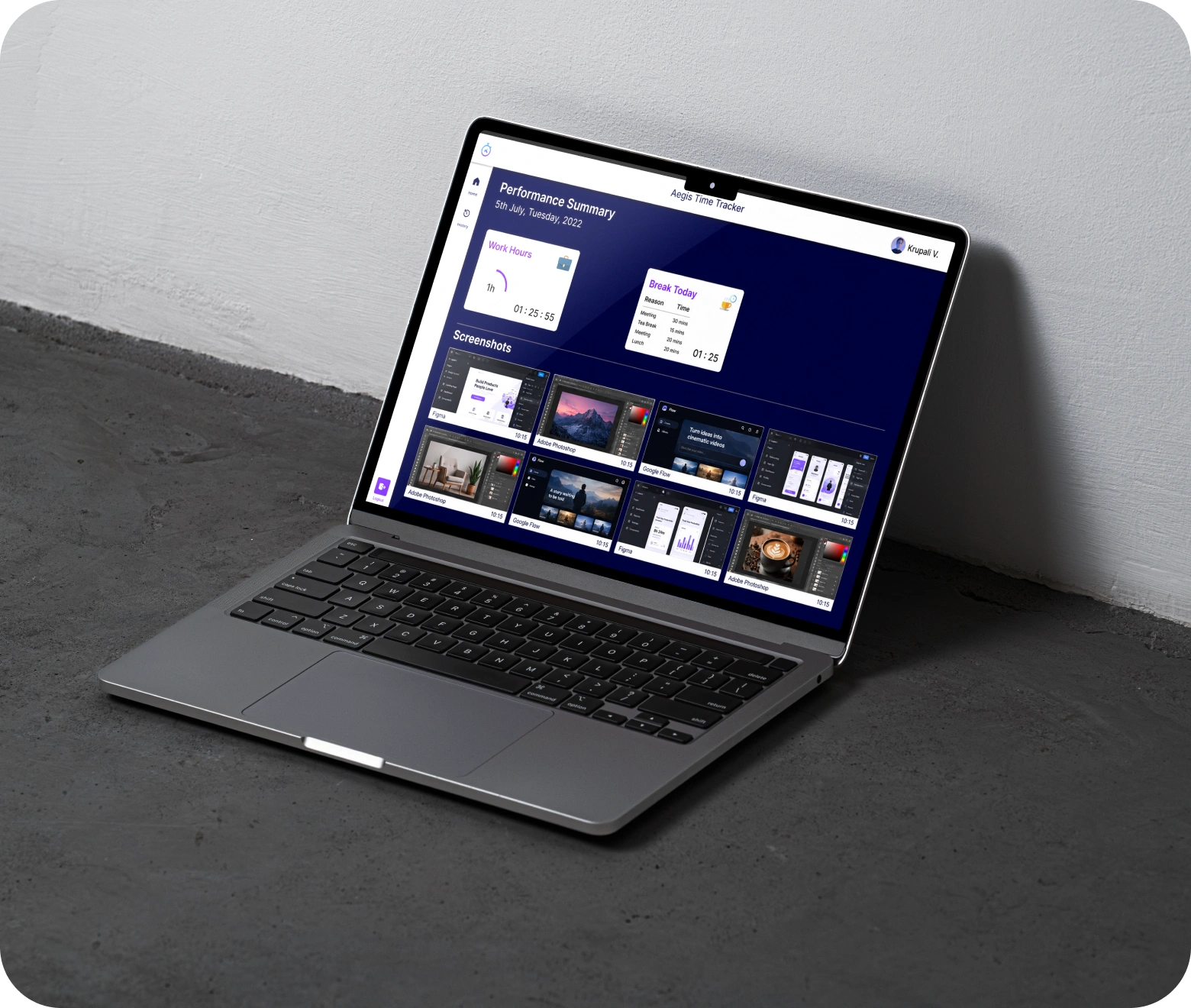
  • Daily Performance Summary cards for work hours, weekly stats, and breaks
  • Full history table with in-time, out-time, and total hours per day
  • Date-range filtering to pull up any past period
  • Paginated records for easy review over weeks or months
Screenshot Capture & Sync

Screenshot Capture & Sync

To back logged hours with real activity, Aegis captures periodic screenshots during work sessions and syncs everything to the cloud, with a visible sync status so nothing gets lost offline.

  • Automatic, timestamped screenshot capture during active work sessions
  • Dedicated screenshots gallery, grouped and paginated by session
  • “Sync Now” control with a progress indicator for manual or automatic syncing
  • Unsynced-data alerts so records are never silently lost

How We Deliver

Bringing Aegis Time Tracker to life meant turning the client's vision for accurate, verifiable time tracking into a working native app across three operating systems. Here's how we structured that journey from first requirement to final release.
How We Deliver
Our development process for Aegis was structured to keep pace with the project's scope, from Requirements Analysis through Delivery and Release, while working closely with the client to meet the tight 2-month timeline. Every stage, from Wireframe Design to End-to-End Testing across Windows, macOS, and Linux, was tailored to build a consistent tracking experience on every device. Even after launch, our Support & Maintenance services continue to ensure Aegis runs reliably as more devices and team members come online.

Outcomes Delivered

Since rolling out Aegis Time Tracker, the team has moved from manual, self-reported hours to fully automated, verifiable tracking across every device proof that owning the tracking layer pays off in accuracy and trust.

3

Operating Systems Supported

One Electron codebase shipped as native installers for Windows, macOS, and Linux, covering the team's entire device mix.

100%

Screenshot-Verified Sessions

Every tracked session includes automatic timestamped screenshots, giving managers activity proof instead of self-reported hours.

40%

Fewer Manual Timesheet Errors

Moving from manual logs to automated tracking cut down mismatched or missing hour entries.

Real-Time

Sync Visibility

Managers get live sync status and instant alerts for any unsynced records, closing the gap left by offline work.

Tech Stack

Aegis is built on Electron, giving it a single codebase shipped as a native installer for Windows, macOS, and Linux. Angular powers the interface layer, keeping the app fast and easy to extend. The full UI/UX was designed in Figma before development began, keeping design and build tightly aligned across the 2-month timeline.

Got an Idea?
Get FREE Consultation

In our world, there's no such thing as having too many clients

icon
Phone
+91 9724922880