0%

Electron vs Native: Which Is Better for Your Next Desktop App?

Introduction: The Desktop App Dilemma

Desktop applications are experiencing a major resurgence. As cloud software matures and AI-driven workflows become the norm, businesses are increasingly turning to desktop apps for speed, reliability, offline access, deeper system control, and better user experience. 
Electron vs Native

But with this shift comes a critical decision that every founder, CTO, or product owner eventually faces:

Should you build your app using Electron or go fully Native?

This choice may seem technical on the surface, but it directly impacts your development cost, product performance, hiring requirements, release timeline, scalability, and long-term maintenance. In other words, your tech stack decision today can determine whether your product moves fast… or becomes expensive to maintain.

Electron promises fast development, cross-platform delivery, and a single codebase powered by modern web technologies. Native development, on the other hand, offers unmatched performance, tighter OS integration, and highly optimized system-level control.

So which approach is right for your next desktop app?

The answer isn’t the same for everyone. Startups, SaaS founders, enterprise teams, and internal tool builders all have different priorities. Some need performance and memory efficiency above everything else. Others need to ship quickly, stay lean, and reach Windows, macOS, and Linux users without hiring three separate teams.

This guide breaks down Electron vs Native in simple, practical terms, helping you understand what truly matters in 2026, and which approach will give your product the best competitive edge.

Let’s dive in.

What Is Electron
Electron vs Native

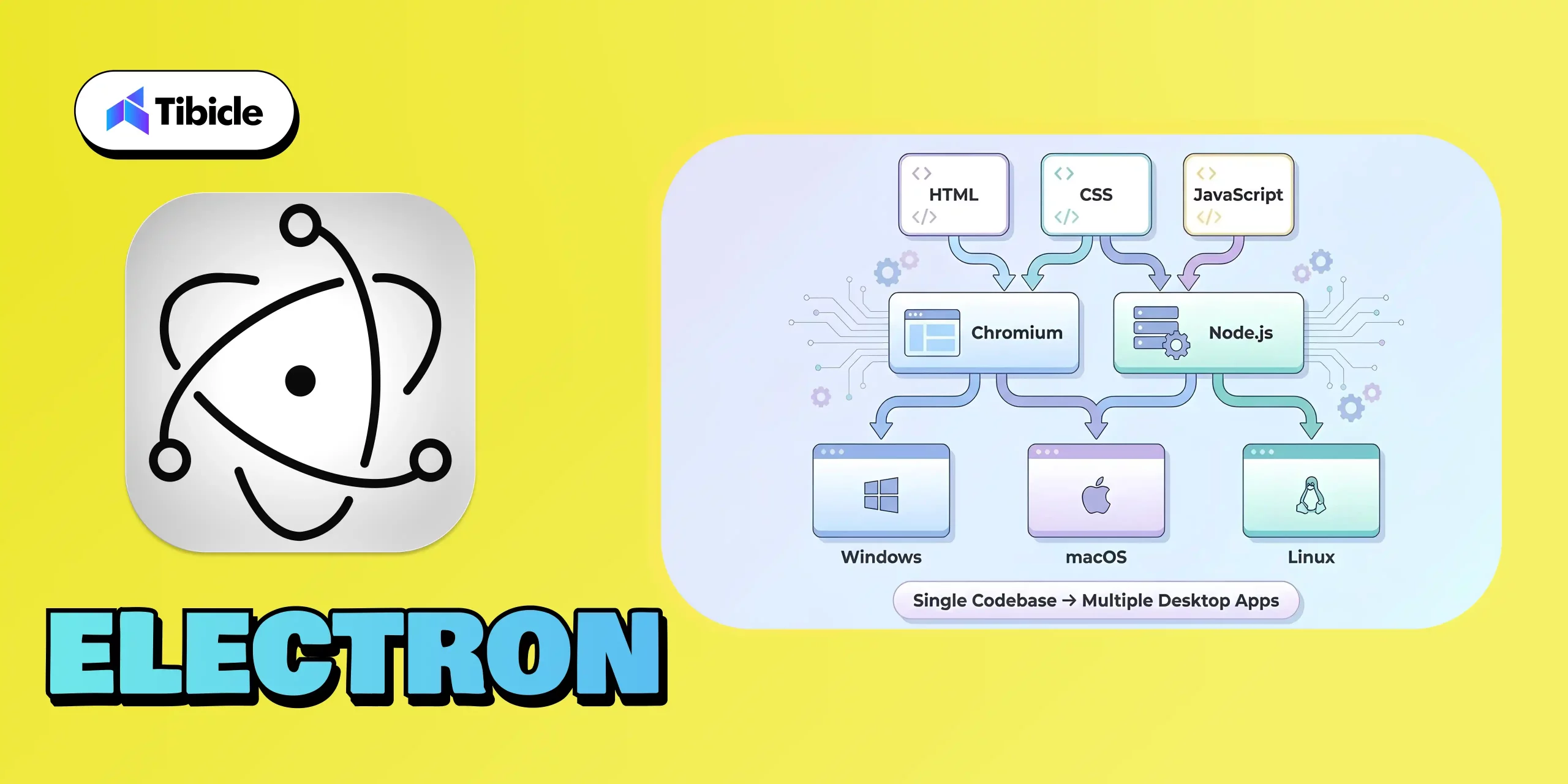
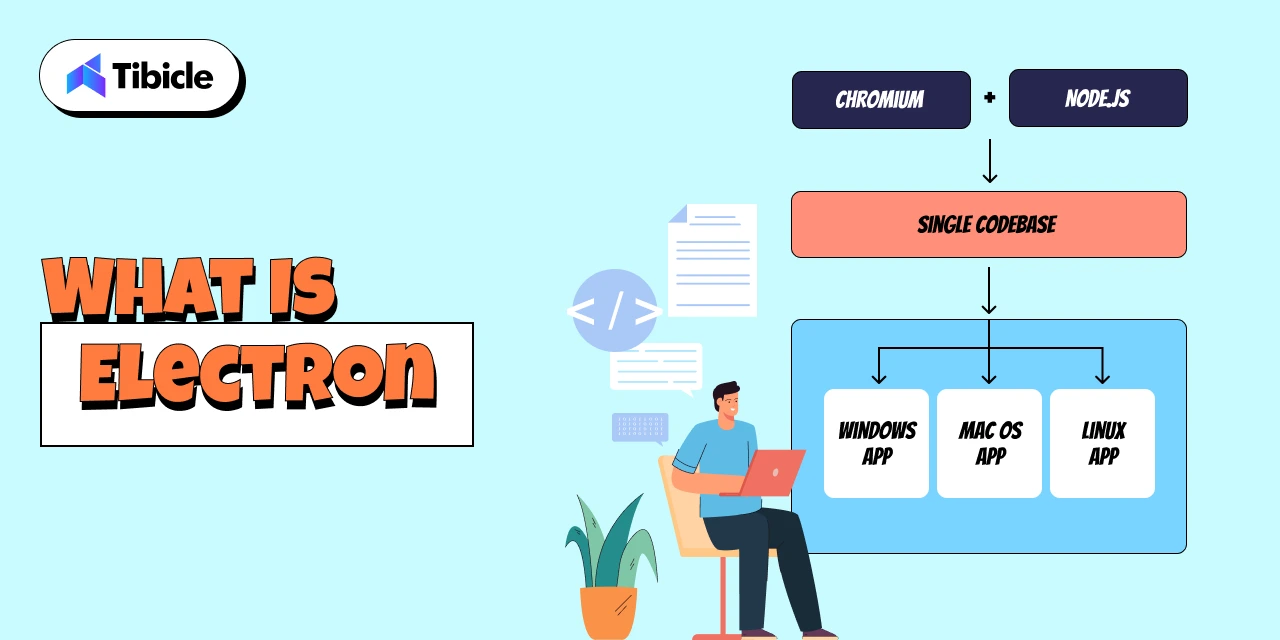
Electron is a popular open-source framework that allows you to build desktop applications using the same technologies behind modern websites: HTML, CSS, and JavaScript. Instead of writing separate codebases for Windows, macOS, and Linux, Electron gives you one unified codebase that works everywhere.

At its core, Electron combines two powerful components:

  • Chromium (for rendering the UI, just like a browser)
  • Node.js (for accessing system-level features like file handling, networking, and OS APIs)

This fusion lets developers build desktop software with the ease of web development while still tapping into desktop-level capabilities. The result? Apps that look modern, work consistently across platforms, and can be shipped much faster compared to native development.

Electron’s popularity has exploded over the past decade and for good reason. Some of the world’s most widely used apps are built on Electron, including:

When billion-dollar SaaS companies rely on Electron, it’s not an accident; it’s a strategic choice.

Startups especially prefer Electron because it:

  • Reduces development cost (one dev team instead of three)
  • Speeds up time-to-market
  • Simplifies updates with automatic deploys
  • Enables rapid iteration, A/B testing, and feature releases
  • Integrates beautifully with modern web-based workflows

With Electron, founders can go from idea → prototype → cross-platform desktop app in record time. That’s why it has become the default choice for most modern SaaS companies building desktop experiences.

What Is Native Development
Electron vs Native

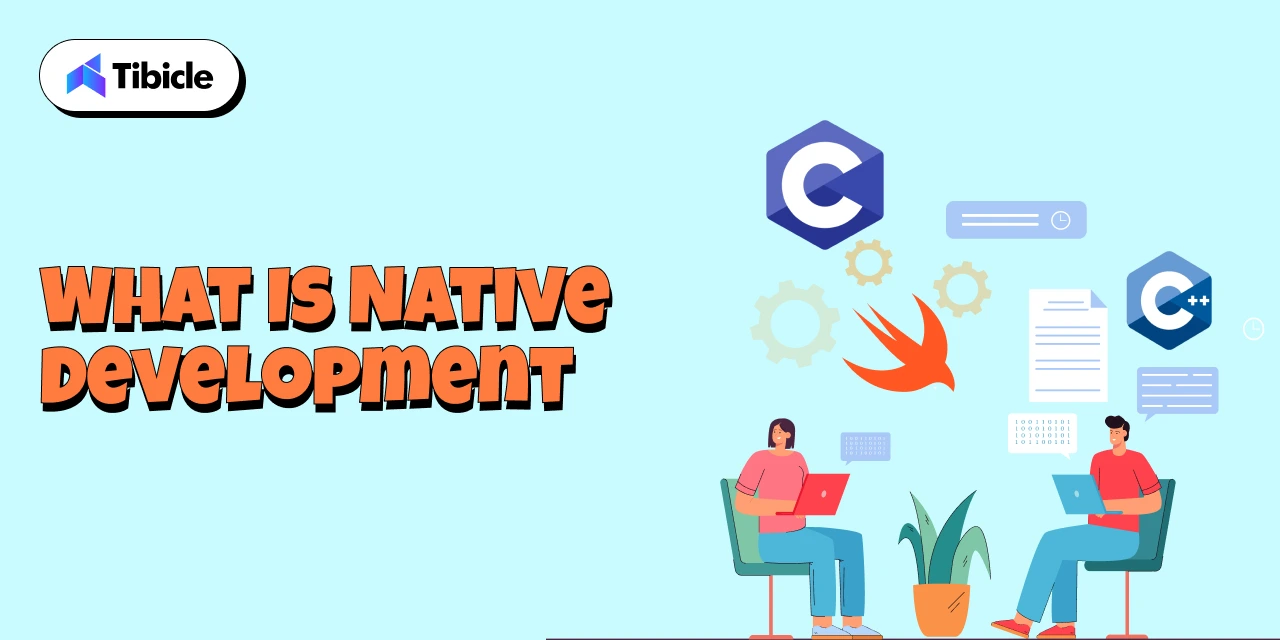
Native development refers to building desktop applications using platform-specific programming languages and frameworks, the same tools used by the operating system itself. Instead of one shared codebase, developers create separate versions tailored for each OS, such as:

  • Swift or Objective-C for macOS
  • C# and .NET (WPF, WinUI) for Windows
  • C++ or Qt for cross-platform native-level performance
  • GTK for Linux desktop environments

Examples of well-known native desktop applications include:

Because native apps are built with the operating system’s own language and UI components, they offer deeper system-level control and highly optimized performance. This is why traditional engineering teams, especially in enterprise environments, have relied on native development for years.

Enterprises typically choose native when they require:

  • Maximum performance (e.g., video tools, rendering engines)
  • Low memory usage
  • Advanced hardware integration
  • OS-level utilities or system monitoring
  • Apps requiring strict security compliance
  • Pixel-perfect platform-specific UI

The biggest advantage of native development is its ability to fully utilize CPU, GPU, file systems, background processes, and hardware components. For specialized applications, this level of precision can be essential.

However, the tradeoff is higher cost and slower development because each platform needs its own codebase, specialists, and maintenance cycle. This is the reason many modern SaaS and product teams now lean toward Electron unless native performance is absolutely mandatory.

Electron vs Native
Electron vs Native

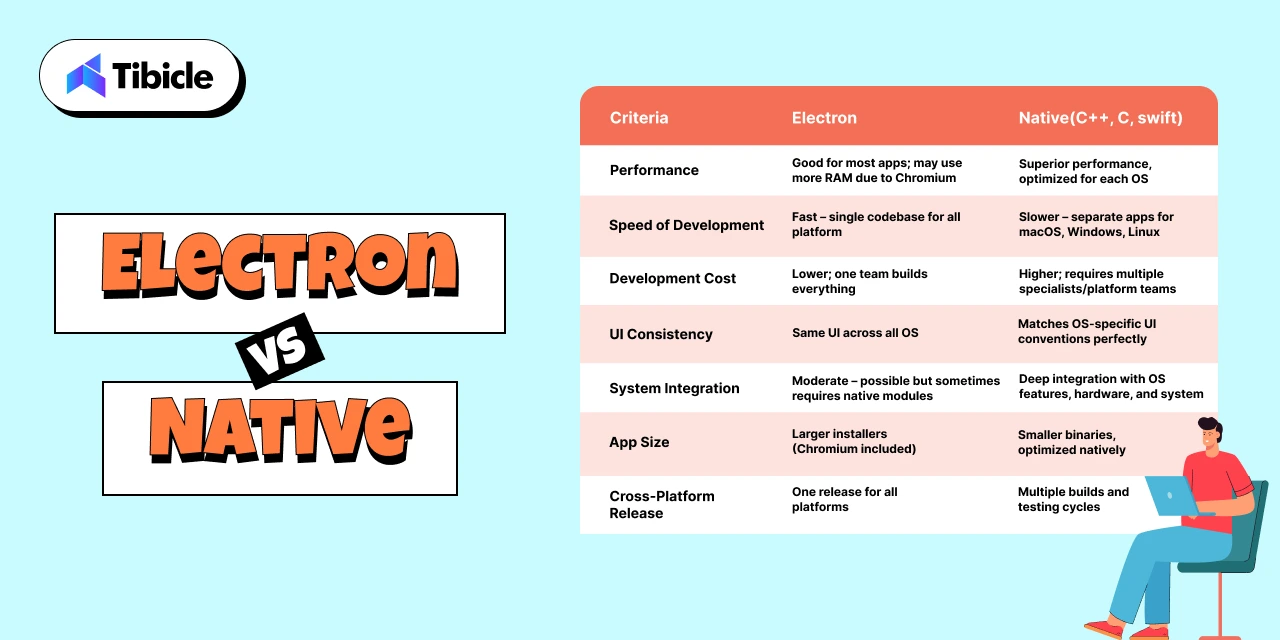
Choosing between Electron and native development ultimately comes down to understanding the practical trade-offs and how each option impacts cost, performance, hiring, and long-term scalability. Below is a clear comparison to help you evaluate both paths.

Electron vs Native: Side-by-Side Comparison

Criteria Electron Native (Swift, .NET, C++, etc.)
Performance Good for most apps; may use more RAM due to Chromium Superior performance, optimized for each OS
Speed of Development Fast – single codebase for all platforms Slower – separate apps for macOS, Windows, Linux
Development Cost Lower; one team builds everything Higher; requires multiple specialists/platform teams
UI Consistency Same UI across all OS Matches OS-specific UI conventions perfectly
System Integration Moderate – possible but sometimes requires native modules Deep integration with OS features, hardware, and system APIs
App Size Larger installers (because Chromium ships with the app) Smaller binaries, optimized natively
Maintenance Effort Easier – update once for every OS Higher – separate updates for each OS
Hiring Difficulty Easy; web developers can build Electron apps Harder; requires OS-specific skill sets
Cross-Platform Release Native advantage – one release for all platforms Multiple builds and testing cycles
Update & Deployment Auto-updates built in; simple dev workflows Requires platform-specific release management

Insights: What This Means for Your Product in 2026
Electron vs Native

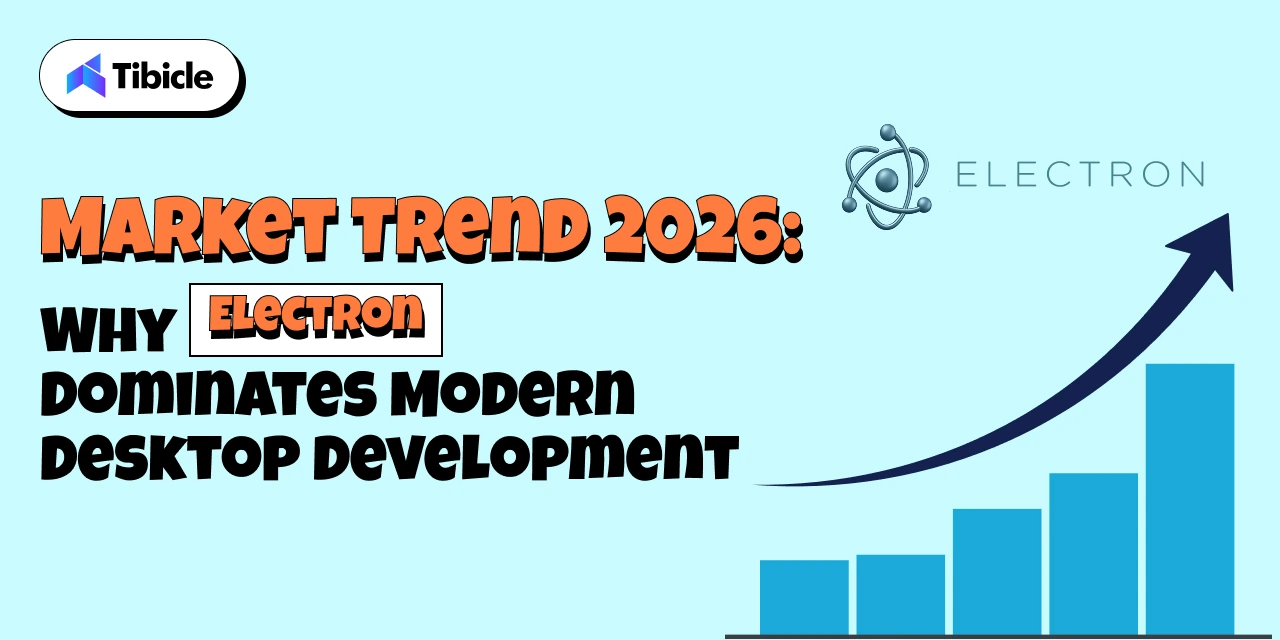
For 80% of modern desktop apps, especially SaaS tools, dashboards, productivity platforms, internal systems, and AI utilities, Electron delivers faster shipping, lower cost, and easier scaling. Most founders value speed and iteration over microscopic performance gains, making Electron the smarter business decision.

Native development shines only when you need absolute performance, deep hardware control, extremely low memory usage, or system-level functionality. These cases are real but limited to specialized industries.

In most scenarios, the question isn’t “Is Electron technically better?” but rather,
“Does Electron get me to market faster without compromising user experience?”

For most teams, the answer is a clear yes.

When Electron Is the Better Choice
Electron vs Native

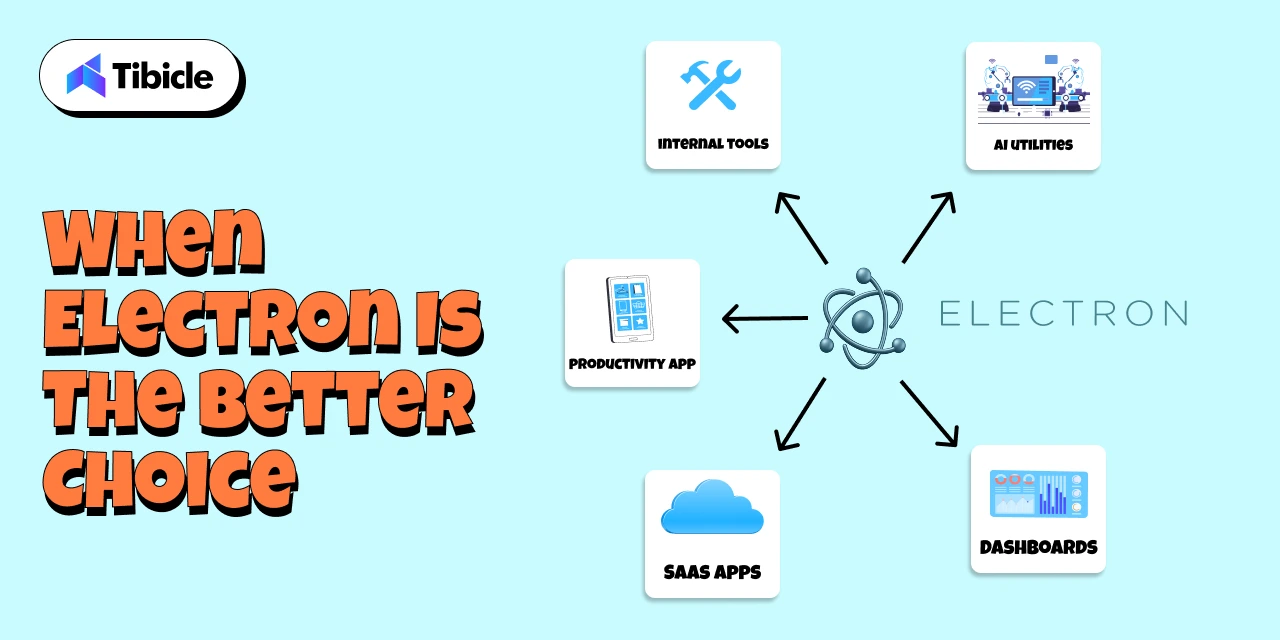
Electron shines in the scenarios where speed, flexibility, and cross-platform reach matter more than low-level system performance. For most modern apps, especially SaaS and productivity platforms, Electron is not just “good enough,” it’s the best business decision.

Ideal Use Cases for Electron:

  1. SaaS Desktop Versions
    If your SaaS product already has a web app, Electron lets you convert it into a desktop app with minimal extra effort. This is how Slack, Notion, and Figma ship desktop clients so quickly.
  2. Internal Tools & Admin Dashboards
    Companies prefer Electron for internal tools because it supports rapid development, easy iteration, and auto-updates without IT headaches.
  3. Productivity & Collaboration Apps
    Anything involving communication, task management, notes, or workflow automation fits perfectly. Electron provides a smooth UI and consistent experience across devices.
  4. Fast MVPs & Startup Launches
    Electron reduces development time drastically. With one codebase and a web-tech workflow, founders can go from idea to prototype in weeks, not months.
  5. Cross-Platform Releases
    Electron makes it simple to release simultaneously on Windows, macOS, and Linux critical for SaaS companies with diverse user bases.
  6. Apps That Need Auto-Updating
    Electron’s built-in update pipeline allows seamless version upgrades without manual downloads, improving user retention and reducing support load.
  7. Teams Already Using Web Technologies
    If your developers already know JavaScript/React/Node.js, Electron is the most natural and cost-efficient choice.

For the vast majority of business applications, Electron offers faster delivery, lower cost, and easier long-term maintenance, making it the practical default in 2026.

When Native Still Makes Sense
Electron vs Native

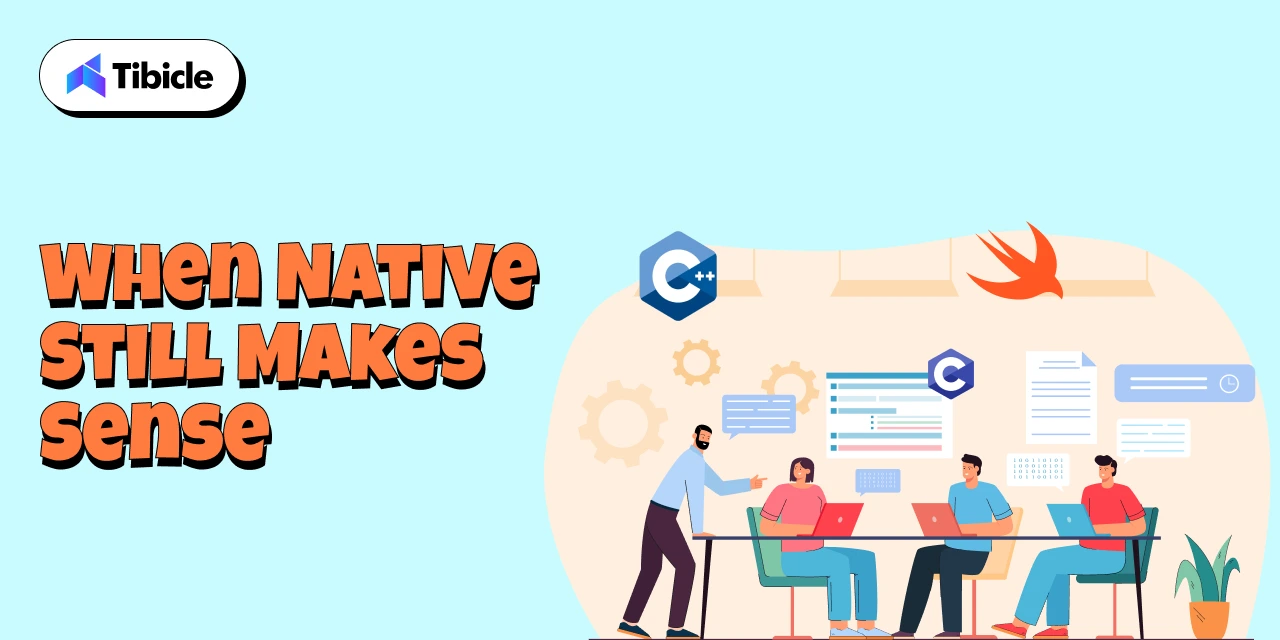
While Electron is the best fit for most modern desktop applications, there are still specific scenarios where native development becomes essential. These are typically high-performance or system-critical applications where every millisecond, every megabyte of RAM, and every hardware call matters.

Ideal Use Cases for Native:

  1. High-Performance Video, Audio, or 3D Applications
    Apps like Final Cut Pro, DaVinci Resolve, and AutoCAD require GPU-optimized pipelines and extremely low latency, something Electron can’t match.
  2. Hardware Control & Device-Level Software
    If your application needs to interface deeply with custom hardware, sensors, cameras, industrial machines, or USB drivers, native frameworks provide tighter system access.
  3. OS-Level Utilities
    Tools like antivirus programs, backup utilities, system monitors, and kernel-level integrations require low-level APIs available only in native environments.
  4. Extremely Low-Memory Footprint Applications
    Apps designed to run on minimal resources (like lightweight Linux utilities or embedded systems) are best built with C++, GTK, or other native toolkits.

Hybrid Models Are Common

Many modern companies use a hybrid approach, building the main interface in Electron while offloading performance-heavy tasks to native modules written in C++ or Rust. This provides the best of both worlds: speed + rapid development.

Native development still matters, but only in cases where precision and performance outweigh development speed and cost.

Final Verdict: Choosing the Right Approach for Your App

Choosing between Electron and native development ultimately comes down to defining what matters most for your product: speed, cost, performance, or system-level precision. After evaluating both approaches, one point becomes clear: Electron is the smarter choice for nearly 80% of modern desktop applications.

For SaaS founders, productivity tools, internal dashboards, AI utilities, and cross-platform software, Electron delivers everything you need:

  • Faster development
  • Lower engineering cost
  • One codebase across all OS
  • Seamless auto-updates
  • Modern, web-driven UI
  • Rapid iteration and feature rollout

Most businesses value the ability to ship quickly and adjust based on real user feedback. Electron gives you exactly that advantage.

Native development still plays a critical role, but only in niche scenarios where performance is absolutely mission-critical: video rendering engines, advanced graphics tools, hardware-dependent applications, or OS utilities. These cases are the exception, not the norm.

For most modern desktop products in 2026, Electron stands out as the technology that delivers speed, flexibility, cost efficiency, and cross-platform reach all without compromising on user experience. It empowers teams to ship faster, iterate continuously, and maintain a single codebase across Windows, macOS, and Linux.

This is exactly where Tibicle excels.

With 10+ large-scale Electron applications successfully delivered, our team has deep, hands-on expertise in building fast, reliable, and scalable desktop solutions. From high-performance SaaS platforms to complex enterprise tools, we understand what it takes to architect a production-ready Electron app that feels native, loads fast, and scales confidently.

Whether you’re validating an MVP, modernizing an internal tool, or building a full-featured cross-platform product, we help you move quickly without ever compromising on quality.

If you’re planning to build your next desktop app with Electron or want expert guidance on choosing the right approach, our team is here to support you end-to-end.

👉 Book your free quotation call from here and let’s build a powerful, cross-platform desktop experience together.

FAQ Section

FAQ 1: Is Electron a good choice for large-scale desktop applications?

Yes. Electron is already powering globally recognized applications like Slack, VS Code, Figma, and Discord, which is clear proof that it can handle high-traffic, large-scale use cases. With the right architecture and performance optimization, Electron apps run reliably across all platforms. Tibicle has delivered 10+ enterprise-level Electron applications, enabling us to design scalable and highly performant solutions for complex desktop requirements.

FAQ 2: Can Electron apps run smoothly on Windows, macOS, and Linux?

Absolutely. One of Electron’s biggest strengths is true cross-platform support from a single codebase, ensuring your application looks, feels, and performs consistently across Windows, macOS, and Linux. With deep experience in cross-platform Electron development, Tibicle ensures smooth performance, OS-specific optimization, and a unified user experience across all environments.

FAQ 3: Is Electron suitable for SaaS products or productivity apps?

Yes. Electron is an excellent choice for SaaS desktop clients, productivity tools, dashboards, admin panels, and internal platforms. It enables fast iteration, seamless auto-updates, and integration with modern web frameworks. Tibicle has extensive experience delivering complete SaaS desktop applications using Electron from UI/UX to final deployment, making it ideal for fast-moving product teams.

FAQ 4: Can Electron integrate with APIs, databases, or native modules?

Yes. Electron supports integrations with REST APIs, GraphQL, WebSockets, local databases like SQLite, and even native modules written in C++ or Rust for performance-critical operations. Tibicle has successfully implemented complex API structures and hybrid native-Electron workflows, enabling powerful functionality while maintaining fast development cycles.

FAQ 5: Can Tibicle build a complete Electron app from MVP to enterprise scale?

Yes, this is one of our core strengths. Tibicle has built more than 10 production-ready Electron applications ranging from rapid MVPs to full enterprise-grade platforms. We handle everything end-to-end, including UI/UX design, architecture, development, backend integration, packaging, deployment, and long-term maintenance, ensuring your app is stable, secure, and built to scale.
Best framework for desktop application in 2026

Introduction

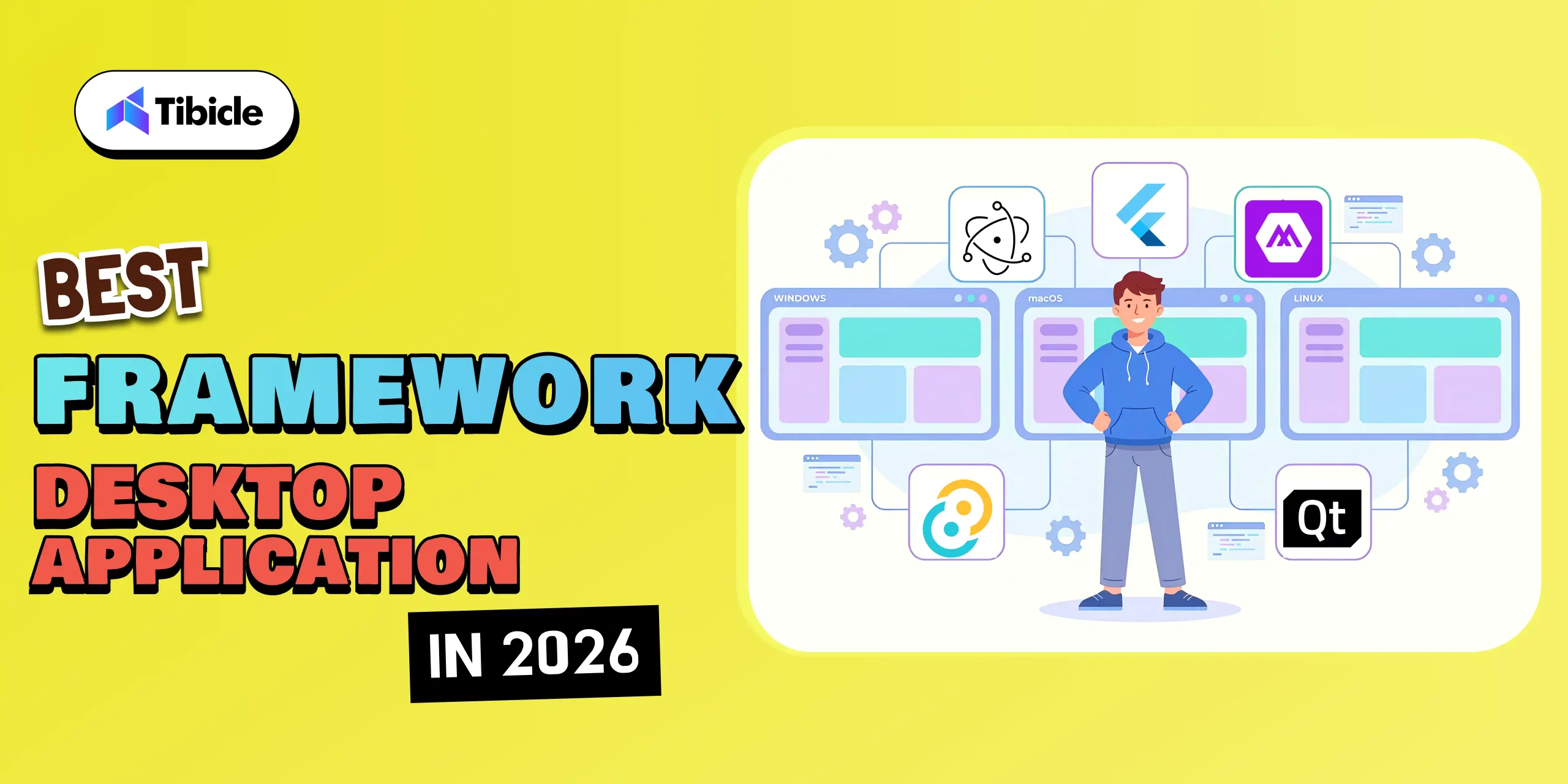
The desktop application landscape in 2026 is more dynamic than ever. What once required platform-specific coding and months of development can now be achieved faster, smarter, and more efficiently thanks to modern frameworks that bridge performance, portability, and design.

Desktop App Frameworks

From AI-driven desktop tools to cross-platform productivity suites, businesses are investing in desktop apps that deliver native-like speed, offline capability, and deep system integration features that web apps alone can’t fully match.

With a wide array of options available, including Electron, Tauri, .NET MAUI, Qt, and Flutter, a critical question arises: 

👉 Which framework should you choose for your next desktop project in 2026? 

In this blog, we will explore the top frameworks shaping desktop app development this year. We’ll compare their capabilities, use cases, and performance benchmarks, allowing you to make informed decisions and create applications that excel in both usability and innovation.

The right framework doesn’t just help you build faster, it helps you build better, future-ready desktop experiences that scale seamlessly across devices.

Why Choosing the Right Framework Matters

Desktop App Frameworks

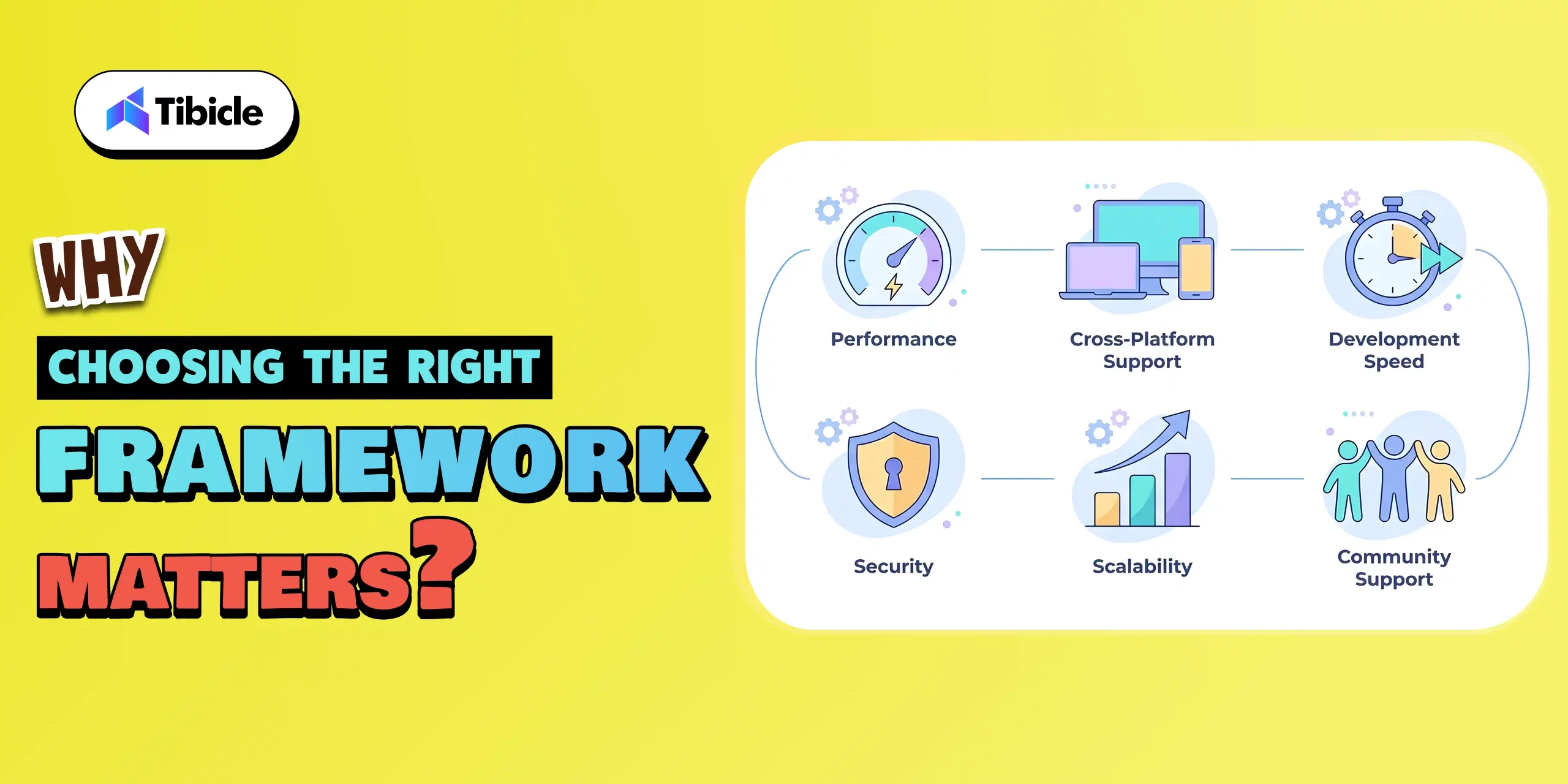
Choosing the right framework is one of the most important decisions in desktop application development. It affects not only the current performance of your app but also how easily it can scale, evolve, and remain relevant in the rapidly changing tech landscape of 2026.

  1. Performance and efficiency

    Your framework has a direct impact on your app’s speed, responsiveness, and resource consumption.

    • A lightweight framework, such as Tauri or Qt, ensures fast load times and lower memory usage.
    • On the other hand, frameworks such as Electron may consume more resources but offer greater flexibility and community support.
  2. Cross-Platform Compatibility

    Different frameworks handle multi-OS support differently.

    • .NET MAUI, Flutter, and Electron allow developers to create apps for Windows, macOS, and Linux from a single codebase.
    • Native frameworks like Qt provide deeper integration and performance but may require more configuration.
  3. Development Speed and Productivity

    In today’s fast-moving tech world, speed matters as much as quality. The framework you choose can dramatically impact how quickly your team can design, test, and deliver your desktop app.

    • Frameworks with ready-made UI components, hot reload, and strong community support, like Flutter or Electron, help teams move faster from idea to execution.
    • Platforms such as .NET MAUI, paired with tools like Visual Studio, make it easy to build, debug, and deploy with minimal friction.
  4. Security and Scalability

    In 2026, security isn’t just a feature; it’s a necessity. As desktop applications handle more sensitive data and integrate with cloud systems, choosing a framework that prioritizes safety and future growth has become more important.

    • Rust frameworks, such as Tauri, make apps safer by enhancing memory management and protecting data. They eliminate common security issues from the outset.
    • Look for frameworks that make it simple to add secure APIs, encrypted local storage, and user authentication systems such as role-based access control.
  5. Community Support and Growth

    A strong ecosystem means access to plugins, documentation, tutorials, and community discussions.

    • Electron and Flutter lead in community size and third-party integrations.
    • Frameworks like Tauri and .NET MAUI are growing rapidly with modern tooling and active contributor bases.

Top 5 Desktop Application Frameworks in 2026

1. Electron:

Desktop App Frameworks

Why It’s Leading:

In 2026, Electron remains one of the leading desktop development frameworks, particularly for developers who are already familiar with web technologies. 

Built by GitHub and powered by Chromium and Node.js, Electron makes it incredibly easy to convert a web app into a fully functional desktop experience. You don’t need to learn a new language or complex architecture; if you know how to build for the web, you can build for the desktop.

Its real strength lies in accessibility and flexibility. Electron allows teams to create apps that run smoothly on Windows, macOS, and Linux using one familiar tech stack: HTML, CSS, and JavaScript.

What It’s Best For:

  • Works with Modern Frameworks such as Angular, React, and Vue.js
  • Cross-platform SaaS tools
  • Internal productivity software
  • Startups looking for a quick development turnaround

Why Developers Choose It:

  • Universal Compatibility: Works seamlessly across Windows, macOS, and Linux.
  • Familiar Tech Stack: Uses standard web technologies (HTML, CSS, JavaScript).
  • Massive Ecosystem: Thousands of open-source plugins and libraries available.
  • Strong Community: Backed by large developer groups and major companies.

Example Apps:

2. Flutter:

Desktop App Frameworks

Why It’s Leading:

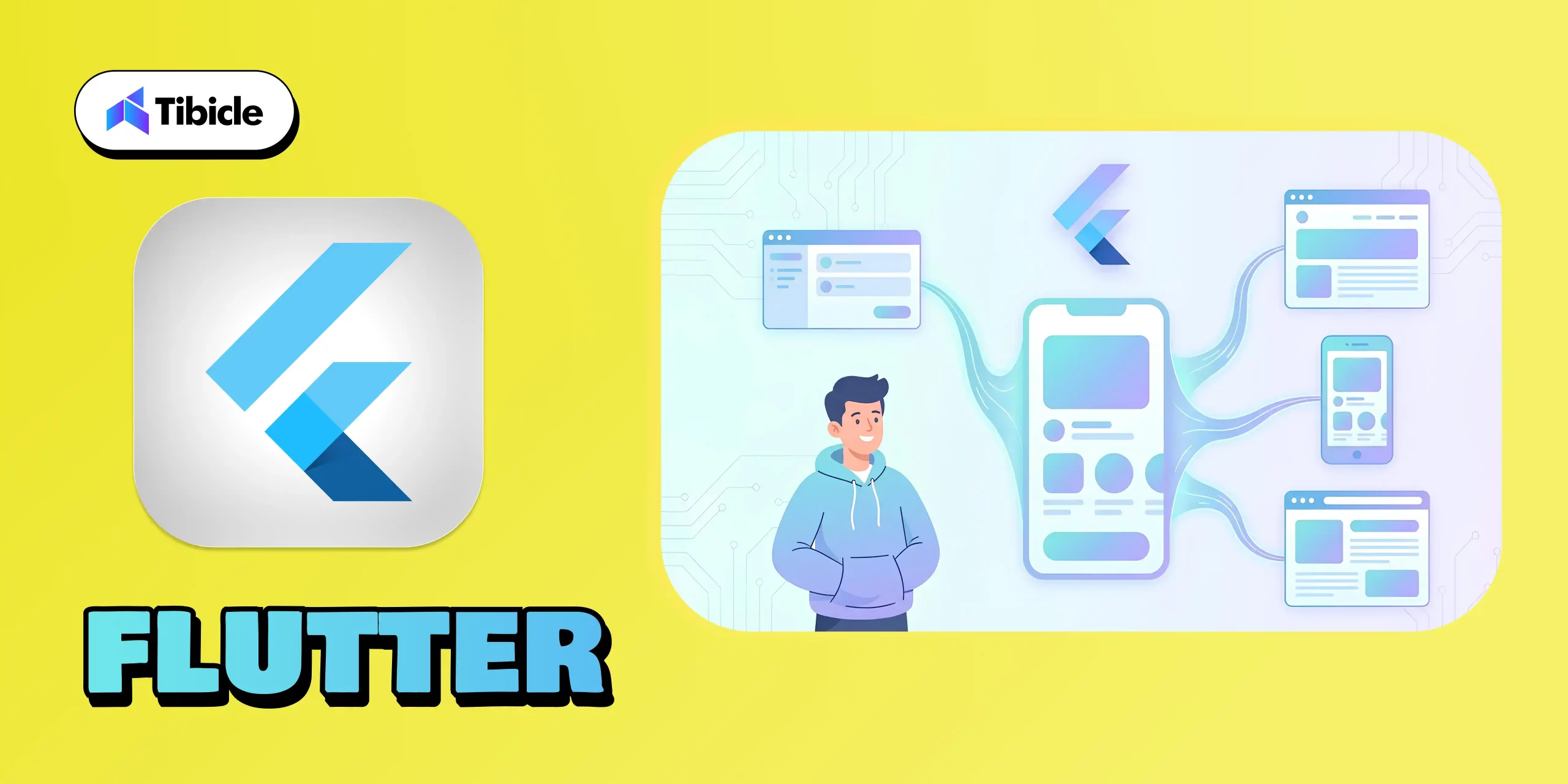
Flutter has become a major leader in 2026 because it offers something rare: one codebase for desktop, mobile, and web. Backed by Google, Flutter gives developers a fast way to build apps with beautiful, consistent UIs across Windows, macOS, Linux, iOS, Android, and browsers.

Its biggest strengths are its rich widget library, smooth performance, and hot reload, which make development faster and more enjoyable. Although desktop support is still evolving, Flutter stands out for teams that want design flexibility, multi-platform reach, and a modern development experience, all without managing separate codebases.

What It’s Best For:

  • Consumer-facing apps need a consistent UI across devices
  • Modern SaaS products are expanding to multiple platforms.
  • Teams prioritizing speed, design, and shared code logic.

Why Developers Choose It:

  • One Codebase for All: Build once for desktop, mobile, and web.
  • Pixel-Perfect UI: Beautiful widgets and customizable layouts.
  • Hot Reload: Real-time testing and instant UI feedback.
  • Strong Community: Backed by Google and a massive global developer base.

Example Apps:

3. .NET MAUI:

Desktop App Frameworks

Why It’s Leading:

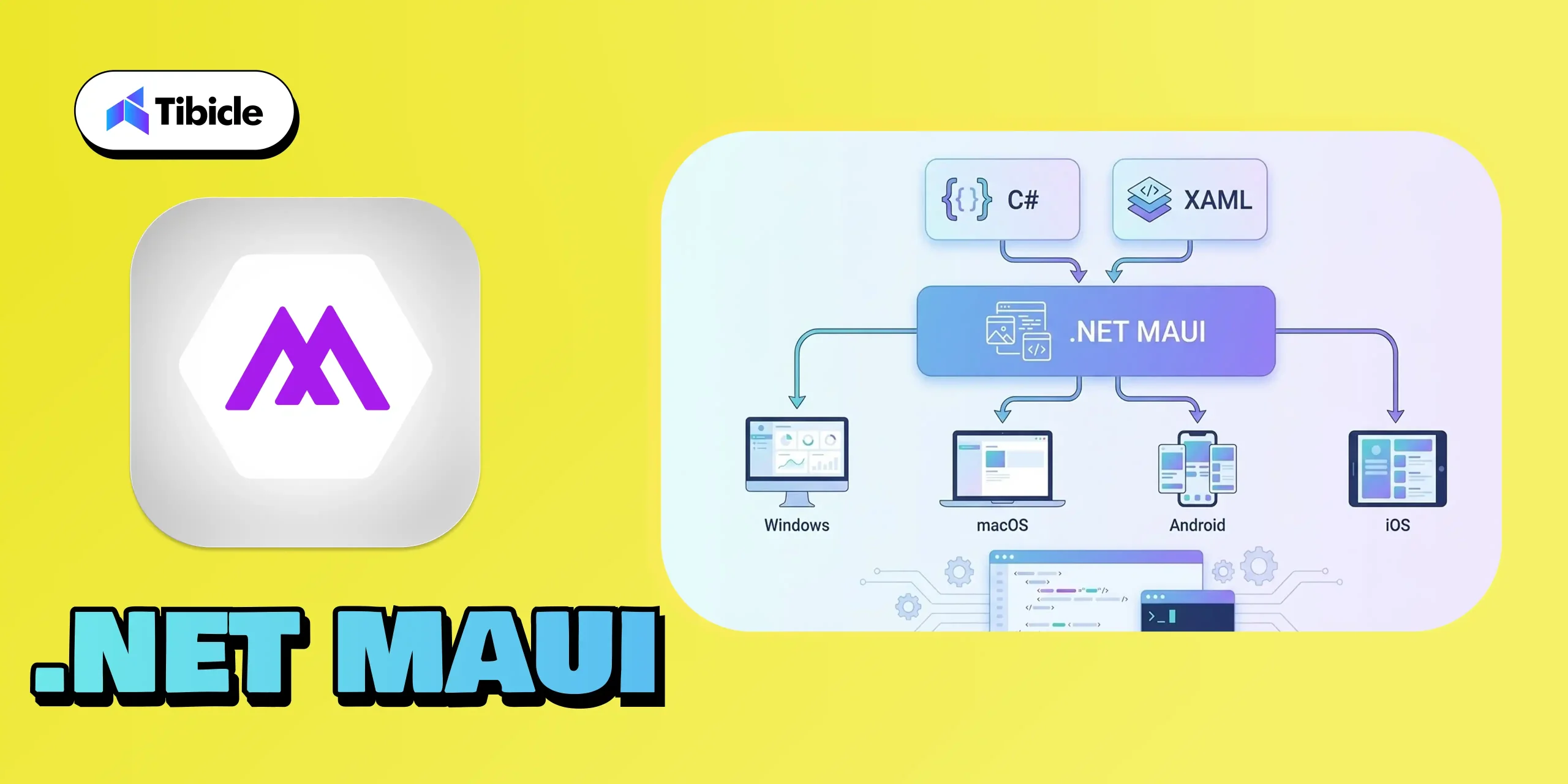
.NET MAUI stands out in 2026 because it gives developers a unified way to build apps for Windows, macOS, Android, and iOS using familiar C# and XAML. With strong support from Microsoft and seamless integration with Visual Studio, it’s a natural fit for teams working within the .NET environment.

Its capability to deliver native performance across various platforms makes it a reliable choice for enterprise-grade applications. For businesses seeking a stable, scalable, and future-ready framework, .NET MAUI remains one of the most trustworthy options available today.

What It’s Best For:

  • Business and enterprise-grade applications
  • Internal dashboards, CRMs, and tools
  • Apps that demand native Windows integration
  • Teams already skilled in .NET and C#

Why Developers Choose It:

  • Unified Codebase: Write once, run across Windows, macOS, Android, and iOS.
  • Strong IDE Support: Deep Visual Studio integration simplifies deployment.
  • Native Performance: Uses native controls for a true OS experience.
  • Enterprise-Ready: Perfect fit for corporate environments with existing Microsoft infrastructure.

Example Apps:

4. Tauri:

Desktop App Frameworks

Why It’s Leading:

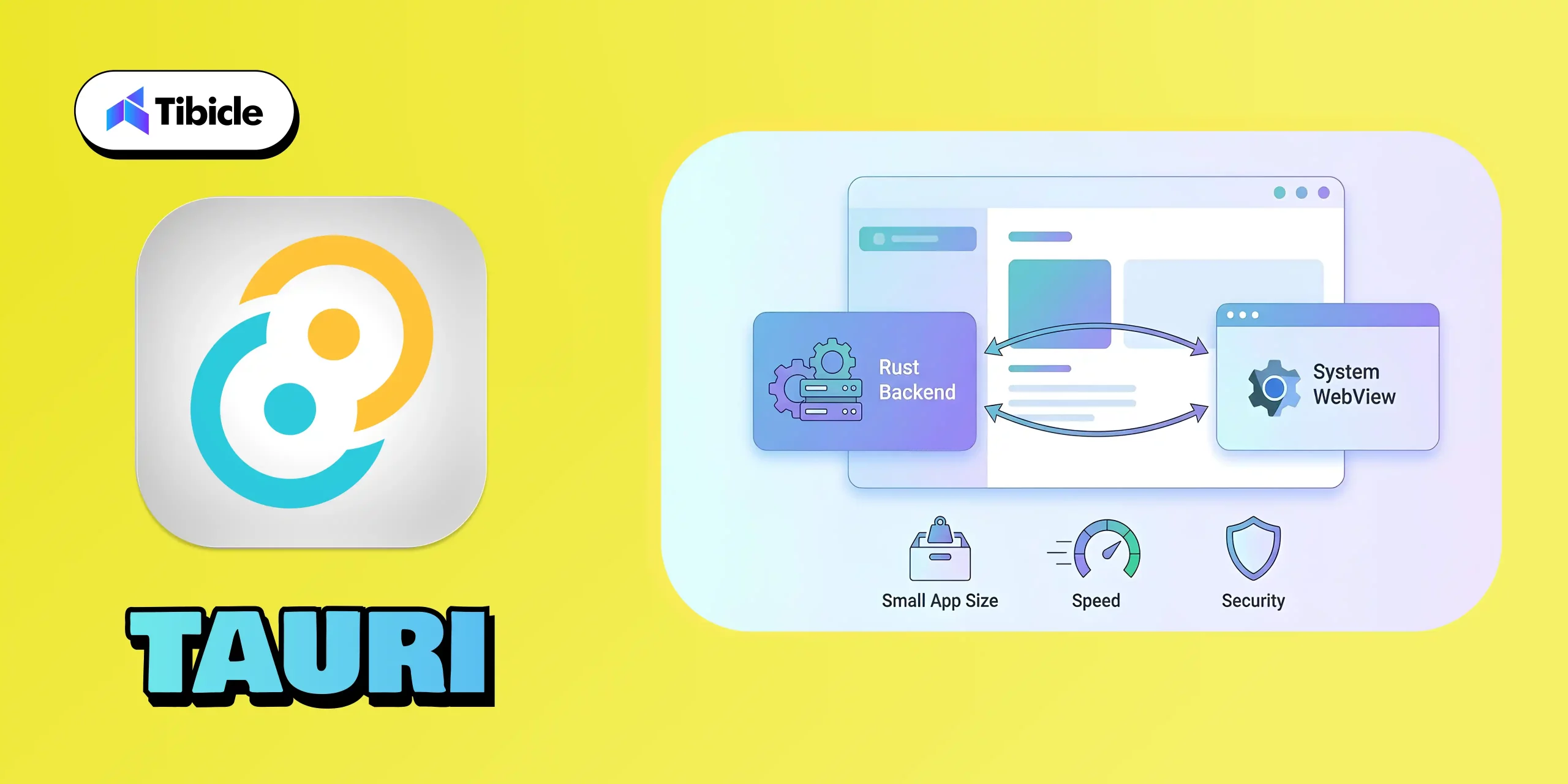
Tauri has quickly become one of the strongest modern alternatives to Electron because it focuses on speed, security, and efficiency. By using a Rust-powered backend and relying on the system’s native WebView instead of bundling Chromium, Tauri keeps apps incredibly lightweight while still delivering a smooth, native-like experience.

Its combination of small build sizes, low memory usage, and strong security makes it a top choice for developers who want fast, modern desktop apps without the heavy footprint.

What It’s Best For:

  • High-performance web-based desktop apps
  • Privacy-focused and secure software
  • Lightweight utilities or note-taking tools
  • Developers targeting all OS platforms efficiently.

Why Developers Choose It:

  • Tiny Build Sizes: Apps as small as 5–10 MB compared to Electron’s 100+MB.
  • Secure by Design: Rust ensures memory safety and prevents runtime crashes.
  • Performance Optimized: Minimal background processes and low CPU use.
  • Web-Developer Friendly: Works with React, Vue, Svelte, or any modern JS frontend.

Example Apps:

5. Qt:

Desktop App Frameworks

Why It’s Leading:

Qt remains one of the most trusted frameworks due to its capability to provide genuine native performance across all major desktop platforms. Built in C++, Qt is engineered for applications that demand speed, precision, and reliability, which is why it remains a favorite in industries like engineering, automotive, medical devices, and advanced creative tools.

Its powerful UI system, support for complex interfaces, and capabilities in graphics, animation, and hardware acceleration make it ideal for software that needs more than just simple layouts. Whether it’s 2D dashboards or full 3D rendering, Qt handles heavy workloads with ease.

What It’s Best For:

  • Engineering and design tools
  • Simulation and visualization software
  • Graphics-intensive or real-time systems
  • Enterprise-level native desktop apps

Why Developers Choose It:

  • Blazing-Fast Performance: Runs close to the hardware with native compilation.
  • Rich Feature Set: Offers advanced libraries for UI, networking, and data visualization.
  • Cross-Platform Flexibility: Seamlessly supports Windows, macOS, Linux, and even embedded systems.
  • Professional Tooling: Includes Qt Creator IDE and Qt Design Studio for rapid prototyping.

Example Apps:

Framework Comparison Table

Framework Language Platforms Supported
Electron JavaScript, HTML, CSS Windows, macOS, Linux
Flutter Dart Windows, macOS, Linux, Web, Mobile
.NET MAUI C#, XAML Windows, macOS, Android, IOS
Tauri Rust + JavaScript Windows, macOS, Linux
Qt C++ Windows, macOS, Linux

Conclusion

Desktop App Frameworks

The desktop app ecosystem is evolving rapidly, and selecting the right framework can significantly impact your product’s performance, scalability, user experience, and long-term success. Whether you’re looking for the lightweight efficiency of Tauri, the design flexibility of Flutter, the enterprise reliability of .NET MAUI, or the native strength of Qt, the best choice is the one that aligns with your goals and meets your users’ needs.

At Tibicle, we help organizations turn their decisions into high-performing applications. Our developers possess extensive expertise across modern frameworks, enabling businesses to create desktop software that is fast, intuitive, and future-ready.

If you’re planning your next project and want the right technical direction, we’d love to talk.

👉 Book your free consultation call from here, and let’s build your next big product together.

FAQ Section

Q1. Which desktop framework is best for beginners in 2026?

Tauri and Electron are excellent starting points for web developers transitioning to desktop development.

Q2. Which framework gives the best performance?

Performance mostly depends on use case, and all of these frameworks work best, but since Qt is built with C++, it’s safe to say it helps provide the most performance.

Q3. Is Flutter production-ready for desktop apps?

Yes, Flutter’s desktop support became significantly more stable for production use in 2026, but since Flutter Desktop was introduced recently, it’s too early to tell anything.

Q4. What framework should enterprises choose?

In my opinion, the best choice is Electron for enterprise applications because it supports Angular, Vue, React, and React Frameworks.

Angular 20 : New key features and updates

Introduction

The Angular team consistently focuses on improving performance and enhancing key features with each new release. It’s always exciting to see how these updates aim to make the framework more powerful and robust. The same happened in version 20, which is designed to provide faster rendering, enhance developer productivity, and offer advanced reactivity, while also simplifying legacy patterns to embrace the future of modern web development. These improvements position Angular as a leading contender for the best web development framework in 2025.

Angular-blog

🔥 What’s New in Angular 20?

1. Signals: Now Fully Stable and Ready for Production

The Angular team consistently focuses on improving performance and enhancing key features with each new release. It’s always exciting to see how these updates aim to make the framework more powerful and robust. The same happened in version 20, which is designed to provide faster rendering, enhance developer productivity, and offer advanced reactivity, while also simplifying legacy patterns to embrace the future of modern web development. These improvements position Angular as a leading contender for the best web development framework in 2025.

Here is the list of Signal APIs that are fully stable.

  • signal() – Create a writable signal which is a reactive value container. You can update its state by calling .set() and .update() methods.

  • computed() – Create a derived signal whose value automatically gets recalculated when its dependencies change.

  • effect() – Register a side effect that triggers when the value of the signal changes.

  • toSignal() – Converts Rxjs observable to signal.

  • model() – Signal based two-way binding to simplify communication between two components.

  • viewChild() / contentChild() – Signal based template queries

  • toObservable() – Convert angular signal to Rxjs observable

  • afterRenderEffect() – Registers an effect that executes only after Angular has finished rendering the DOM.

  • linkedSignal() – Create a signal whose value is both derived from one or more source signals and directly upgradable.

  • afterNextSignal() – Register a callback that runs after every next render cycle, but only one time.

🧪 Experimental Signal APIs:
      There are some experimental APIs too, which might get fully stable in upcoming versions.

  • resource() – This API is to manage async operations.

  • rxResource() – treaming versions of resource API, supporting real-time update via Rxjs-like pattern

  • httpResource() – Signal-powered HTTP request, built on HttpClient

  • Signal-based Forms – This is available for preview in this version.

2. Zoneless Change Detection

In version 20 of Angular introduced the Zoneless feature. This is something very powerful change that no one is talking about. Till now, Angular relied on Zone.js to track changes, which sometimes bottlenecks the app’s performance because the change detection keeps triggering for every small change. Zoneless change detection is now in developer preview, offering leaner and faster execution. Now the developer can decide when the zone should trigger. This may seem similar to the OnPush strategy but it’s totally different than OnPush.

How to use zoneless mode:

  • Remove zone.js from angular.json polyfills.

  • Add provideZonelessChangeDetection() to app.config.ts.

  • For new projects, use the –zoneless flag during setup.

Zoneless is a developer preview but offers great potential for performance-critical applications.

3. Modernized control flow syntax: @if, @for and @switch

The modern template syntax introduced in Angular 17 is now the preferred and more stable approach in v20. The classic structural directives (*ngIf, *ngFor, *ngSwitch) are now deprecated.

Code Example:

@if (items().length > 0) {
  <ul>
    @for (item of items(); track item.id; let idx = $index) {
      <li>Item {{ idx + 1 }}: {{ item.name }}</li>
    }
  </ul>
} @else {
  <p>No items</p>
}

4. Dynamic Component Creation

The dynamic component creation is now improved and gives support for two-way binding, directive, input and output bindings. This makes dynamic component creation easier and faster. Using the createComponent method, you can create a dynamic component.

Here is a simple example,

import { createComponent, inputBinding, outputBinding, twoWayBinding } from ‘@angular/core’;

containerRef.createComponent(ChatComponent, {
  bindings: [
    inputBinding(‘name’, this.name),
    outputBinding(‘refreshName’, this.onRefresh),
    twoWayBinding(‘status’, this.statusSignal)
  ]
});

5. Improved Template Expressions

In Angular 20, the team significantly tried to close the gap between Angular’s template syntax and standard JavaScript/TypeScript, making the template more expressive and powerful. Below are the key improvements.

  • Exponentiation Operator (**)  – You can now use the ** operator for power calculation.
    Example,

    <input type=“number” [(ngModel)]=“base” placeholder=“Base” />
    <input type=“number” [(ngModel)]=“exponent” placeholder=“Exponent” />
    <p>Result: {{ base() ** exponent() }}</p>
  • “in” Operator – The angular now supports JavaScript in operator to check if a key exists in the object.
    Example,

    <input [(ngModel)]=“propertyName” placeholder=“Property name” />
    <p>
      “{{ propertyName() }}” exists in circle object: {{ propertyName() in circle }}
    </p>
  • (Un)tagged Template literals – Its now possible to write backticks in HTML and even create a custom function.Example,
    <p>{{ `Hello, ${userName}!` }}</p>
  • Void Operator – The void operator ensures that the function always returns undefined. This is particularly useful in event binding.Example,
    <button (click)=“void saveData()”>Save</button>
  • Operator Precedence Diagnostics – Angular 20 introduces diagnostics for unparenthesized nullish coalescing (??) mixed with logical AND (&&) or OR (||) to prevent ambiguous expressions.
    Example,

    <!– Previously ambiguous –>
    {{ name || user?.name ?? ‘Anonymous’ }}
    <!– Diagnostic now recommends: –>
    {{ name || (user?.name ?? ‘Anonymous’) }}

6. Incremental Hydration for Server-Side Rendering (SSR)

Server-side rendering just got smarter with Incremental Hydration. Instead of hydrating the full DOM serially, Angular 20 enables granular hydration: only the necessary components are hydrated based on user interaction or visibility. This dramatically improves Time to Interactive and overall page speed, vital for SEO and user engagement. This helps to improve the page speed of an Angular app.

7. Router Enhancements

In Angular 20, the team has introduced several router enhancements focusing more on flexibility and security.

Below are the key updates: 

  • Standalone Routing API via provideRouter()

    You can now configure the routing in standalone component without the need for RouterModule. Use the provideRouter function in app’s boostrapApplication.

  • Async Redirects support

    The redirectTo property now allows async observables and promises. This helps router to make async decisions such as checking permission or checking the token.
  • Smarter Route Guard and Resolving

    Gaurds can now be composed with
    runSerially(..) – letting you run multiple guards in order for given routes

  • Improved Tree Shaking and Optional Features

    With
    provideRouter, only the router features you actually use are included in your build. Previously with RouterModule, features like HashLocationStrategy, preloading and Scroll management were always bundled – even if its unused.
    Example,

    import { provideRouter, withPreloading, PreloadAllModules } from ‘@angular/router’;

    bootstrapApplication(AppComponent, {
      providers: [
        provideRouter(routes, withPreloading(PreloadAllModules))
      ]
    })

8. Native Scroll Improvements

Native scroll behaviors are now supported better and configure directly through router. 

Example: 

Programmatically control scroll with options:

this.scroller.scrollToPosition([0, 10], { behavior: ‘smooth’ });

Deprecations in Angular 20

There are some deprecations done in new version. Below are the major deprecations which you need to know.

1) Structural Directive: *ngIf, *ngFor and *ngSwitch

The classic Angular directives ngIf, ngFor and ngSwitch are now deprecated. Developer need to use the template syntax from now onwards

2) Zone.jsrelated APIs

APIs and Flags related to zone.js and experimental change detection are either renamed or not in use anymore

3) Testing Utilities:

  • TestBed.get() → Removed (deprecated since v9). Use TestBed.inject().

  • InjectFlags enum → Removed.

  • fixture.autoDetectChanges(true/false)/code> → The boolean parameter is deprecated/removed. Use without argument for auto detection.

  • ng-reflect-* → attributes — Not generated by default in dev mode. Can be re-enabled with provideNgReflectAttributes() for debugging.

  • The DOCUMENT token → Moved from @angular/common to @angular/core imports auto-migrated.

  • HammerJS → Legacy support is deprecated due to lack of maintenance.

Conclusion

From the Angular team, you can always expect improvements and a better development experience in their updates. This time also, the team has proved it why Angular is still the first choice for enterprise solutions. The major update in my opinion, is the Signal enhancements. You can check the Angular official documents for more information related to the updates and improvements in the new version. 

Whether you’re keeping your codebase modern, seeking better performance, or adopting new Angular paradigms, now is the perfect time to upgrade and leverage all that Angular 20 offers.

If you’re planning to build an enterprise-level application, our expert team is here to help. We specialize in architecting, designing, and deploying large-scale web solutions using the latest technologies. Get in touch with us today to discuss your project and see how we can accelerate your success!

Feel free to schedule a call from here to meet with our experts and discuss your ideas in detail. You can also share your requirements here, and our team will get back to you.