
Electron vs Native: Which Is Better for Your Next Desktop App?

Jan 06, 2026

Read in 5 Minutes
Table of Contents
Introduction: The Desktop App Dilemma
Desktop applications are experiencing a major resurgence. As cloud software matures and AI-driven workflows become the norm, businesses are increasingly turning to desktop apps for speed, reliability, offline access, deeper system control, and better user experience.
But with this shift comes a critical decision that every founder, CTO, or product owner eventually faces:
Should you build your app using Electron or go fully Native?
This choice may seem technical on the surface, but it directly impacts your development cost, product performance, hiring requirements, release timeline, scalability, and long-term maintenance. In other words, your tech stack decision today can determine whether your product moves fast… or becomes expensive to maintain.
Electron promises fast development, cross-platform delivery, and a single codebase powered by modern web technologies. Native development, on the other hand, offers unmatched performance, tighter OS integration, and highly optimized system-level control.
So which approach is right for your next desktop app?
The answer isn’t the same for everyone. Startups, SaaS founders, enterprise teams, and internal tool builders all have different priorities. Some need performance and memory efficiency above everything else. Others need to ship quickly, stay lean, and reach Windows, macOS, and Linux users without hiring three separate teams.
This guide breaks down Electron vs Native in simple, practical terms, helping you understand what truly matters in 2026, and which approach will give your product the best competitive edge.
Let’s dive in.
What Is Electron
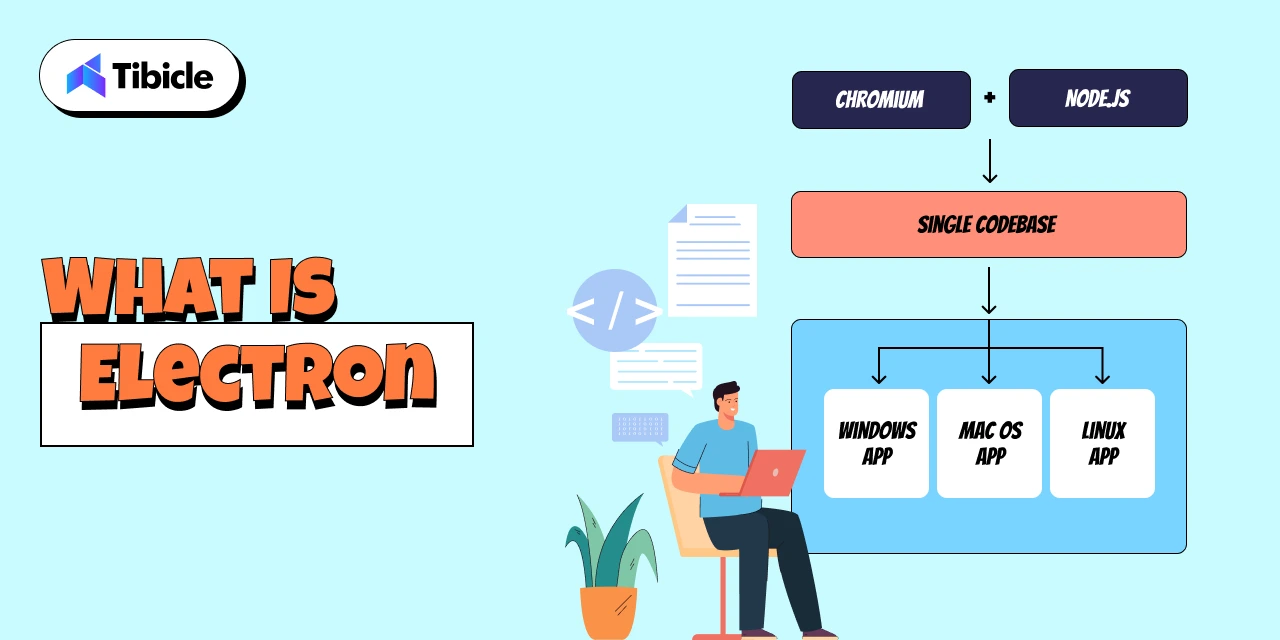
Electron is a popular open-source framework that allows you to build desktop applications using the same technologies behind modern websites: HTML, CSS, and JavaScript. Instead of writing separate codebases for Windows, macOS, and Linux, Electron gives you one unified codebase that works everywhere.
At its core, Electron combines two powerful components:
- Chromium (for rendering the UI, just like a browser)
- Node.js (for accessing system-level features like file handling, networking, and OS APIs)
This fusion lets developers build desktop software with the ease of web development while still tapping into desktop-level capabilities. The result? Apps that look modern, work consistently across platforms, and can be shipped much faster compared to native development.
Electron’s popularity has exploded over the past decade and for good reason. Some of the world’s most widely used apps are built on Electron, including:
- Slack (team communication)
- Visual Studio Code (VS Code) (world’s #1 code editor)
- Figma (UI/UX design platform)
- Discord (voice/text communities)
- Notion (productivity workspace)
- Trello (project management)
- Aegis Time Tracker (wfh hours tracking app)
- Microsoft Teams (desktop client)
- Postman (API development tool)
- Obsidian (knowledge management app)
When billion-dollar SaaS companies rely on Electron, it’s not an accident; it’s a strategic choice.
Startups especially prefer Electron because it:
- Reduces development cost (one dev team instead of three)
- Speeds up time-to-market
- Simplifies updates with automatic deploys
- Enables rapid iteration, A/B testing, and feature releases
- Integrates beautifully with modern web-based workflows
With Electron, founders can go from idea → prototype → cross-platform desktop app in record time. That’s why it has become the default choice for most modern SaaS companies building desktop experiences.
What Is Native Development
Native development refers to building desktop applications using platform-specific programming languages and frameworks, the same tools used by the operating system itself. Instead of one shared codebase, developers create separate versions tailored for each OS, such as:
- Swift or Objective-C for macOS
- C# and .NET (WPF, WinUI) for Windows
- C++ or Qt for cross-platform native-level performance
- GTK for Linux desktop environments
Examples of well-known native desktop applications include:
- Final Cut Pro (macOS – Swift/Objective-C)
- Logic Pro (macOS – audio production)
- Adobe Photoshop (Native components for performance-critical workflows)
- AutoCAD (Windows/macOS native engineering software)
- Microsoft Excel (core native engine with platform optimizations)
- DaVinci Resolve (GPU-intensive video editing software)
Because native apps are built with the operating system’s own language and UI components, they offer deeper system-level control and highly optimized performance. This is why traditional engineering teams, especially in enterprise environments, have relied on native development for years.
Enterprises typically choose native when they require:
- Maximum performance (e.g., video tools, rendering engines)
- Low memory usage
- Advanced hardware integration
- OS-level utilities or system monitoring
- Apps requiring strict security compliance
- Pixel-perfect platform-specific UI
The biggest advantage of native development is its ability to fully utilize CPU, GPU, file systems, background processes, and hardware components. For specialized applications, this level of precision can be essential.
However, the tradeoff is higher cost and slower development because each platform needs its own codebase, specialists, and maintenance cycle. This is the reason many modern SaaS and product teams now lean toward Electron unless native performance is absolutely mandatory.
Electron vs Native
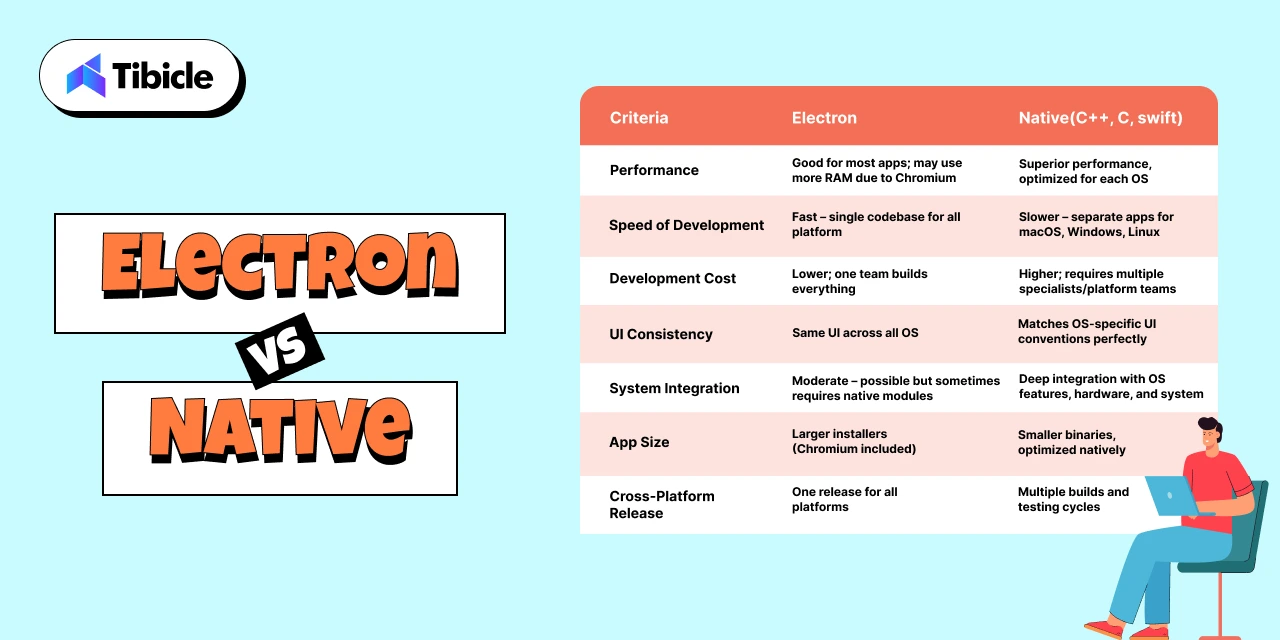
Choosing between Electron and native development ultimately comes down to understanding the practical trade-offs and how each option impacts cost, performance, hiring, and long-term scalability. Below is a clear comparison to help you evaluate both paths.
Electron vs Native: Side-by-Side Comparison
| Criteria | Electron | Native (Swift, .NET, C++, etc.) |
| Performance | Good for most apps; may use more RAM due to Chromium | Superior performance, optimized for each OS |
| Speed of Development | Fast – single codebase for all platforms | Slower – separate apps for macOS, Windows, Linux |
| Development Cost | Lower; one team builds everything | Higher; requires multiple specialists/platform teams |
| UI Consistency | Same UI across all OS | Matches OS-specific UI conventions perfectly |
| System Integration | Moderate – possible but sometimes requires native modules | Deep integration with OS features, hardware, and system APIs |
| App Size | Larger installers (because Chromium ships with the app) | Smaller binaries, optimized natively |
| Maintenance Effort | Easier – update once for every OS | Higher – separate updates for each OS |
| Hiring Difficulty | Easy; web developers can build Electron apps | Harder; requires OS-specific skill sets |
| Cross-Platform Release | Native advantage – one release for all platforms | Multiple builds and testing cycles |
| Update & Deployment | Auto-updates built in; simple dev workflows | Requires platform-specific release management |
Insights: What This Means for Your Product in 2026
For 80% of modern desktop apps, especially SaaS tools, dashboards, productivity platforms, internal systems, and AI utilities, Electron delivers faster shipping, lower cost, and easier scaling. Most founders value speed and iteration over microscopic performance gains, making Electron the smarter business decision.
Native development shines only when you need absolute performance, deep hardware control, extremely low memory usage, or system-level functionality. These cases are real but limited to specialized industries.
In most scenarios, the question isn’t “Is Electron technically better?” but rather,
“Does Electron get me to market faster without compromising user experience?”
For most teams, the answer is a clear yes.
When Electron Is the Better Choice
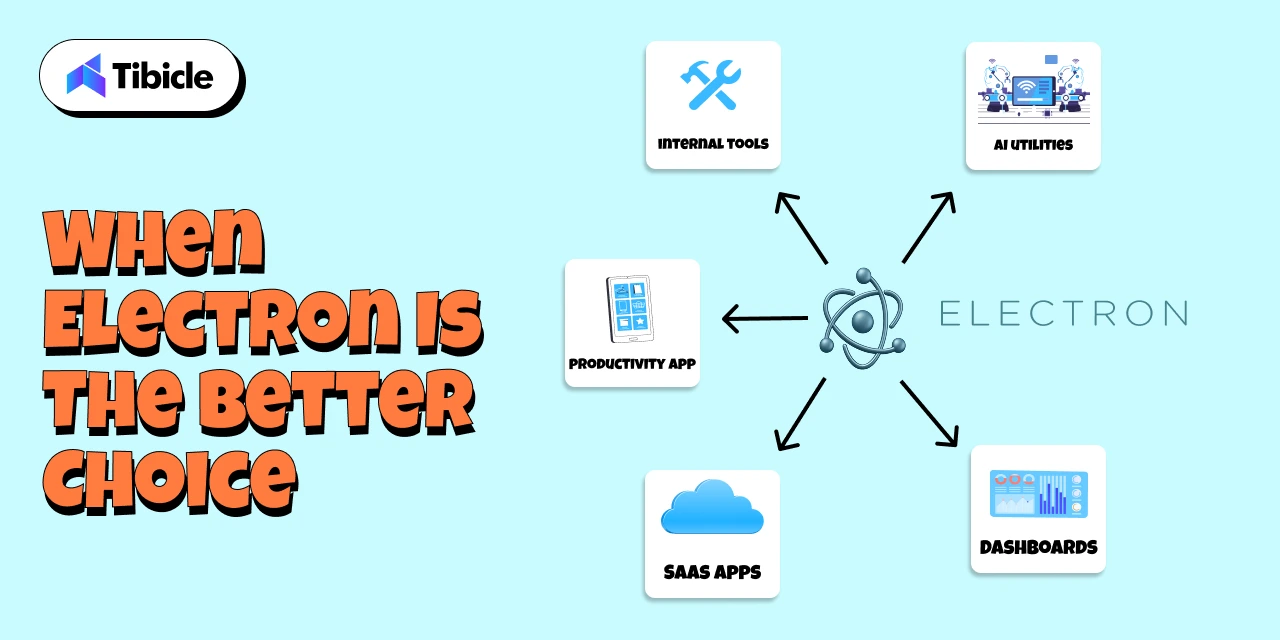
Electron shines in the scenarios where speed, flexibility, and cross-platform reach matter more than low-level system performance. For most modern apps, especially SaaS and productivity platforms, Electron is not just “good enough,” it’s the best business decision.
Ideal Use Cases for Electron:
- SaaS Desktop Versions
If your SaaS product already has a web app, Electron lets you convert it into a desktop app with minimal extra effort. This is how Slack, Notion, and Figma ship desktop clients so quickly. - Internal Tools & Admin Dashboards
Companies prefer Electron for internal tools because it supports rapid development, easy iteration, and auto-updates without IT headaches. - Productivity & Collaboration Apps
Anything involving communication, task management, notes, or workflow automation fits perfectly. Electron provides a smooth UI and consistent experience across devices. - Fast MVPs & Startup Launches
Electron reduces development time drastically. With one codebase and a web-tech workflow, founders can go from idea to prototype in weeks, not months. - Cross-Platform Releases
Electron makes it simple to release simultaneously on Windows, macOS, and Linux critical for SaaS companies with diverse user bases. - Apps That Need Auto-Updating
Electron’s built-in update pipeline allows seamless version upgrades without manual downloads, improving user retention and reducing support load. - Teams Already Using Web Technologies
If your developers already know JavaScript/React/Node.js, Electron is the most natural and cost-efficient choice.
For the vast majority of business applications, Electron offers faster delivery, lower cost, and easier long-term maintenance, making it the practical default in 2026.
When Native Still Makes Sense
While Electron is the best fit for most modern desktop applications, there are still specific scenarios where native development becomes essential. These are typically high-performance or system-critical applications where every millisecond, every megabyte of RAM, and every hardware call matters.
Ideal Use Cases for Native:
- High-Performance Video, Audio, or 3D Applications
Apps like Final Cut Pro, DaVinci Resolve, and AutoCAD require GPU-optimized pipelines and extremely low latency, something Electron can’t match. - Hardware Control & Device-Level Software
If your application needs to interface deeply with custom hardware, sensors, cameras, industrial machines, or USB drivers, native frameworks provide tighter system access. - OS-Level Utilities
Tools like antivirus programs, backup utilities, system monitors, and kernel-level integrations require low-level APIs available only in native environments. - Extremely Low-Memory Footprint Applications
Apps designed to run on minimal resources (like lightweight Linux utilities or embedded systems) are best built with C++, GTK, or other native toolkits.
Hybrid Models Are Common
Many modern companies use a hybrid approach, building the main interface in Electron while offloading performance-heavy tasks to native modules written in C++ or Rust. This provides the best of both worlds: speed + rapid development.
Native development still matters, but only in cases where precision and performance outweigh development speed and cost.
Final Verdict: Choosing the Right Approach for Your App
Choosing between Electron and native development ultimately comes down to defining what matters most for your product: speed, cost, performance, or system-level precision. After evaluating both approaches, one point becomes clear: Electron is the smarter choice for nearly 80% of modern desktop applications.
For SaaS founders, productivity tools, internal dashboards, AI utilities, and cross-platform software, Electron delivers everything you need:
- Faster development
- Lower engineering cost
- One codebase across all OS
- Seamless auto-updates
- Modern, web-driven UI
- Rapid iteration and feature rollout
Most businesses value the ability to ship quickly and adjust based on real user feedback. Electron gives you exactly that advantage.
Native development still plays a critical role, but only in niche scenarios where performance is absolutely mission-critical: video rendering engines, advanced graphics tools, hardware-dependent applications, or OS utilities. These cases are the exception, not the norm.
For most modern desktop products in 2026, Electron stands out as the technology that delivers speed, flexibility, cost efficiency, and cross-platform reach all without compromising on user experience. It empowers teams to ship faster, iterate continuously, and maintain a single codebase across Windows, macOS, and Linux.
This is exactly where Tibicle excels.
With 10+ large-scale Electron applications successfully delivered, our team has deep, hands-on expertise in building fast, reliable, and scalable desktop solutions. From high-performance SaaS platforms to complex enterprise tools, we understand what it takes to architect a production-ready Electron app that feels native, loads fast, and scales confidently.
Whether you’re validating an MVP, modernizing an internal tool, or building a full-featured cross-platform product, we help you move quickly without ever compromising on quality.
If you’re planning to build your next desktop app with Electron or want expert guidance on choosing the right approach, our team is here to support you end-to-end.
👉 Book your free quotation call from here and let’s build a powerful, cross-platform desktop experience together.
FAQ Section
FAQ 1: Is Electron a good choice for large-scale desktop applications?
Yes. Electron is already powering globally recognized applications like Slack, VS Code, Figma, and Discord, which is clear proof that it can handle high-traffic, large-scale use cases. With the right architecture and performance optimization, Electron apps run reliably across all platforms. Tibicle has delivered 10+ enterprise-level Electron applications, enabling us to design scalable and highly performant solutions for complex desktop requirements.
FAQ 2: Can Electron apps run smoothly on Windows, macOS, and Linux?
Absolutely. One of Electron’s biggest strengths is true cross-platform support from a single codebase, ensuring your application looks, feels, and performs consistently across Windows, macOS, and Linux. With deep experience in cross-platform Electron development, Tibicle ensures smooth performance, OS-specific optimization, and a unified user experience across all environments.
FAQ 3: Is Electron suitable for SaaS products or productivity apps?
Yes. Electron is an excellent choice for SaaS desktop clients, productivity tools, dashboards, admin panels, and internal platforms. It enables fast iteration, seamless auto-updates, and integration with modern web frameworks. Tibicle has extensive experience delivering complete SaaS desktop applications using Electron from UI/UX to final deployment, making it ideal for fast-moving product teams.
FAQ 4: Can Electron integrate with APIs, databases, or native modules?
Yes. Electron supports integrations with REST APIs, GraphQL, WebSockets, local databases like SQLite, and even native modules written in C++ or Rust for performance-critical operations. Tibicle has successfully implemented complex API structures and hybrid native-Electron workflows, enabling powerful functionality while maintaining fast development cycles.
FAQ 5: Can Tibicle build a complete Electron app from MVP to enterprise scale?
Yes, this is one of our core strengths. Tibicle has built more than 10 production-ready Electron applications ranging from rapid MVPs to full enterprise-grade platforms. We handle everything end-to-end, including UI/UX design, architecture, development, backend integration, packaging, deployment, and long-term maintenance, ensuring your app is stable, secure, and built to scale.
Schedule A Developer Interview And Get 15 Days Risk-Free Trial
Schedule a Call

Relevant Blog

Offline Local LLM Desktop App Integration in Electron

Aditya Changlani

Custom AI POS Software Development with Electron & IoT
Aditya Changlani
Written by

Shubham Naliyapara
Business Development Executive
I'm Shubham Naliyapara, Business Development Executive at Tibicle LLP. I connect ideas with solutions, turning business needs into tech-powered outcomes. With a passion for strategy and communication, I help clients grow by aligning vision with innovation.
Related posts
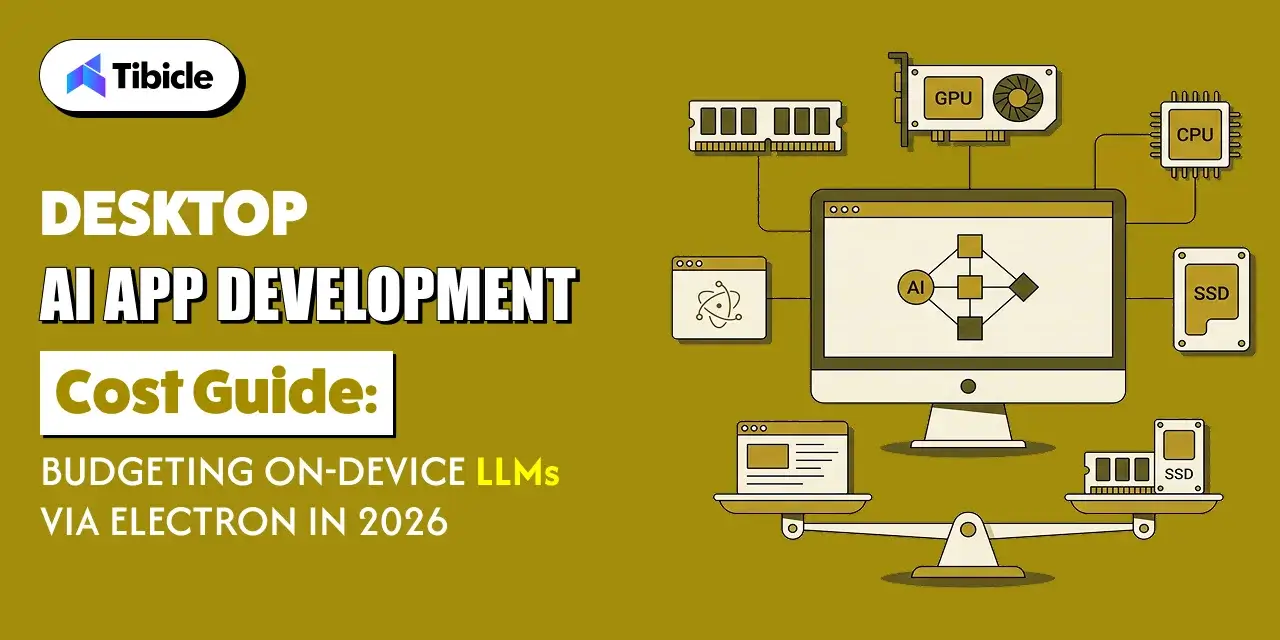
Desktop AI App Development Cost Guide: Budgeting On-Device LLMs via Electron in 2026
What This Guide Covers Who this is for: CTOs, product managers, and founders at SaaS and software companies planning a desktop app with local AI features, or adding on-device inference to an existing Electron product for desktop ai app development cost. Search intent: Understand desktop AI app development cost, including on-device LLM integration cost, hardware […]
08 Oct 2026 | Dhairya Dadhania
Offline Local LLM Desktop App Integration in Electron
What This Guide Covers Who this is for This guide is intended for engineering leads, staff engineers, and technical founders building or maintaining Electron-based desktop applications that must function without a constant connection, particularly teams undertaking offline local LLM desktop app integration to add on-device inference. It is also relevant to product managers scoping offline […]
07 Oct 2026 | Aditya Changlani
Custom AI POS Software Development with Electron & IoT
What This Guide Covers Who this is for: CTOs, retail technology leaders, and product owners at retail chains, grocery and convenience operators, and POS vendors evaluating custom AI POS software development for an AI-enabled checkout or a terminal refresh. Search intent: Understand how custom AI POS software development works, including Electron architecture, IoT integration […]
06 Oct 2026 | Aditya Changlani
Got an Idea? Get FREE Consultation
In our world, there's no such thing as having too many clients

Email
tea@tibicle.com

Phone
+91 9724922880