
Hire Category: Angular Developer
Best framework for desktop application in 2026
Introduction
The desktop application landscape in 2026 is more dynamic than ever. What once required platform-specific coding and months of development can now be achieved faster, smarter, and more efficiently thanks to modern frameworks that bridge performance, portability, and design.
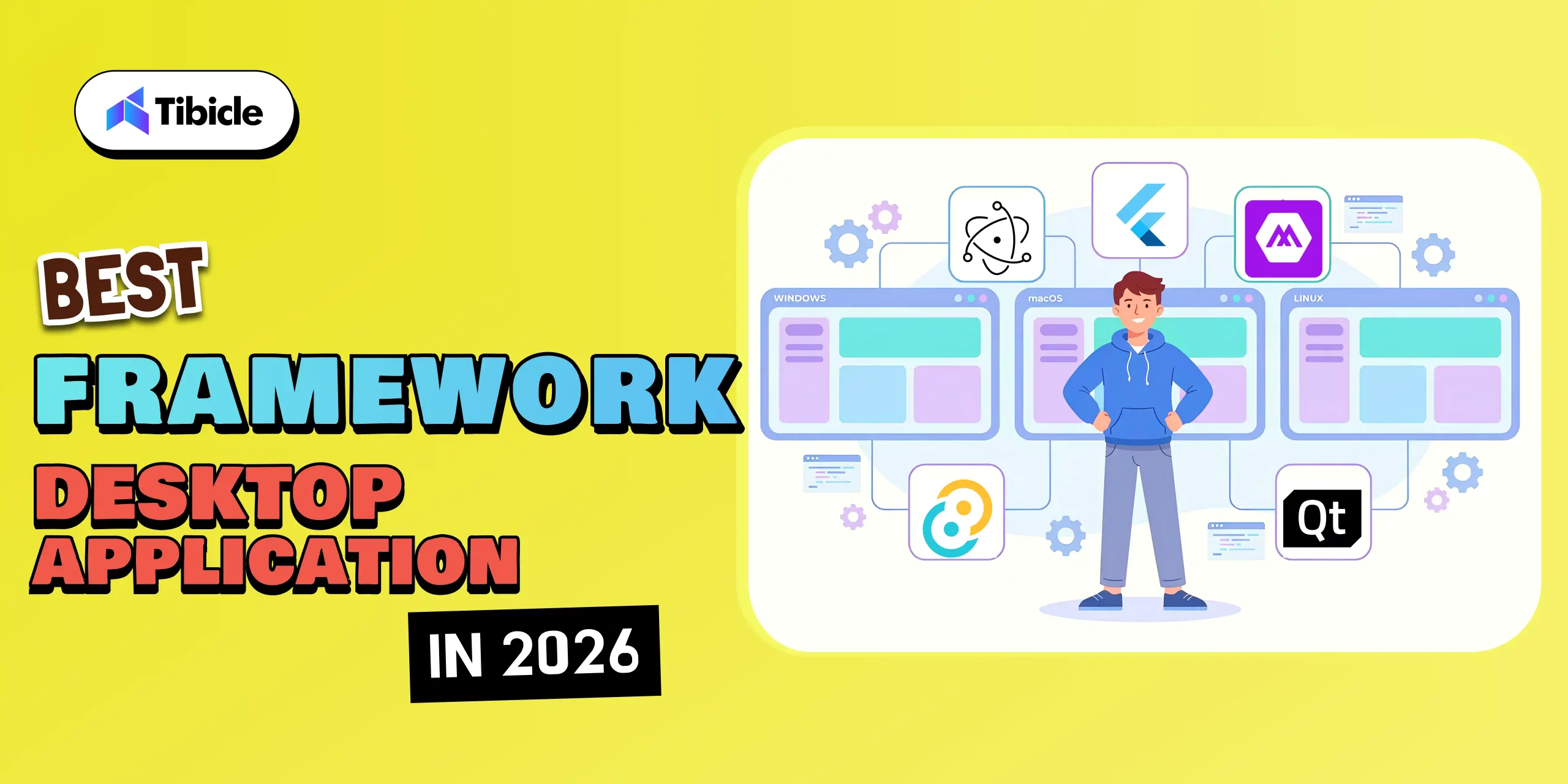
From AI-driven desktop tools to cross-platform productivity suites, businesses are investing in desktop apps that deliver native-like speed, offline capability, and deep system integration features that web apps alone can’t fully match.
With a wide array of options available, including Electron, Tauri, .NET MAUI, Qt, and Flutter, a critical question arises:
👉 Which framework should you choose for your next desktop project in 2026?
In this blog, we will explore the top frameworks shaping desktop app development this year. We’ll compare their capabilities, use cases, and performance benchmarks, allowing you to make informed decisions and create applications that excel in both usability and innovation.
The right framework doesn’t just help you build faster, it helps you build better, future-ready desktop experiences that scale seamlessly across devices.
Why Choosing the Right Framework Matters
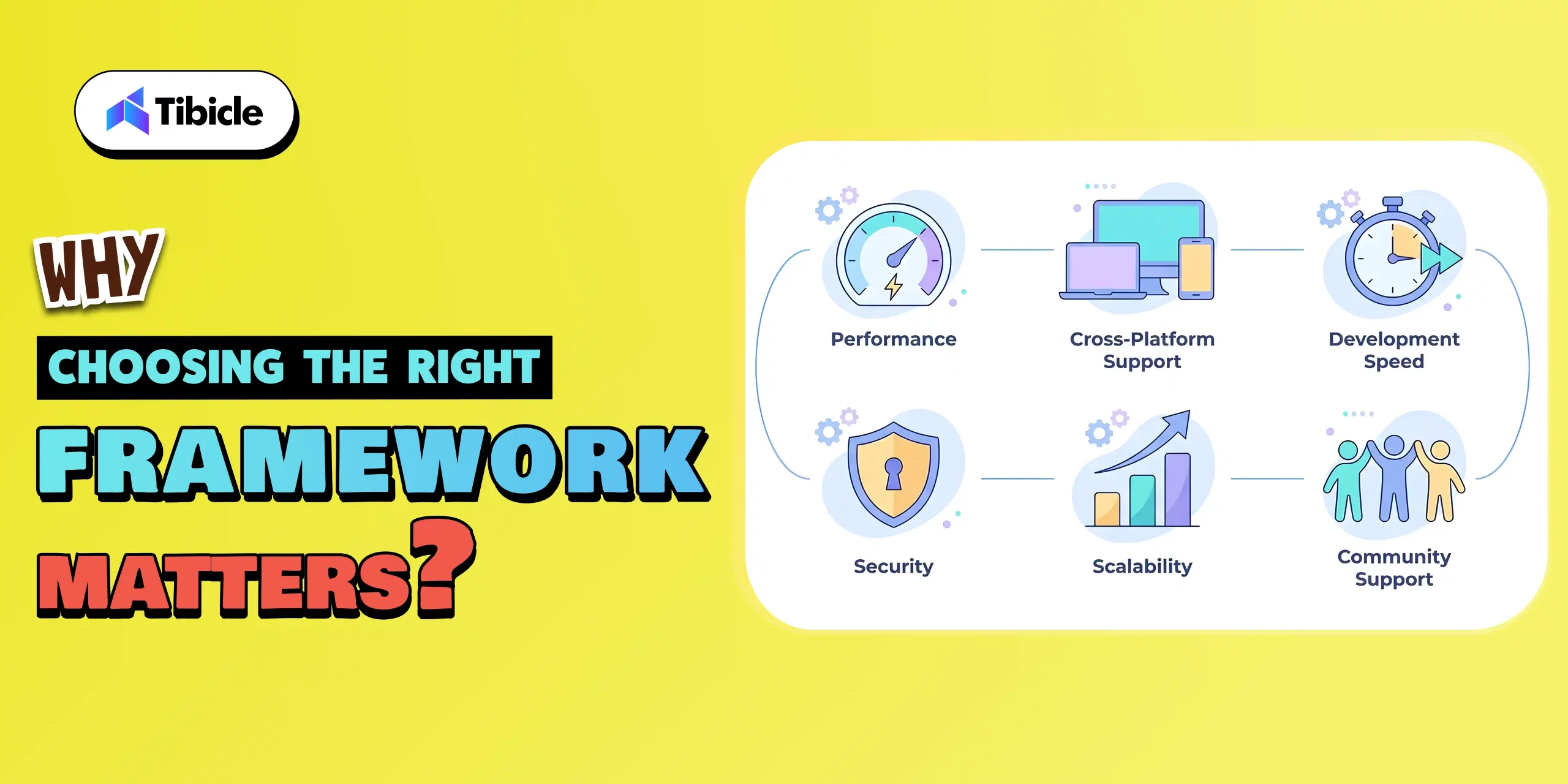
Choosing the right framework is one of the most important decisions in desktop application development. It affects not only the current performance of your app but also how easily it can scale, evolve, and remain relevant in the rapidly changing tech landscape of 2026.
-
Performance and efficiency
Your framework has a direct impact on your app’s speed, responsiveness, and resource consumption.
- A lightweight framework, such as Tauri or Qt, ensures fast load times and lower memory usage.
- On the other hand, frameworks such as Electron may consume more resources but offer greater flexibility and community support.
-
Cross-Platform Compatibility
Different frameworks handle multi-OS support differently.
- .NET MAUI, Flutter, and Electron allow developers to create apps for Windows, macOS, and Linux from a single codebase.
- Native frameworks like Qt provide deeper integration and performance but may require more configuration.
-
Development Speed and Productivity
In today’s fast-moving tech world, speed matters as much as quality. The framework you choose can dramatically impact how quickly your team can design, test, and deliver your desktop app.
- Frameworks with ready-made UI components, hot reload, and strong community support, like Flutter or Electron, help teams move faster from idea to execution.
- Platforms such as .NET MAUI, paired with tools like Visual Studio, make it easy to build, debug, and deploy with minimal friction.
-
Security and Scalability
In 2026, security isn’t just a feature; it’s a necessity. As desktop applications handle more sensitive data and integrate with cloud systems, choosing a framework that prioritizes safety and future growth has become more important.
- Rust frameworks, such as Tauri, make apps safer by enhancing memory management and protecting data. They eliminate common security issues from the outset.
- Look for frameworks that make it simple to add secure APIs, encrypted local storage, and user authentication systems such as role-based access control.
-
Community Support and Growth
A strong ecosystem means access to plugins, documentation, tutorials, and community discussions.
- Electron and Flutter lead in community size and third-party integrations.
- Frameworks like Tauri and .NET MAUI are growing rapidly with modern tooling and active contributor bases.
Top 5 Desktop Application Frameworks in 2026
1. Electron:
Why It’s Leading:
In 2026, Electron remains one of the leading desktop development frameworks, particularly for developers who are already familiar with web technologies.
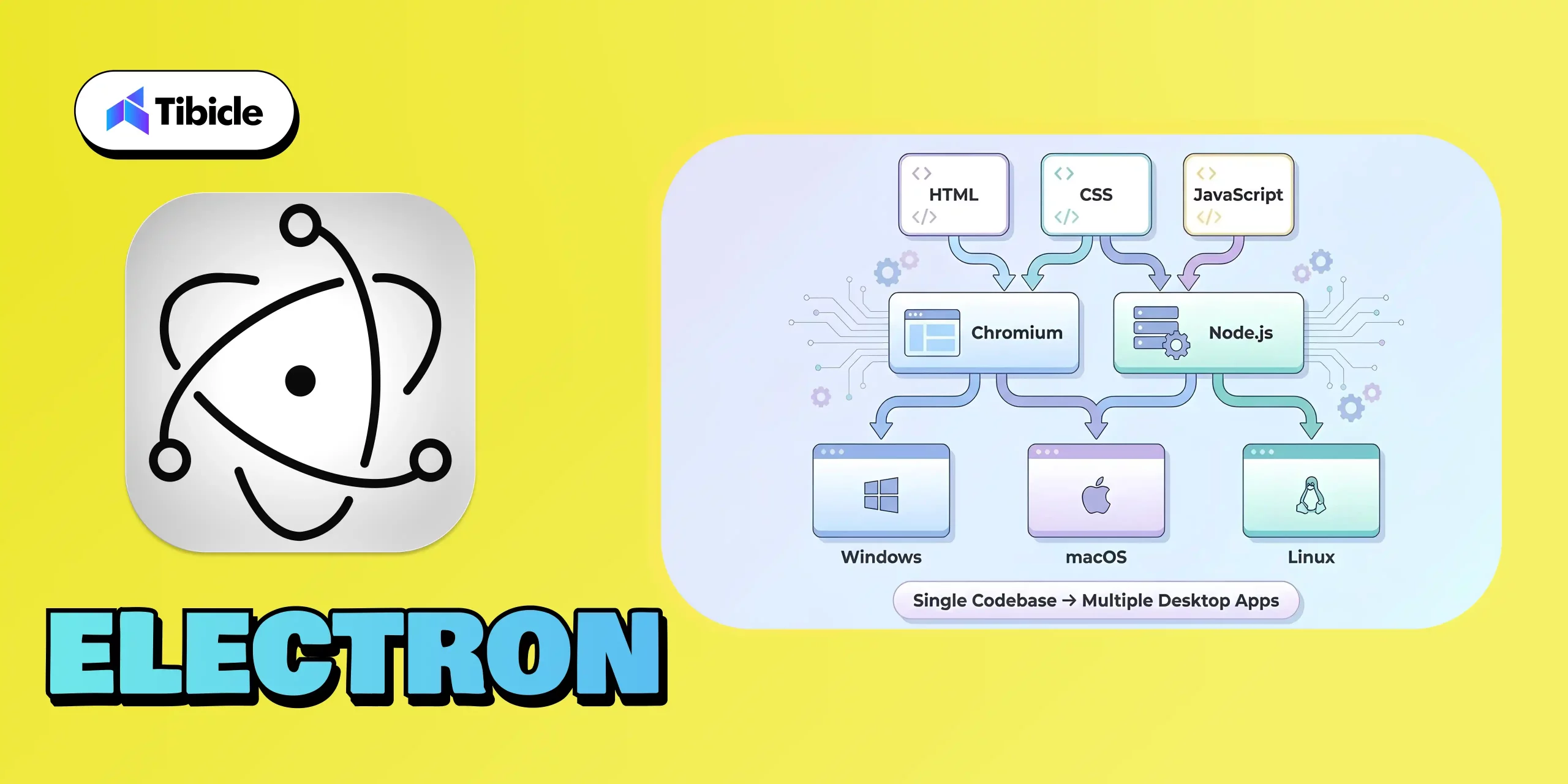
Built by GitHub and powered by Chromium and Node.js, Electron makes it incredibly easy to convert a web app into a fully functional desktop experience. You don’t need to learn a new language or complex architecture; if you know how to build for the web, you can build for the desktop.
Its real strength lies in accessibility and flexibility. Electron allows teams to create apps that run smoothly on Windows, macOS, and Linux using one familiar tech stack: HTML, CSS, and JavaScript.
What It’s Best For:
- Works with Modern Frameworks such as Angular, React, and Vue.js
- Cross-platform SaaS tools
- Internal productivity software
- Startups looking for a quick development turnaround
Why Developers Choose It:
- Universal Compatibility: Works seamlessly across Windows, macOS, and Linux.
- Familiar Tech Stack: Uses standard web technologies (HTML, CSS, JavaScript).
- Massive Ecosystem: Thousands of open-source plugins and libraries available.
- Strong Community: Backed by large developer groups and major companies.
Example Apps:
2. Flutter:
Why It’s Leading:
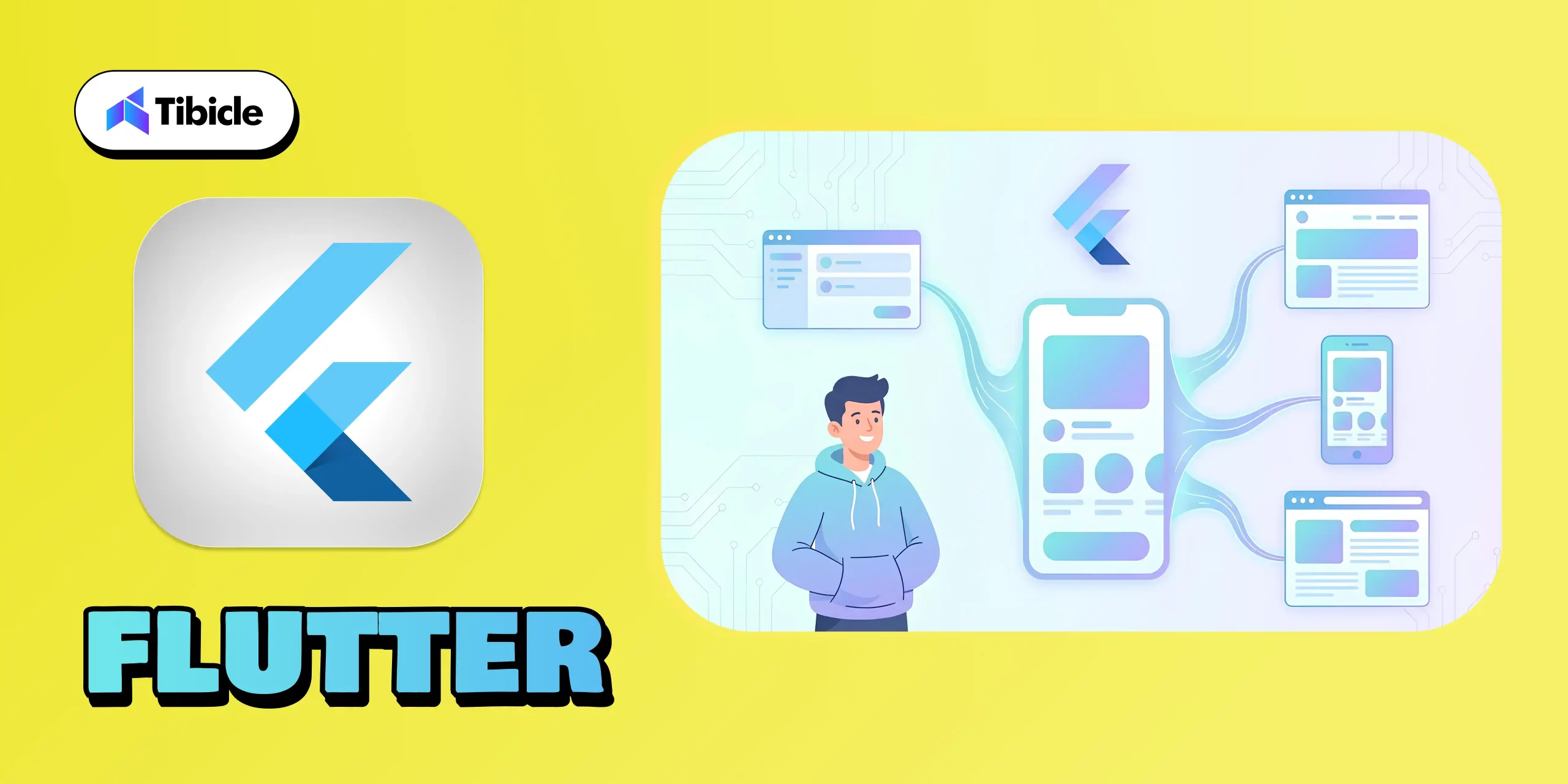
Flutter has become a major leader in 2026 because it offers something rare: one codebase for desktop, mobile, and web. Backed by Google, Flutter gives developers a fast way to build apps with beautiful, consistent UIs across Windows, macOS, Linux, iOS, Android, and browsers.
Its biggest strengths are its rich widget library, smooth performance, and hot reload, which make development faster and more enjoyable. Although desktop support is still evolving, Flutter stands out for teams that want design flexibility, multi-platform reach, and a modern development experience, all without managing separate codebases.
What It’s Best For:
- Consumer-facing apps need a consistent UI across devices
- Modern SaaS products are expanding to multiple platforms.
- Teams prioritizing speed, design, and shared code logic.
Why Developers Choose It:
- One Codebase for All: Build once for desktop, mobile, and web.
- Pixel-Perfect UI: Beautiful widgets and customizable layouts.
- Hot Reload: Real-time testing and instant UI feedback.
- Strong Community: Backed by Google and a massive global developer base.
Example Apps:
3. .NET MAUI:
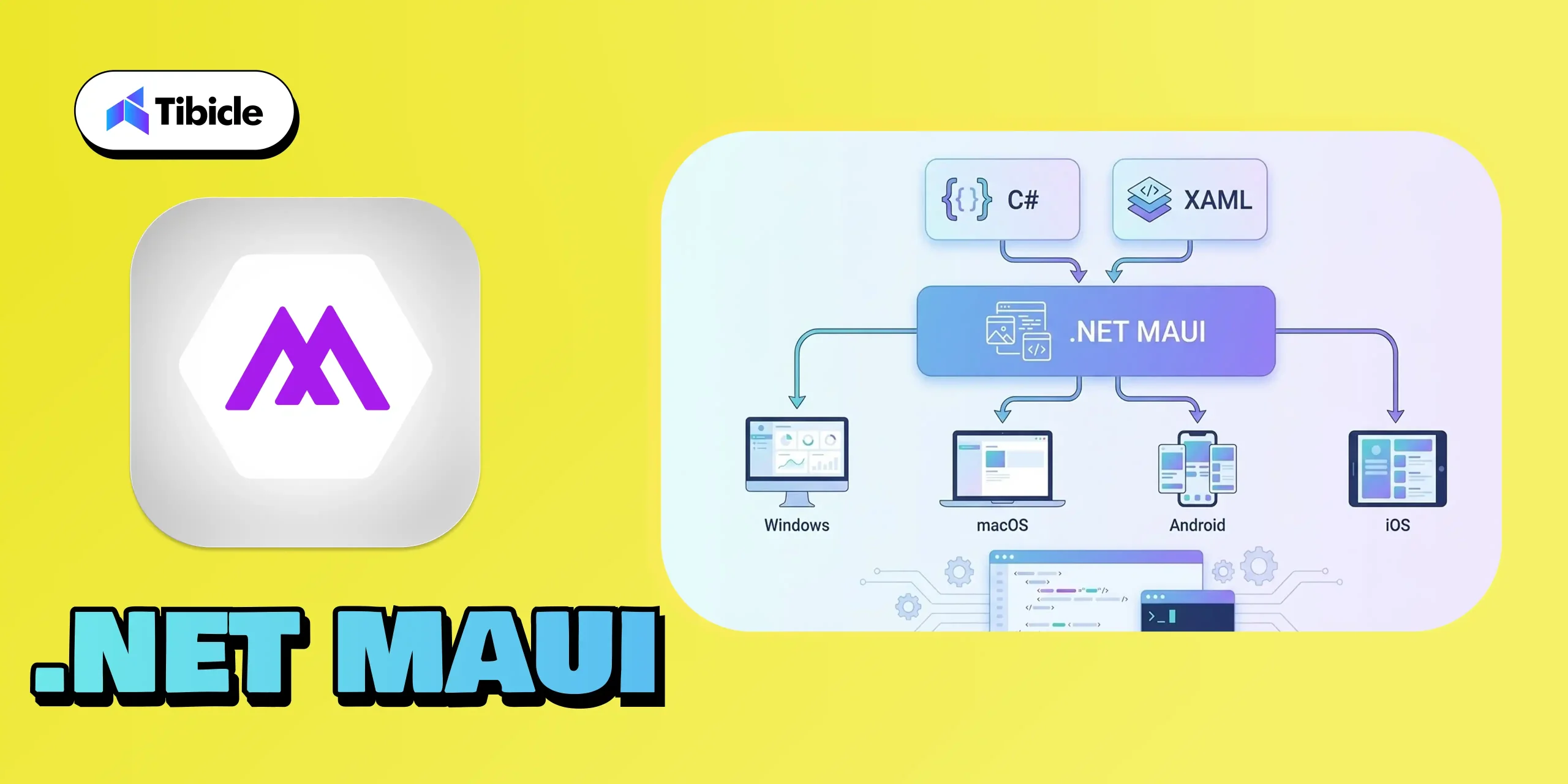
Why It’s Leading:
.NET MAUI stands out in 2026 because it gives developers a unified way to build apps for Windows, macOS, Android, and iOS using familiar C# and XAML. With strong support from Microsoft and seamless integration with Visual Studio, it’s a natural fit for teams working within the .NET environment.
Its capability to deliver native performance across various platforms makes it a reliable choice for enterprise-grade applications. For businesses seeking a stable, scalable, and future-ready framework, .NET MAUI remains one of the most trustworthy options available today.
What It’s Best For:
- Business and enterprise-grade applications
- Internal dashboards, CRMs, and tools
- Apps that demand native Windows integration
- Teams already skilled in .NET and C#
Why Developers Choose It:
- Unified Codebase: Write once, run across Windows, macOS, Android, and iOS.
- Strong IDE Support: Deep Visual Studio integration simplifies deployment.
- Native Performance: Uses native controls for a true OS experience.
- Enterprise-Ready: Perfect fit for corporate environments with existing Microsoft infrastructure.
Example Apps:
- Microsoft To-Do
- Custom enterprise ERP and inventory systems
4. Tauri:
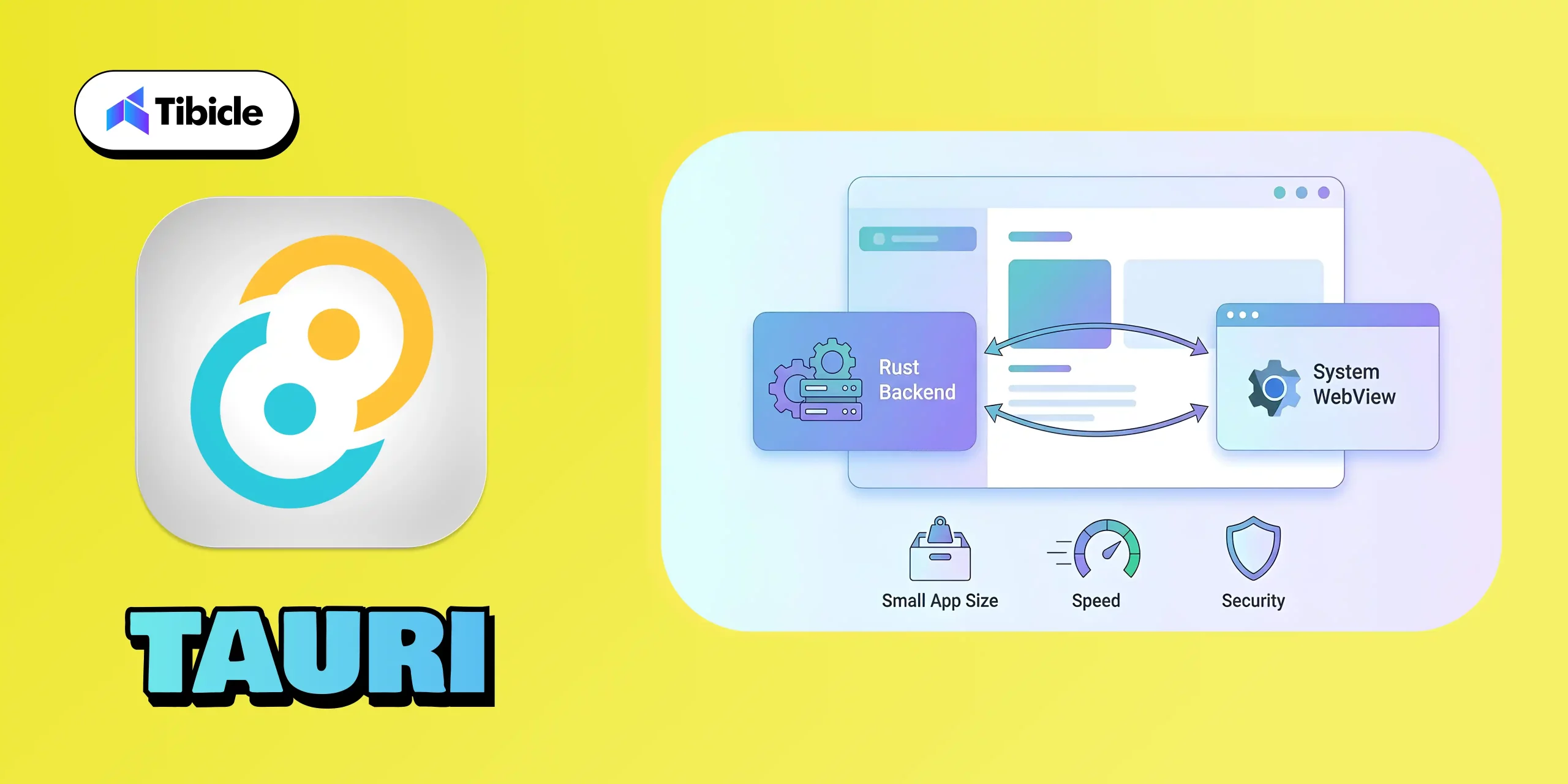
Why It’s Leading:
Tauri has quickly become one of the strongest modern alternatives to Electron because it focuses on speed, security, and efficiency. By using a Rust-powered backend and relying on the system’s native WebView instead of bundling Chromium, Tauri keeps apps incredibly lightweight while still delivering a smooth, native-like experience.
Its combination of small build sizes, low memory usage, and strong security makes it a top choice for developers who want fast, modern desktop apps without the heavy footprint.
What It’s Best For:
- High-performance web-based desktop apps
- Privacy-focused and secure software
- Lightweight utilities or note-taking tools
- Developers targeting all OS platforms efficiently.
Why Developers Choose It:
- Tiny Build Sizes: Apps as small as 5–10 MB compared to Electron’s 100+MB.
- Secure by Design: Rust ensures memory safety and prevents runtime crashes.
- Performance Optimized: Minimal background processes and low CPU use.
- Web-Developer Friendly: Works with React, Vue, Svelte, or any modern JS frontend.
Example Apps:
5. Qt:

Why It’s Leading:
Qt remains one of the most trusted frameworks due to its capability to provide genuine native performance across all major desktop platforms. Built in C++, Qt is engineered for applications that demand speed, precision, and reliability, which is why it remains a favorite in industries like engineering, automotive, medical devices, and advanced creative tools.
Its powerful UI system, support for complex interfaces, and capabilities in graphics, animation, and hardware acceleration make it ideal for software that needs more than just simple layouts. Whether it’s 2D dashboards or full 3D rendering, Qt handles heavy workloads with ease.
What It’s Best For:
- Engineering and design tools
- Simulation and visualization software
- Graphics-intensive or real-time systems
- Enterprise-level native desktop apps
Why Developers Choose It:
- Blazing-Fast Performance: Runs close to the hardware with native compilation.
- Rich Feature Set: Offers advanced libraries for UI, networking, and data visualization.
- Cross-Platform Flexibility: Seamlessly supports Windows, macOS, Linux, and even embedded systems.
- Professional Tooling: Includes Qt Creator IDE and Qt Design Studio for rapid prototyping.
Example Apps:
Framework Comparison Table
| Framework | Language | Platforms Supported |
| Electron | JavaScript, HTML, CSS | Windows, macOS, Linux |
| Flutter | Dart | Windows, macOS, Linux, Web, Mobile |
| .NET MAUI | C#, XAML | Windows, macOS, Android, IOS |
| Tauri | Rust + JavaScript | Windows, macOS, Linux |
| Qt | C++ | Windows, macOS, Linux |
Conclusion

The desktop app ecosystem is evolving rapidly, and selecting the right framework can significantly impact your product’s performance, scalability, user experience, and long-term success. Whether you’re looking for the lightweight efficiency of Tauri, the design flexibility of Flutter, the enterprise reliability of .NET MAUI, or the native strength of Qt, the best choice is the one that aligns with your goals and meets your users’ needs.
At Tibicle, we help organizations turn their decisions into high-performing applications. Our developers possess extensive expertise across modern frameworks, enabling businesses to create desktop software that is fast, intuitive, and future-ready.
If you’re planning your next project and want the right technical direction, we’d love to talk.
👉 Book your free consultation call from here, and let’s build your next big product together.
FAQ Section
Q1. Which desktop framework is best for beginners in 2026?
Tauri and Electron are excellent starting points for web developers transitioning to desktop development.
Q2. Which framework gives the best performance?
Performance mostly depends on use case, and all of these frameworks work best, but since Qt is built with C++, it’s safe to say it helps provide the most performance.
Q3. Is Flutter production-ready for desktop apps?
Yes, Flutter’s desktop support became significantly more stable for production use in 2026, but since Flutter Desktop was introduced recently, it’s too early to tell anything.
Q4. What framework should enterprises choose?
In my opinion, the best choice is Electron for enterprise applications because it supports Angular, Vue, React, and React Frameworks.
Angular 20 : New key features and updates
Introduction
The Angular team consistently focuses on improving performance and enhancing key features with each new release. It’s always exciting to see how these updates aim to make the framework more powerful and robust. The same happened in version 20, which is designed to provide faster rendering, enhance developer productivity, and offer advanced reactivity, while also simplifying legacy patterns to embrace the future of modern web development. These improvements position Angular as a leading contender for the best web development framework in 2025.
🔥 What’s New in Angular 20?
1. Signals: Now Fully Stable and Ready for Production
The Angular team consistently focuses on improving performance and enhancing key features with each new release. It’s always exciting to see how these updates aim to make the framework more powerful and robust. The same happened in version 20, which is designed to provide faster rendering, enhance developer productivity, and offer advanced reactivity, while also simplifying legacy patterns to embrace the future of modern web development. These improvements position Angular as a leading contender for the best web development framework in 2025.
Here is the list of Signal APIs that are fully stable.
-
signal() – Create a writable signal which is a reactive value container. You can update its state by calling .set() and .update() methods.
-
computed() – Create a derived signal whose value automatically gets recalculated when its dependencies change.
-
effect() – Register a side effect that triggers when the value of the signal changes.
-
toSignal() – Converts Rxjs observable to signal.
-
model() – Signal based two-way binding to simplify communication between two components.
-
viewChild() / contentChild() – Signal based template queries
-
toObservable() – Convert angular signal to Rxjs observable
-
afterRenderEffect() – Registers an effect that executes only after Angular has finished rendering the DOM.
-
linkedSignal() – Create a signal whose value is both derived from one or more source signals and directly upgradable.
-
afterNextSignal() – Register a callback that runs after every next render cycle, but only one time.
🧪 Experimental Signal APIs:
There are some experimental APIs too, which might get fully stable in upcoming versions.
-
resource() – This API is to manage async operations.
-
rxResource() – treaming versions of resource API, supporting real-time update via Rxjs-like pattern
-
httpResource() – Signal-powered HTTP request, built on HttpClient
-
Signal-based Forms – This is available for preview in this version.
2. Zoneless Change Detection
In version 20 of Angular introduced the Zoneless feature. This is something very powerful change that no one is talking about. Till now, Angular relied on Zone.js to track changes, which sometimes bottlenecks the app’s performance because the change detection keeps triggering for every small change. Zoneless change detection is now in developer preview, offering leaner and faster execution. Now the developer can decide when the zone should trigger. This may seem similar to the OnPush strategy but it’s totally different than OnPush.
How to use zoneless mode:
-
Remove zone.js from angular.json polyfills.
-
Add provideZonelessChangeDetection() to app.config.ts.
-
For new projects, use the –zoneless flag during setup.
Zoneless is a developer preview but offers great potential for performance-critical applications.
3. Modernized control flow syntax: @if, @for and @switch
The modern template syntax introduced in Angular 17 is now the preferred and more stable approach in v20. The classic structural directives (*ngIf, *ngFor, *ngSwitch) are now deprecated.
Code Example:
| @if (items().length > 0) { <ul> @for (item of items(); track item.id; let idx = $index) { <li>Item {{ idx + 1 }}: {{ item.name }}</li> } </ul> } @else { <p>No items</p> } |
4. Dynamic Component Creation
The dynamic component creation is now improved and gives support for two-way binding, directive, input and output bindings. This makes dynamic component creation easier and faster. Using the createComponent method, you can create a dynamic component.
Here is a simple example,
| import { createComponent, inputBinding, outputBinding, twoWayBinding } from ‘@angular/core’; containerRef.createComponent(ChatComponent, { bindings: [ inputBinding(‘name’, this.name), outputBinding(‘refreshName’, this.onRefresh), twoWayBinding(‘status’, this.statusSignal) ] }); |
5. Improved Template Expressions
In Angular 20, the team significantly tried to close the gap between Angular’s template syntax and standard JavaScript/TypeScript, making the template more expressive and powerful. Below are the key improvements.
- Exponentiation Operator (**) – You can now use the ** operator for power calculation.
Example,<input type=“number” [(ngModel)]=“base” placeholder=“Base” />
<input type=“number” [(ngModel)]=“exponent” placeholder=“Exponent” />
<p>Result: {{ base() ** exponent() }}</p> - “in” Operator – The angular now supports JavaScript in operator to check if a key exists in the object.
Example,<input [(ngModel)]=“propertyName” placeholder=“Property name” />
<p>
“{{ propertyName() }}” exists in circle object: {{ propertyName() in circle }}
</p> - (Un)tagged Template literals – Its now possible to write backticks in HTML and even create a custom function.Example,
<p>{{ `Hello, ${userName}!` }}</p> - Void Operator – The void operator ensures that the function always returns undefined. This is particularly useful in event binding.Example,
<button (click)=“void saveData()”>Save</button> - Operator Precedence Diagnostics – Angular 20 introduces diagnostics for unparenthesized nullish coalescing (??) mixed with logical AND (&&) or OR (||) to prevent ambiguous expressions.
Example,<!– Previously ambiguous –>
{{ name || user?.name ?? ‘Anonymous’ }}
<!– Diagnostic now recommends: –>
{{ name || (user?.name ?? ‘Anonymous’) }}
6. Incremental Hydration for Server-Side Rendering (SSR)
Server-side rendering just got smarter with Incremental Hydration. Instead of hydrating the full DOM serially, Angular 20 enables granular hydration: only the necessary components are hydrated based on user interaction or visibility. This dramatically improves Time to Interactive and overall page speed, vital for SEO and user engagement. This helps to improve the page speed of an Angular app.
7. Router Enhancements
In Angular 20, the team has introduced several router enhancements focusing more on flexibility and security.
Below are the key updates:
-
Standalone Routing API via provideRouter()
You can now configure the routing in standalone component without the need for RouterModule. Use the provideRouter function in app’s boostrapApplication. - Async Redirects support
The redirectTo property now allows async observables and promises. This helps router to make async decisions such as checking permission or checking the token. -
Smarter Route Guard and Resolving
Gaurds can now be composed with runSerially(..) – letting you run multiple guards in order for given routes - Improved Tree Shaking and Optional Features
With provideRouter, only the router features you actually use are included in your build. Previously with RouterModule, features like HashLocationStrategy, preloading and Scroll management were always bundled – even if its unused.
Example,import { provideRouter, withPreloading, PreloadAllModules } from ‘@angular/router’;
bootstrapApplication(AppComponent, {
providers: [
provideRouter(routes, withPreloading(PreloadAllModules))
]
})
8. Native Scroll Improvements
Native scroll behaviors are now supported better and configure directly through router.
Example:
Programmatically control scroll with options:
| this.scroller.scrollToPosition([0, 10], { behavior: ‘smooth’ }); |
Deprecations in Angular 20
There are some deprecations done in new version. Below are the major deprecations which you need to know.
1) Structural Directive: *ngIf, *ngFor and *ngSwitch
The classic Angular directives ngIf, ngFor and ngSwitch are now deprecated. Developer need to use the template syntax from now onwards
2) Zone.jsrelated APIs
APIs and Flags related to zone.js and experimental change detection are either renamed or not in use anymore
3) Testing Utilities:
-
TestBed.get()→ Removed (deprecated since v9). Use TestBed.inject(). -
InjectFlags enum→ Removed. -
fixture.autoDetectChanges(true/false)/code>→ The boolean parameter is deprecated/removed. Use without argument for auto detection. -
ng-reflect-*→ attributes — Not generated by default in dev mode. Can be re-enabled with provideNgReflectAttributes() for debugging. -
The
DOCUMENTtoken → Moved from@angular/commonto@angular/coreimports auto-migrated. -
HammerJS→ Legacy support is deprecated due to lack of maintenance.
Conclusion
From the Angular team, you can always expect improvements and a better development experience in their updates. This time also, the team has proved it why Angular is still the first choice for enterprise solutions. The major update in my opinion, is the Signal enhancements. You can check the Angular official documents for more information related to the updates and improvements in the new version.
Whether you’re keeping your codebase modern, seeking better performance, or adopting new Angular paradigms, now is the perfect time to upgrade and leverage all that Angular 20 offers.
If you’re planning to build an enterprise-level application, our expert team is here to help. We specialize in architecting, designing, and deploying large-scale web solutions using the latest technologies. Get in touch with us today to discuss your project and see how we can accelerate your success!
Feel free to schedule a call from here to meet with our experts and discuss your ideas in detail. You can also share your requirements here, and our team will get back to you.
Custom Software Development to Scale Your Business in 2026
🚀 The Need for Custom Software in a Fast-Paced World
In today’s digital landscape, custom software development in 2026 is crucial for businesses scaling faster than ever. However, generic, off-the-shelf software simply isn’t cutting it anymore. From clunky workflows to unnecessary features, pre-built solutions often create more bottlenecks than breakthroughs.
That’s where custom software development comes in. It’s not just about having a product tailored to your needs — it’s about building a scalable foundation that grows with you, adapts to market shifts, and keeps you ahead of the competition.
💡 What is Custom Software?
Custom software is specifically designed and developed to meet the unique needs of a business, unlike generic software that offers the same features to all users. It’s built from the ground up to address your exact requirements, streamline processes, and integrate seamlessly with your existing systems.
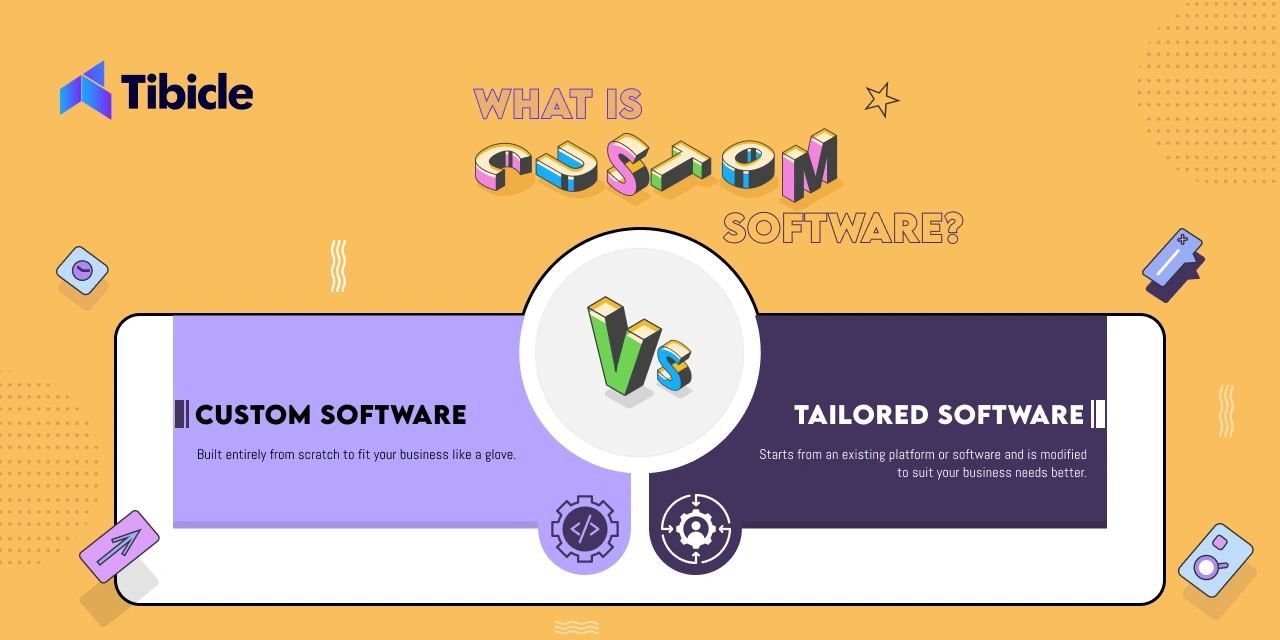
🔍 Custom Software vs. Tailored Software — What’s the Difference?
While these terms are often used interchangeably, they have distinct differences:
- Custom Software: Built entirely from scratch to fit your business like a glove. It’s fully unique, offering a competitive edge and designed to evolve with your growth.
- Tailored Software: Starts from an existing platform or software and is modified to suit your business needs better. It’s faster to develop but may have limitations compared to fully custom solutions.
In short, if you’re scaling rapidly and need a strategic edge, custom software is the smarter, long-term investment.
💡 Why Custom Software Beats Off-the-Shelf Solutions
-
Tailored to Your Business Needs: You no longer need to compromise. Instead of adjusting your processes to fit a tool, the tool adapts to fit you.
-
Scalability Built-In: As your business grows, your software should grow with you — without the need for expensive upgrades or risking performance drops.
-
Competitive Edge: Custom solutions offer unique features that competitors simply don’t have. For instance, whether it’s a personalized customer experience or an innovative backend process, you control what makes you stand out.
-
Seamless Integration: Off-the-shelf solutions often struggle to integrate with existing systems. In contrast, custom software connects effortlessly, eliminating data silos and boosting efficiency.
-
Cost Efficiency in the Long Run: Although custom development requires a higher upfront investment, it reduces long-term costs. There are no recurring license fees, fewer productivity losses, and no need for platform changes every few years.
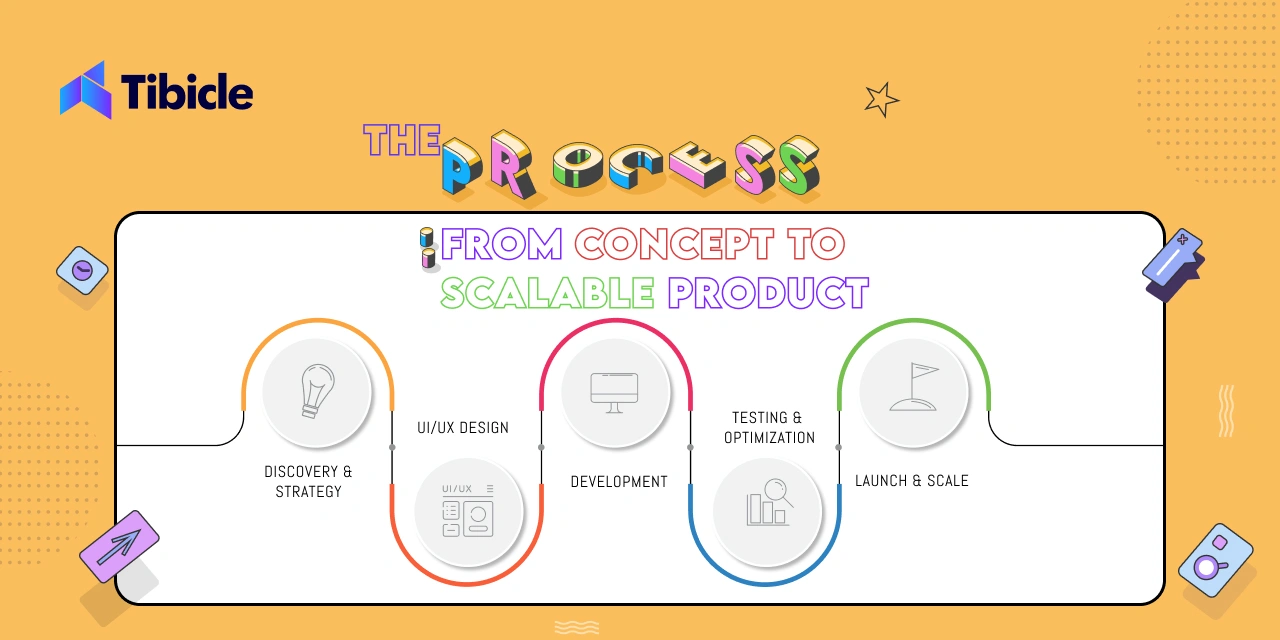
🛠️ The Process: From Concept to Scalable Product
At Tibicle,, we follow a proven, end-to-end development process to ensure your custom software isn’t just functional — it’s a launchpad for growth.
- Discovery & Strategy: We dive into your business goals, challenges, and processes to define what success looks like.
- UI/UX Design: User experience isn’t an afterthought — it’s a driving force. We design clean, intuitive interfaces to ensure users engage and convert.
- Development: Our full-stack development team builds robust backends and sleek frontends, ensuring your software is fast, secure, and scalable.
- Testing & Optimization: Rigorous testing ensures everything works flawlessly. We refine performance, squash bugs, and optimize for maximum efficiency.
- Launch & Scale: We don’t just hand you the keys and walk away — we support your launch, monitor performance, and adapt as your business evolves.
🔥 Choosing the Right Development Partner
Custom software is only as good as the team behind it. When selecting a development partner, look for:
- Proven Experience: A track record of delivering scalable, user-friendly solutions.
- Full Product Lifecycle Expertise: From UI/UX to backend infrastructure.
- Agile Approach: Rapid iterations, continuous feedback, and adaptability.
- Commitment to Your Vision: A team that collaborates closely with you, not just builds what you say.
Tibicle brings all this — and more — to the table.
🎯 Conclusion: Scale Smarter, Not Harder
Scaling your business in 2026 isn’t about working harder — it’s about working smarter. Custom software development gives you the flexibility, performance, and innovation edge you need to grow on your terms.
Ready to ditch generic solutions and scale with confidence? Let’s build something powerful — together.