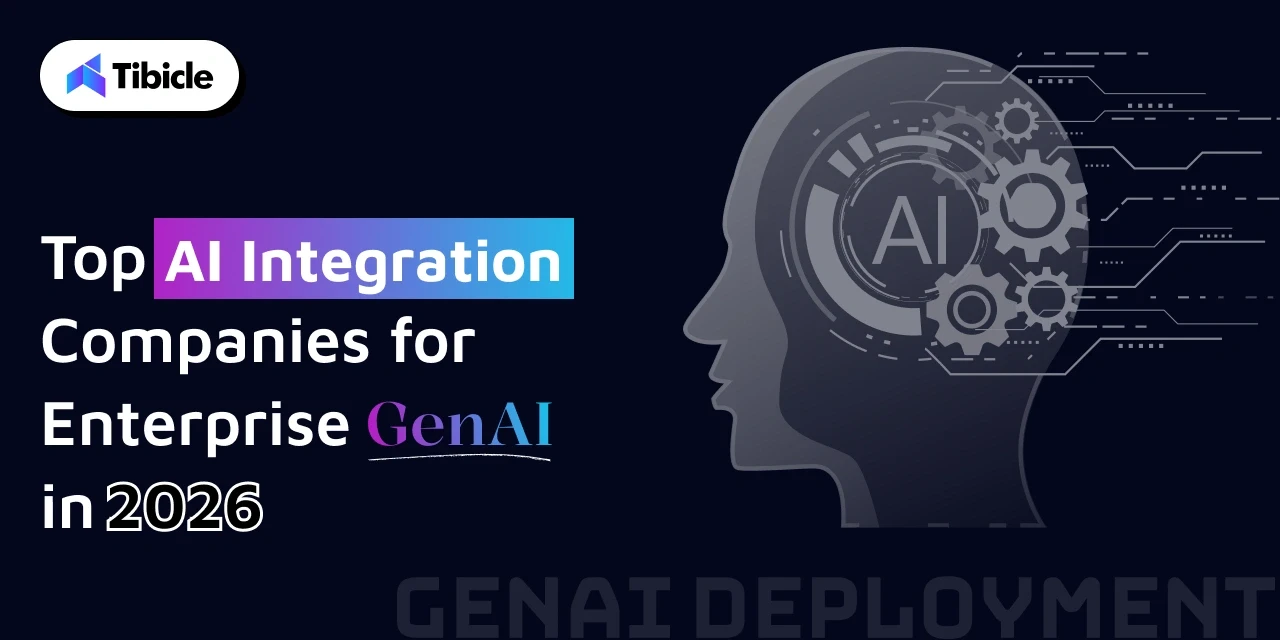
Top AI Integration Services Companies for Enterprise in 2026

Introduction

According to McKinsey (2024), 72% of organizations now use AI. However, most GenAI projects never reach production. The gap isn’t ambition – it’s execution. In many cases, businesses lack the right AI integration services to turn experiments into working systems. While 65% of companies report regular GenAI usage, fewer than one in three achieve measurable ROI at scale.
AI integration services

With the global GenAI market growing at a 36.99% CAGR through 2031, choosing the right AI integration services is a strategic make-or-break decision. What separates a functional GenAI deployment from a failed pilot comes down to architecture, data readiness, and the right integration partner.

This guide covers the top 5 AI integration services helping enterprises move from experiments to production systems that deliver results.

How AI Integration Actually Works
AI integration services

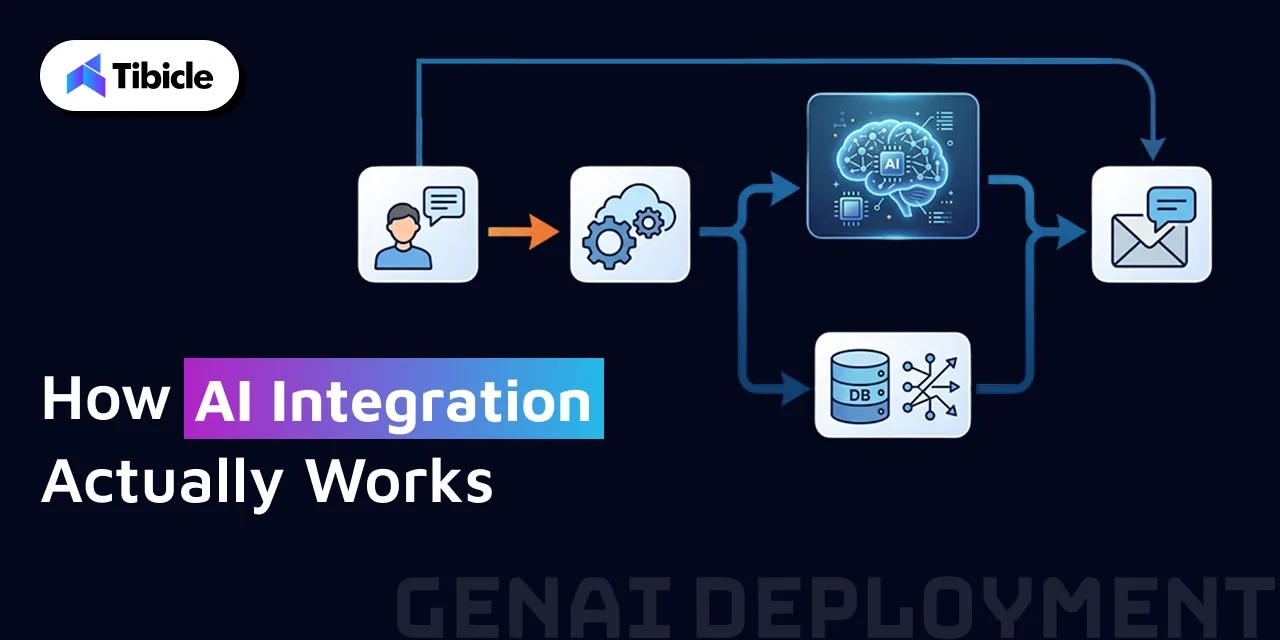
AI integration is not just about plugging in a model; it’s about making that model work smoothly with your existing systems and data.

Here’s how it usually works in practice:

  • API Integration:
    AI models (such as LLMs) are integrated with your app via APIs. This allows your system to send data to the model and get responses in real time.
  • RAG Pipelines (Retrieval-Augmented Generation):
    Instead of relying only on pre-trained data, the AI pulls relevant information from your own database or documents before generating a response. This improves accuracy and reduces wrong outputs.
  • Vector Databases:
    Your data (documents, FAQs, etc.) is converted into embeddings and stored in a vector database. This helps the AI quickly find the most relevant information when needed.
  • Workflow Integration:
    AI is integrated with tools like CRM, ERP, and internal dashboards, so it becomes part of your daily operations, not a separate tool.
  • Model Deployment & Monitoring:
    Once everything is live, the system is monitored regularly to track performance, fix issues, and improve responses over time.

In simple terms, good AI integration services make sure your AI doesn’t just exist—it actually works inside your business.

1. Tibicle: End-to-End AI Integration Services Built for Production-Grade GenAI Deployment
service

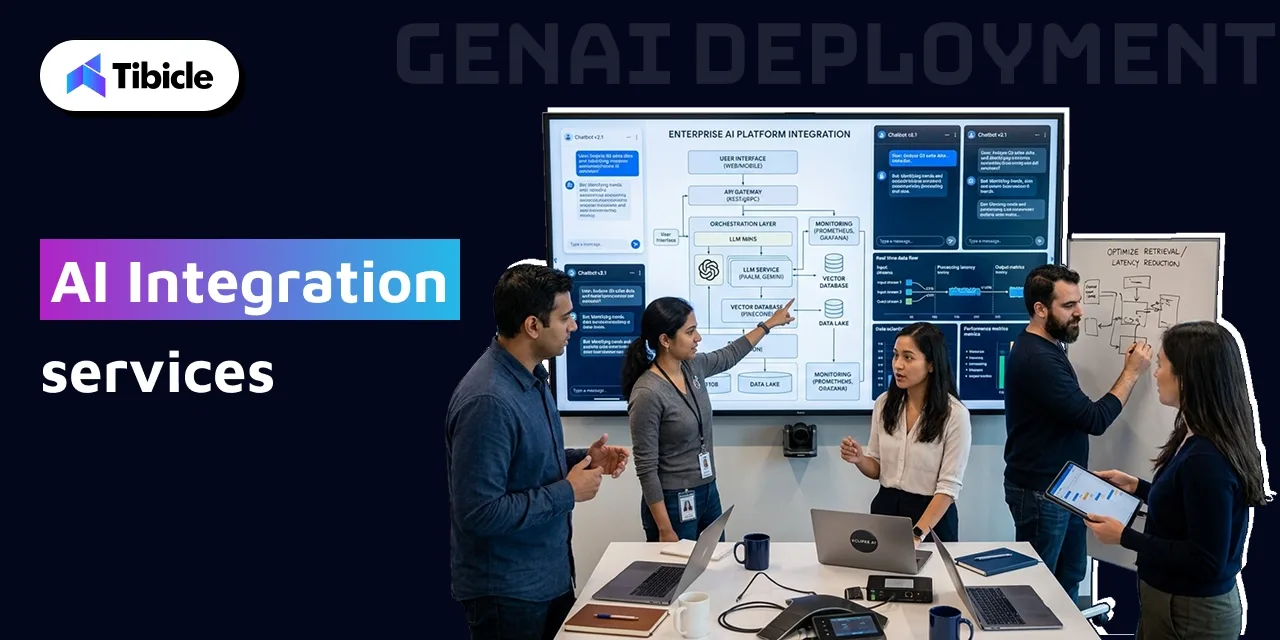
When it comes to AI integration services that actually ship to production, Tibicle stands out for the right reasons. Tibicle builds and deploys full-cycle AI solutions, multilingual chatbots, semantic search systems, recommendation engines, and AI-powered LMS platforms across both web and mobile environments. Their approach is not proof-of-concept-first. It is production-first.

What makes Tibicle operationally distinct is its sprint-based delivery model. Weekly client reviews, clear milestone documentation, and scope-change protocols are baked into every engagement from day one. This makes GenAI rollouts auditable, transparent, and far less likely to drift off-track mid-project.

Tibicle serves startups, SMBs, and enterprises across edtech, healthcare, e-commerce, and SaaS verticals, bringing the same production rigor to a 10-person team as it does to a scaling enterprise.

What Sets Tibicle Apart from Larger AI Integration Vendors

The results speak directly to execution quality. A deployed AI chatbot handled 75% of customer queries within the first month of going live and reduced manual ticket creation by 60%, results independently verified on Clutch.

Equally important is accessibility. Tibicle’s flexible engagement model starts at $25–$49/hr with a $1,000 minimum project threshold. That means production-grade GenAI integration is within reach without the budget overhead of enterprise-scale vendors.

2. LeewayHertz: AI Integration Company Specializing in LLM-Powered Business Workflows

LeewayHertz has built a strong reputation for embedding large language models directly into enterprise business workflows without forcing organizations to rebuild existing infrastructure. Their core offering centers on custom AI Copilots and autonomous Agents designed to plug into the systems enterprises already rely on.

Beyond the initial build, LeewayHertz covers the full MLOps lifecycle, model deployment, real-time monitoring, and governance controls that keep AI systems stable and compliant in production. Their cross-industry capability spans NLP, computer vision, and predictive modeling, making them a strong choice for organizations with complex, multi-function AI requirements.

How LeewayHertz Handles AI System Integration Without Workflow Breaks

LeewayHertz uses middleware connectors to link LLMs with CRM and ERP platforms without requiring organizations to reengineer core infrastructure. This keeps integration timelines tighter and operational disruption minimal.

On the accuracy side, their production-grade RAG (Retrieval-Augmented Generation) pipelines are specifically designed to reduce hallucination risk, a critical factor for domain-specific deployments in legal, financial, and healthcare environments where output reliability is non-negotiable.

3. Accenture: End-to-End AI Integration Solutions From Strategy to Secure Deployment

Accenture approaches AI integration at the enterprise transformation level. Their process takes organizations from initial AI strategy development through to a fully secured, AI-enabled digital core, covering every layer in between, including data architecture, compliance frameworks, and change management.

A key differentiator is their structured proof-of-concept validation process. Before any GenAI capability scales across business units, Accenture builds roadmaps that stress-test feasibility against real organizational data and infrastructure. This dramatically reduces the risk of expensive failures at scale.

Accenture is particularly well-positioned for large multimodal GenAI systems that require alignment across departments, data sources, legal jurisdictions, and governance structures simultaneously.

Where Accenture’s AI Integration Services Add the Most Value

Accenture’s strongest contribution sits at the intersection of compliance, scale, and deployment speed. Their frameworks are designed for organizations where a single misstep in data governance or security can carry regulatory consequences.

According to IDC research, companies with strong AI integration achieve an average 3.7x ROI from AI, with top AI leaders reaching as high as 10.3x returns. Accenture is built for organizations operating at that upper tier of complexity and investment, particularly Fortune 500 companies navigating multi-stakeholder GenAI transformations with strict data governance requirements.

4. Algoscale: Custom AI Integration Services for Full-Cycle GenAI Deployment
AI services

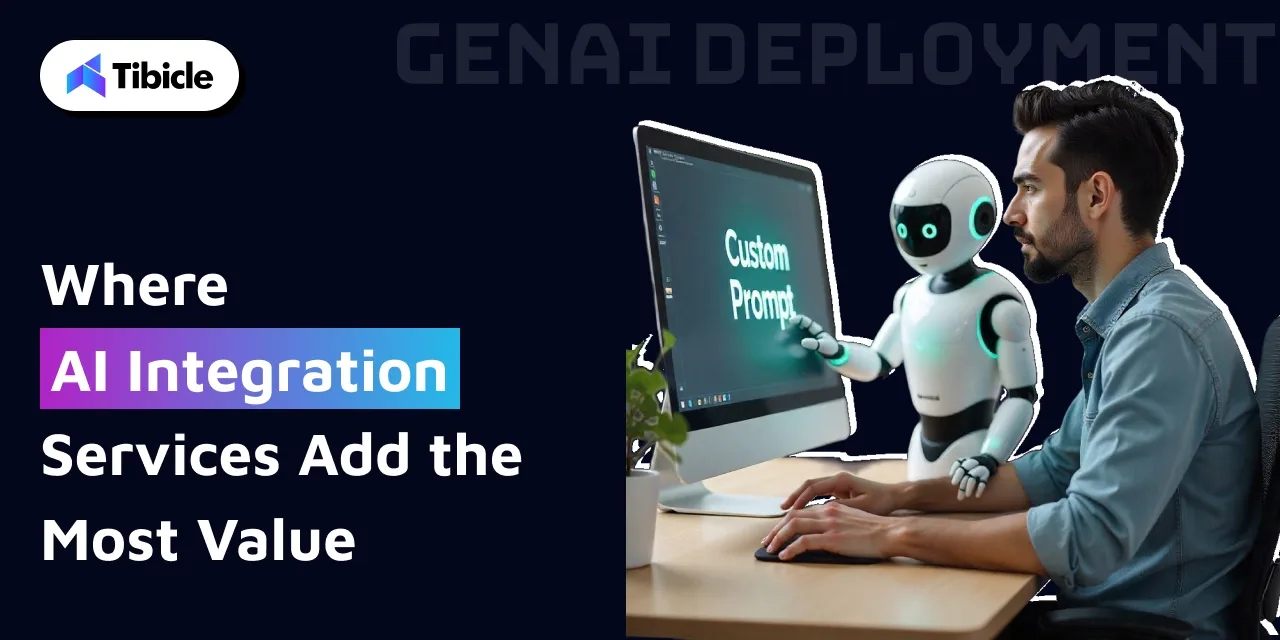
Algoscale delivers end-to-end GenAI integration across the full development and deployment spectrum, from LLM fine-tuning and RAG implementation to text, image, and speech-based application development. They do not hand off at the model stage. Their involvement runs from ideation through model training, deployment, systems integration, and ongoing optimization.

This full-cycle commitment matters more than it might appear. Research indicates that companies using comprehensive GenAI integration solutions report 3.7x returns once they successfully exit the pilot phase. Getting through that transition, from pilot to production, requires exactly the kind of sustained, end-to-end support that Algoscale provides.

Algoscale’s Approach at Enterprise Scale

Algoscale integrates vector databases alongside retrieval-augmented generation architectures to improve output precision at scale. This combination addresses one of the most common production failures in enterprise GenAI: degraded accuracy as data volume and query complexity increase.

Their domain-tuned models are particularly effective in high-stakes sectors. In fintech and healthcare, where error rates carry direct compliance and safety implications, domain-specific fine-tuning meaningfully reduces failure rates compared to general-purpose model deployments.

5. Hexaware Technologies: AI Integration Company With a Structured Use-Case Evaluation Framework

Hexaware Technologies brings a methodical, framework-driven approach to AI integration services that addresses one of the most common early-stage failure points: choosing the wrong use cases to build on. Their proprietary Decode and Encode frameworks divide the integration journey into two disciplined phases.

Decode is the discovery phase, identifying which GenAI use cases are technically feasible, data-ready, and high-impact within the client’s specific operating environment. Encode is the execution phase, bringing validated use cases to production with built-in speed, governance controls, and multilingual workflow support. Delivery runs through Hexaware’s Service Experience Accelerator, which incorporates state-transition logic to manage complex, multi-step AI workflows reliably.

Hexaware’s structured approach has earned it recognition as one of only 13 providers acknowledged as a leader in both GenAI strategy and deployment services.

Why the Decode Framework Changes How AI System Integration Gets Prioritized

Most enterprise AI integration projects do not fail during execution. They fail because the wrong use cases were prioritized in the first place, cases that lacked sufficient data quality, organizational readiness, or clear business value.

Decode forces feasibility-first thinking. Before a single line of integration code is written, use cases are evaluated against the client’s actual data environment, infrastructure constraints, and measurable business outcomes. This front-loaded rigor is what separates integrations that survive production from those that stall at staging.

Comparison Table: Top 5 AI Integration Services

Provider Best For Core Strengths
Tibicle Startups, SMBs, Enterprises Full-cycle GenAI, sprint delivery, chatbots, semantic search
LeewayHertz LLM workflow automation AI Copilots, MLOps lifecycle, RAG pipelines
Accenture Large-scale transformation Strategy to deployment, compliance, multimodal GenAI
Algoscale Full-cycle GenAI deployment LLM fine-tuning, RAG, vector DB, domain-tuned models
Hexaware Use-case prioritization Decode/Encode framework, governance, multilingual workflows

Why Tibicle Earns Its Spot Among Production-Ready AI Integration Services
AI services

Among the five providers in this guide, Tibicle stands out for making production-grade AI integration services genuinely accessible not just to enterprise organizations with seven-figure technology budgets, but to startups, SMBs, and growth-stage companies with real business problems to solve.

Their deployed portfolio includes multilingual chatbots, semantic search systems, and recommendation engines across edtech and SaaS clients, not prototype demos, but live production systems delivering verified outcomes. One deployed chatbot resolved 75% of customer queries in its first month of operation and cut manual ticket creation by 60%.

Conclusion

GenAI implementation is not fundamentally a technology problem. It is an architecture problem and a data problem. Organizations that treat it as a software procurement exercise consistently find themselves stuck in a cycle of failed pilots and delayed ROI.

When properly integrated, GenAI can automate 60–70% of repetitive employee tasks, but only when the underlying data infrastructure, system connectors, and governance controls are correctly built. Poor AI integration solutions do not just underdeliver. They create active governance gaps, open security vulnerabilities, and drain resources without producing measurable returns.

Choosing the right AI integration services means evaluating providers against your actual production requirements, your existing tech stack, your compliance obligations, your data quality, and your timeline, not their feature lists.

Ready to move from experimentation to production? Schedule a consultation with an AI integration company that fits your tech stack and compliance requirements today.

FAQs

What do AI integration services include?
They include things like LLM deployment, RAG systems, API integrations, model monitoring, and ongoing improvements.

How is an AI integration company different from an AI development firm?
Development focuses on building models, while integration is about connecting those models with your existing systems and making them usable.

What does smooth AI system integration look like?
It means no downtime, proper connection with your tools (like CRM/ERP), and testing alongside your current system before full rollout.

How long does AI integration take?
Usually between 3 to 12 months, depending on how complex your systems and data are.

What are the risks of poor AI integration?
You can face wrong outputs, security risks, inefficiencies, and compliance issues.

Which industries benefit the most from AI integration?
Healthcare, fintech, e-commerce, manufacturing, and HR tech, basically any industry dealing with large data or repetitive processes.
Top 5 React Native App Development Companies in India

Introduction

India has become a global hub for mobile app development. Additionally, choosing the right React Native app development companies is crucial for building scalable and high-performance mobile applications.

React native app development

Moreover, businesses from the US, UK, and UAE increasingly prefer a React Native app development company in India due to cost efficiency and strong technical expertise. With hourly rates typically ranging between $20 to $40, companies can achieve high-quality output at competitive pricing.

However, choosing the right partner is not just about cost. Instead, factors like real project experience, client reviews, and long-term support play a crucial role. This blog highlights the top 5 React Native mobile app development companies in India based on performance, credibility, and delivery standards.

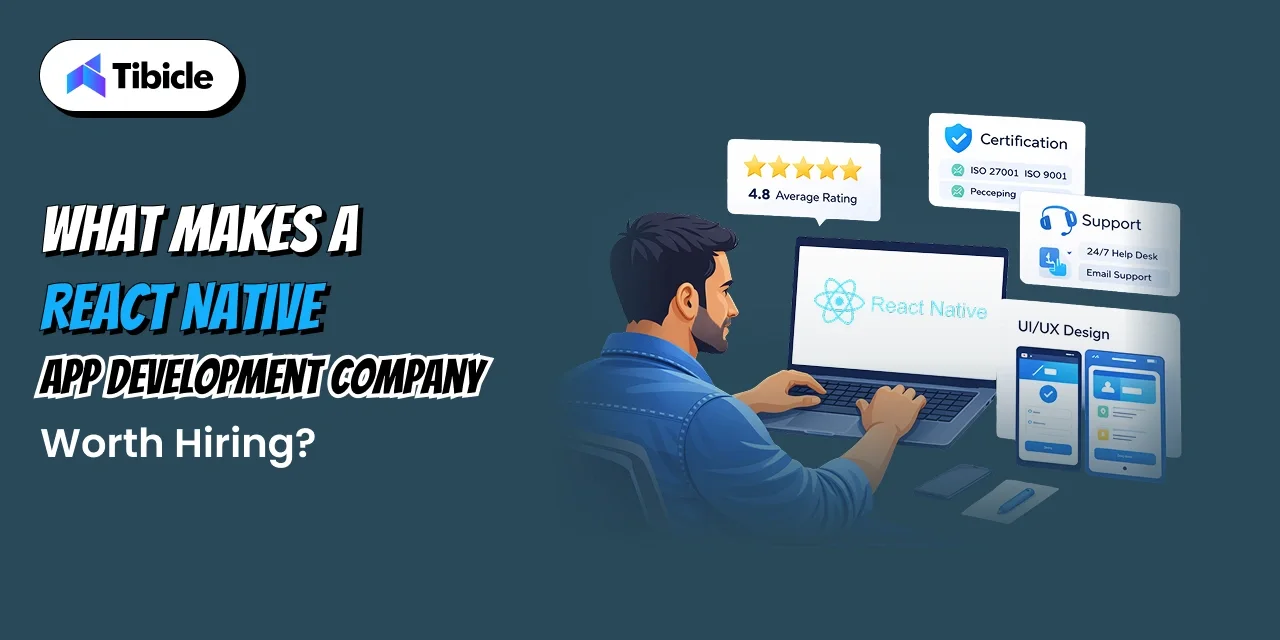
What Makes a React Native App Development Company Worth Hiring?

React native app development

Before selecting a React Native app development companies, it’s important to evaluate key factors.

Ratings & Reviews
First, check ratings on platforms like Clutch or GoodFirms. A score above 4.5 indicates reliability.

Certifications
Second, certifications such as ISO or CMMI reflect structured development processes.

Post-launch Support
Additionally, ensure the company provides post-launch support. This is essential for maintaining app performance.

Services Offered
Moreover, a reliable provider should offer end-to-end services, including UI/UX design, backend integration, testing, and deployment.

Why It Matters
Therefore, working with a single team helps avoid delays and technical inconsistencies.

Key Services to Evaluate

A reliable provider of React Native app development services should offer end-to-end solutions. This includes UI/UX design, backend integration, testing, and deployment. Working with a single team avoids delays, miscommunication, and technical inconsistencies.

Top 5 React Native App Development Companies in India

React native app development

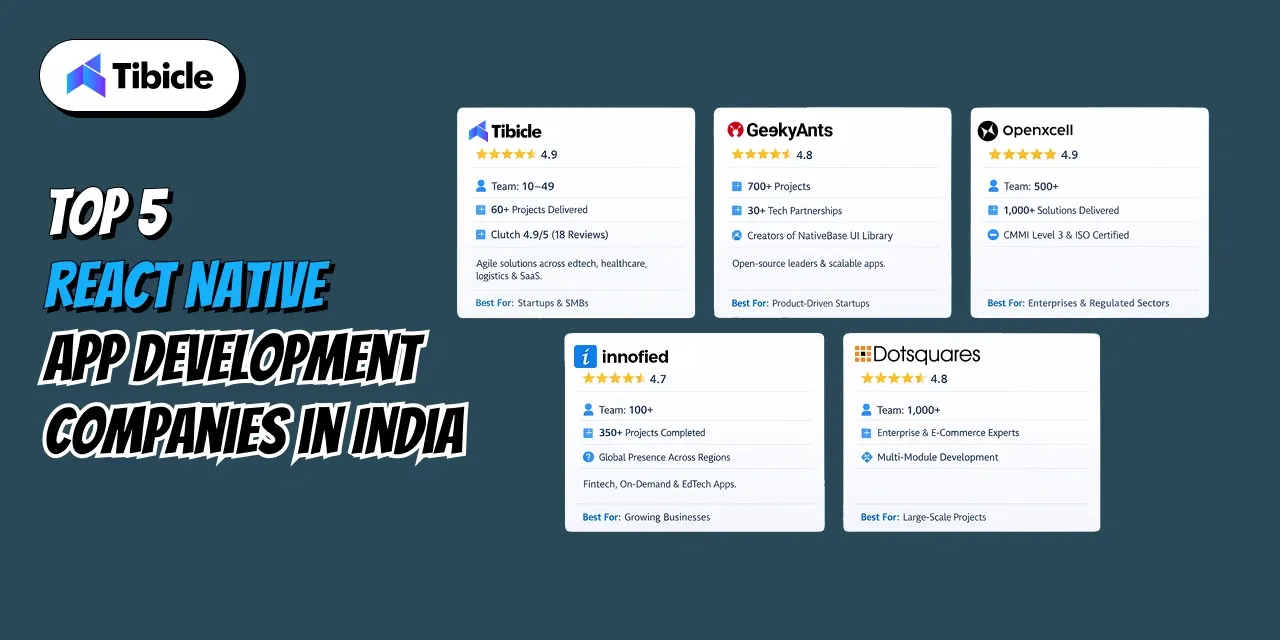
Here are the five react native app development firms in India that consistently rank across Clutch, GoodFirms, etc in 2025 and 2026.

  1. Tibicle – React Native App Development Services

    Team: 10–49 • Clutch 4.9/5 (18 reviews) • 60+ projects delivered

    Tibicle is a React Native app development company in India with 60+ successful projects and a 100% job success rate across edtech, healthcare, e-commerce, logistics, and enterprise SaaS. Their sprint-based delivery runs weekly client reviews with full documentation and milestone transparency. Delivered projects include an AI-powered recruitment app with sentiment analysis and automated scheduling, and a mobile LMS that cut manual ticket creation by 60% within the first month. Clutch rates them 4.9/5 across 18 verified reviews at $25-$49/hr.

    Best For: Startups and SMBs needing agile, milestone-driven React Native builds with AI integration at India-competitive pricing.

  2. GeekyAnts 

    Team: 700+ projects • 30+ tech partnerships

    GeekyAnts built NativeBase, the most widely used React Native UI component library, used by over 500,000 developers globally. They are Google’s official service providers and hold certifications from AWS and Vercel. Clients include Mobile Premier League, Khatabook, and PayPoint. As a cross platform app development company with deep open-source roots, GeekyAnts brings engineering credibility that few India-based firms match.

    Their partnerships with major tech platforms and experience with high-profile clients make them a trusted choice. As a cross-platform app development company, they emphasize clean UI, scalability, and modern architecture.

    Best For: Product-focused startups and scale-ups needing strong UI/UX and open-source expertise.

  3. OpenXcell

    Team: 500+ • 1,000+ solutions delivered • CMMI Level 3 & ISO certified

    OpenXcell is one of the few React Native software development companies in India holding CMMI Level 3 certification alongside ISO standards. Their 15-year delivery track spans healthcare, fintech, retail, and logistics. Recognized by Clutch as a top mobile app development agency, they offer end-to-end React Native app development solutions from prototype to production.

    Best For: Businesses in regulated industries like healthcare and BFSI that require certified processes.
  4. Innofied Solution

    Team: 100+ • 350+ projects completed

    Innofied operates across four offices and has built apps featured in global media and recognized by the industry. Their React Native application development work covers fintech, edtech, and on-demand verticals. GoodFirms rates their client satisfaction at 5.0. Unlike most firms, Innofied publishes detailed case studies, which gives hiring clients direct insight into their delivery approach.

    Best For: Startups and mid-size companies wanting a globally distributed react native development agency.

  5. Dotsquares 

    Team: 1,000+ • Enterprise & e-commerce expertise • Multi-module application development

    Dotsquares handles high-volume, multi-module React Native projects where team capacity is a deciding factor. With 1,000+ certified developers, analysts, and testers on staff, they are built for complex, long-duration enterprise apps. Clutch reviewers highlight their ability to manage cross-functional dependencies without losing delivery speed. They function less like a hire react native developers agency and more like an embedded engineering department.

    Best For: Large enterprises needing a high-capacity React Native app development firm for multi-phase rollouts.

How to Choose the Right React Native Mobile App Development Company for Your Project

Selecting the right React Native development company depends on your business needs and project scope.

For startups, smaller teams with flexible engagement models work best, typically within a $20–$40/hr budget. Enterprises, on the other hand, require larger teams, certified processes, and structured workflows, often with higher budgets.

Fixed pricing suits clearly defined projects, while dedicated teams are better for long-term development.

Red Flags to Avoid When Hiring React Native App Developers

  • Lack of real case studies or live apps
  • No clear post-launch support
  • No visibility into actual developers
  • Unrealistic fixed pricing for unclear requirements

Why Tibicle Is Worth Shortlisting for Your Next React Native Project

React native app development

Tibicle has quickly positioned itself as a reliable React Native app development company with a strong focus on results. With 60+ completed projects and high client satisfaction, they bring a balance of affordability and innovation.

Their experience in building AI-powered platforms and delivering milestone-based execution ensures transparency and efficiency throughout the development cycle.

If you’re exploring React Native development partners, we’d love to showcase our experience and discuss what would work best for your project.

Conclusion

India continues to lead in mobile app outsourcing, especially in React Native development. While many companies offer similar services, only a few stand out based on quality, reliability, and proven results.

Whether you need a startup-friendly partner or an enterprise-level React Native app development firm, the right choice depends on your project size and expectations.

Start by reviewing portfolios, comparing capabilities, and scheduling consultations with shortlisted companies. Choosing the right team can significantly impact your app’s success in the market.

FAQs

What is the average cost of React Native app development services in India?
Generally, most developers charge between $20 and $40 per hour. Therefore, a basic MVP can cost between $8,000 and $20,000.

How long does a React Native app take to build?
Typically, a simple app takes 8–12 weeks. However, more complex applications may take several months.

Why choose a React Native app development company in India?
India offers high-quality development at significantly lower costs compared to Western countries, along with flexible communication across time zones.

What industries do Indian React Native firms serve best?
Top companies work across fintech, healthcare, e-commerce, edtech, and on-demand services, offering tailored solutions for each sector.

Is React Native still relevant in 2026?
Yes, React Native remains a strong choice due to its cross-platform capabilities, reduced development time, and support from major global companies.

5 Best Flutter Developers to Hire in 2026

Introduction

If you’re planning to hire Flutter developer talent in 2026, you’re not alone. Flutter now powers a huge chunk of the cross-platform app market, with millions of developers actively building apps every month. Businesses choosing Flutter are saving up to 30–40% in development costs since they don’t need separate iOS and Android teams.

flutter developers

But here’s the reality: finding the right developer is getting harder. Great Flutter developers are in high demand, and one wrong hire can lead to delays, bad architecture, and wasted budget. That’s why choosing wisely matters.

In this guide, I’ve broken down the 5 best places and companies to hire Flutter developers in 2026, based on quality, pricing, and reliability.

Why Hiring the Right Flutter Developer Matters More in 2026

flutter developers

The demand to hire Flutter developers is growing faster than ever. The global app development market is expected to explode in the coming years, and Flutter is right at the center of it.

With new upgrades like the Impeller rendering engine and WebAssembly support, Flutter apps are becoming more powerful, but also more complex to build properly.

At the same time, experienced developers are limited. Companies are now competing with strong salary packages just to secure senior talent.

So hiring isn’t just about filling a role anymore; it’s about finding someone who can build scalable, future-proof apps.

What a Skilled Flutter Developer Must Know in 2026

A good Flutter developer today needs more than just basics. They should have:

  • Strong command of Dart (not just syntax, but real-world usage)
  • Experience with state management like BLoC, Riverpod, or Provider
  • Firebase integration and handling platform-specific features
  • Understanding of the Impeller for performance optimization
  • Knowledge of CI/CD pipelines and Clean Architecture

If they lack these, you’ll likely face issues later in scaling your app.

The 5 Best Flutter Developers and Companies to Hire in 2026

flutter developers

If you’re looking to hire Flutter developer talent, these are some of the best options available right now:

1. Tibicle: Best for Full-Cycle Mobile App Development on a Startup Budget

Clutch Rating: 4.9/5 for cost | 18 verified reviews

Most Common Project Size: $10,000 – $49,999

Hourly Rate: $25–$49 | Minimum Project: $1,000+

If you’re a startup or a growing SMB that needs a Flutter app done right, without paying enterprise agency rates, Tibicle is the name that keeps coming up. Since 2020, Tibicle has delivered 60+ projects with a 100% job success rate, which honestly says more than any marketing claim could.

Tibicle stands out by offering comprehensive mobile app development, including Flutter, React Native, web applications, and AI integration, all under one engagement. This eliminates fragmented teams and handoff gaps.

Their sprint-based delivery model ensures weekly check-ins and transparency, keeping you informed about your project’s progress. Clients have praised Tibicle for launching apps on the App Store and Play Store with military-grade encryption, consistently meeting timelines, which is rare for agencies at this price point. For cross-platform Flutter apps with AI integration at competitive Indian prices, Tibicle is the top choice in 2026.

Best for: Startups and SMBs looking for cost-effective, high-quality Flutter development with modern features like AI.

2. Jafton: Best for AI-First Flutter Projects

Clutch Score: 39.6/40.0 | Flutter Specialization: 100%

Hourly Rate: $50–$99 | Minimum Project: $25,000

Jafton has carved out a very specific niche: Flutter apps that are built AI-first, from day one. Their focus is 80% mobile development and 20% custom software, and they’re one of the few agencies actively integrating Gemini and OpenAI APIs directly into Flutter apps at the architecture level.

Their near-perfect Clutch score reflects a team that takes quality seriously. The $25,000 minimum project size means they’re not the right fit for early-stage exploration or small feature builds, but if you have a funded product and need an AI-powered Flutter app built to scale, Jafton is worth the conversation.

Best for: Startups and product teams that want Flutter and AI features deeply integrated, not bolted on as an afterthought.

3. Surf: Best for Banking and High-Load Apps

Clutch Ranking: Top 5 globally in the Flutter category | Specialization: Neobanks, retail, legacy tech modernization

Surf is a leading Flutter development company known for its proprietary toolset, Surf Gear, which standardizes its processes and can reduce routine task time by up to 16 times. This commitment to infrastructure highlights their focus on long-term quality rather than just completing projects individually.

They address the “shader compilation jank” issue on high-end iOS devices, a common problem overlooked by many Flutter agencies. Surf’s expertise with Impeller ensures a native feel on both platforms. Focused on neobanking, retail, and modernizing legacy technology, they have a strong grasp of regulated environments and security-focused development. While not ideal for quick MVPs, they excel in applications where performance and security are critical.

Best for: Enterprises and regulated industries that need secure, high-load Flutter applications.

4. Appinventiv: Best for Hire Flutter Developers India

Clutch Rating: 4.8/5 | 47 verified reviews | Team Size: 1,600+ professionals

Hourly Rate: $25–$49 | Minimum Project: $10,000

Appinventiv is a top choice for large-scale projects at competitive prices, comparable to Indian rates. With over 1,600 professionals, they’ve worked with major clients like KPMG, Domino’s, IKEA, and Adidas, and have been recognized by the Financial Times as a high-growth company in the Asia-Pacific region.

The $25–$49 hourly rate is where it gets interesting. You’re getting a team that has worked with enterprise-level clients at a rate that most US or European agencies charge for mid-level developers. That’s a meaningful cost advantage for mid-market businesses that can’t justify $150/hr US rates but can’t afford to compromise on quality either.

Best for: Mid-market businesses that want to hire Flutter developers from India at competitive rates without cutting corners on quality or delivery standards.

5. Vention: Best for Dedicated Flutter Development Teams

Formerly: GlobalDev | Clutch Rating: 4.9/5 | 87 verified reviews | Team Size: 3,000+ engineers globally

Hourly Rate: $50–$99 | Minimum Project: $25,000

Vention (formerly GlobalDev) is the right answer when you need a remote Flutter developer team that integrates seamlessly into your existing product workflow and stays for the long haul. With 87 verified Clutch reviews and a 4.9 rating, they’ve proven this at scale.

Client feedback highlights the quick ramp-up of Vention developers, who integrate into existing BLoC architectures within a week, an impressive feat for external teams. This demonstrates real Flutter expertise beyond just resume claims.

At 3,000+ engineers across multiple global offices, they also have the capacity to scale a team up or down without the knowledge-drain that kills most offshore engagements.

Best for: Product companies that need a dedicated remote Flutter developer team with strong long-term capacity, real architecture continuity, and knowledge retention.

How to Vet a Flutter Developer Before You Hire

Before you hire a dedicated Flutter developer, make sure you check these things:

  • Portfolio: Look for real apps published on App Store or Play Store
  • Technical skills: Give a small assignment involving APIs and state management
  • Code quality: Aim for developers who follow testing practices (80–90% coverage)
  • Communication: They should explain technical decisions in simple terms
  • Offshore planning: A proper offshore team usually needs at least $20,000/month to be effective

Why Tibicle Stands Out as a Flutter Development Partner

flutter developers

We’ve worked with businesses across different stages, early-stage startups, funded scale-ups, and SMBs trying to modernize legacy apps, and the problems are usually the same: budget is real, timelines are tight, and the team needs to communicate clearly without being hand-held.

That’s exactly the gap Tibicle is built to fill. 60+ projects delivered with a 100% job success rate since 2020. Every Flutter app we build includes AI integration capabilities, military-grade encryption where needed, and cross-platform deployment on iOS, Android, and web under a single engagement, no vendor juggling.

Our hiring model is flexible: hourly at $25–$49/hr, a dedicated Flutter developer embedded in your team, or a fixed-scope delivery. No bloated agency overhead, no surprise invoices, no communication black holes. Just clean delivery with weekly accountability built in.

If you’re evaluating Flutter development partners right now, we’d love to show you what we’ve built and talk through what makes sense for your project.

Conclusion

Choosing the right Flutter developer depends on your goals, budget, and timeline.

If you’re building something complex or AI-driven, Jafton is a great pick. For enterprise-grade systems, Surf is reliable. Appinventiv and Vention cover mid-range needs well.

If you’re looking for a balance of cost, quality, and flexibility, especially as a startup, Tibicle is definitely worth considering.

At the end of the day, the right hire isn’t just about coding; it’s about building something that works, scales, and lasts.

FAQs

How much does it cost to hire a Flutter developer in 2026?
It depends on location and experience. Offshore developers typically charge $25–$49/hour, while mid-tier developers range between $50–$99/hour.

How long does it take to hire a Flutter developer?
Freelance platforms can match you within a few days. Agencies may take 2–4 weeks, depending on project scope.

Is Flutter still worth it in 2026?
Yes, absolutely. Flutter continues to dominate cross-platform development with strong performance improvements and growing adoption.

What is the difference between freelance and dedicated developers?
Freelancers are better for short-term work. Dedicated developers work long-term and take ownership of your product.

Why hire Flutter developers from India?
India offers skilled developers at affordable rates, making it one of the best choices for quality development within budget.

Electron vs Native: Which Is Better for Your Next Desktop App?

Introduction: The Desktop App Dilemma

Desktop applications are experiencing a major resurgence. As cloud software matures and AI-driven workflows become the norm, businesses are increasingly turning to desktop apps for speed, reliability, offline access, deeper system control, and better user experience. 

Electron vs Native

But with this shift comes a critical decision that every founder, CTO, or product owner eventually faces:

Should you build your app using Electron or go fully Native?

This choice may seem technical on the surface, but it directly impacts your development cost, product performance, hiring requirements, release timeline, scalability, and long-term maintenance. In other words, your tech stack decision today can determine whether your product moves fast… or becomes expensive to maintain.

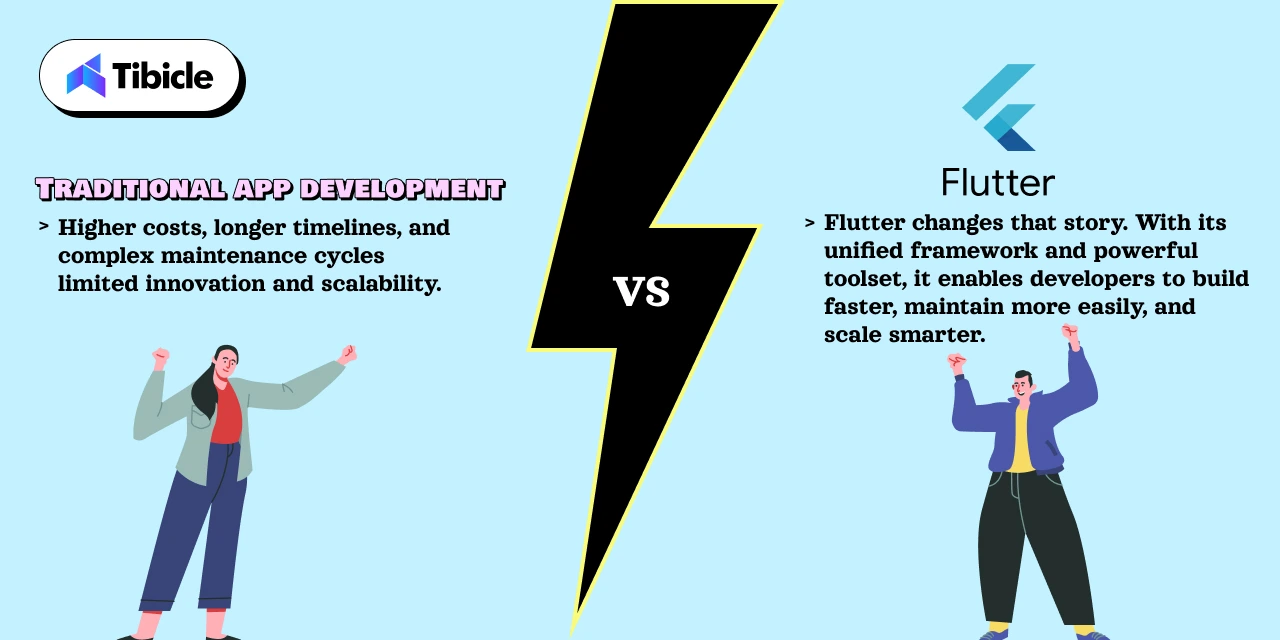
Electron promises fast development, cross-platform delivery, and a single codebase powered by modern web technologies. Native development, on the other hand, offers unmatched performance, tighter OS integration, and highly optimized system-level control.

So which approach is right for your next desktop app?

The answer isn’t the same for everyone. Startups, SaaS founders, enterprise teams, and internal tool builders all have different priorities. Some need performance and memory efficiency above everything else. Others need to ship quickly, stay lean, and reach Windows, macOS, and Linux users without hiring three separate teams.

This guide breaks down Electron vs Native in simple, practical terms, helping you understand what truly matters in 2026, and which approach will give your product the best competitive edge.

Let’s dive in.

What Is Electron

Electron vs Native

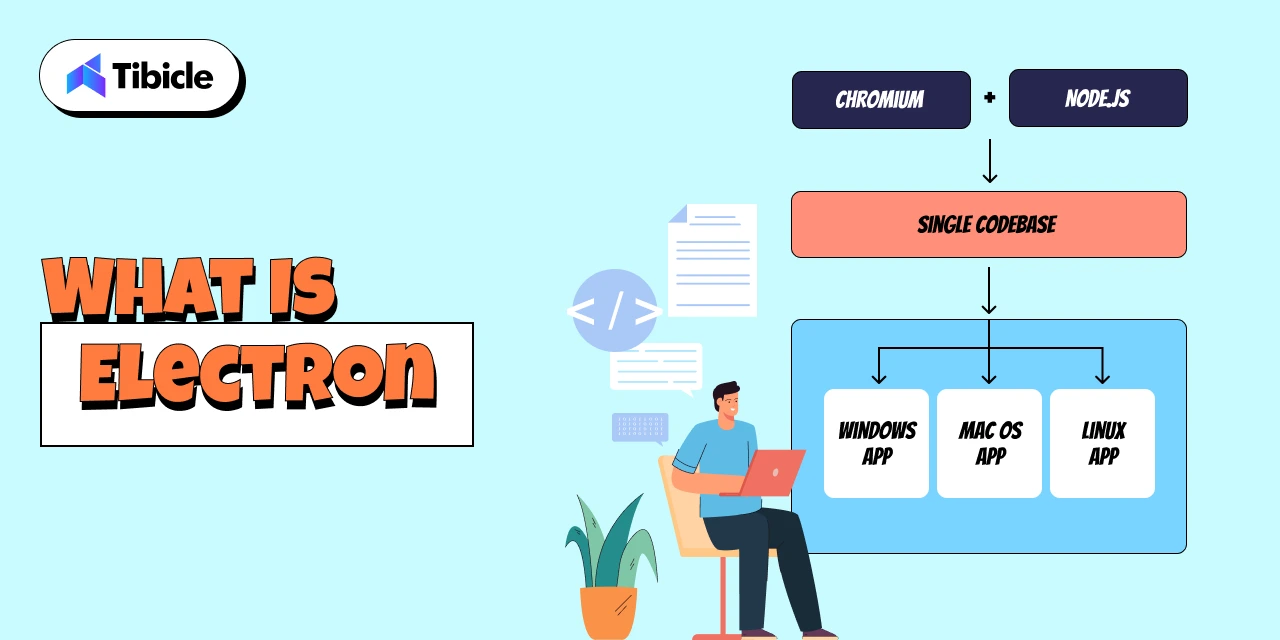
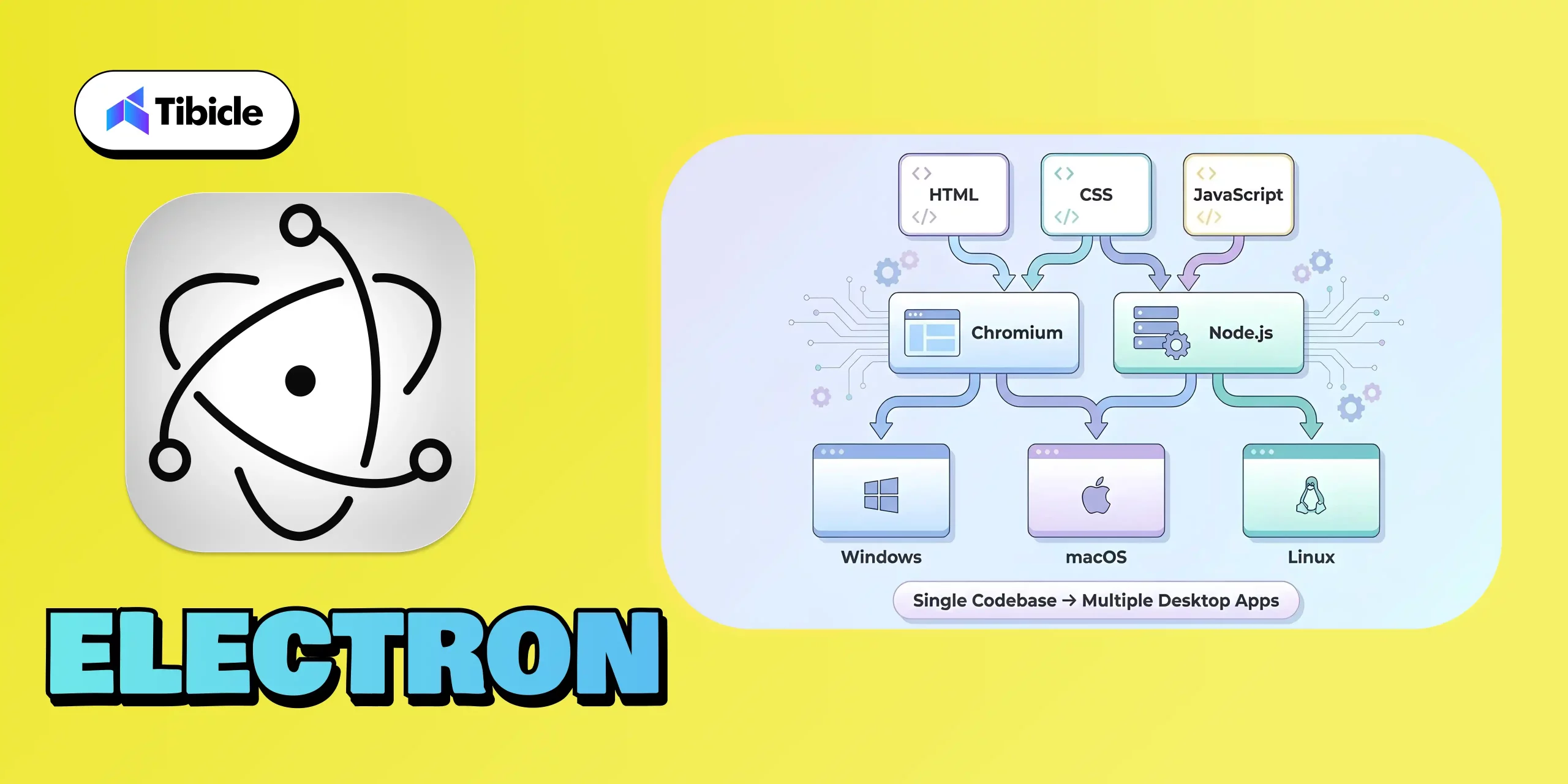
Electron is a popular open-source framework that allows you to build desktop applications using the same technologies behind modern websites: HTML, CSS, and JavaScript. Instead of writing separate codebases for Windows, macOS, and Linux, Electron gives you one unified codebase that works everywhere.

At its core, Electron combines two powerful components:

  • Chromium (for rendering the UI, just like a browser)
  • Node.js (for accessing system-level features like file handling, networking, and OS APIs)

This fusion lets developers build desktop software with the ease of web development while still tapping into desktop-level capabilities. The result? Apps that look modern, work consistently across platforms, and can be shipped much faster compared to native development.

Electron’s popularity has exploded over the past decade and for good reason. Some of the world’s most widely used apps are built on Electron, including:

When billion-dollar SaaS companies rely on Electron, it’s not an accident; it’s a strategic choice.

Startups especially prefer Electron because it:

  • Reduces development cost (one dev team instead of three)
  • Speeds up time-to-market
  • Simplifies updates with automatic deploys
  • Enables rapid iteration, A/B testing, and feature releases
  • Integrates beautifully with modern web-based workflows

With Electron, founders can go from idea → prototype → cross-platform desktop app in record time. That’s why it has become the default choice for most modern SaaS companies building desktop experiences.

What Is Native Development

Electron vs Native

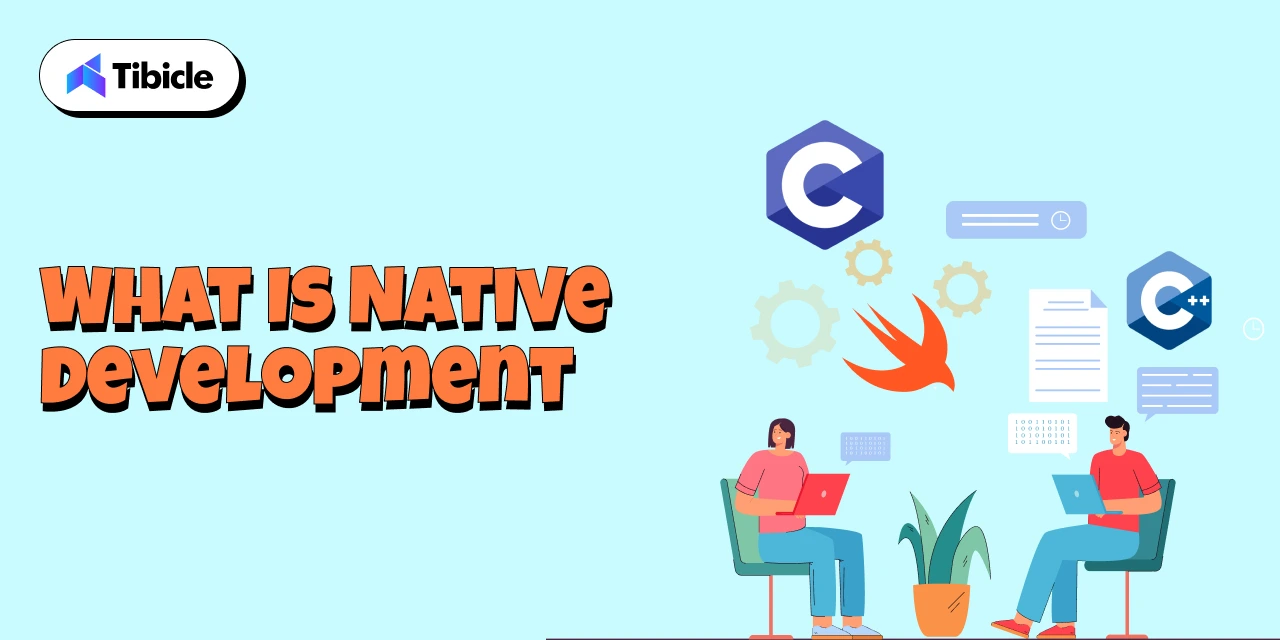
Native development refers to building desktop applications using platform-specific programming languages and frameworks, the same tools used by the operating system itself. Instead of one shared codebase, developers create separate versions tailored for each OS, such as:

  • Swift or Objective-C for macOS
  • C# and .NET (WPF, WinUI) for Windows
  • C++ or Qt for cross-platform native-level performance
  • GTK for Linux desktop environments

Examples of well-known native desktop applications include:

Because native apps are built with the operating system’s own language and UI components, they offer deeper system-level control and highly optimized performance. This is why traditional engineering teams, especially in enterprise environments, have relied on native development for years.

Enterprises typically choose native when they require:

  • Maximum performance (e.g., video tools, rendering engines)
  • Low memory usage
  • Advanced hardware integration
  • OS-level utilities or system monitoring
  • Apps requiring strict security compliance
  • Pixel-perfect platform-specific UI

The biggest advantage of native development is its ability to fully utilize CPU, GPU, file systems, background processes, and hardware components. For specialized applications, this level of precision can be essential.

However, the tradeoff is higher cost and slower development because each platform needs its own codebase, specialists, and maintenance cycle. This is the reason many modern SaaS and product teams now lean toward Electron unless native performance is absolutely mandatory.

Electron vs Native

Electron vs Native

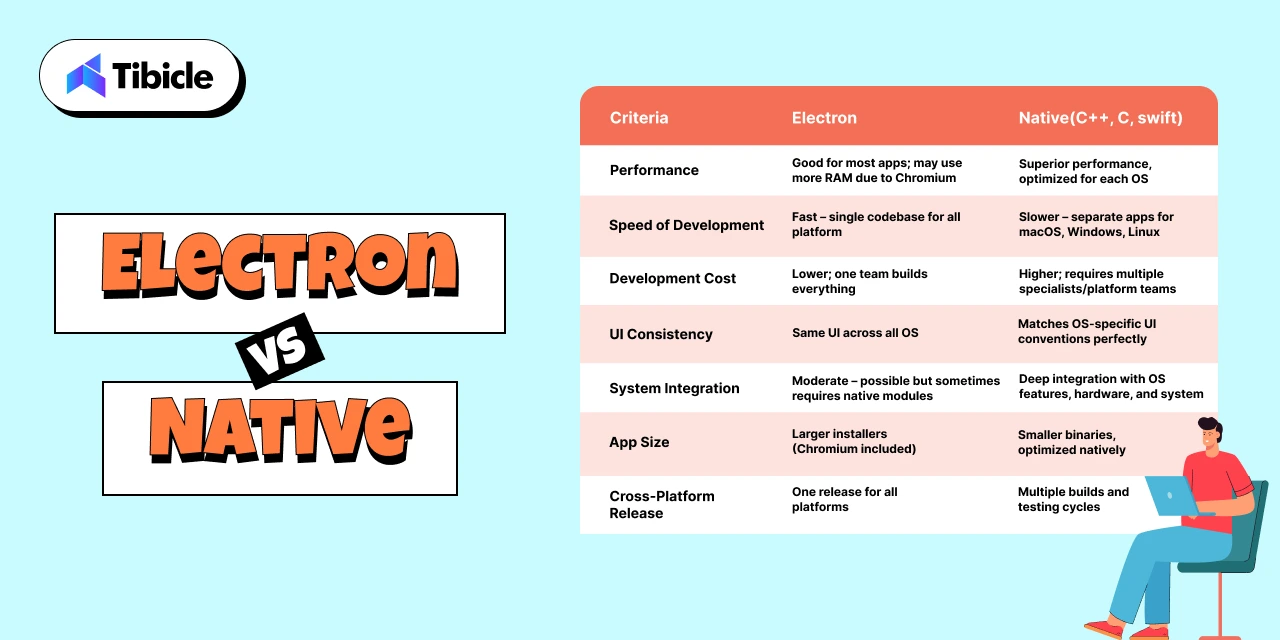
Choosing between Electron and native development ultimately comes down to understanding the practical trade-offs and how each option impacts cost, performance, hiring, and long-term scalability. Below is a clear comparison to help you evaluate both paths.

Electron vs Native: Side-by-Side Comparison

Criteria Electron Native (Swift, .NET, C++, etc.)
Performance Good for most apps; may use more RAM due to Chromium Superior performance, optimized for each OS
Speed of Development Fast – single codebase for all platforms Slower – separate apps for macOS, Windows, Linux
Development Cost Lower; one team builds everything Higher; requires multiple specialists/platform teams
UI Consistency Same UI across all OS Matches OS-specific UI conventions perfectly
System Integration Moderate – possible but sometimes requires native modules Deep integration with OS features, hardware, and system APIs
App Size Larger installers (because Chromium ships with the app) Smaller binaries, optimized natively
Maintenance Effort Easier – update once for every OS Higher – separate updates for each OS
Hiring Difficulty Easy; web developers can build Electron apps Harder; requires OS-specific skill sets
Cross-Platform Release Native advantage – one release for all platforms Multiple builds and testing cycles
Update & Deployment Auto-updates built in; simple dev workflows Requires platform-specific release management

Insights: What This Means for Your Product in 2026

Electron vs Native

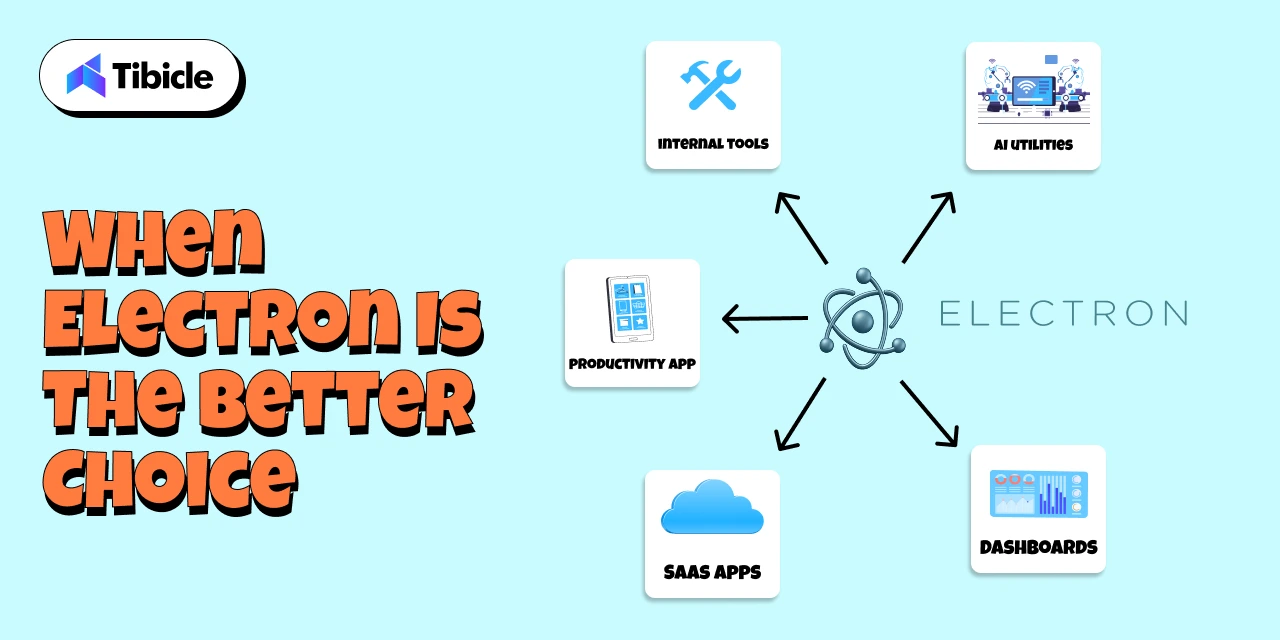
For 80% of modern desktop apps, especially SaaS tools, dashboards, productivity platforms, internal systems, and AI utilities, Electron delivers faster shipping, lower cost, and easier scaling. Most founders value speed and iteration over microscopic performance gains, making Electron the smarter business decision.

Native development shines only when you need absolute performance, deep hardware control, extremely low memory usage, or system-level functionality. These cases are real but limited to specialized industries.

In most scenarios, the question isn’t “Is Electron technically better?” but rather,
“Does Electron get me to market faster without compromising user experience?”

For most teams, the answer is a clear yes.

When Electron Is the Better Choice

Electron vs Native

Electron shines in the scenarios where speed, flexibility, and cross-platform reach matter more than low-level system performance. For most modern apps, especially SaaS and productivity platforms, Electron is not just “good enough,” it’s the best business decision.

Ideal Use Cases for Electron:

  1. SaaS Desktop Versions
    If your SaaS product already has a web app, Electron lets you convert it into a desktop app with minimal extra effort. This is how Slack, Notion, and Figma ship desktop clients so quickly.
  2. Internal Tools & Admin Dashboards
    Companies prefer Electron for internal tools because it supports rapid development, easy iteration, and auto-updates without IT headaches.
  3. Productivity & Collaboration Apps
    Anything involving communication, task management, notes, or workflow automation fits perfectly. Electron provides a smooth UI and consistent experience across devices.
  4. Fast MVPs & Startup Launches
    Electron reduces development time drastically. With one codebase and a web-tech workflow, founders can go from idea to prototype in weeks, not months.
  5. Cross-Platform Releases
    Electron makes it simple to release simultaneously on Windows, macOS, and Linux critical for SaaS companies with diverse user bases.
  6. Apps That Need Auto-Updating
    Electron’s built-in update pipeline allows seamless version upgrades without manual downloads, improving user retention and reducing support load.
  7. Teams Already Using Web Technologies
    If your developers already know JavaScript/React/Node.js, Electron is the most natural and cost-efficient choice.

For the vast majority of business applications, Electron offers faster delivery, lower cost, and easier long-term maintenance, making it the practical default in 2026.

When Native Still Makes Sense

Electron vs Native

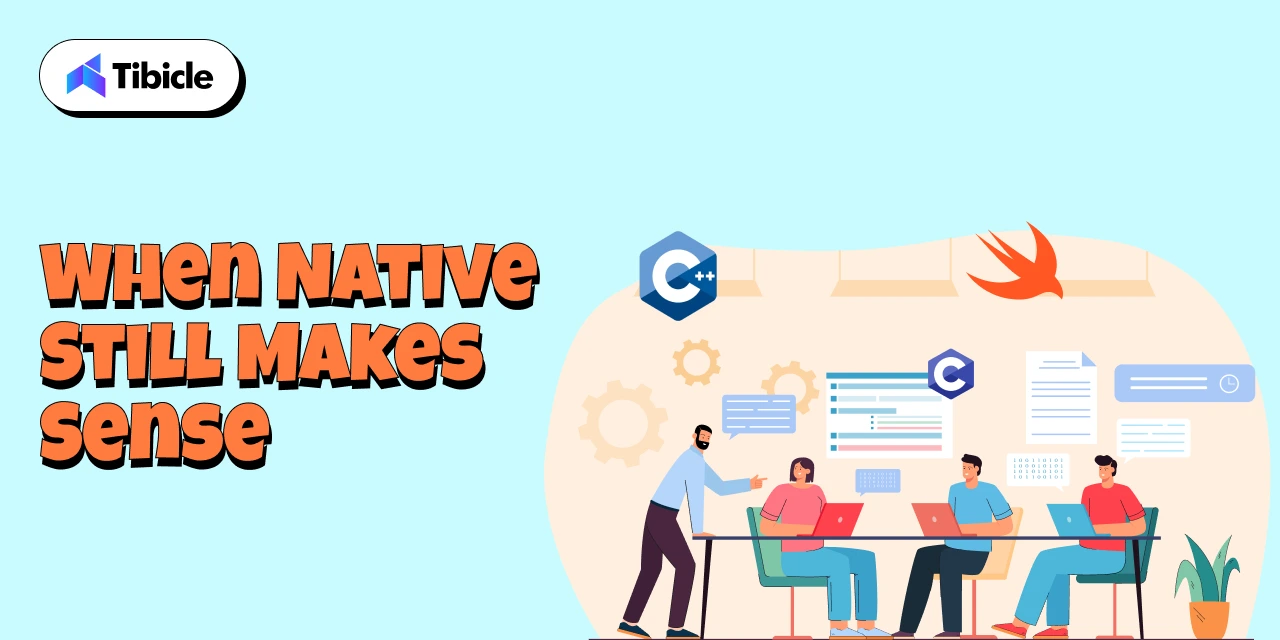
While Electron is the best fit for most modern desktop applications, there are still specific scenarios where native development becomes essential. These are typically high-performance or system-critical applications where every millisecond, every megabyte of RAM, and every hardware call matters.

Ideal Use Cases for Native:

  1. High-Performance Video, Audio, or 3D Applications
    Apps like Final Cut Pro, DaVinci Resolve, and AutoCAD require GPU-optimized pipelines and extremely low latency, something Electron can’t match.
  2. Hardware Control & Device-Level Software
    If your application needs to interface deeply with custom hardware, sensors, cameras, industrial machines, or USB drivers, native frameworks provide tighter system access.
  3. OS-Level Utilities
    Tools like antivirus programs, backup utilities, system monitors, and kernel-level integrations require low-level APIs available only in native environments.
  4. Extremely Low-Memory Footprint Applications
    Apps designed to run on minimal resources (like lightweight Linux utilities or embedded systems) are best built with C++, GTK, or other native toolkits.

Hybrid Models Are Common

Many modern companies use a hybrid approach, building the main interface in Electron while offloading performance-heavy tasks to native modules written in C++ or Rust. This provides the best of both worlds: speed + rapid development.

Native development still matters, but only in cases where precision and performance outweigh development speed and cost.

Final Verdict: Choosing the Right Approach for Your App

Choosing between Electron and native development ultimately comes down to defining what matters most for your product: speed, cost, performance, or system-level precision. After evaluating both approaches, one point becomes clear: Electron is the smarter choice for nearly 80% of modern desktop applications.

For SaaS founders, productivity tools, internal dashboards, AI utilities, and cross-platform software, Electron delivers everything you need:

  • Faster development
  • Lower engineering cost
  • One codebase across all OS
  • Seamless auto-updates
  • Modern, web-driven UI
  • Rapid iteration and feature rollout

Most businesses value the ability to ship quickly and adjust based on real user feedback. Electron gives you exactly that advantage.

Native development still plays a critical role, but only in niche scenarios where performance is absolutely mission-critical: video rendering engines, advanced graphics tools, hardware-dependent applications, or OS utilities. These cases are the exception, not the norm.
For most modern desktop products in 2026, Electron stands out as the technology that delivers speed, flexibility, cost efficiency, and cross-platform reach all without compromising on user experience. It empowers teams to ship faster, iterate continuously, and maintain a single codebase across Windows, macOS, and Linux.

This is exactly where Tibicle excels.
With 10+ large-scale Electron applications successfully delivered, our team has deep, hands-on expertise in building fast, reliable, and scalable desktop solutions. From high-performance SaaS platforms to complex enterprise tools, we understand what it takes to architect a production-ready Electron app that feels native, loads fast, and scales confidently.

Whether you’re validating an MVP, modernizing an internal tool, or building a full-featured cross-platform product, we help you move quickly without ever compromising on quality.

If you’re planning to build your next desktop app with Electron or want expert guidance on choosing the right approach, our team is here to support you end-to-end.

👉 Book your free quotation call from here and let’s build a powerful, cross-platform desktop experience together.

FAQ Section

FAQ 1: Is Electron a good choice for large-scale desktop applications?

Yes. Electron is already powering globally recognized applications like Slack, VS Code, Figma, and Discord, which is clear proof that it can handle high-traffic, large-scale use cases. With the right architecture and performance optimization, Electron apps run reliably across all platforms. Tibicle has delivered 10+ enterprise-level Electron applications, enabling us to design scalable and highly performant solutions for complex desktop requirements.

FAQ 2: Can Electron apps run smoothly on Windows, macOS, and Linux?

Absolutely. One of Electron’s biggest strengths is true cross-platform support from a single codebase, ensuring your application looks, feels, and performs consistently across Windows, macOS, and Linux. With deep experience in cross-platform Electron development, Tibicle ensures smooth performance, OS-specific optimization, and a unified user experience across all environments.

FAQ 3: Is Electron suitable for SaaS products or productivity apps?

Yes. Electron is an excellent choice for SaaS desktop clients, productivity tools, dashboards, admin panels, and internal platforms. It enables fast iteration, seamless auto-updates, and integration with modern web frameworks. Tibicle has extensive experience delivering complete SaaS desktop applications using Electron from UI/UX to final deployment, making it ideal for fast-moving product teams.

FAQ 4: Can Electron integrate with APIs, databases, or native modules?

Yes. Electron supports integrations with REST APIs, GraphQL, WebSockets, local databases like SQLite, and even native modules written in C++ or Rust for performance-critical operations. Tibicle has successfully implemented complex API structures and hybrid native-Electron workflows, enabling powerful functionality while maintaining fast development cycles.

FAQ 5: Can Tibicle build a complete Electron app from MVP to enterprise scale?

Yes, this is one of our core strengths. Tibicle has built more than 10 production-ready Electron applications ranging from rapid MVPs to full enterprise-grade platforms. We handle everything end-to-end, including UI/UX design, architecture, development, backend integration, packaging, deployment, and long-term maintenance, ensuring your app is stable, secure, and built to scale.

Best framework for desktop application in 2026

Introduction

The desktop application landscape in 2026 is more dynamic than ever. What once required platform-specific coding and months of development can now be achieved faster, smarter, and more efficiently thanks to modern frameworks that bridge performance, portability, and design.

Desktop App Frameworks

From AI-driven desktop tools to cross-platform productivity suites, businesses are investing in desktop apps that deliver native-like speed, offline capability, and deep system integration features that web apps alone can’t fully match.

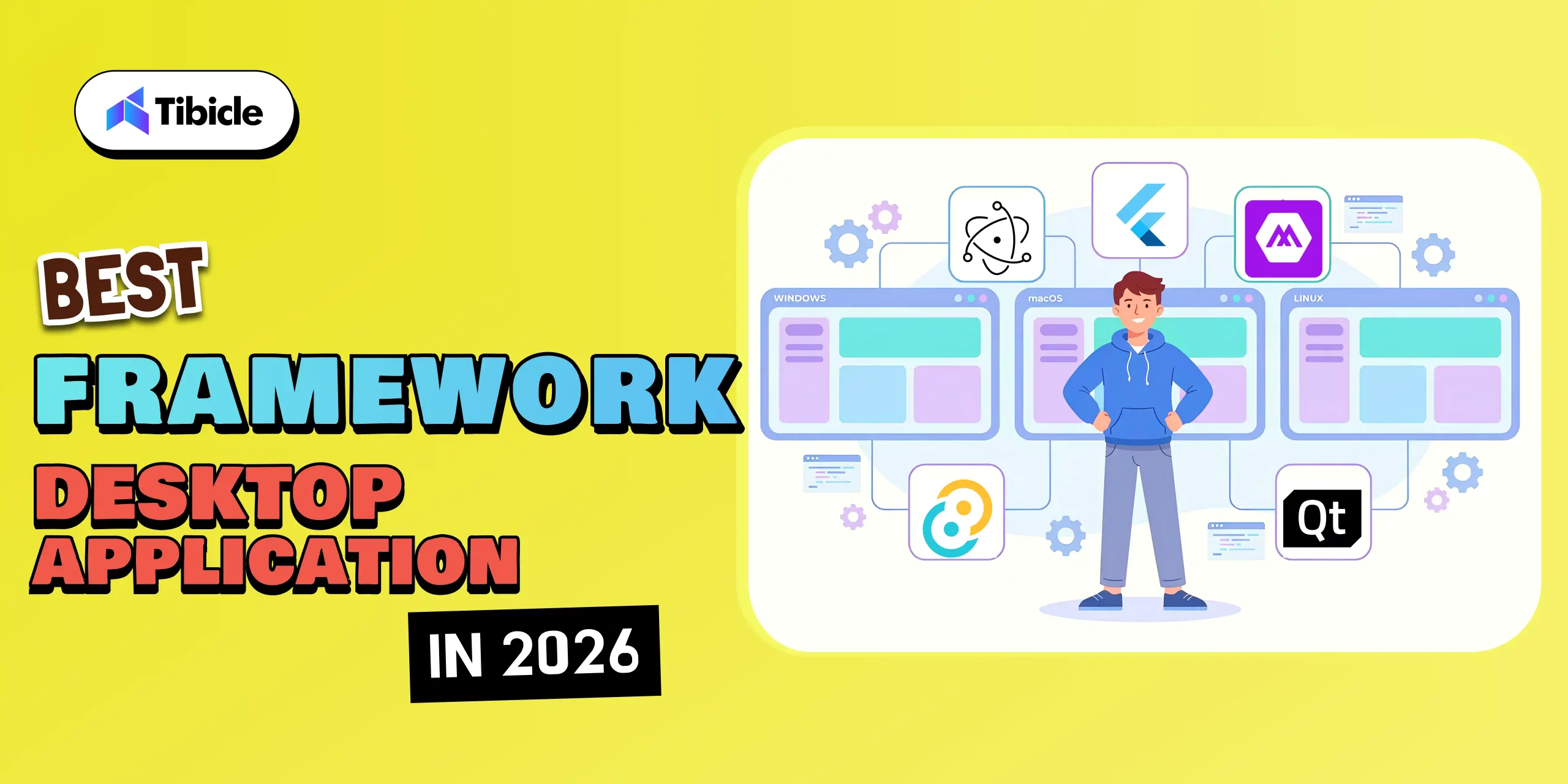
With a wide array of options available, including Electron, Tauri, .NET MAUI, Qt, and Flutter, a critical question arises: 

👉 Which framework should you choose for your next desktop project in 2026? 

In this blog, we will explore the top frameworks shaping desktop app development this year. We’ll compare their capabilities, use cases, and performance benchmarks, allowing you to make informed decisions and create applications that excel in both usability and innovation.

The right framework doesn’t just help you build faster, it helps you build better, future-ready desktop experiences that scale seamlessly across devices.

Why Choosing the Right Framework Matters

Desktop App Frameworks

Choosing the right framework is one of the most important decisions in desktop application development. It affects not only the current performance of your app but also how easily it can scale, evolve, and remain relevant in the rapidly changing tech landscape of 2026.

  1. Performance and efficiency

    Your framework has a direct impact on your app’s speed, responsiveness, and resource consumption.

    • A lightweight framework, such as Tauri or Qt, ensures fast load times and lower memory usage.
    • On the other hand, frameworks such as Electron may consume more resources but offer greater flexibility and community support.
  2. Cross-Platform Compatibility

    Different frameworks handle multi-OS support differently.

    • .NET MAUI, Flutter, and Electron allow developers to create apps for Windows, macOS, and Linux from a single codebase.
    • Native frameworks like Qt provide deeper integration and performance but may require more configuration.
  3. Development Speed and Productivity

    In today’s fast-moving tech world, speed matters as much as quality. The framework you choose can dramatically impact how quickly your team can design, test, and deliver your desktop app.

    • Frameworks with ready-made UI components, hot reload, and strong community support, like Flutter or Electron, help teams move faster from idea to execution.
    • Platforms such as .NET MAUI, paired with tools like Visual Studio, make it easy to build, debug, and deploy with minimal friction.
  4. Security and Scalability

    In 2026, security isn’t just a feature; it’s a necessity. As desktop applications handle more sensitive data and integrate with cloud systems, choosing a framework that prioritizes safety and future growth has become more important.

    • Rust frameworks, such as Tauri, make apps safer by enhancing memory management and protecting data. They eliminate common security issues from the outset.
    • Look for frameworks that make it simple to add secure APIs, encrypted local storage, and user authentication systems such as role-based access control.
  5. Community Support and Growth

    A strong ecosystem means access to plugins, documentation, tutorials, and community discussions.

    • Electron and Flutter lead in community size and third-party integrations.
    • Frameworks like Tauri and .NET MAUI are growing rapidly with modern tooling and active contributor bases.

Top 5 Desktop Application Frameworks in 2026

1. Electron:

Desktop App Frameworks

Why It’s Leading:

In 2026, Electron remains one of the leading desktop development frameworks, particularly for developers who are already familiar with web technologies. 

Built by GitHub and powered by Chromium and Node.js, Electron makes it incredibly easy to convert a web app into a fully functional desktop experience. You don’t need to learn a new language or complex architecture; if you know how to build for the web, you can build for the desktop.

Its real strength lies in accessibility and flexibility. Electron allows teams to create apps that run smoothly on Windows, macOS, and Linux using one familiar tech stack: HTML, CSS, and JavaScript.

What It’s Best For:

  • Works with Modern Frameworks such as Angular, React, and Vue.js
  • Cross-platform SaaS tools
  • Internal productivity software
  • Startups looking for a quick development turnaround

Why Developers Choose It:

  • Universal Compatibility: Works seamlessly across Windows, macOS, and Linux.
  • Familiar Tech Stack: Uses standard web technologies (HTML, CSS, JavaScript).
  • Massive Ecosystem: Thousands of open-source plugins and libraries available.
  • Strong Community: Backed by large developer groups and major companies.

Example Apps:

2. Flutter:

Desktop App Frameworks

Why It’s Leading:

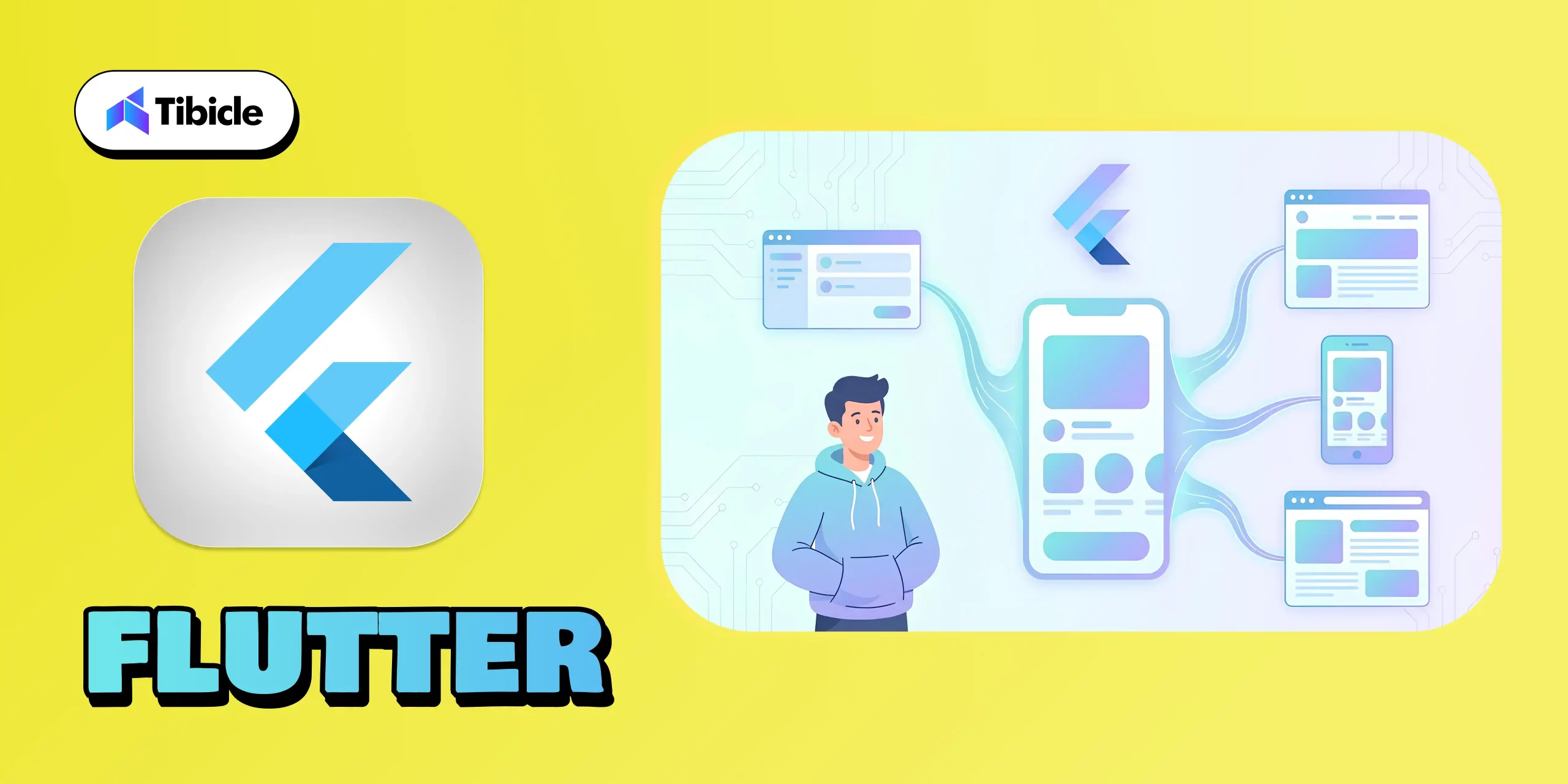
Flutter has become a major leader in 2026 because it offers something rare: one codebase for desktop, mobile, and web. Backed by Google, Flutter gives developers a fast way to build apps with beautiful, consistent UIs across Windows, macOS, Linux, iOS, Android, and browsers.

Its biggest strengths are its rich widget library, smooth performance, and hot reload, which make development faster and more enjoyable. Although desktop support is still evolving, Flutter stands out for teams that want design flexibility, multi-platform reach, and a modern development experience, all without managing separate codebases.

What It’s Best For:

  • Consumer-facing apps need a consistent UI across devices
  • Modern SaaS products are expanding to multiple platforms.
  • Teams prioritizing speed, design, and shared code logic.

Why Developers Choose It:

  • One Codebase for All: Build once for desktop, mobile, and web.
  • Pixel-Perfect UI: Beautiful widgets and customizable layouts.
  • Hot Reload: Real-time testing and instant UI feedback.
  • Strong Community: Backed by Google and a massive global developer base.

Example Apps:

3. .NET MAUI:

Desktop App Frameworks

Why It’s Leading:

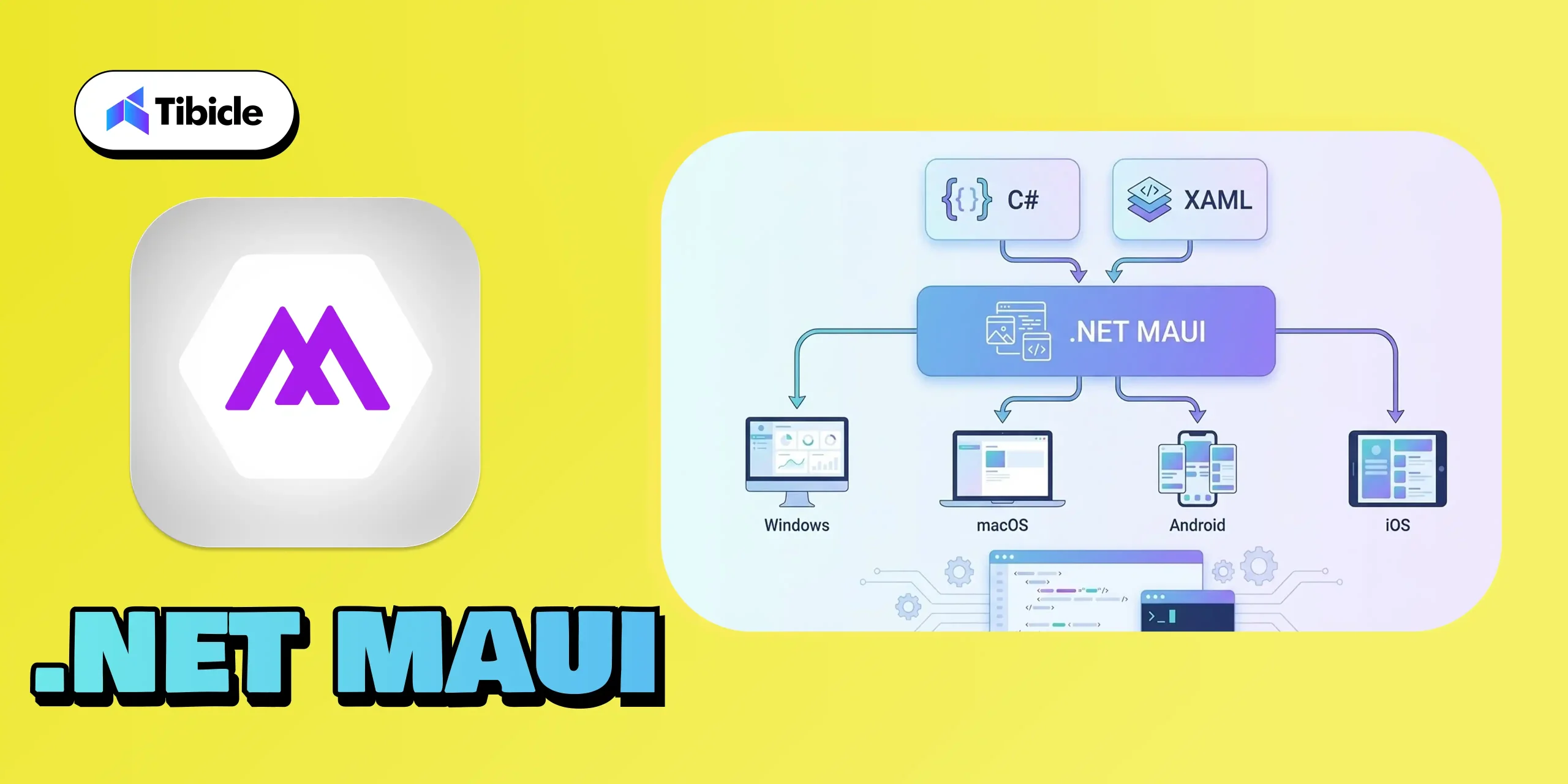
.NET MAUI stands out in 2026 because it gives developers a unified way to build apps for Windows, macOS, Android, and iOS using familiar C# and XAML. With strong support from Microsoft and seamless integration with Visual Studio, it’s a natural fit for teams working within the .NET environment.

Its capability to deliver native performance across various platforms makes it a reliable choice for enterprise-grade applications. For businesses seeking a stable, scalable, and future-ready framework, .NET MAUI remains one of the most trustworthy options available today.

What It’s Best For:

  • Business and enterprise-grade applications
  • Internal dashboards, CRMs, and tools
  • Apps that demand native Windows integration
  • Teams already skilled in .NET and C#

Why Developers Choose It:

  • Unified Codebase: Write once, run across Windows, macOS, Android, and iOS.
  • Strong IDE Support: Deep Visual Studio integration simplifies deployment.
  • Native Performance: Uses native controls for a true OS experience.
  • Enterprise-Ready: Perfect fit for corporate environments with existing Microsoft infrastructure.

Example Apps:

4. Tauri:

Desktop App Frameworks

Why It’s Leading:

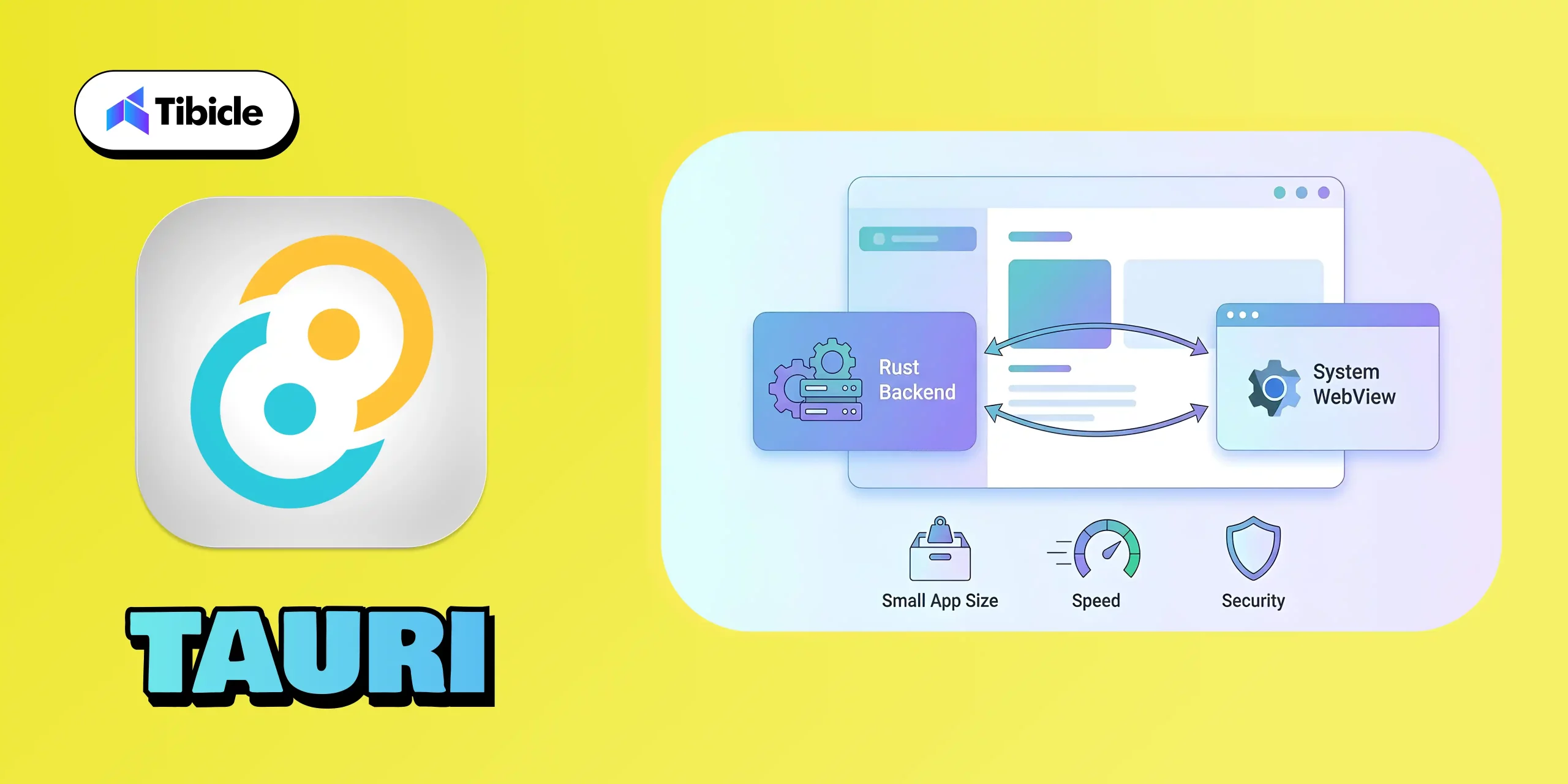
Tauri has quickly become one of the strongest modern alternatives to Electron because it focuses on speed, security, and efficiency. By using a Rust-powered backend and relying on the system’s native WebView instead of bundling Chromium, Tauri keeps apps incredibly lightweight while still delivering a smooth, native-like experience.

Its combination of small build sizes, low memory usage, and strong security makes it a top choice for developers who want fast, modern desktop apps without the heavy footprint.

What It’s Best For:

  • High-performance web-based desktop apps
  • Privacy-focused and secure software
  • Lightweight utilities or note-taking tools
  • Developers targeting all OS platforms efficiently.

Why Developers Choose It:

  • Tiny Build Sizes: Apps as small as 5–10 MB compared to Electron’s 100+MB.
  • Secure by Design: Rust ensures memory safety and prevents runtime crashes.
  • Performance Optimized: Minimal background processes and low CPU use.
  • Web-Developer Friendly: Works with React, Vue, Svelte, or any modern JS frontend.

Example Apps:

5. Qt:

Desktop App Frameworks

Why It’s Leading:

Qt remains one of the most trusted frameworks due to its capability to provide genuine native performance across all major desktop platforms. Built in C++, Qt is engineered for applications that demand speed, precision, and reliability, which is why it remains a favorite in industries like engineering, automotive, medical devices, and advanced creative tools.

Its powerful UI system, support for complex interfaces, and capabilities in graphics, animation, and hardware acceleration make it ideal for software that needs more than just simple layouts. Whether it’s 2D dashboards or full 3D rendering, Qt handles heavy workloads with ease.

What It’s Best For:

  • Engineering and design tools
  • Simulation and visualization software
  • Graphics-intensive or real-time systems
  • Enterprise-level native desktop apps

Why Developers Choose It:

  • Blazing-Fast Performance: Runs close to the hardware with native compilation.
  • Rich Feature Set: Offers advanced libraries for UI, networking, and data visualization.
  • Cross-Platform Flexibility: Seamlessly supports Windows, macOS, Linux, and even embedded systems.
  • Professional Tooling: Includes Qt Creator IDE and Qt Design Studio for rapid prototyping.

Example Apps:

Framework Comparison Table

Framework Language Platforms Supported
Electron JavaScript, HTML, CSS Windows, macOS, Linux
Flutter Dart Windows, macOS, Linux, Web, Mobile
.NET MAUI C#, XAML Windows, macOS, Android, IOS
Tauri Rust + JavaScript Windows, macOS, Linux
Qt C++ Windows, macOS, Linux

Conclusion

Desktop App Frameworks

The desktop app ecosystem is evolving rapidly, and selecting the right framework can significantly impact your product’s performance, scalability, user experience, and long-term success. Whether you’re looking for the lightweight efficiency of Tauri, the design flexibility of Flutter, the enterprise reliability of .NET MAUI, or the native strength of Qt, the best choice is the one that aligns with your goals and meets your users’ needs.

At Tibicle, we help organizations turn their decisions into high-performing applications. Our developers possess extensive expertise across modern frameworks, enabling businesses to create desktop software that is fast, intuitive, and future-ready.

If you’re planning your next project and want the right technical direction, we’d love to talk.

👉 Book your free consultation call from here, and let’s build your next big product together.

FAQ Section

Q1. Which desktop framework is best for beginners in 2026?

Tauri and Electron are excellent starting points for web developers transitioning to desktop development.

Q2. Which framework gives the best performance?

Performance mostly depends on use case, and all of these frameworks work best, but since Qt is built with C++, it’s safe to say it helps provide the most performance.

Q3. Is Flutter production-ready for desktop apps?

Yes, Flutter’s desktop support became significantly more stable for production use in 2026, but since Flutter Desktop was introduced recently, it’s too early to tell anything.

Q4. What framework should enterprises choose?

In my opinion, the best choice is Electron for enterprise applications because it supports Angular, Vue, React, and React Frameworks.

When Machines Teach Minds: The New Face of Education

Introduction: Education at an Inflection Point 🎓

Education has always been the foundation of human progress.From the earliest oral traditions to the invention of the printing press, from chalkboards to digital classrooms, every era has redefined how knowledge is shared and preserved. Yet today, we stand at the edge of a transformation unlike any other. 

Artificial Intelligence Education

Artificial Intelligence (AI) is not just another tool in the educator’s kit. It is a force reshaping the very structure of learning. Unlike past technologies that enhanced the way knowledge was delivered, AI goes further: it adapts, analyzes, and evolves with learners in real time.

The question is no longer if AI will transform education, but how fast institutions, educators, and students can embrace it. The changes we are witnessing are not incremental; they are exponential. AI is helping personalize education, democratize access, empower teachers, and prepare learners for an unpredictable future. For the first time, education is becoming as dynamic and adaptive as the students it serves. 

But with such sweeping change comes both opportunity and responsibility ⚖ . If harnessed well, AI has the potential to make education more inclusive, efficient, and impactful than ever before. If ignored or misused, it risks deepening divides and creating new challenges. 

This blog explores how AI is transforming the education sector, the opportunities it creates, the challenges we must navigate, and how EdTech solutions showcase the practical impact of this transformation.

The transformation Waves of AI in Learning

Artificial Intelligence Learning

Learning That Learns You 👩 🎓

One of the greatest criticisms of traditional education is its one-size-fits-all approach. Students have different learning speeds, styles, and interests, yet most classrooms still follow a rigid, standardized path. AI changes this equation. 

Adaptive learning systems, powered by AI, analyse a student’s progress in real time and adjust the curriculum accordingly. If a student struggles with algebra but excels in geometry, AI tools can provide more practice problems in one area while allowing advanced progress in another. This ensures that learners neither feel left behind nor held back.

The result is a student-centric model 🌱, where the pace, content, and feedback are all customized. For teachers, this means better insights into student needs. For students, it means greater engagement and confidence in their learning journey. 

This shift is not theoretical, it is already happening. Platforms like DreamBox, Duolingo, and Byju s are proving that personalized, AI-driven learning can scale to millions of students globally. And this is only the beginning. 

Instant Insights: Smarter Evaluation & Feedbacks 📊

Artificial Intelligence Smarter

Assessments are a cornerstone of education. They help students understand where they stand, give teachers visibility into learning outcomes, and guide institutions in measuring performance. But the traditional model of waiting days or weeks for test results no longer meets the needs of today’s fast-paced learning environments.

AI is revolutionizing the assessment process in three key ways: 

  • Instant Feedback : Students can immediately see where they went wrong, giving them the chance to correct mistakes and reinforce concepts on the spot. 
  • Predictive Analytics : By analyzing patterns, AI can forecast future performance and flag students who might be at risk of falling behind allowing teachers to intervene early. 
  • Automated Grading : From multiple-choice tests to even essays, AI can handle grading at scale, reducing the administrative burden on teachers and ensuring consistent evaluation. 

This creates a cycle of continuous improvement, where students learn faster, teachers teach smarter, and institutions maintain higher educational standards.

Augmenting Educators, Not Replacing Them

A common myth is that AI will replace teachers. In reality, AI strengthens their role by removing repetitive tasks and enabling them to focus on what truly matters: inspiring and guiding students.

Here is how AI empowers educators: 

  • Administrative Automation : Attendance tracking, timetable scheduling, and report generation can be handled by AI freeing up valuable teacher time.
  • Actionable Classroom Insights : AI highlights students who need extra help and identifies high performers who can be challenged further. 
  • Creative Focus : Instead of spending evenings grading stacks of papers, teachers can dedicate energy to designing innovative lessons and mentoring students. 

The future classroom is not teacher-less, it is teacher-empowered, where educators and AI work together to bring out the best in every learner. 

Bridging Gaps: AI for Access & Inclusion

Perhaps the most exciting promise of AI in education is its ability to make learning truly universal. For centuries, access to quality education has been shaped by geography, language, and economic status. AI is helping dismantle these barriers.

  • Language Translation : Real-time AI translation tools enable students to learn in their preferred language, making education borderless.
  • Assistive Technologies : Text-to-speech, speech-to-text, and AI-driven learning aids empower visually impaired, hearing-impaired, and neurodiverse learners.
  • Remote Learning Access : Even students in rural or underserved areas can now access the same materials as those in urban centers, bridging the education gap. 

By making education more inclusive, AI is not only leveling the playing field but also creating opportunities for millions who were once left out of the system.

Shaping Tomorrow’s Workforce Today

Artificial Intelligence helping

The world of work is changing faster than curriculum can keep up. Automation, data-driven decision-making, and AI-driven industries are redefining what it means to be job-ready. Education can no longer focus only on memorization and standardized testing; it must prepare learners for skills that will remain valuable in an uncertain future. 

Here s how AI is helping align education with the workforce of tomorrow: 

  • AI & Digital Literacy
    Students are increasingly being introduced to coding, robotics, and data science from an early age. AI-powered platforms make these subjects approachable, interactive, and engaging even for beginners.
  • Critical Thinking & Creativity
    As machines handle repetitive, rules-based tasks, uniquely human skills like problem-solving, communication, and creativity will become core workplace differentiators. AI enables classrooms to focus less on rote learning and more on these higher-order skills.
  • Continuous Upskilling
    The learn once, work forever model is outdated. With industries evolving every few years, lifelong learning is essential. AI-powered EdTech platforms provide professionals with flexible, on-demand courses to keep pace with shifting demands.
  • Global Collaboration
    AI is making education more connected. Virtual classrooms bring together students from across the globe, fostering cultural intelligence and preparing them for borderless careers.

By integrating AI into education today, we re not only helping students master the present we re preparing them to lead in tomorrow’s digital-first world.

Edtech 2.0: The Catalyst of Change

While AI is the driving force, EdTech is the vehicle that brings it into classrooms, institutions, and homes. The pandemic accelerated EdTech adoption at an unprecedented rate, proving that digital-first education isn t just a backup plan it s a core necessity. 

  • Global Growth : According to HolonIQ, global EdTech spending is projected to surpass $404 billion by 2025, with AI-powered platforms leading this growth. 
  • Hybrid Learning Models : Institutions are embracing a mix of physical classrooms and AI-enhanced digital tools, creating flexible and resilient systems of education. 
  • Corporate Learning & Upskilling : It s not just schools and universities, businesses are also adopting EdTech for employee training, professional certifications, and continuous skill development. 

This growth signals a new reality: EdTech is no longer an extra. It is central to the future of education, acting as the bridge between innovation and implementation. 

Our Journey in Edtech Innovation

At Tibicle, we recognized the growing need to move beyond traditional digital classrooms. We understood that true learning happens through engagement, exploration, and interaction not just the delivery of information.

Artificial Intelligence Journey

What the Platform Offers:

This interactive educational gaming platform, built using a dynamic Flutter Flame based engine, transforms complex science concepts into engaging, hands-on learning experiences. The modules include:

  • Chemistry in Motion: An exciting runner game, similar to Temple Run, where students collect protons, neutrons, and electrons on the go to build target elements, making atomic structure an unforgettable experience. 
  • Interactive Biology Lab: A hands-on module where students learn cellular biology by dragging and dropping components to construct detailed plant and animal cells from scratch. 
  • Virtual Physics Workbench: A sandbox environment where users can build and experiment with electric circuits, gaining a practical, intuitive understanding of how different electrical components function together. 

The Change We Witnessed :

  • Institutions report a significant increase in student engagement and retention of complex scientific concepts.
  • Teachers gain a powerful visual tool to explain abstract topics in a tangible, memorable way. 
  • Students feel more motivated and confident as they learn by doing, turning theoretical knowledge into practical skill. 

For us, it is not just a product, it is proof that game-based learning can make education smarter, more accessible, and truly future-ready. It demonstrates our expertise and commitment to helping institutions build a more engaging educational experience for the next generation.

What’s Next: Reimagining the AI-education Forntier

AI in education is still in its early stages. The next decade will bring innovations we can only imagine today:

  • Hyper-Personalization : Fully adaptive curriculum that adjust not just to a student’s pace, but to their interests, goals, and even moods. 
  • Immersive Classrooms : AI combined with AR/VR will allow students to explore history, science, and technology through real-life simulations. 
  • Predictive Education Models : Institutions will anticipate learning needs before students even express them, ensuring proactive support. 
  • Truly Global Classrooms : AI will connect students worldwide, breaking cultural and geographic barriers like never before. 

The road ahead is exciting and it’s moving fast. 

Conclusion: Writing the Next Chapter of Learning

Artificial Intelligence Writing

Education has always evolved with society’s needs. Today, with AI and EdTech, we are entering a chapter that is smarter, more inclusive, and more future-ready than ever before. 

The opportunities are immense: personalized learning, universal accessibility, empowered teachers, and a workforce prepared for tomorrow s challenges. But they also come with responsibilities: bridging the digital divide, ensuring ethical AI use, and embracing innovation without losing the human touch. 

At Tibicle, our journey with app development  has shown us what is possible when technology and education come together with purpose. It is not about replacing what exists, it s about enhancing it, making it more adaptive, and building an ecosystem where both institutions and learners thrive.

The real question is no longer whether AI will transform education it already has. The question is: How quickly can we embrace this transformation and make it work for everyone? 

👉 What are your thoughts: Will AI be the great equalizer in education, or will it widen the gap? I’d love to hear your perspective.

AI Agents Boosting Productivity in 2026: The Future of Smart Work

Introduction: The Shift from Hard Work to Smart Work

In 2026, the future of productivity is not just about doing more; it’s about working smarter.
Thanks to AI agents, individuals and organizations can now delegate repetitive, time-consuming tasks to intelligent digital assistants that can plan, execute, and learn autonomously.

These AI-powered agents act as co-workers, not just tools, managing projects, scheduling meetings, analyzing data, and even making smart recommendations. The result?
A world where humans focus on creativity, innovation, and strategic thinking while AI handles the rest.

AI Agents Productivity

The Traditional Productivity Struggle

Before the era of AI agents, boosting productivity meant more manual work, more apps, and more hours.
People spent countless hours managing emails, meetings, and data entry, leaving little time for creativity or innovation.

Traditional productivity challenges included:

  •  Repetitive administrative tasks
  •  Poor visibility into project progress
  •  Constant context switching between tools
  •  Employee burnout from workload overload

Even with tools like Trello, Asana, or Slack, the process still required human direction.
The dream of “autonomous productivity” was missing until AI agents arrived.

What Exactly Are AI Agents?

An AI agent is more than just a chatbot or assistant. It’s an autonomous system that can perceive information, make decisions, and take action, all while learning and improving over time.

These agents use a combination of:

  • Natural Language Understanding (NLU): To interpret human instructions.
  • Machine Learning (ML): To learn from behavior and adapt.
  • Reasoning & Planning: To decide the best course of action.
  • APIs & Integrations: To connect with tools like Google Workspace, Slack, Notion, or CRMs.

They are like digital team members capable of doing everything from managing projects to writing reports.

How AI Agents Are Transforming Productivity in 2026

AI Agents Productivity

AI agents have redefined what productivity means. They’ve moved beyond reminders and automation; they’re now thinking partners that help teams achieve more in less time.

Here’s how:

1. Automated Task Execution

AI agents take over repetitive, low-value tasks so humans can focus on strategic work.
They can:

  • Schedule and reschedule meetings automatically
  • Draft and send professional emails
  • Generate reports or presentations
  • Update tasks in project management tools
  • Manage data entry or documentation

💡 Example:
A marketing AI agent can write blog outlines, plan social media campaigns, generate captions, and analyze engagement metrics, freeing marketers to focus on creativity and strategy.

2. Intelligent Decision Support

AI agents don’t just automate, they analyze and advise.
Using advanced data processing, they can:

  • Interpret real-time data
  • Detect performance trends
  • Provide actionable recommendations

💡 Example:
A sales AI agent can forecast revenue, identify high-potential leads, and suggest which deals to prioritize — enabling faster and smarter decision-making.

This is where data-driven productivity replaces guesswork with precision.

3. Seamless Cross-App Collaboration

Modern professionals juggle multiple tools, email, Slack, Notion, Google Docs, CRMs, and constantly switch between them.
AI agents integrate these apps into a single connected workflow, ensuring smooth data sharing and communication.

They can:

  • Sync files automatically
  • Update multiple systems simultaneously
  • Create unified dashboards across tools

💡 Example:
When you upload a client proposal to Google Drive, your AI agent can automatically notify your team on Slack and log the update in your CRM.

4. Personalized Productivity

AI agents don’t follow a one-size-fits-all approach.
They learn your work style, habits, and goals to create a personalized productivity ecosystem.

They can:

  • Prioritize tasks based on your focus hours
  • Suggest optimal meeting times
  • Remind you to take breaks when fatigue is detected
  • Summarize your workday insights

💡 Example:
Your AI agent notices you’re most productive in the morning and automatically schedules deep-focus tasks before noon while postponing meetings to the afternoon.

5. Human–AI Collaboration

In 2026, AI agents aren’t replacing people, they’re collaborating with them.
Imagine a team where each member is supported by a dedicated AI partner that:

  • Manages their routine
  • Tracks performance
  • Suggests workflow improvements

Together, these human-AI partnerships create hyper-productive environments where decisions are faster, errors are fewer, and outcomes are better.

Why AI Agents Are Changing the Game

AI Changing the Game

The impact of AI agents goes beyond automation; they represent a new mindset around efficiency and collaboration.
Here’s why businesses and individuals are adopting them rapidly:

1. Time Savings

What used to take hours now takes minutes. AI agents handle the grunt work, leaving humans to focus on strategy.

2. Reduced Costs

Automation cuts the need for extra hires, project delays, and repetitive human work, saving both time and money.

3. Better Data Insights

AI agents continuously analyze work patterns and results, providing real-time insights to improve performance.

4. 24/7 Availability

They never sleep. Whether it’s scheduling meetings or analyzing data, AI agents keep operations running smoothly around the clock.

5. Easy Scalability

From solo professionals to large enterprises, AI agents can scale across teams and departments effortlessly.

Who Can Benefit from AI Agents

AI agents are built for everyone, not just tech companies.

1. Startups and Entrepreneurs

Startups thrive on speed and flexibility, and AI agents deliver both.

They help founders:

  • Manage customer onboarding
  • Track investor communications
  • Automate marketing campaigns
  • Collect and analyze user feedback

💡 Example:
A founder uses an AI agent to manage leads, track sales progress, and auto-generate reports for investors.

2. Remote Teams

AI agents make remote collaboration seamless.
They can coordinate across time zones, send daily updates, and keep projects aligned.

They handle:

  • Automated check-ins
  • Task tracking
  • Meeting scheduling
  • Progress reporting

This ensures everyone stays on the same page without endless video calls or manual updates.

3. Enterprises

Enterprises use AI agents to streamline processes across HR, marketing, finance, and operations.

  • HR agents can screen resumes and schedule interviews.
  • Finance agents can track budgets and send payment alerts.
  • Marketing agents can monitor campaign KPIs and generate weekly reports.

The result: faster decisions, leaner teams, and measurable ROI.

4. Freelancers and Solopreneurs

Freelancers often juggle multiple projects and clients.
AI agents help them:

  • Manage invoices
  • Send proposals
  • Automate client updates
  • Track deadlines

They free up creative professionals to focus on what they do best, creating, not administrating.

How to Get Started with AI Agents

AI Started

Adopting AI agents doesn’t have to be complicated. Here’s a simple roadmap:

1. Identify Repetitive Tasks

List the top 5 repetitive tasks that consume your team’s time. These are perfect for automation.

2. Choose the Right Platform

Popular AI agent platforms in 2026 include:

  • OpenAI GPTs (customized for teams)
  • Microsoft Copilot
  • Adept ACT-1
  • Anthropic Claude Agents

Choose one that integrates easily with your existing tech stack.

3. Start Small, Scale Fast

Automate one process first, like scheduling or reporting, and expand gradually.

4. Train Your AI Agent

Feed it your communication tone, preferred workflows, and business goals. The more it learns, the smarter it gets.

5. Measure and Optimize

Track how much time or cost you save monthly. Use insights to refine your AI workflows further.

Challenges and Considerations

While AI agents offer massive advantages, thoughtful adoption is key.

Potential challenges include:

  • Data Privacy: Ensure your AI tools comply with data protection regulations.
  • Accuracy: Always verify AI-generated results before acting on them.
  • Human Oversight: AI should assist, not replace, human decision-making.
  • Training Time: AI agents improve with consistent feedback and usage.

Balanced integration is crucial; combining human intuition with AI efficiency leads to the best outcomes.

The Future: Human + AI Collaboration

By 2026, we’re seeing the rise of a symbiotic workspace where humans bring creativity, and AI brings precision and speed.

AI agents will continue to evolve, learning faster, integrating deeper, and collaborating more naturally.
Organizations that embrace this shift early will experience:

  •  Rapid innovation cycles
  •  Smarter, data-driven decision-making
  •  Leaner, more efficient operations

Partner With Tibicle to Automate Your Workflow

AI Automate

At Tibicle, we help startups, enterprises, and entrepreneurs harness the power of AI automation.

Our team specializes in building and integrating custom AI agents that boost productivity and streamline daily operations.

Here’s how we can help:

  • Understand your business challenges
  • Design custom AI agent workflows
  • Integrate with your existing tools (e.g., CRM, Notion, Slack)
  • Optimize and scale as your needs evolve

 Let’s turn your business into an AI-powered productivity engine.
You can schedule a free consultation or share your project goals, and our experts will guide you step-by-step.

Key Takeaways

  • AI agents automate repetitive tasks, saving time and cost
  • They enable smarter, data-driven decision-making
  • Perfect for startups, enterprises, and freelancers
  • The future of productivity is human + AI collaboration
  •  Tibicle helps businesses integrate AI agents for real, measurable results

Frequently Asked Questions (FAQs)

  1. What exactly are AI agents?
    AI agents are intelligent software systems that can understand, plan, and execute tasks autonomously, improving efficiency and reducing manual work.
  2. How are AI agents different from chatbots?
    Chatbots follow fixed rules and respond to queries, while AI agents can reason, make decisions, and perform multi-step actions across various platforms.
  3. Can small businesses afford AI agents?
    Yes! Many cloud-based AI solutions are affordable and scalable, making automation accessible even to startups and freelancers.
  4. Do AI agents replace human jobs?
    Not exactly. AI agents handle repetitive work so humans can focus on creativity, problem-solving, and innovation, leading to smarter job roles.
  5. Which AI agent platforms are popular in 2026?
    Top platforms include OpenAI GPTs, ChatGPT Teams, Microsoft Copilot, and Adept ACT-1, each offering unique automation capabilities.

Flutter App Development: Why Top Brands Choose Flutter

Introduction

In the competitive world of digital products, businesses can’t afford slow and expensive Flutter App Development. They need tools that help them build quickly, deliver beautifully, and scale effortlessly.

Flutter app development

That’s why Flutter, Google’s open-source UI framework, has emerged as the preferred option for creating contemporary apps.

Flutter enables teams to develop high-performance, cross-platform applications for mobile, web, and desktop from a single, unified codebase.

From startups to large corporations, Flutter powers many successful apps worldwide, demonstrating that innovation can maintain efficiency.

Why Flutter Is Revolutionizing App Development

Revolutionizing app development
In the past, app development was typically a slow and costly process. Businesses often had to manage separate teams for Android and iOS, maintain two different codebases, and face inconsistent user experiences across platforms.

The result? Higher costs, longer timelines, and more complex maintenance cycles limited innovation and scalability.

Flutter changes that story. With its unified framework and powerful toolset, it enables developers to build faster, maintain more easily, and scale smarter.

Here’s how Flutter transforms the process:

  • Faster Development: Build once, launch everywhere.
  • Native-Level Performance: Compiles to ARM code for exceptionally fast speed.
  • Consistent UI: Unified design across all platforms.
  • Instant Updates: Hot Reload for real-time changes and testing.
  • Cost Efficiency: Fewer developers, less code, more results.

Flutter combines speed, flexibility, and reliability, making it the smartest choice for any business ready to scale.

Why Businesses Are Switching to Flutter App Development

The shift toward Flutter is not just a trend; it is a strategic decision. Here are several reasons why more businesses, from startups to large enterprises, are choosing Flutter in 2025:

  1. Unified Brand Experience:
    Customers expect consistency. Flutter ensures that your brand maintains the same look and feel across all platforms.
  2. Rapid Time-to-Market: 
    Startups need to act quickly. Flutter’s single codebase enables the launch of minimum viable products (MVPs) in weeks rather than months.
  3. Lower Development Costs:
    By building one app for multiple platforms, businesses can save 40% to 60% on development costs, freeing up budgets for growth and marketing.
  4. High Developer Productivity:
    Features such as hot reload, pre-built UI widgets, and real-time testing significantly accelerate the development process.
  5. Backed by Google and the Community:
    Regular updates, Google’s long-term commitment, and a vibrant open-source community make Flutter a future-proof choice.
  6. Scalable Architecture:
    Whether your app has 1,000 or 10 million users, Flutter’s performance remains stable and smooth.
  7. Easy Integration with AI and APIs: 
    In today’s business landscape, companies increasingly rely on AI, analytics, and automation. Flutter’s flexibility facilitates easy connections to APIs and modern backend systems.

Top 10 Popular Apps Built with Flutter App Development

Top 10 Flutter app development
Flutter has become the preferred framework for leading brands globally, powering applications that deliver outstanding performance and seamless user experiences, trusted by millions of users every day.

These apps show how Flutter delivers speed, performance, and scalability across industries.

  1. Google Pay (Tez)

    • One of the most widely used digital payment apps.
    • Flutter ensures smooth performance, consistent UI, and reliable scalability.
  2. BMW (My BMW App)

    • Offers car control, navigation, and remote monitoring.
    • Built on Flutter for a unified user experience across iOS and Android.
  3. eBay Motors

    • Simplifies car buying and selling through a sleek, responsive interface.
    • Flutter reduced development time and improved app performance.
  4. Alibaba Group (Xianyu App)

    • Used by over 50M users for resale and e-commerce.
    • Flutter helped Alibaba maintain quality while scaling rapidly.
  5. Reflectly

    • A personal journaling and mindfulness app known for its beautiful animations.
    • Flutter’s expressive UI tools make its experience smooth and interactive.
  6. Toyota Connected

    • Uses Flutter for in-vehicle applications and real-time data display.
    • Achieves performance consistency across embedded systems.
  7. Google Classroom

    • Streamlines digital education for millions of students globally.
    • Flutter enables quick updates and multi-platform accessibility.
  8. Philips Hue

    • Smart lighting control app with intuitive user design.
    • Flutter powers fast, responsive controls and seamless connectivity.
  9. Realtor.com
    • Leading real estate platform in the U.S.
    • Flutter boosted the speed of feature rollouts and improved design consistency.
  10. Hamilton Musical App

    • Leading real estate platform in the U.S.
    • Flutter boosted the speed of feature rollouts and improved design consistency.

Who Can Benefit from Flutter

Flutter app Benefit

Startups & Entrepreneurs

    • Build and launch your first version quickly.
    • Test ideas, gather feedback, and scale without heavy costs.

Freelancers & Agencies

  • Deliver high-quality apps faster.
  • Reuse components and handle more projects with ease.

Small & Medium Businesses (SMBs)

  • Create customer apps or internal tools affordably.
  • Go digital without needing a full development team.

Enterprises

  • Manage multiple platforms with one solution.
  • Keep performance and design consistent across all devices.

Behind the Code: What Makes Flutter So Powerful

Flutter app Powerful
Flutter is popular not just for its aesthetic appeal but also because it is built on robust technology that makes app development faster, simpler, and more reliable. Here’s what makes Flutter stand out:

  1. Built with Dart – Fast and Reliable
    Flutter uses a programming language called Dart, developed by Google. It is fast because it directly compiles code into a format that devices can understand, allowing apps to run smoothly and start quickly.
  2. Beautiful Graphics with Skia Engine
    Flutter features its own graphics engine called Skia, which renders everything displayed on the screen. This is why apps built with Flutter have a clean, modern design and maintain a consistent look and feel across Android, iOS, and other devices.
  3. Simple Way to Build User Interfaces (UI)
    Flutter allows developers to describe what the interface should look like rather than writing lengthy, detailed instructions. This simplifies the process of creating attractive and interactive designs with less effort.
  4. Consistent Appearance on Every Device
    Since Flutter has control over how the app appears and functions, it relies less on the device’s native design. Consequently, your app will look and feel the same on smartphones, tablets, the web, and desktops, providing a seamless experience everywhere.
  5. Instant Updates with Hot Reload
    Developers can make changes to the code and see the results immediately without restarting the app. This feature saves time, simplifies error correction, and fosters creativity during development.
  6. High Performance Like Native Apps
    Unlike many other frameworks, Flutter apps are designed to perform almost as well as those developed specifically for Android or iOS. This means fast load times, smooth animations, and an excellent user experience.
  7. Strong Support and Regular Updates
    Google and the large Flutter community continuously improve the framework by adding new features, fixing bugs, and preparing it for the future. This dedication makes Flutter a reliable, long-term choice for any business.

At Tibicle, we use Flutter’s powerful features, from its smooth UI engine to its cross-platform speed, to build apps that are fast, beautiful, and ready for the future.

Conclusion: Flutter Is the Future

Flutter is not just another framework; it’s the foundation for modern digital innovation. It enables teams to build beautiful, high-performance apps faster than ever, without sacrificing quality or scalability.

Flutter is transforming the way apps are developed by combining speed, scalability, and seamless design into one powerful framework. It allows teams to:

  • Develop high-quality apps more quickly across multiple platforms.
  •  Reduce costs and development time.
  • Deliver smooth, native-like user experiences.
  • Easily scale as business needs grow.

If global brands trust Flutter to power their digital presence, it’s time to consider it for your next app.

Partner with Tibicle to Build Your Flutter App

At Tibicle, we specialize in developing Flutter apps that combine performance, innovation, and scalability.
Our expert team helps businesses of all sizes:

  • Plan and design stunning Flutter interfaces.
  • Develop cross-platform apps with robust architecture.
  • Integrate with backend systems and cloud platforms.
  • Optimize performance and user engagement.

Whether you’re starting small or scaling globally, Tibicle helps you build smarter with Flutter faster, cleaner, and cost-effectively.

👉 Have an idea? 

Schedule a call or share your project details here, and our team will guide you in building your next app with Flutter.

Key Takeaways

  • Flutter powers some of the world’s most successful apps like Google Pay, BMW, and Alibaba.
  • Enables cross-platform development from one codebase.
  • Delivers faster time-to-market and native performance.
  • Tibicle provides end-to-end Flutter expertise to bring ideas to life.

With Flutter, creating high-performance apps is faster and smarter than ever. Whether you’re launching your first idea or scaling your next major product, Flutter empowers you to develop seamless, future-ready experiences with ease.

Frequently Asked Questions (FAQ)

  1. Why is Flutter considered the future of app development?
    Flutter allows developers to build apps for Android, iOS, web, and desktop from a single codebase – reducing time, cost, and complexity while maintaining high performance.
  2. Can Flutter handle large-scale business applications?
    Yes. Global brands like BMW, Alibaba, and Google Pay use Flutter for enterprise-grade apps due to its stability, scalability, and smooth user experience.
  3. How does Flutter reduce app development costs?
    With just one team and one codebase for all platforms, Flutter cuts development and maintenance costs by up to 40–60% compared to native development.
  4. Is Flutter suitable for startups and MVPs?
    Absolutely. Flutter helps startups launch MVPs quickly, test ideas faster, and bring products to market in weeks instead of months – perfect for fast growth and iteration.
  5. Why should I choose Tibicle for Flutter app development?
    Tibicle’s expert team specializes in end-to-end Flutter development – from UI/UX to backend integration – delivering scalable, high-performance apps that align with your business goals.
  6. Is Flutter the future of app development?
    Yes, Flutter continues to evolve under Google’s support, offering unmatched flexibility and innovation. It’s already shaping the future of cross-platform app development.

How AI is Revolutionizing Personalized Learning: The Future of Education

Introduction: AI Transforming Education

Education is undergoing a rapid and profound transformation, driven by the integration of AI in education. Traditional classrooms, where every student follows the same pace and curriculum, are gradually being replaced by intelligent systems that adapt to each student’s learning style, pace, and strengths.

Education

From K-12 schools to universities, AI is helping educators:

  • Deliver personalized learning experiences tailored to individual needs.
  • Automate repetitive tasks like grading, attendance tracking, and lesson planning.
  • Provide interactive and adaptive learning tools accessible anytime, anywhere.

Students benefit from real-time feedback, interactive exercises, and access to lessons through digital learning platforms and online courses. Teachers, on the other hand, gain more time to focus on creative instruction, mentorship, and addressing individual learning gaps.

With the rise of gamified educational apps, SaaS-based platforms, and AI-powered tutoring, learning has become more engaging, efficient, and data-driven. AI is not just a tool; it is becoming the backbone of adaptive, scalable, and personalized learning ecosystems.

Personalized Learning with AI

One of the most impactful ways AI is transforming education is through personalized learning. Unlike traditional classrooms that follow a one-size-fits-all approach, AI enables learning experiences tailored to each student’s unique pace, strengths, and preferences.

Personalized Education

How It Works:

  • Adaptive Content Delivery: AI platforms analyze student performance and adjust lessons in real time. Students struggling with a topic receive additional exercises, explanatory videos, or interactive simulations, while advanced learners are challenged with more complex material.
  • Automated Quizzes and Practice: AI generates exercises, quizzes, and summaries automatically, reducing repetitive work for teachers.
  • Virtual Tutors and Chatbots: Available 24/7, these assistants help students clarify doubts, practice problem-solving, and brainstorm ideas for assignments or projects.

Benefits:

  • Boosts student confidence and independence.
  • Encourages self-paced learning and habit formation.
  • Provides data-driven insights to educators for targeted interventions.

AI-powered personalized learning is widely used in online platforms, EdTech apps, and SaaS-based solutions, enabling adaptive learning that maximizes engagement, retention, and efficiency for both students and teachers.

AI in K-12 Education

K-12 AI Education

In K-12 education, AI is redefining the classroom experience. Traditional methods relying solely on textbooks and lectures are now supplemented by intelligent tools that adapt to individual learning styles and needs.

Key Applications of AI in Schools:

  • Smart Tutoring Systems: Provide personalized guidance and practice exercises for students, helping them grasp concepts faster.
  • Gamified Learning Modules: Lessons incorporate points, badges, and challenges to keep students motivated.
  • Teacher Dashboards: Track student progress, manage assignments, and plan lessons efficiently, significantly reducing preparation time.
  • Interactive Tools: Enable collaborative learning through AI-recommended group projects and discussions.

Impact on Students and Teachers:

  • Students receive customized support, helping them master concepts at their own pace.
  • Engagement improves through gamified and interactive lessons, increasing knowledge retention.
  • Teachers gain actionable insights into student performance, allowing targeted interventions for those who need extra help.

AI also enables flexible, remote learning, ensuring that students can access lessons and resources from anywhere, bridging gaps created by distance or resource constraints. Overall, AI empowers educators to create student-centered classrooms that are adaptive, engaging, and data-driven.

AI in Higher Education

Higher Education

AI is making a significant impact in universities and colleges, where learning is more complex and student populations are larger. Higher education institutions are leveraging AI to personalize learning, enhance operational efficiency, and provide scalable support for diverse learners.

Key Applications:

  • Virtual Teaching Assistants: Offer 24/7 academic guidance, answer common queries, and assist in research projects.
  • Predictive Analytics: Analyze student performance, engagement patterns, and attendance to identify learners needing extra support.
  • Automated Grading & Plagiarism Detection: Reduce administrative workload for educators.
  • Career Guidance & Recommendations: Suggest relevant courses, skill development paths, and personalized academic advice.

Benefits for Students:

  • Flexible access to online and hybrid learning models.
  • Personalized support and adaptive course recommendations.
  • Enhanced autonomy in learning, allowing students to focus on areas needing improvement.

Benefits for Institutions:

  • Optimize resource allocation and curriculum design using real-time insights.
  • Reduce faculty workload while maintaining high-quality teaching standards.
  • Enable data-driven decisions to improve student outcomes and engagement.

By integrating AI, higher education institutions can create smarter, more adaptive learning environments that prepare students for both academic and professional success in a rapidly evolving world.

AI-Powered EdTech Platforms and SaaS Solutions

The rise of AI in education has fueled the development of EdTech platforms and SaaS solutions that transform how students learn and how educators teach. These platforms provide scalable, flexible, and adaptive learning experiences across schools, universities, and professional training programs.

Key Features:

  • Personalized Content Delivery: AI adjusts lessons based on student performance and learning preferences.
  • Automated Assessments: Quizzes, exercises, and progress tracking are generated dynamically.
  • Analytics and Insights: Educators can monitor engagement, performance trends, and areas for improvement.
  • Cloud-Based Accessibility: Students and teachers can access materials anytime, anywhere, supporting remote and hybrid learning models.
  • Integration with Existing Tools: LMS, collaborative apps, and digital resources can be seamlessly combined.

Benefits:

  • Reduces repetitive tasks for teachers, allowing focus on mentorship and creative instruction.
  • Provides actionable insights to optimize course design and interventions.
  • Scales across large institutions without additional infrastructure costs.
  • Enables adaptive, student-centered learning environments.

Real-world applications include adaptive learning platforms, gamified STEM courses, language learning apps, and corporate upskilling programs. SaaS-based AI solutions make education more efficient, engaging, and accessible, setting the stage for the next generation of digital learning.

Gamification and Interactive Learning

AI Education

Engagement is a critical factor in effective learning, and AI-powered gamification is one of the most effective ways to keep students motivated. By incorporating game-like elements into lessons, AI platforms create interactive and immersive learning experiences that make education enjoyable and effective.

How Gamification Works with AI:

  • Adaptive Challenges: Quizzes and exercises adjust difficulty based on student performance.
  • Rewards and Recognition: Points, badges, and leaderboards encourage active participation.
  • Collaborative Learning: Scenario-based exercises promote teamwork and problem-solving skills.
  • Real-Time Feedback: AI monitors progress and provides instant guidance to correct mistakes.

Benefits for Students:

  • Increases engagement and motivation.
  • Reinforces learning through active participation and practice.
  • Encourages critical thinking, problem-solving, and independent learning.

Benefits for Educators:

  • Reduces time spent on grading and engagement tracking.
  • Provides insights into student performance and learning patterns.
  • Enables teachers to focus on mentorship, creativity, and personalized interventions.

By integrating gamification and interactive learning, AI transforms traditional classrooms into dynamic, student-centered ecosystems. This approach ensures long-term knowledge retention, increased curiosity, and self-paced progression for all learners.

Benefits for Students and Educators

The integration of AI in education brings significant advantages for both students and educators, creating more efficient, engaging, and personalized learning experiences.

For Students:

  • Personalized Learning Paths adapting to individual strengths, weaknesses, and pace.
  • Real-Time Feedback on exercises and assessments for better learning outcomes.
  • Flexible Access via online and SaaS platforms.
  • Gamified Learning to keep motivation high.
  • Inclusive Education for diverse learners.

For Educators:

  • Automation of Routine Tasks like grading and attendance.
  • Data-Driven Insights for targeted interventions.
  • Lesson Planning Support through AI-generated quizzes and exercises.
  • Focus on Mentorship and creative teaching.
  • Improved Learning Outcomes for students.

Challenges and Ethical Considerations

While AI in education offers numerous benefits, it also brings challenges and ethical considerations that institutions must address.

Key Challenges:

  • Algorithmic Bias: AI systems may unintentionally favor certain groups.
  • Data Privacy: Student performance and personal information must be protected.
  • Over-Reliance on Technology: Human mentorship and creativity remain essential.
  • Infrastructure and Training: Required for effective AI implementation.

Addressing Ethical Considerations:

  • Establish transparent AI policies.
  • Combine AI tools with human guidance.
  • Ensure inclusive AI systems.
  • Provide training and support for educators.

Conclusion

AI is revolutionizing education by creating personalized, adaptive, and engaging learning experiences for students while providing educators with automation, insights, and support. From K-12 classrooms to universities, AI-powered platforms, gamified modules, and SaaS solutions are reshaping how knowledge is delivered and consumed.

While challenges such as data privacy, algorithmic bias, and over-reliance on technology exist, careful implementation ensures that AI enhances learning outcomes and improves teaching efficiency.

At Tibicle, we specialize in developing award-winning educational platforms tailored to meet the evolving needs of the education industry. If you want to explore AI-driven solutions for your institution or learning platform, schedule your call from here or share your requirements from here, and our expert team will get back to you to discuss how we can help transform your educational experience.

FAQ: AI in Education

  1. How can AI be used in education?
    AI can personalize learning paths, provide instant feedback, automate grading, and support adaptive content delivery for both students and educators.
  2. What are the benefits of AI in education?
    • Enhances student engagement and motivation.
    • Improves knowledge retention through adaptive learning.
    • Reduces course preparation and grading time for teachers.
    • Provides actionable insights into student performance.
  3. Are there any disadvantages of AI in education?
    Challenges include algorithmic bias, data privacy concerns, over-reliance on technology, and the need for teacher training to use AI tools effectively.
  4. How does AI support gamified learning?
    AI adapts challenges, quizzes, and simulations based on student performance, keeping learning interactive, engaging, and tailored to individual needs.
  5. Can AI be applied to higher education and online platforms?
    Yes. AI supports predictive analytics, virtual assistants, and adaptive online courses, enabling scalable, personalized, and efficient learning for universities and online education providers.

Top 25 AI Tools Revolutionizing Digital Workflows in 2026

Introduction

Artificial Intelligence is no longer futuristic—it’s the engine powering digital innovation in 2026. From full-stack web apps and SEO content to UI design and code automation, AI is reshaping how we build and scale digital experiences. Today’s creators, startups, and enterprise teams all demand faster execution, smarter workflows, and higher creativity and AI delivers exactly that. The challenge? With hundreds of new platforms launching every month, finding the right tools can feel overwhelming.

AI tools img

That’s why we’ve curated this guide to the 25 most powerful AI tools worth your time. Each is chosen for its real-world impact, ease of adoption, and ability to supercharge workflows across five key categories.

  • Content Creation – Platforms that produce videos, voiceovers, graphics, and articles, often from just a few lines of text.
  • Web & App Creation – Tools that help create websites, apps, and UI components using natural language or visual inputs.
  • SEO & Digital Marketing – Assistants that improve keyword use, automate outreach, and boost content visibility.
  • Design Tools – AI platforms that turn sketches or prompts into brand assets, wireframes, and design systems.
  • Developer Assistance – Tools focused on smart code suggestions, debugging, and real-time software development support.

Whether you’re prototyping an idea, launching a product, or scaling creative output, these tools will help you work faster, think bigger, and get more done with less manual effort.

Overview of Top 25 AI Tools by Category

Before diving into individual features and use cases, here’s a snapshot of the 25 tools categorized by their core functionality.

I. AI Tools for Content Creation

(Generate videos, visuals, voiceovers, and media content with ease)

  • Imagine Art: Real-time image/video generation
  • Google Veo3: Cinematic AI video generator
  • Sora: Text-to-video storytelling tool
  • OpusClip: AI-powered short video creator
  • Hey Gen: AI avatar-based video production

II. AI Tools for Web & App Creation

(Generate website and app wireframes, design structures, and deploy full-stack applications)

  • Relume: Website wireframes from prompts
  • Lovable: Prompt-based web & app builder
  • Bolt: Instant AI web app generator
  • Firebase Studio: Firebase-integrated app builder
  • Replit: Collaborative, AI-powered coding platform

III. AI Tools for SEO & Digital Marketing

(Automate keyword planning, content optimization, and outreach)

  • Writesonic: AI content & ad generation
  • SE Ranking: Keyword research and tracking tool
  • Clearscope: Content scoring and SEO assistant
  • Airops: SEO automation and workflow integration
  • Pitchbox: Outreach and link-building automation

IV. AI Tools for Designers

(Convert sketches, prompts, or screenshots into complete UI/UX elements and branding assets)

  • Uizard: Sketch-to-UI prototyping tool
  • Stitch (formerly Galileo AI): Prompt-based UI designer
  • UX Pilot: AI-based UX suggestions from screens
  • Designs.ai: Branding suite logo, video, social media assets
  • Khroma: AI-generated color palettes

V. AI Tools for Developers

(Speed up coding, debugging, and software creation with AI assistance)

  • Kiro: AI pair programming assistant
  • GitHub Copilot: Context-aware code suggestions
  • Cursor: AI-first code editor
  • Amazon CodeWhisperer: AI coding for cloud development
  • Augment Code: Intelligent code generator and explainer

Let’s explore each tool in more detail, category-wise.

I. AI Tools for Content Creation

aitools-img

From videos to voiceovers and graphics, content generation is now mostly automated. These tools turn simple prompts into production-ready media assets ideal for creators, marketers, educators, and businesses looking to scale content output while saving time and effort. Visual storytelling has never been more accessible.

  • Imagine Art: https://imagine.art

    This powerful tool turns text prompts into visuals or animated videos instantly. It’s excellent for marketing, social media, and brand storytelling when you need eye-catching visuals quickly.

  • Google Veo3: https://ai.google

    Developed by Google, Veo3 adds a cinematic touch to AI-generated video. It’s perfect for creating engaging ad campaigns, intros, or explainer videos.


I gave Veo3 a detailed prompt, uploaded a photo of our actual office, and the result? Monkey Bhai, a trending-style AI vlogger, casually films his “Day in our office.”

It’s surreal, hilarious, and a perfect example of how personalized and imaginative these tools can be.

Want to create your version? Upload any space photo, describe your scene, and let Veo generate something incredible. The possibilities are endless.
  • Sora: https://openai.com/sora

    From the creators of ChatGPT, Sora lets you input a story or script and returns a visually rich video output. It’s ideal for educators, marketers, and creators alike.

  • OpusClip: https://www.opus.pro

    OpusClip breaks down long videos into short, viral clips optimized for platforms like TikTok and YouTube Shorts. It’s essential for repurposing content.

  • Hey Gen: https://www.heygen.com

    Create videos with virtual avatars that look professional and realistic. It’s great for tutorials, onboarding, or corporate messaging without any filming.

II. AI Tools for Web & App Creation

AI Tools Img

Creating websites and apps is faster than ever, with AI handling everything from wireframes to full-stack deployment. Whether you’re a developer, product manager, or startup founder, these tools help convert ideas into working digital products using just a few prompts or sketches. No need to start from scratch, these tools dramatically speed up prototyping and launch.

  • Relume: https://www.relume.io

    Relume allows users to create complete website wireframes using natural language prompts. This speeds up the early design process and helps product teams iterate faster on layout and structure. It’s perfect for coming up with ideas, client presentations, or planning minimum viable products.

  • Lovable: https://www.lovable.so

    Lovable enables users to create entire websites or mobile app layouts by simply describing what they want in plain English. It’s ideal for quick prototyping and connecting ideas with execution.

  • Bolt: https://bolt.new/

    Bolt turns prompts into full-stack, working web apps within minutes. It supports many use cases from dashboards to form-based apps and allows for easy customization.

  • Firebase Studio: https://firebasestudio.dev

    This tool lets you build apps that are closely integrated with Firebase services. It’s great for developers and startups looking for scalable, secure backends with real-time data, authentication, and more.

  • Replit: https://replit.com

    Replit lets individuals and teams code in the browser with real-time collaboration and AI suggestions. It’s a great choice for pair programming, hackathons, and teaching code.

III. AI Tools for SEO & Digital Marketing

AI tools digital creation img

Smart marketing isn’t just about content; it’s about visibility, targeting, and automation. These AI tools optimize everything from keyword research and content scoring to outreach and link building. If you’re aiming to boost traffic or conversion rates, this section has the right digital assistants for you.

  • Writesonic: https://writesonic.com

    Writesonic helps you write blogs, landing pages, ad copy, and more, all optimized for conversions and SEO. It’s a go-to for marketers and founders scaling content output.

  • SE Ranking: https://seranking.com

    This tool makes competitive analysis, keyword tracking, and SEO audits easier. Its user-friendly dashboard makes it accessible even for those not experienced in SEO.

  • Clearscope: https://www.clearscope.io

    Clearscope provides real-time recommendations to boost your content’s SEO score. It’s perfect for editors, content strategists, and freelance writers.

  • Airops: https://airops.com

    Airops simplifies complex SEO tasks like updating sitemaps, fixing broken links, and managing internal linking through automated workflows.

  • Pitchbox: https://pitchbox.com

    Pitchbox manages influencer outreach, backlink acquisition, and follow-ups, making manual cold emailing unnecessary.

IV. AI Tools for Designers

Designing UI, branding assets, or visual systems can now begin with just a rough idea or sketch. These tools empower designers to move from concept to polished output with incredible speed. Whether you’re a solo designer or working with a product team, this section shows how AI can amplify your creative workflow.

  • Uizard: https://uizard.io

    Uizard allows you to upload hand-drawn sketches or screenshots and turns them into interactive UI designs. It’s an excellent tool for early-stage product brainstorming.

  • Stitch (formerly Galileo AI): https://www.stitch.design

    Stitch creates responsive UI layouts from simple prompts, helping designers and developers speed up wireframing and prototyping.

  • UX Pilot: https://uxpilot.ai

    UX Pilot reviews screens and offers practical UX improvements based on usability principles. It’s a great companion for boosting conversion rates.

  • Designs.ai: https://designs.ai

    This all-in-one tool generates brand kits, videos, and social media creatives from just a few prompts. It’s perfect for startups launching their first brand identity.

  • Khroma: https://www.khroma.co

    Khroma uses machine learning to create color palettes tailored to your taste and brand identity. It’s great for designers seeking inspiration or clients who can’t decide on colors.

V. AI Tools for Developers

aitools developers img

AI is changing how developers write, debug, and understand code. From real-time code suggestions to full explanations and even entire functions generated from natural language, these tools are invaluable for teams of all sizes. Whether you’re building complex systems or onboarding new engineers, this lineup will boost productivity.

  • Kiro: https://kiro.dev/

    Kiro provides real-time programming help, context-aware suggestions, and debugging support. Consider it your always-available coding partner.

  • GitHub Copilot: https://github.com/features/copilot

    Trained on millions of public codebases, GitHub Copilot writes and fills in code in real-time, making it perfect for faster development.

  • Cursor: https://www.cursor.sh

    Cursor is a developer-centric editor with integrated AI support, code explanations, and test suggestions, built for speed and clarity.

  • Amazon CodeWhisperer: https://aws.amazon.com/codewhisperer

    Made for AWS development, CodeWhisperer helps with writing and understanding code for cloud-based applications.

  • Augment Code: https://augmentcode.com

    Augment Code writes and explains complex snippets, making it easier to debug and collaborate within teams. It’s great for onboarding junior developers.

Final Thoughts

As artificial intelligence continues to evolve at a rapid pace, it’s no longer just a helpful add-on to digital workflows; it’s fundamentally transforming how work gets done across industries. These AI tools are not only enhancing productivity but also expanding the boundaries of what’s possible in software development, digital marketing, UI/UX design, and content creation. They empower individuals and teams to work smarter, automate repetitive processes, and focus on strategic, high-impact tasks.

From writing production-ready code and generating on-brand designs to creating search-optimized content and launching entire digital experiences, AI is now at the center of digital innovation. This shift is particularly powerful for solo creators, fast-growing startups, and enterprise teams alike, enabling them to scale faster, reduce time-to-market, and explore new creative directions with fewer resources.

But it’s not just about working faster, it’s about unlocking new possibilities. The right AI tools allow people to push past limitations that once required large teams or specialized expertise. With the right setup, even small teams can operate at enterprise scale.

In today’s competitive digital landscape, integrating AI where it matters isn’t just a productivity boost; it’s a strategic advantage.

At Tibicle, we specialize in building AI-driven products that are not only functional but future-ready. From custom SaaS platforms and intelligent automation to next-gen web apps with LLM and voice tech, our team delivers end-to-end solutions tailored to your needs.

If you’re looking to build a custom Web, App, or SaaS product with AI capabilities, our expert team is here to help.

You can schedule a call from here or share your requirement from here, and our team will get back to you.