
Best iPad POS Systems for Restaurants: 2026 Roundup

Aug 04, 2026

Read in 9 Minutes
Table of Contents
- What This Guide Covers
- Introduction
- What an iPad Restaurant POS Actually Does (vs. What Vendors Say It Does)
- How We Evaluated These Systems
- The 6 Best iPad Restaurant POS Systems for 2026
- Side-by-Side Comparison – Which iPad Restaurant POS Fits Your Operation?
- iPad Restaurant POS Pricing in 2026 – The Numbers Vendors Don’t Lead With
- ROI and Business Impact – What the Right iPad Restaurant POS Actually Returns
- iPad Restaurant POS Risks and Challenges Operators Underestimate
- 12 Questions to Ask Before Signing Any Restaurant POS System Contract
- Use-Case Fit by Restaurant Format
- When Off-the-Shelf iPad Restaurant POS Systems Reach Their Limits
- Conclusion
- FAQs
What This Guide Covers
Who this is for: Restaurant operators, independent owners, multi-location F&B group leaders, and general managers evaluating whether an iPad-based restaurant POS system can improve table turnover, labor efficiency, payment speed, kitchen coordination, and real-time reporting without creating expensive hardware or contract lock-in.
Search intent: Comparison and decision. The reader is not researching what a restaurant point-of-sale system is. They already know they need a POS and are deciding which platform fits their operation, what it will actually cost over 36 months, and whether the ROI justifies the switch.
What you will walk away with: A side-by-side evaluation of six leading restaurant POS systems for 2026, real pricing considerations, 36-month total cost of ownership benchmarks, measurable ROI factors, a 12-question contract checklist, and a decision framework mapped to restaurant format, revenue stage, and location count.
Introduction
Restaurant operators are entering 2026 with little room for expensive technology mistakes. Food costs remain more than 35% above pre-pandemic levels, while industry profitability continues to face pressure. Every unnecessary labor hour, delayed table turn, incorrect order, and avoidable processing fee now lands directly on an already narrow margin.
That changes how operators should evaluate an iPad restaurant POS. It is not simply a technology upgrade or a modern replacement for a cash register. The right system can become a margin lever by improving table turnover rate, reducing order-entry friction, supporting labor efficiency, connecting service with the kitchen, and giving managers real-time visibility into performance.
The problem is how most POS contracts are sold. Operators sit through a 10-minute demo, compare the headline monthly subscription, and sign before anyone models software, hardware, payment processing fees, integrations, add-ons, and exit costs across 36 months.
What an iPad Restaurant POS Actually Does (vs. What Vendors Say It Does)
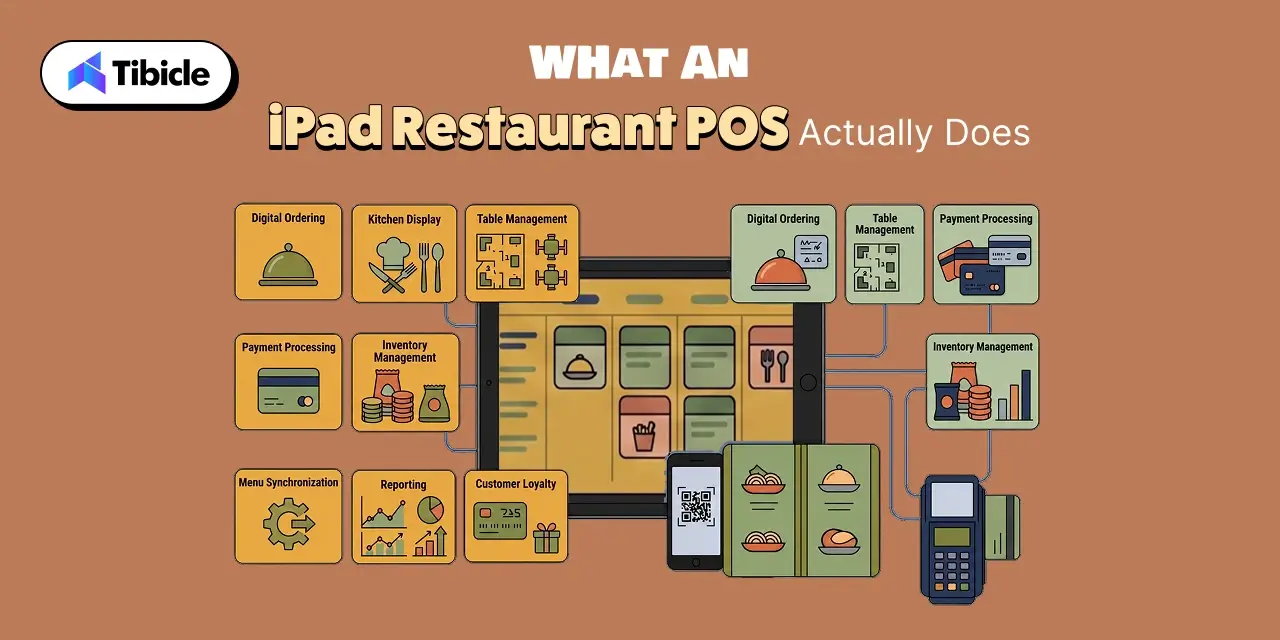
The value of an iPad POS is not the tablet itself. It is whether the system removes friction between the guest, server, kitchen, payment process, and management team.
Core iPad Restaurant POS Capabilities That Matter in Service
Tableside ordering allows servers to capture an order at the table and send it directly to the kitchen, rather than writing it down, walking to a fixed terminal, and reentering it. Payment processing at the table shortens the final wait between requesting the check and completing the transaction.
Centralized menu management lets operators update prices, modifiers, specials, and item availability without manually changing every terminal. A kitchen display system syncs orders to the correct preparation station and gives front-of-house and back-of-house teams a shared order record.
These functions matter because they change service speed, order accuracy, and throughput.
What’s Often Missing From iPad Restaurant POS Demos
The difficult questions start when the internet fails. Does offline mode preserve order entry, card payments, printing, and kitchen routing? How deep is multi-location reporting? Can managers compare labor, voids, discounts, and menu performance across sites?
Hardware resale value is another overlooked variable. A standard iPad may retain independent value after a platform switch. Proprietary hardware may not.
iPad Restaurant POS vs. Proprietary Hardware – The Decision That Locks or Liberates Your Stack
This choice shapes switching costs for the next three years or longer.
An iPad-based system can offer familiar hardware, easier replacement, and greater resale flexibility. Proprietary hardware may deliver tighter integration but create higher exit costs. Operators should model replacement availability, resale value, contract terms, and future expansion before deciding.
How We Evaluated These Systems
The six platforms below were evaluated against operator-level criteria rather than feature count alone: published or market-visible pricing, iPad compatibility, restaurant workflow depth, tableside ordering, kitchen integration, offline mode, payment structure, multi-location scalability, hardware flexibility, and long-term total cost of ownership.
No platform made this list simply because it offers more features. Each was assessed on whether it fits a specific restaurant model and whether the operational value can justify the software, hardware, processing, and switching costs attached to it.
The 6 Best iPad Restaurant POS Systems for 2026
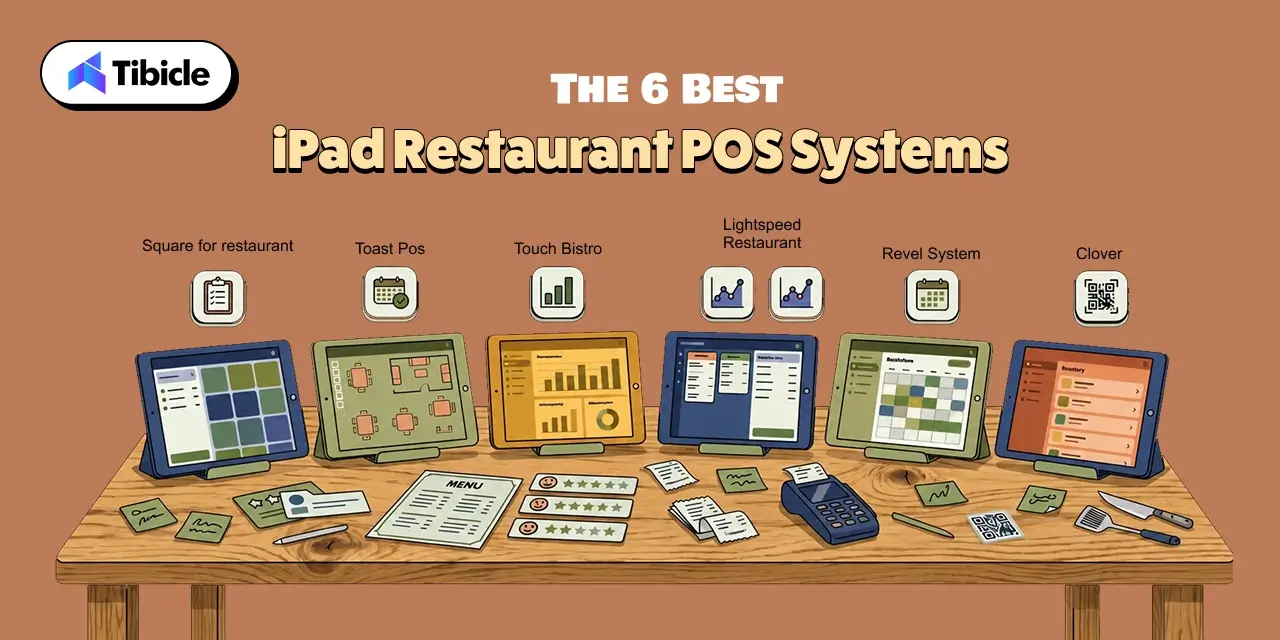
There is no universal best POS for restaurants. The right platform depends on revenue, service model, transaction volume, kitchen complexity, and location count. The six systems below solve different operational problems, and not all are genuinely iPad-native.
Square for Restaurants – Best for Operators Under $500K/Year or Launching a New Concept
Square is the strongest entry point for smaller operators and new concepts that want to avoid a heavy upfront commitment.
What It Does Well
The free entry tier lowers launch risk, while the paid Plus plan adds deeper restaurant functionality. Square is genuinely iPad-friendly, contract flexibility is a major advantage, and operators are not forced into the same level of proprietary hardware dependence found in closed ecosystems. Limited offline mode adds service continuity when connectivity drops.
Pricing
- Free entry tier: $0/month
- Plus plan: approximately $60/month
- Hardware: configuration dependent
- Processing fees: separate from software cost
Where It Falls Short
The feature ceiling becomes visible in complex full-service operations. Advanced kitchen workflows, enterprise reporting, and sophisticated multi-location requirements may eventually outgrow the platform.
ROI Snapshot
The strongest ROI case is avoiding upfront complexity. Operators under $500K in annual revenue can launch without buying an enterprise stack before the concept is proven.
Toast POS – Best Feature Depth for Full-Service and Fast-Casual at Scale
Toast is one of the deepest restaurant-specific ecosystems available.
What It Does Well
Front-of-house ordering, handheld service, kitchen workflows, payments, and reporting operate inside a tightly connected environment. For high-volume full-service and fast-casual restaurants, the kitchen-to-front-of-house integration is the primary advantage.
Pricing
- Starter: from $0/month
- Paid configurations: up to $165+/month depending on package
- Hardware: proprietary Toast devices
- Processing fees: additional and volume dependent
Where It Falls Short
Toast is not an iPad POS. It uses proprietary Android-based hardware, which is the single biggest drawback for operators prioritizing hardware flexibility. If the restaurant exits, devices can have limited practical use outside the ecosystem.
ROI Snapshot
Toast makes the strongest financial case where integrated kitchen, ordering, payment, and service workflows replace fragmented systems and reduce operational handoffs.
TouchBistro – Best for Bar-Heavy Concepts and Tableside iPad Workflows
TouchBistro was built around iPad-based restaurant service.
What It Does Well
Tableside ordering, bar tab management, flexible floor plans, and restaurant-specific workflows are the standouts. The strongest fit is a full-service operation where servers move constantly between tables, bar areas, and fixed service stations.
For concepts generating significant weekly bar revenue, faster tab management and flexible floor control can directly affect throughput.
Pricing
- Core POS: from $69/month
- Additional modules: extra
- Hardware and payment costs: configuration dependent
Where It Falls Short
The base subscription is not the complete stack. Add-ons can increase total cost, and operators should verify integrations with payroll, loyalty, reservations, and accounting before signing.
ROI Snapshot
The ROI case is strongest where mobile order capture removes repeated trips to fixed terminals and shortens the path from guest order to kitchen production.
Lightspeed Restaurant – Best for Multi-Location Operators Needing Analytics Depth
Lightspeed is strongest where centralized reporting and analytics matter more than entry-level simplicity.
What It Does Well
For a multi-location restaurant, the platform provides deeper visibility into performance across sites. Operators can evaluate sales, menu performance, and location-level differences without manually rebuilding the same report from disconnected systems.
Pricing
- Essential plan: from approximately $59/month in the reference benchmark
- Higher tiers and add-ons: additional
- Hardware and processing: configuration dependent
Where It Falls Short
The TCO can become unfavorable for a single-location restaurant under roughly $1.5 million in annual revenue. Onboarding is also steeper than with lightweight systems.
ROI Snapshot
The strongest return appears when centralized analytics replace manual multi-location reporting and give management faster visibility into underperforming units.
Revel Systems – Best for Enterprise and Franchise Operations
Revel is designed for high-volume and operationally complex restaurant groups.
What It Does Well
Its enterprise-grade architecture supports centralized control, scalable workflows, and multi-location requirements. The platform is better aligned with franchises and larger groups than with operators seeking a simple checkout system.
Pricing
- Starting benchmark: approximately $99/month
- Hardware: additional
- Implementation and integrations: additional
- Contract terms: should be modeled before commitment
Where It Falls Short
Implementation complexity is the primary trade-off. Enterprise capability creates a heavier onboarding process, greater configuration requirements, and more staff training.
ROI Snapshot
The strongest return comes when standardized workflows and centralized oversight replace fragmented systems across a growing restaurant group.
Clover – Best for Quick-Service With Simple, Fast Checkout Flows
Clover is strongest in straightforward, transaction-heavy environments.
What It Does Well
The platform combines integrated payments with dedicated checkout hardware and a broad application ecosystem. For quick-service restaurants, fast transaction flow can matter more than sophisticated full-service workflows.
Pricing
- Starting benchmark: approximately $60/month
- Hardware: Clover ecosystem required
- Processing: provider dependent
Where It Falls Short
Clover is not a standard iPad-native platform. Hardware dependence reduces flexibility, and commercial terms can vary by provider or reseller.
ROI Snapshot
The best ROI case is simple: high-speed checkout in a QSR environment where reducing transaction friction matters more than advanced enterprise reporting.
Side-by-Side Comparison – Which iPad Restaurant POS Fits Your Operation?
The right platform is determined by where the highest-cost inefficiency sits today and what the operation is likely to become over the next three years.
| Platform | Starting Price | iPad-Native? | Best For | Contract? | Offline Mode? |
| Square | $0/month | Yes | Small/new concepts | No | Yes, limited |
| Toast | $0–$165+/month | No, proprietary | Full-service/fast-casual | Yes, 2-year benchmark | Yes, strong |
| TouchBistro | $69/month | Yes | Bar-heavy/FSR | Yes | Yes |
| Lightspeed | $59/month | Yes | Multi-location analytics | Yes | Partial |
| Revel | $99/month | Yes | Enterprise/franchise | Yes, 3-year benchmark | Yes |
| Clover | $60/month | Partial | QSR/simple checkout | Yes | Limited |
Decision Trigger Matrix
Single location under $500K revenue: Square offers the lowest-friction entry point and avoids overbuying enterprise capability before the concept is proven.
Single-location full-service: TouchBistro is stronger where iPad-based tableside ordering and floor flexibility drive service. Toast becomes relevant where deeper kitchen integration outweighs hardware portability.
Growing multi-location group: Lightspeed is better aligned with operators that need centralized analytics and stronger cross-location visibility.
Franchise expansion: Revel deserves consideration when standardized workflows, centralized control, and enterprise architecture matter more than rapid onboarding.
High-volume QSR: Clover suits simple, fast checkout flows. Square remains competitive where hardware flexibility matters.
When NOT to Choose a Proprietary System
Do not choose proprietary hardware without modeling the exit.
Assume a restaurant buys five terminals at roughly $600 each. That is a $3,000 hardware commitment before accessories. If the operator changes platforms after 18 months and those devices have limited secondary demand, much of that investment becomes stranded.
A standard iPad may still be reused for training, inventory, management, customer check-in, or another business application. It can also retain independent resale value.
The purchase price is only half the calculation. Exit value matters too.
Not sure which system fits your revenue model? Our team can map the right stack before you commit to a contract.
iPad Restaurant POS Pricing in 2026 – The Numbers Vendors Don’t Lead With
The monthly subscription is the starting number. A complete calculation includes software, hardware, payment processing fees, add-ons, integrations, connectivity, implementation, and exit costs.
Software Cost Reality
Across the market, software ranges from $0 entry plans to approximately $399 per month per terminal or configuration at the higher end. The gap becomes clearer after 12 months.
A free plan may still generate substantial processing costs. A $69 monthly plan can increase when loyalty, online ordering, reservations, advanced reporting, or additional locations are added. The correct comparison is the full operating stack, not the pricing-page headline.
Hardware Costs Operators Actually Face
A practical setup can include an iPad or proprietary terminal, stand, card reader, receipt printer, cash drawer, kitchen printer, KDS screen, router, protective case, and backup connectivity.
A single kit can reasonably cost $500–$1,500. Larger operations spend significantly more.
Apple hardware also carries a flexibility advantage. An iPad can potentially be reused or resold independently, while a proprietary terminal may have limited value outside its original platform.
Payment Processing Fees – The Biggest Cost by Volume
Processing rates across restaurant payment environments can land roughly between 2.3% and 3.1%, depending on provider, card mix, transaction type, and negotiated terms.
At $1 million in annual card volume, a 0.5 percentage-point difference equals approximately $5,000 per year before fixed transaction charges.
Over 36 months, that difference becomes roughly $15,000.
This is why the cheapest software subscription can still produce the most expensive total stack.
36-Month Total Cost of Ownership by Platform
| Platform | 36-Month TCO – Single Location, $1M Revenue |
| Square | $2,000–$9,000 |
| Toast | $8,000–$22,000 |
| TouchBistro | $1,800–$4,200 |
| Lightspeed | $12,000–$25,000+ |
| Revel | $2,000–$4,500 |
These are scenario benchmarks. Actual TCO changes with card volume, negotiated processing rates, terminal count, add-ons, integrations, hardware, and implementation.
The Hidden Cost of iPad Restaurant POS Hardware Lock-In
A $627 proprietary terminal can become expensive twice: once when purchased and again when the operator leaves.
If secondary-market resale falls to roughly $50–$100 after 18 months, the restaurant absorbs most of the original hardware cost. Multiply that across several terminals and handheld devices, and exit friction becomes a material line item.
Before signing, ask whether hardware is owned or leased, whether another POS can run on it, and whether financing continues after cancellation.
All-In iPad Restaurant POS Cost for a Single Location
A single-location restaurant should plan around approximately $300–$1,200 per month for the complete technology environment, depending on volume and configuration.
At similar revenue levels, the spread between lower-cost and higher-cost options can approach $28,000 over 36 months.
That difference deserves more than a 10-minute demo.
ROI and Business Impact – What the Right iPad Restaurant POS Actually Returns
A POS creates ROI only when it moves a measurable operating metric. The strongest returns typically come from labor efficiency, faster table turns, fewer errors, lower staff friction, and more useful customer data.
Labor Cost Reduction
Restaurant labor commonly represents 30–35% of revenue. POS-integrated scheduling can compare staffing decisions with actual sales patterns rather than manager intuition alone.
Where scheduling is currently reactive, better demand visibility can reduce idle-labor cost by 15–25% in suitable operating environments. The goal is not indiscriminate shift cutting. It is reducing unnecessary coverage during slow periods without damaging service during peaks.
At a $2 million restaurant, even a small improvement in labor deployment can materially exceed the monthly software fee.
Table Turnover Impact
Tableside ordering removes the order-write-and-run cycle:
Take order → walk to terminal → wait → enter order → return to section
With mobile ordering:
Take order → confirm modifiers → send directly to kitchen
The time saved per table may look small. Across every server and peak shift, it compounds.
A single understaffed peak period can represent $400–$1,200 in lost table turns when ordering, check delivery, and payment delays prevent the next party from being seated.
Order Accuracy and Void Reduction
Every incorrect order creates direct margin loss.
The cost includes wasted ingredients, repeated kitchen labor, reprints, comps, refunds, longer ticket times, and dissatisfied guests. Required modifiers, clear menu structures, and direct kitchen routing reduce preventable errors.
Each avoided void protects both food cost and staff time.
Staff Turnover Cost Avoidance
Replacing an hourly restaurant employee can cost thousands once recruiting, onboarding, training, and lost productivity are included. The reference benchmark places replacement cost at $5,864 per hourly employee.
A POS cannot solve turnover alone. But scheduling tools connected to sales data, clearer workflows, and easier onboarding can reduce operational friction. Where voluntary turnover falls by 15–20%, the avoided replacement cost can become a meaningful part of the ROI case.
Real Payback Window
Operators using POS-linked scheduling automation can reach full payback in approximately 45–75 days when labor inefficiency is significant enough before implementation.
The correct calculation is:
Monthly Benefit = Labor Savings + Additional Captured Revenue + Reduced Errors + Reduced Tool Costs
Then:
Payback Period = Initial Investment ÷ Monthly Benefit
If implementation costs $6,000 and verified monthly value reaches $2,000, simple payback arrives in three months.
Loyalty Program Uplift
POS purchase data enables campaigns based on visit frequency, average spend, favorite items, previous orders, and lapse period.
Personalized campaigns can increase repeat visits by approximately 20–25% in strong loyalty environments compared with generic outreach.
The critical question is ownership. A loyalty program creates less long-term value if customer data cannot be exported when the restaurant changes platforms.
iPad Restaurant POS Risks and Challenges Operators Underestimate
The wrong cloud-based POS can create operational risk even when the feature list looks strong.
iPad Restaurant POS Vendor Lock-In
Lock-in can come from proprietary hardware, multi-year contracts, bundled payment processing, closed integrations, and non-portable customer data.
Operators should read the hardware agreement separately from the software proposal. Ask what early termination costs after 12, 24, and 36 months and whether device financing continues after cancellation.
The exit scenario should be modeled before the entry decision.
Internet Dependency and Offline Mode Gaps
Cloud-based systems depend on connectivity, but offline fallback quality varies significantly.
Operators need to know whether staff can continue entering orders, processing cards, routing tickets, printing receipts, using loyalty, and synchronizing transactions after the connection returns.
“Offline mode available” is not a complete answer.
For high-volume restaurants, backup connectivity should be treated as non-negotiable operational infrastructure.
POS Cybersecurity Exposure
Restaurant POS systems are high-value targets because they connect payment data, customer information, employee access, and third-party integrations.
Risk can come from malware, skimming devices, compromised credentials, insecure integrations, outdated software, and poor network segmentation.
Operators should evaluate encryption, PCI responsibilities, user permissions, audit logs, software updates, third-party access, and incident response procedures before deployment.
Device Management at Scale
An iPad fleet becomes harder to control as the operation grows.
Mobile Device Management can centralize application deployment, updates, access restrictions, configuration policies, and lost-device response.
Without MDM, unmanaged devices create security exposure and increase the risk of inconsistent configurations or downtime during peak service. This becomes particularly important across multi-location groups.
Staff Adoption Resistance
The best software that nobody uses is worse than a familiar manual process.
Restaurant technology rollouts fail when workflows are confusing, training is weak, or employees discover faster workarounds outside the system. A technically strong POS can still underperform if staff adoption is poor.
Onboarding quality should therefore be treated as a vendor-selection criterion, not an afterthought.
12 Questions to Ask Before Signing Any Restaurant POS System Contract
Before committing to any restaurant POS system, require written answers to the following. These questions expose the cost, continuity, security, and exit risks that a standard sales demonstration may not volunteer.
| SR | Question | Why It Matters |
| 1 | Is the hardware proprietary or standard iPad? | Resale value and future platform flexibility |
| 2 | What is the full 36-month TCO including processing fees? | Sales demos consistently obscure the real cost |
| 3 | How does offline mode work and what breaks when it activates? | Peak-service risk directly tied to connectivity |
| 4 | Is there a contract? What are the early termination clauses? | Multi-year terms can create expensive exit costs |
| 5 | What integrations exist with your current reservation, payroll, and loyalty stack? | Integration fragmentation is a major failure point |
| 6 | How is customer payment data encrypted and stored? | PCI compliance and breach liability |
| 7 | What is the onboarding timeline and training support model? | Delayed go-live is delayed revenue |
| 8 | What support hours are available? | Saturday night failures need Saturday night support |
| 9 | Can you scale to multi-location without a platform migration? | Early lock-in routinely breaks growth plans |
| 10 | What is the processing rate and is it negotiable at volume? | A 0.3–0.5% difference equals thousands annually |
| 11 | Do you own your customer data if you leave? | Loyalty data portability is consistently overlooked |
| 12 | Is there an MDM solution for device management? | Unmanaged iPads create security and downtime exposure |
The answer to each question should be tested against the restaurant’s next growth stage, not just its current operation.
A platform that works at one location may become expensive at five. A contract that looks manageable at $500,000 in revenue may become costly at $3 million in card volume. A simple hardware decision can become a major switching barrier after expansion.
Get the answers in writing before the contract is signed.
Use-Case Fit by Restaurant Format
The right platform changes with the service model. Fine dining, QSR, food trucks, and franchise groups should not evaluate the same feature set with equal weight.
Fine Dining
Fine-dining operators should prioritize floor plan flexibility, bar tab management, course pacing, seat-level ordering, modifier depth, and tableside service.
TouchBistro is particularly strong where iPad-centered workflows matter. Lightspeed becomes more relevant where deeper analytics and broader management visibility are required.
The primary decision is service complexity, not checkout speed.
Fast-Casual and QSR
Fast-casual and quick-service concepts should prioritize checkout speed, kiosk integration, modifier handling, kitchen routing, online ordering, and drive-thru compatibility where required.
Square suits smaller and growing concepts. Clover fits straightforward, high-speed transaction environments.
The right choice depends on whether flexibility or dedicated checkout hardware matters more.
Food Trucks and Pop-Ups
Portability is the deciding factor.
Operators need reliable mobile payments, fast setup, clear offline fallback, low fixed cost, and hardware that can move between locations.
Square is the strongest fit in this format because the zero-monthly-fee entry point reduces commitment while supporting a portable operating model.
Multi-Location and Franchise
Multi-location groups should prioritize consolidated reporting, centralized menu management, role-based access, customer data governance, device control, and contract terms that survive expansion.
The platform should be tested against the future operation.
Ask how it manages five, 20, or 50 locations before committing at one.
When Off-the-Shelf iPad Restaurant POS Systems Reach Their Limits
Packaged POS platforms are the right answer for most restaurants. Custom development becomes relevant when the operation has workflows that no standard SaaS vendor supports efficiently.
Typical triggers include franchise-specific reporting, multi-brand loyalty programs, proprietary kitchen workflows, specialized inventory logic, custom approval processes, and integrations that require data to move between several internal systems.
At that stage, custom development is not a luxury. It becomes a cost comparison.
If recurring middleware fees, manual reconciliation, platform workarounds, and per-location SaaS costs exceed the long-term cost of a purpose-built solution, custom iPad POS development can become financially justified.
For operators facing that ceiling, Tibicle LLP can help assess whether a custom system makes sense or whether an existing platform remains the better investment.
If your operation has specific workflows that do not map to any platform above, we can walk through what custom development costs and when it makes sense.
Conclusion
The decision framework should follow the operating model, not the sales demo. Square fits smaller and newer concepts that value flexibility. TouchBistro is stronger where iPad-based tableside service drives the workflow. Toast suits operators that prioritize deep front-of-house and kitchen integration over hardware portability. Lightspeed aligns with analytics-driven multi-location growth, Revel with enterprise and franchise complexity, and Clover with straightforward high-speed checkout.
But the subscription price should never decide the contract.
At similar revenue volume, the spread between the cheapest and most expensive configuration can approach $28,000 over 36 months once software, hardware, payment processing fees, integrations, add-ons, and exit costs are included. That math deserves more than a 10-minute demo.
The right iPad restaurant POS solves the operation’s highest-cost problem without creating a more expensive one later.
Talk to our team about building a POS stack that fits your operation from day one.
FAQs
What Is the Best iPad Restaurant POS for a Single-Location Full-Service Restaurant in 2026?
At the $500K–$1M revenue band, Square is attractive for operators prioritizing contract flexibility and standard hardware. Toast becomes stronger where deeper kitchen and front-of-house integration matters, but it is not iPad-native and uses proprietary Android hardware. The decision should compare service complexity, processing volume, contract terms, and switching flexibility.
How Much Does an iPad POS System Cost for a Restaurant?
Software typically ranges from $0 to approximately $399 per month depending on features and configuration. Hardware commonly adds $500–$1,500 per kit, while payment processing can range roughly from 2.3% to 3.1%. For many single-location restaurants, all-in costs land around $300–$1,200 per month.
Can an iPad Restaurant POS Work Without Internet?
Yes, some systems provide offline mode, but capability differs. Operators should verify whether order entry, card payments, kitchen routing, printing, and transaction synchronization continue during an outage. Square and TouchBistro provide stronger offline options than some alternatives, but backup connectivity remains advisable for high-volume service.
Is Toast POS Compatible With iPads?
No. Toast is not an iPad-native restaurant POS. Its core ecosystem uses proprietary Android-based hardware. The advantage is tight integration across the platform. The trade-off is greater hardware dependence, lower flexibility when switching vendors, and potentially weaker resale value after exit.
What Is the Difference Between a Tablet POS and a Traditional POS for Restaurants?
A tablet POS offers mobility, lower hardware footprint, tableside ordering, and greater deployment flexibility. Traditional fixed terminals provide a stationary service environment and may suit dedicated checkout stations. The right choice depends on service style, durability requirements, connectivity, hardware cost, and whether employees need to move throughout the restaurant.
How Do I Choose a Restaurant POS System for Multiple Locations?
Prioritize centralized reporting, menu management, role-based permissions, location-level controls, cross-location analytics, customer data portability, and expansion-friendly contract terms. Evaluate the platform against the business you expect to operate in three years. A system that works at one location can become restrictive at five, 20, or 50.
Schedule A Developer Interview And Get 15 Days Risk-Free Trial
Schedule a Call

Relevant Blog
Custom AI Chatbot Development Services

Diya Koradiya

GraphRAG Implementation Services

Arjun Shinojiya
Enterprise AI Automation Development Agency
Arjun Shinojiya
Written by

Recent Blogs
Custom AI Chatbot Development Services
What This Guide Covers Who this is for: CIOs, CTOs, AI leaders, operations executives, customer support teams, and enterprise technology decision-makers evaluating custom AI chatbot development services for internal knowledge access, customer support, helpdesk automation, or other business-critical use cases. It is particularly relevant for organisations with proprietary knowledge bases, sensitive data, complex access controls, […]
GraphRAG Implementation Services
Who this is for: Engineering leads and product owners at enterprise SaaS companies evaluating GraphRAG implementation services for a knowledge base or retrieval system that vector search alone is not answering well. Search intent: Commercial evaluation with a technical backbone. The reader has moved past “what is GraphRAG” and wants to know when a knowledge […]
Enterprise AI Automation Development Agency
Who this is for: Operations leads, CTOs, and process owners evaluating an enterprise AI automation development agency for a full business process rather than a single bolted-on bot. Search intent: Commercial evaluation with a technical backbone. The reader has moved past “what is workflow automation” and wants to know why point-solution RPA plateaus, what end-to-end […]
Got an Idea? Get FREE Consultation
In our world, there's no such thing as having too many clients

