
3 Types of Bar Management Software to Boost Sales

Aug 05, 2026

Read in 9 Minutes
Table of Contents
- What This Guide Covers
- Introduction
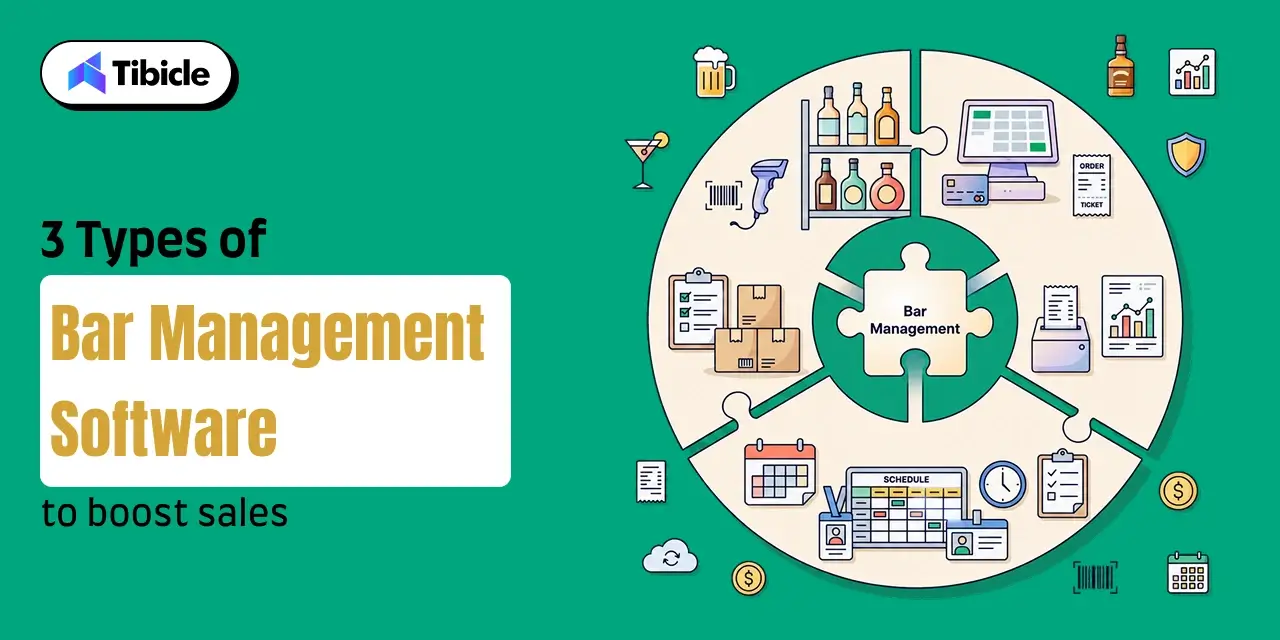
- What Is Bar Management Software – And Why the “Type” Decision Matters
- Type 1 – Bar Inventory Management Software
- Type 2 – Bar POS System (Point-of-Sale Software)
- Type 3 – Bar Staff Scheduling Software
- Comparison – Which Type of Bar Management Software Should You Prioritize?
- Pricing Breakdown – What Bar Management Software Actually Costs in 2026
- ROI of Bar Management Software – Numbers That Justify the Spend
- Risks and Challenges of Implementing Bar Management Software
- Vendor Selection Checklist – Before You Sign Anything
- Top Bar Management Software Tools in 2026 – Categorized
- Why Tibicle LLP Is a Strong Choice for Custom Bar Management Software
- Conclusion
- FAQs
What This Guide Covers
Who this is for
Restaurant and bar owners, nightclub operators, hospitality groups, and multi-location businesses looking to implement bar management software to reduce inventory losses, improve labor efficiency, streamline operations, and support long-term business growth.
Search intent
Comparison and decision. This guide is for operators who already know they need bar management software but want to understand which category delivers the greatest business impact. Instead of comparing dozens of vendors, it explains the three core software types, the operational problems each one solves, expected pricing, measurable ROI, and which investment should come first.
What you will walk away with
A practical understanding of the three major categories of bar management software, including how each improves operations, expected investment ranges, measurable business outcomes, and a decision framework to help you prioritize software based on your bar’s size, staffing model, and growth plans.
Introduction
Bars lose an estimated 15–20% of their inventory to shrinkage every year, while food and beverage costs have increased by 21.8% since 2019. Yet the biggest challenge facing many operators isn’t attracting customers; it’s protecting profit margins after every drink is served.
Most bar owners aren’t underworking. They’re under-tooled.
Disconnected inventory records, manual scheduling, slow service workflows, and limited operational visibility quietly reduce profitability every day. Modern bar management software provides the infrastructure that helps bars reduce losses, improve efficiency, and make better operational decisions. The type of software you choose ultimately determines whether you’re simply plugging losses or building a business that can scale profitably.
What Is Bar Management Software – And Why the “Type” Decision Matters
Choosing bar management software isn’t simply about selecting a vendor with the longest feature list. The bigger decision is understanding which type of software addresses the operational problem costing your business the most money.
Many operators confuse software categories with complete solutions. They invest in inventory software expecting it to improve service speed, or purchase an advanced POS platform while continuing to struggle with inventory shrinkage and labor scheduling. The result is often overlapping subscriptions, disconnected systems, and operational gaps that become more expensive as the business grows.
The most successful operators begin differently. Instead of comparing products first, they identify where revenue is leaking, which workflows create the biggest inefficiencies, and which operational challenge deserves immediate attention. Once that bottleneck is clear, selecting the right software category becomes significantly easier.
The 3 Operational Problems That Drive Software Adoption
Every investment in bar management software is usually driven by one or more of these operational challenges.
Revenue Leakage
Inventory shrinkage, over-pouring, theft, spoilage, and inaccurate stock counts silently reduce profitability. Without reliable inventory visibility, bars often purchase significantly more product than they ultimately sell.
Labor Cost Mismanagement
Scheduling too many employees increases payroll costs, while scheduling too few during busy periods slows service, increases employee stress, and negatively affects customer experience. Better workforce planning helps operators align staffing with actual demand.
Slow, Error-Prone Service
Long wait times, payment delays, tab management issues, and manual processes reduce both customer satisfaction and revenue. Modern systems provide real-time sales analytics that help managers make faster decisions while improving service throughout every shift.
The next step is understanding which software category solves each of these challenges most effectively, and where your business is likely to see the fastest return on investment.
Type 1 – Bar Inventory Management Software
For most operators, bar inventory management software is the highest-return investment they can make. While a POS system improves service and a scheduling platform helps control labor costs, inventory software directly protects profit margins by reducing one of the highest hidden costs in the bar industry, inventory shrinkage.
Industry estimates suggest the average bar uses 15–20% more product than it actually sells. The difference comes from over-pouring, theft, spoilage, inaccurate stock counts, supplier discrepancies, and inconsistent recipe execution. Individually, these losses may seem insignificant, but over the course of a year they can cost thousands of dollars in lost profit.
Unlike manual spreadsheets or monthly bottle counts, modern bar inventory management software provides continuous visibility into inventory movement. Operators know exactly what is entering the business, what is being sold, and where product losses occur. This allows managers to make faster purchasing decisions, reduce waste, and maintain tighter liquor cost control across every shift.
For bars with premium spirits, extensive cocktail menus, or multiple locations, inventory software often delivers measurable ROI within the first few months of implementation.
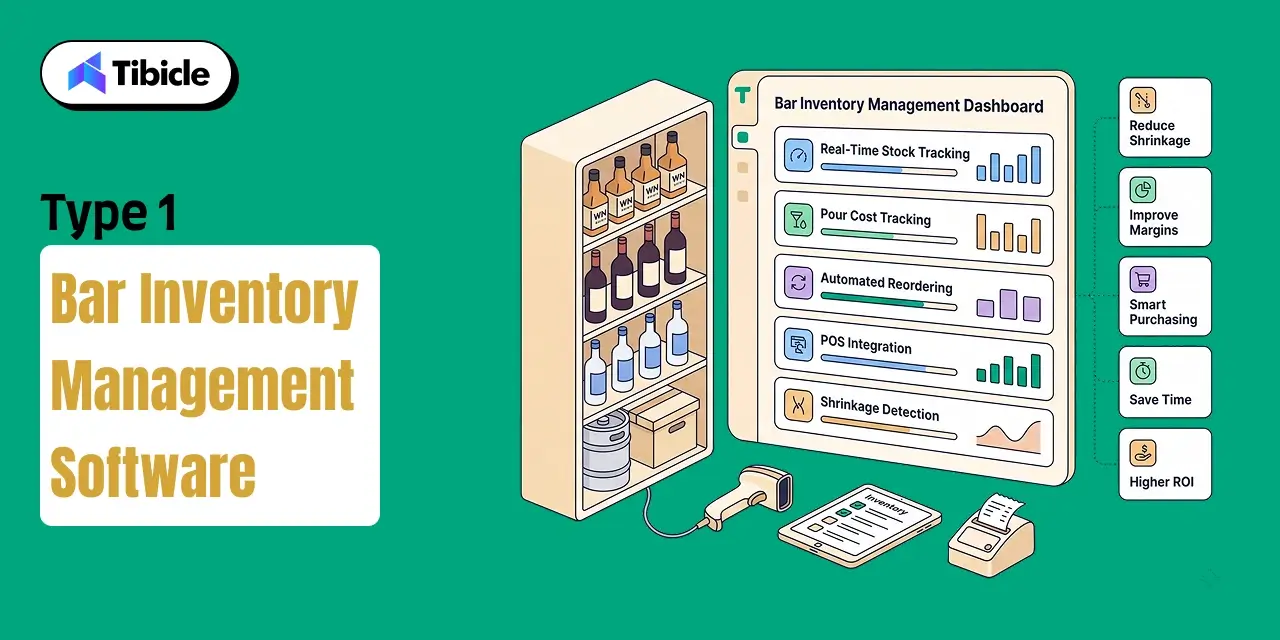
Core Capabilities That Directly Protect Margins
The best bar inventory management software includes hospitality-specific features that improve inventory accuracy while reducing manual work.
Real-Time Stock Tracking
Every bottle, keg, mixer, garnish, and ingredient can be monitored by SKU, bottle size, and unit quantity. Managers always know current inventory levels, making it easier to identify discrepancies before they become expensive losses.
Pour Cost Tracking
Every cocktail recipe has an expected ingredient cost. Pour cost tracking compares theoretical consumption with actual inventory usage, helping operators quickly identify over-pouring, recipe inconsistencies, or potential theft before profitability is affected.
Automated Reordering
Running out of high-demand products during peak hours impacts both revenue and customer experience.
Modern inventory platforms support automated reordering, allowing operators to define minimum stock thresholds. When inventory reaches those levels, the system automatically generates reorder alerts or purchase recommendations, reducing stock shortages while preventing unnecessary over-ordering.
POS Integration
Inventory software becomes substantially more valuable when integrated with a bar POS system.
Every sale automatically updates inventory records, allowing managers to compare actual stock with theoretical usage. This actual-versus-ideal variance reporting quickly highlights inventory discrepancies, helping operators investigate waste, theft, or operational inefficiencies much faster than manual reconciliation.
Beverage Shrinkage Detection
One of the biggest advantages of inventory software is continuous beverage shrinkage monitoring.
Rather than discovering missing inventory during month-end stock counts, operators receive alerts whenever actual product usage differs significantly from expected consumption. Early visibility improves accountability and allows managers to resolve issues before they become major financial losses.
Business Impact You Can Quantify
Unlike many technology investments, inventory software produces measurable financial returns because it directly improves beverage margins.
Reducing overall liquor costs from 21% to 18% can increase bar profits by up to 30%, depending on the business model and operating expenses.
Operators performing weekly inventory audits alongside inventory software commonly improve gross margins by 2–10% through better purchasing decisions, improved recipe consistency, and reduced waste.
Many businesses also report shrinkage reductions of up to 15% after implementing automated inventory management. Combined with more accurate purchasing and stronger supplier management, these improvements often allow inventory software to pay for itself within the first few months of operation.
Who Needs This Most
Although every bar benefits from stronger inventory visibility, bar inventory management software provides the greatest value for operations where beverage sales represent a significant percentage of revenue.
It is particularly well suited for:
- High-volume cocktail bars
- Nightclubs serving premium spirits
- Multi-location hospitality groups with centralized procurement
- Hotel bars managing extensive beverage inventories
- Businesses carrying high-value whiskey, tequila, wine, or craft spirits
- Operators experiencing recurring inventory discrepancies or unexplained product losses
For these businesses, improving inventory accuracy is often the fastest way to increase profitability without raising menu prices or investing in additional marketing. Before focusing on driving more sales, protecting the revenue already being generated usually delivers the strongest financial return.
Type 2 – Bar POS System (Point-of-Sale Software)
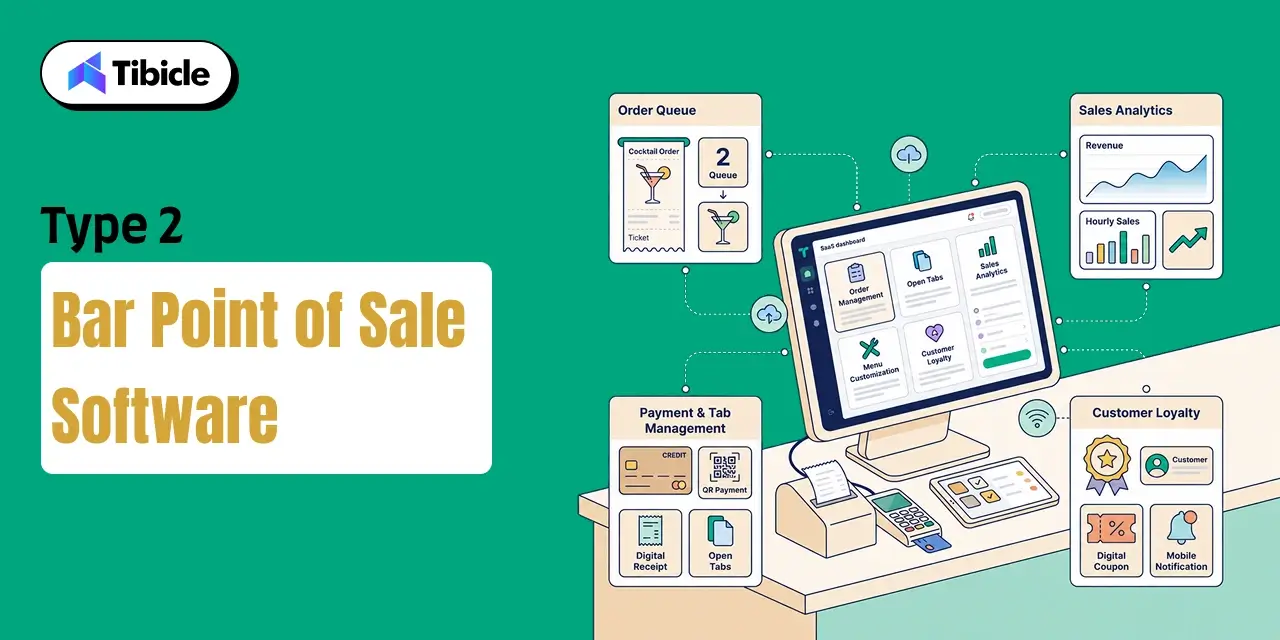
A bar POS system is much more than a payment terminal. It serves as the operational nerve center of a bar, connecting sales, inventory, customer transactions, and reporting into a single platform. While many operators initially adopt a POS system to process payments more efficiently, its long-term value lies in the operational data it generates throughout every shift.
Every transaction, open tab, menu item, payment method, and customer interaction becomes actionable information that helps managers improve service, monitor sales performance, and make better business decisions in real time. Unlike generic retail POS platforms, a bar POS system is designed specifically for hospitality environments where speed, accuracy, and flexibility directly affect revenue.
For bars experiencing high customer volumes, complex drink menus, or multiple service stations, the POS system becomes the foundation that connects front-of-house operations with inventory management, customer engagement, and financial reporting.
Features That Separate Bar-Specific POS From Generic Platforms
The best bar POS system includes hospitality-focused capabilities that support fast-moving service environments and reduce operational bottlenecks.
- Efficient tab management with split payments, partial settlements, and quick transfers between staff members without interrupting service.
- Pre-authorized tabs linked to a customer’s card-on-file, reducing payment delays and minimizing abandoned tabs.
- Real-time sales analytics that provide live visibility into hourly sales, top-performing menu items, staff performance, and revenue trends while service is still in progress.
- Menu modifier workflows that allow bartenders and servers to record cocktail customizations, premium spirit upgrades, and special requests accurately.
- Offline functionality that enables the POS to continue processing transactions during internet outages and automatically synchronize data once connectivity is restored.
These capabilities help bars maintain service quality during peak hours while giving managers immediate access to the information needed to make operational decisions.
Revenue Levers a Strong POS Unlocks
Beyond payment processing, a bar POS system directly contributes to higher revenue and improved guest experiences.
- Upsell prompts encourage staff to recommend premium spirits, additional mixers, and food pairings at the point of order.
- Faster order entry and payment processing increase service speed, allowing bartenders to serve more guests during busy periods while reducing manual errors.
- Digital receipts and loyalty program integrations capture valuable customer data that can be used for personalized marketing campaigns and repeat business.
- Live reporting allows managers to identify slow-moving products, monitor promotions, and adjust operational decisions before the shift ends rather than waiting for end-of-day reports.
When these features work together, operators gain more than operational efficiency; they create additional opportunities to increase average order value and improve customer retention.
Who Needs This Most
A bar POS system is valuable for nearly every hospitality business, but it delivers the greatest impact for operations where transaction speed and customer experience directly influence revenue.
It is particularly well suited for:
- High-footfall pubs and sports bars
- Hotel bars serving large numbers of guests
- Cocktail bars with complex drink customization
- Venues managing large volumes of open tabs and group bookings
- Bars operating loyalty programs or event-based promotions
- Multi-location hospitality businesses requiring centralized sales reporting
For these operations, a bar-specific POS system becomes the operational hub that connects service, reporting, customer engagement, and inventory into a single, data-driven workflow.
Type 3 – Bar Staff Scheduling Software
While inventory software protects product and a bar POS system drives service, bar staff scheduling software focuses on controlling one of the largest variable expenses in any bar: labor. With labor costs rising 18.3% since 2019, inefficient scheduling has become a direct threat to profitability. Overstaffing during slow periods increases payroll expenses, while understaffing during peak service reduces sales, slows operations, and negatively impacts the customer experience.
Modern scheduling software replaces manual rotas and spreadsheets with demand-driven workforce planning. Instead of relying on assumptions, managers use sales patterns, seasonal trends, and employee availability to create schedules that balance service quality with labor efficiency. As bars grow, this becomes increasingly important because scheduling complexity increases with additional shifts, locations, and staff members.
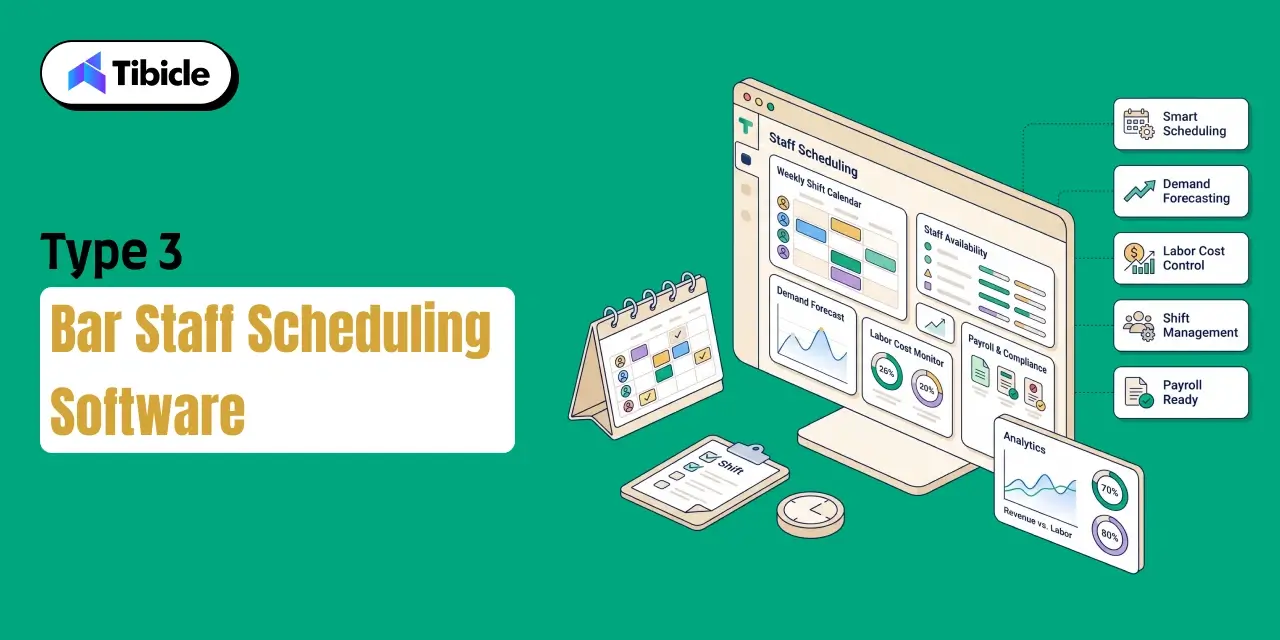
What Bar Staff Scheduling Software Actually Controls
Unlike traditional scheduling tools, bar staff scheduling software manages multiple workforce functions from a single platform.
- Demand-based shift forecasting using historical sales data and seasonal trends to align staffing with expected customer traffic.
- Time-off requests, employee availability, and shift swap management without requiring manual coordination from managers.
- Overtime compliance monitoring and payroll export integration that reduce payroll errors while supporting labor law compliance.
- Real-time coverage alerts that notify managers of staffing gaps caused by absences or unexpected increases in customer demand.
By automating these administrative tasks, scheduling software reduces management overhead while helping teams stay appropriately staffed throughout every shift.
The Labor Cost Math Decision-Makers Should See
Labor should always be evaluated as a percentage of revenue rather than simply as a payroll expense.
Overstaffing on a slow Tuesday unnecessarily increases labor costs, while understaffing during a busy Friday night reduces service capacity, increases wait times, and limits sales opportunities. Both situations reduce profitability.
When bar staff scheduling software is integrated with POS sales data, staffing decisions become data-driven instead of guesswork. Managers can forecast demand more accurately, optimize shift coverage, and maintain labor costs within the industry’s recommended 20–35% of revenue range.
For growing bars, even small improvements in scheduling efficiency can produce meaningful savings over the course of a year.
Who Needs This Most
Bar staff scheduling software provides the greatest value for businesses where workforce management has become increasingly complex.
It is particularly beneficial for:
- Bars employing more than 10 staff members across multiple shifts.
- Venues with seasonal demand fluctuations or event-driven traffic.
- Nightclubs and entertainment venues with variable staffing requirements.
- Multi-location operators managing labor budgets across several properties.
- Hospitality businesses looking to improve scheduling accuracy while reducing administrative workload.
For these operations, better scheduling not only reduces payroll costs but also improves employee satisfaction, service consistency, and long-term operational efficiency.
Comparison – Which Type of Bar Management Software Should You Prioritize?
Choosing the right bar management software isn’t about selecting the platform with the most features, it’s about solving the operational problem that’s costing your business the most money.
Inventory shrinkage reducing profitability is a clear sign that bar inventory management software should be your first investment.
If slow service, payment delays, or limited operational visibility are affecting customer experience, a bar POS system delivers the greatest immediate value.
If payroll costs continue to rise because of inconsistent scheduling, bar staff scheduling software provides the strongest return through improved labor efficiency.
Many successful operators eventually implement all three categories because they address different operational challenges and become significantly more valuable when integrated into a single technology ecosystem.
Side-by-Side Comparison Table
| Criteria | Inventory Software | POS System | Staff Scheduling |
| Primary Problem Solved | Shrinkage & pour cost | Transaction speed & data | Labor cost & compliance |
| Revenue Impact | Direct (margin protection) | Direct (speed + upsell) | Indirect (cost reduction) |
| Implementation Complexity | Medium | High | Low-Medium |
| Average Monthly Cost | $80-$300 | $69-$400+ | $17-$100+ |
| Best For | High-volume, spirits-heavy bars | All bar types | Operations with 10+ staff |
| POS Integration Required | Yes (critical) | N/A (is the POS) | Recommended |
| Typical ROI Timeline | 1-3 months | Immediate | 1-2 months |
| Scales for Multi-Location Operations | Yes | Yes | Yes |
Should You Buy All Three – Or Start With One?
The right starting point depends on your operational priorities.
- Single-location bars with fewer than 10 employees: Start with a bar POS system and bar inventory management software. Together, they improve service speed while protecting profit margins.
- Multi-location hospitality groups: Implement all three software categories as an integrated ecosystem to centralize inventory, sales, labor management, and reporting.
- Nightclubs, entertainment venues, and staff-heavy operations: Prioritize a bar POS system alongside bar staff scheduling software to improve service efficiency and control labor costs during peak periods.
The goal isn’t to purchase every available platform; it’s to invest first in the software category that addresses your biggest operational challenge.
Not sure which type of software fits your operation? Tibicle LLP builds custom bar management software tailored to your workflows, service model, and growth plans, so your technology adapts to your business, not the other way around. Book a discovery call to explore the right solution for your bar.
Pricing Breakdown – What Bar Management Software Actually Costs in 2026
Understanding the true cost of bar management software is about more than comparing monthly subscription prices. Decision-makers should evaluate software based on total cost of ownership, including hardware, payment processing, onboarding, integrations, and scalability. A platform with a lower monthly fee may ultimately cost more if it charges high transaction fees or requires multiple third-party integrations.
The following pricing ranges provide a realistic benchmark for bars evaluating software in 2026.
Pricing Tiers by Category
| Category | Entry Tier | Mid-Market | Enterprise |
| Bar Inventory Management Software | Free-$80/month | $80-$200/month | $200-$500+/month |
| Bar POS System | Free-$69/month | $100-$300/month | $300-$700+/month |
| Bar Staff Scheduling Software | Free-$30/month | $30-$80/month | $80-$200+/month |
These ranges vary depending on the number of locations, users, integrations, reporting capabilities, and support requirements. Multi-location operators should also consider whether pricing is based on locations, users, or terminals, as these costs increase over time.
Hidden Costs Most Buyers Miss
Monthly subscription fees rarely represent the total investment required to implement a new software platform. Before making a decision, operators should account for additional expenses such as:
- Hardware setup costs ranging from $200-$2,500, depending on the number of terminals, tablets, printers, and payment devices.
- Payment processing fees, typically between 2.3% and 2.9% for in-person transactions.
- Per-user licensing that increases software costs as teams grow.
- Implementation, onboarding, and integration fees required when connecting multiple hospitality systems.
Evaluating these costs early provides a more accurate picture of long-term ownership.
What “Free” POS Plans Actually Cost You
Free plans can be attractive for new businesses, but they often shift costs elsewhere.
For example, a free POS plan with payment processing fees of 2.6% + 10¢ per transaction may appear inexpensive until transaction volume increases. A bar processing $50,000 in monthly sales could pay more than $1,300 per month in processing fees alone.
Rather than comparing subscription prices in isolation, operators should evaluate total transaction costs, expected sales volume, and long-term scalability before selecting a platform.
ROI of Bar Management Software – Numbers That Justify the Spend
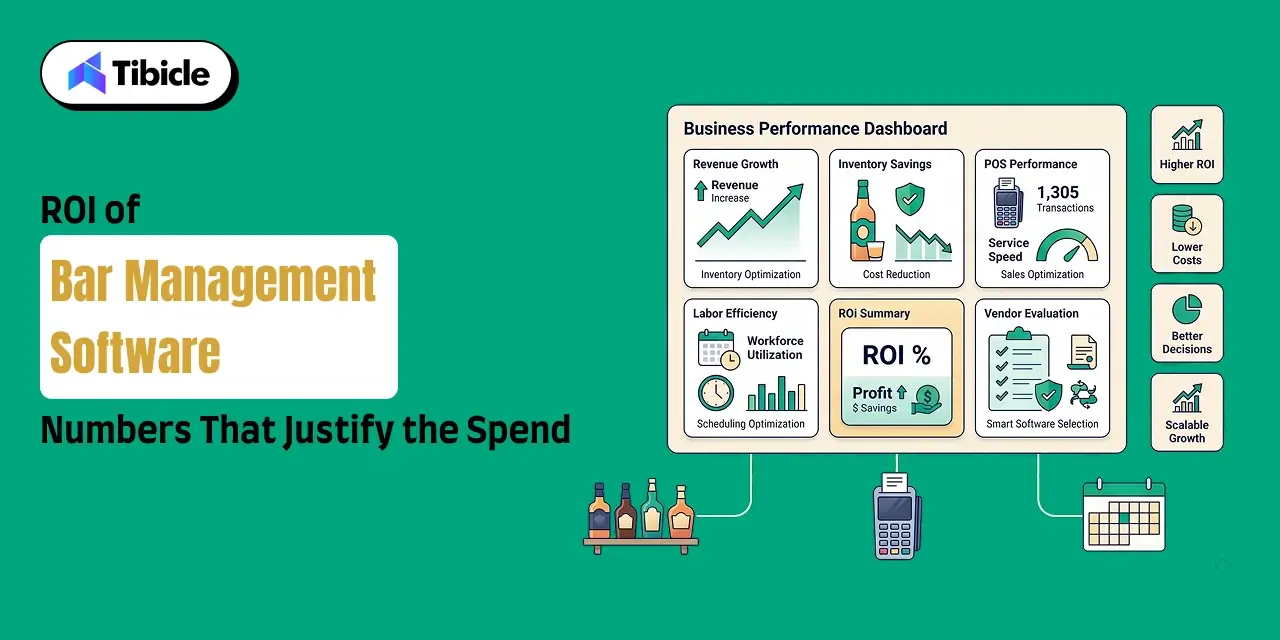
Technology investments should always be measured by business outcomes rather than software costs. The value of bar management software comes from reducing operational losses, improving efficiency, and creating opportunities for sustainable revenue growth.
When inventory management, POS operations, and staff scheduling work together, operators gain greater visibility into every aspect of the business while reducing manual processes that consume time and money.
Inventory ROI – The 3-Point Liquor Cost Reduction
Inventory remains one of the largest controllable expenses in hospitality.
Reducing overall liquor costs from 21% to 18% can increase bar profits by up to 30%. For a bar generating $500,000 in annual beverage revenue, that three-point improvement can recover approximately $15,000 every year.
Weekly inventory audits supported by bar inventory management software also improve margins by 2-10%, helping operators reduce waste, improve purchasing decisions, and maintain more consistent liquor cost control.
POS ROI – Speed Equals Revenue
A modern bar POS system improves revenue by increasing operational efficiency during service.
- Faster tab management allows bartenders to serve more guests during peak periods.
- Digital upsell prompts increase average order value through premium spirit recommendations and menu modifiers.
- Real-time sales analytics enable managers to monitor product performance and make pricing or staffing adjustments while service is still in progress.
Rather than simply processing transactions, a hospitality-focused POS becomes a revenue optimization platform.
Scheduling ROI – Labor Efficiency at Scale
Labor costs remain one of the largest operating expenses for bars.
Demand-based scheduling helps operators eliminate unnecessary payroll expenses by matching staffing levels with expected customer traffic. Businesses using bar staff scheduling software often reduce unnecessary labor costs while improving shift coverage and employee productivity.
Integrated scheduling also reduces overtime risk, simplifies payroll administration, and supports expansion without significantly increasing management overhead.
Composite ROI Scenario
Consider a mid-volume bar generating $1 million in annual beverage revenue while investing approximately $500 per month across inventory management, POS, and scheduling software.
By reducing inventory shrinkage, improving labor efficiency, increasing service speed, and optimizing purchasing decisions, that business could realistically recover $50,000-$100,000 or more annually in operational losses.
Viewed over a full year, software becomes one of the highest-return investments available to hospitality businesses, often delivering a return many times greater than its subscription cost.
Risks and Challenges of Implementing Bar Management Software
Selecting the right bar management software is only part of the process. Successful implementation depends on choosing platforms that fit existing workflows, integrate effectively, and can scale as the business grows. Ignoring these factors often leads to unnecessary costs, poor staff adoption, and operational disruption.
Integration Failures
Inventory software and POS platforms that don’t synchronize in real time create reporting gaps that undermine operational visibility. Before committing to any platform, operators should confirm whether integrations are native or rely on third-party middleware.
Adoption and Training Resistance
Even the most feature-rich software will fail if employees don’t use it consistently. Introducing new systems during quieter trading periods, providing structured onboarding, and rolling out features gradually improves long-term adoption.
Vendor Lock-In and Scalability Ceilings
Some SaaS platforms become increasingly expensive as additional users or locations are added. Businesses planning future expansion should evaluate long-term pricing models, contract flexibility, and total cost of ownership rather than focusing only on entry-level subscription fees.
Over-Reliance on Off-the-Shelf Platforms
Generic software is designed for the average hospitality business, not every operational model. Bars with unique workflows, event-driven service, hybrid food-and-beverage concepts, or multi-location operations often outgrow packaged platforms. In these situations, custom bar management software can provide greater flexibility, stronger integrations, and lower long-term ownership costs by aligning technology with the business instead of forcing the business to adapt to the software.
Vendor Selection Checklist – Before You Sign Anything
Choosing the right bar management software isn’t just about comparing features or monthly pricing. The wrong platform can create operational bottlenecks, increase long-term costs, and make future expansion more difficult. Before committing to any vendor, evaluate how well the software fits your existing workflows, integrates with your current systems, and supports your long-term growth plans.
10-Point Vendor Evaluation Framework
Before signing a contract, make sure you can answer yes to most of the following questions:
- Does the platform integrate natively with your existing bar POS system, or does it rely on third-party middleware?
- Is pricing based on users, locations, terminals, or transactions, and how will those costs scale as your business grows?
- Does the software support offline functionality during internet outages?
- What onboarding process is included, and will you have a dedicated implementation contact?
- Can the system export data directly into accounting software such as QuickBooks or Xero?
- Is beverage shrinkage reporting included in the standard plan or offered as a paid add-on?
- Can multiple locations be managed from a centralized dashboard?
- Are contracts monthly, annual, or locked into long-term agreements?
- Is a free trial or pilot program available before committing?
- What level of support is available after implementation?
A structured evaluation process helps operators avoid costly migrations and ensures the software continues to support the business as it grows.
Top Bar Management Software Tools in 2026 – Categorized
No single platform is the best bar management software for every business. Each solution focuses on different operational priorities, budgets, and hospitality workflows. The right choice depends on the challenges your bar is trying to solve rather than the number of available features.
Inventory Management
- WISK – Best for inventory variance reporting and pour cost tracking.
- Backbar – Best for supplier management and automated purchasing.
- Bar-i – Best for inventory accuracy and beverage shrinkage detection.
POS Systems
- Toast – Best all-in-one platform for high-volume hospitality businesses.
- TouchBistro – Best for iPad-based bar operations.
- Square for Restaurants – Best for affordable entry-level deployments.
- Lightspeed Restaurant – Best for advanced reporting and multi-location management.
Staff Scheduling
- 7shifts – Best hospitality-specific scheduling platform.
- Sling – Best for payroll integration and team communication.
- Homebase – Best free scheduling platform for small and growing teams.
Every platform has strengths and trade-offs. The best solution is the one that aligns with your service model, staffing requirements, and long-term operational goals.
Why Tibicle LLP Is a Strong Choice for Custom Bar Management Software
Most SaaS platforms are designed to meet the needs of the average hospitality business. While they work well for many operators, growing bars, hospitality groups, and businesses with unique workflows often reach limitations in customization, integrations, and pricing flexibility.
Tibicle LLP develops custom bar management software tailored to the way your business actually operates. Instead of forcing your workflows into predefined software, we build solutions around your operational requirements, reporting needs, and long-term growth strategy.
With a custom solution, you benefit from:
- POS, inventory, and scheduling modules designed to work together from day one.
- Complete ownership of your operational data.
- Integration with your existing hospitality tech stack.
- No per-user or per-location pricing penalties as your business expands.
- A scalable platform designed specifically for your business rather than the average bar.
If your operation has outgrown traditional SaaS platforms, a custom solution can deliver greater flexibility and a lower total cost of ownership over the long term.
Explore what a custom-built solution could look like for your operation. Talk to Tibicle’s team.
Conclusion
The biggest challenge facing today’s bar operators isn’t effort; it’s infrastructure.
Bar inventory management software protects profit margins by reducing waste and improving liquor cost control. A bar POS system improves service speed, customer experience, and operational visibility. Bar staff scheduling software helps control labor costs while ensuring the right employees are scheduled at the right time.
Together, these three software categories create a connected operational foundation that supports sustainable growth, better decision-making, and improved profitability.
Start by identifying the operational challenge costing your business the most money. Choose software that integrates seamlessly, evaluate the total cost of ownership rather than monthly subscription fees alone, and invest in technology that will continue supporting your business as it grows.
Ready to build or upgrade your bar management software stack? Tibicle LLP delivers custom solutions designed for hospitality businesses that want to scale with confidence. Schedule a free consultation today.
FAQs
Q1. What is bar management software and what does it include?
Bar management software includes three primary categories: bar inventory management software, bar POS systems, and bar staff scheduling software. Together, these solutions help operators manage inventory, customer transactions, employee scheduling, reporting, and day-to-day operations from a connected technology ecosystem.
Q2. How much does bar management software cost per month?
Costs depend on the software category and business size. Entry-level inventory platforms typically start around $80 per month, POS systems begin at approximately $69 per month, and scheduling software may offer free or low-cost plans. Hardware, payment processing, and onboarding costs should also be included when evaluating total ownership.
Q3. Do I need all three types of bar management software?
Not necessarily. Single-location bars with fewer than 10 employees often benefit from combining a bar POS system with bar inventory management software. Multi-location operators and businesses with larger teams generally achieve better operational efficiency by integrating all three software categories.
Q4. What is the ROI of bar inventory management software?
Reducing liquor costs from 21% to 18% can significantly improve profitability. For a bar generating $500,000 in annual beverage revenue, that improvement can recover approximately $15,000 annually while improving inventory visibility and reducing shrinkage.
Q5. What’s the risk of choosing the wrong bar management software?
The most common risks include poor system integration, employee resistance, vendor lock-in, and software that cannot scale with the business. Running a pilot program and validating integrations before committing can significantly reduce these risks.
Q6. When does a bar need custom software instead of off-the-shelf tools?
Custom software becomes a better investment when standard SaaS platforms no longer support your operational workflows, multi-location reporting requirements, or integration needs. Businesses experiencing rapid growth or managing unique hospitality operations often benefit from a purpose-built solution developed around their specific processes.
Schedule A Developer Interview And Get 15 Days Risk-Free Trial
Schedule a Call

Relevant Blog
Custom AI Chatbot Development Services

Diya Koradiya

GraphRAG Implementation Services

Arjun Shinojiya
Enterprise AI Automation Development Agency
Arjun Shinojiya
Written by

Recent Blogs
Custom AI Chatbot Development Services
What This Guide Covers Who this is for: CIOs, CTOs, AI leaders, operations executives, customer support teams, and enterprise technology decision-makers evaluating custom AI chatbot development services for internal knowledge access, customer support, helpdesk automation, or other business-critical use cases. It is particularly relevant for organisations with proprietary knowledge bases, sensitive data, complex access controls, […]
GraphRAG Implementation Services
Who this is for: Engineering leads and product owners at enterprise SaaS companies evaluating GraphRAG implementation services for a knowledge base or retrieval system that vector search alone is not answering well. Search intent: Commercial evaluation with a technical backbone. The reader has moved past “what is GraphRAG” and wants to know when a knowledge […]
Enterprise AI Automation Development Agency
Who this is for: Operations leads, CTOs, and process owners evaluating an enterprise AI automation development agency for a full business process rather than a single bolted-on bot. Search intent: Commercial evaluation with a technical backbone. The reader has moved past “what is workflow automation” and wants to know why point-solution RPA plateaus, what end-to-end […]
Got an Idea? Get FREE Consultation
In our world, there's no such thing as having too many clients

