What this guide covers
Who this is for: Restaurant operators, kitchen managers, and hospitality tech buyers evaluating whether a kitchen display system is worth the investment.
What this covers: How KDS-POS integration works, what it costs, where the ROI comes from, and what to verify before signing with a vendor.
What you’ll walk away with: A decision-ready framework, architecture overview, vendor checklist, pricing breakdown, and a risk assessment, so you can evaluate KDS options without relying on a sales demo.
Introduction
Restaurants running high-volume service still lose revenue to paper ticket errors, shouted order modifications, and disconnected front-of-house and back-of-house workflows. The kitchen display system is not a gadget, it is a revenue protection decision. The global KDS market is projected to grow from $487 million in 2024 to over $1 billion by 2033, reflecting how seriously operators now treat back-of-house technology (MarketsandMarkets, 2024). This guide delivers a decision-grade breakdown of KDS-POS integration: architecture, real costs, ROI calculations, integration risks, and a vendor selection checklist everything you need before committing to a system.
What Is a Kitchen Display System and What It Isn’t
The Core Function
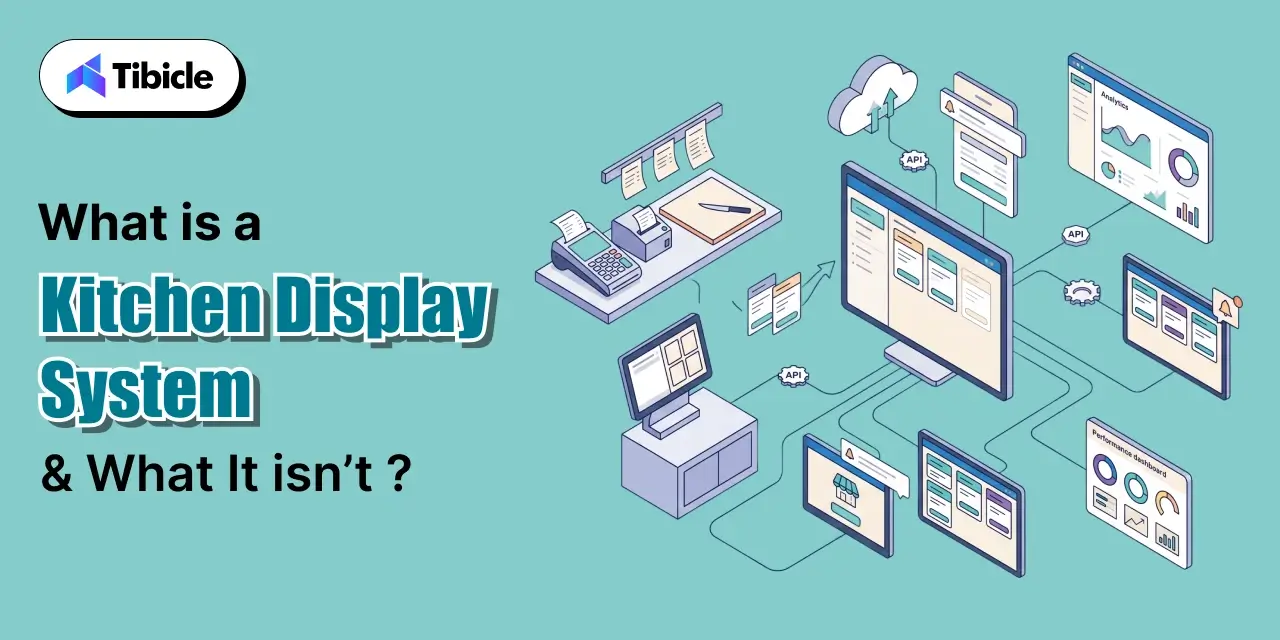
A kitchen display system replaces printed paper tickets with digital screens placed at prep stations, expo lines, and pass-through windows. The moment a server submits an order through the POS, it routes digitally in real time to the correct station. No reprints. No relay calls across the line. The order appears on the relevant screen with item details, modifiers, and table or ticket identifiers. Every station works from the same data simultaneously. For restaurants handling 150+ covers per shift, this eliminates a significant class of operational errors that accumulate silently across a service period and show up as food waste, comps, and negative reviews.
Beyond the Screen
Modern KDS software for restaurants is not a passive display. It functions as an active order orchestration layer: it timestamps every ticket, tracks prep duration per station, routes by station type (grill, fryer, salad, dessert), and flags allergens and modifications inline. This is the core distinction between a kitchen display system and a kitchen printer. A printer outputs a ticket and the data flow ends there. A KDS maintains bidirectional data stations bump items on completion, the expo line sees live progress across all stations, and the system logs every action with a timestamp. That data becomes reportable. Operators can pull average ticket times, identify bottleneck stations, and measure prep consistency across shifts.
| Feature |
Paper Ticket / Kitchen Printer |
Kitchen Display System |
| Real-time updates |
Not possible |
Instant |
| Modifier visibility |
Printed once, static |
Persistent, inline |
| Allergen flagging |
Manual annotation |
Automated |
| Data / analytics |
None |
Full ticket time logs |
| Bidirectional flow |
No |
Yes |
How Kitchen Display System-POS Integration Actually Works
The Order Routing Architecture
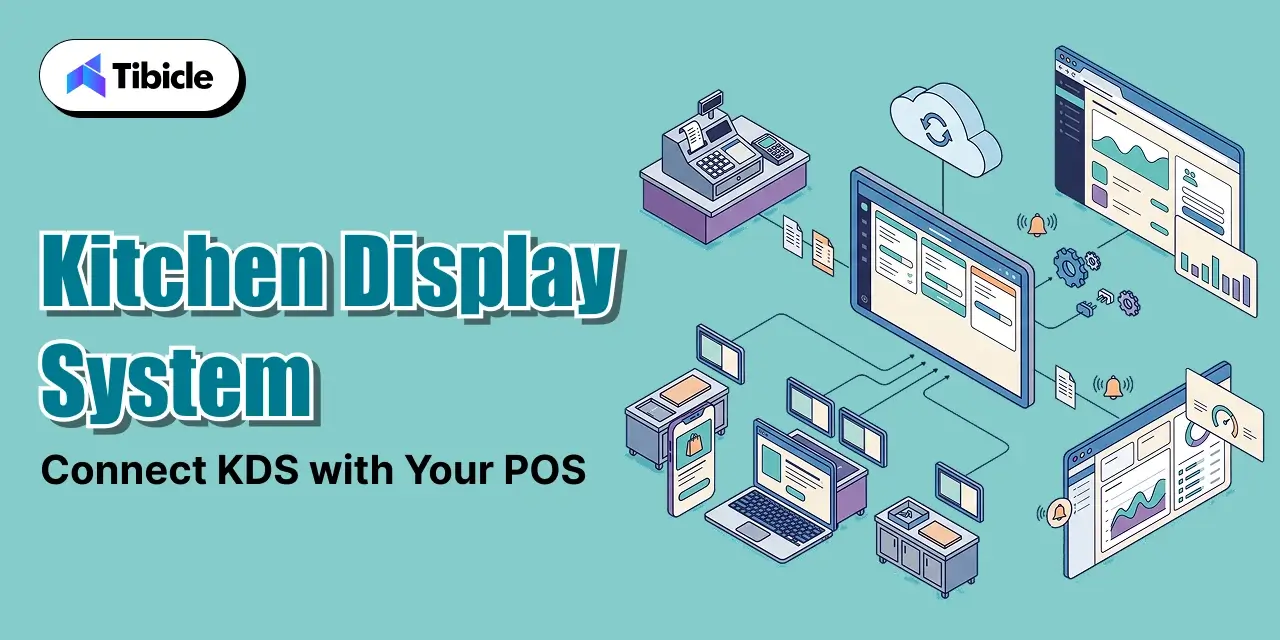
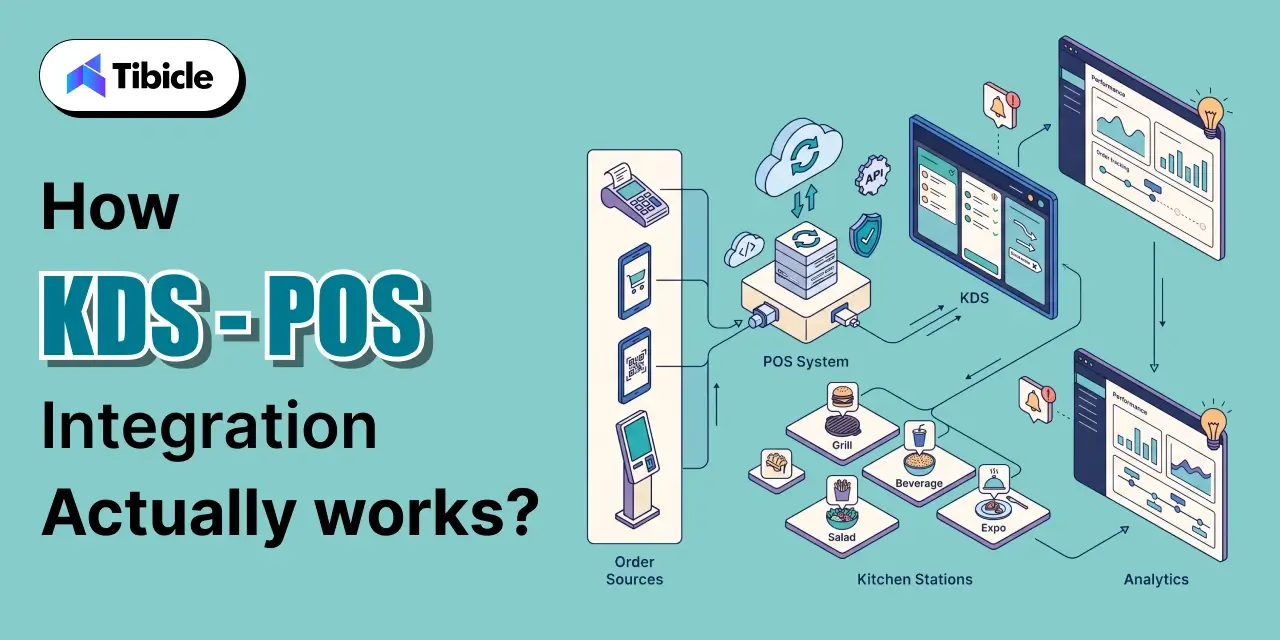
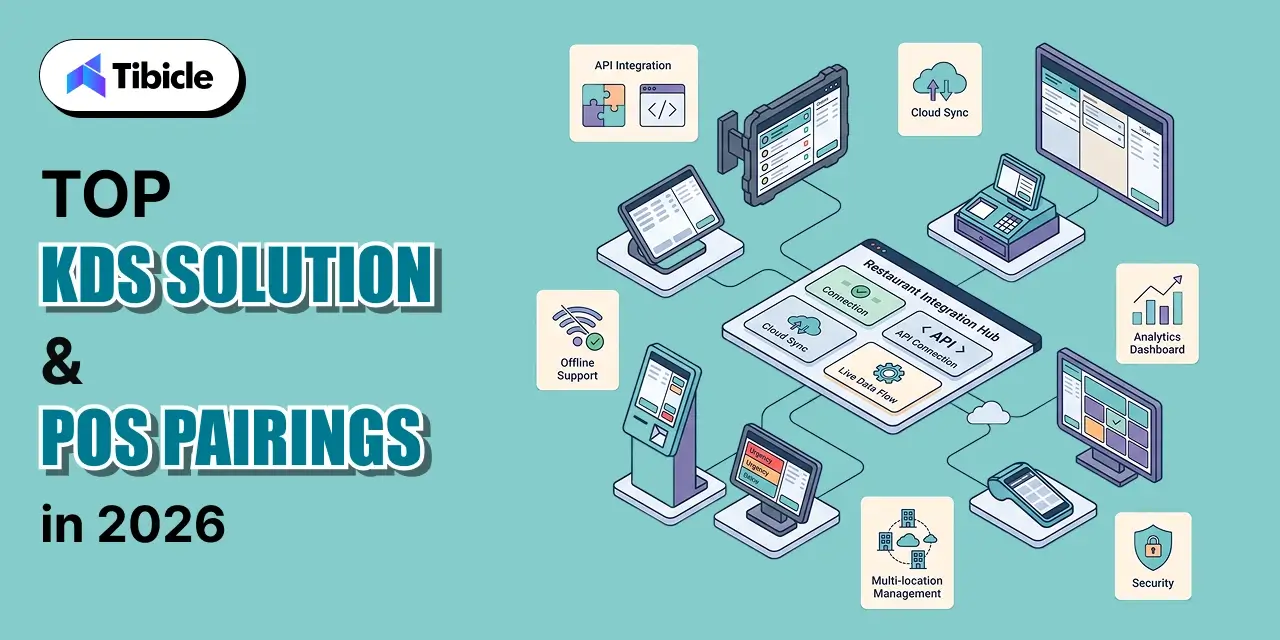
KDS POS integration follows a structured data flow that operators should understand before evaluating vendors. An order enters the system through any front-end touchpoint: server POS terminal, self-service kiosk, QR code ordering, or a third-party delivery app. The POS parses the order into structured fields item name, quantity, modifiers, station assignment, and seat or ticket number. That structured data routes to the relevant KDS screen via a local area network or cloud API, depending on the integration model. Station staff see the ticket appear in real time. As each item is completed, staff bump it on the display or bump bar. The expo line sees live completion status across all stations simultaneously, enabling accurate plating and dispatch timing. The full cycle from order entry to bump is logged with timestamps.
Native vs. Third-Party Integration
Two integration models exist, and the choice carries long-term operational consequences.
Native integration means the POS and KDS come from the same vendor for example, Toast POS paired with Toast KDS. This model offers lower latency, simpler support escalation, and tighter UI consistency. The tradeoff: it locks the operator into one ecosystem. Switching POS vendors later may require replacing the KDS hardware entirely.
Third-party or middleware integration connects a KDS to an existing POS through an API or middleware layer. This model offers flexibility operators keep their existing POS and add a best-fit KDS. The tradeoff is an added integration layer that introduces a potential failure point and typically adds $50–$150/month in middleware subscription costs.
What Happens During Connectivity Loss
This question separates vendors more than any feature list. Cloud-first KDS platforms stop receiving new orders during internet outages. Some systems cache active orders locally and continue functioning through the outage; others halt inbound ticket flow entirely. For a restaurant running dinner service, a 10-minute connectivity drop without local caching is an operational incident. Always ask vendors: “What does my kitchen see during a 10-minute connectivity drop?” Get the answer in writing, not in a sales demo.
For multi-location operators, the integration layer is not a tech detail, it is an operational risk decision.
KDS Use Cases Across Restaurant Formats
Full-Service Restaurants
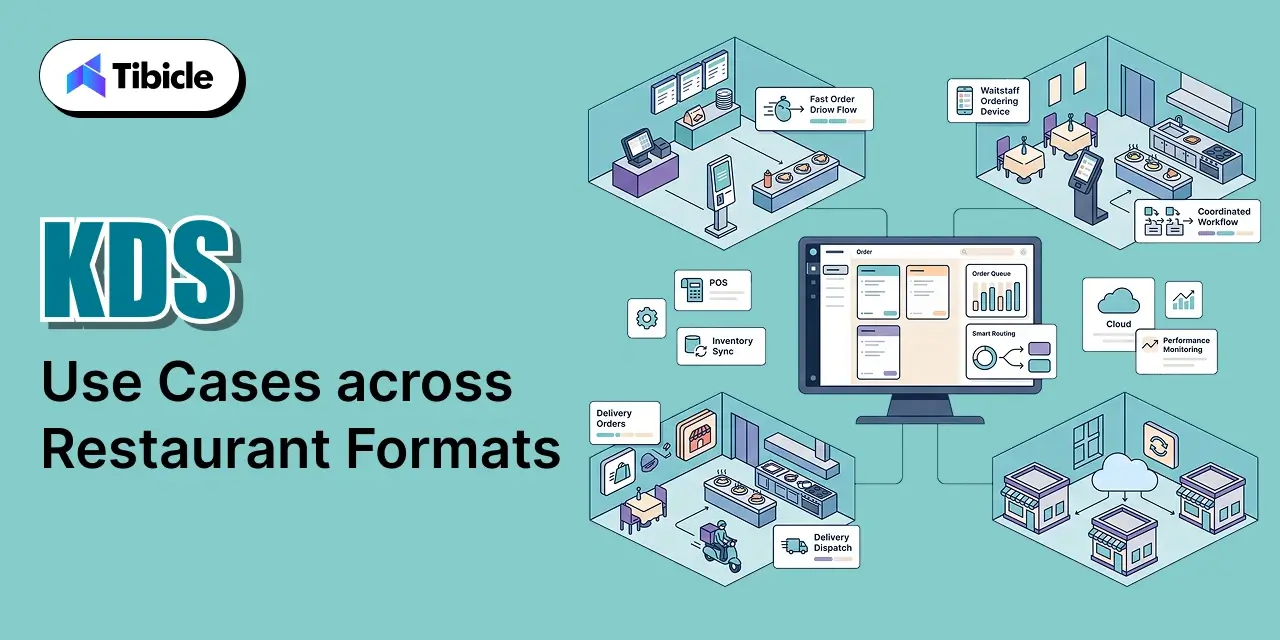
Full-service environments use course-based ordering, where appetizers, mains, and desserts must fire at the right time relative to table pacing. A kitchen display system gives expo staff table-level visibility they see which courses are in progress, which are bumped, and which need follow-up. This replaces verbal coordination between servers and expo leads, which breaks down during peak service when ticket volume exceeds what any individual can track verbally. Error reduction during Friday and Saturday dinner rushes is where full-service operators typically see the fastest ROI.
Quick-Service and Fast-Casual
High ticket volume and aggressive prep-time targets define QSR and fast-casual operations. Multi-station routing grill to salad to packaging must execute without manual re-entry or verbal relay. A kitchen display system eliminates reprint delays and ensures that modifications entered at the POS appear at every relevant station without a server walking a ticket to the line. Research from the National Restaurant Association indicates that order accuracy improvements from digital systems reduce food waste costs by 8–15% in high-volume QSR formats (NRA, 2023).
Ghost Kitchens and Cloud Restaurants
Ghost kitchen operators face a specific operational breakdown: orders from DoorDash, Uber Eats, proprietary apps, and phone channels arrive on separate tablets per platform. Without a unified KDS, a three-brand ghost kitchen may have nine or more active tablet screens at a single station. A kitchen management system with omnichannel aggregation funnels all order sources into one unified queue. This is the highest-leverage use case for KDS in terms of staff cognitive load reduction.
Multi-Location and Enterprise Chains
For restaurant groups operating five or more locations, the kitchen display system earns ROI through standardization. Routing rules are set once and pushed to all screens. Menu updates go live simultaneously across the network. Performance data ticket times, error rates, station throughput aggregates at the corporate level. This enables targeted operational interventions: if Location 7 consistently shows longer grill times than the network average, that is visible and actionable data rather than an anecdote from a regional manager’s site visit.
Kitchen Display System vs. Kitchen Printer vs. Hybrid Setup Full Comparison
| Criteria |
Paper Ticket / Printer |
Kitchen Display System |
Hybrid Setup |
| Order accuracy |
Low manual re-reads |
High digital with modifiers visible |
Moderate |
| Real-time updates |
Not possible |
Instant |
Partial |
| Analytics / reporting |
None |
Full ticket times, error rates |
Limited |
| Hardware cost |
Low upfront |
$150–$1,000+ per display |
Moderate |
| Offline resilience |
Always works |
Depends on vendor |
Better fallback |
| Multi-location scalability |
Poor |
Strong |
Moderate |
| POS lock-in risk |
None |
High if native-only |
Lower |
The comparison shifts significantly when labor cost savings and error-related revenue loss are factored in covered in the ROI section below.
Evaluating KDS options for your restaurant group? Tibicle LLP helps hospitality operators build tech stacks that connect cleanly and scale without friction. Book a strategy call.
Kitchen Display System and POS Integration Pricing What You’ll Actually Pay
Hardware Costs
Entry-level commercial touchscreen displays run $150–$400. Mid-range units 15 to 21.5 inch, kitchen-rated with anti-glare coating fall between $400–$800. Enterprise-grade setups combining bump bars with touchscreen displays in industrial enclosures reach $800–$1,500 or more per station. One cost-reduction option operators overlook: existing commercial displays can sometimes be repurposed with a compatible media player rather than replaced outright. Verify this with the vendor before budgeting for full hardware replacement.
Software and Subscription Fees
KDS software subscriptions run $150–$200 per month per display at the industry standard range. Bundled POS and KDS packages from the same vendor can reduce per-unit software cost by 20–35% relative to standalone pricing. Third-party middleware or API layers for non-native integrations add $50–$150 per month depending on the provider. For a 4-station setup running a third-party integration, the software stack alone costs $750–$950 per month before hardware amortization.
Installation and Onboarding Costs
Plug-and-play single-location setups carry minimal installation cost. Multi-station enterprise deployments with custom routing rules, network configuration, and structured staff training add $500–$2,000 per site. 24/7 live support is not a standard inclusion across all vendors. Treat it as a paid add-on unless the contract explicitly confirms it.
Hidden Cost Variables Operators Miss
- Contract lock-in terms: some POS-KDS bundles require two-year commitments
- Per-transaction processing fees bundled within POS agreements
- Upgrade costs when adding stations or rolling out to new locations
- Retraining costs when staff turnover requires repeated onboarding cycles
ROI of KDS-POS Integration The Business Case
What the Numbers Show
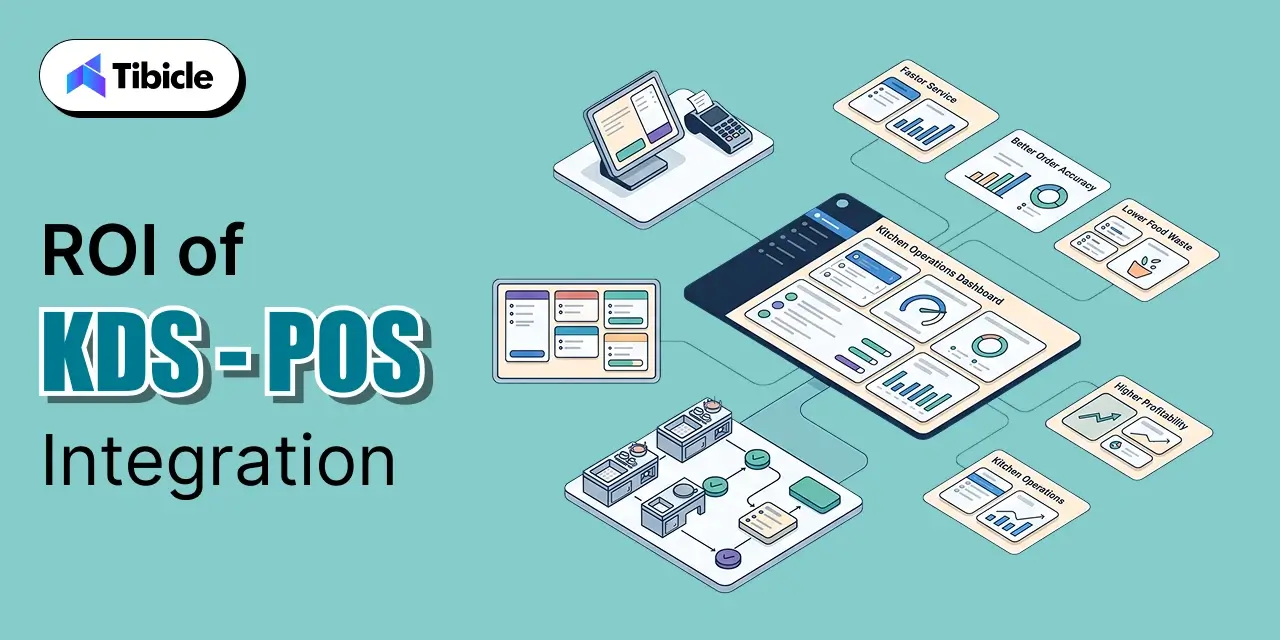
Restaurants using integrated kitchen display systems report up to 20% higher operational efficiency versus paper-based workflows (Toast, 2024). Error reduction and labor optimization together produce a 15% reduction in operational costs for operators who implement and staff the system correctly. Most operators report full ROI within 3–6 months post-deployment, with faster payback timelines in high-volume QSR formats where ticket counts amplify per-error cost. Faster prep times increase table turnover, producing more covers per shift without adding labor.
Where Revenue Leakage Stops
Disconnected front-of-house and back-of-house systems produce three categories of direct revenue loss:
- Manual ticket re-entry errors produce remade dishes, which are direct food cost not a theoretical risk
- Server-to-kitchen verbal communication breakdowns generate wrong orders that result in comps and refunds
- Delayed expo coordination produces cold food, which generates negative reviews and reduces repeat visit rates
Each category is measurable at the unit level. Operators who track remake rates before and after KDS deployment typically see the most concrete ROI documentation.
Labor Efficiency Gains
With order routing software, kitchen staff no longer rely on verbal instructions to execute their station. The screen communicates the task. This reduces coordination overhead critical given that labor costs in the restaurant industry increased an average of 9.8% between 2023 and 2025 (Bureau of Labor Statistics, 2025). Stations that previously required a senior cook to verbally manage ticket flow can operate with less experienced staff following screen-driven queues.
Multi-Location ROI Multiplier
For restaurant groups running five or more locations, centralized KDS reporting reveals prep time variance across sites. Restaurants using centralized kitchen management systems report up to 18% cost savings across the network by identifying and correcting underperforming locations through data rather than observation. This compounds annually each location improvement carries forward.
ROI Snapshot: If your kitchen handles 200 covers per day, reducing per-ticket error rate by 3% eliminates approximately 6 remade dishes per month. At an average dish cost of $8–$12, that is $576–$864 in direct food cost savings annually before any labor efficiency gain is counted.
Kitchen Display System Integration Risks Operators Underestimate
POS Lock-In
Native KDS solutions from Toast, Lightspeed, or Square operate only within their respective POS ecosystems. If the POS is replaced, the KDS hardware may need to be replaced alongside it. Operators who sign a two-year KDS contract tied to a POS they later outgrow face either sunk hardware costs or early termination fees. Evaluate portability before committing. Ask whether the KDS vendor supports API connections to third-party POS systems, even if the native integration is the default offering.
Connectivity Dependency
Cloud-first point of sale kitchen display platforms stop receiving new orders during internet outages. Local network caching partially addresses this, but the scope of what is cached active tickets only, versus full queue varies by vendor. A restaurant without a confirmed offline fallback is operating a single point of failure in its core service infrastructure.
Multi-Vendor Complexity
Third-party delivery integrations introduce middleware layers into the KDS data flow. Each middleware layer is a potential failure point. Operators managing omnichannel ordering across DoorDash, Uber Eats, and proprietary channels need to stress-test these integrations under realistic order volume before go-live, not after the first busy Friday service.
Staff Adoption Friction
The largest implementation risk is behavioral, not technical. Kitchen staff accustomed to paper tickets need structured onboarding not a 30-minute walkthrough. Without it, teams default to verbal workarounds that replicate the paper-ticket workflow on top of the digital system, negating the investment. Budget onboarding time into the deployment plan, not the post-launch support phase.
Kitchen Display System Vendor Selection Checklist
Before signing with any KDS vendor, verify each of the following:
Integration Compatibility
- Native integration confirmed with your current POS or middleware support documented?
- Third-party delivery apps (DoorDash, Uber Eats, Grubhub) confirmed compatible?
- API access available for custom integrations or future POS changes?
Hardware
- Display rated for kitchen conditions heat, moisture, grease resistance?
- Bump bar supported for stations where touchscreen is impractical?
- Existing displays reusable with a media player?
Reliability
- Offline or local network fallback confirmed and demonstrated?
- Uptime SLA documented in the contract?
Scalability
- Per-station pricing model does cost scale reasonably across 10+ locations?
- Centralized menu management for all screens from one dashboard?
Support
- 24/7 live support included or charged as an add-on?
- Onboarding and staff training included in the contract scope?
Contractual Terms
- Contract length and exit terms documented?
- Hardware ownership versus lease model confirmed?
Top Kitchen Display System Solutions and POS Pairings in 2025
| KDS Solution |
Best For |
Native POS |
Third-Party Support |
Offline Mode |
| Toast KDS |
Full-service + QSR |
Toast POS |
Limited |
Yes (local) |
| Lightspeed KDS |
Full-service, table service |
Lightspeed |
Moderate |
Partial |
| Square KDS |
Small / independent restaurants |
Square POS |
Limited |
Limited |
| Fresh KDS |
Clover-heavy operations |
Clover |
Yes |
Yes |
| TouchBistro KDS |
Table-service restaurants |
TouchBistro |
Moderate |
Yes |
| TechRyde KDSync |
High-volume, AI routing |
Agnostic |
Strong |
Yes |
No single platform is universally best. The right kitchen display system is the one that fits your POS ecosystem, service format, and growth roadmap not the one with the most features on paper. A standalone KDS that scores well in vendor demos but conflicts with your existing POS architecture will cost more to support than it saves in operations.
Why Tibicle LLP Is a Practical Choice for KDS Implementation
Tibicle LLP works with restaurant and hospitality operators at the intersection of operations and technology. For teams evaluating KDS POS integration, the challenge is rarely the software it is scoping the integration correctly, stress-testing it against real order volumes, and building staff adoption into the deployment plan.
Tibicle brings development expertise to:
- Custom middleware builds for operators with legacy POS systems
- API-layer architecture for omnichannel ordering environments
- Multi-location rollout planning where standardization meets operational reality
This is not a platform sale. It is implementation clarity for operators who have evaluated the market and need execution confidence.
Talk to Tibicle LLP about your KDS integration requirements before your next procurement decision. Contact us here.
Conclusion
A kitchen display system connected cleanly to your POS is not a technology upgrade it is a margin protection and throughput expansion decision. The difference between a KDS that earns ROI in three months and one that becomes a recurring support ticket is integration architecture, vendor fit, and staff onboarding quality. Use the checklist in this guide, run the ROI math against your specific cover count, and treat vendor selection as a long-term operational partnership, not a hardware purchase. Start with the right integration model, and the system pays for itself before the contract renewal date.
Ready to scope your KDS integration? Contact Tibicle LLP for a technical assessment.
FAQs
Can a kitchen display system work without a POS?
Some standalone KDS systems accept manual order entry, but operational value is minimal without POS-driven automation. Manual entry reintroduces the same human error layer that KDS is designed to remove.
What happens if my Kitchen Display System loses internet connectivity?
This depends entirely on the vendor. Some systems cache active orders locally and continue functioning through the outage. Others halt inbound ticket flow immediately. Verify offline resilience before purchase not after go-live.
How long does kitchen display system POS integration take to set up?
Plug-and-play setups in small, single-station restaurants can go live in hours. Multi-station enterprise deployments with custom routing rules typically require one to three weeks, including staff training and routing configuration.
Is a native Kitchen Display System always better than a third-party one?
Not necessarily. Native integration offers simpler support and lower latency but locks you into one POS ecosystem. Third-party options provide flexibility but add integration complexity and ongoing middleware costs. The right answer depends on your growth roadmap.
What is the typical payback period for a kitchen display system?
Most operators report full ROI within three to six months, driven by error reduction, faster ticket times, and labor savings. High-volume QSR formats typically see payback at the shorter end of that range.
Can a kitchen display system handle omnichannel orders in-store, delivery apps, and kiosks simultaneously?
Yes, if the integration is configured correctly. Confirm that the KDS aggregates all order sources into one unified queue before deployment. If each channel appears as a separate feed, staff are back to managing multiple screens the problem the system was supposed to solve.