What This Guide Covers
Who this is for: Restaurant operators, F&B group owners, and operations decision-makers who are either running a legacy point-of-sale system they have outgrown or evaluating a cloud-based POS for the first time at single or multi-location scale.
Search intent: Decision and evaluation: the reader is not learning what a POS is. They are deciding whether a cloud-based POS is the right infrastructure move for their operation, what it will realistically cost across all three expense layers, and how to evaluate vendors without getting burned by hidden fees or a poor integration fit.
What you will walk away with: A clear breakdown of how cloud restaurant management architecture works, a 3-year TCO model with the exact formula to run it, a 12-point vendor checklist, real pricing benchmarks by vendor tier for 2025–2026, and an ROI framework tied to specific operational levers, table turns, food waste, order errors, and processing fee differentials.
Introduction
The real cost of a legacy POS is not the hardware invoice. It is the revenue leaking every shift through slow service, zero real-time data, and no integration with the delivery platforms your customers are already ordering from. Restaurants that have outgrown their current system are not facing a software problem they are facing an operational infrastructure problem. Cloud-based POS is the operational backbone of modern restaurant management, not a line-item upgrade. This guide covers the architecture behind how it works, what it actually costs across all three expense layers, the ROI math decision-makers should run before signing, and a procurement-grade vendor evaluation framework. By the end, you will have everything required to make a system decision grounded in data, not sales decks.
What Is a Cloud-Based POS System?
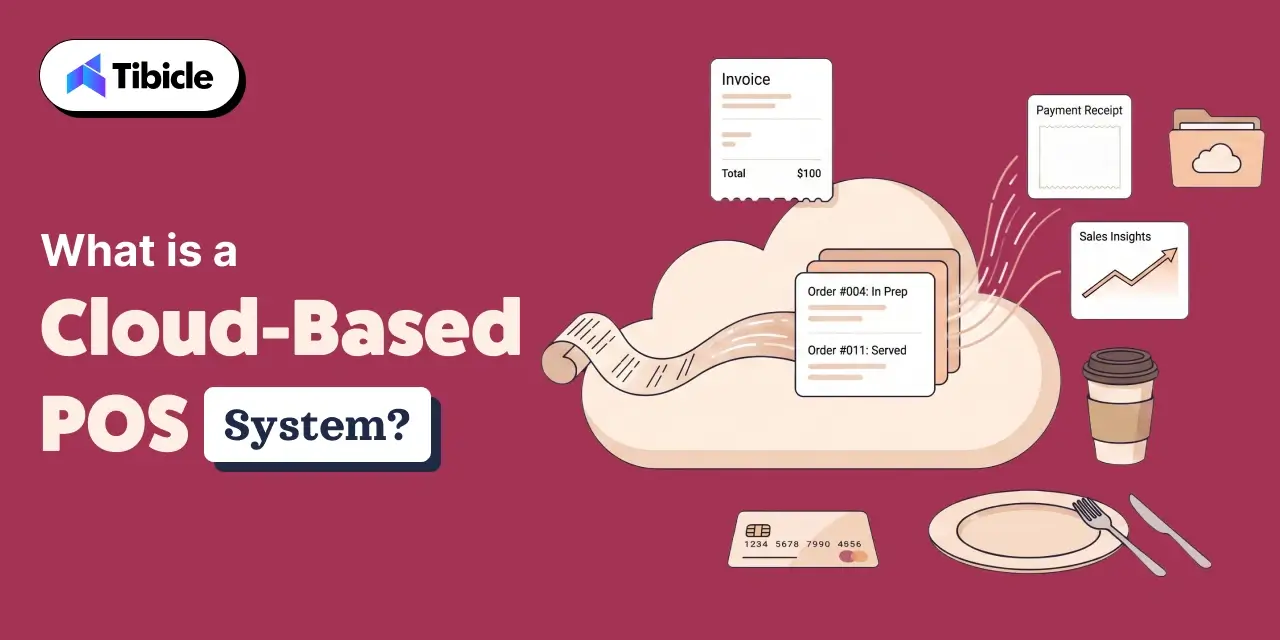
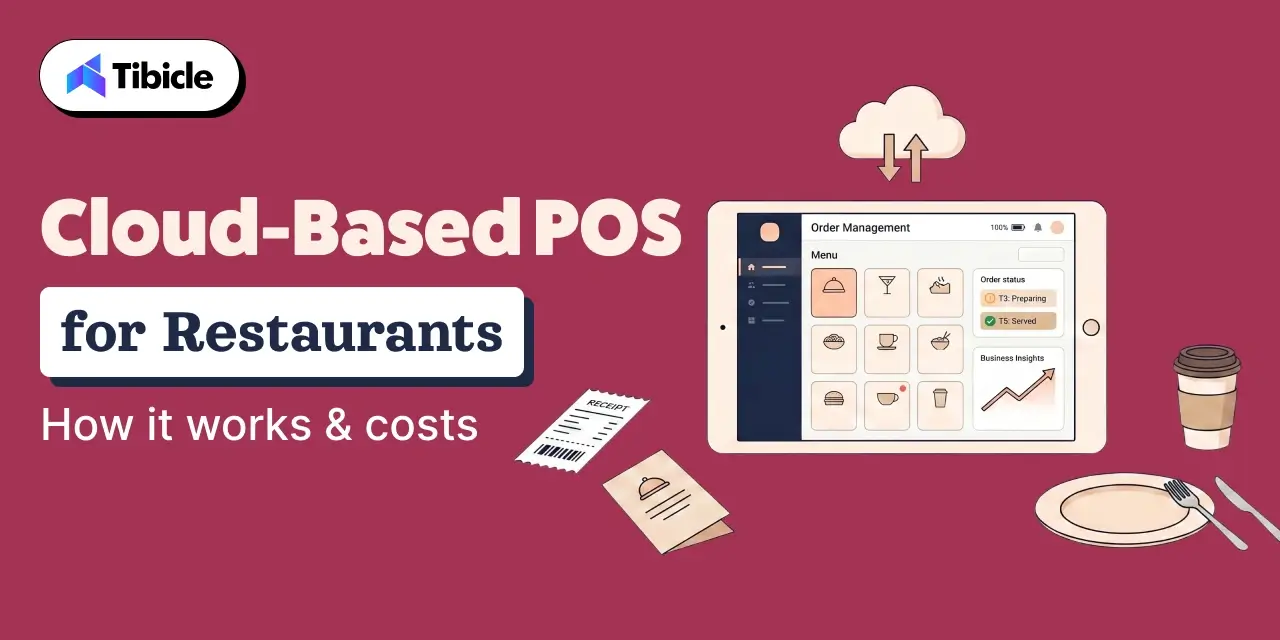
A cloud-based POS is a point-of-sale system where transaction data, inventory records, menu configurations, and reporting all live on remote servers not on a machine behind your counter. Access is device-agnostic and available from anywhere with an internet connection. According to Software Advice, over 70% of restaurant operators who switched to a cloud POS system cited real-time data access as the primary driver of the decision. (Software Advice, 2025)
How It Differs from a Traditional POS at the Infrastructure Level
A legacy point-of-sale system routes every transaction through an on-premise server physically located at the property. Menu changes, voids, and end-of-day reports are all locked to that machine. If the server fails, operations stop. A cloud POS system pushes every transaction, menu update, and inventory movement to remote servers in real time. The operational implication is direct: a manager at location three can see table-level sales at location one without VPN access, remote desktop workarounds, or a daily export. That is not a convenience feature it is the structural difference between reacting to yesterday’s numbers and managing today’s service.
How Offline Mode Works (and Why It Matters More Than Vendors Admit)
True offline capability means the cloud-based POS continues processing orders locally when internet connectivity drops, queues every transaction, and syncs the full record automatically on reconnect. What it does not mean is that the system freezes at the moment your router goes down during a Friday dinner rush. Not all platforms handle this equally. Some queue orders correctly. Others lose transaction data or lock terminals entirely. Offline mode is a non-negotiable evaluation criterion particularly for high-volume environments where a 20-minute outage during peak service translates directly to revenue loss and table delays.
How a Cloud-Based POS Actually Works in a Restaurant Environment
The Data Architecture Behind Real-Time Sync
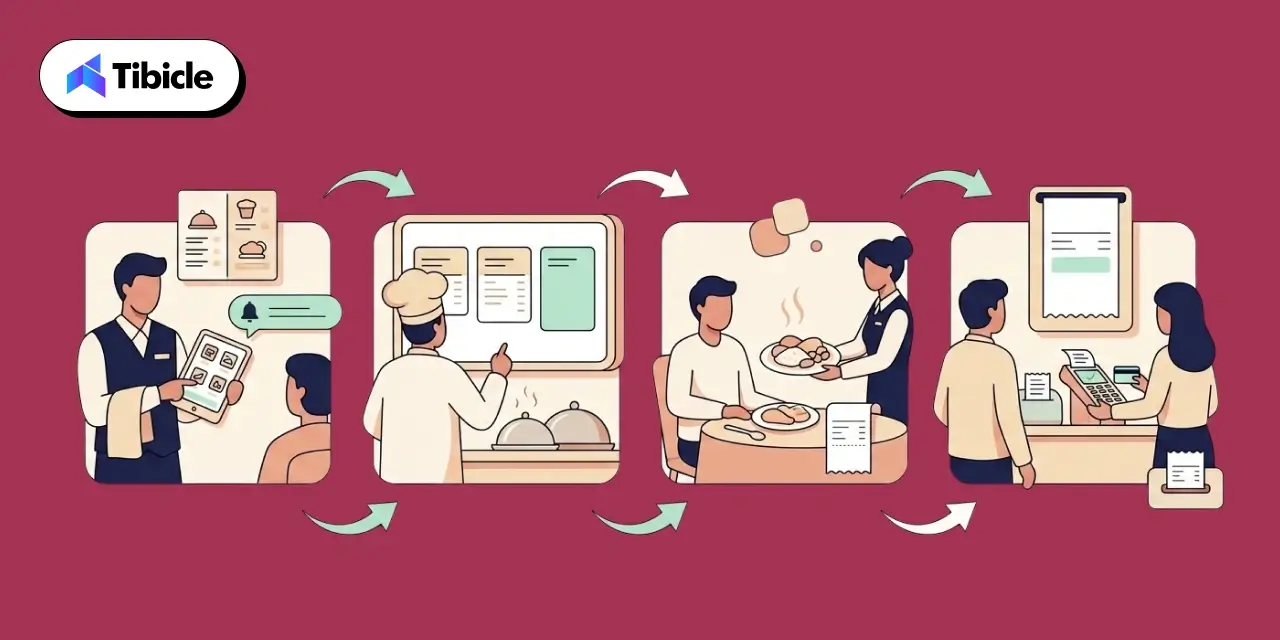
Every transaction cycle in a well-built cloud restaurant management system runs through a single connected flow: an order placed on a tablet triggers an update on the kitchen display system (KDS), which decrements the relevant inventory SKUs, which reflects immediately on the sales dashboard accessible to any manager on the floor or off-site. No manual sync. No batch upload at close. According to Toast’s 2024 Restaurant Technology Report, restaurants using integrated cloud-based POS systems with live kitchen display system connections reduced average ticket times by 12% compared to disconnected setups. (Toast, 2024) That throughput improvement is the operational gain not the dashboard itself.
Core Modules Every Restaurant POS Software Stack Should Include
A complete restaurant POS software stack covers the following without redundancy:
- Order and table management: dine-in, takeout, and delivery unified under a single interface, not three separate systems
- Real-time inventory and ingredient-level tracking: not just item counts, but modifier-level depletion so 86s hit the KDS before they hit the guest
- Staff scheduling, timeclock, and tip management: integrated, not a separate SaaS subscription
- CRM, loyalty, and customer engagement: visit frequency, spend history, and preference tracking tied to the POS record
- Analytics and remote reporting dashboards: accessible from mobile without requiring an IT ticket
Multi-Location Management: Where Cloud Architecture Earns Its Cost
For chain operators, the clearest ROI case for cloud restaurant management is centralized control. Menu consistency across branches, role-based access controls that limit what a location manager can modify versus what corporate can push, and consolidated reporting across all sites are native to the architecture not bolt-ons. This is where enterprise-tier pricing on restaurant management software is justified. A single pricing error pushed centrally is corrected in seconds across all locations. In a legacy setup, it requires a technician at each site.
Use Cases Which Restaurant Models Benefit Most
Quick-Service and Fast-Casual Chains Scaling Beyond 3 Locations
Volume throughput, unified menu control, and delivery platform integration are the primary decision drivers for QSR and fast-casual operators at scale. A cloud-based POS that natively connects to third-party delivery APIs and keeps menu pricing consistent across Swiggy, Zomato, and in-store channels eliminates a significant source of order error and margin leakage.
Fine Dining Operators Prioritizing Table Management and CRM
Reservation sync, multi-course pacing on the KDS, split-check handling, and customer preference tracking justify premium-tier restaurant POS software for fine dining. The value is not speed it is precision. A system that surfaces a returning guest’s dietary restrictions or preferred wine before the server reaches the table creates a measurable service advantage.
Ghost Kitchens and Delivery-First Operators
For delivery-first operations, the front-of-house terminal cost is zero. The value equation shifts entirely to deep delivery platform integration, order accuracy metrics, and ingredient-level inventory tracking that catches waste before it compounds. A cloud-based POS built for delivery-first operators should treat the delivery API as the primary order intake channel, not an integration afterthought.
Multi-Brand F&B Groups Running Unified Back-Office Reporting
Enterprise F&B groups running multiple brands from a shared back office need consolidated P&L by location, cross-brand inventory pooling, and single-dashboard oversight. This is the clearest case for custom or enterprise-tier cloud restaurant management where off-the-shelf platforms begin to show their configuration limits, and purpose-built restaurant management software starts to earn a legitimate ROI argument.
Cloud POS vs. Legacy POS Full Comparison
Feature-by-Feature Breakdown
| Evaluation Dimension |
Cloud-Based POS |
Legacy On-Premise POS |
| Upfront Cost |
Low ($0–$300 hardware + SaaS fee) |
High ($5,000–$20,000 hardware + licensing) |
| Ongoing Cost |
$50–$400/month/location |
IT maintenance + version upgrade contracts |
| Remote Access |
Full, any device |
None without VPN workaround |
| Offline Capability |
Yes (queue + sync) |
Yes (local server dependent) |
| Software Updates |
Automatic, zero downtime |
Manual, scheduled downtime |
| Multi-Location Control |
Native, centralized |
Requires custom integration |
| Data Loss Risk |
Low (cloud redundancy) |
High (local server failure) |
| PCI-DSS Compliance |
Vendor-managed |
Operator-managed |
| Scalability |
Unlimited, add locations/terminals |
Hardware-constrained |
| Integration Ecosystem |
Open API, wide third-party support |
Closed/proprietary |
When a Legacy System Still Makes Sense (Honest Assessment)
There are specific contexts where a legacy point-of-sale system remains defensible. Restaurants operating in areas with chronically unreliable internet infrastructure where even a well-built offline mode creates operational friction may not yet have the connectivity baseline a cloud POS system requires. High-volume environments using ruggedized proprietary terminals that have been written down over years carry a replacement cost that changes the TCO math. Operators mid-way through long-term maintenance contracts on existing hardware should model the exit cost before switching. The decision is financial and operational not a question of which architecture is more modern.
Evaluating whether your current POS is costing you more than a cloud migration? Tibicle LLP helps restaurant operators model the true TCO before they commit. Talk to our team.
What Does a Cloud-Based POS System Actually Cost?
This section gets the most space in this guide for a reason: most operators underestimate total cost by 30–40% because vendors lead with monthly subscription pricing and bury everything else. A realistic cost model for a cloud-based POS runs across three distinct layers.
The Three Cost Layers Most Vendors Don’t Lead With
Layer 1: Software subscription
Base plan pricing is per location. Most platforms add per-terminal fees beyond the first or second unit, and individual modules loyalty, online ordering, advanced analytics carry separate monthly charges. What appears to be a $99/month plan often reaches $200–$300/month once the actual feature set required is configured.
Layer 2: Hardware
Tablets or purpose-built terminals run $200–$800 per unit depending on vendor and specs. A kitchen display system (KDS) on some platforms is an additional $30/device/month on subscription. Receipt printers, card readers, and cash drawers add $150–$400 per station. For a three-terminal restaurant, hardware alone commonly runs $2,000–$4,500 before a single month of software is billed.
Layer 3: Transaction processing fees
This is the most consistently underestimated cost. Transaction processing fees on most platforms range from 2.3% to 3.5% per transaction. At $1M in annual revenue, a 1% difference in processing rate equals $10,000 per year. (NerdWallet POS Cost Analysis, 2025) At $3M annual revenue across a small chain, that differential is $30,000 annually which outweighs the subscription cost entirely at most tiers.
Real Pricing Benchmarks by Vendor Tier (2025–2026)
| Vendor Tier |
Monthly Plan Range |
Best For |
| Entry (Square, SumUp) |
Free–$69/location |
Single-location, low volume |
| Mid-Market (Toast, Lavu, SpotOn) |
$69–$300/location |
Growing chains, 2–10 locations |
| Enterprise (Lightspeed, PAR POS) |
$189–$400+/location |
Multi-location, complex menus |
Note: Hardware costs are separate and not bundled in most enterprise tiers.
The 3-Year TCO Model: What Decision-Makers Should Run
A structured 3-year total cost of ownership for a cloud-based POS covering hardware refresh, subscription, payment processing, and training typically falls between $6,000 and $25,000 depending on terminal count and modules enabled. The formula:
Monthly subscription × 36 + hardware cost + (annual revenue × processing rate) × 3 + onboarding cost
Map this against legacy TCO: hardware amortization + IT service contracts + scheduled downtime cost + manual update labor. For most operators running two or more locations, the cloud TCO is lower at the 3-year mark, primarily because the IT overhead and downtime costs in legacy setups are rarely line-itemed in the initial comparison.
Hidden Costs to Audit Before Signing
- Per-terminal licensing beyond the base plan (commonly $25–$75/terminal/month)
- Cancellation and lock-in fees on multi-year contracts (some platforms carry 6-month penalties)
- Add-on charges for loyalty programs, online ordering modules, and KDS integration
- Professional installation fees: legacy systems typically run $500–$1,000 per site; most cloud-based POS platforms are designed for self-serve setup, though complex multi-location rollouts sometimes require paid onboarding
ROI and Business Impact: The Numbers Behind the Decision
Where Cloud POS Generates Measurable Revenue Recovery
ROI on a cloud-based POS is not abstract. It ties to specific operational levers that affect margin directly:
- Reduced order errors: fewer comps and remakes; a 2% error rate reduction on $1.5M revenue = $30,000 recovered annually
- Faster table turns: real-time reporting from the KDS allows floor managers to see table status and prioritize seating; a single additional cover per table per shift at a 60-seat restaurant compounds quickly
- Real-time inventory tracking: ingredient-level depletion data reduces food waste; a 3% COGS reduction on $500,000 in food spend = $15,000/year
- Integrated loyalty visit frequency data and targeted offers drive measurable repeat visit lift without third-party marketing spend
Payback Period: How Fast Does a Cloud POS Pay for Itself?
Industry data indicates a well-implemented cloud-based POS typically recovers its cost within 6 to 18 months, with higher-volume operators reaching payback closer to the 12-month mark. (Hospitality Technology, 2025) A simplified model: if a restaurant generates $1.5M in annual revenue and reduces waste by 3% and order errors by 2%, the combined recovery runs above $70,000 against a total system cost of $12,000–$18,000 per year including all three cost layers. The payback math is not complicated. The risk is underbuilding the cost model, not the ROI case.
KPIs Executives Should Track Post-Implementation
- Revenue per table turn (pre/post comparison, same period)
- Food cost percentage before and after deployment
- Order error rate (tracked via comp frequency in the restaurant management software)
- Actual average transaction processing fees versus quoted rate
- Staff onboarding time per new hire (target: under 3 days on most platforms)
Risks and Implementation Challenges Restaurant Operators Underestimate
Internet Dependency and Connectivity Planning
True offline mode is non-negotiable. The strongest platforms continue billing and order-taking locally during outages and sync automatically on reconnect. Before contract sign-off not after go-live test offline behavior with the actual hardware configuration you plan to deploy. Simulate a connectivity drop during a high-order volume scenario. The results of that test should determine whether the platform passes evaluation.
Data Security and Compliance Exposure
Processing transactions through a cloud infrastructure increases exposure surface relative to a fully isolated local network. A purpose-built cloud-based POS should offer end-to-end encryption, PCI-DSS compliance managed by the vendor (not delegated to the operator), and role-based access controls that limit what each staff tier can view or modify. Operators should verify vendor PCI-DSS certification status directly not through a sales deck.
Subscription Creep The Cost That Grows Quietly
Base fees, add-on modules, and per-location charges accumulate across a contract term in ways that are not visible at signing. A structured 3–5 year TCO model built before vendor selection is the only reliable way to catch this. Audit the full module list required to operate at your actual service model, price every item separately, and build the annual escalation rate into the model.
Staff Transition and Change Management
Most cloud systems complete staff training in 2–3 days. The actual implementation risk is not training time, it is data migration quality. Poorly migrated menu item modifiers, pricing structures, and loyalty records cause errors in the first 30 days of operation that directly affect guest experience and revenue. Validate the migration output on a test terminal before go-live, not the morning of launch.
Vendor Selection Checklist What to Evaluate Before You Sign
12-Point Evaluation Framework
✅ Does the system support true offline mode with local queue and auto-sync?
✅ Is PCI-DSS compliance vendor-managed or operator-managed?
✅ What is the per-terminal add-on cost beyond the base plan?
✅ Are transaction processing fees locked, or do they scale with volume?
✅ Does the platform support multi-location management, centralized menu control natively?
✅ What third-party integrations are available (delivery platforms, accounting, CRM)?
✅ Is there a Kitchen Display System (KDS) option, and what does it cost per device?
✅ What is the SLA for uptime and incident response time?
✅ Can you export your full data set if you switch vendors? (Vendor lock-in risk)
✅ Is onboarding self-serve, or does it require paid professional services?
✅ What is the contract term length and cancellation penalty structure?
✅ Does the vendor offer a pilot on a single location before full rollout?
Not sure which criteria apply to your restaurant’s scale? Tibicle LLP builds vendor evaluation frameworks tailored to your location count, volume, and integration stack. Request a consultation.
Top Cloud-Based POS Platforms: How They Stack Up in 2026
Quick-Reference Positioning by Use Case
| Platform |
Best For |
Starting Price |
Key Strength |
Watch Out For |
| Toast |
Growing chains, QSR |
~$69/location |
Restaurant-native, deep inventory |
Android-locked hardware |
| Square for Restaurants |
Single-location, entry-level |
Free–$69/location |
Low-risk entry, modern UX |
Limited enterprise features |
| Lightspeed |
Upscale dining, multi-unit |
$189–$399/location |
Analytics, loyalty built-in |
Higher cost, complex setup |
| PAR POS |
Enterprise, high-resilience ops |
Custom |
Offline-first, scalable |
Pricing requires vendor call |
| Lavu |
Mid-market, multi-location management |
Custom |
Hardware-agnostic |
Support inconsistency reported |
| Clover |
Flexible, reseller-driven |
$179–$354/month |
App marketplace depth |
Reseller pricing variability |
Pricing benchmarked from publicly available 2025–2026 vendor pages. Verify current rates directly with vendors before any procurement decision.
Why Tibicle LLP Is Worth Evaluating for Your Cloud POS Implementation
Tibicle LLP operates at the intersection of mobile app development and restaurant technology, a relevant position for operators who need a cloud-based POS that goes beyond off-the-shelf configuration. Where generic vendors offer templated setups, Tibicle builds systems around actual transaction flows, delivery integrations, and multi-location management data architecture.
For restaurant groups with specific inventory workflows, loyalty logic, or third-party integration requirements that pre-built platforms handle poorly, a custom-engineered restaurant POS software layer built by a team that understands both the technology and the operational context reduces implementation risk. There is a category of operator typically multi-brand groups or chains with non-standard service models for whom the configuration ceiling on standard platforms costs more in workarounds than a purpose-built system would cost to build.
Explore what a Tibicle-built or Tibicle-integrated cloud-based POS solution looks like for your restaurant group. Start the conversation.
Conclusion
A cloud-based POS is not a software expense it is an operational infrastructure decision with compounding financial consequences on both sides of the choice. Operators who model total cost of ownership across all three layers, audit their vendor contracts for hidden fees, and plan for offline resilience before implementation consistently outperform those who select based on monthly subscription price alone. The restaurant technology market is moving structurally toward cloud-first operations. The question is not whether to adopt it is which cloud POS system fits your scale, integration stack, and revenue model. Start with the TCO model, run the 12-point vendor checklist above, and pilot on one location before full rollout. That sequence reduces implementation risk more than any feature comparison will.
FAQs
What is the difference between a cloud-based POS and a traditional POS system?
A cloud-based POS routes data through remote servers, enabling real-time access from any internet-connected device. A traditional point-of-sale system stores data on local hardware limiting remote access, requiring manual updates, and creating single-point failure risk if the on-premise server goes down.
How much does a cloud restaurant POS system cost per month?
Base subscriptions for a cloud POS system range from free (single-location entry tier) to $400+/location/month for enterprise platforms. Factor in hardware, per-terminal fees, and transaction processing fees which run 2.3%–3.5% and often outweigh subscription costs at volume.
Can a cloud POS system work without the internet?
Yes platforms with true offline mode process transactions locally and sync automatically on reconnect. Always test offline behavior during vendor evaluation; not all cloud-based POS platforms handle connectivity drops equally well.
How long does it take to implement a cloud-based POS in a restaurant?
Most transitions complete in 1–2 weeks. Staff proficiency typically develops within 2–3 days. The highest-risk phase is data migration, particularly menu items, modifiers, and pricing structures which should be validated on a test terminal before go-live.
What hidden costs should I watch for in a restaurant POS contract?
Key hidden costs include per-terminal licensing beyond the base plan, transaction processing fee rate differentials, KDS add-ons, loyalty and online ordering module fees, and cancellation penalties tied to multi-year lock-in contracts.
Is a cloud POS right for a multi-location restaurant chain?
Yes, multi-location management is where cloud-based POS systems deliver the clearest ROI over legacy alternatives. Centralized menu control, unified reporting, and role-based staff access are native to cloud architecture in ways legacy systems cannot replicate cost-effectively.