Introduction
With restaurant profit margins averaging just 3-5%, a single mistake in food cost tracking, payroll reporting, or inventory accounting can erase an entire week’s profit. Restaurant accounting software helps operators improve financial accuracy and gain better control over these critical areas. As restaurants expand operations, spreadsheets and manual bookkeeping become increasingly difficult to manage, creating costly reporting errors and operational blind spots.
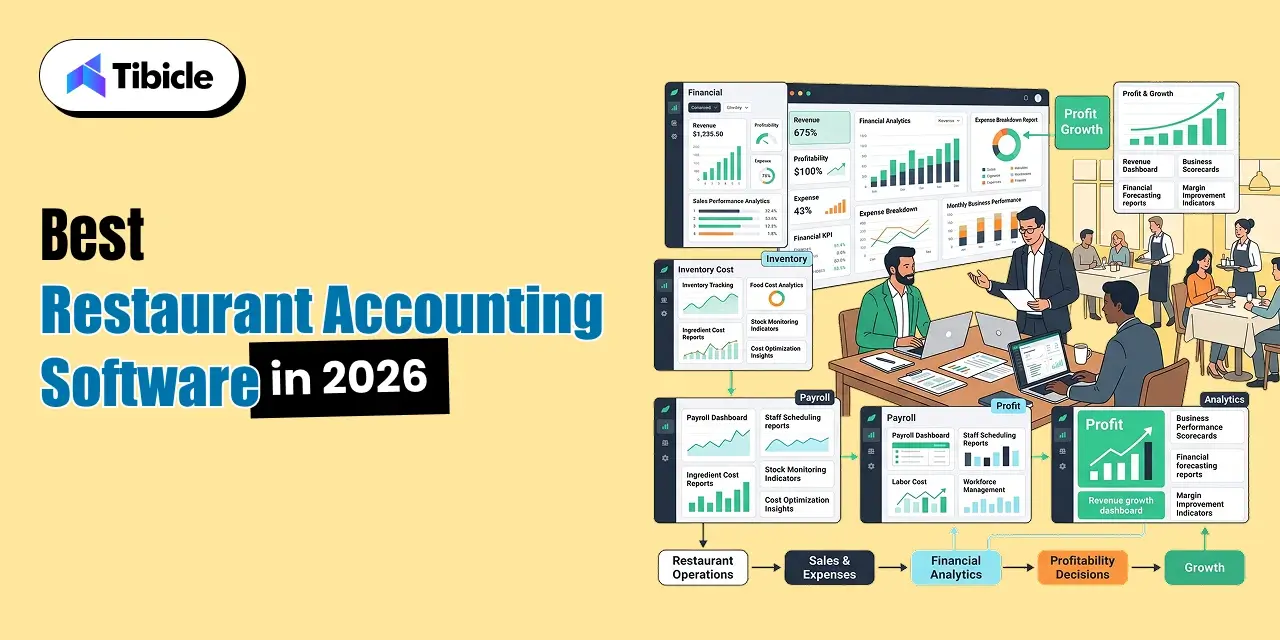
For operators managing a single location or a growing restaurant group, choosing the right restaurant software is no longer just an accounting decision. It affects inventory visibility, labor cost control, vendor management, compliance, and overall profitability.
This article is designed as a decision-making resource rather than a simple list of software. Whether you’re evaluating your first accounting platform or replacing an existing system, you’ll learn which features matter most, how pricing works, where ROI comes from, and which platforms fit different restaurant business models.
What Is Restaurant Accounting Software and Why Generic Tools Fall Short
Restaurant accounting software is a financial management platform built specifically for restaurant operations. Unlike general accounting systems, these platforms connect financial reporting with food cost management, labor tracking, inventory control, payroll processing, and POS integrations.
The objective is not just to manage bookkeeping but to provide operators with real-time visibility into the metrics that directly impact profitability. This includes prime cost tracking, recipe costing, inventory variance monitoring, and multi-location reporting.
While generic accounting tools can manage basic bookkeeping, restaurants operate under unique conditions involving perishable inventory, fluctuating labor costs, tip management, and daily sales synchronization. These operational requirements often exceed the capabilities of traditional accounting software.
How Restaurant Accounting Software Differs From Standard Accounting Software
Traditional accounting platforms focus on general financial reporting using standard charts of accounts. Restaurant accounting software extends these capabilities with restaurant-specific financial structures designed around food and labor performance.
Purpose-built restaurant systems include food cost percentage tracking, recipe-level costing, inventory depletion monitoring, shift-based payroll management, and tip distribution workflows. These capabilities often require multiple third-party add-ons when using general accounting platforms.
The result is a more accurate operational picture and faster decision-making across both finance and restaurant operations teams.
The Real Cost of Manual Bookkeeping
Many operators underestimate the cost of manual accounting processes. Restaurant managers frequently spend more than 10 hours per week reconciling sales reports, reviewing invoices, and updating inventory records.
Manual processes increase the risk of payroll mistakes, inventory shrinkage, tax filing errors, and delayed reporting. These issues often cost significantly more than the software itself.
For most restaurants, purpose-built accounting software generates value through operational accuracy, time savings, and margin protection long before considering labor reductions.
Must-Have Features for Modern Restaurant Accounting Software Finance Teams

Not all accounting systems are designed for restaurant operations. Before comparing vendors, operators should focus on the capabilities that directly affect profitability and operational control.
POS Integration in Restaurant Accounting Software
One of the most important requirements is seamless integration between the POS system and the accounting platform. Daily sales data should flow automatically from front-of-house operations into the general ledger without requiring manual data entry.
Leading platforms integrate with systems such as Toast, Square, Lightspeed, Clover, and Revel. Without proper integration, operators often face reporting delays, duplicate data entry, and reconciliation errors.
Real-time synchronization ensures financial reports reflect actual sales activity while reducing administrative workload.
Prime Cost Tracking and COGS Management
Prime cost remains one of the most important restaurant performance metrics. It combines labor expenses and cost of goods sold (COGS) and should generally remain below 60–65% of total revenue.
Advanced restaurant accounting software automatically updates COGS calculations based on inventory consumption and recipe costing data. Instead of reviewing food costs monthly, operators can monitor profitability trends daily.
This visibility allows managers to identify margin erosion before it becomes a major financial issue.
Accounts Payable Automation and Vendor Management
Restaurants often manage dozens of supplier relationships simultaneously. Manual invoice processing can quickly become overwhelming as location count increases.
Modern restaurant accounting software automates invoice capture, coding, approval routing, and payment tracking. Many systems also provide vendor price monitoring and purchase order reconciliation capabilities.
For multi-location operators, AP automation reduces administrative workload while improving purchasing consistency across locations.
Payroll Integration, Tip Reporting, and Compliance
Labor expenses represent one of the largest operating costs in any restaurant. Effective restaurant accounting software should connect payroll data directly to financial reporting systems.
Features such as tip distribution management, overtime tracking, wage compliance monitoring, and payroll reconciliation help reduce administrative burden and compliance risk.
Whether using built-in payroll functionality or integrating with dedicated payroll platforms, operators should ensure labor data flows seamlessly into financial reporting.
Use Cases by Restaurant Type
Not every restaurant requires the same accounting platform. The ideal solution depends on location count, annual revenue, reporting complexity, and operational structure.
Independent Single-Location Restaurants ($500K–$1.5M Revenue)
Single-location operators typically prioritize simplicity, affordability, and ease of use. They often work with external bookkeepers or part-time accounting support, making user-friendly software essential.
For this segment, QuickBooks Online paired with a reliable POS integration often provides sufficient functionality. Operators gain access to financial reporting, expense tracking, and bank reconciliation without the higher costs associated with enterprise restaurant systems.
The primary risk at this stage is underinvesting in inventory management and food cost visibility, which can gradually erode margins without being immediately noticeable.
Multi-Location Groups and Regional Chains (3–15 Locations)
As restaurants expand, financial complexity increases significantly. Operators need consolidated reporting, centralized purchasing controls, location-level P&Ls, and standardized accounting processes.
At this scale, general accounting software often creates data silos that require manual consolidation and reconciliation. Restaurant-specific platforms such as Restaurant365 become more attractive because they combine accounting, inventory management, AP automation, and operational reporting within a single system.
Many multi-location operators report inventory variance reductions from approximately 8% to 3% after implementing centralized purchasing and inventory controls.
Franchise Operators and Enterprise Restaurant Groups (15+ Locations)
Enterprise operators require ERP-level capabilities. Financial consolidation, audit readiness, compliance reporting, and multi-entity management become critical business requirements.
These organizations frequently integrate accounting systems with HR platforms, scheduling software, supply chain tools, and business intelligence dashboards.
Platforms such as Restaurant365 and Sage Intacct Hospitality are commonly deployed because they support large-scale financial operations while maintaining visibility across locations and business entities.
Restaurant Accounting Software Comparison
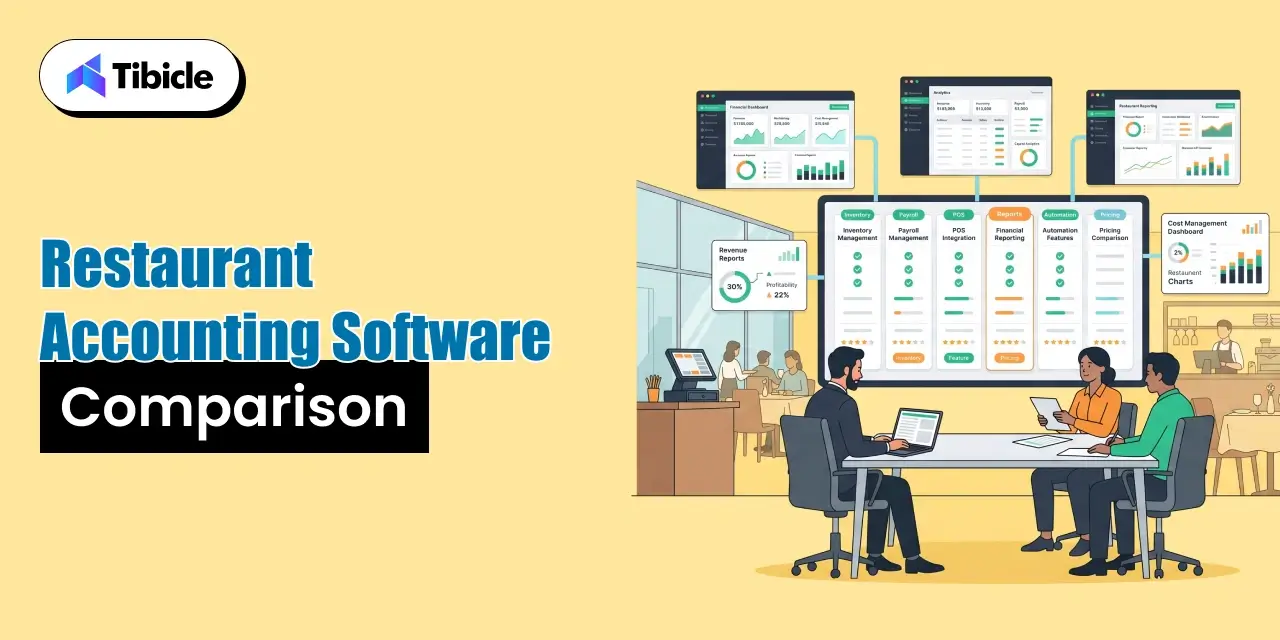
Choosing the best restaurant accounting software requires understanding the trade-offs between flexibility, functionality, and cost.
General-Purpose vs. Restaurant-Specific: The Core Trade-Off
General-purpose accounting systems such as QuickBooks Online and Xero provide affordability, accountant familiarity, and extensive integration ecosystems. However, restaurants often need additional software to handle inventory costing, recipe management, and food cost tracking.
Restaurant-specific platforms such as Restaurant365 deliver these capabilities natively. Operators gain better operational visibility but must accept higher subscription costs and more complex implementations.
Neither option is universally superior. The best choice depends on restaurant size, operational complexity, and growth plans.
Restaurant Accounting Software Feature Comparison
| Feature |
QuickBooks Online |
Xero |
Restaurant365 |
MarginEdge |
| Restaurant-Specific General Ledger |
✗ |
✗ |
✓ |
Partial |
| Prime Cost Tracking |
Manual |
Manual |
Automated |
Automated |
| Inventory & Recipe Costing |
Add-on |
Add-on |
Native |
Native |
| POS Integrations |
100+ |
800+ Apps |
80+ Dedicated |
POS Linked |
| Payroll |
Add-on |
Add-on |
Native |
Requires QBO/Sage |
| AP Automation |
Partial |
Partial |
Full |
Full |
| Multi-Location Reporting |
Limited |
Moderate |
Strong |
Moderate |
| Starting Price / Month |
~$38 |
~$25 |
~$289 |
~$350 |
| Best Fit |
Single Location |
Flexible Scaling |
3+ Locations |
QBO Enhancement |
Pricing changes frequently and should always be verified directly through vendor websites before making purchasing decisions.
Which Platform Fits Your Restaurant?
- QuickBooks Online: Best for independent operators and smaller restaurants.
- Xero: Ideal for businesses wanting flexibility and international support.
- Restaurant365: Best for multi-location groups requiring centralized operations.
- MarginEdge: Excellent for operators focused on food cost management and AP automation without replacing their accounting platform.
Not sure which platform fits your operation? Talk to Tibicle’s restaurant technology team, and we’ll help map the right accounting stack to your revenue, growth plans, and operational complexity.
Restaurant Accounting Software Pricing and Total Cost of Ownership
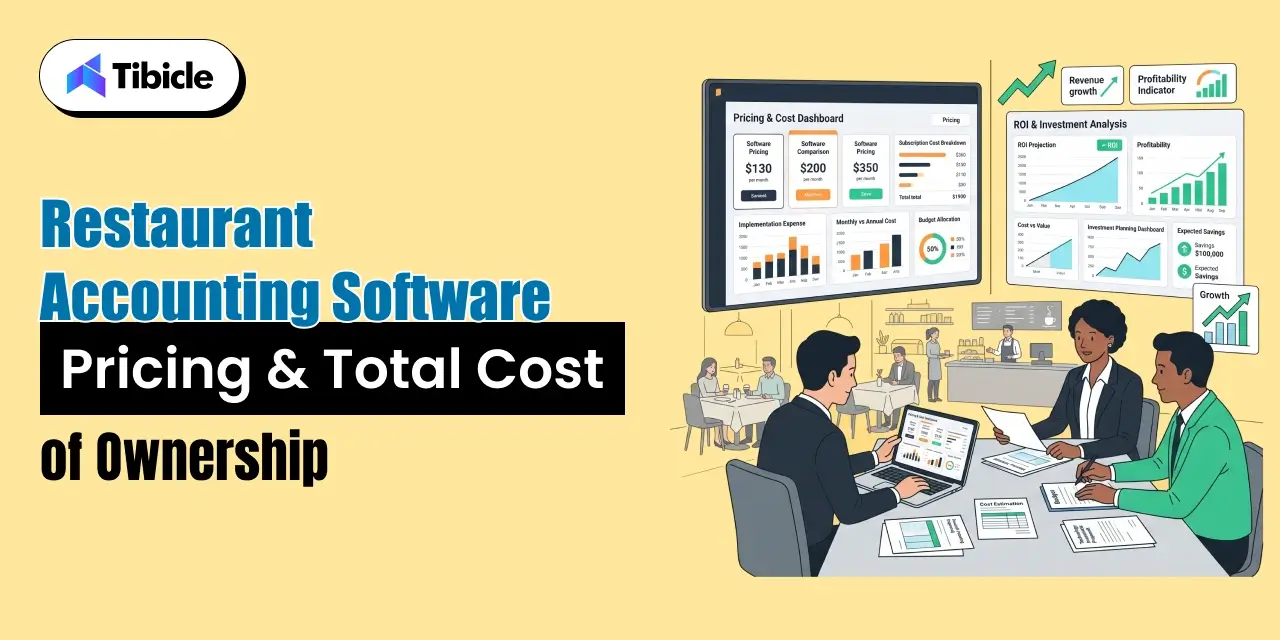
One of the biggest mistakes restaurant operators make is underestimating the true cost of ownership. Subscription pricing is only one part of the overall investment.
Pricing by Restaurant Size and Complexity
Single Location Under $1.5M Revenue
Most operators spend approximately:
- QuickBooks Online Essentials: $35–$50/month
- POS Integration: $20–$50/month
- Additional Reporting Tools: Optional
Estimated Total: $90–$120/month
Single Full-Service Restaurant ($1.5M–$3M Revenue)
Restaurants requiring stronger inventory controls often combine:
- QuickBooks Online Plus
- MarginEdge
- POS Integrations
Estimated Total: Around $450–$500/month
Multi-Location Restaurant Group ($4M–$8M Revenue)
Restaurant365 becomes financially viable at this stage due to centralized reporting and operational controls.
Estimated Total: $1,800–$2,400/month, depending on modules and location count.
Enterprise Restaurant Operations (8+ Locations)
ERP-level pricing becomes common.
Expect:
- Custom implementation fees
- Per-location pricing
- Enterprise support contracts
Most vendors provide quote-based pricing for these deployments.
Hidden Costs Restaurant Operators Often Overlook
Software subscriptions rarely represent the full investment.
Common hidden expenses include:
- Per-user licensing fees
- Middleware and POS integration costs
- Implementation services
- Data migration fees
- Training and onboarding expenses
- Payroll modules
- Scheduling software integrations
- Inventory management add-ons
- Annual contract commitments
Evaluating the total cost of ownership before signing a contract prevents unexpected expenses later.
Measuring the Financial ROI of Your Restaurant Accounting Software Platform
For restaurant operators and finance leaders, software should not be evaluated solely on subscription cost. The real question is whether the platform improves profitability, reduces operational inefficiencies, and provides visibility into critical business metrics.
The best restaurant accounting software pays for itself through margin recovery, labor savings, inventory control, and financial accuracy.
Where the Return Comes From
One of the biggest sources of ROI comes from food cost management. Restaurants tracking actual versus theoretical food costs at the recipe level often recover between 1.5–3% in margin by identifying waste, theft, supplier price increases, and portion inconsistencies.
For example, a restaurant generating $1.7M in annual revenue could recover more than $25,000 annually simply by identifying invoice price creep and inventory variance.
Additional ROI drivers include:
- Faster month-end reconciliation
- Reduced payroll errors
- Better labor cost visibility
- Automated invoice processing
- Lower inventory variance
- Improved purchasing controls
Restaurants using integrated POS and accounting systems frequently reduce monthly reconciliation time from approximately 40 hours to less than 15 hours.
When Does Restaurant Accounting Software Pay for Itself?
Operators should calculate ROI using:
Current Accounting Labor Costs + Error Exposure + Margin Recovery Opportunities
For multi-location groups, Restaurant365 often reaches positive ROI within 9–14 months because of improvements in prime cost tracking and operational reporting.
For smaller operators generating under $1.5M annually, enterprise-grade systems may create negative ROI due to higher subscription costs. In these situations, QuickBooks Online with restaurant-focused add-ons typically remains the smarter option.
A useful benchmark:
Every 1% improvement in food cost percentage on $2M annual revenue equals approximately $20,000 in recovered margin.
KPIs to Track After Implementation
Monitor these metrics consistently:
- Prime Cost Percentage
- Inventory Variance
- Days to Close Monthly Books
- Labor Cost Percentage
- Days Payable Outstanding
- Payroll Errors
- Overtime Variance
Weekly tracking generally delivers better operational results than monthly reporting.
Risks and Challenges of Switching Accounting Platforms
Changing accounting systems can improve visibility and efficiency, but implementation challenges should not be underestimated.
Data Migration and Historical Records
Migrating years of financial records requires careful planning.
Operators should review:
- Chart of Accounts
- Vendor Records
- Payroll History
- Open AP Invoices
- Unreconciled Transactions
- Tax Reporting Data
Single-location restaurants typically complete migration within 2–4 weeks. Multi-location groups often require 6-10 weeks, depending on reporting complexity.
Integration Failures and POS Compatibility Issues
Many accounting vendors advertise POS compatibility, but actual integration depth varies significantly.
Before selecting a platform, verify:
- Native integration availability
- Middleware requirements
- Data synchronization frequency
- Payroll integration support
- Inventory data flow
Poor integrations often create duplicate data entry, reconciliation problems, and reporting inconsistencies.
Staff Adoption and Training Challenges
Technology only works when teams use it correctly.
A common post-implementation issue involves managers entering invoice and inventory data incorrectly, creating inaccurate reporting and inventory variance.
Successful implementations typically include:
- Role-based training
- Dedicated onboarding sessions
- Documentation and SOPs
- Ongoing support during the first 90 days
Investing in training often produces a higher ROI than investing in additional software modules.
Vendor Selection Checklist: What to Evaluate Before You Sign
Selecting software based solely on features or pricing often leads to expensive mistakes.
12-Point Evaluation Framework
Before signing any agreement, ask:
- Does the platform support your POS system natively?
- Is prime cost tracking included or sold separately?
- Can it generate per-location P&Ls automatically?
- What is the true monthly cost, including integrations?
- Is inventory and recipe costing built-in?
- Does AP automation support multiple vendors?
- Is pricing annual or month-to-month?
- What does implementation cost?
- How long does migration take?
- Does it support multi-entity reporting?
- Can it handle tip reporting and labor compliance?
- What uptime guarantees and support SLAs are offered?
The answers often reveal more than marketing materials.
Top Accounting Platforms for Restaurants in 2026
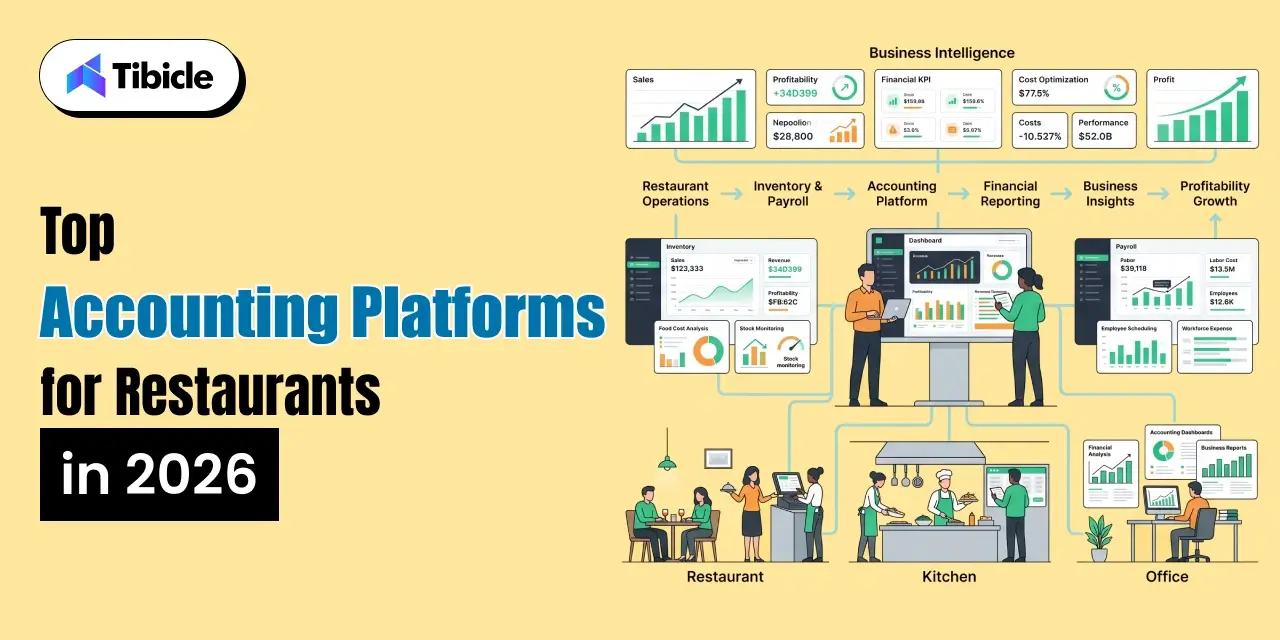
Restaurant365 – Best for Multi-Location Restaurant Groups
Restaurant365 combines accounting, inventory, payroll, scheduling, and AP automation into a single platform.
Strengths:
- Native restaurant general ledger
- Prime cost tracking
- Inventory management
- Payroll integration
- Multi-location reporting
Best Fit:
Restaurants operating 3+ locations or generating more than $4M annually.
QuickBooks Online – Best Entry Point for Single-Location Operators
QuickBooks remains one of the most widely used accounting platforms because of its simplicity and accountant familiarity.
Strengths:
- Low entry cost
- Broad accountant adoption
- Extensive integrations
Limitations:
- Requires add-ons for recipe costing
- Limited restaurant-specific reporting
Best Fit:
Independent restaurants under $1.5M revenue.
MarginEdge – Best for Food Cost Control
MarginEdge is not a standalone accounting platform but serves as a powerful operational layer.
Strengths:
- Invoice automation
- Recipe costing
- Food cost visibility
- Inventory management
Best Fit:
Operators want stronger food cost controls without replacing QuickBooks.
Xero – Best for Flexible Cloud Accounting
Xero offers a modern interface and an extensive integration ecosystem.
Strengths:
- Cloud-native architecture
- Strong bank reconciliation
- Multi-currency support
- Large app marketplace
Limitations:
- Requires third-party restaurant tools
Best Fit:
Restaurant groups need flexibility and international support.
Why Tibicle LLP Is a Strong Fit for Restaurant Accounting Software Implementation
Restaurant accounting software often fails not because of the platform itself, but because integrations between POS systems, payroll tools, inventory management software, and accounting systems are poorly configured.
Tibicle helps restaurant operators solve these integration challenges by building custom middleware, automating data flows, and creating reporting environments that connect multiple systems into a unified operational stack.
For multi-location groups, franchise operators, and growing restaurant brands, Tibicle can help:
- Integrate POS and accounting platforms
- Build custom reporting dashboards
- Automate financial data pipelines
- Improve operational visibility
- Reduce manual reconciliation work
Rather than focusing solely on software selection, Tibicle helps restaurants build an accounting ecosystem that scales with growth.
Evaluating your restaurant accounting stack? Tibicle’s team can help assess your current systems and recommend the right integration architecture.
Conclusion
The best restaurant accounting software is not necessarily the platform with the most features. The right choice depends on your location count, revenue level, operational complexity, and growth plans.
Single-location operators often achieve excellent results with QuickBooks Online and targeted integrations. Multi-location groups generally benefit from restaurant-specific platforms that provide stronger inventory, labor, and operational visibility.
Ultimately, the strongest ROI comes from margin recovery, inventory control, and operational efficiency, not simply from reducing bookkeeping hours.
Ready to build a restaurant accounting stack that closes the books faster and improves profitability? Talk to Tibicle’s team today.
FAQs
What is restaurant accounting software?
Restaurant accounting software is a financial management system designed specifically for restaurants. It combines accounting, payroll, inventory tracking, prime cost management, and POS integration into a single platform.
How much does restaurant accounting software cost?
Pricing ranges from approximately $25-$120 per month for general-purpose tools like QuickBooks Online or Xero to $1,800-$2,400+ monthly for multi-location systems such as Restaurant365.
Is QuickBooks good for restaurants?
Yes, particularly for single-location operators under $1.5M in annual revenue. However, larger operations often require additional tools for inventory and food cost management.
What is prime cost in restaurant accounting software?
Prime cost equals Cost of Goods Sold (COGS) plus total labor expenses. Industry benchmarks recommend maintaining prime cost below 60–65% of sales.
Can restaurant accounting software integrate with my POS?
Most modern platforms integrate with major POS systems such as Toast, Square, Lightspeed, Clover, and Revel, although integration depth varies.
When should a restaurant switch from QuickBooks to Restaurant365?
Most operators consider switching when they reach three or more locations, experience inventory management challenges, or require consolidated multi-location financial reporting.