










0%

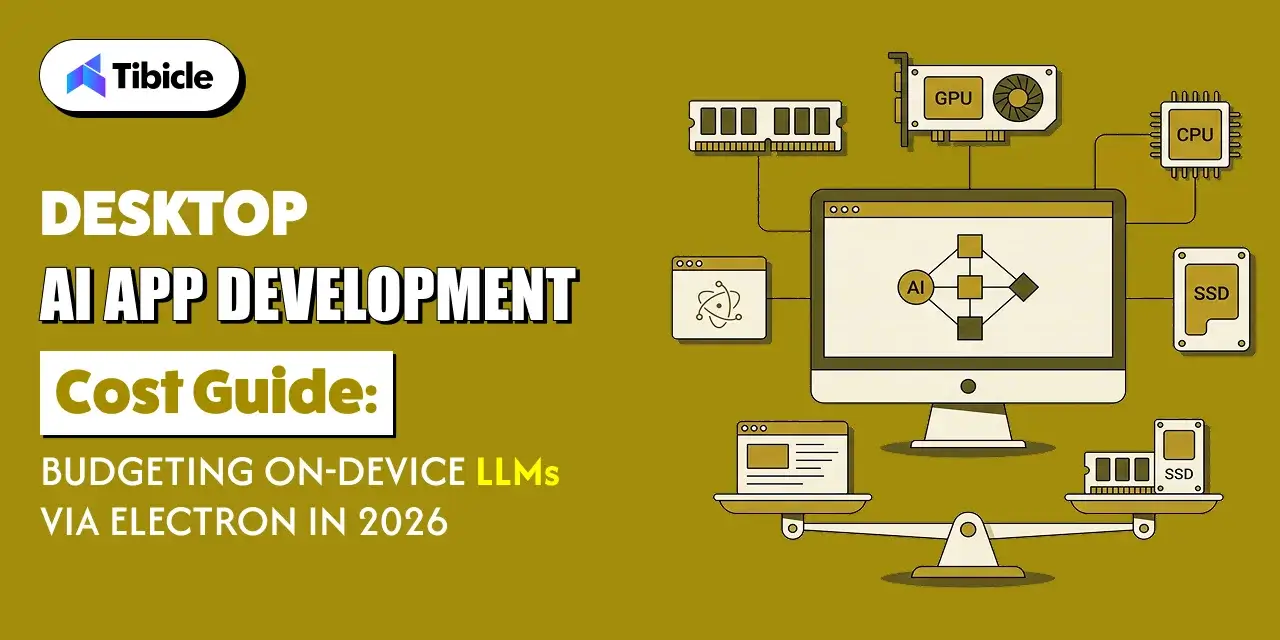
Desktop Application Development Cost Guide for 2026

icon

Aug 26, 2026

icon

Read in 5 Minutes

What This Guide Covers

Who this is for: SaaS founders, CTOs, product managers, engineering leads, and business owners planning to build or launch a cross-platform desktop application development cost in 2026. It is especially valuable for teams evaluating Electron or similar frameworks and looking to create a realistic budget before committing to development, whether working with an in-house team, dedicated developers, or a software development agency.

Search intent: Project planning and budgeting. This guide is written for teams that already know they want to build a desktop application and are looking for a complete understanding of the costs involved beyond developer hourly rates. Rather than providing generic pricing estimates, it focuses on the real budget components that influence the total cost of ownership, including design and discovery, development models, code signing certificates, quality assurance, deployment, and long-term maintenance.

What you will walk away with: A practical breakdown of every major cost involved in launching a cross-platform desktop application, including why developer rates alone rarely reflect the true project budget, the hidden expenses most teams overlook, how different team structures affect development costs, the ongoing investment required for code signing, distribution, testing, and maintenance, and how to build a realistic desktop application development budget that minimizes cost overruns and supports a successful product launch in 2026.

Introduction

desktop application development cost guide

Understanding desktop application development cost is essential before starting a cross-platform desktop project in 2026. The application development software market is expected to grow from $172.94 billion in 2026 to $826.48 billion by 2034. The market has a projected compound annual growth rate above 21%.

Most budgeting conversations start with a developer rate card. Teams multiply the hourly rate by estimated hours and use that figure as the project cost. For a cross-platform desktop app, that approach almost always produces a number that’s wrong. Design work, certificates, and quality assurance all add costs. Cross-platform testing also requires additional budget. Maintenance continues long after launch and adds further costs. This guide breaks down the major costs in a 2026 cross-platform desktop budget. It helps you plan a budget that better reflects your actual spending.

What Goes Into Desktop Application Development Cost Launch Budget

desktop application development cost guide

A cross-platform desktop build can target Windows, macOS, and Linux from one codebase. Teams often use a framework such as Electron. This creates a different cost structure from a single-platform web app. Teams that price only the development hours are pricing roughly half the actual budget.

Five Factors That Affect Desktop Application Development Cost

Beyond core development, a realistic budget accounts for design and discovery, code signing and distribution fees, cross-platform QA, update infrastructure, and ongoing maintenance. Each item is relatively small compared with development costs. However, together they can add 30–50% to the initial build estimate. Certificate renewals and maintenance can also recur every year.

Why Hourly Rates Underestimate Desktop Application Development Cost

An hourly rate multiplied by hours tells you what the coding will cost. It says nothing about the cost of owning the software afterward. Gartner’s total cost of ownership framework considers technology costs across the full life of an investment. This is useful for desktop apps. Signing certificates, QA cycles, and update servers can continue to generate costs after the initial build. A rate card captures acquisition. It misses ownership. Budgeting only for development hours is the single most common reason cross-platform desktop projects run over.

Design and Discovery in Desktop Application Development Cost

Before a line of code gets written, design and technical planning set the shape and the eventual cost of everything downstream. Skipping or underfunding this phase tends to show up later as expensive rework.

desktop application development cost guide

UX Research and Wireframing

Desktop apps have interaction patterns that differ from mobile and web layouts. Keyboard shortcuts, native menus, and drag-and-drop behavior need intentional design. Teams should not simply adapt these patterns from a web UI. Budgeting for user research and wireframing upfront, rather than treating design as an afterthought bolted onto a web codebase, is what keeps the eventual build from needing to be redone once real desktop usage patterns surface.

Technical Architecture and Framework Selection

Before development starts, a technical lead needs to decide on the cross-platform framework (Electron, Tauri, or similar), the state management and packaging approach, and how the app will handle OS-specific behavior like file system access or native notifications. This planning phase is short compared with development. However, it can have a major effect on total cost. Framework and architecture changes are expensive once development is underway.

When to Budget for a Clickable Prototype

For apps with complex workflows or multiple user roles, a clickable prototype built before development begins is worth the added cost. A prototype gives stakeholders something concrete to review. It also reveals usability issues early. Teams can then fix those issues before development progresses too far.

Desktop Application Development Cost by Team Structure

desktop application development cost guide

The single biggest lever on total project cost isn’t the framework or the feature list; it’s who builds the app. In-house teams, dedicated offshore teams, and full-service agencies each carry a different cost profile, and picking the wrong structure for the project’s shape is a common source of budget overruns.

In-House Team Cost Profile

An in-house team requires salaries, benefits, equipment, and management overhead. These costs continue during both active development and maintenance periods. This structure makes sense when the desktop app is a core, long-term product the business will keep investing in for years; the fixed cost is justified by sustained ownership.

Dedicated Team or Staff Augmentation Cost Profile

A dedicated team or staff augmentation model bills by the hour or month and scales up or down with project needs, without the fixed overhead of full-time hires. Regional rates vary significantly: 2026 benchmark data puts senior developer rates around $31–$41/hour in Asia, $60–$75/hour in Latin America, and $64–$76/hour in Europe, with junior rates running lower across all three regions. This model suits teams that need consistent capacity for an extended period without committing to permanent headcount.

Full-Service Agency Cost Profile

An agency engagement typically runs on a fixed project quote or milestone-based pricing tied to a defined scope. This structure works well when the project has a clear beginning and end, such as a v1 launch or a platform migration, rather than an open-ended, continuously evolving product roadmap.

Team StructureTypical Cost RangeBest Fit
In-house teamSalaries plus benefits, ongoing overheadLong-term core product ownership
Dedicated team/staff augmentationHourly or monthly rate by regionOngoing work needing consistent capacity
Full-service agencyFixed project quote or milestone-basedDefined scope with a clear end date

Code Signing, Certificates, and Distribution Costs

Assurance

Certificate and enrollment fees are individually small, but they’re also the line item most likely to get discovered at launch time instead of budget time, which is exactly when a missing certificate turns into a delay.

Image: Create an isometric 3D illustration showing a desktop application being securely packaged and distributed, with digital certificates, security keys, authentication shields, signed application packages, app stores, and desktop devices receiving secure software updates 

Apple Developer Program Enrollment

Distributing a macOS build outside the App Store, or through it, requires enrollment in the Apple Developer Program, which runs $99 USD per membership year for the standard program and $299 USD per year for the Enterprise Program used for private internal distribution. It’s a recurring annual fee, not a one-time cost, so it belongs in the ongoing budget, not just the launch budget.

Windows EV Code Signing Certificate Costs

Windows code signing uses either an OV (Organization Validation) or EV (Extended Validation) certificate. Per Electron’s own documentation, EV certificates must be stored on a hardware security module meeting FIPS 140 Level 2 or equivalent standards, meaning the key can’t simply be downloaded onto CI infrastructure the way an OV certificate can. That hardware requirement is what makes EV certificates both more expensive and more operationally involved to set up than OV certificates, which is a meaningful factor when deciding which certificate tier a build actually needs.

Ongoing Renewal Costs to Plan For Annually

Both the Apple Developer Program membership and Windows code signing certificates renew annually, and letting either lapse can pull a shipped app off a store or trigger fresh “unrecognized publisher” warnings for existing users. Building renewal dates into the maintenance calendar not just the launch checklist, avoids a scramble months after the team has moved on to other work.

Quality Assurance and Cross-Platform Testing Costs

Assurance

Testing a desktop app across three operating systems costs more than testing a single-platform web app, and it’s one of the most commonly underbudgeted line items because teams price QA as if it scales linearly with a single-platform estimate.

Manual QA Across Three Operating Systems

Windows, macOS, and Linux each have their own installation flow, file system permissions model, and UI conventions, and bugs on one platform frequently don’t reproduce on another. Manual QA needs dedicated time on each OS rather than a single test pass that gets assumed to cover all three treating cross-platform QA as three separate testing efforts, not one, is what keeps launch-week bug reports manageable.

Automated Testing Setup Costs

Setting up automated test suites and CI pipelines that run across all three target operating systems takes upfront engineering time, but it pays off on every release after the first by catching platform-specific regressions before they reach users. The setup cost is real and belongs in the initial budget, even though the payoff shows up later.

Device and OS Version Coverage

Beyond the three operating systems, teams need to decide how many OS versions back they’ll support. Linux distributions in particular vary widely and budget testing hardware or virtual machine access accordingly. Narrowing supported versions deliberately, rather than defaulting to “everything,” is a practical way to keep this line item from growing unbounded.

Ongoing Maintenance for Desktop Application Development Cost

The initial build is a milestone, not a finish line. A desktop app needs infrastructure and budget to keep working after launch, and this is where many project budgets simply stop planning.

Hosting an Update Server and Release Pipeline

Auto-updating a desktop app requires hosting infrastructure to serve update packages and manage version rollout, plus the engineering time to maintain that pipeline. This is a recurring infrastructure cost that continues for as long as the app is actively distributed, not a one-time setup expense.

Bug Fixes, OS Compatibility Updates, and Security Patches

Operating systems change underneath a shipped app; a macOS or Windows update can break previously working functionality, and security patches need to go out promptly when vulnerabilities are found. Budgeting a standing allocation for this reactive work, rather than treating every fix as an unplanned expense, keeps maintenance from becoming a constant budget surprise.

Budgeting a Realistic Annual Maintenance Percentage

A common approach is to set aside a percentage of the initial development cost each year for maintenance, covering bug fixes, compatibility updates, and minor feature work. Planning this as a fixed annual line item from day one rather than deciding reactively each time something breaks is what separates teams that budget well from teams that get surprised every year.

How Tibicle Helps Manage Desktop Application Development Cost

Every line item above is easier to plan for with a partner who scopes it upfront rather than discovering it mid-project. That’s the approach Tibicle takes with cross-platform desktop engagements.

Budget Planning and Scope Definition

Before development starts, Tibicle works through the full cost picture with the client design and discovery, development approach, certificates, QA, and post-launch maintenance so the number the project starts with is the number it’s likely to finish at, not a development-hours estimate that grows once certificates and QA get added later.

Transparent, Milestone-Based Development Costs

Development costs are structured around clear milestones, so clients can see progress and spend together rather than receiving a lump invoice at the end. This also makes it straightforward to adjust scope mid-project without losing budget visibility.

Post-Launch Maintenance and Support Packages

Once an app ships, Tibicle offers ongoing maintenance and support packages covering bug fixes, OS compatibility updates, and certificate renewals, so the post-launch costs outlined earlier in this guide are handled under a predictable arrangement instead of landing as unplanned requests.

Key Takeaways for Budget Owners

  • A realistic budget includes design, certificates, QA, and maintenance, not just development hours.
  • Team structure changes the cost profile more than the hourly rate alone.
  • Certificate and enrollment fees are small individually but belong in the budget from day one.
  • Annual maintenance typically continues well past launch; plan for it as a recurring line item, not an afterthought.

Ready to put real numbers against your own cross-platform desktop launch? Book a call with Tibicle to walk through your scope and budget together.

FAQ

What is the desktop application development cost in 2026?
It depends heavily on scope, team structure, and platform coverage, but a realistic budget includes far more than development hours alone: design and discovery, code signing certificates, cross-platform QA, and ongoing maintenance all add to the total. Teams that price only the development line typically end up 30–50% under their actual spend.

What’s the difference in desktop application development cost between an in-house team and a dedicated development team?
An in-house team carries fixed costs: salaries, benefits, and overhead regardless of project phase, which suits long-term core product ownership. A dedicated team or staff augmentation model bills by the hour or month and scales with the work, which fits projects needing consistent capacity without a permanent headcount commitment.

Do I need to budget for code signing certificates separately from desktop application development cost?
Yes. Apple Developer Program enrollment and Windows code signing certificates are separate, recurring annual costs that fall outside the development budget entirely, and they must be renewed each year the app remains in distribution.

How much should I budget for Desktop Application Development Cost in QA across Windows, macOS, and Linux?
Treat QA for each operating system as a separate testing effort rather than a single pass that covers all three, since platform-specific bugs often don’t reproduce across OSes. Automated cross-platform test setup adds upfront cost but reduces manual QA time on every release after the first.

How Does Maintenance Affect Desktop Application Development Cost?
A common practice is setting aside a fixed percentage of the initial development cost each year to cover bug fixes, OS compatibility updates, and security patches. The exact percentage varies by app complexity, but planning it as a standing annual line item rather than reacting to costs as they arise is the more reliable approach.

Does Tibicle provide a fixed quote or milestone-based pricing for desktop application development cost?
Tibicle structures development costs around clear milestones, giving clients visibility into progress and spend throughout the project rather than a single lump-sum invoice at the end.

Written by
author-image
Diya Koradiya
Business Development Executive
I'm Diya Koradiya, Business Development Executive at Tibicle LLP. I connect business ideas with the right technology, turning requirements into purposeful digital solutions. With a strong emphasis on clarity and collaboration, I help clients move forward by aligning practical needs with smart innovation.

Recent Blogs

Got an Idea?
Get FREE Consultation

In our world, there's no such thing as having too many clients

icon
Phone
+91 9724922880