
Offline Local LLM Desktop App Integration in Electron

Oct 07, 2026

Read in 6 Minutes
Table of Contents
- What This Guide Covers
- Introduction
- Why Offline-First Matters More Once a Local LLM Is Involved
- Conflict Resolution for Offline Local LLM Desktop App Integration
- Architecting the Sync Queue in an Electron Application
- Where the Local LLM Fits: Architecture for Offline Local LLM Desktop App Integration
- Cost and Architecture Trade-offs Between Local and Cloud Inference
- Hardware and Storage Budgeting for Offline Local LLM Desktop App Integration
- How Tibicle Builds Offline-First, Sync-Resilient Electron Applications
- Key Takeaways for Teams Building Offline-Resilient Software
- FAQ
What This Guide CoversWho this is for
This guide is intended for engineering leads, staff engineers, and technical founders building or maintaining Electron-based desktop applications that must function without a constant connection, particularly teams undertaking offline local LLM desktop app integration to add on-device inference. It is also relevant to product managers scoping offline capability and evaluating build-versus-outsource decisions for sync infrastructure, since offline local llm desktop app integration carries implications for both engineering architecture and resourcing.
Search intent
Informational with commercial undertone. The searcher is past “what is offline-first” and is looking for how to actually architect sync, conflict resolution, and local LLM fallback in a real Electron app, likely while scoping a build or evaluating whether to bring in outside help. They want concrete approaches (CRDTs vs. operational transformation vs. last-write-wins), not a definition-level overview.
What you will walk away with:
A clear reason why local LLM integration turns offline sync into a harder problem than simple read-only caching, along with a framework for choosing last-write-wins, CRDTs, or operational transformation based on the data type involved. You’ll get a concrete sync queue design for Electron, covering local storage choice, write queuing, retry behavior, and partial failure handling, plus a hybrid routing pattern for switching between local and cloud inference based on connectivity. The guide closes with storage and memory budgeting guidance for devices that stay offline for extended periods.
Introduction
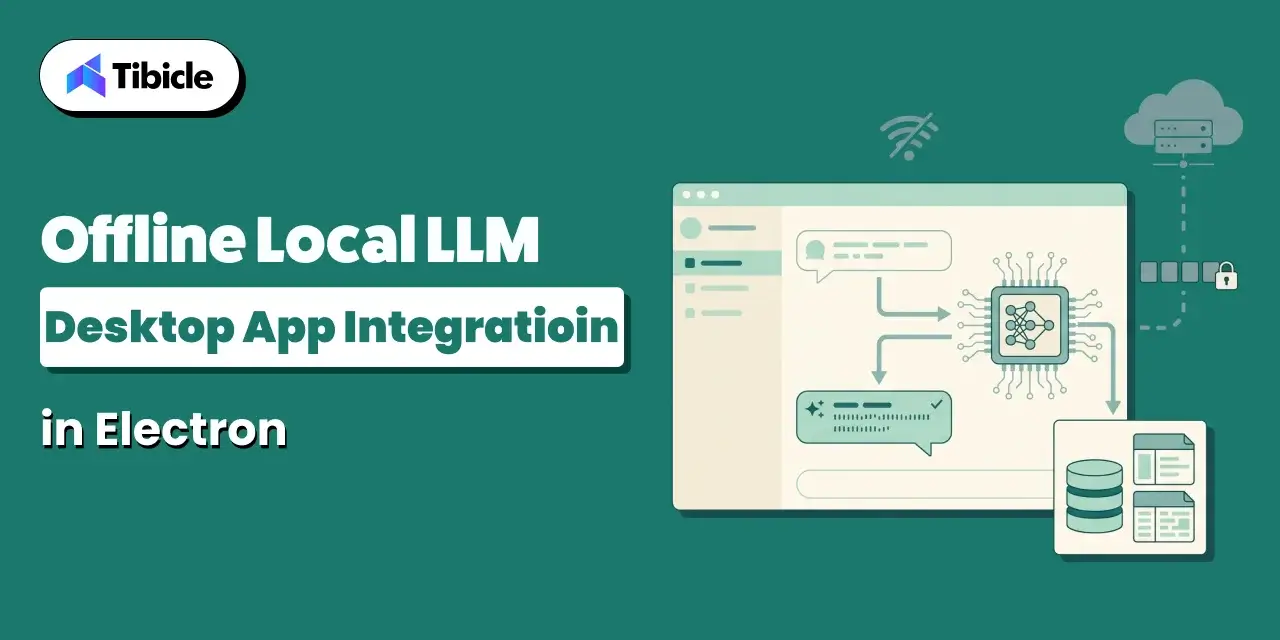
The global edge computing market is projected to reach USD 327.79 billion by 2033, expanding at a 33.0% CAGR from 2025 to 2033 (Grand View Research). That growth is not just infrastructure moving closer to users. It is software vendors deciding that a local model, running inside a desktop app, needs to keep working when the network does not.
Offline local LLM desktop app integration used to mean caching the last known state and showing it while disconnected. That is no longer the whole job. Once a local model is generating new records while the device is offline, the app needs a real offline-first data sync architecture: a way to queue those records, merge them with whatever changed elsewhere, and resolve conflicts without losing data or duplicating it.
This guide covers why that shift happened, how to resolve conflicts in AI-generated data, how to structure the sync queue in Electron, where the local model fits in the architecture, the cost trade-offs between local and cloud inference, and how much storage and memory to budget for offline-resilient desktop software.
Why Offline-First Matters More Once a Local LLM Is Involved
The Old Offline Problem: Caching Data for Read-Only Access
The original offline problem in desktop software was narrow. An app fetched data while connected, stored a local copy, and served that copy when the network dropped. Users could read messages, view records, or browse a catalog without a connection. Apps either blocked writes outright or queued them as simple, single-field updates: a status flag, a checkbox, a renamed file. Conflict handling barely mattered because so little changed locally. Last-write-wins was good enough because there was rarely more than one write to compare.
The New Offline Problem: A Local Model Generating Data That Needs to Sync
A local LLM changes the shape of the problem. It can summarize a call, draft a document, tag a record, or generate a decision entirely offline, and every one of those outputs is new data that has to reconcile with the server and with other devices once connectivity returns. Unlike a manual edit, a cloud run of the same task can regenerate, revise, or supersede model output on reconnect. The sync layer now has to handle concurrent AI-generated records, not just concurrent user edits, and decide which version wins when both are plausible answers to the same prompt.
Conflict Resolution for Offline Local LLM Desktop App Integration
Why Simple Last-Write-Wins Breaks Down With AI-Generated Content
Last-write-wins assumes the most recent write is the most correct one. That assumption fails once a local model and a cloud model can independently produce a valid answer to the same input at nearly the same time. Overwriting one AI-generated record with another based on timestamp alone can silently discard a better answer, drop structured fields the other version lacked, or erase a human edit made in between. Once concurrent writes come from inference rather than typing speed, the system needs a merge strategy, not a tiebreaker.
Conflict-Free Replicated Data Types for Merging Without Coordination
A conflict-free replicated data type, or CRDT, is a data structure that lets any replica update independently; any two replicas that receive the same updates converge to the same state, deterministically, without central coordination (Preguiça, Baquero & Shapiro). Applied to offline sync, this means a list of tags, a counter of retries, or a set of flagged records can merge cleanly across devices without a server arbitrating every conflict in real time. CRDTs work well for structured data with well-defined merge rules. They are not a drop-in fix for free text.
When Operational Transformation Fits Better Than CRDTs
Operational transformation transforms concurrent operations against each other so the intent of each edit survives the merge, rather than picking a winner. It fits rich text and collaborative document editing, where two people or two processes may edit the same paragraph, and the merge must preserve both edits in a coherent order. CRDTs handle structured data like lists and counters more simply, but for free-form AI-generated text edited by multiple sources, operational transformation is usually the better fit. Some sync layers use both, choosing per field.
| Approach | How It Resolves Conflicts | Best Fit |
| Last-write-wins | The most recent timestamp overwrites earlier changes | Simple, low-stakes data with rare concurrent edits |
| CRDTs | Mathematically guaranteed convergence without central coordination | Structured data like lists, counters, and sets edited offline |
| Operational transformation | Transforms concurrent operations to preserve intent | Rich text and collaborative document editing |
Architecting the Sync Queue in an Electron Application
Local-First Storage: SQLite or Embedded Database Choices
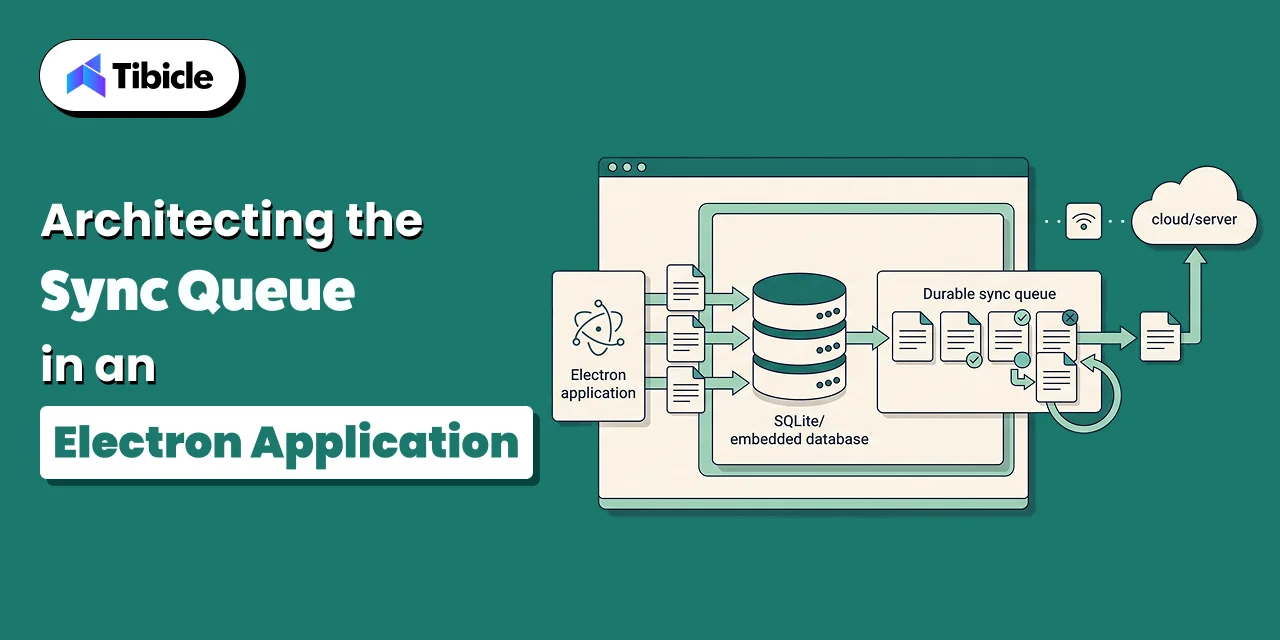
An Electron app needs a local store that survives crashes and holds a full working copy of the user’s data, not just a cache. SQLite is the common default: it is embedded and transactional, and Node bindings support it well, which makes it a reasonable base for a sync queue table alongside application data. Some teams choose an embedded document store instead when the data is less structured, such as raw model output before the app normalizes it. The choice matters less than making sure every local write goes through the same table the sync engine reads from.
Queuing Writes and Retrying on Reconnect in Offline Local LLM Desktop App Integration
Every write made offline, whether typed by a user or generated by the local model, should land in a durable queue before anything else happens to it. On reconnect, the queue drains in order, with retry and backoff for individual failed items rather than the whole batch. A queue that lives only in memory loses everything on an unexpected quit. A queue backed by the same SQLite file as the rest of the app survives restarts and gives the sync engine a clear, inspectable record of what is still pending.
Handling Partial Sync Failures in Offline Local LLM Desktop App Integration
Partial failures are the normal case, not the exception. A batch of twenty queued writes might sync eighteen successfully and fail two due to a validation error or a stale conflict. The failed items need to stay in the queue with their own error state, rather than having the app drop them or silently retry them forever. Logging which records failed, why, and how many attempts the app has made turns a support ticket into a five-minute fix instead of a data recovery exercise.
Where the Local LLM Fits: Architecture for Offline Local LLM Desktop App Integration
Running Inference Locally When There’s No Network at All
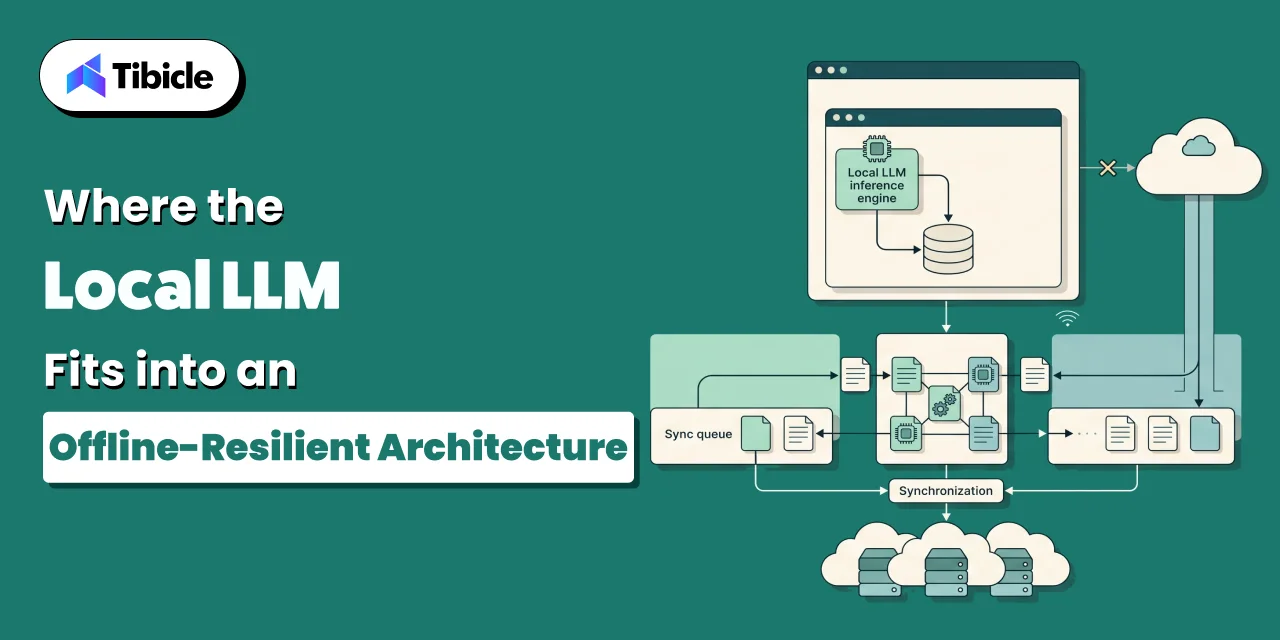
When the device has no connection, the local model is the only inference path available. This is why offline local LLM desktop app integration usually pairs a smaller, quantized model with the app itself rather than relying on a cloud call that will simply fail. Heavily quantized large models consistently outperform smaller, high-precision models, with a practical performance threshold around 3.5 effective bits-per-weight (A Systematic Evaluation of On-Device LLMs). That finding argues for shipping a larger model at aggressive quantization rather than a smaller model at higher precision, within the memory budget the device allows.
Falling Back to Cloud in Offline Local LLM Desktop App Integration
Once the network comes back, the app has a choice: keep using the local model or route new requests to the cloud model it may normally prefer for quality or context length. Most architectures switch new requests to the cloud path immediately on reconnect, while letting already-queued local outputs sync as-is rather than re-running them. Re-running every offline output through the cloud model on reconnect duplicates cost and can produce a second, conflicting answer to a question the app has already answered.
Keeping Output Format Sync-Compatible in Offline Local LLM Desktop App Integration
The sync layer should not need to know which model produced a given record. That only works if local and cloud inference write to the same schema. A record generated offline and a record generated in the cloud should carry the same fields, the same validation rules, and the same table, so the merge logic written for one works for both.
- Structure local model output the same way regardless of which model produced it, local or cloud
- Timestamp and tag every AI-generated record with its origin, since offline and online outputs may need different review
- Queue model outputs through the same sync path as user-entered data, not a separate pipeline
- Test the reconnect path deliberately, since most sync bugs surface during recovery, not during the offline period itself
Cost and Architecture Trade-offs Between Local and Cloud Inference
Why Cloud Costs Keep Falling but Offline Local LLM Desktop App Integration Still Matters
Cloud inference prices for a fixed level of benchmark performance have fallen by a range of 9x to 900x per year depending on the benchmark, according to Epoch AI’s tracking of frontier model pricing (Epoch AI). That trend makes a strong argument for routing most requests to the cloud by default. It does not remove the case for local inference. A device with no connection has no cloud path at any price, and a local model also removes round-trip latency for interactive use cases regardless of connectivity.
Hybrid Routing for Offline Local LLM Desktop App Integration: Local for Offline, Cloud for Everything Else
The practical pattern is hybrid routing: default to the cloud model when connected, fall back to the local model automatically when the network drops, and route back to the cloud once the connection is confirmed stable rather than on the first packet that gets through. This keeps quality high most of the time while guaranteeing the app still functions during an outage, a flight, or a site with no signal.
Testing an App With Networking Deliberately Disabled
Hybrid routing is only as good as the fallback path that gets tested. Running the app with networking disabled at the OS level, not just by killing the API mock, surfaces the failure modes that matter: what happens when a request is mid-flight when the connection drops, what the user sees when the local model is loading, and whether the queue actually captures every write made during the outage.
Hardware and Storage Budgeting for Offline Local LLM Desktop App Integration
Local Storage Requirements for Offline Local LLM Desktop App Integration
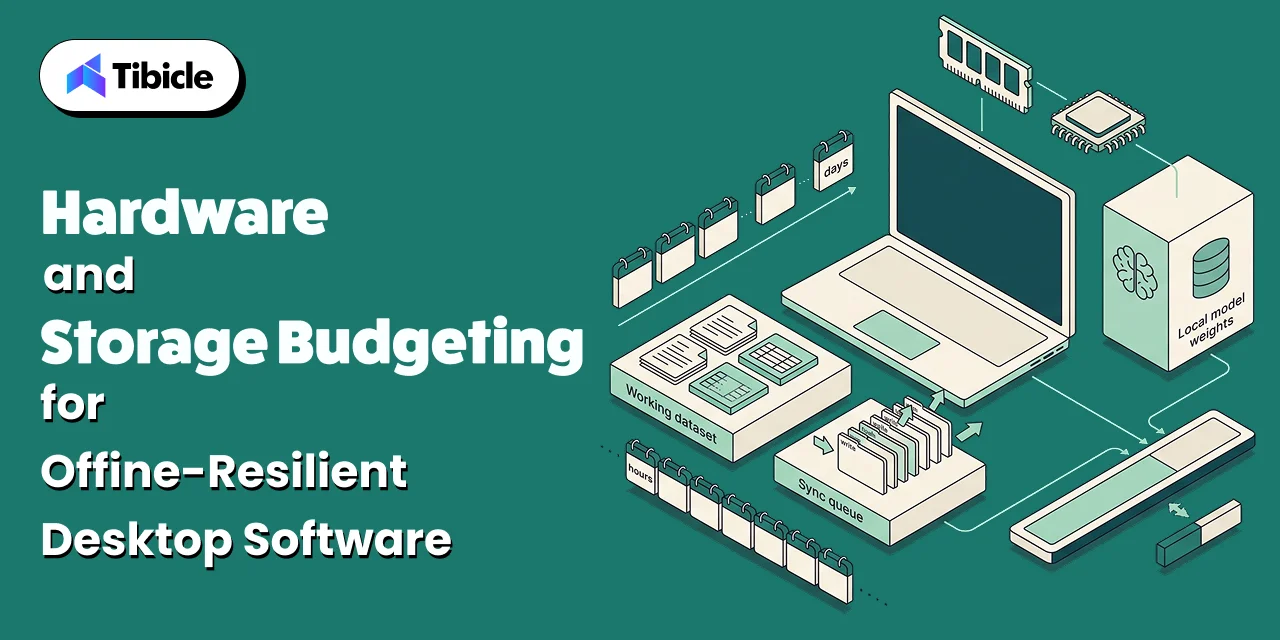
Budgeting local storage means accounting for three things separately: the working dataset the app needs offline, the sync queue of pending writes, and any local model weights. The queue is usually small unless the app is generating heavy AI output offline for extended periods, in which case it can grow faster than teams expect. Setting a queue size ceiling and a policy for what happens when it is reached, such as blocking new local generation until the backlog clears, avoids an unbounded local database.
Memory Pricing and What It Means for On-Device Model Budgets
Memory budgets for on-device models are getting more expensive to plan around. TrendForce has forecast conventional DRAM contract prices rising 90 to 95 percent quarter over quarter in the first quarter of 2026, driven by AI and data center demand pulling supply away from consumer devices (TrendForce). For teams shipping a local model as part of the app, this makes the case for a smaller, well-quantized model even stronger, since it reduces exposure to rising memory costs on the devices the app runs on.
Planning Offline Local LLM Desktop App Integration for Extended Disconnection
Field devices, laptops used on long flights, or hardware deployed in low-connectivity regions can stay offline for days rather than hours. The sync queue and local storage budget need headroom for that case specifically, not just the average short outage. A queue sized for a two-hour gap will overflow on a two-week one, and the failure mode should be graceful degradation rather than silent data loss.
How Tibicle Builds Offline-First, Sync-Resilient Electron Applications
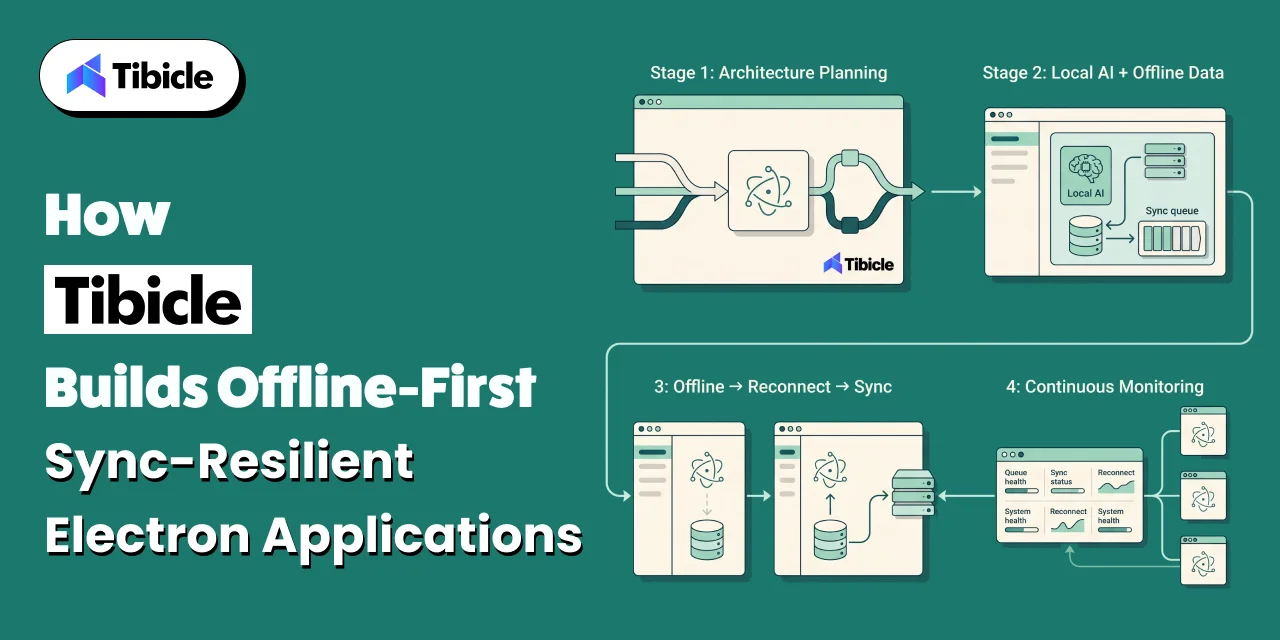
Sync Architecture and Conflict Resolution Planning
Tibicle starts by mapping which data types in the app need CRDT-based merging, which need operational transformation, and which can safely use last-write-wins. That decision is made per field, not per app, based on how the data is actually edited offline.
Implementation With Local LLM and Hybrid Routing Built In
Implementation includes the local model, the sync queue, and the hybrid routing logic as one connected system rather than three separate features bolted together. Local and cloud inference write to the same schema from day one, so the sync layer never has to special-case which model produced a record.
Ongoing Support and Sync Monitoring
After launch, Tibicle monitors queue depth, sync failure rates, and reconnect behavior in production, since these are the areas most sync bugs come from. Issues get caught from queue metrics before they show up as a support ticket about missing data.
Key Takeaways for Teams Building Offline-Resilient Software
Offline local LLM desktop app integration introduces a new sync problem: locally generated data, not just cached data, that needs to merge cleanly later. CRDTs offer a mathematically sound way to merge concurrent offline edits without central coordination, especially for structured data. Falling cloud inference costs don’t remove the case for local inference, offline capability and latency still matter. Most sync bugs surface during reconnect, not during the offline period, so the recovery path needs deliberate testing. Getting the offline-first data sync architecture right early avoids a rebuild once real users start generating data offline at scale.
FAQ
What does offline local LLM desktop app integration actually require beyond running a model locally?
It requires a sync architecture that can accept new AI-generated records while offline, queue them durably, and merge them with server state on reconnect, not just a model that runs without internet access.
How do conflicting edits get resolved when two devices were offline at the same time?
It depends on the data type. Structured fields like lists or counters typically use CRDTs for automatic, coordination-free convergence. Free-form text usually needs operational transformation to preserve both edits’ intent.
Should we use CRDTs or a simpler last-write-wins approach for our sync layer?
Last-write-wins is fine for low-stakes, rarely-contested fields. Once AI-generated content or frequent concurrent edits are involved, last-write-wins risks silently discarding valid data, and a CRDT or operational transformation approach is safer.
What happens to AI-generated data created while a device is completely offline?
It should be written to local storage and queued through the same sync path as user-entered data, tagged with its origin, so it merges into the server state correctly once the connection returns.
How much local storage does an offline-resilient Electron app typically need?
Enough for the working dataset, the sync queue, and any local model weights, sized for the longest expected offline period rather than the average one, with a defined ceiling and overflow policy for the queue.
Does Tibicle build offline-first Electron applications with local LLM integration?
Yes. Tibicle designs the sync architecture, conflict resolution strategy, local model integration, and hybrid routing as one system, and provides ongoing sync monitoring after launch.
Ready to plan the sync architecture for your Electron app? Book a call with Tibicle.
Schedule A Developer Interview And Get 15 Days Risk-Free Trial
Schedule a Call

Relevant Blog
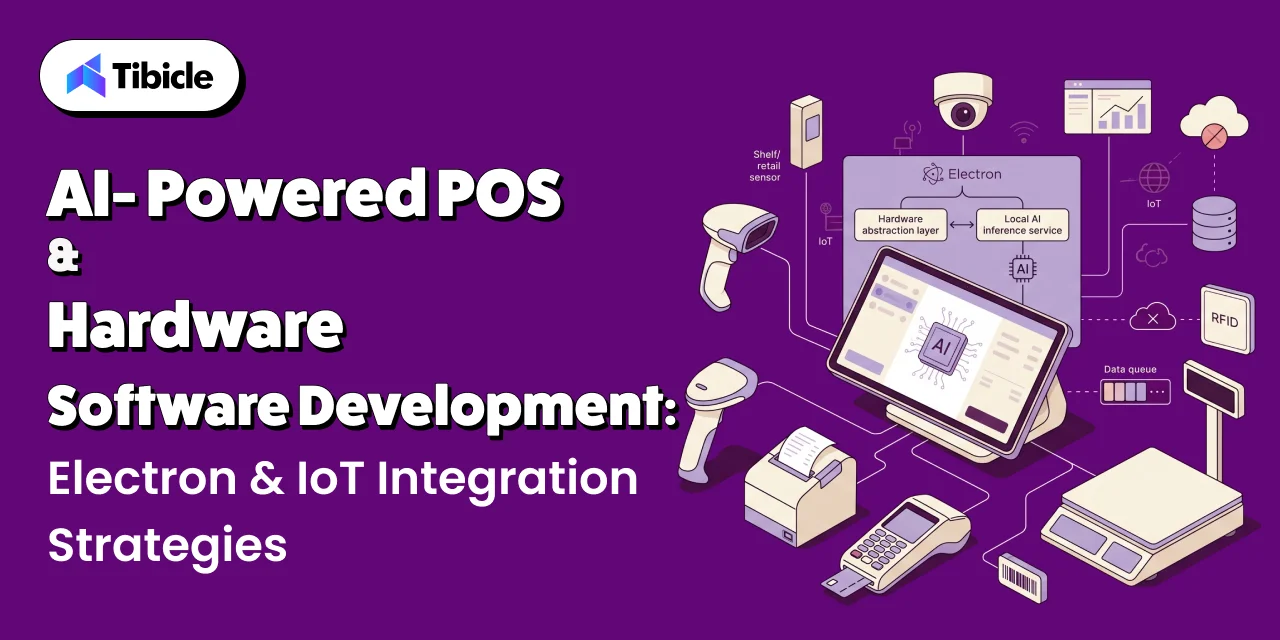
Custom AI POS Software Development with Electron & IoT

Aditya Changlani

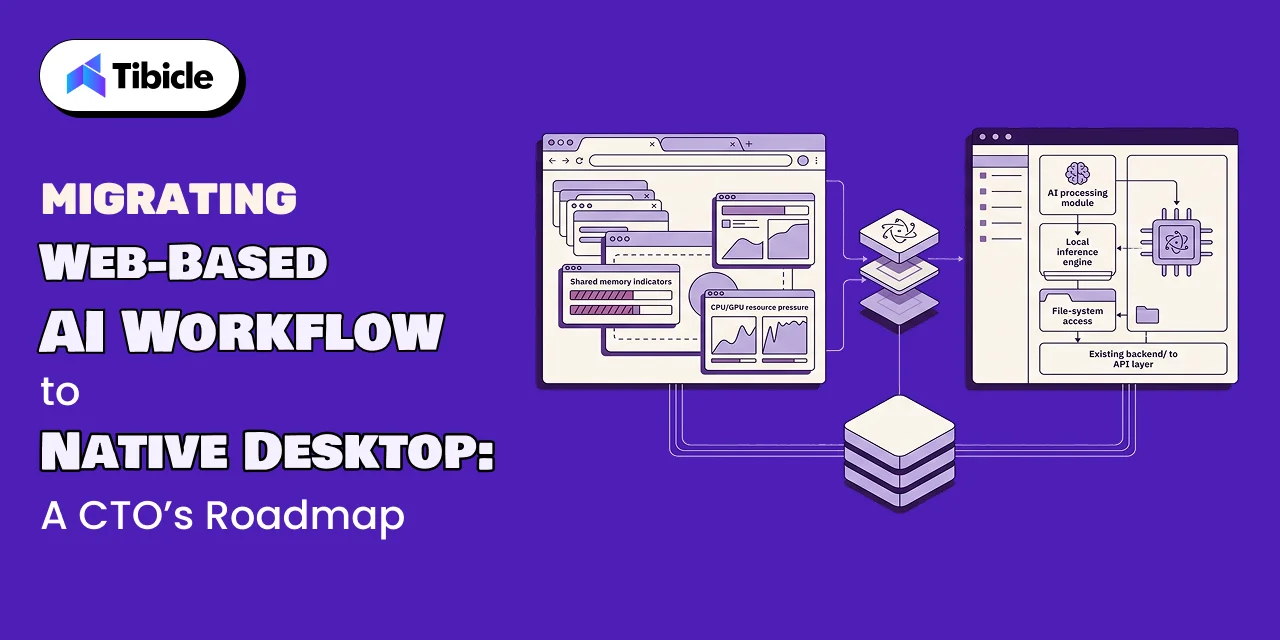
Migrate Web AI App to Electron Desktop via Electron
Aditya Changlani
Written by
Aditya Changlani
Business Development Executive
I’m Aditya Changlani, a Business Development Professional at Tibicle LLP, passionate about turning conversations into opportunities and ideas into impactful digital solutions. I work closely with businesses to understand their challenges, uncover growth opportunities, and connect them with the right technology across web, mobile, AI, and custom software development. For me, business development isn’t just about making a sale, it’s about understanding people, solving the right problems, building genuine relationships, and creating partnerships that deliver lasting value.
Related posts
Custom AI POS Software Development with Electron & IoT
What This Guide Covers Who this is for: CTOs, retail technology leaders, and product owners at retail chains, grocery and convenience operators, and POS vendors evaluating custom AI POS software development for an AI-enabled checkout or a terminal refresh. Search intent: Understand how custom AI POS software development works, including Electron architecture, IoT integration […]
06 Oct 2026 | Aditya Changlani
Fine-Tuning vs. RAG Deployment: Total Cost of Ownership (TCO) for Enterprise AI Apps
What This Guide Covers Who this is for Commercial investigation. The reader is comparing two viable technical approaches before a budget or architecture decision, not looking for a definition of either term. They want numbers, a framework, and a clear answer on when each approach wins on cost. Search intent Enterprise engineering leads, ML platform […]
05 Oct 2026 | Aditya Changlani
Migrate Web AI App to Electron Desktop via Electron
What This Guide Covers Who this is for CTOs, VP Engineering, and technical founders at companies running an AI feature inside a web app who are weighing whether to migrate their web AI app to Electron desktop. This applies most directly to teams where the AI workflow is central to the product, not a side […]
02 Oct 2026 | Aditya Changlani
Got an Idea? Get FREE Consultation
In our world, there's no such thing as having too many clients

Email
tea@tibicle.com

Phone
+91 9724922880