
Custom AI POS Software Development with Electron & IoT

Oct 06, 2026

Read in 7 Minutes
Table of Contents
- What This Guide Covers
- Introduction
- Why Retailers Are Investing in Custom AI POS Software Development
- Electron Architecture for Custom AI POS Software Development on AI-Powered Hardware
- IoT Integration Strategies for Custom AI POS Software Development in Connected Retail Hardware
- Computer Vision for Checkout, Loss Prevention, and Inventory
- Edge AI Model Selection for Custom AI POS Software Development on Embedded Hardware
- Hardware Budgeting for a Fleet of AI-Powered POS Terminals
- How Tibicle Builds Custom AI POS Software Development Projects
- Key Takeaways for Retail Technology Teams
- Frequently Asked Questions
What This Guide Covers
Who this is for: CTOs, retail technology leaders, and product owners at retail chains, grocery and convenience operators, and POS vendors evaluating custom AI POS software development for an AI-enabled checkout or a terminal refresh.
Search intent: Understand how custom AI POS software development works, including Electron architecture, IoT integration for POS hardware, and where checkout AI should run.
What you will walk away with: A comparison of cloud, edge, and hybrid checkout AI architectures, a computer vision checklist for loss prevention, a model selection approach for embedded terminals, and a hardware budgeting framework for multi-location rollouts.
Introduction
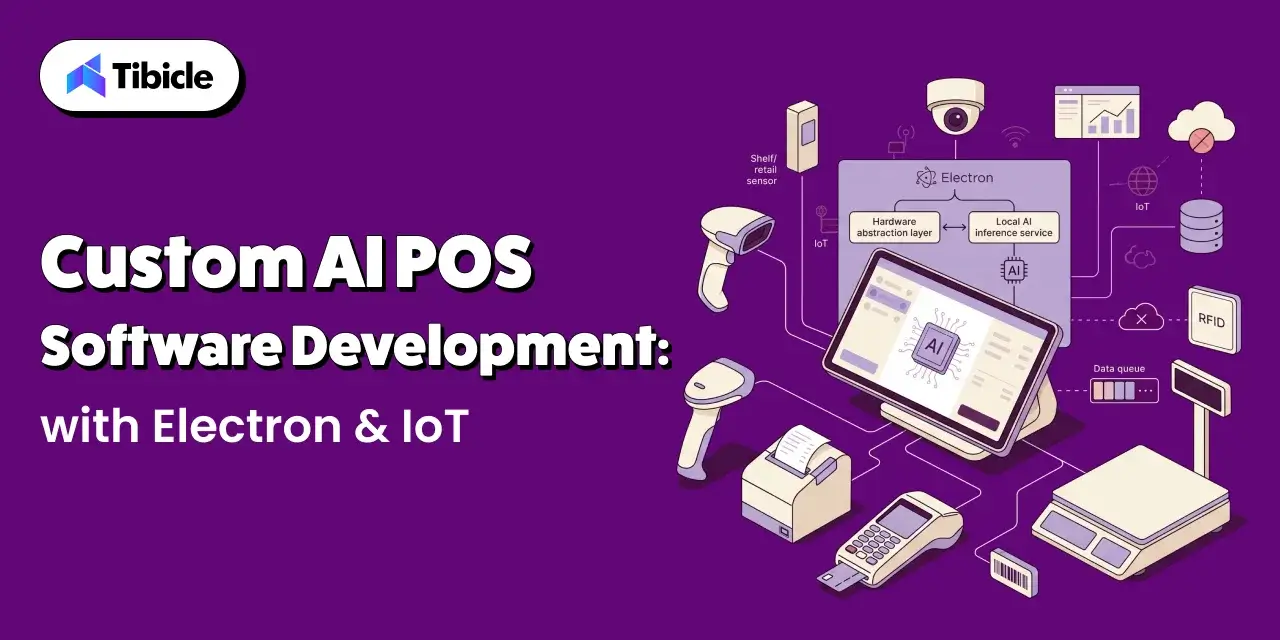
The AI-driven retail checkout vision market is projected to grow from $5.05 billion in 2026 to $12.85 billion by 2030, a 26.3% compound annual growth rate, according to The Business Research Company’s AI-Driven Retail Checkout Vision Market report. That growth is not coming from new transaction screens or faster card readers. It is coming from cameras that recognize products, sensors that weigh and track them, and models that flag what a cashier or customer missed.
That shift changes what custom AI POS software development actually involves. A modern POS build is no longer a checkout UI connected to a payment gateway. It is a desktop application that coordinates barcode scanners, receipt printers, card readers, scales, and cameras, runs computer vision models on hardware with tight memory and compute limits, and keeps selling when the network drops. This guide covers the Electron architecture, IoT integration, edge AI, and hardware budgeting decisions behind that kind of system, starting with why so many retailers are investing in it right now.
Why Retailers Are Investing in Custom AI POS Software Development
From Transaction Terminal to AI-Powered Retail Hub
For decades, a POS terminal had one job: total the basket and take payment. Today the same terminal is expected to recognize unscanned items, verify produce at the scale, flag suspicious behavior, feed real-time stock data to inventory systems, and keep working offline. Packaged POS platforms were not designed for that load, and many restrict access to the camera feeds and peripheral data that AI features depend on. That is why retailers with specific checkout, loss prevention, or retail and e-commerce requirements increasingly commission custom builds that treat the terminal as an AI-powered retail hub.
The Self-Checkout and Smart Checkout Market Driving Demand
Self-checkout is where this shift is most visible. The global self-checkout systems market is expected to grow from $6.57 billion in 2026 to $10.82 billion by 2030, a 13.3% CAGR, according to The Business Research Company’s Self-Checkout Systems Market report. Labor costs and demand for faster checkout drive that growth.
Self-checkout has also exposed a weakness. Traditional kiosks rely on the customer to scan every item correctly, and missed scans, accidental or deliberate, show up as shrinkage. Smart checkout adds a layer of intelligence: cameras confirm what was scanned, weight sensors check what was bagged, and AI models identify produce and non-barcoded items automatically.
That intelligence has to live in the software running on the lane. This is why modern self-checkout software architecture, and custom AI POS software development more broadly, is growing alongside the self-checkout market itself. Retailers need software that fits their store formats, product mix, and hardware, not a generic kiosk image.
Electron Architecture for Custom AI POS Software Development on AI-Powered Hardware
Why Electron Fits Multi-Peripheral POS Hardware
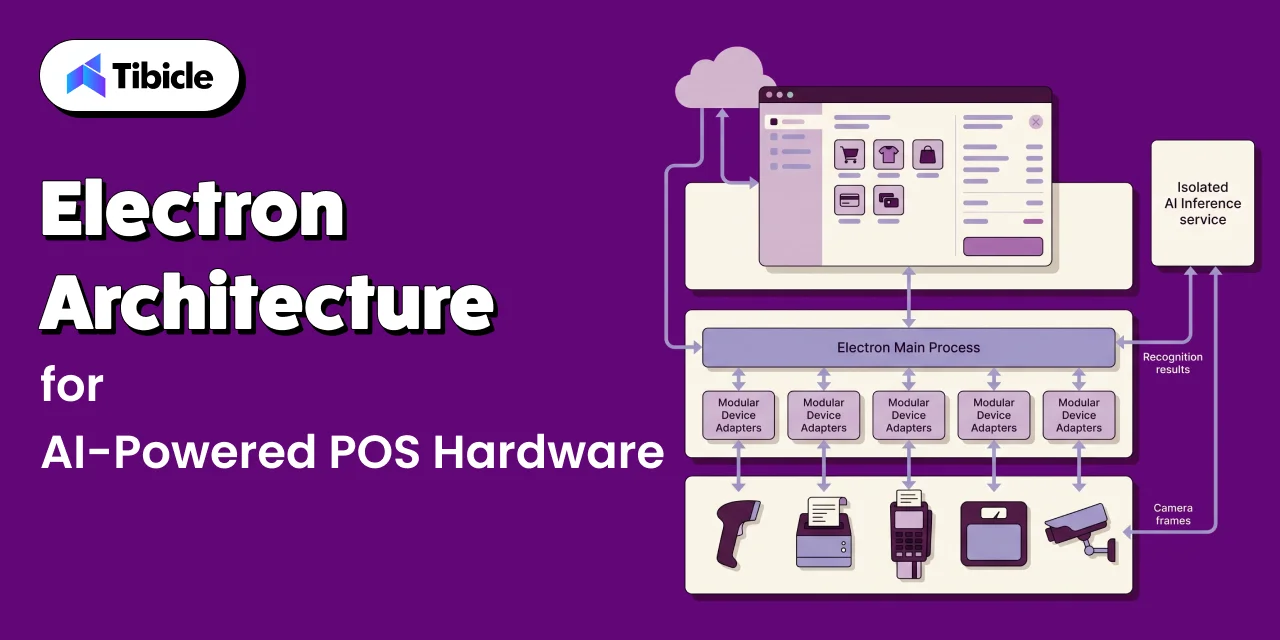
An Electron POS application combines a web-based interface with a Node.js backend in a single desktop app that runs on Windows and Linux terminals. That combination suits POS hardware well. Electron’s process model separates a main process, which has full Node.js and operating system access, from renderer processes that draw the checkout UI. Peripherals, local storage, and background jobs live in the main process, while the cashier or customer screen stays responsive in the renderer. Teams reuse web UI skills, ship one codebase across terminal types, and push updates without reimaging lanes, which is where most of our desktop app development POS work begins.
Main Process Access to Barcode Scanners, Printers, and Card Readers
Hardware access belongs in the main process, never in the UI. Barcode scanner SDK integration typically uses one of three paths: keyboard-wedge input, serial or USB-HID communication, or the vendor’s native SDK wrapped in a Node.js addon. Electron also supports Web Serial, WebHID, and WebUSB, with permission handlers the main process controls, so terminals connect to known devices without user prompts. A receipt printer driver in Electron usually sends ESC/POS commands over USB, serial, or the network. Card readers work best semi-integrated, with the payment terminal handling card data directly to reduce the POS application’s PCI DSS scope.
Where On-Device AI Inference Fits in the POS Process Model
Running a vision model inside the renderer or main process is a common mistake. Inference is compute-heavy, and blocking the main process can freeze peripheral handling mid-transaction. A better pattern is a dedicated inference service: an Electron utility process, which Electron’s documentation recommends for CPU-intensive or crash-prone work, or a separate local service running a runtime such as ONNX Runtime or OpenVINO. The main process streams camera frames to it and receives recognition results through inter-process messaging. If the inference service crashes, checkout keeps running and falls back to manual scanning. Our guide to running local AI models in Electron covers the packaging details.
The table below compares three architectures for where checkout AI actually runs.
| Architecture | What It Involves | Best Fit |
| Cloud-only checkout AI | Camera and sensor data sent to a cloud service for product recognition | Low transaction volume, strong and stable connectivity |
| Edge AI on the terminal | Quantized model runs locally on the POS terminal for real-time recognition | High-volume checkout where latency and uptime matter most |
| Hybrid | Edge AI for real-time recognition, cloud for periodic model updates and analytics | Most multi-location retail deployments |
IoT Integration Strategies for Custom AI POS Software Development in Connected Retail Hardware
Connecting Scales, Cameras, and Sensors to a POS Application
Beyond classic peripherals, AI-powered checkout depends on connected devices: self-checkout scales, lane and overhead cameras, RFID readers, shelf sensors, and door counters. The IoT in retail market is expected to grow from $55.26 billion in 2026 to $107.58 billion by 2030, an 18.1% CAGR, according to The Business Research Company’s IoT in Retail Market report. For a POS application, IoT integration for POS hardware means treating each device as a data source with its own connection, health status, and error states, managed through a device layer rather than hard-coded into checkout logic. RFID inventory integration follows the same pattern.
Handling Multiple Device Protocols in One Application
A single store can run devices speaking USB-HID, RS-232 serial, Bluetooth Low Energy, MQTT over Wi-Fi, OPOS or JavaPOS drivers, and RTSP camera streams. Retail hardware peripheral integration becomes unmanageable when each protocol leaks into business logic. The fix is a hardware abstraction layer: one adapter per device type, each exposing the same small interface, such as connect, read, status, and reconnect. Checkout code asks for a weight or a scan, not a serial port. Swapping a scale vendor then means writing one adapter instead of retesting the whole application, an approach our IoT and smart solutions team uses for mixed-vendor fleets.
Offline Resilience When a Peripheral or Network Connection Drops
Offline POS resilience is non-negotiable, because a lane that stops selling during an outage loses revenue immediately. An offline-first POS stores the product catalog, pricing, promotions, and recent transactions locally, typically in SQLite, and syncs to the cloud through a queue when the connection returns. Payments need a store-and-forward policy with limits your finance team has approved. Peripheral failures need the same care: if a camera disconnects, the lane should drop to standard scanning with a staff alert, not stop. Every device adapter should retry automatically and report its health to a central dashboard, so staff fix issues before customers notice.
Computer Vision for Checkout, Loss Prevention, and Inventory
Product Recognition at Self-Checkout in Custom AI POS Software Development
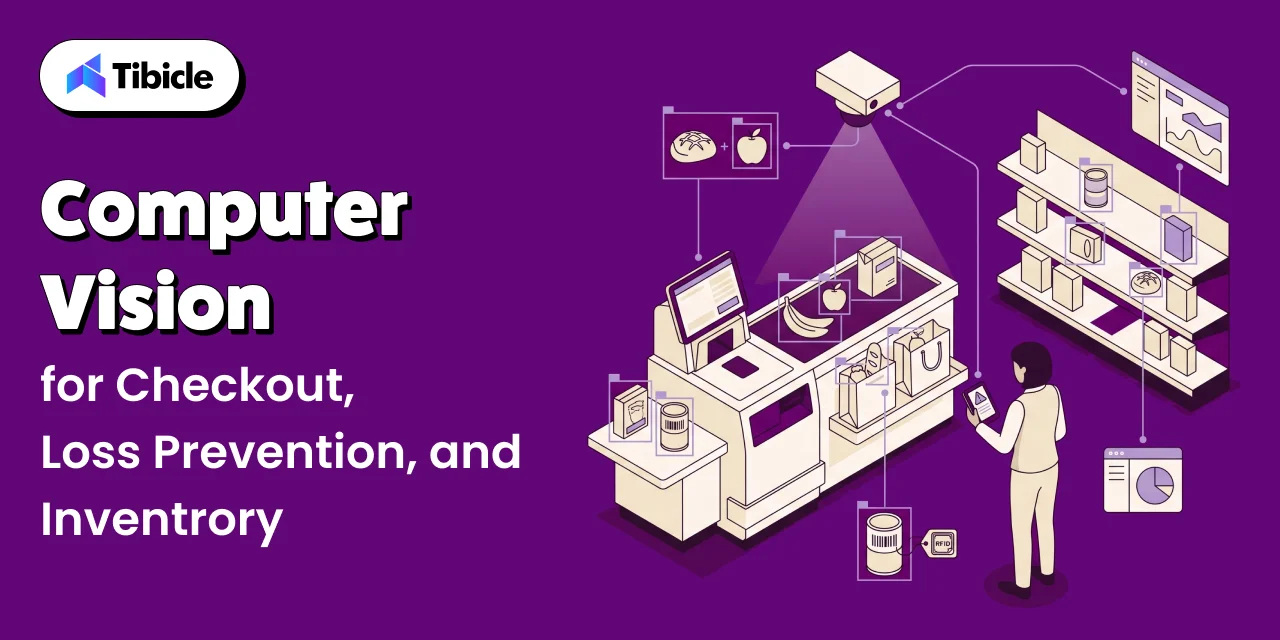
Computer vision checkout starts with the hardest items: produce, bakery goods, and bulk items without barcodes. Instead of making customers search a lookup menu, a camera above the scale identifies the item and suggests the top matches for one-tap confirmation. The same model can verify barcoded items, catching cases where the scanned code does not match the product in the bagging area. Accuracy depends less on model architecture than on training data from your own stores, lighting, and packaging. Plan for regular retraining as assortments change. Our guide to custom computer vision software development covers dataset and accuracy planning in more depth.
Loss Prevention Through Real-Time Shrinkage Detection
Loss prevention AI watches for the patterns that drive shrinkage at self-checkout: items passed around the scanner, a cheap barcode scanned for an expensive product, or items left in the cart. The model compares what the camera sees with what the POS recorded and raises an alert when they diverge. The design challenge is not detection but response. An alert that stops a legitimate customer creates friction and complaints, while an alert nobody acts on has no value. Effective systems send alerts to an attendant’s handheld device with context, so staff can step in quickly and politely, and track outcomes so thresholds improve over time.
Inventory Signals From Shelf and Checkout Cameras in Custom AI POS Software Development
The same cameras that support checkout can feed inventory systems. Shelf cameras detect out-of-stocks, misplaced items, and planogram gaps, while checkout recognition data shows what actually sold, including items that were mis-scanned. Combined with RFID inventory integration and POS sales data, these signals give store managers a near-real-time view of stock that periodic manual counts cannot match. The key is sending events, not video: an edge device should report that a shelf is low on a specific item instead of streaming footage to the cloud, which keeps bandwidth use and privacy exposure low. Across all three use cases, a few design rules apply:
- Flag mismatches between scanned items and camera-recognized items for staff review, rather than auto-blocking the transaction
- Log every flagged event with a timestamped image for later audit, not just a numeric alert
- Keep loss-prevention thresholds tunable per store, since shrinkage patterns vary by location
- Route ambiguous product recognition cases to a human, instead of forcing a low-confidence match
Edge AI Model Selection for Custom AI POS Software Development on Embedded Hardware
Why POS Terminals Need Even Tighter Model Constraints Than Phones
A flagship phone ships with a modern neural processing unit and plenty of memory. Most POS fleets do not. Many lanes run older x86 hardware with integrated graphics and 4GB to 8GB of RAM already shared by the checkout app, operating system, and drivers. A Systematic Evaluation of On-Device LLMs found that heavily quantized larger models consistently outperform smaller high-precision models down to about 3.5 effective bits per weight. For edge AI retail hardware, that makes quantized models for embedded devices the practical default.
Matching Model Size to Terminal Hardware Tiers in Custom AI POS Software Development
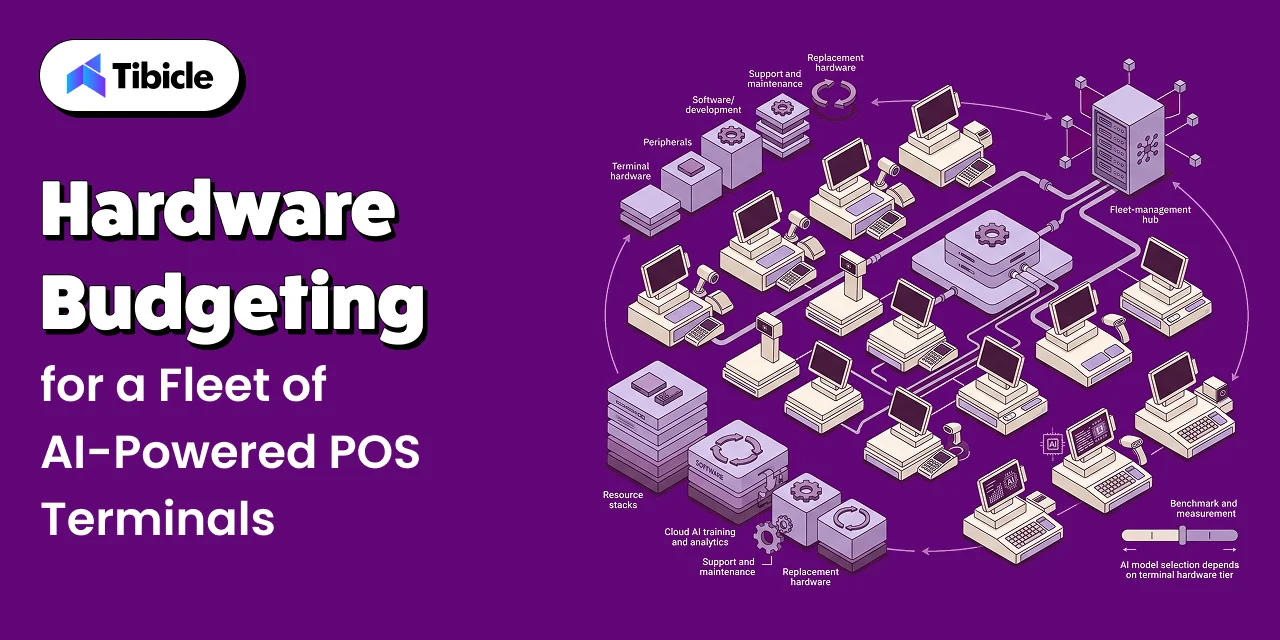
Most retailers do not have one terminal spec. They have three or four hardware generations spread across stores. Rather than choosing a model for the newest lane, group the fleet into tiers, such as CPU-only legacy units, mid-range terminals with integrated graphics, and new terminals with a dedicated NPU. Benchmark candidate models on each tier using real store images, then ship one model variant per tier. Below your POS terminal minimum spec, AI features should stay off rather than slow down checkout.
Updating Models in Custom AI POS Software Development Across a Fleet of Store Terminals
Model updates need the same discipline as software releases. Package each model with a version number and checksum, distribute it through the same update channel as the Electron application, and roll it out in stages: a pilot store, then a region, then the full fleet. Each terminal should keep the previous model on disk so it can roll back automatically if accuracy or latency degrades. Schedule downloads outside trading hours to protect store bandwidth, and log which model version produced every recognition result, so loss-prevention audits stay traceable and disputes can be resolved with evidence.
Hardware Budgeting for a Fleet of AI-Powered POS Terminals
Minimum Spec Decisions for Custom AI POS Software Development Across Hundreds of Store Locations
Across hundreds of stores, small spec decisions multiply fast. An extra 8GB of RAM is a rounding error for one lane and a significant line item for 2,000. Set your POS terminal minimum spec from benchmark data: the lowest configuration that runs checkout, peripherals, and your chosen model tier within target latency, with headroom for two years of model growth. AI-ready lanes typically need a recent multi-core CPU, 16GB of RAM, SSD storage, and ideally an NPU or capable integrated GPU. As an indicative range, AI-ready terminals cost $1,500 to $3,500 per lane before peripherals, versus $800 to $1,500 for a basic POS terminal.
Memory Pricing and What It Means for Terminal Refresh Cycles
Memory is now one of the most volatile parts of a terminal budget. In February 2026, TrendForce raised its first-quarter 2026 forecast for conventional DRAM contract prices to a 90% to 95% quarter-over-quarter increase, up from an earlier 55% to 60% estimate, as AI and data center demand tightened supply. PC DRAM was forecast to rise by more than 100%. For retailers, terminal quotes can move sharply between planning and purchase. Lock pricing early for large refreshes, extend refresh cycles for terminals that already meet your minimum spec, and size models so AI features do not force unnecessary hardware replacements.
Total Cost of Ownership for Custom AI POS Software Development Across a Multi-Location Rollout
Total cost of ownership covers far more than terminal prices. A realistic model includes hardware and peripherals, cameras and sensors, installation, software licenses, custom development, cloud services for training and analytics, support contracts, and replacement parts over a five-to-seven-year life. It should also capture savings: reduced shrinkage, fewer staffed lanes, and faster checkout throughput. Calculate TCO per lane per year, not per project, so finance can compare stores and formats. Edge AI often costs more upfront but less over time, because it cuts cloud inference fees and bandwidth. Annual maintenance contracts keep ongoing support costs predictable.
How Tibicle Builds Custom AI POS Software Development Projects
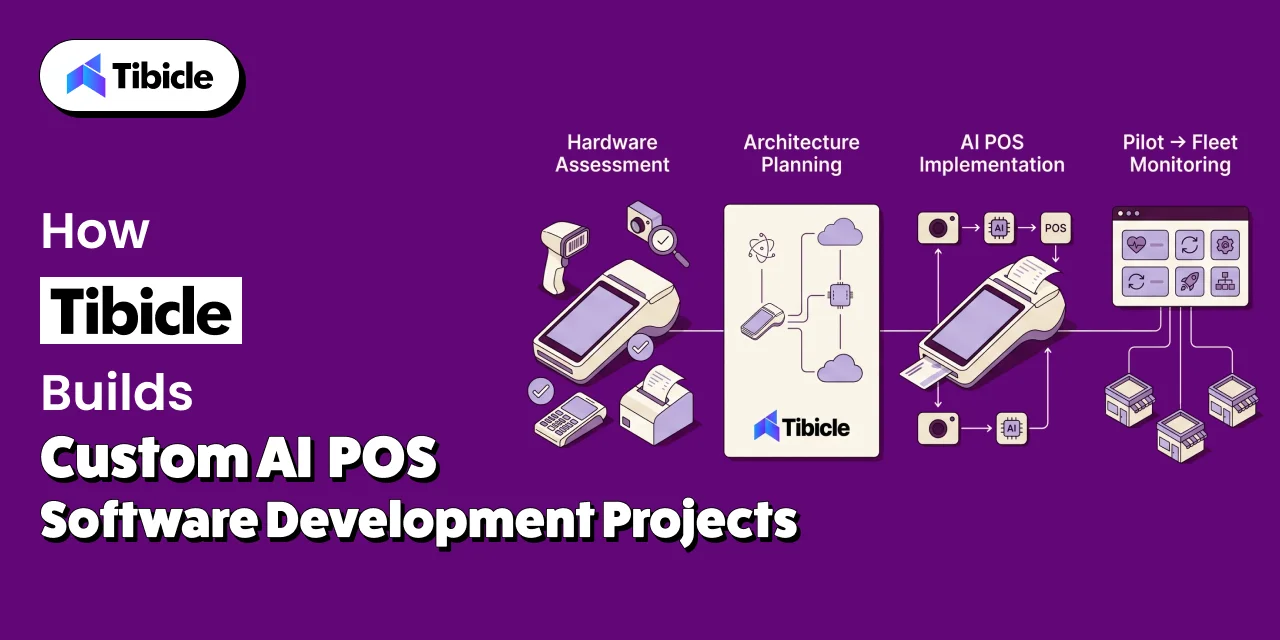
Hardware and Peripheral Assessment
Every Tibicle POS engagement starts with the hardware already in your stores. Our product consulting team inventories terminal generations, peripherals, and connectivity across a sample of locations, then benchmarks the current fleet against the AI features you want to run. We also interview store staff about where checkout breaks down today. We document every device protocol, driver dependency, and vendor SDK before making architecture decisions, because peripheral surprises found late are expensive to fix. The output is a hardware tier map, a minimum spec recommendation, a cloud, edge, or hybrid architecture decision, and a phased roadmap showing which stores get which AI features first.
Implementation With Edge AI and IoT Integration Built In
Our engineers build the Electron POS application with the hardware abstraction layer, offline-first data store, and isolated inference service in place from the first sprint. Scanners, printers, scales, cameras, and payment terminals connect through device adapters, so IoT integration for POS hardware can expand without rewriting checkout logic. Computer vision models are trained on imagery from your own stores, quantized for each hardware tier, and validated against accuracy and latency targets before rollout. Every build is tested on your actual terminal models, not just developer machines. For restaurants and quick-service formats, this work extends our custom POS and restaurant management system development, including kitchen displays and aggregator integrations.
Fleet Rollout, Monitoring, and Model Updates
We roll out in stages, starting with one or two pilot stores where we measure checkout speed, recognition accuracy, and alert outcomes before expanding. After launch, Tibicle’s 24/7 monitoring and support team tracks terminal health, peripheral errors, sync queues, and model performance across the fleet from a central dashboard. Model updates follow a versioned, staged release process with automatic rollback, and retraining is scheduled around seasonal assortment changes. Retailers that need extra in-house capacity can extend their team through dedicated tech resource allocation. You can review examples of our delivery work in our project portfolio.
Key Takeaways for Retail Technology Teams
- Custom AI POS software development now involves computer vision and IoT hardware integration, not just a transaction interface.
- Electron’s main and renderer process model handles multi-peripheral POS hardware well, but AI inference placement needs a deliberate architecture decision, ideally in an isolated process.
- POS terminals often need tighter model constraints than phones, since fleet-wide hardware is frequently older and more varied. Plan models by hardware tier.
- Memory pricing volatility in 2026 makes minimum spec and refresh cycle planning a real budget line, not an afterthought.
- Loss prevention AI works best when it flags events for staff review and logs evidence, rather than blocking transactions automatically.
- Design for offline operation and human review from day one, so AI supports staff instead of blocking customers.
Planning an AI-powered POS build or terminal refresh? Book a 30-minute call with Tibicle.
Frequently Asked Questions
What makes custom AI POS software development different from a standard POS build?
A standard POS build focuses on transactions, pricing, and payments. Custom AI POS software development adds computer vision, IoT device integration, on-device model inference, and offline resilience. That requires hardware benchmarking, a device abstraction layer, and a model update process, which most standard POS projects never need. It also needs a plan for retraining models as your assortment changes.
Can Electron handle barcode scanners, receipt printers, and card readers reliably?
Yes, when hardware access lives in the main process. Electron supports serial, HID, and USB devices, and native vendor SDKs can be wrapped as Node.js addons. Payments are best handled through a semi-integrated card terminal, which reduces PCI DSS scope for the POS application.
Should product recognition AI run on the terminal or in the cloud?
For high-volume checkout, run recognition on the terminal, because edge inference avoids network latency and keeps working during outages. Most multi-location retailers use a hybrid model, with edge AI for real-time recognition and the cloud for training, model updates, and analytics. Cloud-only recognition suits low-volume stores with reliable connectivity.
How does IoT hardware like scales and cameras connect to a POS application?
Each device connects through its own protocol, such as USB, serial, Bluetooth, MQTT, or RTSP, and a device adapter translates it into a common interface. The POS application then requests a weight or a recognition result without depending on any single vendor’s hardware.
What happens to an AI-powered POS terminal when the network connection drops?
A well-built terminal keeps selling. The catalog, pricing, and edge AI model all run locally, transactions queue for sync, and payments follow an approved store-and-forward policy. Staff see a clear offline indicator, and AI alerts continue because detection runs on the device. When the connection returns, queued data syncs to the cloud automatically.
Does Tibicle build custom AI-powered POS software with IoT and computer vision integration?
Yes. Tibicle builds Electron-based POS applications with computer vision checkout, IoT device integration, edge AI, and offline-first architecture, then supports the fleet with monitoring and model updates. Every project starts with a hardware and peripheral assessment of your current fleet. Contact our team to discuss your stores and hardware.
Schedule A Developer Interview And Get 15 Days Risk-Free Trial
Schedule a Call


Written by

Aditya Changlani
Business Development Executive
I’m Aditya Changlani, a Business Development Professional at Tibicle LLP, passionate about turning conversations into opportunities and ideas into impactful digital solutions. I work closely with businesses to understand their challenges, uncover growth opportunities, and connect them with the right technology across web, mobile, AI, and custom software development. For me, business development isn’t just about making a sale, it’s about understanding people, solving the right problems, building genuine relationships, and creating partnerships that deliver lasting value.
Related posts
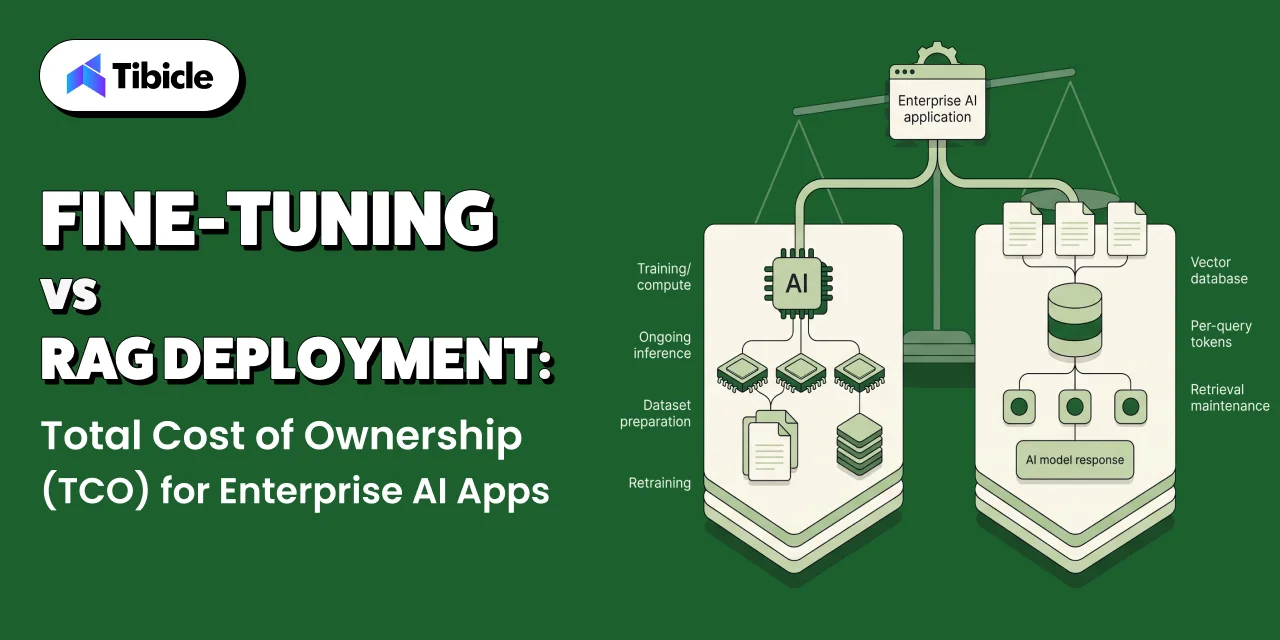
Fine-Tuning vs. RAG Deployment: Total Cost of Ownership (TCO) for Enterprise AI Apps
What This Guide Covers Who this is for Commercial investigation. The reader is comparing two viable technical approaches before a budget or architecture decision, not looking for a definition of either term. They want numbers, a framework, and a clear answer on when each approach wins on cost. Search intent Enterprise engineering leads, ML platform […]
05 Oct 2026 | Aditya Changlani
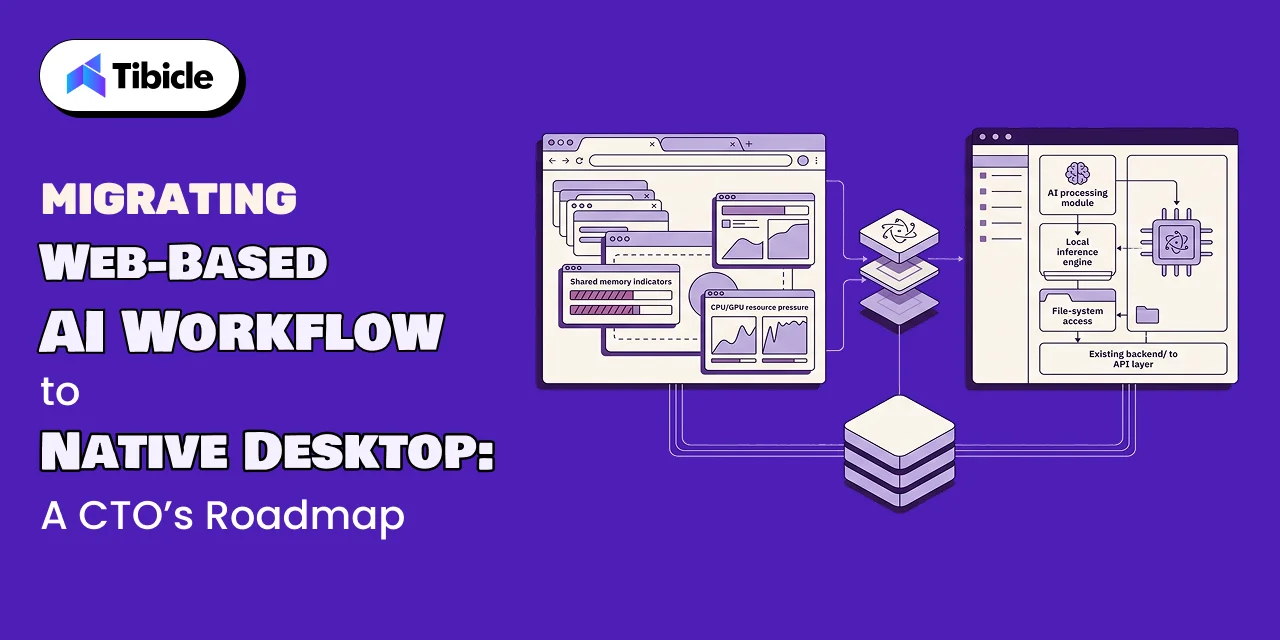
Migrate Web AI App to Electron Desktop via Electron
What This Guide Covers Who this is for CTOs, VP Engineering, and technical founders at companies running an AI feature inside a web app who are weighing whether to migrate their web AI app to Electron desktop. This applies most directly to teams where the AI workflow is central to the product, not a side […]
02 Oct 2026 | Aditya Changlani
Enterprise AI Application Development Services: Building Custom LLM Solutions for B2B SaaS
What this Guide Covers Who this is for Product managers, CIOs, and engineering leaders at B2B SaaS companies evaluating custom AI features. Teams comparing build vs buy vs hybrid approaches for LLM integration. Companies that shipped AI pilots and need guidance on reaching production. Organizations ready to invest in enterprise ai application development services but […]
30 Sep 2026 | Dhairya Dadhania
Got an Idea? Get FREE Consultation
In our world, there's no such thing as having too many clients

Email
tea@tibicle.com

Phone
+91 9724922880