Introduction
According to Statista and Pangea.ai, 9.57% of developers actively use the electron application framework, making it one of the most widely adopted desktop frameworks in production today. As of 2024, Discord built on the electron application framework has reached approximately 196.2 million monthly active users, with revenue hitting $561 million in 2025, representing a 29.2% year-on-year increase. The United States leads global Electron adoption at 59.18%, followed by the UK at 7.40% and Germany at 6.38%. Major tools like VS Code, Slack, Postman, Figma, and Discord all run on this same framework.
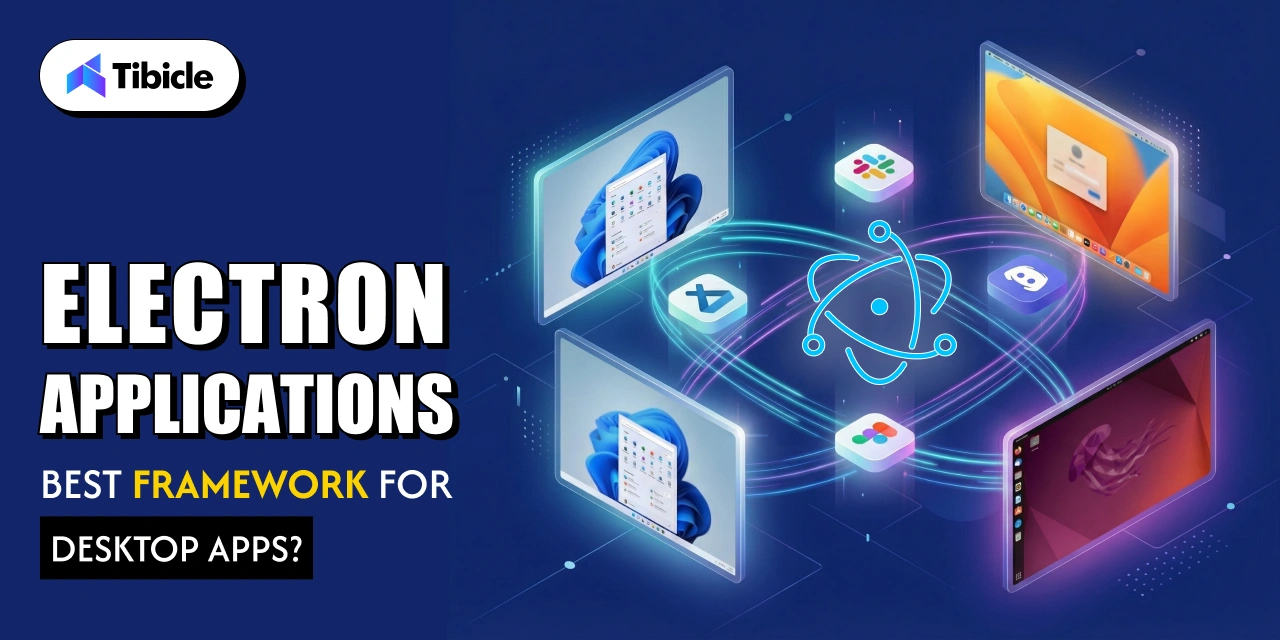
This guide breaks down exactly how the electron application framework works, where it wins, where it struggles, and how it compares to Tauri and Flutter in 2025.
What is the Electron Application Framework and How Does It Actually Work?
Electron is a free, open-source software framework developed and maintained by the OpenJS Foundation, designed to create desktop applications using web technologies rendered through a version of a Chromium browser engine and a backend using the Node.js runtime environment . The electron application framework fundamentally relies on a strict two-process model.
Main Process vs Renderer Process
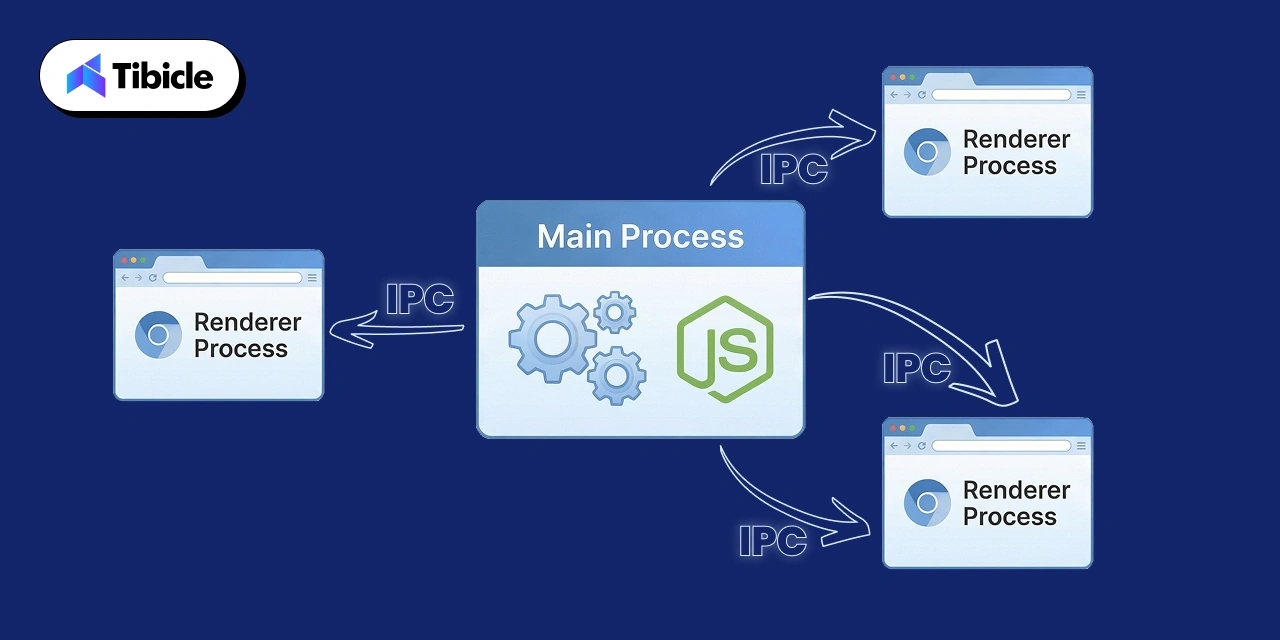
The main process manages native system interactions such as creating windows. Handling menus, and communicating with the file system via a Node.js environment. Renderer processes are Chromium browser windows that display your UI, each running in isolation so that if one crashes, the rest of the app survives.
- IPC Module: Facilitates secure communication between the main and renderer processes.
- Preload Scripts: Securely expose specific Node.js APIs to the renderer.
- Context Isolation: Ensures renderer scripts cannot alter the global system environment.
Why Businesses Choose Electron APP Development Over Native Frameworks
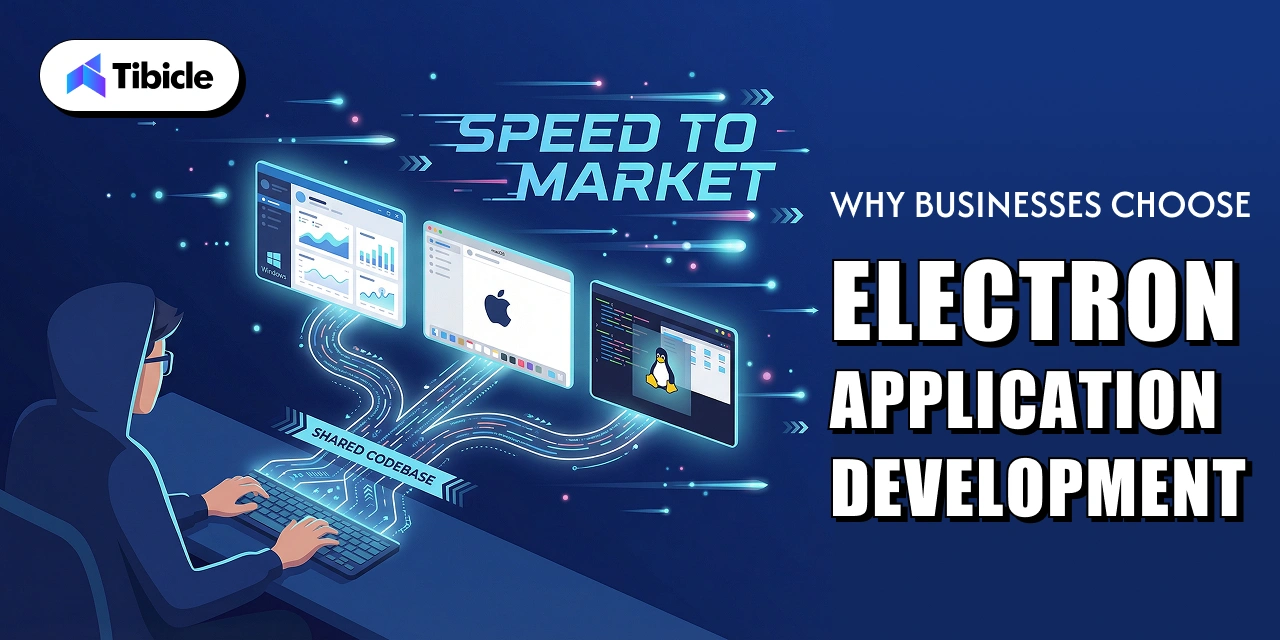
Businesses choose electron app development because it utilizes a single JavaScript, HTML, and CSS codebase for Windows, macOS and Linux. This completely removes the need to hire platform- specific teams.
Faster time to Market With a Shared Codebase
By using a single shared codebase, software teams write an application once and seamlessly deploy it across all platforms directly cutting development costs and aggressively shrinking time to market. This foundation guarantees incredible developer efficiency from day one. These specific core elements heavily streamline the entire build process:
- Extensive code reuse from pre-existing web applications.
- Instant access to the massive global npm ecosystem.
- Built-in Chrome DevTools debugging for real-time code inspection and rapid troubleshooting.
Access to the Entire npm Ecosystem
Thousands of npm packages are completely compatible right out of the box, and Electron’s bundled Chromium build ensures that apps have a highly stable rendering target. This integration keeps the newest web platform features and vital security fixes synced seamlessly with each major Chromium release for every developer using the framework.
Real World Electron Applications That Prove the Framework Works
The most recognized electron applications highlight the true scale of this powerful tool:
- VS Code: Microsoft’s top choice for a professional-grade code editor.
- Slack: Used securely by massive enterprise teams globally.
- Discord: Reached a staggering 196.2M MAUs.
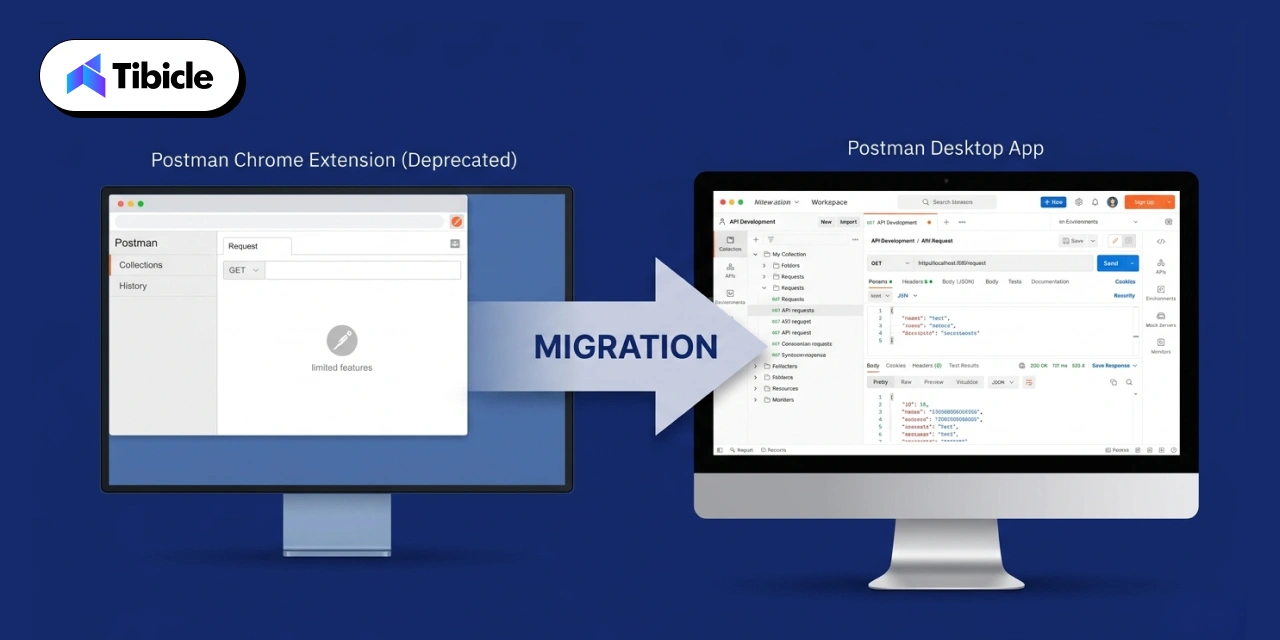
- Postman: Migrated from a simple Chrome extension to a full desktop app for better file system and offline support.
- Figma Desktop, WordPress Desktop, and Github Desktop also rely heavily on it.
Postman successfully reused their existing code, added significantly more capability under the hood, and made everything work flawlessly across all platforms without ever rebuilding from scratch. This strategy saved thousands of development hours and proved that scaling an application on this technology stack is highly efficient.
The Performance Problem With Electron App Development (And What Teams Actually Do About It)
The most common critique of electron app development is that Electron-based apps commonly show hundreds of megabytes of RAM usage while sitting entirely idle in the background, and relatively simple applications are now shipped spanning hundreds of megabytes built purely on web frameworks.
Memory, Startup, and Bloat in Plain Numbers
- Bundled Chromium and Node.js significantly inflates overall app size.
- Multiple simultaneous JavaScript instances rapidly drain CPU performance.
How Slack Reduced Memory Usage by 50%
Slack’s engineers reported an impressive 50% in memory usage and 33% faster startup times after a major refactor, showing that performance depends entirely on engineering choices, not just the framework itself. Expert optimization best practices include:
- Implementing intelligent lazy loading.
- Using advanced bundlers efficiently.
- Strictly limiting running renderer processes.
- Avoiding synchronous require() calls at startup
Electron vs Tauri vs Flutter for Desktop App Development in 2025
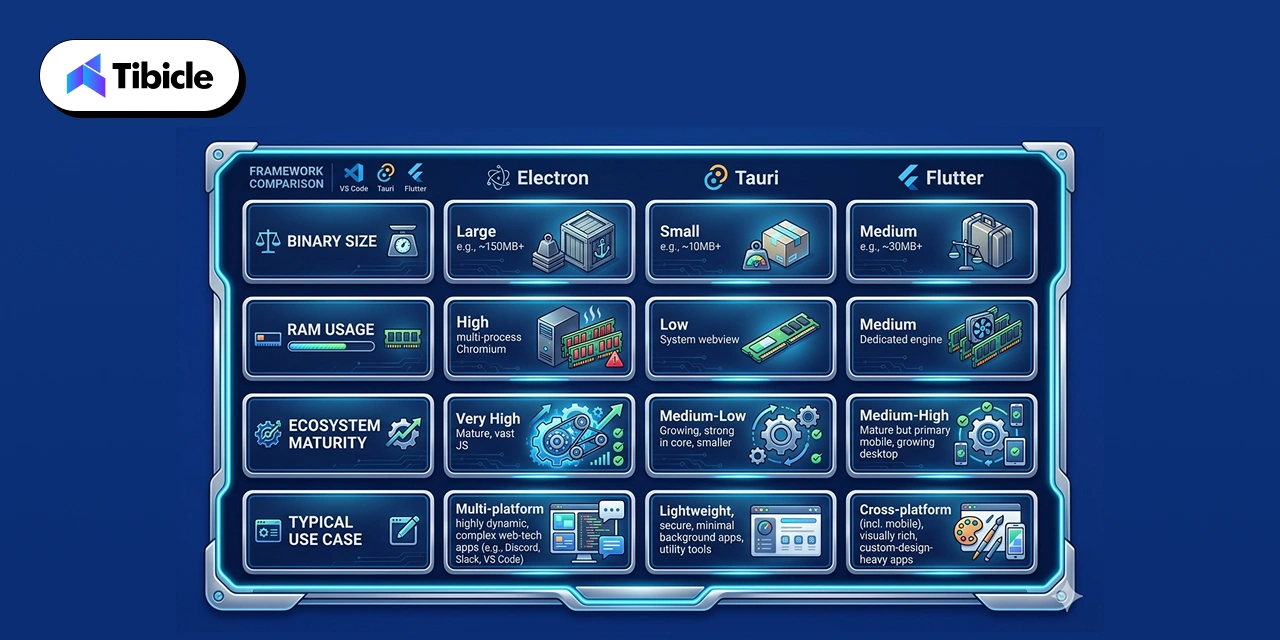
- Electron: mature, large ecosystem, high memory footprint, best for complex enterprise apps.
- Tauri: Rust-based, lightweight, better performance, smaller binaries, less ecosystem maturity.
- Flutter: strong custom UI, mobile-first roots, growing desktop support.
For enterprise-grade, complex applications, Electron leads with its maturity, reliability, and ecosystem, while tauri is excellent for small fast apps and Flutter shines for custom UI-heavy projects.
Conclusion
The electron application framework offers unmatched speed of delivery and ecosystem depth at the cost of memory and bundle size. The right answer depends entirely on your app’s complexity, your team’s skill set, and your performance targets.
If you are looking for expert electron app development support, connect with a desktop application development company that can help you build, optimize, and ship faster.
FAQs
What is the electron application framework used for?
It is used to build desktop apps for Windows, macOS, and Linux using JavaScript, HTML, and CSS through a combined Chromium and Node.js runtime.
Is electron app development good for enterprise software?
Yes, Apps like VS code, Slack, and Postman are all enterprise-grade electron applications, proving the framework handles scale and complexity without issue when optimized properly by developers.
What are the main disadvantages of building a desktop app with electron?
High memory usage, large installation size, and the absence of native mobile support are the most common drawbacks continuously flagged by developers choosing between electron and native application frameworks.
How does electron compared to Tauri for desktop app development?
Tauri uses Rust for a smaller, faster binary. Electron wins on ecosystem size and developer familiarity. For complex applications, Electron still remains the more reliable production choice.
Can electron app developers reuse existing web code?
Yes. Electron is built entirely on web technologies, so teams can port existing HTML, CSS, and JavaScript code directly into a desktop application with minimal rework.