What This Guide Covers
Who this is for: SaaS founders, CTOs, engineering leads, product owners, and software architects building or maintaining Electron-based desktop applications that contain proprietary business logic, licensing systems, pricing engines, or other intellectual property. Electron app code protection is especially relevant for teams shipping commercial desktop software that needs stronger protection against reverse engineering, code tampering, piracy, or competitive cloning.
Search intent: Technical implementation and application security. This guide is for teams that understand the limits of ASAR packaging. Packaging an Electron app into an ASAR file does not protect its source code. Instead, it focuses on practical ways to strengthen Electron app code protection. It does not cover basic Electron packaging. It explains security layers that improve reverse-engineering resistance, including ASAR integrity validation, JavaScript obfuscation, native modules, code signing, and binary-level protections such as ASLR.
What you will walk away with: A practical understanding of why Electron applications expose source code by default, the limitations of the ASAR archive format, how ASAR integrity validation prevents tampering without hiding code, the difference between JavaScript minification and true obfuscation, when to move sensitive business logic into native modules, how ASLR and code signing contribute to binary-level security, what protection techniques can and cannot achieve, how to build a realistic layered defense against reverse engineering, and how to approach threat modeling before implementing code protection in production Electron applications.
Introduction
A packaged Electron app can be unpacked with a single command. Everything inside it — comments, variable names, business logic — comes out readable. Teams often assume that bundling their code into Electron’s app.asar file hides it the way a compiled binary would. Electron’s own documentation is direct about what the format actually is: an archive that concatenates files, not a way to conceal or encrypt them. For a company shipping proprietary pricing logic, licensing checks, or algorithms inside a desktop app, that gap between assumption and reality is where real business risk sits.
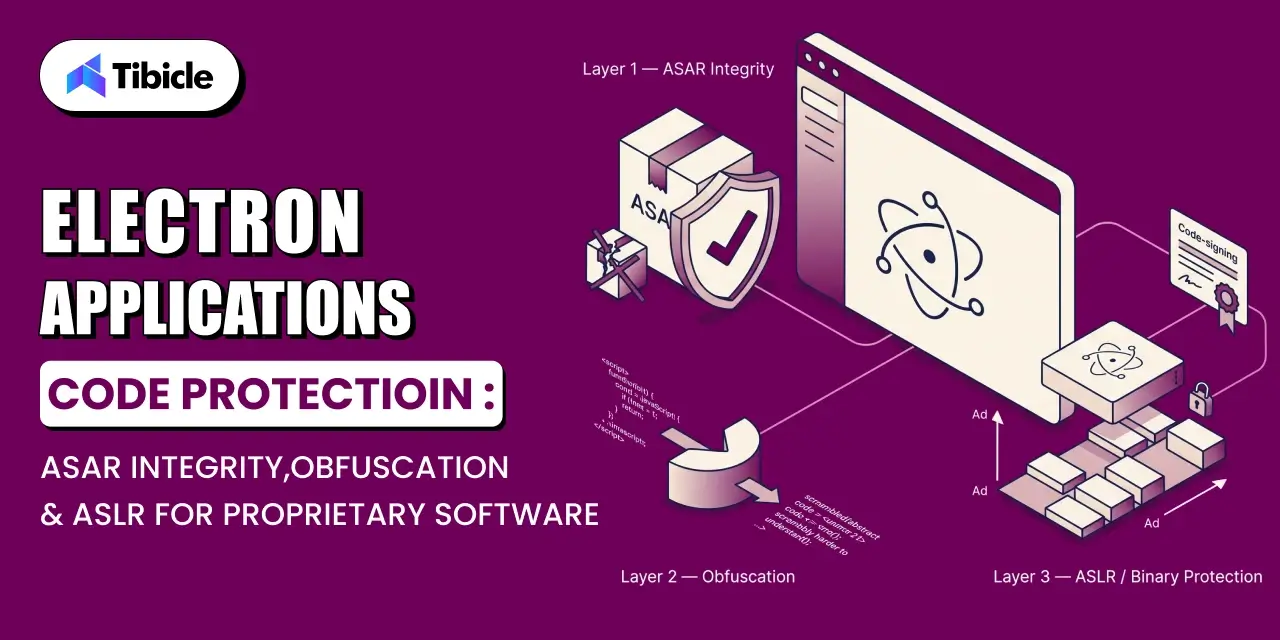
This guide walks through what electron app code protection actually requires, where ASAR’s built-in integrity checking helps, where obfuscation and native modules raise the cost of reverse engineering, and where operating-system-level protections like ASLR fit into the picture. The goal isn’t to promise unbreakable code; it’s to help you build a realistic, layered defense for the parts of your product that matter most.
Why Electron Apps Ship Their Source Code by Default
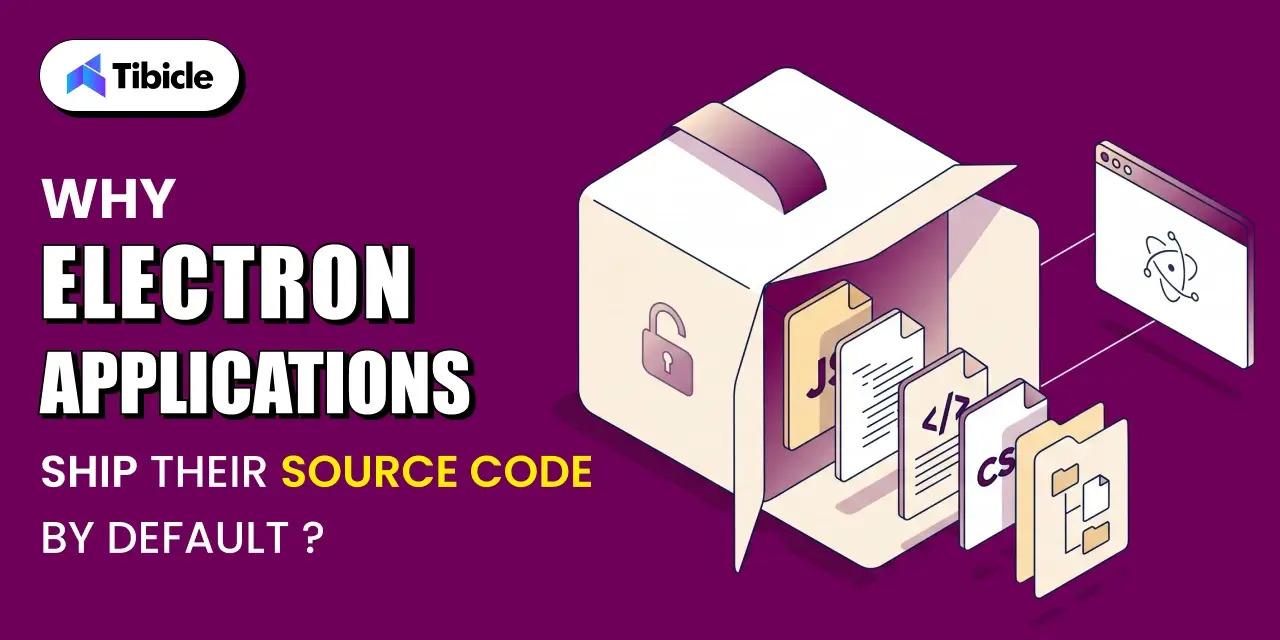
Every Electron app is, at its core, a Chromium browser and a Node.js runtime wrapped around your JavaScript, HTML, and CSS. Unless a build pipeline deliberately adds a protection step, that JavaScript ships in a form close to how it was written, which means anyone with the packaged installer effectively has your source.
What’s Actually Inside an app.asar File
When you package an Electron app, the build tooling bundles your application’s files into an archive named app.asar, stored inside the app’s resources folder. That archive holds your renderer and main-process JavaScript, your HTML templates, your CSS, and typically your node_modules dependency tree. It runs inside a virtual file system so Electron’s APIs can read files from it directly, without extracting the whole archive first. Functionally, it behaves like a folder. Structurally, it’s just one file containing everything.
The Business Risk of Unprotected Proprietary Logic
For a company shipping a desktop app with valuable business logic, an unprotected build can expose that logic to anyone who downloads the installer. This may include pricing engines, matching algorithms, licensing validation, and proprietary calculations. This is not a hypothetical concern. The BSA Global Software Survey reported that the commercial value of unlicensed software fell 8 percent to $46.3 billion globally. Exposure can result from piracy, competitive cloning, or reverse engineering by rivals. In each case, the underlying issue is the same: proprietary logic has no protection beyond default packaging.
Understanding the ASAR Format: Limitations for Electron App Code Protection
Before choosing a protection strategy, it helps to understand exactly what ASAR does and doesn’t do. It’s a packaging format, not a security control, and treating it as one leads to false confidence.
ASAR Is an Archive Format, Not Encryption
According to Electron’s ASAR archives documentation, ASAR is a simple, extensive archive format that concatenates all files together without compression, similar to tar, while still supporting random access to individual files. There’s no encryption step, no key, and no scrambling of contents. A file that goes into the archive as readable JavaScript comes back out as readable JavaScript.
Extracting an ASAR Archive Takes Seconds With Public Tools
Because the format is public and well documented, unpacking it doesn’t require any special skill or custom tooling. The standard @electron/asar command-line tool can extract every file from an app.asar archive with a single command. The result is a folder containing your app’s original files — index.js, main.js, preload scripts, renderer code, and the full node_modules tree. These files appear exactly as they were before packaging.
What ASAR Was Actually Designed to Solve
The ASAR format was created primarily to improve performance on Windows when reading large quantities of small files, such as when loading an app’s JavaScript dependency tree from node_modules. Concealing source code from casual inspection was a secondary, minor benefit at best, not the design goal.
- ASAR was built to speed up reading many small files on Windows, not to hide code
- Any standard asar CLI tool can unpack an app.asar file in one command
- File paths and folder structure are visible in the archive header
- Comments, variable names, and logic are all readable unless obfuscated separately
ASAR Integrity Checking for Electron App Code Protection
Electron does offer a built-in integrity feature for ASAR archives, but it’s important to be precise about what it protects against, because it solves a different problem than “hiding” your code.
How ASAR Integrity Validation Works
Per Electron’s ASAR integrity documentation, ASAR integrity is a security feature that validates the contents of an app’s ASAR archives at runtime — when enabled, the app verifies the header hash of its ASAR archive on launch, and if no hash is present or the hashes don’t match, the app forcefully terminates. In practice, this means someone can still read what’s inside the archive, but they can’t quietly modify it and have the tampered version run without the app noticing.
Enabling Integrity Checking With Electron Fuses
ASAR integrity checking is disabled by default and has to be enabled at build time by toggling the EnableEmbeddedAsarIntegrityValidation Electron fuse. As Electron’s Fuses documentation explains, fuses are package-time toggles baked into the compiled Electron binary rather than runtime settings, which means they need to be configured as part of your build pipeline commonly through an afterPack hook in electron-builder or a Forge plugin not adjusted after the app ships.
What Integrity Checking Does Not Protect Against
- Integrity checking stops tampering with the packaged archive, not reading its contents
- It confirms the archive has not been modified, it does not encrypt what’s inside
- Current platform support is limited, check Electron’s documentation for the latest coverage
- Should be combined with the onlyLoadAppFromAsar fuse, since otherwise the validity checking can be bypassed via Electron’s app code search path
Code Obfuscation Strategies for JavaScript and Native Modules
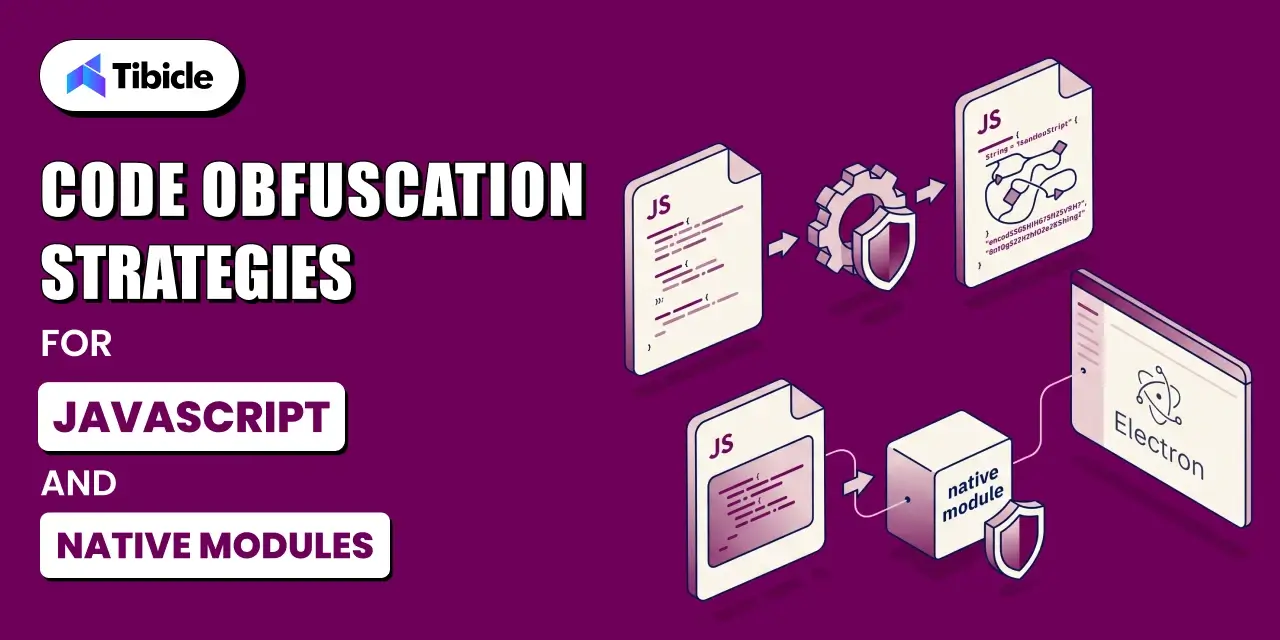
Once tampering protection is in place, the next layer is making the code itself harder to read and reverse-engineer. This is where obfuscation and native modules come in as a way to raise cost and time for an attacker, not to make extraction impossible.
JavaScript Minification vs True Obfuscation for Electron App Code Protection
Minification strips whitespace and shortens variable names to reduce file size, a build optimization, not a protection measure, and any formatter can trivially reverse it. True obfuscation goes further: renaming identifiers to meaningless strings, flattening control flow, injecting dead code, and encoding strings so no one can understand the logic at a glance. It changes how much time and tooling an attacker needs to make sense of the code, without changing what the code does.
Moving Sensitive Logic Into Native Modules
For the pieces of an app that matter most competitively a scoring algorithm, a licensing check, a proprietary calculation a stronger option for Electron app code protection is to move that logic out of JavaScript entirely and into a compiled native module written in something like C++ or Rust, exposed to the Electron app through a binding. Compiled machine code is a meaningfully harder reverse-engineering target than interpreted JavaScript, even with obfuscation applied.
Why Obfuscation Should Never Be Your Only Control
Security guidance in this space, including OWASP’s MASVS resilience requirements, is consistent on one point. Obfuscation is a defense-in-depth layer, not a replacement for proper security architecture. This guide frames resilience measures the same way: a layer, not a substitute for server-side security. That distinction applies directly to Electron apps handling licensing, payments, or sensitive business logic. Anything that must remain truly secret belongs on a server you control — not in a client that ships to every user’s machine.
ASLR and Binary-Level Protections for the Packaged App
Separate from the JavaScript layer, the compiled Electron binary itself the executable that Chromium and Node.js run inside has its own set of operating-system-level protections worth confirming are active.
What ASLR Actually Randomizes in a Packaged App
Address Space Layout Randomization randomizes where a program’s code, stack, and heap are loaded into memory each time it runs. It doesn’t touch your JavaScript source at all; it makes memory-corruption exploits against the underlying Chromium and Node.js binaries harder to reliably execute, because an attacker can’t predict memory addresses ahead of time.
Code Signing as a Prerequisite for Binary-Level Protections
Binary-level protections like ASLR and tamper detection generally assume the binary is properly code-signed. An unsigned or improperly signed build can undermine both platform trust warnings and certain OS-level hardening checks. Hence, a valid code signing certificate is a baseline requirement before other binary protections are meaningful.
Confirming ASLR and Other Protections Are Enabled in Your Build
Most modern Electron builds inherit ASLR from the underlying Chromium and platform toolchain by default. Still, it’s worth verifying rather than assuming, particularly for custom native modules compiled into the app, which need to be built with the relevant compiler flags to opt into the same protections as the rest of the binary.
What Electron App Code Protection Can and Cannot Achieve
Every technique in this guide raises the cost of reverse engineering. None of them make it impossible. Setting realistic expectations here is what separates an effective protection strategy from one that gives a false sense of security.
Every Layer Adds Time, None Adds Certainty
ASAR integrity checking, obfuscation, native module migration, and binary hardening are all speed bumps, not walls ,none of them deliver full Electron app code protection on their own. A sufficiently motivated attacker with time and skill can work through any of them individually. The point of stacking these layers is to make that work expensive and slow enough that it’s no longer worth it for most adversaries not to claim the code is unreachable.
What Should Never Ship to the Client at All
- Licensing keys and validation logic that must stay server-side
- Proprietary algorithms valuable enough to justify a native module rewrite
- Credentials or API keys that should never appear in client code regardless of obfuscation
- A realistic budget for how much reverse-engineering resistance the product actually needs
Building a Threat Model Before Choosing Protections
The right combination of protections depends entirely on what’s actually at risk. A threat model should come before implementation — who would want to reverse-engineer this app, what would they gain, and what would it cost them? This is typically the kind of scoping conversation that fits naturally into a Product Consulting engagement, before any build work starts. Applying every available protection uniformly, without that context, tends to waste engineering time on low-value logic. Meanwhile, genuinely sensitive code stays under-protected.
How Tibicle Hardens Electron Applications for Proprietary Software
Applying these protections correctly, without breaking build pipelines or platform support, is where most in-house teams run into friction. It’s also the part of Tibicle’s desktop app development work that comes up most often with clients shipping commercial Electron products.
Threat Modeling and Electron App Code Protection Audit
Before changing the build config, Tibicle’s team maps the client’s Electron app. They identify modules that contain proprietary logic. They also check what a default ASAR package exposes and which protections are missing.The audit creates a prioritized list of security improvements. It avoids a blanket recommendation to “obfuscate everything.”
Implementing Electron App Code Protection: ASAR Integrity, Obfuscation, and Native Modules
From there, the work is hands-on build engineering: enabling and correctly configuring Electron fuses for ASAR integrity, integrating an obfuscation step into the CI/CD pipeline, and, where the threat model justifies it, migrating specific algorithms into compiled native modules through Tibicle’s Electron developer engagements. Code signing and binary hardening checks are handled as part of the same release pipeline.
Ongoing Electron App Code Protection as Tooling Evolves
Electron’s security surface fuse support, ASAR integrity platform coverage, deobfuscation tooling on the attacker side keeps shifting release over release. Clients working with Tibicle under an Annual Maintenance Contract or Technology Consulting engagement get their protection layer revisited as part of routine upgrades, rather than left frozen at whatever was current on launch day.
Key Takeaways for Electron App Code Protection
- Packaging code into an ASAR archive does not hide or encrypt it by default
- ASAR integrity checking prevents tampering; it does not prevent someone from reading the code
- Obfuscation and native modules raise the cost of reverse engineering; they do not eliminate it
- The most valuable logic should live server-side or in a compiled native module, not in JavaScript shipped to the client
If your Electron app carries proprietary logic worth protecting, book a 30-minute call with Tibicle.
Frequently Asked Questions
Does packaging an Electron app into an ASAR file protect the source code?
No. ASAR is an archive format that concatenates files together; it doesn’t encrypt or obfuscate them. Anyone with a standard extraction tool can unpack the archive and read the original source in seconds.
What does ASAR integrity checking actually prevent?
It stops the packaged archive from being silently modified and re-run. Electron validates a header hash at launch and terminates the app if it doesn’t match, which blocks tampering but it doesn’t stop someone from reading the code in the first place.
Can JavaScript obfuscation be fully reversed by a determined attacker?
Given enough time and the right tooling, most obfuscation can eventually be unpicked. It aims to raise the cost and time required, not to make reverse engineering impossible, which is why teams should pair it with other layers rather than rely on it alone.
Should proprietary algorithms be moved into a native module instead of JavaScript?
For logic that’s genuinely valuable pricing models, matching algorithms, licensing checks yes. Compiled native code is a substantially harder target than interpreted JavaScript, even obfuscated JavaScript, and it’s a reasonable investment when the underlying logic is a real competitive differentiator.
Does ASLR apply to the JavaScript code inside an Electron app?
No. ASLR operates at the level of the compiled binary he Chromium and Node.js executable randomizes memory addresses to make exploit development harder. It does not affect how readable your JavaScript source is inside the ASAR archive.
Does Tibicle harden existing Electron apps that were not built with code protection in mind?
Yes. Most of this work starts with an already-shipping app rather than a greenfield build. The audit and threat-modeling step then adds ASAR integrity, obfuscation, and native module migration to the existing build pipeline. This approach helps avoid disrupting the release cadence.