0%
Gaming Mode Case Study

Case Study

Gaming Mode Case Study

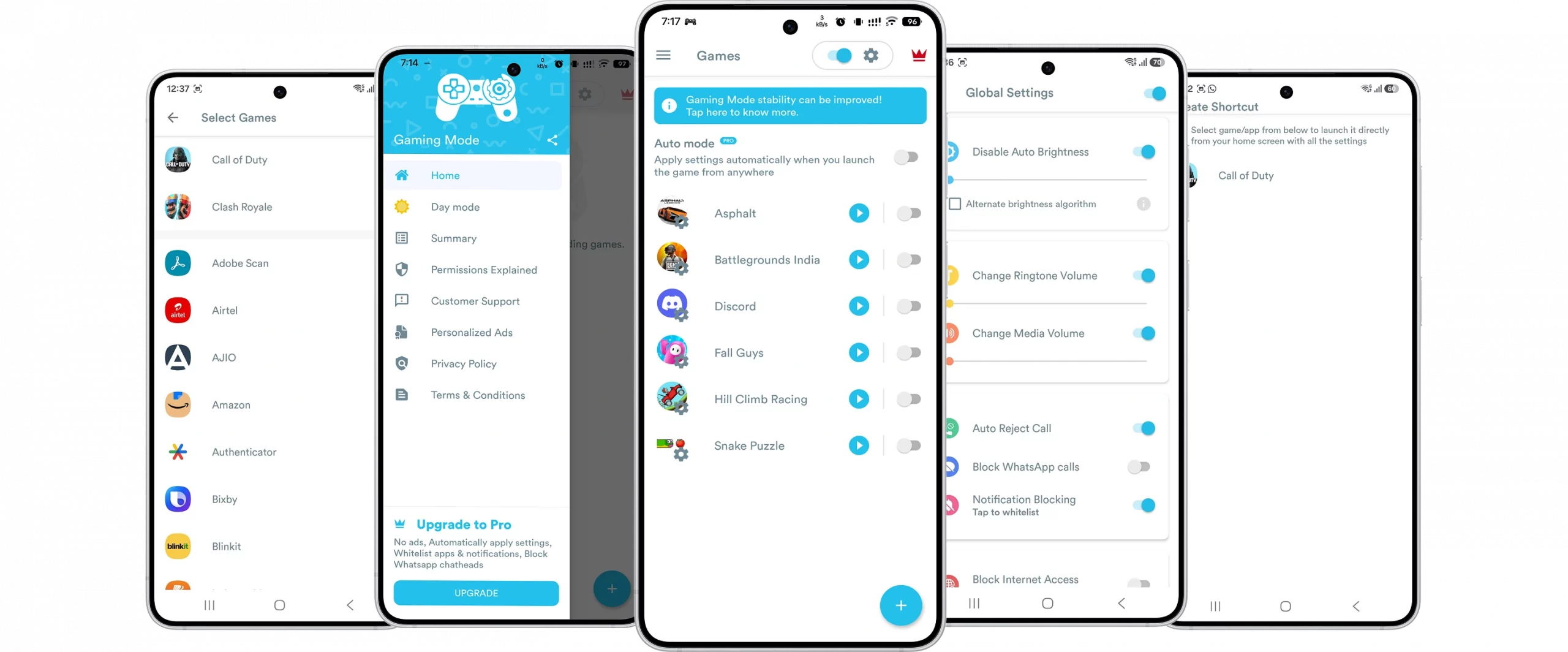
A game booster utility for Android that automatically reconfigures device settings the moment a game launches, giving players an interruption-free gaming session without manual setup.

Industry
Media & Entertainment / Mobile Utilities
Solution Type
Android Performance & Focus Utility
Duration
3.5-4 months
Services
Android App

Project Summary

Gaming Mode was built solo, end-to-end- design, coding, and every feature- with no team to split the work across. The idea was straightforward, but the execution wasn't: give players a way to configure their gaming environment once and have the phone apply it automatically every time a game opens, rather than manually toggling calls, notifications, brightness, and volume before every session. Before Gaming Mode, players silencing their phone for a session had to manually turn off notifications, reject incoming calls, adjust brightness, and remember to undo all of it afterward, a routine repeated before every match, on every device, with no memory of what "normal" looked like beforehand. I designed and developed the entire app myself, built on MVVM architecture with Dagger for dependency injection, specifically to keep the codebase reliable, less prone to bugs, and scalable enough to carry future features without a rewrite.
Project Summary

The Challenges

Automating Device Behavior Without a Team to Share the Load

Building a system-level utility solo meant every architectural decision, every edge case, and every bit of platform friction landed on one person.

No Existing Pattern for Per-Game Configuration

Most device customization is manual. Detecting a game launch, applying settings, and reversing them afterward meant designing that logic from scratch.

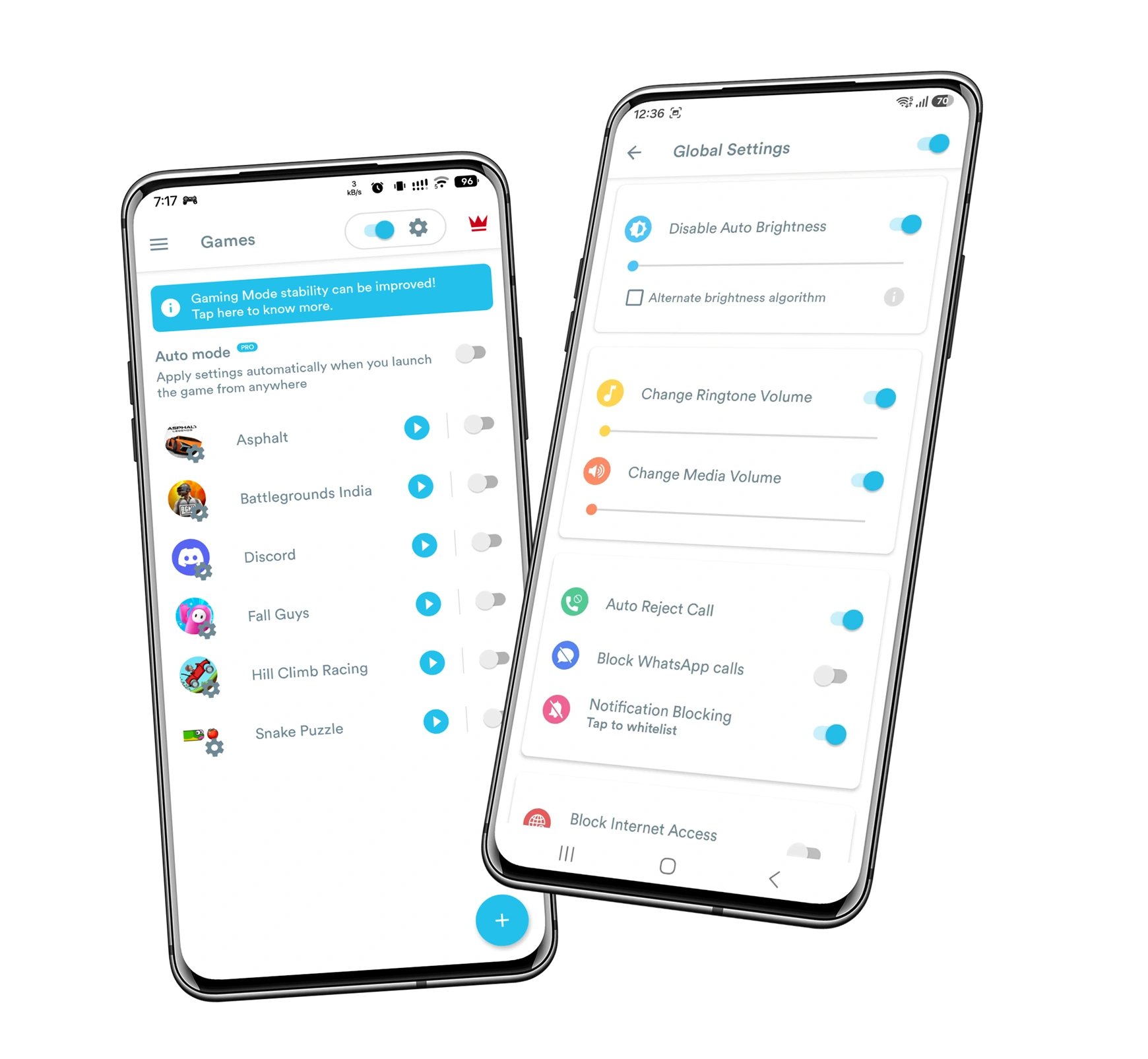
Global Settings vs. Per-Game Overrides

Supporting both a default configuration and per-game overrides meant building a two-layer settings architecture without making it confusing to maintain.

Reliably Restoring Prior Device State

Temporarily changing brightness, WiFi, volume, and notifications is only safe if the original state can be restored — even across crashes, interruptions, and inconsistent Android behavior.

A Solo Codebase Built to Scale

With one developer and a growing roadmap, the code had to support future features without destabilizing existing ones — hence MVVM with Dagger dependency injection from day one.

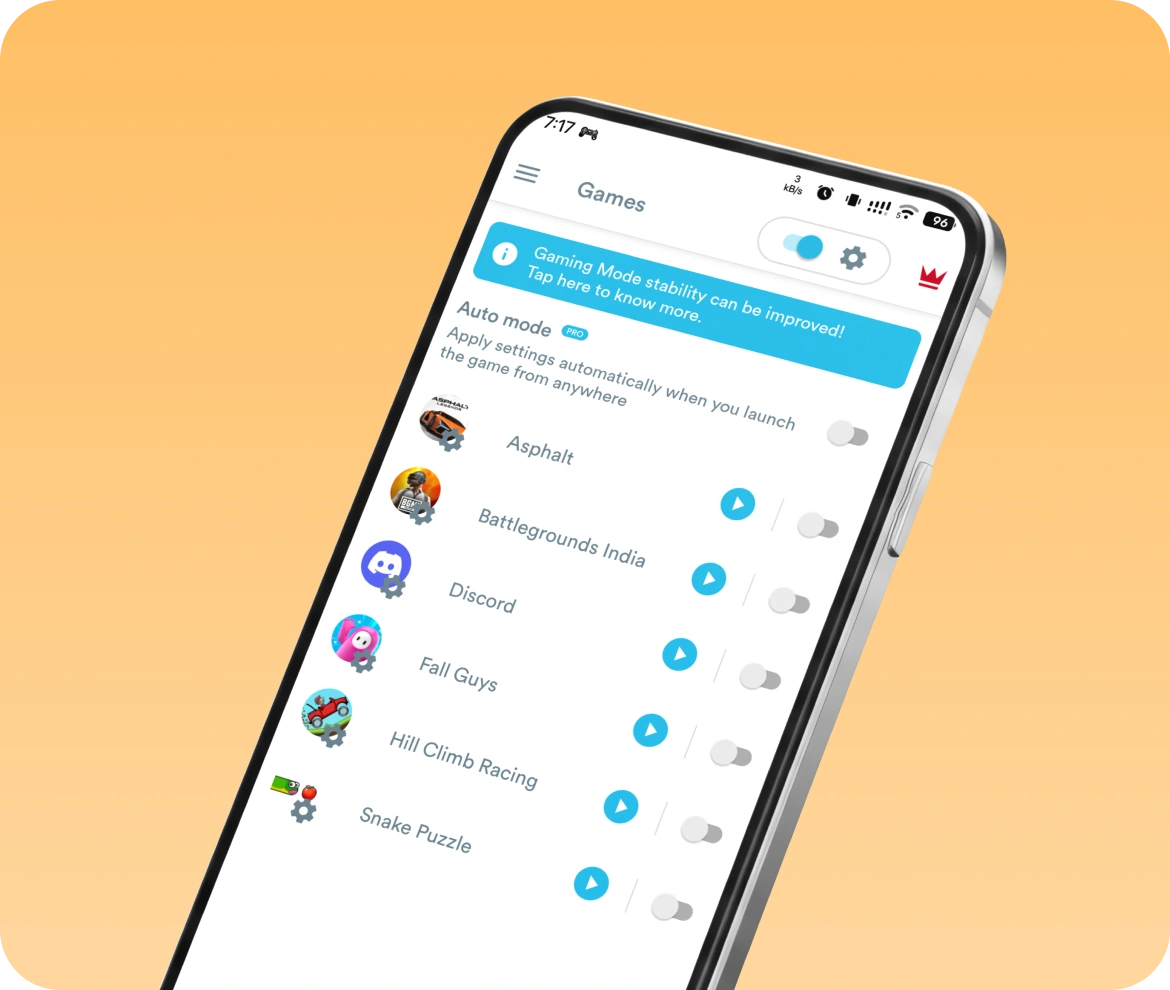
Home Screen Widget as a Game Launcher

Launching games from a widget meant integrating with Android's widget and launcher APIs to surface installed games reliably, not just linking a static shortcut.

Blocking Internet Without Sending Data Off-Device

Using VpnService for local-only blocking (rather than its typical cloud-routed use) required carefully building the local VPN loop to guarantee no data left the device.
Our Solution

Gaming Mode was built as a self-contained Android utility that configures a player's device automatically the moment a game starts, and restores everything afterward without requiring manual cleanup.
Automatic Game-Start Configuration

Automatic Game-Start Configuration

The core mechanic of the app: settings apply themselves the instant a game launches, with no action required from the player once configured.
  • Global settings applied automatically across all games
  • Per-game overrides for players who want different setups for different titles
  • Automatic restoration of prior device settings when gameplay ends
  • No manual toggling required before or after a session
Focus and Interruption Blocking

Focus and Interruption Blocking

Built to remove every common distraction from a gaming session, without the player having to remember to silence anything themselves.
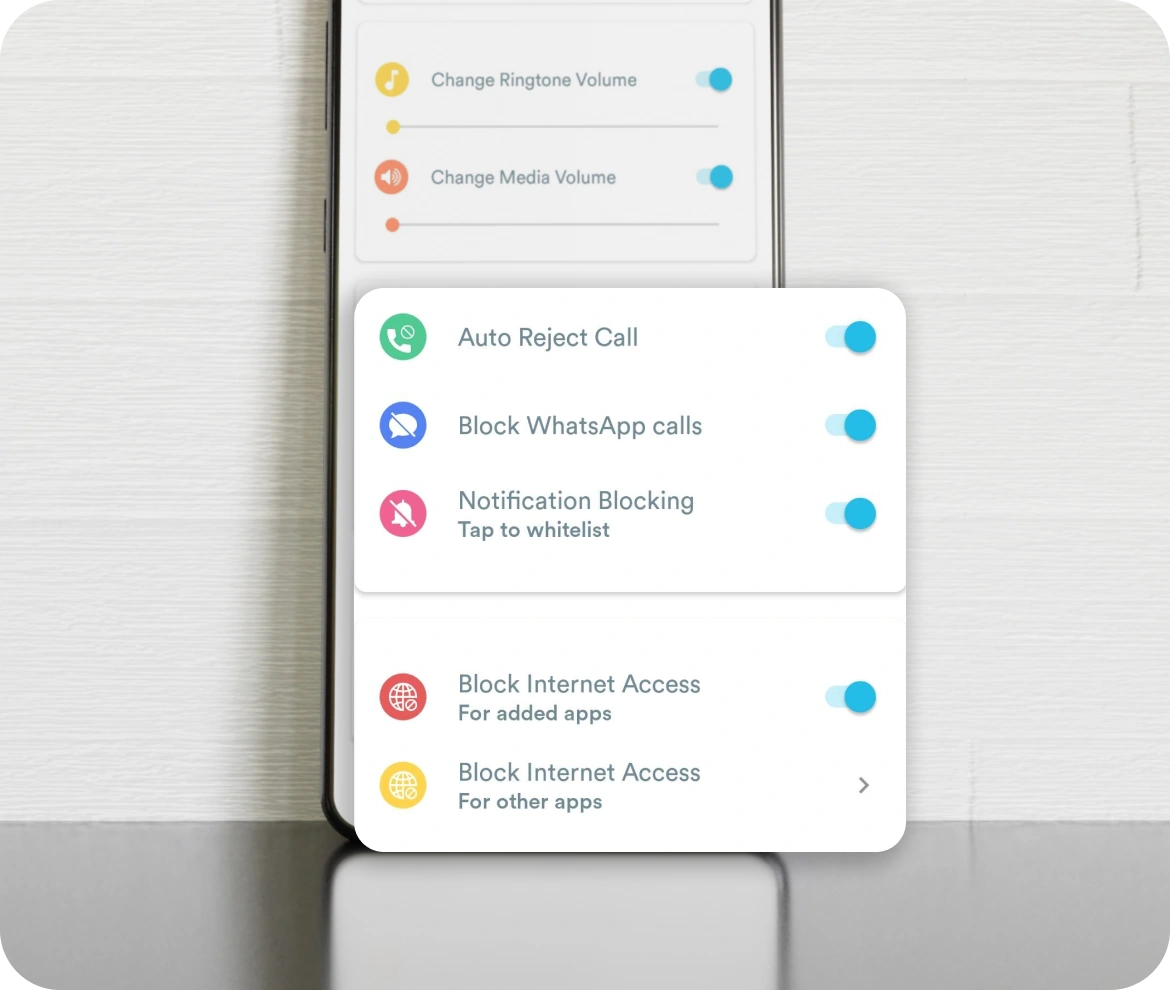
  • Auto-reject incoming calls during gameplay
  • Block notifications for the duration of the session
  • Local VPN-based internet blocking that keeps players focused without transmitting any data outside the device
Display and Audio Optimization

Display and Audio Optimization

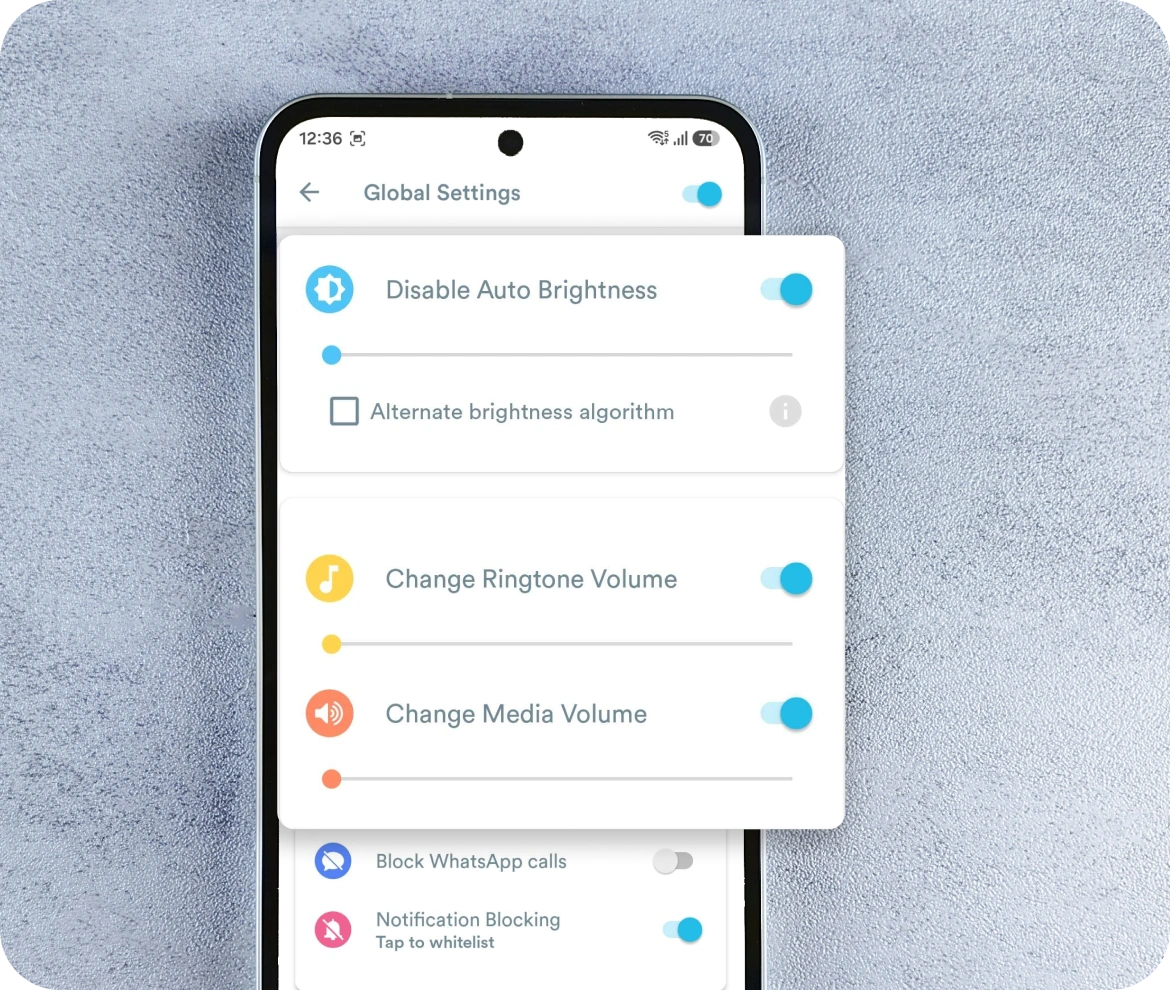
Small device-level frictions add up during a session, so these are handled automatically alongside the bigger interruption-blocking features.
  • Disables auto-brightness and sets brightness to the player’s preferred level
  • Adjusts ringtone and media volume automatically
  • Controls WiFi state as part of the automated session setup
Home Screen Game Launcher Widget

Home Screen Game Launcher Widget

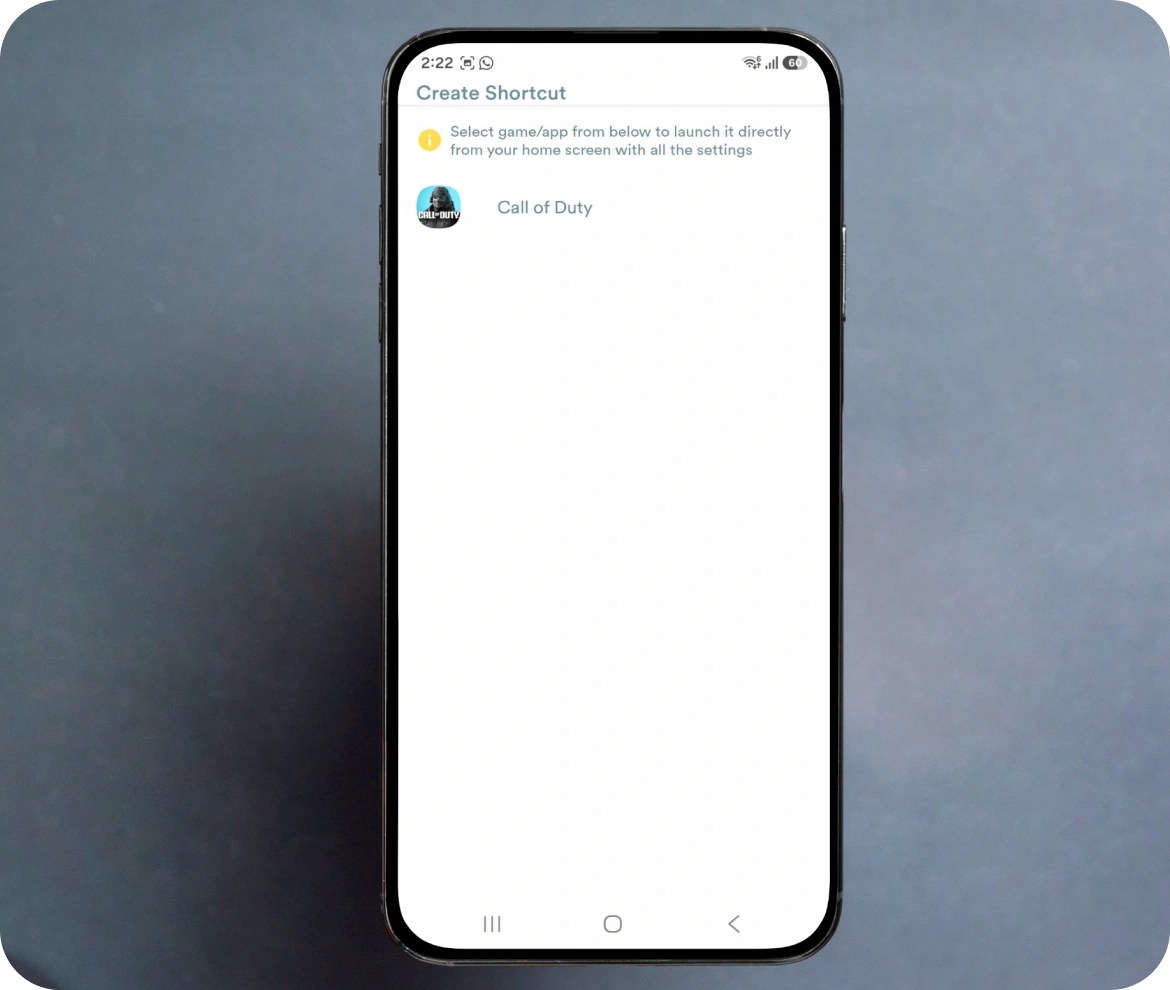
A dedicated widget turns the home screen into a direct launcher for favorite games, removing the extra step of hunting through an app drawer.
  • Home screen widget for one-tap game launching
  • Configurable to surface the player’s most-used games
  • Designed as a lightweight, always-available entry point into a gaming session

How We Deliver

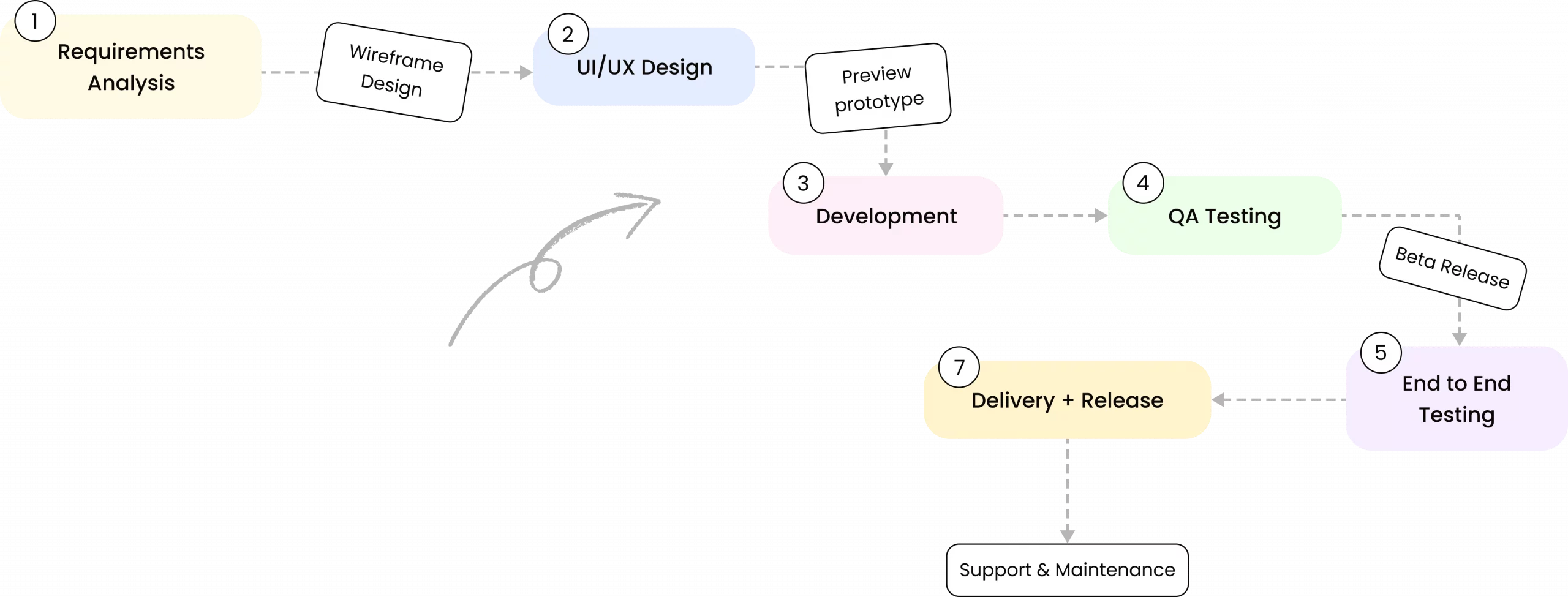
Building Gaming Mode solo meant owning the full lifecycle myself, from architecture decisions to shipped features, with no handoffs between design, development, and testing.
How We Deliver
Development moved through Requirements & Feature Planning, Architecture Design (MVVM with Dagger), UI Design, Feature Development, and Testing before Release, with architecture decided upfront specifically to support scalable feature additions after launch rather than requiring rework later. Ongoing Support & Maintenance has continued since release to keep the app compatible as Android versions and device behaviors evolve.

Outcomes Delivered

Outcomes Description: Gaming Mode has scaled into one of the most-installed game booster utilities on the Play Store, sustaining strong ratings from a large, active user base.

10M+

Downloads

Installed over 10 million times (1 crore+) on the Google Play Store.

4.5/5

Play Store Rating

Maintained a 4.5-star average across over 400,000 user reviews.

400K+

User Reviews

Reflects sustained, active use across a large base of Android gamers.

1

Developer

Designed, built, and shipped solo — architecture, UI, and every feature.

Tech Stack

Gaming Mode is built natively for Android using MVVM architecture with Dagger for dependency injection, chosen specifically to keep the codebase testable, low in bugs, and scalable for future feature development. The app integrates directly with Android's VpnService, widget, and system settings APIs to deliver automatic, on-device configuration.

Got an Idea?
Get FREE Consultation

In our world, there's no such thing as having too many clients

icon
Phone
+91 9724922880